

The Real Answer About AI Music and YouTube Copyright
You typed a prompt, waited a few seconds, and got a fully produced track. It sounds original. It feels like yours. But can you actually upload it to YouTube without worrying about copyright strikes? The short answer is yes, AI can generate copyright-free music for YouTube. The longer, more honest answer is that safety depends entirely on the tool you use, where its training data came from, and what license it grants you over the output.
Dozens of AI music generators have flooded the market, each promising "royalty-free" or "copyright-safe" tracks for creators. The confusion is real. Some tools grant full commercial rights. Others bury restrictions deep in their terms of service. And a few operate in legal gray areas that could leave your channel exposed to claims months after you publish a video.
The Direct Answer Every Creator Needs
When we talk about copyright-free AI music for YouTube in practical terms, here is what it means: you generate a track using an AI tool that explicitly grants you a license to use the output in monetized videos, the tool's training data does not infringe on existing copyrights, and no third party can file a valid Content ID claim against your upload. If all three conditions are met, your ai music YouTube workflow is genuinely safe.
YouTube itself does not ban AI-generated music. The platform has even launched its own AI soundtrack tools that creators can use without copyright concerns. The rule remains consistent: if you have the rights to the music and it does not infringe on someone else's work, you can upload it freely, monetize it, and keep your channel in good standing.
Why This Question Is More Complex Than It Seems
Three factors determine whether your youtube music ai track is actually safe to use:
- The generator's license terms - Does the tool explicitly grant commercial use rights? Some platforms offer "ownership" of outputs but admit in their own documentation that copyright may not apply to AI-generated works.
- Training data provenance - Models trained on copyrighted songs without permission pose downstream risk. Major labels have already filed billion-dollar lawsuits against AI music companies over unlicensed training data, and the legal outcomes will affect every creator who used those tools.
- YouTube's own policies - Content ID scans uploaded audio against a database of registered works. Even if your AI track is technically original, a close resemblance to training data could trigger a match or a false positive claim.
"Copyright-free" is not the same as "risk-free." Without understanding a tool's license, its data sources, and how YouTube's systems interact with AI-generated audio, creators are making a bet rather than a decision.
Can you copyright AI music that you generate? Under current US law, works created entirely by AI without meaningful human creative input cannot receive copyright protection. That creates a paradox: your AI track might be free from someone else's copyright, but it may also be unprotectable as your own. Anyone could reuse it, and you would have no legal recourse.
The good news is that practical, safe paths exist. Choosing the right tool with transparent licensing, understanding what different license types actually permit, and knowing how Content ID handles AI tracks will put you ahead of most creators who simply hit "generate" and hope for the best. That clarity starts with understanding how these generators actually produce music and why training data is the real flashpoint.
How AI Music Generation Actually Works
Every AI-generated track you hear started as data. Thousands of hours of recorded music, broken into patterns that a machine can learn from and reassemble into something new. Understanding this process matters because the way a model is built directly shapes whether its outputs are safe for your YouTube channel or a copyright liability waiting to surface.
Training Data and Pattern Recognition
Imagine showing a student musician tens of thousands of songs across every genre. Over time, they internalize how melodies resolve, how drum patterns create groove, and how chord progressions evoke specific emotions. Machine learning music models work on a similar principle, just at a scale and speed no human could match.
During training, an AI model processes massive datasets of audio. These datasets can include raw audio waveforms, isolated instrument stems, metadata like tempo and mood tags, and even lyrics paired with musical context. The neural network converts these sounds into mathematical representations and identifies statistical relationships. It learns, for example, that a minor seventh chord often leads to a particular resolution, or that builds in electronic music typically involve layered high-frequency elements before a drop.
The critical distinction for creators: the model does not memorize entire songs. Instead, it extracts structural patterns in melody, harmony, rhythm, and instrumentation. It uses those learned relationships to generate new compositions that feel musically coherent without being direct copies. This is the foundation of how AI creates music, and it is also why training data composition matters so much for copyright safety.
Models trained exclusively on licensed or original datasets carry far less legal risk than those trained on scraped copyrighted material. The dataset is not just a technical detail. It is the single biggest factor determining whether your output could face a claim down the line.
From Text Prompt to Finished Track
The typical user experience is deceptively simple. You open a generator, type something like "upbeat lo-fi hip hop with warm piano and vinyl crackle, 90 BPM, 2 minutes," and hit generate. Seconds later, you have a finished track ready to download.
Behind the scenes, several things happen in rapid sequence. The model interprets your text prompt, mapping your words to the musical patterns it learned during training. It predicts what audio would satisfy the described genre, mood, tempo, and instrumentation based on statistical probability. Then the audio synthesis engine renders those predictions into an actual waveform you can hear and use.
Some platforms go further, offering style-conditioned generation where you can set specific parameters like BPM, key signature, or song structure. Others allow reference-driven generation, where you upload an existing track as a style guide. These approaches give you more creative control over beats by ai songs, but the underlying mechanics remain the same: learned patterns from training data, filtered through your input, synthesized into audio.
This is what makes AI for music production so accessible. You do not need to know music theory or play an instrument. The model handles composition, arrangement, and mixing in one step. The tradeoff is that you are trusting the tool's training pipeline and licensing terms to keep you safe.
Why Training Data Is the Copyright Flashpoint
Here is where the copyright question gets real. If a model learned its patterns from copyrighted songs used without permission, the outputs carry legal uncertainty, even if the generated track sounds completely original to your ears.
The U.S. Copyright Office released a detailed report addressing whether unauthorized use of copyrighted works for AI training constitutes fair use. The conclusion was nuanced: there is no single answer. Training on large, diverse datasets for broad generative purposes leans toward fair use. Training specifically to produce content that competes in the same market as the original works leans away from it. The Office also noted that where generated outputs are substantially similar to training inputs, a "strong argument" exists that the model itself infringes reproduction rights.
Multiple lawsuits are actively testing these boundaries in court. Major record labels have sued prominent AI music generators over allegations of training on copyrighted catalogs without authorization. The outcomes will set precedent for the entire industry of artificial intelligence songwriting tools.
For you as a creator, the practical takeaway is straightforward. Beats by ai songs generated through tools with transparent, licensed training data carry minimal risk. Tools that remain opaque about their data sources leave you exposed. You may never face a claim, but you also cannot prove your music is clean if challenged.
- Training data - The raw musical material the model learns from. Licensed datasets mean lower downstream risk for creators.
- Neural network architecture - The mathematical framework that identifies and stores patterns from training data.
- Audio synthesis - The rendering engine that converts learned patterns and your prompt into a playable audio file.
- Output licensing - The legal terms governing what you can do with the generated track, including commercial use on YouTube.
Each of these components plays a role in determining whether a tool's output is genuinely safe for your channel. The technology itself is not inherently risky or safe. What matters is how each layer is implemented and what rights the platform passes on to you. That distinction becomes even more important when you realize that terms like "copyright-free," "royalty-free," and "Creative Commons" mean very different things in practice.
AI Music Licensing Terms Every Creator Must Understand
These terms get thrown around interchangeably across AI music platforms, and that confusion costs creators real money and channel health. A tool advertising "royalty-free" music operates under completely different rules than one offering "copyright-free" tracks. Mixing them up can mean lost ad revenue, unexpected attribution requirements, or worse, a Content ID claim you cannot dispute because you misread the license.
Here is what each term actually means when applied to AI-generated music for YouTube.
Copyright-Free vs Royalty-Free vs Creative Commons
Copyright-free means no copyright exists on the work. Either no one holds copyright, or the rights have been explicitly waived. You can use it however you want, monetize it, remix it, share it, with zero restrictions. In the context of AI music, a track is copyright-free when the platform waives all ownership claims and grants you unrestricted use.
Royalty-free does not mean free of cost. It means you pay once (or access through a subscription) and owe no ongoing royalties each time the music is played, streamed, or used in a new video. You still operate under a license with specific terms. The youtube audio library license terms for commercial use in 2025 follow this model: tracks are free to access, cleared for monetized videos, but bound by rules about redistribution and resale.
Creative Commons is a family of licenses, not a single one. Each variant specifies exactly what you can do. Six CC license types exist, ranging from the permissive CC BY (use freely with attribution) to the restrictive CC BY-NC-ND (no commercial use, no modifications). For YouTube creators, the key question is always: does this CC variant allow commercial use? If it carries the "NC" (NonCommercial) tag, you cannot monetize videos using that track.
Some open music AI platforms release outputs under Creative Commons licenses, which sounds generous until you realize the specific variant may prohibit the exact thing you need: running ads on your video.
Commercial Use Licenses and What They Actually Permit
What does "commercial use" actually mean on YouTube? It is broader than most creators think. Commercial use includes:
- Enabling ads on a video through the YouTube Partner Program
- Creating sponsored content where a brand pays you
- Earning revenue through channel memberships or Super Chats on videos containing the music
- Using the track in content that promotes your own product or service
If you make money in any form from a video, you are using that music commercially. A license that permits "personal use" but restricts commercial use means you cannot monetize the video at all. This is where music AI pricing tiers often create confusion. Free plans may limit you to personal use, while paid tiers unlock commercial rights. Always check whether the license attached to your specific plan covers monetization, not just download access.
When evaluating comercial AI music tools like those built on Riffusion or similar open-source architectures, verify that the platform's legal terms explicitly cover YouTube monetization. Open-source model weights do not automatically grant commercial rights to generated outputs. The platform's own terms of service determine what you can legally do with the tracks you create.
Public Domain and AI-Generated Works
Public domain works have no copyright protection at all. Traditionally, music enters the public domain when copyright expires, typically 70 or more years after the composer's death. But AI-generated music introduces a new wrinkle: it might be born into public domain status.
The U.S. Copyright Office has maintained through multiple rulings that works generated entirely by AI, without meaningful human creative input, cannot receive copyright registration. The landmark Thaler v. Perlmutter decision affirmed that human authorship remains a fundamental requirement for copyright protection. Part 2 of the Office's Report on Copyright and Artificial Intelligence, published in January 2025, further examined copyrightability standards for AI-generated outputs.
What this means for you as a creator: if you type a simple prompt and the AI does all the creative work, that track may not be copyrightable by anyone, including you. It exists in a legal gray zone. No one can claim it against you, but you also cannot stop someone else from using the exact same track in their video. The more creative control you exercise (selecting instruments, editing structure, layering your own elements), the stronger your potential copyright claim becomes.
This ambiguity affects your decision-making in practical ways. If exclusivity matters for your brand, relying solely on one-click AI generation without any human creative modification leaves your music unprotected. If you simply need safe background tracks for monetized uploads, the lack of third-party copyright is actually an advantage: no one can file a valid claim against it.
Use this reference table to quickly identify what each license type permits on YouTube:
| License Type | Definition | YouTube Monetization Allowed | Attribution Required |
|---|---|---|---|
| Copyright-Free | No copyright exists or all rights waived | Yes | No |
| Royalty-Free | One-time fee or access; no per-use royalties | Yes (check specific terms) | Varies by provider |
| CC BY | Free use with credit to creator | Yes | Yes |
| CC BY-SA | Free use with credit; derivatives must use same license | Yes | Yes |
| CC BY-NC | Free use with credit; non-commercial only | No | Yes |
| CC BY-NC-SA | Non-commercial, share-alike, with credit | No | Yes |
| CC BY-ND | Free use with credit; no modifications allowed | Yes | Yes |
| CC BY-NC-ND | Most restrictive: no commercial use, no modifications | No | Yes |
| Public Domain / CC0 | No restrictions; no copyright applies | Yes | No |
Bookmark this table. It will save you from misreading a license page and accidentally violating terms that could cost you months of ad revenue. The license printed on the download page is your contract. If it does not explicitly say "commercial use permitted" or "monetization allowed," assume it does not.
Knowing what these terms mean on paper is one thing. Knowing what happens when YouTube's automated systems scan your AI-generated track against millions of registered works is another challenge entirely, one that depends on how Content ID fingerprinting actually processes audio it has never seen before.
How YouTube Content ID Treats AI-Generated Music
You generated a track, confirmed the license, and uploaded your video. Then a notification appears in YouTube Studio: Content ID claim. Your stomach drops. But here is the thing most creators misunderstand: a Content ID claim is not a copyright strike, and AI-generated music interacts with this system in ways that differ significantly from traditional copyrighted recordings.
How Content ID Fingerprinting Handles AI Tracks
Content ID works by comparing uploaded audio against a database of reference files submitted by rights holders. When a rights holder registers a track, YouTube creates a digital fingerprint, a compact representation of the audio's distinctive spectral features. Every new upload gets scanned against millions of these fingerprints, looking for overlapping patterns.
Here is why this matters for AI music: if your generated track was never registered in the Content ID database by anyone, there is nothing to match against. The system cannot flag audio it has never seen. This is the fundamental reason most AI-generated tracks pass through Content ID without issues.
However, two scenarios can still trigger matches:
- Similar spectral signatures - If your AI track closely resembles a registered work (perhaps because the model's training data included that song), Content ID may detect enough overlap to generate a partial match. This is uncommon but documented, particularly when two creators using the same tool generate tracks from nearly identical prompts.
- Another creator registered a similar AI track first - Someone else generated a track on the same platform, distributed it through DistroKid or TuneCore, and registered it with Content ID. Your independently generated track happens to share enough audio similarity to trigger a cross-claim. This creates a false positive that requires dispute resolution.
Content ID evaluates signals like match duration (typically five or more seconds of overlap), audio clarity, and confidence level. Short, heavily layered, or modified segments are harder to match. Clean, prominent music in your video is easier for the system to fingerprint and compare.
What Happens When an AI Track Gets Flagged
A Content ID claim does not remove your video or threaten your channel. It applies one of three policies set by the claimant: monetize (ads run and revenue goes to them), track (they get viewership data), or block (the video becomes unavailable in certain territories). Most music claims default to monetize, meaning your video stays live but ad revenue gets redirected.
If you believe the claim is invalid, say you are using Suno music on YouTube with a valid Pro subscription and full commercial rights, you can dispute it. The process requires evidence that you generated the track and hold a legitimate license to use it commercially.
- Verify your rights - Confirm your AI music generator's subscription tier grants commercial use. Free-tier output from platforms like Suno or Udio typically does not include commercial licenses.
- Gather evidence - Screenshot your generation history showing the prompt, timestamp, and output file. Save your subscription receipt confirming paid-tier access.
- File the dispute in YouTube Studio - Open the claim details, click "Dispute," and select "I have a license or permission from the copyright holder." Attach your evidence.
- Wait up to 30 days - The claimant has 30 days to respond. If they do not act, the claim is automatically released and withheld revenue returns to you in your next payout cycle.
- Escalate if counter-disputed - If the claimant upholds their claim, you can file a formal appeal. This step requires you to affirm under penalty of perjury that you have the rights to the audio, so only escalate when you are fully confident.
Most false claims on AI tracks resolve by timing out. The claimant often cannot substantiate ownership of audio that was independently generated by a different user on the same platform.
Monetization Eligibility and AI Music Claims
Can AI generated music be monetized on YouTube? Yes, provided you hold a valid commercial license for the output. YouTube does not prohibit AI music from monetization. The platform's concern is rights clearance, not the method of creation.
The catch: while a Content ID claim is active, YouTube freezes revenue on that specific video. The money accrues during the dispute window but does not pay out until the claim resolves. For YouTube Partner Program members, this means a single unresolved claim can hold up earnings for an entire month. Multiple active claims across several videos create compounding revenue freezes that affect your overall channel income, even though your channel itself is not at risk.
This distinction between claims and strikes is critical. A claim redirects money. A strike threatens your channel. Three active copyright strikes result in channel termination. For AI music specifically, strikes are rare because they require a rights holder to file a formal takedown notice asserting unauthorized use. With legitimately licensed AI output, that assertion does not hold up.
YouTube Shorts adds another layer to consider. When you add music through the in-product Shorts audio library, YouTube creates a special Content ID claim that is invisible to creators and cannot be disputed. These claims exist solely to provide rights holders with usage data. However, if you add your own AI-generated music to a Short without using the Shorts creation tools, your audio is subject to standard Content ID scanning, the same system that applies to long-form videos. The practical difference: Shorts using the built-in library have pre-cleared licensing baked in. Shorts using your own uploaded AI audio face the same fingerprint matching as any other video on the platform.
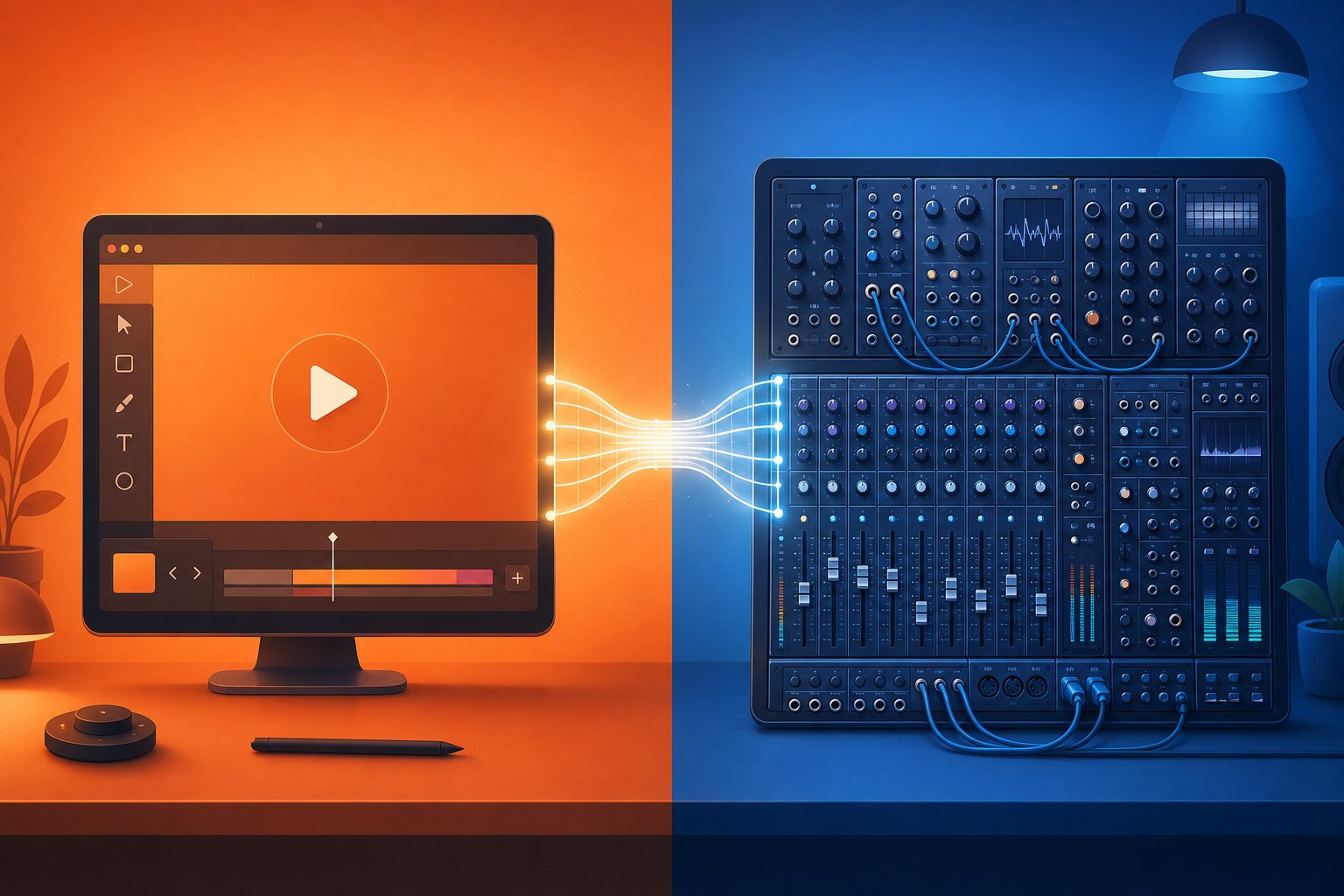
For creators relying on auto generated by YouTube copyright tools like the platform's own AI soundtrack features, this entire dispute process becomes irrelevant. Tracks generated within YouTube's ecosystem are pre-cleared by design. The risk only exists when you bring in audio from external generators, which is exactly why evaluating those third-party tools against YouTube's native options becomes a practical decision every creator needs to make.
YouTube's Built-In AI Music vs Third-Party Generators
YouTube is not just allowing AI music on its platform. It is actively building AI music tools into the creator workflow. That changes the calculus for anyone deciding where to source their tracks. You can stay entirely within YouTube's walled garden and never worry about a claim, or you can reach for external generators that offer deeper creative control at the cost of managing your own licensing. Each path has clear tradeoffs.
YouTube's Native AI Soundtrack Tool
YouTube now offers multiple built-in AI music features directly inside YouTube Studio. The most notable recent addition is a "Create" button within the Replace Song tool that generates four royalty-free instrumental tracks on demand. Its purpose is specific: when a video receives a Content ID claim, you can swap the flagged audio for an AI-generated alternative without re-editing or re-uploading the video. The replacement releases the claim and restores monetization eligibility.
This sits alongside the "Music Assistant" feature available to YouTube Partner Program members through Creator Music. That tool lets you describe what you want via text prompt, specifying mood, instruments, and video context. YouTube generates copyright-free instrumental backing tracks powered by Google DeepMind's Lyria model. Dream Track for Shorts and the Speech to Song tool expand the ecosystem further, offering AI audio creation at multiple touchpoints in the production process.
The advantage is obvious: zero copyright risk. Tracks generated within YouTube's own tools are pre-cleared for the platform by design. No Content ID scans to worry about. No license documentation to save. No disputes to file. You generate, apply, and move on.
The limitation is equally clear. These tools produce instrumental tracks with limited stylistic range. You cannot fine-tune arrangements at the level a dedicated music fx ai tool might allow. You cannot export the track for use on Instagram, TikTok, or a podcast. The music lives on YouTube and serves YouTube videos, nothing more.
Third-Party AI Generators and Their Advantages
So why would anyone look beyond YouTube's built-in options? Several reasons, all related to creative control and flexibility.
Third-party generators like those in the soundgen ai or brev.ai category let you dial in specifics that YouTube's tools simply do not support. Want a 128 BPM synthwave track with arpeggiated bass, sidechained pads, and a gradual build over exactly 45 seconds? External tools handle that kind of precision. You can specify key signatures, song structures (intro, verse, chorus, bridge, outro), individual instrument layers, and emotional arcs. Some platforms even allow stem exports so you can mix tracks in a DAW like fl studio ai integrations permit, adjusting levels and EQ to match your video's audio landscape perfectly.
Cross-platform use is the other major factor. If you publish content across YouTube, TikTok, Spotify, and soundcloud ai playlists simultaneously, you need music cleared for all of them. YouTube's native tools only cover YouTube. A third-party generator with a proper commercial license lets you use the same track everywhere, building a consistent audio brand across every platform your audience finds you on.
Genre variety also tends to be broader outside YouTube's garden. Dedicated AI music platforms invest heavily in training across niche genres like lo-fi, vaporwave, ambient drone, Afrobeat, or cinematic orchestral. YouTube's tools lean toward general-purpose background music. If your channel has a distinct sonic identity, external generators give you the specificity to maintain it.
Browser-based tools like wavtool and similar platforms also offer real-time editing capabilities that go beyond simple prompt-to-track generation, letting you iterate on compositions in ways that YouTube's one-shot generation cannot match.
When to Use Which Approach
The decision is not either-or for most creators. It is situational.
Use YouTube's built-in tools when you need a quick fix for a flagged video, when you are producing content exclusively for YouTube, or when copyright safety matters more than sonic precision. The Replace Song tool is purpose-built for resolving claims fast. The Music Assistant handles situations where you need decent background music without leaving YouTube Studio.
Reach for third-party generators when you want original branding, when you need tracks across multiple platforms, when genre specificity matters, or when you want to build a reusable music library with consistent style. These tools require more diligence around licensing, but they reward that effort with creative freedom YouTube's built-in options cannot deliver.
Here is how the two approaches compare across the dimensions that matter most:
| Dimension | YouTube's Built-In AI Tools | Third-Party AI Generators |
|---|---|---|
| Creative Control | Limited. Basic mood and instrument prompts. No stem exports or structure editing. | High. Specify BPM, key, structure, instruments, duration, and emotional arc. |
| Copyright Safety | Maximum. Pre-cleared for the platform with zero claim risk. | Depends on the tool. Requires verifying license terms and training data sources. |
| Cross-Platform Use | YouTube only. Cannot export or use tracks elsewhere. | Most commercial licenses cover all platforms including social media and podcasts. |
| Genre Variety | Moderate. General-purpose instrumentals covering common styles. | Extensive. Niche genres, era-specific styles, and highly customizable outputs. |
| Cost | Free for YouTube Partner Program members. | Ranges from free tiers with limitations to $10-50/month for full commercial access. |
Neither option is universally better. YouTube's tools eliminate risk at the expense of flexibility. Third-party generators maximize creative potential but require you to verify that the tool's licensing terms, training data transparency, and platform permissions actually protect your channel. That verification process is not difficult, but it does demand knowing what to look for, and more importantly, what should make you walk away from a tool entirely.
Red Flags to Watch For in AI Music Tools
Knowing the difference between license types is only half the equation. The other half is reading the fine print of the specific tool you plan to use and recognizing language that signals trouble before it reaches your channel. Most creators pick a generator based on sound quality or ease of use without ever scrolling past the first paragraph of the terms of service. That shortcut can cost you monetization, trigger disputes, or leave you without recourse when a claim lands on your video months later.
Think of this section as a due diligence checklist. Before you commit your content library to any AI music platform, run through these signals. They separate tools that genuinely protect creators from those that shift all risk downstream to you.
Licensing Terms That Should Raise Concerns
Every AI music generator publishes terms of service. The problem is that many of those documents are written to protect the company, not you. Certain phrases should immediately slow you down:
- "We retain ownership of all outputs" - This means you are licensing the track, not owning it. The platform can revoke access, change terms, or grant the same track to other users. You hold a permission slip, not a deed.
- "Non-exclusive license" - Non-exclusive means other users can generate identical or near-identical tracks and use them simultaneously. That is standard for most AI tools, but it becomes a problem when another user registers that same output with Content ID before you do.
- "Terms subject to change" - Nearly every platform includes this clause. The dangerous version is when it applies retroactively to previously generated content. A tool that can revoke your commercial rights on tracks you already published puts your entire back catalog at risk.
- "Output may not be eligible for copyright protection" - Suno's own terms state explicitly that they make "no representation or warranty" that copyright will vest in any output. That honesty is actually helpful because it tells you exactly where you stand. Other platforms bury this reality or avoid mentioning it entirely, which is worse.
- Vague language about training data - Phrases like "trained on a diverse music dataset" without specifying whether that data was licensed should raise immediate questions. If the company does not say its training data is authorized, assume it may not be.
The viral controversies around carti using ai vocals and the ai slim shady deepfake tracks highlighted exactly this problem. Creators who distributed those tracks assumed they had rights based on a surface-level reading of platform terms, only to face takedowns when rights holders challenged the outputs. The platform terms did not protect them because the terms were never designed to.
Training Data Transparency as a Trust Signal
If a tool's terms of service are its legal backbone, training data transparency is its ethical one. Why does this matter to you as a creator? Because lawsuits targeting AI music companies do not only affect those companies. They affect everyone who used the tool's outputs commercially.
When major labels sued AI music startups for training on copyrighted catalogs without permission, the legal theory was straightforward: if the model learned from protected material without authorization, its outputs carry potential infringement liability. Even if your generated track sounds nothing like any specific song, the argument is that the model's capability itself was built on stolen value.
Tools that clearly disclose their training sources send a strong trust signal. Look for platforms that state their models were trained on:
- Licensed music libraries with documented agreements
- Royalty-free and public domain recordings
- Original compositions created specifically for training purposes
- Datasets where contributing artists opted in and were compensated
Platforms that remain opaque about where their data came from are not necessarily acting in bad faith. Some may be protecting proprietary methods. But from your perspective as a creator who needs clean, defensible audio, opacity equals risk. You cannot prove your track is safe if you cannot verify the pipeline that created it.
The record label ai landscape is shifting rapidly on this front. Major labels are now licensing their catalogs directly to AI companies under strict terms, creating a class of tools with legitimate, documented training data. These partnerships produce generators where every piece of source material is accounted for. That accountability flows down to you as the end user.
Platform-Specific Restrictions to Watch For
Even tools with clean training data and fair ownership terms can restrict how and where you use their outputs. These restrictions often catch creators off guard because the marketing says "free to use" while the license says "free to use on YouTube only" or "free for personal projects."
Common restrictions that trip up creators:
- Platform-locked permissions - Some generators allow YouTube use but prohibit the same track on TikTok, Instagram Reels, or podcasts. If you repurpose content across platforms, a YouTube-only license creates gaps in your coverage.
- Free-tier vs paid-tier rights - Is beatoven ai free for commercial use? Not on its basic plan. Many tools offer free generation but reserve commercial rights for paid subscribers. The free output might be technically identical in audio quality, but legally restricted to personal or non-monetized projects.
- Revenue sharing requirements - A handful of platforms claim a percentage of ad revenue earned on videos using their music. This is uncommon but exists, particularly with newer generators trying to monetize without charging subscription fees upfront.
- Mandatory attribution that conflicts with platform norms - Some licenses require you to credit the AI tool in your video description or on-screen. YouTube does not penalize this, but it can look unprofessional in branded content or create awkward conversations with sponsors who expect original music.
- Restrictions on ai remix music uses - Certain tools allow you to use the generated track as-is but prohibit modifying, sampling, or remixing the output. If your workflow involves editing tracks in a DAW or combining AI stems with your own recordings, verify that modifications are explicitly permitted.
The viral "let it be ai" covers that circulated widely demonstrated another subtlety: some platforms permit generation of tracks in the style of famous songs but prohibit distribution if the output is recognizably derivative. The generation itself is technically permitted. Publishing it commercially is not. That gap between what a tool lets you create and what it lets you distribute is exactly where creators get caught.
Here is a consolidated checklist you can run through before committing to any AI music tool:
- Green flags: Clear commercial license stated in writing, transparent training data sources (licensed or original), no revenue sharing required, perpetual license that survives account cancellation, explicit permission for all major platforms, modification and remix rights included
- Red flags: Vague ownership terms or "we retain all rights" language, undisclosed or unverifiable training data sources, revocable licenses that can change retroactively, mandatory attribution that conflicts with your content format, platform-specific restrictions that do not match your distribution strategy, terms that disclaim copyright without offering alternative protections
Run every tool through this framework before you generate your first track. A few minutes reading terms of service now prevents weeks of dispute resolution later. The strongest tools pass every green flag without hesitation. The riskiest ones hit multiple red flags simultaneously and rely on creators never reading past the "Start Generating" button.
Evaluating tools is one step. The next consideration is more personal: how much risk can your channel actually absorb? A hobbyist experimenting with background music faces a completely different stakes calculation than a full-time creator with active brand partnerships and a monetized library of hundreds of videos.

Choosing Your Risk Level as a YouTube Creator
Not every creator faces the same consequences from a music licensing misstep. Someone uploading casual gameplay highlights to 200 subscribers is playing a fundamentally different game than a creator earning five figures monthly through brand partnerships. Your channel's size, monetization status, and revenue sources should dictate how carefully you vet AI music tools, not an abstract sense of caution applied equally to everyone.
The best ai song makers for your situation depend on where you are in your creator journey right now. Here is how to match your risk profile to the right licensing approach.
Hobbyist Creators Without Monetization
When you are not earning revenue from your videos, the immediate financial risk of a Content ID claim is zero. No one can redirect money you are not making. That makes this the lowest-stakes environment for experimenting with AI-generated music.
But habits formed here carry forward. If you build a library of 50 videos using a tool with questionable licensing and then apply for the YouTube Partner Program, those videos become your track record. An unresolved claim sitting on your channel during the review period signals risk to YouTube's automated and human reviewers. Even without direct financial loss today, a sloppy approach now creates cleanup work later.
The recommendation: start with tools that offer clear licensing from day one. Free tiers with explicit commercial-use rights exist. YouTube's own Audio Library is an obvious safe starting point. If you explore third-party generators, pick ones that grant commercial rights even on free plans so you never have to retroactively audit your library when monetization becomes realistic. Using ai for songwriting as a hobby is the perfect low-pressure environment to learn which tools provide real documentation and which rely on vague promises.
Growing Channels Seeking the Partner Program
This is the stage where licensing decisions carry the most asymmetric risk. You are investing serious effort into hitting YouTube's Partner Program thresholds: 1,000 subscribers with either 4,000 valid public watch hours in 12 months or 10 million valid public Shorts views in 90 days. Every video you publish is building toward that milestone.
A single unresolved Content ID claim will not disqualify you outright. YouTube's review process evaluates your channel as a whole against its monetization policies. But active claims create friction. They suggest to reviewers that your channel may have ongoing rights issues. Worse, if a claim escalates to a copyright strike, you cannot even apply to YPP with an active strike on your account.
Creators at this stage need tools with explicit commercial licenses and clear ownership grants, not tools where the terms say "we make no representation about copyright." If you are using chat gpt for music ideas or prompts that feed into a dedicated generator, ensure the final output platform grants you documented rights. Save every receipt, screenshot every license page, and keep a simple spreadsheet tracking which tool and plan generated each track in your library. That documentation becomes your safety net during the review process and beyond.
Established Creators With Brand Partnerships
Once brand deals enter the picture, the licensing conversation changes entirely. Sponsors and advertisers operate under strict legal compliance frameworks. When a brand pays you to feature their product, their legal team may require proof that every element of your video is properly cleared, including background music.
This is not paranoia. Under UGC rights frameworks, brands using creator content commercially face statutory damages up to $150,000 per infringed work for willful copyright violations. A brand that reposts your sponsored video containing uncleared music inherits that liability. Smart advertisers ask for documentation. If your AI music tool cannot produce a license agreement, a terms-of-service page with explicit commercial rights, or some form of clearance certificate, that track becomes a dealbreaker for the partnership.
Established creators also face compounding exposure. Hundreds of published videos, each potentially containing AI-generated music, create a large surface area for claims. If the legal landscape shifts and courts rule against a specific AI tool's training practices, every video using that tool's output becomes a potential target. Diversifying your music sources, maintaining license documentation per video, and choosing tools with transparent, legally defensible training data is not optional at this level. It is basic risk management for a business.
Use this framework to identify where you fit and what that means for your tool selection:
| Creator Type | Risk Tolerance | Recommended License Level | Key Considerations |
|---|---|---|---|
| Hobbyist (not monetized) | Higher. No revenue at stake today. | Free tier with commercial rights or YouTube Audio Library | Build clean habits early. Avoid tools with vague terms that create problems when you monetize later. |
| Growing channel (pre-YPP) | Low. Every claim can delay monetization. | Explicit commercial license with ownership documentation | Maintain a clean copyright history. Track which tool generated each track. No active strikes allowed during YPP application. |
| Monetized creator (YPP member) | Low to moderate. Revenue loss during disputes. | Commercial license with Content ID clearance | Prioritize tools that will not trigger claims. Revenue freezes during disputes directly reduce monthly income. |
| Established creator (brand deals) | Very low. Legal exposure extends to sponsors. | Full commercial license with exportable documentation | Brand partners may require proof of clearance. Transparent training data protects both you and your advertisers. |
Identify your row in that table, and let it guide your standards. A hobbyist can afford to experiment broadly. A brand-partnered creator cannot afford a single undocumented track in a sponsored video. The tools available to both might overlap, but the diligence required scales with what you stand to lose.
Once you know your risk profile, the practical question becomes straightforward: which specific generators meet your standards? The AI music tool landscape includes free options with legitimate commercial licenses alongside premium platforms offering deeper creative control, and the right choice depends on matching your risk tolerance to a tool's actual terms rather than its marketing copy.
Best AI Music Generators for Copyright-Free YouTube Tracks
You know your risk level. You understand licensing terms. You can spot red flags in a terms-of-service document. The remaining question is practical: which tools actually deliver royalty-free or copyright-free music with licenses that hold up under scrutiny? The AI music generator market is crowded, and marketing claims blur together fast. What matters is what the license page says, not what the landing page promises.
Here is a curated comparison of generators that offer clear commercial licensing for YouTube creators, starting with free options and scaling into premium tiers.
Top AI Music Generators With Clear Commercial Licenses
Each tool below was evaluated on the criteria covered earlier: license clarity, training data transparency, free-tier availability, genre range, and explicit YouTube permissions. This is not an exhaustive list of every generator on the market. It is a focused selection of platforms where the licensing terms actually say what creators need them to say.
| Tool | License Type | Free Tier | Genre Range | YouTube Commercial Use |
|---|---|---|---|---|
| MakeBestMusic Free Music Generator | Royalty-free, full commercial rights | Yes, unlimited generation | Broad (lo-fi, electronic, cinematic, ambient, pop, and more) | Yes, including monetized videos |
| Suno (Pro/Premier) | Commercial license on paid tiers only | Limited (non-commercial on free tier) | Extensive with AI vocals | Yes on paid plans; no on free |
| Udio (Standard/Pro) | Commercial license on paid tiers | Limited (non-commercial on free tier) | Wide, experimental focus | Yes on paid plans only |
| Ecrett Music | Royalty-free with subscription | Trial available | Background music, scenes, moods | Yes with active subscription |
| AIVA | Full copyright on Pro plan; limited on free | Yes (restricted license) | Orchestral, cinematic, electronic | Pro plan required for monetization |
| Brev Music Generator | Royalty-free commercial license | Yes with limits | Multiple genres, prompt-based | Yes |
| Soundful | Royalty-free on paid plans | Limited free downloads | Electronic, hip-hop, pop, ambient | Yes on Creator plan and above |
MakeBestMusic's Free Music Generator stands out for a specific reason: it offers full commercial rights at no cost, with no per-track limits that force you into a paid upgrade the moment you need more than three downloads. For creators asking whether AI can generate copyright-free music for YouTube without spending money, this is the most direct answer. You generate tracks, download them, and use them in monetized videos, social content, podcasts, games, or any commercial project without attribution requirements or revenue sharing.
Other platforms like sonoteller ai focus more on music analysis and metadata tagging than generation, while the mytunes ai music generator ecosystem targets specific niches. The topmediai ai song generator offers text-to-song capabilities with vocal synthesis, and songify ai focuses on turning speech into music. SongGPT takes a conversational prompt approach to generation. Each serves a different use case, but for straightforward background music and commercial YouTube tracks, the table above covers the strongest options with verified licensing.
What to Look For in a Generator's Terms of Service
The red flags framework from earlier applies here in reverse. When evaluating any tool on this list or beyond it, look for these positive signals in the actual terms of service page:
- Explicit statement of commercial use rights - The terms should say, in plain language, that you can use generated tracks in monetized content. Not implied. Stated.
- Perpetual license - Your rights to tracks you already generated should survive even if you cancel your subscription or the platform changes its terms. Look for language like "perpetual, irrevocable license" tied to tracks downloaded during your active access period.
- No revenue claim on your content - The platform should not register tracks with Content ID or claim a percentage of your YouTube ad revenue. Some tools generate music and then distribute it through aggregators, creating a situation where your own licensed track triggers a claim filed by the very platform that sold it to you.
- Cross-platform permissions - If you repurpose content, verify the license covers YouTube, TikTok, Instagram, Spotify, podcasts, and any other channel where your content appears.
MakeBestMusic checks each of these boxes on its free tier, which is uncommon. Most competitors gate one or more of these permissions behind paid plans, particularly the perpetual license and cross-platform clauses.
Free vs Paid Tiers and What You Actually Get
Free does not always mean limited. But it often does. Understanding the tradeoffs helps you decide whether upgrading is worth it for your workflow.
On most platforms, free tiers restrict one or more of the following:
- Commercial rights - Free output is labeled "personal use only." You cannot monetize videos containing it. Suno and Udio both enforce this boundary clearly.
- Generation volume - You get a handful of tracks per day or month. Enough to test the tool, not enough to build a library.
- Audio quality - Some platforms limit free outputs to lower bitrates or shorter durations, reserving full-length, high-fidelity renders for subscribers.
- Stem exports - Separating drums, bass, melody, and pads into individual files for mixing is almost universally a paid feature.
Paid tiers (typically $10 to $50 per month) unlock commercial licensing, higher generation limits, priority rendering, and advanced features like custom model training or reference-track conditioning. For creators producing multiple videos weekly, the investment pays for itself through time savings alone compared to searching stock libraries.
The exception to the free-means-limited pattern is MakeBestMusic's Free Music Generator, which grants commercial rights on its free tier without capping generation volume or gating quality behind a paywall. That makes it particularly useful for creators building a reusable music library from scratch, where generating dozens of tracks across moods and genres without cost barriers is the entire point.
For creators who need AI vocals, lyric generation, or song-level composition (full verse-chorus structures with singing), paid tools like Suno Pro or songify ai become necessary. Background instrumental tracks for YouTube videos, though, sit squarely in the territory where free options with legitimate licenses exist and perform well.
Knowing which tool fits your needs is the first decision. The second is building a workflow around it that protects your channel long-term, from the moment you type a prompt to the day you publish your hundredth video using AI-generated audio.
Your Complete Workflow for Using AI Music on YouTube Safely
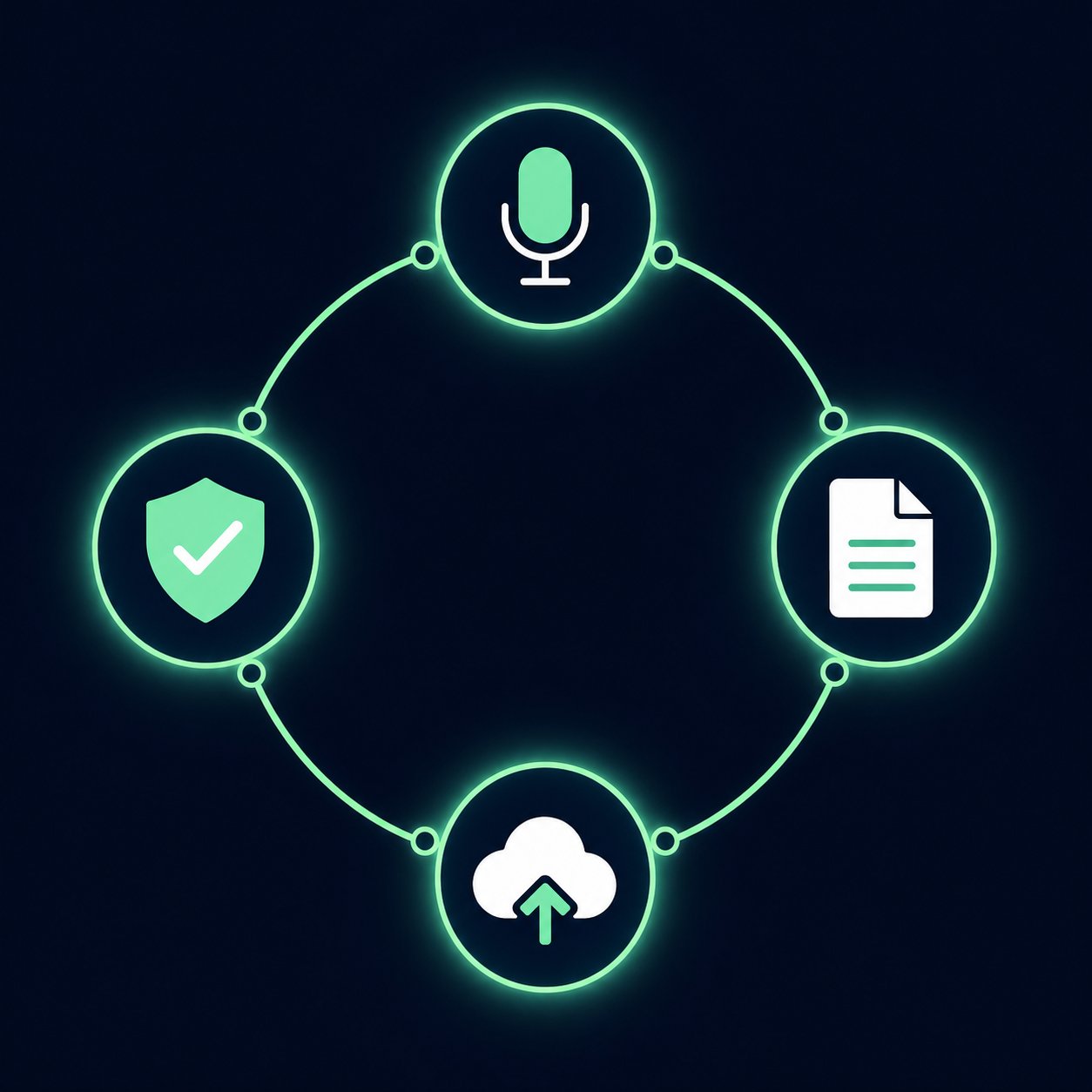
Having the right tool means nothing without a repeatable process that keeps your channel protected video after video. The difference between creators who never face claims and those caught in dispute cycles usually comes down to workflow discipline, not tool selection alone. What follows is a practical system you can apply starting with your next upload.
Step-by-Step Workflow for Safe AI Music Usage
Whether you are producing a single Short or a full-length documentary, this sequence keeps your licensing airtight from prompt to publish:
- Choose a reputable generator with verified licensing - Pick a platform that passes the green-flag checklist from earlier. Confirm that your specific plan (free or paid) grants commercial use rights for YouTube. Do this once per tool, not once per track.
- Write a clear, specific prompt - Describe genre, mood, tempo, instrumentation, and intended use. The more precise your prompt, the more usable the output. Avoid referencing real artists or songs by name to prevent derivative-sounding results.
- Generate and critically evaluate the track - Listen under your voiceover or B-roll footage. Does it compete with speech? Does the energy match your pacing? If something feels off, adjust one parameter and regenerate rather than settling.
- Save license documentation before downloading - Screenshot the terms-of-service page, your account tier, and the generation timestamp. Save the prompt you used. This takes 30 seconds and creates an evidence trail that resolves disputes in days instead of weeks.
- Add the music to your video and export - Mix the AI track at an appropriate level beneath your primary audio. Export your final video file.
- Use YouTube's copyright check before publishing - Upload as unlisted and run YouTube's built-in Checks tool. If no Content ID matches appear, you are clear. Publish with confidence.
- Store your records in a simple tracking system - A spreadsheet with columns for video title, music tool used, plan tier, prompt text, generation date, and license screenshot location. If a claim arrives six months later, you can respond in minutes instead of scrambling.
This workflow adds roughly five minutes per video. That investment pays for itself the first time you resolve a false claim in a single email because your documentation is already organized.
Building a Reusable Music Library for Your Channel
Searching for the perfect track before every upload is inefficient. Creators with consistent output are better served by building a personal library of pre-cleared AI tracks organized by mood, energy level, and use case. Imagine having folders labeled "chill intros," "upbeat transitions," "cinematic outros," and "ambient backgrounds" ready to drop into any project without a single licensing question.
MakeBestMusic's Free Music Generator makes this library-building approach practical because it allows unlimited generation with full commercial rights at no cost. You can spend an afternoon generating 30 or 40 variations across moods and genres, organize them into your library, and draw from that collection for months without revisiting the tool unless you need something new. That kind of batch generation is where free, unrestricted platforms deliver the most value.
A well-built library also creates sonic consistency, the kind of recognizable audio identity that makes viewers feel at home on your channel. Viewers may not consciously notice your background music, but they register the cohesion. That subtle branding compounds over hundreds of videos into something that feels distinctly yours.
If your content involves vocals or lyrics, the workflow expands slightly. Creators exploring how to turn lyrics into a song using ai typically start by writing their own words and feeding them into a generator that handles melody and arrangement. Tools focused on this use case, including platforms marketed as the best ai song creator for vocal tracks, require the same licensing verification as instrumental generators. Your lyrics remain copyrightable as human-authored work even when the musical arrangement is AI-generated, so document both components separately.
Some creators use ChatGPT to brainstorm lyrical ideas or song concepts before moving to a dedicated music generator. If you have ever searched how to create a song using chatgpt or tried to chatgpt make a song, you know the output is text-based. It can help with structure, rhyme schemes, and thematic direction, but it does not produce audio. You still need a music generation platform to handle composition and production. Treat ChatGPT as a writing partner and the generator as your studio. Tools like the toolbaz song lyrics generator serve a similar brainstorming function, giving you raw lyrical material to refine before feeding it into an audio platform. When evaluating a top ai for lyrics for songs, prioritize ones that clearly separate the text output (yours to copyright) from the musical output (subject to the generator's license terms).
Future-Proofing Your Content
The legal landscape around AI-generated music is still shifting. Courts are actively deciding cases that will set precedent for years. Platform policies update regularly. A tool that is perfectly safe today could change its terms tomorrow.
Three habits keep your channel protected as the ground moves:
- Review your tools' terms quarterly - Bookmark the terms-of-service pages for every generator you use. Check them every few months for changes, especially around ownership, commercial rights, and training data disclosures.
- Diversify your music sources - Do not build your entire library on a single platform. If one tool faces legal challenges or changes its licensing model, you want alternatives already integrated into your workflow.
- Keep your documentation current - License terms at the time of generation are what matter legally. Your screenshots from the day you generated each track serve as your timestamped proof of the rights you were granted, even if the platform changes its terms later.
AI music for YouTube is not a passing experiment. It is a permanent part of the creator toolkit. The creators who thrive with it long-term are not the ones who found the flashiest generator. They are the ones who paired good tools with disciplined workflows, built libraries they can defend, and stayed attentive as the rules continued to evolve. Your music should support your content, not become a liability hiding inside it.
