

What AI Music Transcription Actually Promises Musicians
You have a recording. Maybe it's a voice memo from a rehearsal, a track you want to learn, or a rough demo that needs proper notation. You know the notes are in there, but getting them onto a page or into a MIDI file means hours of rewinding, listening, and scribbling. So the question becomes obvious: is there AI that can transcribe music accurately enough to save you that time?
The Audio-to-Notation Problem Every Musician Faces
Every musician eventually hits this wall. You need sheet music or MIDI data, and you're starting with nothing but audio. Historically, the only reliable path was a trained ear and a lot of patience. Professional transcribers charge by the minute of audio, and doing it yourself pulls focus from the creative work you'd rather be doing. The promise of AI song transcription is straightforward: feed in audio, get usable notation out. But whether that promise holds up depends on what you're transcribing, how clean your source audio is, and which tool you choose.
How Far AI Transcription Has Come
The idea of computers detecting pitches from audio isn't new. Researchers introduced the term "Automatic Music Transcription" back in 1977, believing computers could be programmed to detect chord patterns and rhythmic accents in digital recordings. Early systems relied on rule-based pitch detection algorithms that worked reasonably well for single melodic lines but collapsed under the complexity of chords and multiple instruments. The shift to deep learning changed everything. Modern systems use convolutional neural networks and end-to-end architectures like Google Brain's Onset and Frames model, trained on hundreds of hours of precisely aligned audio and MIDI data. The result is a dramatic leap in what's possible, particularly for piano and other well-represented instruments.
Can AI reliably turn audio recordings into accurate, usable notation?
That's the question this article answers completely. You'll learn how AI transcription actually works under the hood, where it delivers strong results, where it still falls short, which tools represent the best AI music transcription options available, and how to build a practical workflow that combines AI speed with human musical judgment. The goal is to bridge the gap between what academic research has achieved and what working musicians actually need in their studios and practice rooms.
How AI Turns Audio Into Written Music
Understanding how AI music notation works doesn't require a computer science degree, but it does help to know what's happening between the moment you upload a recording and the moment notation appears on screen. The process follows a consistent pipeline regardless of which tool you use, and knowing these stages gives you a practical sense of why certain recordings transcribe beautifully while others produce a mess.
From Sound Waves to Spectrograms
When you play a recording into a transcription system, the AI doesn't "hear" music the way you do. It converts the raw audio waveform into a visual representation called a spectrogram. Imagine a graph where the horizontal axis is time, the vertical axis shows frequency (low notes at the bottom, high notes at the top), and the brightness or color at any point indicates how loud that frequency is at that moment. This time-frequency representation is how the AI "sees" your music.
Most modern systems compute what's called a mel-scaled spectrogram with logarithmic amplitude. In plain terms, this means the frequency axis is stretched to match how human ears actually perceive pitch, with more resolution in the ranges where musical notes live. A typical configuration uses 229 logarithmically-spaced frequency bins, giving the system enough granularity to distinguish between closely spaced notes across the keyboard.
How Neural Networks Decode Musical Information
Once the audio becomes a spectrogram, it enters a neural network. Think of this as a pattern-recognition engine trained on thousands of hours of music where both the audio and the correct notation are already known. The network learns to spot visual patterns in the spectrogram that correspond to specific musical events.
Here's the pipeline broken down into stages:
- Audio input: Raw waveform (WAV, MP3, or other format) is loaded and resampled to a standard rate
- Spectrogram conversion: The waveform is transformed into a time-frequency image the network can process
- Onset detection: The network identifies the exact moments when notes begin, looking for sudden energy spikes in the spectrogram
- Pitch estimation: For each detected onset, the system determines which frequencies are present and maps them to musical pitches
- Note tracking: The system follows each pitch forward in time to determine when notes end, forming complete note events with duration
- Symbolic output: Detected notes are assembled into MIDI data or music notation with pitch, timing, and velocity information
Modern architectures like Google Brain's Onset and Frames model use a multi-task approach. One part of the network specializes in detecting onsets (the sharp, transient attack of a note), while another tracks which pitches remain active frame by frame. This division of labor works because the acoustic signature of a note beginning is very different from the sustained portion that follows. The onset detector essentially tells the frame detector "a new note started here," which dramatically reduces false positives.
Earlier rule-based systems tried to accomplish this with handwritten algorithms and fixed thresholds. They worked for simple cases but couldn't adapt to different instruments, recording environments, or playing styles. End-to-end neural approaches learn these distinctions directly from data, which is why accuracy has improved so substantially in recent years.
Why Multiple Simultaneous Notes Challenge AI
Transcribing a single melody line is a relatively solved problem. A solo flute or vocal melody produces a clear fundamental frequency with predictable overtones, and modern pitch estimators like CREPE handle this with high accuracy. Polyphonic transcription, where multiple notes sound simultaneously, is an entirely different challenge.
Here's why. Every musical note produces not just its fundamental frequency but a series of harmonics (overtones) above it. When you play a C major chord on piano, the harmonics of the C overlap with harmonics of the E, which overlap with harmonics of the G. The spectrogram becomes a dense tangle of frequency information where the AI must infer which fundamentals are actually present from a mixture of overlapping energy. As one research overview notes, a significant percentage of each note's harmonics are obscured by the harmonics of the other notes, making this an extremely under-determined problem.
Add a second instrument and the complexity multiplies further. Musicians also coordinate their timing precisely, which violates common signal processing assumptions about source independence. The AI can't simply assume that overlapping sounds are unrelated; in music, they're intentionally synchronized, making separation harder rather than easier.
This is precisely why piano transcription has advanced fastest. Datasets like MAESTRO provide over 200 hours of perfectly synchronized audio and MIDI captured from Yamaha Disklavier pianos, giving neural networks massive amounts of clean training data for a single polyphonic instrument. For other instruments and ensembles, that training data simply doesn't exist at the same scale, and accuracy drops accordingly.
Scenarios Where AI Transcription Excels
Polyphonic complexity makes transcription harder, but that doesn't mean AI fails everywhere. Under the right conditions, these tools deliver genuinely useful results, especially when you treat them as a fast first draft rather than a finished product. Knowing where AI performs reliably helps you decide when to trust it and when to skip straight to manual work.
Where AI Transcription Delivers Strong Results
AI piano transcription is the strongest use case by a wide margin. Clean solo piano recordings with steady tempo and simple rhythms can reach up to 96% pitch detection accuracy on standardized benchmarks. That's remarkably close to human-level for the specific task of identifying which notes are present. If you need to quickly transcribe piano passages into MIDI for a production session, AI handles the heavy lifting well.
Beyond piano, here are the scenarios where AI transcription accuracy for music remains reliable:
- Solo melodic instruments: A single flute, clarinet, or trumpet line with clear attacks and minimal vibrato
- Vocals for melody extraction: Isolating the pitch content of a vocal line (though lyrics and phrasing won't carry over)
- Rhythmically straightforward passages: Steady tempo, no rubato, clear downbeats, and common time signatures
- Studio-quality recordings: Close-miked, minimal reverb, no bleed from other instruments
- Bass lines: Generally reliable when the part is isolated and the register doesn't dip into muddy low frequencies
- Simple chord progressions on a single instrument: Block chords with clear attacks rather than dense arpeggiation
The common thread is simplicity and clarity. When you feed the AI a clean signal with well-defined note attacks and limited harmonic overlap, it does what it was trained to do effectively. The tedious bulk work of identifying hundreds of individual pitches and mapping them to basic rhythmic values takes minutes instead of hours. For producers who want to transcribe piano ideas into a DAW, or musicians trying to learn a solo from a recording, that time savings is real.
Research competitions like MIREX show measurable accuracy improvements year over year. Systems that struggled with basic polyphony five years ago now handle moderately complex piano textures with confidence. The trajectory is clear even if the destination of full human-level transcription remains distant.
Audio Quality and Its Impact on Accuracy
Imagine feeding a blurry photograph into an OCR system and expecting perfect text. That's essentially what happens when you run a phone recording through AI transcription. The system converts audio into a spectrogram and matches patterns against what it learned during training. When the input is noisy, reverberant, or compressed, those patterns blur together and confidence drops at every stage of the pipeline.
A 2025 study in the EURASIP Journal found that AI transcription accuracy drops by 20 percentage points when the recording comes from a different piano than the training data, and another 14 points for genre shifts. Total degradation can reach up to 50 percentage points under unfavorable conditions. Recording quality compounds these effects. Background noise, room reverb, audio compression, and distance from the microphone all degrade the spectrogram the AI relies on.
Practical takeaway: if you want to use AI to transcribe piano or any other instrument, start with the cleanest source you can find. A studio master or lossless file will dramatically outperform a YouTube rip or a phone recording from across the room. When clean audio isn't available, lower your expectations for the output and plan on more manual correction.
This framing, AI as a time-saving first pass rather than a finished product, is essential. Even at 96% pitch accuracy on ideal material, the output still lacks dynamics, expression markings, and correct rhythmic notation. The value lies in eliminating the slowest part of transcription (identifying raw pitches) so you can spend your time on the musical decisions that require a trained ear.
Where AI Transcription Falls Short
Knowing where AI performs well is only half the picture. Equally important is understanding exactly which musical elements it consistently gets wrong, so you're not blindsided when the output arrives missing half of what makes the music actually sound like music. These aren't edge cases or rare failures. They're systematic gaps that affect nearly every AI-generated score, regardless of which tool you use.
Musical Details AI Consistently Misses
Here's the core problem: AI transcription tools extract notes. They detect which pitches are active and approximately when they start and stop. But a piece of sheet music communicates far more than pitch and duration. It tells a performer how to play, not just what to play. And that expressive layer is almost entirely absent from AI output.
When you convert a song to sheet music using AI, the result typically contains zero dynamics (no pp, ff, or crescendo markings), no articulations (no staccato dots or legato slurs), no pedal indications, no tempo modifications, and no expression text. Side-by-side testing confirms that current AI tools score effectively 0% on dynamics and expression markings across multiple test samples. These aren't occasional omissions. They're complete absences.
Grace notes and ornaments present a particularly revealing failure. When a pianist plays a quick grace note before a main beat, the AI detects a brief pitch activation in the spectrogram. But it doesn't understand that this is an ornament with specific notation conventions. Instead, it transcribes it as a literal 32nd note or 64th note, disrupting the rhythmic flow and cluttering the score with values that look nothing like what a trained musician would write.
The table below breaks down how current AI handles specific musical elements you'll encounter in real transcription work:
| Musical Element | AI Capability Level | Manual Correction Needed? |
|---|---|---|
| Basic pitch detection | Strong (up to 96% on solo piano) | Minimal on clean recordings |
| Dynamics (pp, ff, cresc.) | Not detected | Always — must add from scratch |
| Articulations (staccato, legato, accents) | Not detected | Always — must add from scratch |
| Grace notes and ornaments | Misinterpreted as literal short notes | Always — must rewrite notation |
| Pedal markings (piano) | Not detected | Always — must add manually |
| Tempo markings and rubato | Not detected; rubato distorts rhythm | Always — must interpret and notate |
| Voice separation (polyphonic) | Poor — merges into single layer | Almost always — must split voices |
| Swing and groove feel | Quantizes to straight rhythm | Always — must renotate feel |
| Complex time signatures | Unreliable; defaults to 4/4 | Usually — must correct meter |
| Rapid passages and runs | Partial detection with note dropouts | Often — must fill gaps |
| Pickup bars (anacrusis) | Frequently missed | Almost always — throws off all barlines |
The Polyphonic Voice Separation Problem
When you look at a properly engraved piano score, you see distinct voices: melody stems pointing up, accompaniment stems pointing down, inner voices clearly separated. This voice separation is what makes a score readable and playable. AI consistently fails at this task.
In testing, tools like Klangio merged all voices into a single layer even on straightforward solo piano pieces. The melody and accompaniment become one undifferentiated stream of notes. For a performer trying to sight-read, this is nearly unusable. You can't tell which notes belong to which musical line, where the melody sings above the texture, or how the left hand moves independently from the right.
Why does this happen? Voice separation requires understanding musical intent, not just acoustic content. Two notes sounding simultaneously might belong to the same chord or to two independent melodic lines. Making that distinction requires knowledge of voice leading conventions, harmonic context, and the instrument's physical layout. The AI hears overlapping frequencies. A trained musician hears a soprano line crossing above an alto. That conceptual gap remains wide.
Rhythm and Expression Challenges
Rhythm errors are arguably more damaging than pitch errors. A wrong pitch is a single mistake. A wrong time signature or misplaced downbeat throws off every subsequent bar, making the entire score feel disorienting. And this is exactly what happens in practice.
AI systems quantize timing to a rigid grid. When a musician plays with swing feel, the AI transcribes it as straight eighth notes because swing is a performance convention, not an acoustic absolute. When a performer uses rubato (expressive tempo flexibility), the AI interprets the shifting tempo as alternating accelerations and decelerations, producing bizarre rhythmic values that look nothing like idiomatic notation. A 2025 study confirmed that genre shifts alone, which often involve different rhythmic conventions, can degrade accuracy by 14 percentage points or more.
Pickup bars (anacrusis) represent another consistent failure point. Many pieces begin before beat one, and AI almost never identifies this correctly. When the first bar is wrong, every subsequent barline is displaced, and the entire metric structure collapses. Correcting this isn't a quick fix. It means rebarring the entire piece.
These ai transcription limitations in music all point back to the same fundamental gap. The acoustic signal contains frequencies and timing. But musical expression lives in the space between the signal and the score: the performer's intent, the composer's conventions, the genre's expectations. AI hears what was played. A trained musician understands what was meant. Until systems can bridge that interpretive gap, the expressive dimensions of music will remain a human responsibility in any transcription workflow.
How AI Performs Across Instruments and Genres
The expressive gaps covered above affect all AI transcription output, but the severity varies enormously depending on what instrument you're transcribing and what genre it belongs to. A clean piano recording and a live jazz guitar solo are two completely different problems for the same underlying technology. Knowing where your specific instrument and genre fall on the reliability spectrum saves you from wasted time and misplaced trust in AI output.
AI Capability by Instrument Type
Not all instruments are created equal in the eyes of a neural network. The training data matters. Models like those behind Spotify's Basic Pitch and Google's Onset and Frames were trained predominantly on piano recordings from datasets like MAESTRO, which contains over 200 hours of perfectly aligned audio and MIDI from Disklavier pianos. That's why an ai piano sheet music generator produces significantly better results than tools attempting guitar or drums.
Here's how the major instrument categories stack up:
Solo Piano — This is AI's home turf. Clean piano recordings with steady tempo can reach up to 96% pitch detection accuracy on standardized benchmarks. The percussive attack of piano keys creates clear onsets in the spectrogram, and the massive training datasets give models deep familiarity with the instrument's harmonic profile. If you need a quick MIDI draft from a piano recording, AI delivers genuine value here.
Vocals — Melody extraction from a solo vocal line works reasonably well because it's essentially a monophonic problem. The fundamental frequency of a singing voice is distinct and trackable. However, accuracy drops to roughly 52% on pitch benchmarks, partly because vibrato, breath noise, and consonant sounds create spectrogram artifacts the model must filter out. You'll get a usable pitch contour, but rhythmic notation and phrasing will need manual cleanup. Lyrics, unsurprisingly, don't transfer at all.
Guitar — This is where things get challenging. AI guitar transcription from audio faces unique obstacles that piano models don't encounter. Bends, slides, hammer-ons, pull-offs, harmonics, and palm muting all produce spectral signatures that don't map cleanly to discrete pitches. A bent note doesn't have a single frequency; it sweeps continuously between two pitches. Accuracy falls to around 78% for pitch detection alone, and the output typically can't distinguish between the same pitch played on different strings, a critical detail for tablature.
Bass — Generally reliable for isolated bass lines in the mid-to-upper register. Low frequencies are harder to resolve in spectrograms because the wavelengths are longer and harmonics are more widely spaced, but a well-recorded bass with clear note articulation transcribes decently. The challenge comes in dense mixes where the bass competes with kick drum energy and low piano notes.
Drums — Rhythm detection works better than you might expect. Kick, snare, and hi-hat produce distinct spectral patterns that modern classifiers separate reasonably well. The real problem is notation conventions. Drum notation isn't standardized the way pitched notation is, and AI tools often output MIDI note numbers that don't map intuitively to a drum score without manual reassignment.
Full Band or Ensemble — This is the most difficult scenario. At the NeurIPS 2025 AMT Challenge, only 2 of 8 competing teams outperformed the baseline model on multi-instrument excerpts, and even the winners showed a consistent 25+ point F1 drop when just two or three instruments were present. Overlapping timbres, shared frequency ranges, and synchronized timing make source separation extremely difficult. Accuracy on dense polyphonic mixes drops to as low as 38%.
| Instrument | AI Accuracy Level | Key Challenges |
|---|---|---|
| Solo Piano | High (up to 96% pitch F1) | Voice separation fails; rhythm and expression absent |
| Vocals | Moderate (~52% pitch F1) | Vibrato artifacts; no lyrics or phrasing; rhythmic values inaccurate |
| Guitar | Moderate-Low (~78% pitch F1) | Bends, slides, harmonics not captured; string assignment impossible |
| Bass | Moderate-High (isolated lines) | Low-frequency resolution limits; struggles in dense mixes |
| Drums | Moderate (onset detection) | Notation conventions vary; ghost notes missed; no dynamics |
| Full Ensemble | Low (~38% for dense mixes) | Source separation breaks down; overlapping timbres and timing |
Genre-Specific Performance Differences
Instrument type isn't the only variable. Genre shapes how musicians play, and those performance conventions directly affect whether AI can make sense of the audio. A 2025 EURASIP study found that genre shifts alone can reduce transcription accuracy by 14 percentage points, even on the same instrument.
Classical solo works — This is where AI sheet music generation performs best. Solo piano sonatas, etudes, and preludes recorded in controlled studio environments give the model everything it needs: clear attacks, predictable harmonic language, and minimal noise. The main issue is expressive timing. Classical performers use rubato extensively, which confuses the rhythmic quantization and produces notated values that look bizarre on paper.
Pop with clear arrangements — Pop recordings with distinct layers (isolated vocal, simple piano or guitar accompaniment, programmed drums) transcribe reasonably well when processed instrument by instrument. The structures are repetitive, harmonies follow common patterns, and rhythms tend toward straight time. If you can isolate stems using a source separation tool first, you'll get better results than feeding in the full mix.
Jazz — This is AI's weakest mainstream genre. Swing feel gets quantized to straight eighth notes. Improvised lines contain chromatic passing tones and altered extensions that confuse harmonic analysis. Walking bass lines blend with piano comping. And the loose, interactive timing between players resists the rigid grid AI needs to assign beat positions. If you're trying to transcribe a jazz solo, expect to do most of the rhythmic work yourself.
Electronic music — Problematic for different reasons. Synthesized sounds don't have the natural harmonic profiles that neural networks trained on acoustic instruments expect. A detuned sawtooth wave or a heavily processed pad produces spectrogram patterns the model has never seen in training. Pitched percussion, glitched samples, and layered synths compound the confusion. Ironically, electronic music is often already MIDI-based in production, making transcription from audio unnecessary if you have access to the project files.
Folk and world music — Limited training data is the bottleneck here. Models trained primarily on Western classical and pop piano have minimal exposure to instruments like the oud, erhu, sitar, or bandoneon. Microtonal inflections, non-standard tunings, and ornamental traditions specific to these styles fall completely outside the model's learned vocabulary. You might get approximate pitch centers, but the nuance that defines these traditions will be lost entirely.
| Genre | AI Accuracy Level | Key Challenges |
|---|---|---|
| Classical Solo | High (best-case scenario) | Rubato distorts rhythm; dynamics and phrasing absent |
| Pop (clear arrangements) | Moderate-High | Works best with isolated stems; full mix accuracy drops |
| Jazz | Low | Swing quantized to straight; chromatic lines confuse pitch logic |
| Electronic | Low-Moderate | Synth timbres outside training data; non-standard harmonic content |
| Folk / World Music | Low | Limited training data; microtones and unusual instruments unrecognized |
The pattern across both tables points to a practical decision framework. If your source material is a clean solo piano or simple pop recording, AI gives you a useful head start. If you're working with jazz, ensemble recordings, guitar-heavy material, or anything outside the Western classical and pop mainstream, plan on doing substantially more manual work, or consider whether a different approach to getting your notation makes more sense entirely.
That decision also depends on which tool you choose. Not all AI transcription software handles these instruments and genres equally, and the differences in how each tool processes audio, what formats it outputs, and what it costs can shift your results meaningfully.
AI Transcription Tools Worth Trying
Choosing the right tool shapes whether AI transcription saves you hours or wastes them. The market has fragmented into distinct approaches: web-based services, desktop applications, and open-source research projects. Each makes different tradeoffs between accuracy, convenience, output formats, and cost. Rather than chasing the "best" option in the abstract, the practical question is which tool fits the specific work you actually do.
Top Consumer AI Transcription Tools Compared
Songscription — A web-based tool that handles the full pipeline from audio to editable sheet music in a single workflow. Songscription takes a per-instrument approach with its strongest model on piano, plus additional support for acoustic guitar, drums, violin, flute, saxophone, trumpet, and bass. Beyond raw transcription, it offers arrangement features (converting a multi-instrument recording into something playable for a chosen instrument) and difficulty leveling for students. Exports PDF, MusicXML, and MIDI. The built-in piano roll editor lets you correct output without switching to another app. Its pitch detection is notably accurate, including grace notes and complex chords, though rhythm interpretation remains uneven, particularly with expressive timing and non-standard meters. The free tier allows up to 10 three-minute transcriptions per month.
Klangio — Also web-based, with a slightly wider range of supported instruments than Songscription. The key differentiator is integration: Klangio offers an API and DAW plugins, letting you embed transcription into your own software or trigger it directly from your production environment. If you need transcription living inside Logic, Ableton, or a custom application rather than a separate browser tab, Klangio is set up for that. The tradeoff is that spreading model effort across more instruments tends to produce slightly less polished results on the instruments where Songscription has invested more deeply, particularly piano.
AnthemScore — A desktop application with a one-time purchase model rather than a subscription. Everything runs offline, so your audio never leaves your machine. That's meaningful for privacy-conscious workflows or situations with unreliable internet. The model isn't the newest generation, and the interface shows its age, but the economics work for high-volume users who transcribe enough material to amortize the upfront cost. Expect to spend more time on cleanup than you would with newer cloud-based models.
Basic Pitch — An open-source project from Spotify's Audio Intelligence Lab. It's free, runs in the browser or locally via Python, and outputs MIDI. No subscription, no limits. The catch is that it's a research tool rather than a polished consumer product. There's no built-in notation rendering, no score editor, and no sheet music export. You get raw MIDI that you then import into a DAW or notation editor for further work. For developers, producers comfortable with MIDI workflows, or anyone who wants to experiment without spending money, it's an excellent starting point.
| Tool | Best For | Output Formats | Free Tier | Notable Limitations |
|---|---|---|---|---|
| Songscription | Complete audio-to-sheet-music workflow; piano transcription | PDF, MusicXML, MIDI | Yes (10 transcriptions/month, 3 min each) | Rhythm interpretation uneven; limited instrument set; no API or DAW plugin |
| Klangio | DAW integration; API access; broader instrument coverage | MIDI, MusicXML, PDF | Yes (limited) | Lower output quality on overlapping instruments; less polished piano results |
| AnthemScore | Offline use; one-time purchase; high-volume transcription | MIDI, MusicXML, PDF, audio | Free trial only | Older model; more cleanup needed; interface dated |
| Basic Pitch | Free experimentation; developer workflows; MIDI extraction | MIDI only | Entirely free (open source) | No notation output; no score editor; MIDI only |
Choosing the Right Tool for Your Use Case
The decision usually comes down to a few practical questions. Do you need finished sheet music from a single tool, or are you comfortable importing MIDI into MuseScore or Finale for formatting? If you want the full pipeline in one place, Songscription AI handles that workflow most completely. Do you need transcription embedded in your DAW or integrated into custom software? Klangio's API and plugins are built for exactly that scenario. Is offline operation or avoiding subscriptions a hard requirement? AnthemScore fits. Want to test the waters without spending anything at all? Basic Pitch costs nothing and gives you clean MIDI to work with.
One useful reality check comes from community threads on platforms like Reddit, where musicians share unfiltered experiences with these tools. A common theme in ai audio transcription free Reddit discussions: once you're past a baseline of usable output, the differences between leading tools on a given song are often smaller than the difference between an easy recording and a hard one on the same tool. Source quality and musical complexity matter more than which software you pick. The most practical advice from experienced users is to try a few real songs from your own library on the free tiers, compare the output against the audio, and let five minutes of testing on your actual material guide the decision more than any comparison post.
Whichever tool you choose, the output arrives in a specific format, and that format determines what you can do next. MIDI, MusicXML, PDF, and tablature each serve different downstream workflows, and matching the right export to your actual goal is the difference between a smooth process and an unnecessary conversion headache.
Output Formats and What to Do With Them
You've chosen a tool, uploaded your audio, and the AI has done its work. The next decision shapes everything that follows: which output format do you export? This isn't a trivial preference. Each format carries different information, opens in different software, and fits different creative goals. Picking the wrong one means an extra conversion step at best, or lost data at worst.
Understanding MIDI, MusicXML, PDF, and Tab Output
Think of these formats as containers, each designed to hold a specific type of musical information. Here's what each one actually gives you:
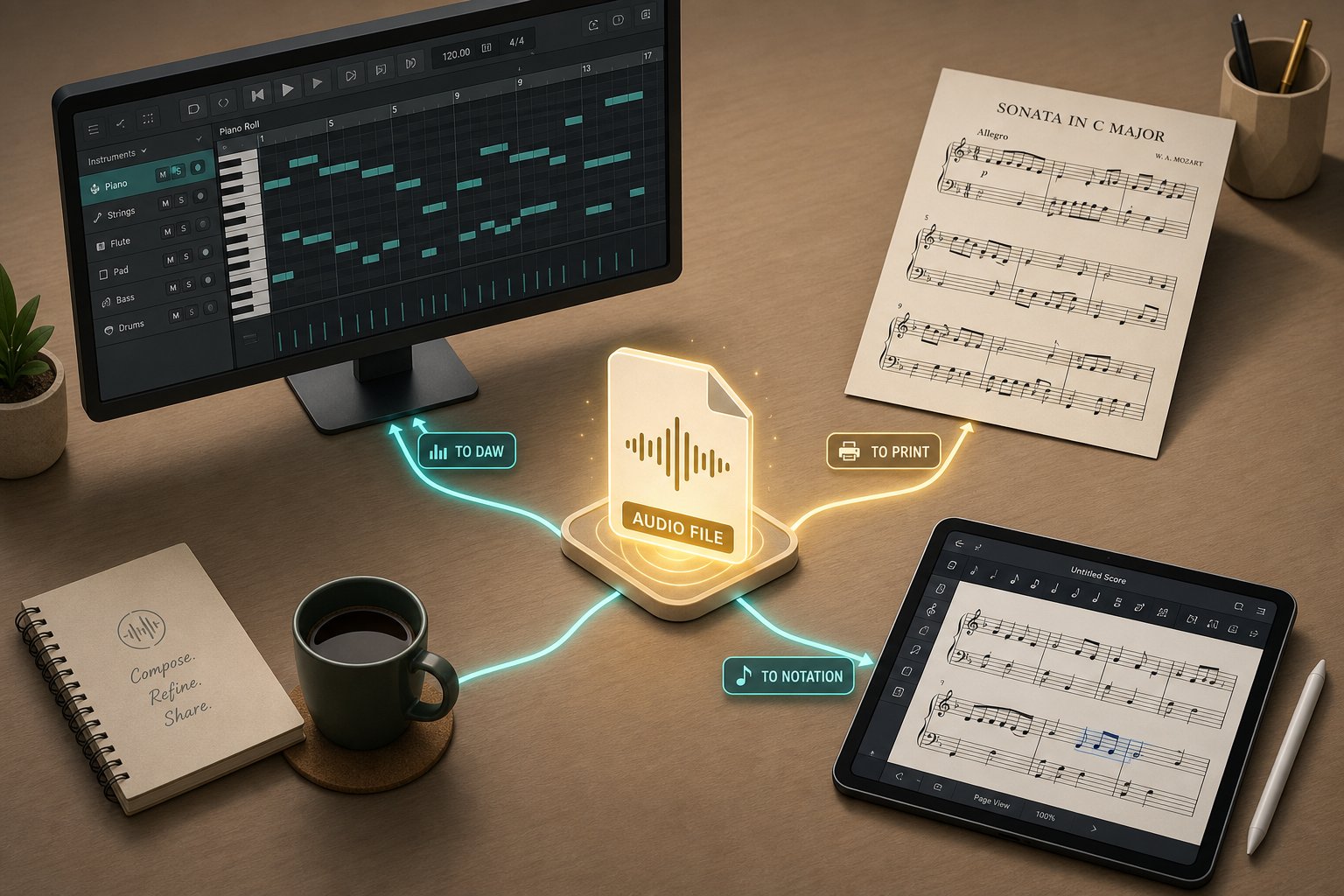
- MIDI (.mid) — Stores performance data: which notes were played, when they started, how long they lasted, and how hard they were struck (velocity). MIDI contains no audio whatsoever. It's a set of instructions that any DAW or virtual instrument can interpret. This makes it endlessly editable. You can change tempo, transpose keys, reassign instruments, or quantize timing without any quality loss. For ai music transcription to midi workflows, this is the most flexible starting point for production and arrangement work.
- MusicXML (.musicxml) — The universal interchange format for notation software. MusicXML preserves notes, rhythms, key signatures, time signatures, and basic layout information in a structured way that opens in MuseScore, Sibelius, Finale, Dorico, or any compatible scorewriter. It faithfully reproduces the musical content, though some cleanup is usually needed to match the exact visual appearance of the original. If your goal is creating a printable, publishable score, MusicXML gets you into notation software where you can refine layout, add dynamics, and engrave professionally.
- PDF — A fixed visual representation of the score. What you see is what you print. PDFs preserve formatting perfectly across any device, making them ideal for sharing finished scores with performers or teachers. The tradeoff is that PDFs are not editable. You can't move a note, change a key, or extract MIDI data from a PDF without re-transcribing. Use this format only when the score is finalized and you need a clean, consistent document.
- Guitar Tablature (.gp, .tab) — Tablature maps notes to specific strings and frets rather than staff positions. This is essential for guitarists because the same pitch can be played in multiple positions on the neck, and position choice affects tone, playability, and technique. Few AI tools generate tablature directly with accurate string assignments, so most workflows involve exporting MIDI or MusicXML and converting to tab in GuitarPro or similar software.
Matching Output Formats to Your Workflow
Your downstream goal determines the right choice. Imagine three musicians using the same AI transcription of a piano recording. A producer wants to manipulate the parts in Ableton. A music teacher wants printed sheet music for a student. An arranger wants to reharmonize and expand the piece in Sibelius. Same input, three completely different format needs.
If you're a producer, MIDI is almost always the right first export. It drops directly into your DAW session where you can layer virtual instruments, adjust velocities, split parts across tracks, and build a full arrangement around the transcribed material. Once you have clean MIDI from a transcription, tools like MakeBestMusic's AI MIDI Generator can extend that foundation by generating complementary melody ideas or arrangement variations, bridging the gap between a raw transcription and a fully realized production.
If you're arranging or publishing, export MusicXML. It carries more musical metadata than MIDI (key signatures, time signatures, staff assignments) and opens natively in notation editors where you'll do your refinement work. The conversion from MusicXML to PDF is trivial once your score looks right, so this format covers both the editing phase and the final output.
If you just need a quick reference to hand a bandmate or read at a gig, PDF works. But recognize that it's a dead end for further editing. Any changes mean going back to the source file.
For guitarists specifically, the practical path is usually: AI transcription to MIDI, then MIDI import into GuitarPro or MuseScore for tab conversion. You'll still need to manually assign string positions, because AI can't determine where on the neck a pitch should be played based on audio alone.
The format you choose also affects how much correction you'll need to do and where you'll do it. MIDI corrections happen in a piano roll editor. MusicXML corrections happen in a notation environment. Understanding this upfront saves the frustration of exporting in one format, realizing you need another, and starting the cleanup process over again.
Format choice is one piece of the puzzle. The other is cost. Not every musician needs a paid ai sheet music generator or ai sheet music maker when free options exist for basic workflows. The real question is where the free tools hit their limits and when investing in paid software actually returns value in time saved.
Free and Paid Options for Every Budget
Not everyone needs to spend money to get useful results from AI transcription. Several genuinely free options exist, though "free" means something different at each tool. Knowing exactly what you get without paying, and where the walls go up, helps you decide whether to experiment at no cost or invest in something more capable.
Free AI Transcription Options and Their Limits
If you're looking for a free ai music transcription tool to test on your own recordings, these are your realistic options:
- Basic Pitch — Completely free and open source with no usage caps. Upload any audio and get MIDI back. No file length limits, no account required. The limitation is output: MIDI only, with no notation rendering, no sheet music export, and no built-in editor. You'll need a separate tool like MuseScore to turn that MIDI into readable notation.
- Songscription — Free tier includes unlimited 30-second previews plus a free trial version for longer transcriptions. Useful for checking accuracy on a specific passage before committing. Exports (MIDI, MusicXML, PDF) require a paid plan.
- Klangio — Free demo limited to 20 seconds of audio. Enough to hear how the model handles your material, but too short for any practical transcription work. Full exports and editing locked behind payment.
- Melody Scanner — Free tier covers roughly 40 bars (about 2 minutes) from YouTube input. PDF export is free; MIDI and MusicXML require payment.
The pattern is clear. Free tiers let you evaluate quality, but walking away with an editable file almost always requires payment somewhere. If your goal is creating piano arrangement from audio ai free, Basic Pitch is the only tool that gives you a complete MIDI file without spending anything. From there, importing into MuseScore (also free and open source) gives you a full notation editing environment at zero cost. The result won't be polished, but it's a working starting point.
When Paid Tools Are Worth the Investment
Paid plans justify themselves when you transcribe regularly or need production-ready output without extra conversion steps. If you're transcribing multiple songs per week for teaching, arranging, or production, the time savings from integrated editing, multi-format export, and longer file support add up fast. A subscription that costs less than one hour of a professional transcriber's rate pays for itself the first time you use it on a full piece.
The decision point is volume and workflow friction. If you transcribe one song a year, free tiers and Basic Pitch cover it. If transcription is a regular part of your work, the convenience of a paid tool like Songscription or Klangio's full plans eliminates the friction of bouncing between free tools and manual workarounds.
Using AI Output to Build Your Ear Training Skills
Here's an angle most musicians overlook: sheet music ai tools don't just save time. They can actively sharpen your ear. The method is simple. Transcribe a passage yourself first, working through it by ear the way you always have. Then run the same audio through an AI tool and compare your version against its output.
Where do your results diverge? Maybe you nailed the melody but missed an inner voice. Maybe you heard the rhythm correctly but placed a chord tone wrong. The AI output becomes a reference point, not a replacement for your ear, but a mirror that highlights your blind spots. Klangio recommends this approach specifically: use their free demo transcriptions to check your transcription by ear or to lay down a basis for refinement.
This reverses the typical relationship with AI. Instead of outsourcing the work entirely, you use the tool as a training partner. Over time, your ear catches more of what the AI catches, and you start noticing things the AI misses, like voice leading, expression, and rhythmic feel. The gap between your transcription and the AI's shrinks on the mechanical elements while your advantage on the musical elements grows.
Whether you're spending nothing or subscribing to a full-featured plan, the practical question remains: how do you actually combine AI speed with human musical judgment in a repeatable workflow? That's where the real time savings happen, not in any single tool, but in how you chain the steps together.
Building a Practical AI-Human Transcription Workflow
The real answer to how to use ai to transcribe music isn't "pick the best tool and trust the output." It's a hybrid approach where AI eliminates the tedious grunt work and you contribute the musical intelligence no algorithm can replicate. Neither side works optimally alone. Unedited AI output is riddled with missing expression, collapsed voices, and rhythmic oddities. Pure manual transcription is accurate but painfully slow. The combination gives you speed and quality in a repeatable process.
The AI-First, Human-Refined Workflow
Think of this as an assembly line where the machine handles the heavy lifting and the craftsperson handles the finishing. Every successful ai transcription workflow for musicians follows the same basic sequence, regardless of which tool you use or what instrument you're transcribing. Here's the complete pipeline from audio file to finished score or production-ready MIDI:
- Source the cleanest audio available. Dig up the studio master, a lossless file, or at minimum a high-bitrate stream. If you're working from a full mix and only need one instrument, run the audio through a source separation tool (like Demucs or the stem splitter in your DAW) to isolate the part first. Every decibel of noise or bleed you remove at this stage translates directly into fewer errors downstream.
- Choose the right AI transcription tool for your material. Piano recordings? Songscription or Basic Pitch. Need DAW integration? Klangio. Want free MIDI with no restrictions? Basic Pitch. Match the tool to your instrument, format needs, and budget based on what you learned from testing free tiers on your actual material.
- Run the transcription and export in the right format. For production workflows, export MIDI. For notation and arranging, export MusicXML. Don't export PDF at this stage because you can't edit it. You want the most flexible format for the correction work ahead.
- Import into your notation software or DAW. Open the MIDI in your piano roll editor (Ableton, Logic, Reaper) or import the MusicXML into MuseScore, Sibelius, Dorico, or Finale. This is where the AI's job ends and yours begins.
- Correct structural errors first. Check the time signature, key signature, and tempo. Verify the first bar: is there a pickup (anacrusis) that the AI missed? If the barlines are wrong, fix this before touching individual notes. A displaced downbeat cascades through the entire piece.
- Fix pitch errors and separate voices. Listen through while following the notation. Flag wrong notes, missing notes, and passages where multiple voices were collapsed into a single layer. Split voices so that melody and accompaniment have independent stems. This is the most labor-intensive correction step, but it's still far faster than transcribing from scratch.
- Add expression and performance markings. Dynamics, articulations, slurs, pedal markings, tempo indications, and any ornaments the AI missed entirely. This is the layer that transforms raw note data into a musically meaningful score. Listen to the source recording and mark what you hear. No AI tool does this for you yet.
- Finalize and export. Clean up notation layout, check for engraving issues, and export your finished file in whatever format serves your final purpose: PDF for performers, MusicXML for collaborators, MIDI for production.
This ai audio to midi workflow typically saves 50-70% of the time compared to transcribing entirely by ear, depending on the complexity of the material and how clean your source audio is. The first four steps take minutes. Steps five through seven take human attention, but you're refining existing content rather than building from nothing. That's a fundamentally different cognitive load.
Extending Transcription Into Full Arrangements
For many producers and composers, transcription isn't the end goal. It's a starting point. You transcribe a melody or chord progression because you want to build something new around it: add harmony, develop variations, create complementary parts, or rearrange for different instrumentation. The hybrid workflow naturally extends into this creative territory.
Once you have clean MIDI from steps one through six, the production possibilities open up. You might duplicate the melody track and experiment with harmonization. You might extract the chord progression and write a new bass line against it. You might take a transcribed piano part and orchestrate it across strings, pads, and rhythmic elements. Each of these tasks starts from the same foundation: accurate MIDI data you trust.
This is also where AI composition tools enter the picture as a natural next step. Once your transcription is clean, you can feed that MIDI into tools like MakeBestMusic's AI MIDI Generator to explore arrangement variations, generate complementary melodic ideas, or develop counter-melodies that work against your transcribed material. The pipeline becomes audio → AI transcription → corrected MIDI → AI-assisted composition → full arrangement. Each stage uses AI where it adds value while keeping creative decisions in your hands.
For producers who regularly sample or reference existing recordings, this workflow turns passive listening into active material. Instead of looping a section of a track and playing along until you find the notes, you get an editable MIDI draft in minutes, clean it up in your DAW, and immediately start building new production around it. The transcription-to-production pipeline becomes fast enough that you can try ideas that previously felt too time-consuming to bother extracting.
The practical takeaway is straightforward. AI handles what it's good at: detecting pitches, estimating timing, and producing a rough symbolic representation of audio. You handle what you're good at: hearing musical intent, making notational decisions, adding expression, and extending raw material into finished creative work. Neither replaces the other. Together, they make the entire process from "I heard something I want to use" to "here's a finished arrangement" dramatically faster than either approach alone.
