

What It Really Means to Make Music With AI
Could music be made with AI and still carry the emotional weight of something crafted by human hands? That question drives an entire generation of musicians, producers, and curious creators toward a technology that is reshaping how songs come to life. Before diving into tools, techniques, and creative workflows, you need a clear picture of what artificial intelligence in music actually means in practice.
Defining AI Music Generation
AI-generated music refers to musical compositions, productions, or performances created or significantly aided by artificial intelligence algorithms that analyze patterns, interpret prompts, and synthesize audio without requiring traditional instrumental performance.
That definition covers a lot of ground, and intentionally so. Music and artificial intelligence intersect at multiple levels. At one end of the spectrum, fully autonomous systems generate complete tracks from a simple text prompt. You type a few words describing a mood or genre, and the algorithm delivers a finished piece. No theory knowledge, no instrument, no studio required. At the other end, professional producers use AI as one layer in a deeply human creative process, generating a drum loop here or suggesting a chord progression there while retaining full artistic control.
The Spectrum of Human-AI Music Creation
Think of it less as a binary and more as a sliding scale with three broad zones:
- Fully autonomous generation - the AI handles composition, arrangement, mixing, and output based solely on a text or tag prompt.
- AI-assisted composition - a creator directs the process, using AI to draft ideas, generate variations, or overcome creative blocks while making all final decisions.
- AI as a production tool - algorithms handle technical tasks like mastering, stem separation, or beat alignment, leaving the musical content entirely to the human.
This range matters because the conversation around music and AI often collapses these categories into one. A bedroom creator typing "upbeat lo-fi jazz" into a text-to-music app is doing something fundamentally different from a Grammy-winning producer using AI-powered mastering on a track they spent months composing. Both are making music with AI, yet the creative ownership looks very different.
A study by Ditto Music found that nearly 60 percent of surveyed musicians already use AI in their music projects, while 28 percent say they would not. That split reflects the broader tension in the industry: excitement about new creative possibilities weighed against uncertainty about authenticity and ownership. We are breaking history music ai is making in real time, and the pace shows no sign of slowing.
This article bridges the gap between academic research and hands-on application. You will learn how these systems work under the hood, where they excel, where they fall short, and how to start creating with them regardless of your skill level. The goal is practical clarity, not hype or fear.
How AI Music Generation Actually Works
Understanding the spectrum of human-AI collaboration is one thing. Knowing what happens between the moment you type a prompt and the moment audio reaches your speakers is another. So how does AI music generation work at a technical level, and why does it matter for the quality of what you create?
Neural Networks and Audio Generation Explained
Three core approaches power most music ai models available today. Each handles sound differently, and knowing the distinction helps you pick the right tool for your goals.
Autoregressive models trained on audio tokens. These work similarly to large language models for text. The system breaks audio into small discrete tokens using a technique called residual vector quantization, then learns to predict the next token in a sequence. Google's MusicLM and Meta's MusicGen both follow this pattern. MusicGen uses a single-stage transformer with efficient token interleaving patterns, which simplifies the generation pipeline while maintaining high controllability over the output.
Diffusion models generating waveforms. Imagine starting with pure noise and gradually removing it until a clear signal emerges. That is the core idea behind diffusion-based music ai models like Stable Audio and the more recent AudioX framework. These systems operate in a compressed latent space, using neural networks to iteratively denoise audio embeddings while following text and timing cues. The result is often higher-fidelity sound with more natural timbral qualities.
Symbolic AI working with MIDI and notation. Rather than producing raw audio, symbolic systems generate structured musical data like note sequences, chord progressions, and rhythmic patterns. Think of this as how does AI create music at the music theory ai level: it manipulates notes and timing rather than sound waves directly. The output can then be rendered through virtual instruments or exported as sheet music.
How Text-to-Music Models Process Your Prompts
When you type a description into a text-to-music tool, the system follows a general pipeline:
- Prompt interpretation - A text encoder transforms your words into a mathematical representation, mapping concepts like "melancholy," "acoustic guitar," and "slow tempo" into a shared embedding space that connects language to musical attributes.
- Musical structure planning - The model uses these embeddings to guide high-level decisions about composition: song length, harmonic patterns, rhythmic framework, and instrumentation arrangement.
- Audio synthesis - Either token-by-token prediction or iterative denoising generates the raw audio signal, conditioned at every step by your original prompt.
- Post-processing - Final refinement handles resolution upscaling, artifact removal, and normalization to deliver a polished output.
The critical link in this chain is the text-music joint embedding, where language and sound share a common representation. Models like MuLan (trained on 44 million music videos and their descriptions) and CLAP (an open-source contrastive learning model with 630,000 audio-text pairs) create this bridge so the AI can reliably connect your words to specific sonic qualities.
Here is where your input makes all the difference. Specificity shapes results dramatically. A prompt like "make a song" gives the model almost nothing to work with. Compare that to "upbeat electronic track with warm synth pads and a driving kick drum at 120 BPM, four-minute duration." The second version constrains the generation space in useful ways: genre, instrumentation, tempo, energy, and length are all defined.
Practical tips for better prompts:
- Name a genre and subgenre to anchor the style.
- Describe the emotional tone with specific adjectives: "wistful" tells the model more than "sad."
- List instruments you want featured or excluded.
- Include tempo in BPM if you have a target energy level.
- Mention the use case (background for video, standalone track, loop) so the AI can shape structure accordingly.
Each generation is also iterative. You refine prompts the way a photographer adjusts framing. The first result is rarely the final one, and small changes in wording can shift the output from generic to genuinely usable. Understanding how does ai music work at this pipeline level gives you a mental model for diagnosing why a result sounds wrong and what to adjust next.
Knowing the mechanics is useful, but it raises a natural follow-up: if the technology is this capable, where exactly does it shine and where does it stumble?
What AI Does Well and Where It Still Falls Short
The technology is impressive, no question. But can AI make better music than humans? That depends entirely on what you mean by "better." Speed, volume, and accessibility favor the machine. Emotional depth, originality, and expressive nuance still belong to people. The real picture is more layered than either camp admits.
Where AI Excels in Music Creation
The benefits of ai in music show up most clearly in scenarios where speed and scale matter more than singular artistic vision. Here is where AI genuinely outperforms a solo human creator:
- Rapid prototyping - Need twenty variations of a theme in an hour? AI delivers. What used to take a composer days of sketching now takes minutes of prompt iteration.
- Mood-setting background music - Content creators, game developers, and advertisers need functional music that supports a visual without demanding attention. AI handles this well because the bar is consistency, not surprise.
- Producing at scale - Libraries of royalty-free tracks for commercial use can be populated faster than any team of human composers could manage.
- Lowering the entry barrier - Someone with zero musical training can now describe what they hear in their head and get a tangible result. As CMU researcher Jose Oros noted, generative AI "lowers the bar for people with low musical knowledge to get into creating music."
- Generating variations - Starting from one musical idea and branching it into multiple stylistic interpretations is something AI does almost effortlessly, giving creators a wider palette to select from.
These strengths make AI a powerful utility. For creators who need functional audio quickly, the value proposition is clear and immediate.
Creative Limitations AI Has Not Overcome
The same CMU research tells a less flattering story when music creativity is the metric. Their interdisciplinary team found that AI-assisted compositions used fewer notes, moved at a slower pace, and were consistently judged by listeners as less creative than human-made pieces. This creativity research news landed in early 2026, and it confirmed what many working musicians already suspected.
Why music creativity remains a human stronghold comes down to a few stubborn gaps:
- Complex emotional storytelling - A song that builds tension across verses, subverts expectations in a bridge, and resolves with earned catharsis requires intentionality AI does not possess. It can mimic emotional contour, but it cannot feel the story it is telling.
- Convention-breaking innovation - AI learns from existing data, which means its outputs are inherently derivative. As CMU's Rich Randall put it, AI-generated music is "always going to be playing it safe." Humans are not constrained by training distributions.
- Nuanced performance dynamics - The rhythmic pullbacks, micro-timing variations, and breath-like phrasing that make a performance feel alive remain beyond algorithmic reach. These are not random imperfections. They are expressive choices shaped by lived experience.
- Genre-defying creativity - Inventing new genres, blending incompatible styles into something cohesive, or deliberately breaking rules in ways that resonate rather than confuse requires a kind of cultural awareness and risk tolerance AI does not have.
AI music prediction models are trained to produce the most statistically likely next element. That is useful for coherence but fundamentally at odds with surprise, which is the engine of artistic breakthrough.
Genre Performance and Quality Differences
Not all music reacts the same way to algorithmic composition. Genres built on repetition, clear structure, and predictable harmonic logic play to AI's strengths. Genres that rely on improvisation, organic texture, and performer interaction expose its weaknesses.
| Dimension | AI Strengths | Human Strengths |
|---|---|---|
| Speed | Generates complete tracks in seconds to minutes | Days to months per composition |
| Originality | Recombines patterns from training data effectively | Invents new forms, breaks conventions intentionally |
| Emotional Depth | Mimics emotional contour through learned patterns | Draws on lived experience, cultural context, genuine feeling |
| Consistency | Produces reliable, uniform quality across outputs | Variable, but peaks far exceed AI ceiling |
| Genre Versatility | Excels in electronic, EDM, lo-fi, ambient, pop | Dominates jazz, classical orchestration, folk, experimental |
| Scalability | Unlimited parallel output | Limited by time, energy, and creative capacity |
| Improvisation | Weak, outputs default to statistically safe choices | Core human skill, drives genre evolution |
Electronic and EDM tracks align well with algorithmic logic because they rely on structured repetition, tonal layering, and predictable progressions. Hip-hop beat generation has also seen strong results, particularly for rhythm-driven instrumental tracks. Lo-fi and ambient compositions, built on texture and mood rather than dynamic performance, consistently achieve high quality from AI systems.
Jazz sits at the opposite end. Improvisation, swing timing, and the conversational interplay between musicians require a spontaneity that current models approximate rather than master. Rock and metal capture structural intensity but often miss the analog warmth and expressive attack of a live guitarist. Classical orchestration performs well when the harmonic logic is rule-based, yet complex symphonic works demanding emotional narrative across twenty minutes still challenge even the most advanced systems.
The pattern is clear: the more a genre depends on human unpredictability and real-time expressive decisions, the less convincing AI's output becomes. For producers, this means AI is already a reliable collaborator in some contexts and a poor substitute in others. The practical question shifts from whether these tools can replace human musicians to how real creators are actually using them in their work.
Famous Musicians and Creators Using AI Right Now
Genre performance data tells you what AI handles well in theory. But what does adoption look like in practice, when real artists with real careers decide to bring these tools into their creative process? The answer is messier, more varied, and more interesting than any chart can capture.
Professional Artists Embracing AI Tools
The list of famous musicians using ai keeps growing, and it spans every corner of the industry. Some artists lean in cautiously. Others dive headfirst. The divide often says more about artistic philosophy than technical savvy.
If you want to tell me about 50 Cent's ai music project, it is one of the most talked-about examples of a major artist experimenting publicly. 50 Cent used AI to reimagine his classic songs "21 Questions" and "God Gave Me Style" as Motown-era records, posting the results on Instagram. The reaction split fans down the middle, but his reasoning was pragmatic: "I don't like fighting fights that I can't win. I don't think you can beat AI." He framed it as reaching new audiences who might connect with his songwriting in a different format rather than replacing human performance.
Timbaland has gone further, signing an AI artist to his label. Hallwood Media became the first known label to sign "AI music designers," building an entire roster that includes acts like Xania Monet, a gospel-singing AI persona created by Mississippi-based poet Talisha Jones. Monet debuted on Billboard's Adult R&B Airplay Chart and the Hot Gospel Songs chart, marking an undeniable milestone regardless of where you stand on the authenticity debate.
Recording Academy CEO Harvey Mason Jr. confirmed that "every" songwriter and producer he knows has now used generative AI in some capacity. That is not a fringe claim. It reflects a normalization happening behind closed studio doors. Some writers open Suno when they are stuck on a bridge section. Others generate full demos from morning voice memos. The outputs do not always make it into the finished song, but they serve as what Mason calls a "launch point" for human creativity to build on.
How Different Creators Use AI Music
How many ai musicians are there? The honest answer is that the line between "AI musician" and "musician using AI" is blurring fast. What matters more is understanding how different creator types plug these tools into their workflows:
- Bedroom producers - Use AI to generate beat foundations, drum patterns, and melodic loops they then chop, rearrange, and layer in a DAW. The AI output is raw material, not a finished product.
- Content creators and podcasters - Need background music that fits a mood without licensing headaches. AI handles this perfectly because the music supports visuals or voice rather than standing alone.
- Songwriters seeking inspiration - Feed lyric fragments or thematic descriptions into AI to hear melodic ideas they would not have reached on their own. Do artists use AI to write songs? Increasingly yes, but often as a brainstorming partner rather than a ghostwriter.
- Established artists experimenting - Use AI to reimagine existing catalogs, explore genre crossovers, or prototype concepts before committing studio time. 50 Cent's Motown experiment fits squarely here.
- Non-musicians with stories to tell - Poets, filmmakers, and game designers who hear music in their heads but lack the technical ability to produce it. AI bridges that gap from imagination to audio.
The pattern across all these categories is that AI rarely operates in isolation. It fits into a workflow where human intention bookends the process: a person decides what to create and a person decides whether the result is good enough. The machine fills the space between.
Still, a philosophical tension lingers. Is AI-made music "real" music? Some in the creative community argue it absolutely is, pointing out that the artistic vision, the emotional impulse, and the curatorial judgment all remain human. The AI is just a more sophisticated instrument. Others push back, saying music without lived experience behind it lacks soul, no matter how polished the output sounds. And a third camp sidesteps the question entirely, insisting the distinction does not matter if listeners connect with what they hear.
None of these positions are wrong. What is clear is that the industry is not waiting for consensus. Artists are shipping AI-assisted work, AI songs are hitting Billboard charts, and audiences are responding. The question of legitimacy will likely be settled not by debate but by what listeners choose to play on repeat.
With creators at every level finding uses for these tools, the natural next step is understanding which platforms actually deliver on the promise and how they differ from one another.
AI Music Platforms and Tools Worth Knowing
Knowing which creators use AI and how they use it is one thing. Finding the right platform for your own workflow is another. The landscape of the best ai tools for music has exploded over the past two years, and each option carves out a distinct niche. Some generate full songs with vocals from a single sentence. Others focus on stems, loops, or cinematic scoring. Picking the wrong one wastes time. Picking the right one unlocks creative possibilities you did not know you had.
Top AI Music Generation Platforms Compared
If you spend any time browsing ai generated music reddit threads, you will notice the same handful of names surfacing repeatedly, alongside newer entrants gaining traction fast. Here is how the major platforms stack up:
| Platform | Approach | Output Quality | Ease of Use | Best Use Case |
|---|---|---|---|---|
| MakeBestMusic | Text-to-music with lyrics and style input | High (complete songs) | Very easy | Turning prompts, lyrics, and style ideas into finished songs quickly |
| Suno AI | Text-to-music with vocals | High (v5 model) | Very easy | Full vocal songs from simple descriptions |
| Udio | Text-to-music with timeline editing | High (strong instrumentals) | Moderate | Production-oriented creators wanting arrangement control |
| AIVA | MIDI and score-based composition | High (orchestral focus) | Moderate | Classical, cinematic, and film scoring |
| Boomy | One-click full song generation | Medium | Extremely easy | Instant tracks with direct Spotify distribution |
| Soundful | Template-based generation | Medium-High | Easy | Royalty-free background music for content creators |
| Mubert | Real-time generative streaming | Medium-High | Easy | Continuous adaptive music for streams and long-form content |
Each tool solves a different problem. MakeBestMusic's AI Music Generator stands out for creators who want a prompt-and-lyrics-driven workflow. You feed it a text description, paste in your lyrics, define a style direction, and the system delivers a complete song. No musical training needed, no complicated interface to learn. It is particularly strong for anyone who already has words and a vision but needs a tool to bring them together into polished audio.
Suno AI dominates the ai music reddit conversation for good reason. Its v5 model generates vocal tracks with surprising realism, and Suno Studio now adds lightweight in-browser editing. The free tier gives you 50 credits per day, though commercial rights require a paid plan. Udio appeals to a more production-minded user. Its timeline editing, inpainting tool for fixing specific sections, and stem downloads give you control that pure prompt-based tools cannot match.
AIVA occupies a completely different lane. Trained on over 20,000 classical scores from Bach to Beethoven, it is the first AI officially recognized as a composer by SACEM in France. If your project needs orchestral depth or cinematic weight, nothing else on this list competes. Boomy sits at the opposite extreme: maximum simplicity, minimum friction. Generate a track in under thirty seconds, then publish it directly to Spotify or Apple Music.
Soundful and Mubert round out the landscape with specialized strengths. Soundful focuses on royalty-free music across a huge variety of subscription tiers, serving everyone from solo YouTubers to enterprise brands. Mubert takes a radically different approach by generating music continuously in real time, adapting to duration needs on the fly, which makes it ideal for streamers and long-form video producers.
Choosing the Right Tool for Your Needs
The ai music updates coming from these platforms arrive almost weekly, so the landscape shifts fast. Rather than chasing the newest feature, match the tool to your actual workflow:
- You have lyrics and want a complete song - MakeBestMusic or Suno. Both excel at turning words into finished audio with minimal steps.
- You want fine control over arrangement and stems - Udio. Its timeline editing and stem exports feed directly into a DAW-based workflow.
- You need orchestral or cinematic compositions - AIVA. The MIDI and sheet music exports let you refine every note.
- You want instant tracks with zero effort - Boomy. One click, one song, direct distribution to streaming platforms.
- You need royalty-free background music at scale - Soundful or Mubert, depending on whether you need discrete tracks or continuous generation.
The ai music generator reddit community frequently debates which platform is "best," but the honest answer is that the best tool depends on what you are making, how much control you want, and what you plan to do with the result. A podcaster and a film composer have entirely different needs, and trying to serve both with one platform leads to compromise.
What all these platforms share is a common tradeoff every creator eventually faces: what do free tiers actually give you, what do paid plans unlock, and what can you legally do with the music once it exists?
Free vs Paid AI Music and What You Can Legally Use
Every platform listed above offers some version of free access. That is the hook. You try it, you hear something you like, and suddenly you want to use it in a video, a podcast, or a release. But can you? The gap between "free to generate" and "free to use commercially" trips up more creators than any other aspect of AI music. Getting this wrong can mean demonetized videos, pulled tracks, or violated terms of service.
What Free AI Music Tools Actually Give You
Free tiers exist to let you experiment. They are demos, not production tools. Almost every AI music generator follows the same pattern: personal use only, no commercial rights, limited output volume. Here is what that looks like in practice across major platforms:
- Suno Free - 50 credits per day (roughly 10 songs). No commercial rights. No distribution allowed. Songs created on the free tier cannot be used commercially even if you later upgrade to a paid plan.
- Udio Free - Limited monthly generations. No commercial rights. Personal experimentation only. With Udio transitioning to a licensed platform following its 2025 settlements with major labels, free tier terms are expected to change.
- Stable Audio Free - Limited generations. Non-commercial use only. No distribution rights.
- Google MusicFX - Completely free but runs under experimental Labs terms. Commercial rights are unclear at best. Not recommended for any distribution purpose.
The pattern is universal. Free means free to listen, free to explore, free to learn the interface. It does not mean free to sell, free to monetize, or free to upload to Spotify. Think of it like stock music: you can preview watermarked tracks all day, but the moment you want clean audio in a commercial project, you pay for the license.
One critical detail catches people off guard: upgrading your subscription does not retroactively license tracks you made on the free tier. If you generated something brilliant while on Suno's Basic plan, subscribing to Pro afterward does not grant commercial rights to that specific track. You would need to regenerate it while actively subscribed to a paid tier.
Paid Plans and Commercial Licensing Explained
Paid tiers unlock the actual value proposition: commercial rights, higher generation volume, better audio quality, and more creative control. But not all paid plans are created equal, and the licensing terms vary platform to platform.
Here is a breakdown of what paid access typically provides:
| Feature | Free Tier (Typical) | Paid Tier (Typical) |
|---|---|---|
| Output Quality | Standard model access, sometimes older versions | Latest model versions, higher fidelity audio |
| Daily/Monthly Limits | 10-50 generations per day | 500-2,000+ songs per month |
| Commercial Rights | None. Personal use only | Full commercial use, streaming, monetization |
| Distribution | Not permitted | Upload to Spotify, Apple Music, YouTube, etc. |
| Customization | Basic prompts only | Advanced controls, stems, studio features |
| Revenue Share | N/A | Most platforms take 0% of your earnings |
Consider the economics. Suno Pro at $10 per month gives you 2,500 credits, enough for approximately 500 songs, with full commercial rights and zero revenue share. That works out to roughly two cents per distributed track. Suno Premier at $30 per month scales to 10,000 credits and adds Suno Studio access for more advanced production features. Both tiers grant identical commercial rights; the extra cost buys volume and tooling, not broader legal protection.
One notable exception exists: Stable Audio's Creator tier offers free commercial licensing for individuals earning under one million dollars annually. The catch is that it only generates instrumentals, not vocal tracks. If your needs are purely instrumental, this is a rare zero-cost path to legitimate commercial use.
Understanding what "commercial rights" actually covers matters for your artificial intelligence soundtrack projects. On most platforms, a paid commercial license includes streaming distribution, YouTube monetization, podcast use, sync licensing to third parties, and direct sales. Suno, for example, takes zero percent of your earnings once you hold commercial rights. All revenue from your music stays with you.
Three levels of licensing apply across the AI music landscape:
- Personal use - Listen, share with friends, use in non-public projects. No monetization. This is what free tiers provide.
- Content creator licensing - Use tracks in YouTube videos, podcasts, social media content, and other monetized media. Most paid tiers cover this automatically.
- Full commercial rights - Distribute on streaming platforms under your artist name, license to clients, use in advertisements, sell directly. Requires a paid subscription and careful attention to platform-specific terms.
There is one significant legal caveat that cuts across all tiers: copyright protection for fully AI-generated works remains uncertain. As Suno's own documentation states, music made entirely by AI would not qualify for copyright protection because a human did not write the lyrics or the music. The D.C. Circuit's ruling in Thaler v. Perlmutter affirmed that copyright requires human authorship. You can monetize your ai artificial intelligence soundtrack, but you may not be able to prevent others from copying it. DMCA takedowns, exclusive licensing, and PRO registration may not apply to purely AI-generated compositions.
For ai music production companies stock audio human-made certification 2025 became a growing conversation topic precisely because of this gap. Some distributors and libraries now distinguish between AI-generated and human-made content, and a few require explicit AI disclosure during upload. LANDR and Symphonic have mandatory AI disclosure fields. RouteNote asks for links to the AI tools used. These requirements are tightening, not loosening.
The practical takeaway is straightforward: if you plan to use AI-generated music commercially, budget for a paid tier, keep records of your subscription dates and generation timestamps, and read the specific terms of whatever platform you choose. Rights persist for songs created during your subscription even if you cancel later, but you cannot create new commercial content without resubscribing.
Licensing determines what you can do with AI music once it exists. But for many creators, the bigger question is how to blend AI output with their own production skills, combining algorithmic generation with hands-on refinement in a traditional studio environment.
Integrating AI Into Traditional Music Production Workflows
Licensing clears the legal path. But for creators who want more than a raw AI export, the real creative leverage comes from blending algorithmic output with hands-on production. AI and music production are not competing forces. They are layers in the same workflow, and the producers getting the best results treat them that way.
Combining AI Output With Traditional DAW Production
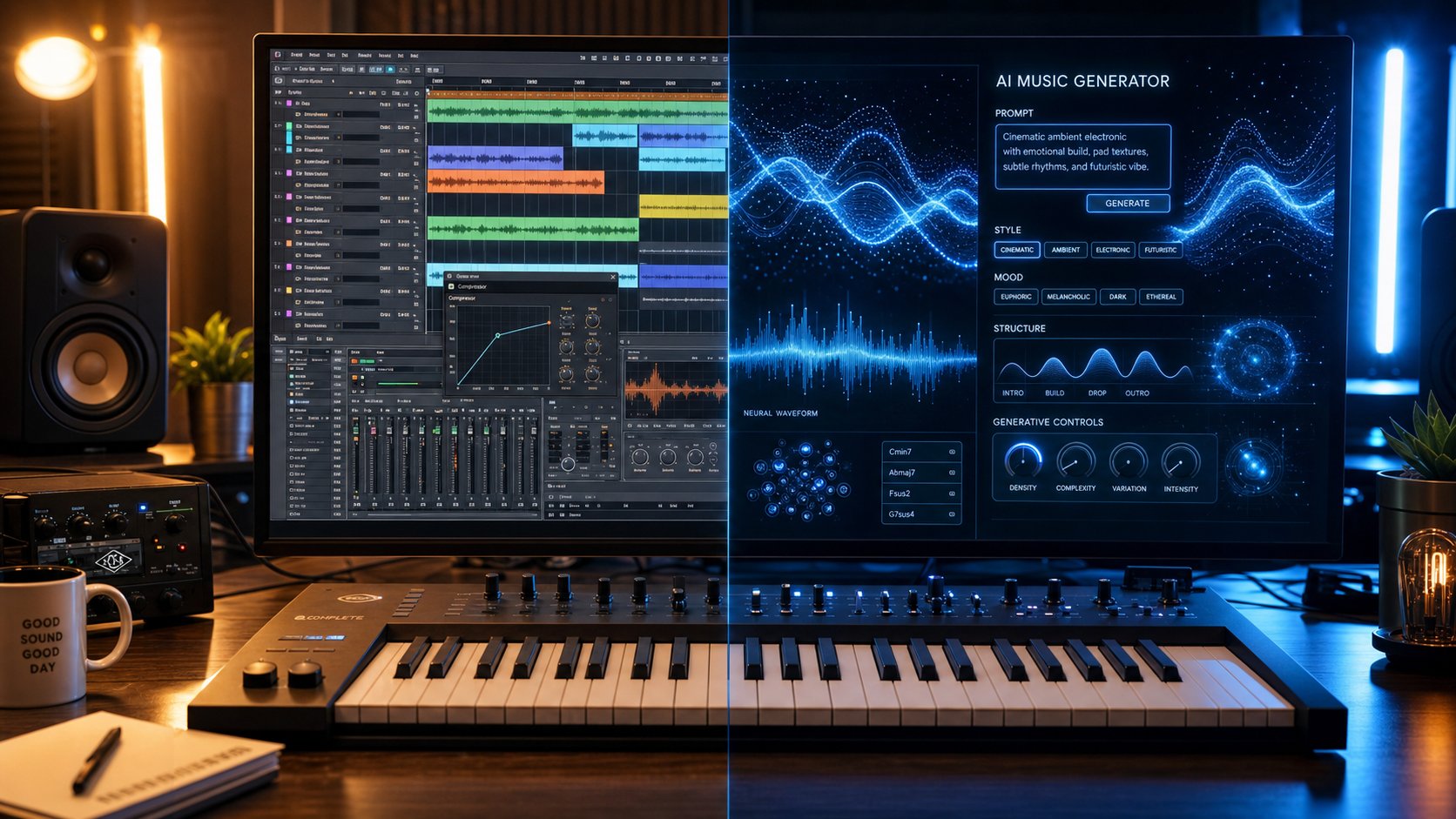
Imagine generating a full track in Suno or MakeBestMusic, then pulling that audio apart and rebuilding it with your own fingerprints on every element. That is the hybrid approach, and it is how ai assisted music production works at a professional level. The AI gives you speed. The DAW gives you precision. Together, they cover ground neither could alone.
Here are the most common integration patterns producers use:
- AI as idea generator, DAW as refinery - Generate a complete track or section from a prompt, export the audio, then import it into your DAW. From there, you chop sections, adjust timing, swap out weak elements, and add your own layers. The AI output becomes a detailed sketch rather than a finished product.
- Stems and loops as building blocks - Platforms like Udio and Suno export separated stems (vocals, drums, bass, instruments). Drop these into an existing project alongside your own recorded parts. You might keep the AI-generated drum groove but replace the bassline with something you played yourself.
- AI for specific elements only - Struggling with a drum pattern? Generate one. Need a pad texture to fill space? Prompt it. Many producers use AI selectively for elements outside their primary skill set while composing melodies, lyrics, and arrangements manually. This targeted approach keeps human intentionality at the center.
- AI mastering and mixing assistants - Tools like iZotope Ozone and LANDR use machine learning to analyze your mix and suggest EQ curves, compression settings, and loudness targets. You retain final say, but the AI handles the tedious analytical work that used to require expensive studio time or years of ear training.
The key distinction is that ai producing in this hybrid model is collaborative, not autonomous. You are not handing off creative decisions. You are using AI to accelerate the parts of production that slow you down, then applying your taste and judgment to shape the final result. As Born To Produce notes, "AI is an extraordinary idea generator, but it is not a professional mixing and mastering environment." The real magic happens when generation meets craft.
Most modern AI instruments also support standard plugin formats like VST3, AU, and AAX. That means tools like Orb Producer Suite or Magenta Studio slot directly into your DAW session as plugins, generating MIDI patterns or audio you can edit in real time without ever leaving your project. The integration process is straightforward: install the plugin, set up audio routing and MIDI connections, configure whether processing runs locally or in the cloud, and start experimenting.
Equipment and Skills for Every Level
One of the most freeing aspects of artificial intelligence for music production is that entry-level creation requires almost nothing. No instruments. No interface. No studio. Just a browser and an idea. The barrier scales up only when you want more control.
Here is the progression path from complete beginner to professional hybrid workflow:
- Browser-only generation - All you need is a computer with internet access. Platforms like Suno, MakeBestMusic, and Boomy run entirely in your browser. You type a prompt, get a song, and download the result. Zero technical knowledge required. This is where most people start.
- Basic editing and layering - Add a free DAW like GarageBand (Mac), Cakewalk (Windows), or Audacity. Import your AI-generated audio and make simple edits: trim sections, adjust volume, layer multiple generations together, or add basic effects. You are learning the fundamentals of ai in music production without any financial commitment.
- Intermediate production - Invest in a mid-range DAW (Ableton Live, Logic Pro, FL Studio) and a USB audio interface for recording your own elements alongside AI output. At this level, you are extracting stems, processing them with plugins, and combining AI material with your own recordings. Basic knowledge of EQ, compression, and arrangement elevates everything.
- Professional hybrid workflow - A full DAW setup with quality monitors or headphones, an audio interface, MIDI controller, and solid production knowledge. You use AI strategically for specific tasks (generating variations, prototyping arrangements, handling background elements) while composing, performing, mixing, and mastering with professional tools and trained ears. AI producing at this tier is surgical and intentional.
The beauty of this progression is that each level builds naturally on the last. You do not need to buy anything before you start. Experiment in a browser, discover what excites you, and add tools only when your creative ambitions outgrow what the current setup allows.
Whether you are at level one or level four, the underlying workflow stays the same: prompt, listen, select, refine. The depth of refinement just grows with your skills and equipment. And for anyone standing at the very beginning of that path, the next logical step is walking through the entire process of creating a first AI song from scratch.
How to Create Your First AI Song Step by Step
You have seen how professionals blend AI with traditional production, and you understand the progression from browser-only tools to full studio setups. But what does it actually look like to sit down, open a platform for the first time, and walk away with a finished track? This section strips away theory and gives you a hands-on walkthrough. No musical background needed. No equipment beyond whatever device you are reading this on.
Writing Your First AI Music Prompt
The prompt is everything. It is the only way you communicate with the AI, so the quality of your input directly shapes the quality of your output. Think of prompting less like giving an order and more like describing a scene to a musician you have never met. The more specific your description, the closer the result lands to what you actually hear in your head.
A strong prompt includes five elements working together:
- Genre - Name it precisely. "Lo-fi hip hop" gives the model far more to work with than "chill music."
- Mood - Go beyond single adjectives. "Melancholic but hopeful, like driving home after a long trip" outperforms "sad" every time.
- Tempo - Use BPM when possible. As testing from ImagineArt found, specifying a BPM range changed output quality more than any other single variable. Even a rough range like "around 90 BPM" dramatically narrows the output compared to vague terms like "slow."
- Instruments - Name two or three. A single instrument gives the generator too much freedom. "Soft piano and muted trumpet" creates a specific sonic identity the model can aim for.
- Use case or context - Tell the AI where this music lives. Background for a YouTube video? A standalone song? A podcast intro? Structure and length shift based on purpose.
Here is the difference in practice:
Weak prompt: "Make a happy song."
Strong prompt: "Upbeat indie pop with acoustic guitar, light drums, and handclaps at 120 BPM. Cheerful and optimistic, like a sunny morning walk. Three minutes, verse-chorus structure."
The weak version gives the AI almost nothing to anchor against. The strong version constrains the generation space in useful ways, guiding genre, instrumentation, tempo, mood, structure, and duration all at once. You do not need music notation ai knowledge or formal training to write prompts like this. You just need to describe what you want to hear with enough detail that a stranger could picture it.
From Prompt to Finished Song in Minutes
Ready to create your first ai composed music? Here is the full process from blank screen to downloadable track, using MakeBestMusic's AI Music Generator as your starting point. It is built around a prompt-and-lyrics workflow that removes technical barriers entirely, making it ideal for a first attempt.
- Open the platform - Navigate to the creation page in your browser. No software to install, no account configuration beyond basic signup.
- Define your concept - Before typing anything, spend thirty seconds clarifying what you want. Ask yourself: What is this song for? What mood should it carry? What genre feels right? Having answers to these three questions prevents aimless generation.
- Enter your prompt - Type your detailed description into the prompt field. Include genre, mood, tempo, and at least two instruments. If you have lyrics already written, paste them into the lyrics field. MakeBestMusic accepts both a style description and lyric input, letting the AI shape melody and arrangement around your words.
- Select a style direction - Choose from available style options or describe your own. This guides the overall production aesthetic: whether the track leans acoustic, electronic, cinematic, or somewhere in between.
- Generate - Hit the create button and wait. Most platforms deliver results in under sixty seconds. Some take as little as ten.
- Listen critically - Play the result all the way through. Do not judge in the first five seconds. Listen for whether the overall mood, energy, and structure match your vision. Note what works and what does not.
- Iterate - Generate two or three more variations. Adjust your prompt based on what the first output got right or wrong. If the tempo felt too fast, add "slower, around 85 BPM." If the instruments were off, swap them out. Change one element at a time so you can isolate what is actually driving the difference.
- Select and download - Once you have a version that clicks, export it. Check the licensing terms for your tier before using it in any public or commercial project.
The entire process, from opening the tool to holding a finished song, takes less than ten minutes for most people on their first try. That speed is the core value proposition. Will ai get better at helping with making music over time? Absolutely. But even right now, the quality available to a complete beginner is remarkably usable.
Tips for Better AI Music Results
Your first generation probably will not be perfect. That is normal. Even experienced prompt writers rarely nail exactly what they want on the first attempt. Here is what separates people who get frustrated and quit from people who consistently produce tracks they are proud of:
- Treat the first output as a direction indicator, not a final product. If the tempo is right but the instruments are wrong, adjust only the instrument line and regenerate. Changing everything at once makes it impossible to learn what was working.
- Use descriptions rather than commands. Prompts written as "a track with warm piano chords and gentle rain ambience" tend to perform better than "create a track that has piano and rain." Most text-to-music models respond more effectively to descriptive language.
- Build a prompt library. When a prompt produces something great, save it. You will reuse successful formulas with minor variations for future projects. Over time, your library becomes a personal toolkit far more valuable than any preset.
- Study your target genre. Spend ten minutes listening to songs in the style you want to create. Notice the instruments, the tempo, the production texture. Then translate those observations into your prompt. This works even if you cannot name a single chord. You are training your ears to inform your words.
- Add a background to a music performance on AI by describing the sonic environment, not just the foreground melody. Terms like "ambient city sounds," "warm room tone," or "vinyl crackle" give the AI textural layers that separate a flat output from something with depth and atmosphere.
- Do not skip post-generation polish. Even a quick trim of silence at the beginning and end, a gentle fade-out, or a volume adjustment makes a noticeable difference. Free tools like Audacity handle this in minutes.
The learning curve here is not musical. It is linguistic. You are developing the skill of translating sonic imagination into precise written descriptions. That skill compounds with every generation. Your tenth prompt will be meaningfully better than your first, and your fiftieth will feel like second nature.
Creating your first track is the easy part. The harder, more consequential questions come after: who owns what you just made, what can you legally do with it, and what ethical responsibilities come with using a tool trained on the work of other artists?
Copyright and Ownership of AI-Generated Music
You have a finished track. You like how it sounds. But can you copyright ai music that an algorithm generated from your prompt? The answer depends on how much of the creative decision-making was yours, and the legal landscape here is evolving faster than most creators realize.
Who Owns Music Made by AI
Under current U.S. law, copyright protection applies only where a human author has determined sufficient expressive elements. Purely AI-generated outputs, including music, cannot be copyrighted and fall into the public domain.
The U.S. Copyright Office's Part 2 report on copyrightability, released in January 2025, made this position definitive. Writing a prompt, no matter how detailed, does not constitute authorship. The D.C. Circuit affirmed this in Thaler v. Perlmutter, establishing that copyright protection is reserved for works of human creation.
The gray area sits between fully autonomous generation and fully human composition. If you write your own lyrics, compose a melody, and use AI only to arrange or produce those elements, the human-authored portions likely retain copyright protection. The more expressive control you exercise, the stronger your legal standing. But there is no bright-line test yet. Courts and the Copyright Office are still working through exactly where that threshold falls.
Platform terms add another layer. Suno's own documentation admits openly that it cannot guarantee copyright will vest in any output. Paid subscribers receive commercial use rights and "ownership" of their files, but ownership of a file is not the same as owning the intellectual property within it. This distinction matters enormously if someone else copies your track. Without copyright, you have no legal mechanism to stop them.
The ai copyright music news cycle has been relentless. In early 2026, Universal Music Group, Concord, and ABKCO filed a $3 billion lawsuit against Anthropic over alleged infringement of more than 20,000 songs used in training data. The UK government scrapped plans that would have allowed AI companies to train on copyrighted material without permission, after 95% of consultation respondents opposed the opt-out approach. These developments signal a regulatory environment tightening around AI-generated content, not loosening.
Training Data Ethics and Artist Compensation
The copyright music ai news conversation does not stop at ownership of outputs. It extends backward to how these models were built in the first place. Every major AI music generator was trained on existing recordings. Suno admitted to using copyrighted music in its training data, arguing fair use. The RIAA called it "mass infringement of copyrighted sound recordings on an almost unimaginable scale."
The impact of ai on music industry economics is not abstract. Over 400 music industry organizations published or co-signed nearly 20 ethics statements between 2023 and 2024, asserting positions on AI training, copyright, and fair compensation. The consensus from rights holders is clear: training on copyrighted works requires a license, and creators deserve payment when their art feeds a commercial system.
Multiple perspectives exist on what fair compensation looks like. Some advocate for market-rate licensing negotiated directly between AI companies and rights holders. Others push for output-based remuneration, where payments scale with how much AI-generated music actually earns in the market. Smaller artists worry that either model could concentrate payouts among major catalog owners, leaving independent creators with nothing meaningful.
The cultural dimension is harder to quantify. Streaming platforms report receiving tens of thousands of fully AI-generated tracks daily. Deezer alone processes over 30,000 per day. Spotify removed 75 million "spammy" tracks in a twelve-month period. The flood of algorithmically produced content raises legitimate concerns about discoverability for human artists and the long-term value listeners place on music when supply becomes functionally unlimited.
None of these questions have settled answers yet. What you can do is protect yourself while the legal framework crystallizes. Here are practical steps every creator using AI music should take:
- Document your creative process - Save prompts, drafts, lyric sheets, and records of any human modifications you made. If you ever need to demonstrate authorship, a paper trail is your strongest asset.
- Add meaningful human expression - Write your own lyrics, compose original melodies, or substantially rearrange AI output. The more human-directed creative decisions in the final work, the more defensible your copyright claim.
- Read platform terms carefully - Understand exactly what rights your subscription grants and what it does not. "Ownership" and "copyright" are not the same thing.
- Disclose AI involvement when required - Distributors like LANDR and Symphonic now require AI disclosure. Failing to disclose can result in removed tracks or account suspension.
- Monitor your releases - Use content identification tools to watch for unauthorized copies of your work. Without copyright, enforcement options are limited, but early detection gives you more room to respond.
- Stay current on legal developments - The ai impact on music industry regulation is shifting quarterly. What is permissible today may not be tomorrow, and vice versa.
The legal and ethical terrain around AI music is neither fully hostile nor fully permissive. It is unsettled, and that uncertainty is itself the risk. Creators who document their process, add genuine human expression, and stay informed about evolving rules will be in the strongest position regardless of which direction courts and legislators ultimately move.
