

Yes, AI Can Make Music and Here Is How to Start
Can AI make music? The short answer is yes, and it already does. From full instrumental arrangements to vocal-driven pop songs, AI music generators now produce listenable, commercially usable tracks in under a minute. You don't need music theory knowledge, a home studio, or years of production experience. A text prompt, a few clicks, and roughly ten minutes of experimentation can get you from blank page to finished song.
That said, "listenable" and "brilliant" aren't the same thing. The technology has matured rapidly, but it occupies a specific quality range that's worth understanding before you dive in. Knowing what AI does well and where it stumbles will help you get better results faster and decide how to make a song that actually fits your needs.
What AI-Generated Music Actually Sounds Like
Imagine asking a skilled session musician to compose a two-minute lo-fi beat or a cinematic orchestral intro. The result would sound polished, genre-appropriate, and immediately usable. That's roughly the quality ceiling for top AI music platforms right now. An analysis of over 500 AI-generated tracks found that 85% of outputs qualify as commercially usable or better, with 45% reaching professional grade.
The strengths are real. AI excels at catchy melodies, consistent rhythm, genre adherence, and clean production. It can nail the vibe of a lo-fi study playlist, a corporate background track, or an upbeat pop hook with surprising accuracy. Audio fidelity has also caught up, with most platforms delivering 44.1kHz/16-bit output at minimum.
The weaknesses are equally real. Long-form coherence remains a challenge. Songs longer than three minutes sometimes drift, repeating patterns or introducing awkward transitions between sections. Nuanced emotional expression, the kind that makes a listener feel genuinely moved, still leans toward human composers. A 2024 PLOS One study monitoring heart-rate and skin-conductance responses confirmed that human-composed music consistently scored higher for expressiveness and memorability. So can AI make better music than humans? Not yet in emotional depth, but for functional, mood-specific tracks, it's remarkably close.
Autonomous Generation vs. Human-AI Collaboration
The relationship between music and AI isn't a single thing. It spans a full spectrum, and understanding where you want to land on that spectrum changes how you approach the tools.
On one end, you have fully autonomous generation. You type a prompt like "upbeat acoustic folk, 90 BPM, warm and nostalgic" and the AI handles everything: composition, arrangement, mixing, and mastering. The output arrives ready to use. This mode works best for content creators who need background music quickly and aren't looking to co-write.
On the other end, you have human-AI collaboration. Here, the AI generates raw material (a chord progression, a melody line, a rhythmic foundation) and you shape it. You might feed in your own lyrics, hum a reference melody, or use AI-generated stems as building blocks inside a DAW. Musicians exploring music and artificial intelligence as a creative partnership tend to land here.
Most practical use cases fall somewhere between these poles. You generate a full track autonomously, then trim, rearrange, or layer additional elements on top. The benefits of AI in music show up strongest in this middle ground, where speed meets creative control.
AI works best as a creative partner rather than a replacement. The strongest results come from treating it as a collaborator that handles the heavy lifting while you steer the direction.
Will AI get better at helping with making music? Based on the trajectory from experimental outputs in 2023 to studio-quality production today, the answer is clearly yes. But even at its current level, the technology is practical enough to use right now. The rest of this article walks you through exactly how, step by step, starting with how the technology actually works under the hood.
Step 1: Understand How AI Music Generation Works
You don't need an engineering degree to use these tools effectively. But knowing a bit about how AI music generation works gives you a real edge. It helps you write better prompts, understand why certain genres sound more polished than others, and set realistic expectations for what you'll get on the first try.
Think of it this way: you don't need to understand combustion engines to drive a car, but knowing that your car struggles on steep hills in low gear makes you a better driver. The same logic applies here. A quick look under the hood pays off immediately when you sit down to create.
Three main architectural approaches power today's AI music generators. Each handles the process of turning input into audio differently:
- Transformer models — These treat music as a sequence of tokens (similar to how ChatGPT predicts the next word) and predict each musical element based on everything that came before it, excelling at structural coherence across longer passages.
- Diffusion models — These start with pure random noise and gradually refine it step by step until a clean, detailed audio signal emerges, producing exceptionally rich sound textures and high-fidelity output.
- Symbolic AI (MIDI generation) — Rather than producing audio directly, these models compose note-by-note in MIDI format, giving users granular editing control over individual pitches, velocities, and timing before the notes are rendered through a synthesizer.
Most consumer-facing tools use transformer or diffusion architectures (or a hybrid of both), because they deliver finished audio without requiring users to handle MIDI rendering. If you're curious about creating a piano arrangement from audio using AI for free, symbolic models are the ones that output editable MIDI you can tweak manually. But for the prompt-to-song workflow covered in this article, transformer and diffusion models do the heavy lifting.
How Text-to-Music Models Turn Words Into Sound
When you type a prompt like "mellow lo-fi hip-hop with vinyl crackle and a Rhodes piano, 80 BPM," a lot happens in the seconds before audio reaches your ears. Here's the simplified pipeline:
First, the text encoder breaks your prompt into meaningful chunks. It doesn't just see individual words. It understands relationships: "mellow" modifies mood, "lo-fi hip-hop" defines genre, "vinyl crackle" specifies a texture, and "Rhodes piano" identifies instrumentation. The model converts this entire description into a mathematical representation, a kind of musical fingerprint of what you're asking for.
Next, pattern matching kicks in. During training, the model processed thousands of hours of music paired with text descriptions. It learned statistical associations: what frequency patterns correspond to "vinyl crackle," what rhythmic structures define "hip-hop," what harmonic qualities make something sound "mellow." Your prompt activates these learned connections simultaneously.
Finally, the model generates compressed audio codes and a decoder reconstructs them into a full waveform. Systems like Meta's MusicGen use neural audio codecs (EnCodec) to compress and then rebuild audio, while diffusion-based systems like Stable Audio iteratively denoise a latent signal until clean audio emerges. The result lands in your player within seconds.
This is why vague prompts produce generic music. A prompt like "happy song" gives the model almost no constraints, so it generates something broadly average across its entire training set. Specific, layered prompts narrow the probability space and produce focused, intentional output. You'll use this knowledge directly in Step 3 when crafting your first prompt.
Training Data and Why Genre Matters
Every AI composer music tool is only as good as the data it learned from. These models train on massive libraries: Google's MusicLM trained on 280,000 hours of music, Meta's MusicGen on 20,000 hours of licensed tracks, and Stable Audio on roughly 800,000 recordings from AudioSparx. During training, the model absorbs patterns across genre, tempo, instrumentation, and production style.
Here's why this matters for you: genres that are heavily represented in training data sound better. Pop, electronic, hip-hop, cinematic orchestral, and lo-fi all produce strong results because the model has seen thousands of examples. Request a niche genre like Tuvan throat singing or Malian griot music, and you'll likely get something approximate at best, because the training data simply didn't include enough examples for the model to learn those conventions deeply.
Artificial intelligence for music production works within boundaries set by its training. It's not inventing new musical ideas from scratch. It's recombining patterns it already knows in novel ways guided by your prompt. That distinction matters when you're evaluating output quality. If a generation sounds generic or slightly off, it's often because you're pushing into territory the model hasn't adequately learned, not because the tool is broken.
Understanding how artificial intelligence in music production operates at this level gives you a practical advantage. You'll know to lean into well-represented genres for reliable results, to be more specific with prompts, and to iterate when something doesn't land. With this foundation in place, the next question becomes: which tool fits your particular goals?
Step 2: Pick the Right AI Music Tool for Your Goals
Knowing how AI generates music is useful. But the practical question that determines your actual experience is which tool you use. The best music making apps for a YouTuber who needs a 60-second intro track look nothing like the best music creation apps for a songwriter sketching melodies. Your goal shapes your tool choice more than any feature list ever could.
The AI music space has grown fast. Dozens of platforms now exist, each with different strengths, limitations, and pricing models. Rather than testing them all blindly, start by identifying what you actually need, then match that need to the platform built for it.
Matching Tools to Your Use Case
Think about your end goal for a moment. Are you a content creator who needs royalty-free background music for videos and podcasts? A hobbyist curious about turning song ideas into real audio? Or a musician looking for a co-writing partner that can generate drafts you'll refine in a DAW?
Each scenario demands different things from a tool:
- Content creators need speed, simple licensing, and genre variety. You want to type a prompt, get a usable track in under two minutes, and export it without worrying about copyright claims. Deep customization matters less than reliability and quick turnaround.
- Hobbyists and first-time creators need an intuitive interface with minimal friction. If the tool requires music theory knowledge or a learning curve measured in hours, you'll bounce before finishing your first song. The best fit here is a prompt-based workflow that handles composition, arrangement, and production automatically.
- Musicians and producers need depth. Stem export, MIDI output, the ability to upload reference tracks or your own vocals, and granular control over arrangement. Speed matters less than flexibility and output quality you can build on.
No single platform dominates all three categories equally. Some tools prioritize accessibility at the expense of depth. Others offer professional-grade features behind interfaces that overwhelm beginners. The comparison below breaks this down honestly so you can skip the trial-and-error phase.
Comparing Popular AI Music Generators
I've mapped the most relevant platforms across the categories that actually matter for day-to-day use: how easy they are to pick up, how good the output sounds, how much creative control you get, what export options exist, and what you'll pay. Here's how they stack up:
| Platform | Ease of Use | Output Quality | Customization Depth | Export Options | Best For |
|---|---|---|---|---|---|
| MakeBestMusic | Excellent — prompt-based, no learning curve | High — full songs with vocals and arrangement | Moderate — prompts, lyrics, and style input | MP3/WAV download | Beginners wanting fastest path from idea to finished song |
| Suno | Very good — simple prompts, quick output | High — strong vocals and genre range | High — Studio DAW, stem editing, MIDI export | MP3, WAV, stems, MIDI | Songwriters, musicians needing DAW-level control |
| AIVA | Moderate — more composer-oriented interface | Excellent for cinematic/classical, limited for pop | High — MIDI export, 250+ styles, section control | MIDI, MP3, WAV, stems | Film scoring, game audio, orchestral composition |
| Soundraw | Good — pick mood/genre/length and generate | Moderate — solid instrumentals, no vocals | Moderate — editable structure, instrument swaps | MP3, WAV, stems (higher tier) | Video creators needing customizable background music |
| Boomy | Very good — minimal clicks to create | Basic to moderate — simple arrangements | Low — limited editing, genre selection only | MP3 download, distribution to streaming | Hobbyists wanting quick creation and publishing |
A few things worth noting from this comparison. MakeBestMusic stands out for first-time users because it eliminates the gap between having an idea and hearing a complete song. You type a prompt, optionally add lyrics or style references, and receive a full track with vocals and production. There's no setup phase, no project configuration, no interface to learn. If you're asking "how do I get from zero to a finished AI song as fast as possible," this is the most direct path available.
The Suno AI music maker occupies a different sweet spot. It's nearly as accessible for beginners, but its Studio workspace (available on the Premier plan) adds DAW-like functionality including stem separation, MIDI export, and multi-track editing. The suno ai song creator workflow lets you go from casual prompt-based generation to serious production work without switching platforms. Their newer Suno Canvas feature provides a visual arrangement interface that makes structuring longer compositions more intuitive, particularly useful if you want to build out full song sections with distinct intros, verses, and bridges.
The AIVA AI music generator takes a fundamentally different approach. Rather than targeting mainstream song creation, it focuses on cinematic and classical composition. If you need an emotional orchestral score for a short film or a dynamic soundtrack for a game, AIVA's MIDI-first workflow and 250+ style presets make it the strongest choice. The tradeoff: it doesn't generate vocals, and the interface feels more technical than prompt-first platforms.
Soundraw AI fills a specific niche for video creators. It generates instrumental background tracks you can customize by adjusting energy levels, swapping instruments, and editing song structure section by section. Think of it as a smart template system rather than a full composer. It won't write you a hit single, but it reliably produces mood-appropriate background music that syncs well with video pacing.
Boomy prioritizes volume and accessibility over depth. You can create and publish a track in under five minutes, and the platform even handles distribution to Spotify and Apple Music. But the customization ceiling is low. If you want creative control beyond basic genre selection, you'll hit the walls quickly.
Other tools worth awareness include remusic.ai, which is gaining traction for its streamlined remix and generation workflows, and platforms like Udio and ElevenLabs Music that compete in the vocal generation space with strong audio fidelity. The landscape shifts frequently, so revisiting your choice every few months as models improve is smart practice.
Here's the honest bottom line: if you're reading this article as a beginner who wants to generate their first AI song today, MakeBestMusic offers the lowest friction entry point. If you already have musical experience and want a tool that grows with you into professional territory, Suno's depth is hard to beat. And if your needs are narrow, whether that's cinematic scoring (AIVA), video background tracks (Soundraw), or quick publishing (Boomy), the specialized tools serve those niches better than any generalist platform could.
Picking the right tool gets you to the starting line. But the quality of what you produce depends almost entirely on what you feed into it. The difference between a generic output and a track that genuinely captures your vision comes down to one skill: writing a prompt that communicates exactly what you hear in your head.
Step 3: Craft a Prompt That Gets Great Results
Your tool is selected. The interface is open. And now you're staring at a blank text field wondering what to type. This moment is where most beginners either produce something generic or something genuinely compelling, and the difference comes down entirely to how you structure your input.
Prompt writing is the single highest-leverage skill in AI song writing. A vague instruction like "make something cool" gives the model almost nothing to work with. It fills in the blanks with statistical averages, producing output that sounds like background noise rather than intentional music. A specific, layered prompt narrows the creative space and gives the AI a clear target to hit.
Writing Your First Music Prompt
Think of a strong prompt as a recipe with five core ingredients. Each one constrains the output in a useful way, steering the model toward something that sounds like what you actually hear in your head:
[Genre] + [Mood] + [Instruments] + [Tempo/Energy] + [Reference Style]
Here's what happens when you leave ingredients out versus when you include them all:
Vague prompt: "A sad song with piano."
Result: a generic, meandering piano ballad that could belong to any era, any style, any emotional register. Usable as elevator music, but not much else.
Specific prompt: "Melancholic indie folk ballad with fingerpicked acoustic guitar and soft piano, 70 BPM, sparse arrangement with room reverb, inspired by early Bon Iver."
Result: a focused, atmospheric track with a clear sonic identity. The genre anchors the harmonic language, the mood shapes the dynamics, the instruments define the texture, the tempo sets the pacing, and the reference style gives the AI a production blueprint to follow.
The difference is dramatic. According to testing across multiple platforms, prompts that include all five elements consistently produce more targeted output than prompts naming only a genre or mood. Even a rough BPM range like "around 90 BPM" outperforms vague tempo words like "slow" or "medium," because AI generators interpret adjectives differently across genres.
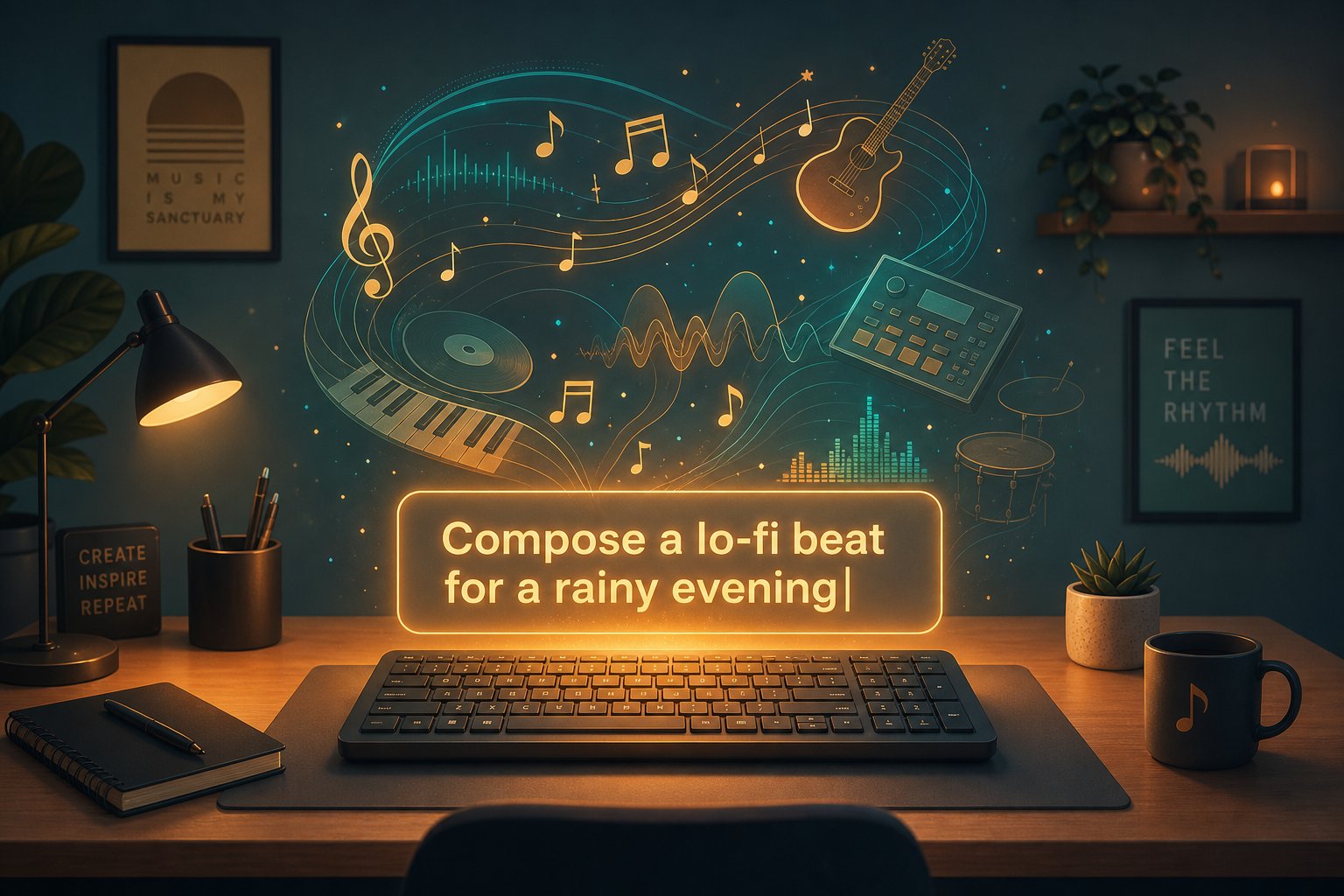
Cinematic lo-fi hip-hop instrumental, nostalgic and bittersweet, muffled Rhodes piano over dusty vinyl drum loops with subtle jazz bass, 75 BPM with a laid-back swing feel, inspired by Nujabes meets late-night city rain ambience.
That prompt demonstrates every element working together. Genre (lo-fi hip-hop), mood (nostalgic, bittersweet), instruments (Rhodes piano, vinyl drums, jazz bass), tempo/energy (75 BPM, laid-back), and reference style (Nujabes, city rain ambience). You'll notice it also paints a scene. AI models interpret abstract imagery as tonal cues, so phrases like "late-night city rain" translate into reverb choices, frequency balance, and atmospheric layering.
Using Lyrics and Style References as Input
Prompts aren't your only input channel. Most platforms also accept lyrics, and this dramatically changes what you get back. When you provide actual words for the AI to sing, it maps syllable count to melody, matches emotional tone to harmonic choices, and structures verse-chorus-bridge sections around your text.
If you want to write the song yourself but need the AI to handle production, feeding in your own lyrics is the fastest path to a custom song that feels genuinely personal rather than algorithmically generated. Structure your lyrics with clear section labels (Verse 1, Chorus, Bridge) so the AI knows where to create musical contrast and repetition.
Style references add another dimension. Describing a sound as "lo-fi jazz with vinyl crackle" or "dark synthwave with analog warmth" gives the model concrete sonic targets rather than leaving it to guess. You can even combine references that don't obviously belong together, something like "acoustic folk meets ambient electronic," and the AI will attempt to blend those worlds. These hybrid descriptions often produce the most interesting results because they push the model beyond its most common training patterns.
For anyone stuck on what to write about, many platforms double as a song idea generator or song topic generator, suggesting themes and lyrical directions based on a mood or genre you select. If you're searching for the top AI for lyrics for songs, tools with built-in lyric writing features can draft words you then refine before generation. This turns the process into a personalized song creation workflow where AI handles both text and music, guided by your creative choices.
- Specify tempo with a BPM number, not adjectives. This single change improved output consistency more than any other variable in prompt testing. "85 BPM" beats "medium tempo" every time.
- Name two to three instruments explicitly. One instrument gives too much freedom. Two in combination ("muted trumpet and upright bass") creates a specific sonic identity the model can build toward.
- Pair mood words with a scene or context. "Melancholic" alone is vague. "Melancholic, like driving alone at 2 AM" gives the AI an emotional reference frame that shapes phrasing and arrangement.
- Include genre and sub-genre. "Electronic" spans ambient to hardstyle. "Deep house" or "dark techno at 138 BPM" narrows the field to something actionable.
- Treat the first generation as a draft, not a final product. Adjust one element per regeneration to isolate what's working. Changing everything at once makes it impossible to learn what moved the output closer to your vision.
That last principle deserves emphasis. Your first attempt will rarely produce perfection, and that's completely normal. Even experienced users regenerate multiple times, tweaking a single variable between each pass. The goal isn't to nail it on the first try. It's to give the AI a clear enough starting direction that iteration quickly converges on something you're genuinely happy with. Think of prompt writing less like placing an order and more like having a creative conversation, one where each generation teaches you how the model interprets your language.
With a strong prompt locked in and realistic expectations set, the next step is hitting that generate button and knowing what to do with whatever comes back.
Step 4: Generate Your First AI Song and Evaluate the Output
You've picked your tool. You've written a prompt with genre, mood, instruments, tempo, and a reference style. Your cursor is hovering over the generate button. What actually happens next? And more importantly, how do you know if what comes back is any good?
This is the part most guides skip entirely. They tell you to write a prompt and then jump straight to "export your finished track" as if the middle doesn't exist. But the middle is where the real learning happens. Those first ten minutes after you hit generate teach you more about how AI music works than any tutorial ever could.
What to Expect in Your First 10 Minutes
Here's the realistic timeline. You click generate, and depending on the platform, you wait anywhere from 10 seconds to two minutes. Most tools produce results in under 30 seconds. Then you get back not one track, but typically two to four variations based on the same prompt.
This is where beginners often make their first mistake. They listen to the first variation, feel disappointed it doesn't match the song in their head perfectly, and assume the tool doesn't work. Don't do that. Instead, listen through all the variations. You'll notice each one interprets your prompt slightly differently. One might nail the rhythm but miss the mood. Another might capture the emotional tone perfectly while using a slightly different arrangement than you imagined.
If you've ever wondered "how do I make a song that sounds the way I want it to," this is where the answer starts forming. Your job in these first minutes isn't to find perfection. It's to identify which variation gets closest to your vision, then use that as your foundation for iteration.
Tools like MakeBestMusic make this iteration loop fast. You generate, listen, tweak your prompt or adjust style parameters, and regenerate. Each cycle takes under a minute, which means you can realistically test five to eight prompt variations in ten minutes. That's enough to narrow in on something that genuinely works.
A practical workflow looks like this: generate your first batch, identify the strongest candidate, note what's working and what isn't, adjust one element of your prompt (maybe swap "energetic" for "driving" or change the BPM by 10), and generate again. This targeted iteration consistently outperforms rewriting the entire prompt from scratch.
Generating and Evaluating Multiple Variations
So how do you make a song selection from multiple outputs without second-guessing yourself? You need evaluation criteria. Listening without a framework leads to decision paralysis, especially when three out of four variations all sound "pretty good" but in different ways.
Use these five dimensions to score each variation quickly:
- Melody coherence — Does the melodic line feel intentional and memorable, or does it wander aimlessly after the first few bars?
- Rhythm consistency — Is the beat steady and genre-appropriate, or are there awkward timing shifts or unnatural drum patterns?
- Genre accuracy — Does the output actually sound like the genre you requested, or did the AI drift into something adjacent?
- Vocal quality (if applicable) — Are the vocals clear, properly timed with the beat, and emotionally matched to the lyrics? Watch for slurred words or unnatural phrasing.
- Overall energy match — Does the track's intensity, pace, and dynamic arc match what you described in your prompt?
You don't need to formally score each one. A quick mental check across these five areas takes about 30 seconds per variation. The winner usually becomes obvious fast. If nothing stands out, that's useful information too. It means your prompt needs refinement rather than more generations from the same input.
Here's something experienced users know: how can you make a song better if every variation misses the mark? Change your prompt strategy, not just your words. If you asked for "upbeat pop with synths" and got something too generic, try adding a scene or reference: "upbeat pop with retro synths, like a sunset drive on a coastal highway in the '80s." Imagery gives the model creative constraints it can interpret as production choices.
For those exploring basic song production from a scratch track, some platforms let you upload song snippets or hum a melody and the AI will build around that reference. You can upload a song and AI will make a drum beat, add harmonies, or generate a full arrangement using your audio as the foundation. This approach bridges the gap between fully autonomous generation and hands-on production.
The key mindset shift: generation isn't a slot machine where you pull the lever hoping to get lucky. It's a conversation. Each output tells you something about how the model interpreted your input. Use that feedback to refine. Within ten minutes and a handful of cycles, you'll have a track that's close enough to your original vision to work with, either as a finished piece or as raw material ready for editing and refinement.
Step 5: Edit and Refine Your AI-Generated Track
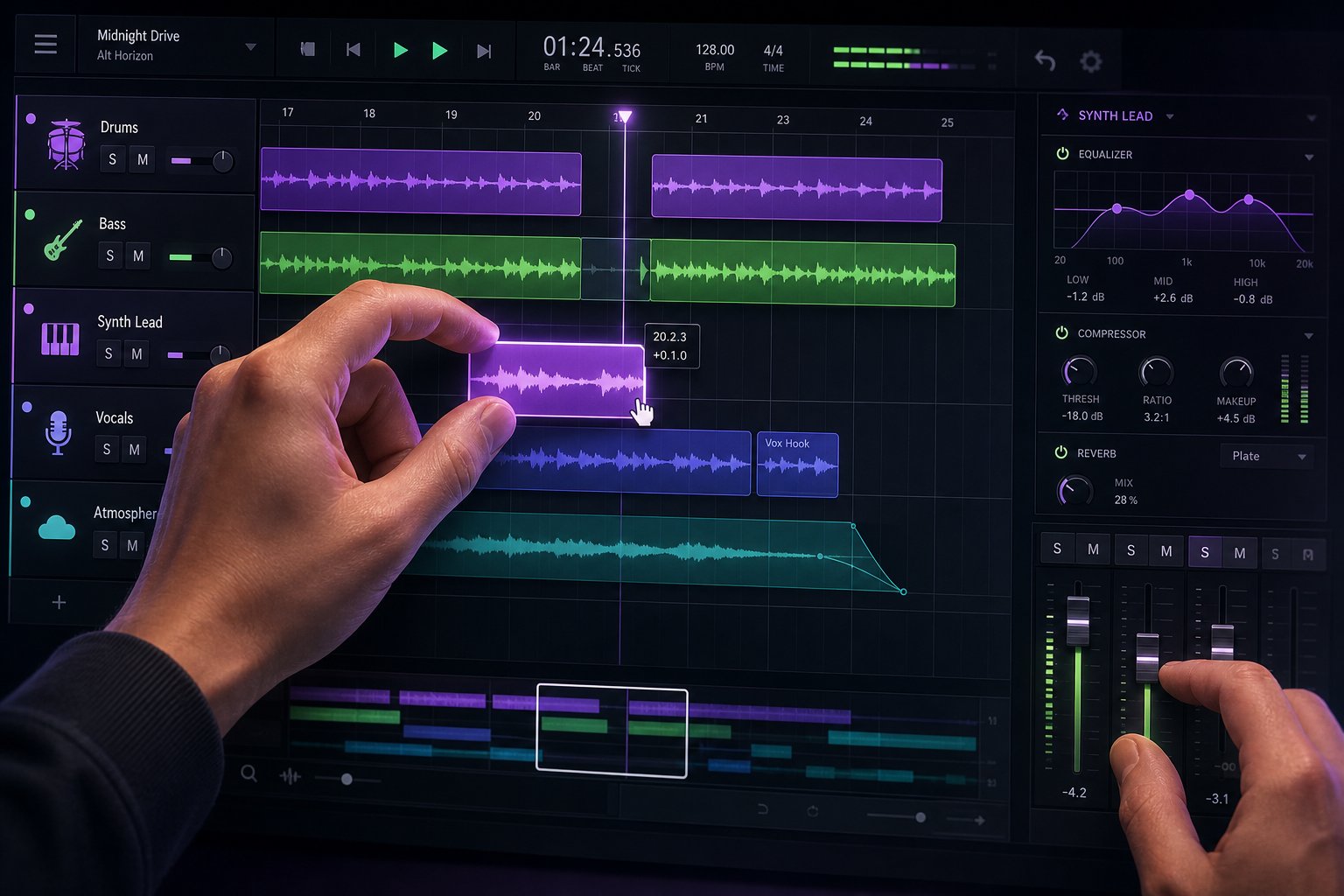
You've generated a track that captures your intended mood, the melody is solid, and the overall energy feels right. So is it finished? Almost never. Treating AI output as a starting point rather than a final product is the mindset shift that separates forgettable results from tracks people actually want to hear again. The generation gave you raw material. Editing turns that material into something polished.
Think of your AI-generated track as a musical canvas. The broad strokes are there, the colors work, and the composition holds together. But it still needs detail work: trimming excess, smoothing transitions, and fixing the small imperfections that pull a listener out of the experience. This refinement phase is where AI assisted music production becomes genuinely professional rather than just functional.
Trimming, Arranging, and Fixing Common Issues
Most AI-generated tracks arrive with a few predictable structural quirks. The intro might be two bars too long. A transition between verse and chorus might feel abrupt. A four-bar loop might repeat one cycle too many, making the track drag. These aren't failures of the technology. They're normal characteristics of AI output that benefit from human judgment.
Here's where to start with practical edits:
Cut awkward intros. AI generators often produce intros that meander before the song's identity establishes itself. Listen to the first 5-10 seconds critically. If the track doesn't feel committed to its direction until bar 5, trim bars 1-4. Your audience won't miss them.
Adjust song length. A two-minute track for a YouTube intro probably needs to be 30-60 seconds. A podcast outro might need a gentle fade at the 45-second mark. Don't let the generated length dictate your needs. Cut to fit your use case.
Fix section transitions. The junction between verse and chorus is where AI tracks most commonly stumble. If a transition feels like two tracks pasted together, try adding a short crossfade (200-500ms) at the splice point, or insert a brief silence to create a natural breath.
Address repetitive loops. If a section repeats identically three or four times, cut one repetition. Listeners tolerate repetition to a point, but the threshold is lower than most AI models assume.
For these edits, you don't need expensive software. Audacity handles trimming, fading, and basic arrangement for free on any operating system. GarageBand on Mac offers a more visual editing experience with built-in effects. Some AI platforms also include built-in editors that let you adjust sections, swap instruments, or modify energy levels without leaving the generation interface. If you're looking for a free AI music finalizer workflow, pairing your generation platform with Audacity for post-processing gives you professional-level control at zero cost.
When AI Falls Short and How to Fix It
Honesty matters here. AI and music production have come a long way, but the technology still has consistent weak spots. Knowing what those are ahead of time prevents frustration and helps you decide when to fix something in post versus when to regenerate entirely with an adjusted prompt.
These are the five most common issues users encounter, along with a targeted fix for each:
- Repetitive arrangements that loop without development — Trim one repetition and add a subtle fade or volume automation to create the illusion of progression.
- Inconsistent vocal quality (slurred words, unnatural phrasing) — Regenerate with clearer lyric formatting, or isolate the vocal stem and replace problematic phrases with a fresh generation of just that section.
- Abrupt or awkward transitions between sections — Use a crossfade, insert a drum fill from a free sample library, or add a brief reverb tail from the preceding section to smooth the handoff.
- Loss of coherence in tracks longer than three minutes — Shorten the track to its strongest 2-2.5 minutes, or generate the second half separately with a prompt referencing the first half's style, then splice them together.
- Generic-sounding production lacking personality — Layer one subtle texture on top (vinyl crackle, ambient room tone, a field recording) using any DAW or free editor to add a human fingerprint the AI missed.
A structured approach to fixing these problems makes a real difference. Experienced AI music producers recommend a single-target rule: diagnose one specific issue, apply one focused fix, then evaluate whether it improved. Changing the chorus, tempo, arrangement, and vocals all at once makes it impossible to learn what actually helped. Controlled, isolated fixes give you clarity.
Here's the decision framework that saves time: if the overall vibe, melody, and energy are right but something small is off (a transition, a repetitive section, a brief vocal glitch), edit the output directly. If the fundamental direction feels wrong, like the genre drifted or the mood doesn't match your intent, go back and adjust your prompt rather than trying to sculpt the audio into something it wasn't meant to be. Even experienced users working in ai in music production regenerate multiple times. Iteration is the workflow, not a sign of failure.
The best music composition software in the world won't help if you skip this phase. A two-minute editing pass elevates a good AI generation into a track that sounds intentional and finished. And once your track sounds the way you want it to, the final step is getting it out into the world in the right format, with the right licenses, ready for whatever you plan to do with it.
Step 6: Export, Publish, and Use Your AI Music Legally
Your track sounds polished. The edits are done, the transitions are smooth, and the energy matches your vision. The creative work is finished, but one critical step remains: getting the file out of the platform in the right format, understanding what you're allowed to do with it, and publishing it correctly. This is where a lot of beginners stumble, not because it's hard, but because format choices and licensing terms feel like afterthoughts until they cause real problems.
Export Formats and Quality Settings
Most AI music platforms offer two export formats: WAV and MP3. The choice isn't arbitrary. It depends entirely on where your track ends up.
WAV (uncompressed) preserves full audio quality. No data is lost during encoding, which means you get the exact waveform the AI generated. File sizes are large (roughly 10MB per minute of stereo audio at 44.1kHz/16-bit), but that's the tradeoff for maximum fidelity. Use WAV when you plan to do further editing, when you're delivering audio for professional video production, or when you want an archival master you can re-export from later.
MP3 (compressed) reduces file size dramatically by discarding audio data that's theoretically less audible. A 320kbps MP3 sounds virtually indistinguishable from WAV in casual listening, while a 128kbps file introduces noticeable quality loss, especially in high frequencies and stereo imaging. For most publishing scenarios, MP3 at 256-320kbps is perfectly sufficient.
Here's how to match format and bitrate to your destination:
- YouTube videos — Export at WAV or 320kbps MP3. YouTube re-encodes everything with AAC at 128kbps or better, so starting with the highest quality source ensures the re-encoding doesn't degrade your track noticeably. If you want to download a song for YouTube use, always grab the WAV if available.
- Podcasts — MP3 at 192kbps mono or 256kbps stereo works well. Podcast hosts compress audio further during distribution, and most listeners hear your royalty free podcast intro music through earbuds or phone speakers where ultra-high fidelity is imperceptible. Prioritize clarity over raw bitrate.
- Social media (Instagram, TikTok, Reels) — MP3 at 256kbps is more than enough. These platforms apply heavy compression and often play through phone speakers. File size efficiency matters more here because upload limits apply.
- Streaming distribution (Spotify, Apple Music) — WAV at 44.1kHz/16-bit minimum. Distributors like DistroKid and CD Baby require lossless source files because streaming platforms encode to their own formats (Ogg Vorbis for Spotify, AAC for Apple Music).
- Commercial projects (ads, business background music, client work) — Always WAV. Clients expect lossless delivery, and commercial jingle production workflows require source files that can be trimmed or adjusted without generational quality loss.
One practical tip: always export and save the WAV version locally, even if you only need MP3 right now. You can always convert WAV to MP3 later, but you can't recover quality lost during compression. Think of the WAV as your master file.
Licensing, Attribution, and Platform Rules
This is where the practical questions hit. Can you monetize your AI track on Spotify? Can you use it in a paid ad campaign? Do you need to credit the AI tool? The answers depend on which platform generated the music and what their terms of service actually say.
Here's the reality: most AI tools don't give you ownership. They give you permission to use what you create, and that permission varies by plan, by use case, and sometimes by the specific output. "Royalty-free" doesn't mean unrestricted. It means you don't pay per use, but conditions still apply. "Commercial use allowed" often comes with fine print about where and how.
The legal landscape is evolving fast. Most jurisdictions still require human authorship for full copyright protection, which means purely AI-generated works without meaningful human creative input may lack traditional copyright. When you add your own edits, arrangement choices, lyrics, or performance, your claim to copyright strengthens significantly. This is exactly why the editing phase covered in Step 5 matters beyond just improving audio quality. It establishes your creative contribution.
Platform disclosure rules are tightening. YouTube's Responsible AI policy asks creators to flag AI-generated or altered content. Spotify accepts AI music through distributors but has removed tracks suspected of artificial streaming manipulation. Most platforms don't ban AI music outright. They focus on whether you have proper rights and whether you're transparent about how the content was made.
For creators producing an ai music video, similar rules apply. The music and visual elements each carry their own licensing requirements. If you use a free ai music video generator that combines AI visuals with AI audio, check both the image/video and music licensing terms separately, because they often come from different underlying models with different permissions.
Here's a practical comparison of what you can typically do with AI-generated tracks depending on the use case:
| Use Case | Typically Allowed (Paid Plans) | Attribution Required? | Monetization? | Key Consideration |
|---|---|---|---|---|
| Personal projects (demos, gifts) | Yes, on free and paid tiers | Rarely | N/A | Lowest restriction level across all platforms |
| YouTube videos | Yes, with most paid plans | Varies by tool | Yes, ad revenue usually allowed | Ensure your plan covers commercial use; some free tiers restrict monetization |
| Podcasts | Yes, royalty free podcast intro music is a core use case | Varies by tool | Yes | Check if syndication across multiple platforms is covered under one license |
| Commercial content (ads, client work) | Usually requires Pro/Business tier | Often no, but verify | Yes | Read whether sub-licensing to clients is permitted; many tools restrict this |
| Streaming distribution (Spotify, Apple Music) | Allowed by some tools (Boomy, Suno Pro/Premier) | Platform-dependent | Yes, but earnings vary | Register with a distributor; some PROs may not collect royalties for AI-only works |
A few critical points from this breakdown. If you're creating royalty free jazz music for a client's restaurant playlist or producing business background music for corporate videos, you need a paid plan that explicitly grants commercial rights. Free tiers almost always restrict commercial use, even when they let you download the file. And if you plan to list tracks on song stock libraries or music licensing marketplaces, verify that your AI tool's terms permit redistribution of generated content through third-party platforms, because many don't.
For streaming distribution specifically, you can earn royalties on Spotify and Apple Music if you use a tool that grants distribution rights (Suno's paid plans and Boomy both allow this) and go through a proper distributor. Register with a performing rights organization like ASCAP or BMI if you've added meaningful creative input. But note: some collection societies may not recognize AI-generated compositions without substantial human authorship, which could affect mechanical and performance royalty collection.
The safest approach comes down to three habits. First, read the licensing terms of your specific tool and plan tier before you publish anything commercially. Second, keep records of your creative process (prompt iterations, editing decisions, arrangement choices) because these demonstrate human authorship if ownership is ever questioned. Third, when in doubt about a high-value use case, get the answer in writing from the platform's support team rather than assuming what "commercial use" covers.
Getting the legal and format details right isn't glamorous, but it's what separates creators who build sustainable workflows from those who get caught off-guard by a copyright claim or a rejected monetization review. With your track exported correctly and your usage rights clear, you've completed the full journey from blank prompt to published, usable music. The only thing left? Avoiding the common pitfalls that trip up beginners, so your second, third, and tenth songs come together even faster.
Common Mistakes and How to Avoid Them
You've walked through the full workflow: understanding the technology, choosing a tool, crafting prompts, generating and evaluating output, editing, and publishing. But knowing the steps doesn't make you immune to the stumbles that trip up nearly every beginner. The mistakes below show up so consistently across ai music reddit threads, creator forums, and production communities that they've become almost predictable. The good news? Each one has a straightforward fix.
Different users hit different walls depending on their goals. A content creator rushing to fill a video deadline makes different errors than a musician exploring AI as a collaborative instrument. Here's what to watch for in each camp.
Mistakes Content Creators Make With AI Music
Content creators typically need functional tracks fast. That urgency creates a specific set of blind spots:
Using overly generic prompts. "Happy background music" produces something so average it disappears. You'll blend into the ocean of creators using identical default outputs. Spend 30 extra seconds adding tempo, instruments, and a reference style. The difference in output quality is immediate and dramatic.
Not checking licensing before publishing. You generated a track on a free tier, dropped it into a monetized YouTube video, and six months later received a claim. Free plans almost universally restrict commercial use. Always verify your plan's terms before anything goes live, not after. As industry experts emphasize, understanding licensing terms before publishing is non-negotiable when AI tools are involved.
Ignoring audio levels and mixing context. An AI track exported at full volume competes with your voiceover instead of supporting it. Most creators forget to check whether the music's frequency range clashes with speech. A quick volume reduction of 6-10dB and a high-pass filter on the music track solves this instantly in any editor.
Using the first generation without iterating. Time pressure pushes creators to accept the first output. But even one additional generation with a slightly refined prompt almost always produces something better suited to the specific video or episode you're scoring.
Mistakes Musicians Make When Collaborating With AI
Musicians bring different expectations to AI tools, and those expectations create their own pitfalls:
Expecting AI to replace creative direction. You can't outsource taste. AI generates options, but deciding which direction serves the song still requires your ears and your judgment. If you hand over all creative decisions to the algorithm, the result lacks the personal character that makes music connect with listeners. The most successful approach keeps human artistic vision at the center while AI handles execution.
Treating AI output as final without humanizing touches. Raw AI generations sound competent but sterile. They lack the micro-imperfections that make recorded music feel alive: slight timing variations, dynamic breath, tonal inconsistencies that signal a human presence. Adding even one layer of human performance, whether that's a live guitar take, a vocal ad-lib, or manual volume automation, transforms the track from "AI-made" to "AI-assisted."
Not iterating enough. Musicians accustomed to writing from scratch sometimes generate once, judge the output against their internal standard, and dismiss the tool entirely. Learning how to use AI for music production requires the same patience you'd give any new instrument. The first note you played on guitar wasn't great either. Five to ten prompt variations per session is a realistic minimum before forming opinions about a tool's capabilities.
Discussions across ai generated music reddit communities consistently echo this pattern: users who iterate extensively report dramatically better results than those who give up after one or two attempts. The difference isn't the tool. It's the willingness to treat generation as a process rather than a single event.
Regardless of whether you're a creator, musician, or hobbyist learning how to use AI in music production, these seven mistakes account for the vast majority of disappointing first experiences. Here they are ranked by how frequently they appear, with a single-line fix for each:
- Writing vague, one-line prompts — Add genre, mood, BPM, instruments, and a style reference to every prompt, even quick ones.
- Accepting the first generation without iterating — Generate at least three to four variations before deciding whether a prompt direction works.
- Ignoring licensing terms until after publishing — Read your tool's commercial use policy before your track goes anywhere public.
- Over-relying on AI without adding human input — Layer at least one element of personal creative choice, whether that's lyrics, edits, or a live performance element.
- Skipping the editing phase entirely — Spend two minutes trimming intros, smoothing transitions, and adjusting levels before calling a track finished.
- Changing every prompt variable at once between generations — Adjust one element per iteration so you learn what actually moved the output closer to your vision.
- Requesting niche genres the model wasn't trained on, then blaming the tool — Lean into well-represented genres for reliable results, and push into experimental territory only after understanding the model's strengths.
AI music tools reward experimentation and iteration. The best results come from treating generation as a creative conversation rather than a one-shot request.
That mindset shift matters more than any single technique. AI in the music industry is still young, and the people getting the most out of it right now aren't necessarily the most technically skilled. They're the ones willing to experiment, iterate, and treat every output as information rather than a verdict.
Start simple. Generate a 30-second instrumental with a clear prompt. Edit it. Export it. Use it for something real, even if it's just a ringtone or a social media clip. That first completed loop from idea to usable track builds confidence faster than any amount of reading. Once that loop feels natural, add complexity: longer tracks, vocal generation, layered prompts, custom lyrics. Each project teaches you something the previous one didn't, and before long, the question stops being "can AI make music" and becomes "what do I want to make next."
