


Yes, AI Can Transcribe Audio to Sheet Music, but Here Is What to Expect
Can AI transcribe audio to sheet music? The short answer is yes. Modern AI transcription tools can convert audio to sheet music, detecting pitches, rhythms, and note durations from raw recordings. The longer answer is that accuracy swings wildly depending on what you feed it. A clean solo piano recording might yield near-perfect pitch detection. A dense live band mix? You could end up with something barely recognizable on the page.
This guide breaks down exactly where the technology stands, which tools deliver real results, and how to set yourself up for the best possible output. Whether you want to learn a song, create an arrangement, or archive a recording you improvised at 2 a.m., there is a path forward. It just helps to know what you are working with before you upload that file.
The Direct Answer Musicians Need
Today's AI transcription platforms use deep neural networks trained on millions of audio-score pairs to identify fundamental frequencies, note onsets, and durations from raw audio waveforms. The underlying architecture typically processes audio through a spectrogram representation, then applies pattern recognition to turn audio into sheet music notation. Google Brain's landmark "Onset and Frames" model, for example, splits the problem into two specialized tasks: detecting exactly when notes begin and estimating which pitches are active in each time frame. This dual approach, now widely adopted, dramatically improved piano transcription accuracy.
Published benchmarks from MIREX 2024 show AI pitch detection reaching up to 96% on controlled solo piano tests. But those numbers tell only part of the story. Guitar accuracy drops to around 78%. Vocals fall to roughly 52%. Dense polyphonic mixes with multiple instruments land as low as 38%. And these benchmarks measure pitch detection alone, not rhythm, dynamics, or expression markings, which current tools largely cannot capture.
The technology is genuinely useful. It is also genuinely limited. Knowing both sides is what separates a productive workflow from a frustrating one.
Who Benefits Most from AI Transcription
If you have ever spent an hour rewinding the same four bars trying to figure out a chord voicing by ear, you already understand the appeal. AI transcription tools can create sheet music from audio in minutes, giving you a starting point that would otherwise take significant time and trained ears to produce manually. Here is who gets the most value:
- Hobbyist musicians wanting to learn songs without hunting for (often inaccurate) tabs online
- Composers and songwriters archiving improvised ideas before they fade from memory
- Producers who need MIDI data extracted from audio stems for arrangement and remix work
- Music educators creating teaching materials, lead sheets, or simplified arrangements for students
- Researchers and archivists digitizing recordings that have no existing written notation
Each of these use cases has different accuracy requirements. A producer pulling MIDI into a DAW can tolerate a few wrong notes because they will edit anyway. A performer who needs a print-ready score cannot afford rhythmic errors that make the music unplayable.
AI transcription works best on clean, single-instrument recordings and degrades significantly with polyphonic complexity. Set expectations accordingly: think of AI output as a strong first draft, not a finished score.
That gap between raw AI output and a polished, performance-ready score is where the real story lives. Understanding the technology behind the conversion, and why certain audio sources produce dramatically better results, makes all the difference in choosing the right approach for your project.
How AI Converts Audio Into Written Music Notation
When you feed an audio file into a sound to sheet music converter, you are not handing it a simple task. The software has to bridge two fundamentally different worlds: the continuous, messy reality of sound waves and the precise, discrete symbols of written music. Understanding what happens inside that pipeline explains why some recordings produce clean audio to music notation and others deliver a jumbled mess.
From Sound Waves to Musical Notation
Imagine slicing a recording into thousands of tiny snapshots, each just a few milliseconds long. That is essentially the first step. The AI transforms the raw audio waveform into a spectrogram, a visual map showing which frequencies are present at every moment in time. Think of it as an X-ray of the sound: time runs along one axis, frequency along the other, and brightness indicates energy.
From this spectrogram, deep learning models get to work identifying fundamental frequencies, their harmonics, and the exact moments notes begin and end. As Spotify Research describes it, automatic music transcription comprises several subtasks including multipitch estimation, onset and offset detection, beat and rhythm tracking, and interpretation of expressive timing. Each subtask feeds into the next, building toward a final notation rendering.
The pipeline looks like this in practice: audio waveform → spectrogram → pitch detection → rhythm quantization → notation rendering. At the pitch detection stage, the AI determines what notes are sounding. Rhythm quantization snaps those detected events to the nearest musical grid value (eighth note, sixteenth note, triplet). Finally, notation rendering assembles everything into readable sheet music with proper stems, beams, and rests.
Here is where complexity matters. Detecting a single melodic line, monophonic transcription, is relatively straightforward because only one fundamental frequency exists at any given moment. Polyphonic transcription, where chords or multiple voices overlap, is exponentially harder. In a simple C major chord, the harmonics of each note overlap and obscure one another in the frequency spectrum. The AI must solve an under-determined problem: figuring out which fundamental pitches produced the tangled web of frequencies it sees on the spectrogram.
Why Some Audio Transcribes Better Than Others
You might wonder why your clean piano recording converts beautifully while your band rehearsal recording comes out garbled. The answer lives in how audio characteristics interact with that detection pipeline.
Overlapping frequencies from multiple instruments create ambiguity that even advanced neural networks struggle to resolve. Reverb smears note boundaries, making it difficult for the AI to pinpoint exactly when one note ends and another begins. Lossy compression artifacts introduce phantom harmonics that do not exist in the original performance, confusing pitch estimation. Musicians who coordinate their timing precisely, which is most of them, actually make the problem harder because their temporal correlation violates assumptions that would otherwise help separate sources.
When you convert sound into sheet music, these factors determine whether you get a usable transcription or a document full of errors. Here are the key variables that affect how accurately any tool can convert audio to music notes:
- Source separation quality - Can the AI isolate the target instrument from the mix? Better isolation means cleaner pitch detection.
- Signal-to-noise ratio - Background noise, room ambience, and bleed from other instruments all degrade accuracy.
- Harmonic complexity - Solo melodies transcribe far more reliably than dense chord voicings or orchestral textures.
- Tempo consistency - Steady tempos allow accurate rhythm quantization. Rubato and tempo fluctuations confuse the rhythmic grid.
- Dynamic range - Very quiet passages may fall below detection thresholds, while extreme volume changes can distort frequency analysis.
Each of these factors compounds the others. A solo flute recorded in a quiet studio with consistent tempo checks nearly every box. A live jazz ensemble captured on a phone in a reverberant club? That recording fights the algorithm at every stage of the pipeline.
This is precisely why knowing what is transcribing audio well versus poorly matters before you choose a tool or hit upload. The technology is not magic. It is pattern recognition operating under constraints, and those constraints dictate whether you spend five minutes cleaning up the output or five hours.
What AI Transcription Gets Right and Where It Still Struggles
Knowing how the technology works is one thing. Knowing what to actually expect when you hit "transcribe" is another. Most tools market their best-case results, clean solo piano, steady tempo, studio recording. But real musicians work with real recordings, and the gap between marketing claims and practical output catches people off guard. Here is an honest breakdown of where auto music transcription delivers and where it still falls short.
Where AI Transcription Delivers Strong Results
AI does genuinely shine under the right conditions. When you transcribe music from audio that fits within specific parameters, the results can save you significant time compared to working entirely by ear. These are the scenarios where current tools perform reliably:
- Clean solo piano recordings - The most developed category in AI transcription research. Pitch detection can reach up to 96% accuracy on controlled tests, and dedicated training datasets like MAESTRO provide hundreds of hours of perfectly aligned audio-MIDI pairs for model training.
- Isolated vocal melodies - A single voice without accompaniment is monophonic by nature, meaning the AI only needs to track one pitch at a time. Simple melodies with clear intervals yield usable results.
- Single-instrument practice recordings - Flute, clarinet, trumpet, or any solo instrument recorded in a quiet space. The lack of harmonic overlap gives the algorithm a clean signal to work with.
- Drum patterns with distinct hits - Onset detection for unpitched percussion works well when each hit is clearly separated and recorded without excessive room ambience.
- Bass lines in well-mixed tracks - Bass frequencies often sit in their own spectral range with minimal interference, making them easier to isolate and detect even within a full mix.
The common thread? Simplicity and clarity. The fewer simultaneous sound sources and the cleaner the recording environment, the better the best AI music transcription tools perform.
Current Limitations That Still Require Human Editing
This is where honesty matters most. Auto music transcription technology has not solved polyphonic complexity, and the research confirms it. The NeurIPS 2025 AMT Challenge found that even top-performing models showed a consistent 25+ point F1 drop when just two or three instruments were present. A 2025 EURASIP study documented accuracy degradation of up to 50 percentage points under real-world recording conditions.
These scenarios still produce unreliable output that requires substantial manual correction:
- Complex orchestral scores with 20+ simultaneous voices, where overlapping harmonics create an under-determined problem the AI cannot reliably solve
- Heavily distorted electric guitar with effects chains that smear harmonic content beyond recognition
- Multiple overlapping vocals in dense harmonies, where temporal correlation between voices violates source separation assumptions
- Live recordings with significant room noise - reverb smears note boundaries, audience noise introduces false detections, and bleed between instruments muddies the signal
- Tempo rubato and expressive timing - free rhythmic interpretation confuses quantization algorithms that expect notes to land on a predictable grid
It is also worth noting what benchmarks do not measure. Even a high pitch score does not guarantee usable sheet music from audio. Rhythm notation, voice separation, dynamics, expression markings, and engraving quality all remain beyond current AI capabilities. A score with correct pitches but wrong rhythms is, for all practical purposes, unplayable.
The Editing Reality
So what does this mean for your workflow? Even under favorable conditions, AI-generated transcription typically requires 20-60% manual correction depending on source complexity. Internal testing by Music Notation Hub found that correcting AI output on a short, simple piano piece took 45 minutes, while transcribing the same piece from scratch took only 20 minutes. That is 2.25 times longer to fix AI output than to start fresh.
The fixes are not minor tweaks either. They typically involve rewriting rhythms, correcting meter and time signatures, separating merged voices, fixing enharmonic spelling errors, and adding every dynamic and expression marking from scratch. The AI gives you pitches. A human gives you music.
That said, framing this negatively misses the point. If you need a rough reference to check your ear against, or you want a MIDI starting point to pull into a DAW, AI transcription is genuinely valuable. You just need to match your expectations to the task. A producer extracting melodic ideas does not need the same precision as a performer preparing for a recital.
Think of it this way: when you ai transcribe music, you are getting a capable assistant that handles the mechanical detection work. The musical intelligence, the decisions about how notation should read, feel, and flow, still belongs to you. That collaboration between AI speed and human judgment is where the real productivity lives.
The natural follow-up question becomes: does accuracy vary by instrument, or do all sources hit the same ceiling? The answer turns out to be surprisingly instrument-specific, and knowing where your instrument falls on that spectrum changes how you approach the entire process.
Transcription Accuracy Breakdown by Instrument Type
Not all instruments are created equal in the eyes of an AI transcription algorithm. The acoustic properties of your instrument, how it produces sound, how notes decay, and how playing techniques shape the signal, directly determine how accurately any tool can transcribe piano to sheet music, detect drum hits, or capture a vocal melody. Understanding these differences lets you calibrate your expectations before you upload a single file.
Piano and Keyboard Transcription
Piano is the most researched and best-performing category in AI music transcription. There is a reason for that: piano notes have clean harmonic structures, distinct onset attacks from hammer strikes, and predictable decay envelopes. These characteristics give detection algorithms clear signals to latch onto. Massive training datasets like MAESTRO, containing hundreds of hours of perfectly aligned audio and MIDI from Steinway concert grands, have given neural networks extensive material to learn from.
MIREX 2024 benchmarks show pitch detection reaching up to 96% on controlled solo piano recordings. If you want to convert an mp3 to piano notes from a clean studio recording with steady tempo, you will likely get a solid pitch foundation to work from. Dedicated piano transcriber tools exist specifically for this use case, and they benefit from years of focused model development.
The catch? That 96% figure applies to controlled lab conditions. A 2025 EURASIP study found that accuracy drops by 20 percentage points when the recording comes from a different piano than the training data, and another 14 points for genre shifts. Dense two-hand chord voicings where both hands play in the same register cause voice-merging errors. Pickup bars and meter changes consistently trip up the algorithms. And even with correct pitches, independent testing shows AI collapsing melody and accompaniment into a single undifferentiated voice layer, producing scores that are technically wrong even when individual notes are right.
Single-hand passages with clear melodic lines and simple rhythms? Expect strong results. A Chopin ballade with dense polyrhythmic textures, pedal harmonics, and rubato? Expect significant manual correction.
Guitar and String Instruments
Guitar presents a fundamentally different challenge than piano, and accuracy reflects that gap. Benchmark data places guitar transcription accuracy around 78%, a notable step down from piano. The reasons are baked into how the instrument works.
String bending, slides, hammer-ons, pull-offs, and vibrato all create continuous pitch changes rather than discrete note events. The AI needs clear boundaries to determine where one note ends and the next begins. A guitarist sliding from the fifth fret to the seventh produces a smooth pitch curve that the algorithm must interpret as either one note, two notes, or something in between. Different tools make different decisions, and none of them are consistently correct.
Distortion compounds the problem dramatically. A clean acoustic guitar retains relatively clear harmonic structure. Run that same signal through an overdrive pedal and the harmonic content explodes with intermodulation products, making pitch estimation significantly harder. Heavy distortion with effects chains can push accuracy well below that 78% figure.
For guitarists, tablature output is often more practical than standard notation. Tab captures fret positions directly, sidestepping the notation ambiguities that arise when the same pitch can be played in multiple positions on the fretboard. Many transcription tools now offer tab as a primary output format for this reason.
Drums and Percussion
Drum transcription works on entirely different principles than pitched instruments. Since percussion is unpitched, the AI does not need to estimate fundamental frequencies. Instead, it relies on onset detection (when a hit occurs) and timbre classification (what type of drum or cymbal was struck). This simplifies one dimension of the problem while introducing another.
Research in automatic drum transcription has made significant progress. The STAR Drums dataset, published in 2025, demonstrates that modern neural networks trained on large annotated datasets can achieve F-measures of 0.81-0.85 when classifying three core drum classes (kick, snare, hi-hat) in recordings that include other instruments. That is a strong result. When the vocabulary expands to 18 classes covering toms, cymbals, cowbells, and other percussion, performance drops to around 0.67, which still provides a useful starting point.
Isolated drum tracks yield the best results. When drums are mixed with guitars, bass, and vocals, the presence of melodic instruments creates interference that makes onset detection harder. Source separation algorithms like Demucs can extract drum stems from full mixes, and running transcription on separated stems produces notably cleaner output than attempting to detect drums within a full mix.
The practical takeaway for the drum2notes workflow: if you have access to isolated drum recordings or can separate stems first, expect usable results for basic kit patterns. Complex polyrhythmic percussion with brushes, ghost notes, and rapid cymbal work will still need human review.
Vocals and Wind Instruments
Vocals and wind instruments share a key advantage: they are monophonic by nature. A singer or flutist produces one pitch at a time, eliminating the polyphonic detection challenge entirely. In theory, this should make them easy targets for AI. In practice, expressive performance techniques introduce their own set of complications.
Vibrato creates rapid pitch oscillation that the algorithm must recognize as ornamentation rather than separate notes. Portamento, the smooth glide between pitches common in vocal performance, blurs note boundaries similarly to guitar slides. Breath sounds, consonant transients in sung lyrics, and the natural imprecision of human intonation all introduce noise into the pitch detection signal.
Published benchmark data places vocal transcription accuracy at roughly 52% for pitch detection. That is lower than you might expect for a single-line melody. The gap exists partly because vocal training data is harder to obtain than piano data (no MIDI ground truth from a voice), and partly because the voice to sheet music conversion must handle lyrics alignment, melisma detection, and breath phrasing that purely instrumental tools can ignore.
Testing reveals additional quirks: AI tools sometimes assign incorrect clefs to vocal parts, omit passages entirely when the signal drops below detection thresholds, and produce rhythmic values that do not match the natural phrasing of the lyrics. Voice to music notes conversion works best on sustained, clearly articulated melodies in a comfortable range. Breathy, stylized pop vocals or rapid melismatic passages push the technology beyond its reliable limits.
Wind instruments fare somewhat better than voice because they produce more stable harmonics and lack the consonant noise of sung text. A clarinet or oboe recorded cleanly in isolation will generally produce more accurate voice to music notation output than a vocal recording of equivalent complexity.
Accuracy Comparison at a Glance
The following table summarizes what to expect across instrument categories, based on published research and independent testing:
| Instrument Type | AI Accuracy Range | Best Conditions | Common Errors |
|---|---|---|---|
| Piano / Keyboard | 78-96% pitch detection | Clean studio recording, single-hand passages, steady tempo | Voice merging, wrong rhythms, missed pickup bars, collapsed chord voicings |
| Guitar / Strings | ~78% pitch detection | Clean acoustic recording, no effects, single-note lines | Missed bends/slides, incorrect fret positions, note boundary errors |
| Drums / Percussion | 67-85% F-measure (varies by class count) | Isolated drum track, clear hits, standard kit | Ghost note omission, cymbal type confusion, missed soft hits |
| Vocals / Wind | ~52% pitch detection (vocals), higher for wind | Isolated mono recording, sustained notes, clear articulation | Wrong clef, omitted passages, rhythmic inaccuracy, vibrato misread as separate notes |
Notice that these figures measure pitch or onset detection only. Rhythm notation, dynamics, expression markings, and engraving quality remain unaddressed by current AI across all instrument categories. A 96% pitch score on piano still produces a score that may be unplayable due to rhythmic and voicing errors.
The instrument you play, combined with your recording conditions, essentially determines your ceiling before you ever choose a tool. That choice of tool, however, matters too. Different platforms specialize in different instruments, offer different output formats, and vary significantly in how they handle the weaknesses outlined above.
Top AI Tools That Turn Audio Into Sheet Music Compared
Your instrument and recording quality set the accuracy ceiling. But the tool you choose determines how close you actually get to it. Each audio to sheet music converter on the market takes a different approach to the detection problem, specializes in different instruments, and outputs different file formats. Picking the wrong one for your use case means spending more time fixing errors than you would have spent transcribing by ear.
The landscape breaks down into a handful of dedicated AI transcription platforms, each with distinct strengths. Here is what separates them and which one fits your workflow.
Dedicated AI Transcription Platforms
Unlike notation editors such as MuseScore (which require you to enter notes manually or import existing MIDI), these tools actively listen to a recording and produce notation for you. They function as a sheet music generator from audio, applying instrument-specific neural networks trained on curated datasets to detect pitches, onsets, and rhythmic patterns.
A key architectural difference separates these platforms: some use a single generalized model for all instruments, while others deploy specialized per-instrument algorithms. The per-instrument approach, used by both Songscription and Klangio, tends to produce cleaner results because each model is tuned to the harmonic characteristics, onset profiles, and playing techniques of a specific instrument family. A piano model trained on hundreds of hours of aligned piano audio-MIDI pairs will outperform a generic model on piano input every time.
The tradeoff? Specialized tools cover fewer instruments. Generalist tools like AnthemScore attempt to handle anything you throw at them but may produce noisier output on instruments that sit outside their training distribution. This is the fundamental tension in the ai music sheet generator space: breadth versus depth.
Another distinction worth understanding is cloud-based versus desktop processing. Cloud tools benefit from larger models and continuous updates but require uploading your audio to external servers. Desktop applications like AnthemScore run offline, offering privacy and no upload limits, at the cost of relying on older model architectures that update less frequently.
Feature and Use-Case Comparison
Rather than ranking these tools on a single axis, it helps to match each one to the scenario where it performs best. A song transcriber designed for quick mobile use serves different needs than desktop software built for detailed multi-voice notation editing.
Songscription AI runs entirely in the browser with no installation required. It takes a per-instrument approach with its strongest model on piano, plus beta support for acoustic guitar, drums, violin, flute, saxophone, trumpet, and bass. Beyond basic transcription, it offers arrangement features (turning a multi-instrument track into a playable score for a chosen instrument) and difficulty leveling for educators. The free tier provides unlimited 30-second previews, and a free trial version unlocks longer transcriptions. Paid plans add a piano roll editor for correction, plus export to MIDI, MusicXML, PDF, and Guitar Pro. MusicRadar's hands-on review found very accurate pitch detection including grace notes and complex chords, though rhythm interpretation and time signature detection remain inconsistent, particularly on expressive or complex material.
Klangio also uses per-instrument transcription models across a slightly wider range of instruments than Songscription. Its distinguishing feature is integration flexibility: Klangio offers an API and DAW plugins, making it the practical choice if you want transcription capabilities embedded inside your existing production software rather than a separate web app. The free demo limits you to 20 seconds of audio. Paid plans unlock full-length transcriptions with export to PDF, MIDI, MusicXML, and Guitar Pro.
AnthemScore is a desktop application available as a one-time purchase rather than a subscription. It runs entirely offline, meaning no upload limits and no monthly caps. The anthemscore music transcription software appeals to users who transcribe frequently enough to justify the upfront cost and prefer owning their tools outright. The trade-off, as comparative analysis notes, is that the model is not the newest, and you will likely spend more time on manual cleanup than with newer cloud-based alternatives. For musicians who value privacy, offline access, and subscription-free ownership, it remains a solid choice.
Melody Scanner focuses on accessibility and speed. It operates as both a web app and mobile app, accepting YouTube links and microphone input in addition to file uploads. The free tier gives you roughly 40 bars (about two minutes) of transcription. It is well-suited for pulling a basic piano transcription from a YouTube video quickly. MIDI export and advanced features sit behind the paywall. Think of it as the fastest path from "I heard something interesting" to a rough notation sketch on your phone.
The table below puts these side by side so you can match your needs to the right tool:
| Tool Name | Supported Instruments | Output Formats | Free Tier Available | Best For |
|---|---|---|---|---|
| Songscription AI | Piano (strongest), guitar, drums, violin, flute, saxophone, trumpet, bass | MIDI, MusicXML, PDF, Guitar Pro | Yes - unlimited 30-sec previews + free trial for longer | Complete sheet music workflow with arrangement and leveling features |
| Klangio | Wide range of instruments via per-instrument models | PDF, MIDI, MusicXML, Guitar Pro | Limited - 20-second demo only | DAW integration via API/plugins, developers building transcription into software |
| AnthemScore | Generalist - attempts all instruments | MIDI, MusicXML, PDF, WAV audio | No - one-time purchase ($35-$55) | Offline use, no subscription, high-volume transcription without upload limits |
| Melody Scanner | Piano-focused, basic support for other instruments | PDF, MIDI, MusicXML | Yes - ~40 bars (approx. 2 min) | Quick mobile transcription from YouTube links or microphone recordings |
A few patterns emerge from this comparison. Every tool exports MusicXML, which means you can import AI-generated output into industry-standard notation software like MuseScore, Sibelius, or Finale for detailed editing. This interoperability matters because no ai sheet music maker produces flawless output on complex material. The real workflow is always: transcribe with AI, then refine in a full notation editor.
Pricing models also shape the decision. Songscription and Melody Scanner let you test accuracy on your own material before paying anything, which is valuable when you are unsure whether AI can handle your specific audio. Klangio's 20-second demo covers barely an intro. AnthemScore requires payment upfront but eliminates ongoing costs entirely, making it economical if you transcribe regularly.
One more consideration: the accuracy claims published by each tool tend to reflect their best-case scenarios. Running the same recording through two or three of these platforms and comparing results takes only a few minutes and reveals which one handles your specific instrument, genre, and recording conditions most reliably. The MusicXML and MIDI files are portable across tools, so you are never locked into a single platform.
Choosing the right tool gets you closer to usable output. But even the best sheet music ai generator cannot overcome a poor source recording. The quality of what you feed into these tools matters just as much as which tool you pick, and a few straightforward preparation steps can dramatically improve what comes out the other side.
Audio Quality Tips for Getting the Best Transcription Results
You have picked the right tool for your instrument. You understand what the AI can and cannot do. But here is what trips up even experienced users: the quality of the audio file you upload has as much influence on your results as the algorithm itself. A mediocre recording fed into the best mp3 to sheet music ai tool will produce worse output than a clean recording processed by an average one.
The good news? You can control this variable. Whether you are recording fresh material specifically for transcription or preparing an existing audio file to sheet music conversion, a few deliberate steps dramatically improve what comes out the other side.
Recording Conditions That Maximize Accuracy
If you have the option to record specifically for transcription rather than working with existing files, you are in the best possible position. Think of it this way: every decision you make during recording either helps or hinders the AI's ability to detect pitches and note boundaries. These best practices directly address the detection challenges covered earlier.
- Record in a treated room with minimal reverb. Reverb smears note boundaries, making it difficult for the algorithm to determine where one note ends and the next begins. Even a bedroom with heavy curtains and a rug is better than a tiled bathroom or empty garage. If you cannot treat the room, get the microphone as close to the instrument as possible to minimize room sound.
- Use close-miking techniques. Position your microphone 6-8 inches from the sound source. This maximizes the ratio of direct sound to reflected sound, giving the AI a cleaner signal to analyze. For piano, place the mic directly over the strings with the lid open on the short stick.
- Record one instrument at a time. This is the single most impactful thing you can do. Polyphonic complexity is the primary accuracy killer. If you are transcribing a guitar part from your band rehearsal, re-record that guitar part in isolation. Five minutes of re-recording can save you an hour of editing.
- Maintain consistent tempo. Use a click track or metronome. Rhythm quantization algorithms expect notes to land on or near a predictable grid. Rubato and tempo drift confuse the rhythmic interpretation, even when pitch detection is perfect.
- Avoid heavy compression or limiting during recording. Compression flattens dynamics, which reduces the velocity information the AI uses to distinguish between notes of different emphasis. Light compression for level control is fine, but aggressive limiting or heavy bus compression degrades the signal quality that transcription models rely on.
Following even three of these five steps will noticeably improve your results. The goal is simple: give the AI the cleanest, most unambiguous signal possible so it can focus on detection rather than fighting through recording artifacts.
File Preparation Before Uploading
Already have a recording and cannot re-record? You can still improve results through file preparation. What is the best way to transcribe an audio file you already have? Start with the format itself.
Choose lossless formats over lossy ones. WAV and FLAC preserve the full audio signal without discarding information. MP3 uses lossy compression that removes frequencies the codec considers less audible, but those discarded frequencies include harmonic content that transcription algorithms use for pitch estimation. As audio engineering resources confirm, MP3 compression discards audio information that cannot be recovered, and re-encoding an already-compressed file introduces additional artifacts with each generation. If your source is already MP3, you cannot recover what was lost, but avoid converting it through additional lossy stages before uploading.
Most transcription tools accept MP3, WAV, FLAC, and other common formats. However, if you have the original WAV or FLAC version of a recording, always upload that instead of the MP3 to notes conversion pathway. The difference is not always dramatic, but on complex material with dense harmonics, lossless files consistently produce cleaner detection.
Sample rate and bit depth. The standard 44.1kHz / 16-bit (CD quality) is sufficient for transcription. Higher sample rates like 96kHz do not meaningfully improve pitch detection because musical fundamentals and harmonics live well within the 20kHz ceiling that 44.1kHz captures. Do not downsample below 44.1kHz, but do not worry about upsampling either.
Normalize audio levels. If your recording is very quiet, the AI may miss soft passages that fall below its detection threshold. Normalizing brings the peak level to a consistent target (typically -1 dBFS) without changing the dynamic relationships between notes. Most audio editors, including free tools like Audacity, offer one-click normalization.
Trim silence and non-musical content. Remove dead air at the beginning and end, count-offs, spoken introductions, or tuning. These can confuse onset detection or produce garbage notes in the output that you will have to delete manually.
How to Transcribe Low-Quality Audio Recordings
Sometimes you are stuck with what you have. A phone recording from a gig, an old cassette transfer, a rehearsal captured on a laptop microphone across the room. Can you still transcribe audio files like these? Yes, but with realistic expectations and some preprocessing.
Apply noise reduction first. Tools like Audacity's noise reduction, iZotope RX, or Adobe Audition's spectral denoising can remove steady-state background noise (hum, hiss, HVAC rumble) without destroying the musical signal. As production workflow guides recommend, basic broadband noise reduction or spectral denoising helps isolate tonal components before extraction. If you skip this step, the AI may interpret noise floor content as phantom notes.
Isolate the target instrument using stem separation. If you need to transcribe one instrument from a full mix, run the audio through a stem separation tool first. Algorithms like Demucs can extract vocals, drums, bass, and other instruments into separate files. The separated stems will not be perfect, but feeding a bass-only stem into a transcription tool produces far better results than asking the AI to detect bass notes buried under guitars, drums, and vocals simultaneously.
Set realistic expectations. A degraded source has a hard accuracy ceiling that no amount of preprocessing fully overcomes. Reverb that is baked into the recording cannot be fully removed. Distortion that has already smeared harmonic content cannot be un-distorted. The goal with low-quality recordings is not perfection. It is getting a rough mp3 to notes sketch that gives you 60-70% of the material, saving you from starting completely from scratch.
Preprocessing a difficult recording before uploading can improve transcription accuracy by 15-25%, but it cannot overcome fundamental signal degradation. Treat the AI output from low-quality sources as a reference guide rather than a finished score.
The pattern is consistent across every scenario: better input produces better output. Whether you are recording fresh material or rescuing an old file, the few minutes you spend on preparation pay for themselves many times over in reduced editing afterward. And once the AI delivers its output, the next question becomes practical: what format should you export in, and how does each format serve different musical goals?
Understanding Output Formats and When to Use Each One
You have uploaded your audio, the AI has done its work, and now you are staring at an export menu with four or five format options. Which one do you pick? The answer depends entirely on what you plan to do next. Each format captures different aspects of the transcribed music, and choosing the wrong one can leave you stuck with a file you cannot edit, or one that throws away the notation details you actually need.
Most music notation ai tools export to MusicXML, MIDI, PDF, and sometimes Guitar Pro or tab formats. They all represent the same detected notes, but they serve fundamentally different purposes. Here is how to match your export choice to your end goal.
MusicXML for Notation Software Editing
If you need a printable, editable score, MusicXML is almost always the right choice. It is the universal interchange format for notation programs, functioning the same way a .txt file works for text editors. MusicXML was built specifically for notation, obeying the rules of music theory in ways that other formats cannot. It preserves note spelling (distinguishing between F-sharp and G-flat), beam groupings, stem directions, dynamics, articulations, and layout information.
What makes MusicXML especially practical? Interoperability. Over 240 applications currently support the format, meaning you can open the same file in Sibelius, MuseScore, Dorico, or Finale without conversion issues. Your ensemble could each open the same exported MusicXML in different programs and see the same musical content. If you want to convert music into sheet music that looks professional on the page, MusicXML gives you the full editing control to get there.
The typical workflow looks like this: export MusicXML from your transcription tool, import it into your preferred notation editor, then correct quantization errors, fix enharmonic spelling, adjust voice separation, and add dynamics and expression markings that the AI could not detect. You end up with a print-ready audio score that reads like it was hand-engraved.
One caveat: layout consistency can shift between programs. A file that looks well-spaced in MuseScore may require reformatting when opened in Sibelius. The musical content transfers perfectly, but page breaks, system spacing, and font choices are program-specific. Plan on spending a few minutes adjusting visual layout after import.
MIDI for Production and Arrangement Work
MIDI captures what was played: which notes, when they started, how long they lasted, and how hard they were struck (velocity). What it does not capture is how that music should look on a page. There are no stem directions, no beam groupings, no enharmonic distinctions. MIDI stores performance data rather than notation data, making it a technical guide to pitches and rhythms rather than a readable score.
That sounds like a limitation, but for producers and arrangers, it is actually the point. MIDI is the native language of Digital Audio Workstations. Import a transcribed MIDI file into Logic, Ableton, FL Studio, or any other DAW, and you have instant access to every detected note as an editable event. You can re-voice the part with any virtual instrument, transpose it to a new key, quantize the timing tighter, split chords into arpeggios, or use the melodic material as raw inspiration for new compositions.
Imagine you have transcribed a piano recording and exported MIDI. Within minutes, you can assign those notes to a string ensemble patch, layer a synth pad underneath, and build a full arrangement from what started as a single-instrument recording. You can also convert sheet music to audio by triggering the MIDI through any sound library, hearing the transcription played back with whatever instrument you choose.
MIDI is also the lightest format in terms of file size and the most universally compatible across music software. If your goal is production work rather than printed notation, skip MusicXML entirely and go straight to MIDI export.
PDF and Guitar Tab Outputs
PDF is the format for sharing and printing without expecting the recipient to edit anything. It locks the notation into a fixed visual document that looks identical on any device or printer. Think of it as a photograph of the score. You cannot change a note, move a measure, or transpose a key without going back to the source file. For performers who just need a clean page on the music stand, or educators distributing parts to students, PDF does the job with zero compatibility concerns.
Guitar tablature serves a different need entirely. Standard notation tells you what pitch to play. Tab tells you where to play it on the fretboard, specifying string and fret position directly. This matters because the same note, say a concert A at 440Hz, can be played in at least four different positions on a standard guitar, each with different tonal characteristics and fingering implications. Sheet music to mp3 playback cannot capture those position choices, but tab notation preserves them explicitly.
Many music notation ai tools offer Guitar Pro format export (.gp), which combines standard notation with tab in a single editable file. If you play guitar or bass, this format gives you both the traditional notation view and the fretboard-specific information that makes the part actually playable.
Choosing the Right Export for Your Goal
The table below maps each format to its practical use case so you can make a quick decision at export time:
| Format | Best For | Editable | Software Compatibility |
|---|---|---|---|
| MusicXML | Print-ready scores, notation editing, arranging parts | Yes - full editing in any notation program | MuseScore, Sibelius, Dorico, Finale, and 240+ other apps |
| MIDI | DAW production, arrangement, re-voicing, composition sketches | Yes - note-level editing in any DAW or sequencer | Logic, Ableton, FL Studio, Cubase, Reaper, and all DAWs |
| Sharing, printing, performing from a fixed score | No - locked visual document | Any PDF reader, universal device compatibility | |
| Guitar Pro / Tab | Fretboard-specific notation, string instrument learning | Yes - in Guitar Pro or compatible tab editors | Guitar Pro, TuxGuitar, Soundslice, some notation editors |
A practical tip: export multiple formats simultaneously when your tool allows it. Grab the MusicXML for notation editing and the MIDI for production work from the same transcription pass. Since the AI only needs to process the audio once, multiple exports cost you nothing extra and give you flexibility to use the transcribed material in different contexts later.
With the right format in hand, the next step is putting that file to work. Whether you are correcting notation in MuseScore or pulling MIDI into a DAW to build an arrangement, the integration between AI transcription output and your existing creative tools is where the real productivity gains live.
Integrating AI Transcription Into Your Music Production Workflow
Having the right file format is only half the equation. The real value of AI song transcription reveals itself when you bring that exported file into your creative environment and start shaping it into something polished. Whether you are fixing wrong notes in a notation editor or building an entire arrangement from transcribed MIDI in a DAW, the workflow from raw AI output to finished musical product follows predictable steps. Knowing those steps in advance saves you from fumbling through menus and wondering why things look wrong on import.
Editing AI Output in Notation Software
You have used an AI tool to generate sheet music from audio. You exported MusicXML. You open it in MuseScore, Sibelius, or Finale. And immediately, you notice problems. This is normal. The editing phase is not a sign that the tool failed. It is a built-in part of the music to sheet music ai workflow that every experienced user expects.
As Klangio's Sibelius integration guide demonstrates, the import process itself is straightforward: File > Open, select your MusicXML or MIDI file, and the notation appears in a new project. The real work begins once it is on screen. Here are the most common corrections you will make on transcribed music:
- Quantization errors - The AI snapped notes to the wrong rhythmic grid value. A dotted quarter note appears as an eighth tied to a quarter, or triplets render as straight sixteenths. You will need to re-notate these passages manually to reflect what was actually played.
- Enharmonic spelling - The algorithm chose D-sharp when the musical context calls for E-flat, or writes A-flat in a key signature with sharps. Notation software lets you respell individual notes with a keystroke, but you need to catch every instance.
- Incorrect voice separation - Melody and accompaniment collapse into a single voice layer. In piano music, this means right-hand and left-hand parts appear on one staff with stems pointing the same direction. Separating these into proper voices requires selecting notes and reassigning them, often measure by measure.
- Missing dynamics and expression - Current AI detects pitches and approximate rhythms. It does not detect crescendos, accent patterns, articulation markings, or phrase structure. Every dynamic and expression marking must be added by hand based on your musical interpretation of the source recording.
A practical tip: listen to the original recording alongside the imported score and work through corrections in short sections, four to eight bars at a time. Trying to fix an entire piece in one pass leads to fatigue and missed errors. Most notation editors also let you play back the imported file with MIDI sounds, which helps you hear wrong pitches quickly without reading every note visually.
Taking Transcribed MIDI Into Your Production Workflow
Producers and arrangers often care less about print-ready scores and more about raw musical material they can manipulate. This is where MIDI export shines. When you make sheet music from audio and export the MIDI, you are not locked into a fixed visual representation. You have editable note data that becomes the foundation for entirely new creative work.
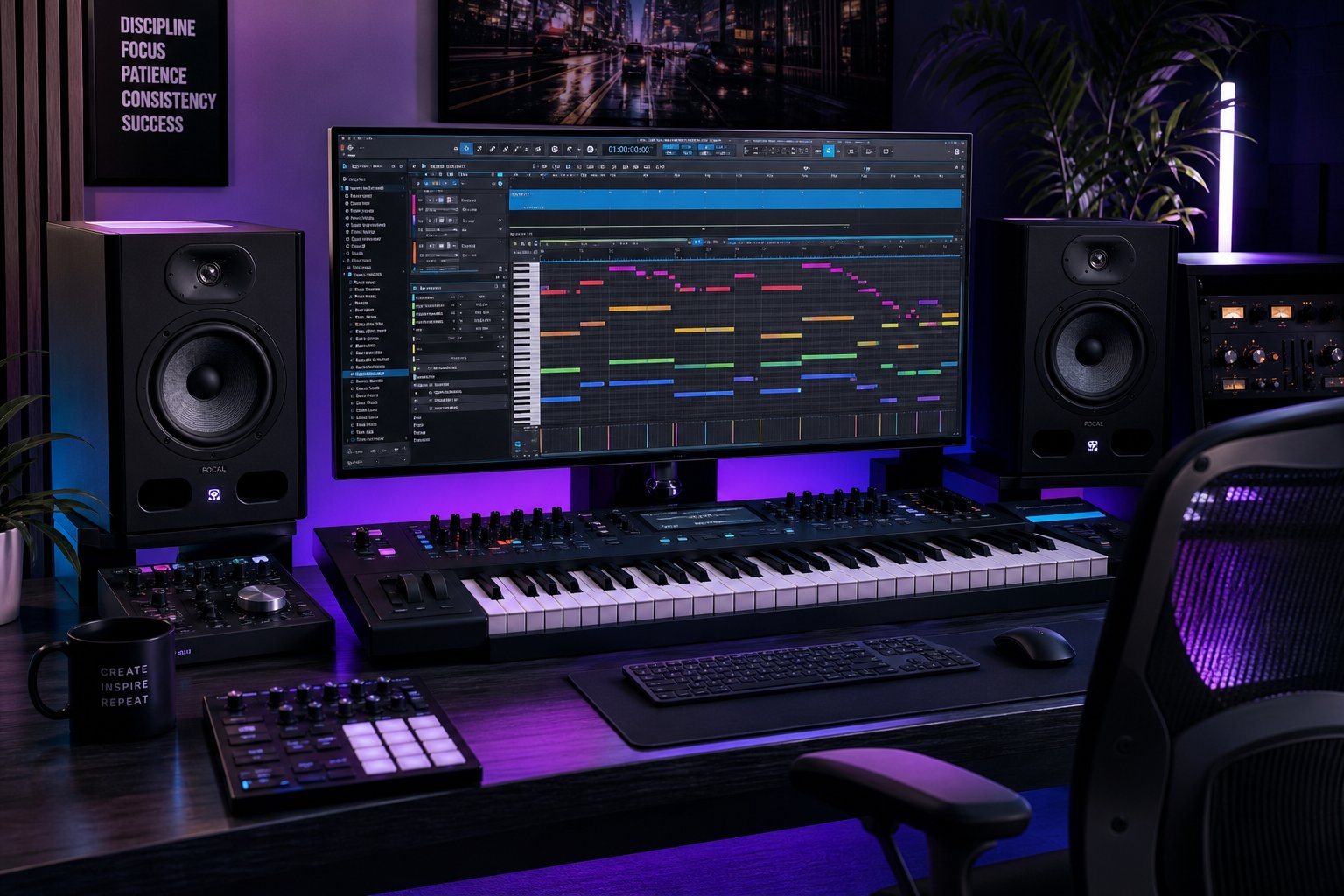
Import that MIDI file into your DAW, whether it is Logic Pro, Ableton Live, FL Studio, or Cubase, and every detected note appears as a moveable event in the piano roll. From here, the possibilities branch out quickly. As Avid's MIDI production guide explains, MIDI allows you to re-voice parts with any virtual instrument, transpose entire sections, adjust velocities for dynamic shaping, and apply quantization to tighten timing. A transcribed piano melody can become a string arrangement. A bass line can be doubled by a synth. A vocal melody can drive a lead patch you have been designing.
The ai music to sheet music pipeline becomes even more powerful when you treat transcribed MIDI as a starting point rather than a finished product. Producers routinely use transcription to capture a melodic idea from a recording, then develop that idea into something new. You might transcribe a four-bar hook, then extend it into a full chorus, add harmonic variations, and layer countermelodies around the original phrase.
For musicians who want to push transcribed ideas further into new territory, AI-powered composition tools can accelerate that development phase. MakeBestMusic's AI MIDI Generator picks up where transcription leaves off: once you have captured a melodic idea from audio, it helps you generate new melody variations, explore arrangement possibilities, and develop raw transcribed material into full production-ready MIDI sequences. Think of it as the creative expansion step after the detection step, turning a captured phrase into a complete musical idea you can build a track around.
The complete workflow looks like this: record or source your audio, run it through transcription to extract MIDI, clean up obvious detection errors in your DAW's piano roll, then use that corrected MIDI as the seed for arrangement and composition work. Each stage builds on the previous one, and the entire chain from raw audio to finished production happens faster than manual transcription ever could.
This raises a practical question that shapes your tool choices and budget: how much of this workflow can you access for free, and at what point do paid tools justify their cost?
Free Versus Paid AI Transcription and What You Actually Get
Every tool in this space advertises some version of "free." But free means something different at every platform, and that gap between what the marketing suggests and what you can actually accomplish without paying catches people off guard. If you want to convert audio to sheet music online free, you need to know exactly where the walls are before you build a workflow around any single tool.
What Free Tiers Actually Include
The word "free" covers three distinct models in the transcription space: permanent free tiers with hard limitations, time-limited trials that expire, and open-source notation editors that do not actually transcribe audio at all. As Songscription's 2026 comparison points out, search results for "free music transcription" often surface notation editors like MuseScore, which solve a completely different problem. MuseScore is for entering notes by hand. It cannot listen to a recording and produce notation for you.
Among tools that actually transcribe music free of charge, here is what you are typically working with:
- Short audio clips only - Most free tiers cap you between 20 and 60 seconds. Songscription offers unlimited 30-second previews. Klangio's free demo maxes out at 20 seconds. Melody Scanner gives you roughly 40 bars, which is the most generous for audio to sheet music free access.
- Limited monthly transcriptions - Some platforms restrict how many files you can process per month rather than capping length. ScoreCloud, for example, gives you three free songs before requiring a trial upgrade.
- Basic output formats only - PDF might be available, but MIDI and MusicXML exports, the formats you actually need for editing, often sit behind the paywall. Melody Scanner charges for MIDI export. Klangio locks full exports behind paid plans.
- Watermarked or view-only results - Some tools let you see the transcription on screen but block downloads entirely until you pay. Songscription's free previews, for instance, are view-only with no file export.
- Single-instrument transcription only - Multi-instrument separation, arrangement features, and advanced editing require paid access across nearly every platform.
Can you accomplish real work within these constraints? It depends on the task. If you need to quickly check whether a music transcriber free tool can handle your specific recording, the preview tiers do that job well. If you want a rough melodic reference for a short passage you are learning by ear, 30-40 seconds of free transcription might be enough. But if you are creating piano arrangement from audio ai free and expect a complete, editable file you can take into MuseScore or your DAW, you will hit the paywall almost immediately.
When Paid Plans Become Worth the Investment
The free tier is a test drive. The paid tier is where the actual workflow lives. For certain users, the investment pays for itself within a single project. Here is who benefits most from upgrading:
Professional musicians and arrangers who regularly need to transcribe full-length pieces gain access to unlimited processing, multi-instrument separation, and export formats that integrate with their notation software. A song to sheet music ai tool with full MusicXML export eliminates the manual entry that would otherwise take hours per arrangement.
Educators building curriculum materials need batch processing for multiple pieces, difficulty leveling features, and clean PDF exports they can distribute to students. An online music transcriber with a paid education tier typically costs less per month than a single hour of manual transcription work from a freelancer.
Producers working with full tracks need MIDI export, stem separation, and the ability to process longer files. When your workflow involves extracting melodic ideas from recordings and developing them into new productions, the paid tier becomes a production tool rather than a luxury.
The table below shows how free and paid tiers typically differ across the major platforms:
| Feature | Free Tier Typical | Paid Tier Typical |
|---|---|---|
| Audio length | 20-60 seconds per transcription | Unlimited (full songs) |
| Monthly transcriptions | 3-5 files or unlimited short previews | Unlimited or high cap |
| Export formats | PDF only or view-only preview | MIDI, MusicXML, PDF, Guitar Pro |
| Instrument separation | Single instrument only | Multi-instrument with stem isolation |
| Editing tools | None or basic | Piano roll editor, note correction, arrangement |
| Pricing range | $0 | $5-$21/month (subscription) or $35-$107 one-time |
Pricing data drawn from Upwork's software comparison shows AnthemScore ranging from $31-$107 as a one-time purchase, ScoreCloud from $5.99-$20.99 per month, and Sibelius (notation editor) from $12.99-$27.99 monthly. The piano transcription service landscape generally falls between $5 and $25 per month for subscription-based AI tools, making them significantly cheaper than hiring a human transcriptionist for the same work.
Beyond transcription itself, paid creative tools that complement the audio-to-notation pipeline extend what you can do with transcribed material. MakeBestMusic's AI MIDI Generator is a strong option for musicians who want to push past transcription into AI-assisted composition, generating new melody ideas and arrangement variations from the musical seeds you have already captured. For producers who routinely transcribe recordings and then develop that material into new tracks, it bridges the gap between detection and creation at an accessible price point. Songscription's paid plans add arrangement and leveling features. AnthemScore's one-time purchase eliminates ongoing costs for high-volume users. The right combination depends on whether your workflow ends at transcription or continues into production.
The honest takeaway? Run your actual material through two or three free tiers, compare results on your specific instrument and recording quality, and pay for the tool whose output requires the least manual correction. Five minutes of testing tells you more than any feature comparison ever will.
