


Yes, AI Can Write Sheet Music and Here Is How
Yes, AI can write sheet music. Multiple tools exist right now that let you create sheet music using artificial intelligence, and the technology has moved well beyond the experimental phase. Whether you need to pull notation from an existing recording or generate an entirely new melody from scratch, there is an ai sheet music generator built for that task.
The Short Answer for Musicians
If you have ever spent hours transcribing a song by ear or wished you could sketch out an arrangement faster, AI-powered tools can now handle both. The landscape splits into two distinct categories. First, there are AI transcription tools that listen to audio and convert what they hear into readable notation. Think of uploading an MP3 and getting a staff with notes back. Second, there are AI composition tools that generate original scores based on prompts, style parameters, or melodic seeds you provide. These two categories solve very different problems, and knowing which one you actually need saves you time and frustration.
What This Guide Covers
This article walks through eight sheet music AI tools I personally tested, covering both transcription and composition options. You will find honest assessments of what works, what falls short, and which tool fits specific workflows. From free browser-based options to professional-grade solutions, the goal is to help you find the right fit without wading through marketing fluff.
Transcription AI converts existing audio into notation. Composition AI generates original ai sheet music from text prompts or musical parameters. These are fundamentally different tools solving different problems.
The tools available today range from startups like Songscription, which recently launched with models trained on paired audio and notation data, to established platforms adding generative features for composers and producers. Accuracy varies dramatically depending on your source material and instrument type, so understanding what to expect before you dive in matters more than picking the flashiest option.
The real question is not whether AI can create sheet music. It can. The better question is how well it does it, and where it still needs a human hand to finish the job.
AI Transcription vs AI Composition Explained
These two categories sound similar on the surface, but they work in completely opposite directions. One listens. The other creates. Confusing the two leads to picking the wrong tool entirely, so let's break down exactly how each approach works and where it fits in a real music workflow.
AI Transcription Tools Turn Audio Into Notation
Imagine you have a recording of a piano performance you love. Maybe it is an MP3 from your practice session, a WAV file of a live concert, or even a YouTube link. AI transcription tools take that audio and attempt to reverse-engineer it into written sheet music. The process works like a highly trained ear that never gets tired.
Here is what happens under the hood when you convert audio to sheet music online free using one of these tools. The AI analyzes the raw audio waveform, identifies pitch frequencies, determines note durations, and assigns everything to the appropriate position on a staff. Most tools use neural networks trained on thousands of paired examples, meaning recordings matched with their correct notation, so the model learns to associate specific sound patterns with specific written symbols.
The practical workflow is straightforward. You upload your file, choose the instrument type, and the tool returns a notated score, typically in formats like MusicXML, MIDI, or PDF. Some platforms even accept a direct link, letting you paste a URL and get notation back without downloading anything first. Tools like Klangio and Melody Scanner follow this exact pipeline, targeting musicians who want to turn audio to sheet music without spending hours doing it by hand.
However, accuracy varies dramatically based on source material. MIREX 2024 benchmarks show pitch detection reaching up to 96% on clean solo piano recordings, but dropping to around 78% on guitar, roughly 52% on vocals, and as low as 38% on dense polyphonic mixes. These numbers only measure whether the AI found the right notes. Rhythm, dynamics, and expression markings are a separate challenge entirely, one that current tools handle poorly or not at all.
AI Composition Tools Generate Original Scores
Composition tools flip the equation. Instead of analyzing something that already exists, they generate something new. You provide a prompt, a style, a chord progression, or a melodic seed, and the AI produces original notation or MIDI data that did not exist before.
These tools use generative models, often transformer architectures similar to what powers large language models, but trained on musical data instead of text. You might type "melancholic piano ballad in D minor, 80 BPM" and receive a complete melody with harmonic structure. Others let you hum a phrase, set parameters like genre and instrumentation, and receive an arrangement built around your input.
The output quality differs from transcription in an important way. Composition AI is not trying to perfectly replicate something. It is generating ideas. Think of it as a creative collaborator that sketches possibilities rather than a scribe that copies dictation. The results work best as starting points: melodic ideas, chord progressions, or arrangement concepts that you then refine with your own musical judgment.
Why This Distinction Matters for Your Workflow
Picking the wrong category wastes your time. Ask yourself one question: do you already have music that needs to be written down, or do you need new music created?
- You have a recording and want notation: You need a transcription tool. Upload your audio, get sheet music back. This covers use cases like creating piano arrangement from audio ai free, learning songs by ear faster, or archiving live performances.
- You want original melodies or arrangements generated: You need a composition tool. Provide parameters, receive new musical ideas in MIDI or notation format. This covers producers seeking inspiration, composers sketching ideas quickly, or content creators who need original background music.
- You want both: Some workflows combine the two. Generate a melody with a composition tool, export it as MIDI, then use notation software to polish and print the final score.
Is there ai that can transcribe music and also compose from scratch? Yes to both, but rarely in the same tool. The underlying technology differs enough that most developers specialize in one direction. Understanding which side of the equation you fall on narrows your search immediately and sets realistic expectations for what you will get back.
The Technology Behind AI Sheet Music Generation
You know what these tools do. But how do they actually pull it off? The technology behind turning audio to music notation, or generating original scores from nothing, involves a few distinct layers working together. None of it requires a PhD to understand, so here is the simplified version.
How Audio-to-MIDI Conversion Works
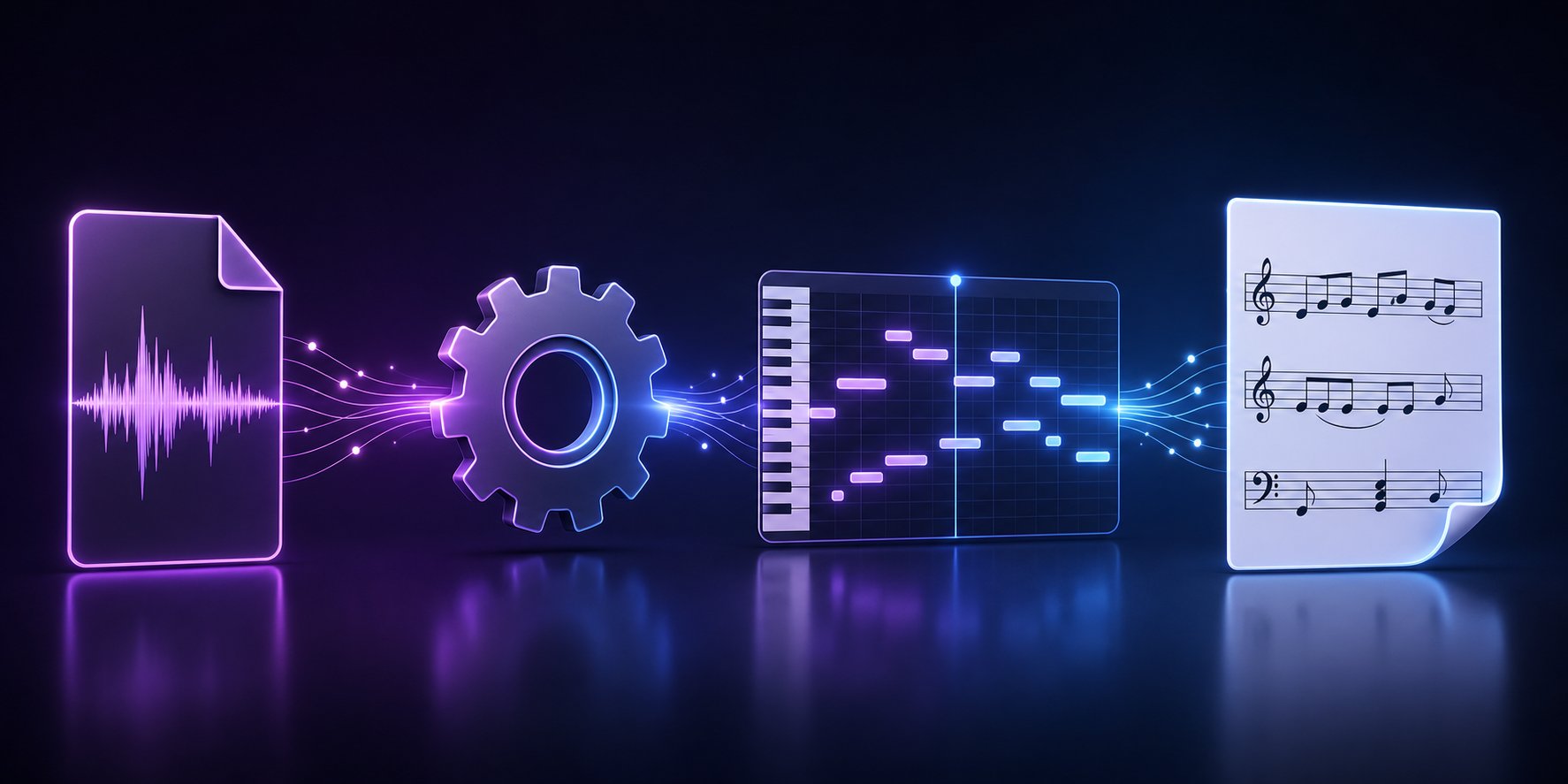
Most transcription tools do not jump straight from raw audio to printed sheet music. There is an intermediate step: MIDI. When you feed an mp3 to music sheet software, the AI first converts your audio into MIDI data, a digital format that describes which notes were played, when they started, how long they lasted, and how hard they were struck.
The signal processing pipeline looks something like this. The AI takes your audio waveform and runs it through a pitch detection algorithm that identifies the fundamental frequencies present at every moment. Spotify's open-source Basic Pitch model, for example, uses a harmonic constant-Q transform as input, which represents audio in a way that aligns with how musical notes are actually spaced. The model then predicts three things simultaneously: note onsets (when a note begins), active frames (how long it sustains), and pitch bend information (expressive details like vibrato or slides). All of this happens with fewer than 17,000 parameters, running faster than real time on most modern hardware.
The tricky part is polyphony. When multiple notes sound at once, their frequencies overlap and blend together. A C3 and C4 played simultaneously share harmonic content, making them difficult to untangle. Tools trained on paired audio-and-notation datasets learn to separate these overlapping voices, but accuracy still drops as complexity increases.
Neural Networks and Music Understanding
Behind every music notation AI tool sits a neural network trained on large datasets of musical examples. For transcription, these datasets pair audio recordings with their correct notation, so the model learns to associate specific sound patterns with specific written symbols. For composition, models train on vast libraries of existing scores and MIDI files, learning the statistical patterns of melody, harmony, and rhythm.
Generative composition tools typically use transformer architectures, the same family of models behind modern language AI. A Keras tutorial on MIDI generation demonstrates this approach using the Maestro dataset of piano performances. The model tokenizes MIDI events (note-on, note-off, time-shift, velocity) into sequences, then trains a decoder-only transformer to predict the next token given everything before it. The result is a system that can generate musically coherent sequences by sampling from learned probability distributions.
There is also Optical Music Recognition (OMR), which takes a different input entirely: images of printed or handwritten scores. As researcher Alexander Pacha explains, OMR uses computer vision to detect symbols on a page and reconstruct their musical meaning. This is harder than it sounds because music notation is a featural writing system. A black dot means nothing on its own. Its position relative to staff lines, stems, and other symbols determines its pitch, duration, and function. Even tiny errors, like missing a single accidental, can make the output musically wrong.
From MIDI to Readable Sheet Music
Raw MIDI data is not sheet music. It is a stream of event data: note 60 on, velocity 80, 480 ticks later note 60 off. Turning that into something a musician can read requires a rendering step that applies music notation rules.
This is where quantization comes in. Real performances rarely land exactly on the grid. A note played slightly before the beat needs to be snapped to the nearest rhythmic value. The music to notation converter must decide: is that a sixteenth note or a dotted eighth? Should those rapid notes be beamed together or separated? Which voice does this note belong to in a multi-voice texture?
- Pitch detection: Identifies fundamental frequencies and maps them to note names
- Rhythm quantization: Snaps raw timing data to the nearest musically logical note value
- Voice separation: Assigns simultaneous notes to distinct voices or staves
- Notation rendering: Applies formatting rules like beam grouping, stem direction, accidentals, and clef selection
Each of these components introduces potential errors. A pitch detected one semitone off cascades into wrong key signatures and confusing accidentals. Poor quantization turns a simple rhythm into an unreadable mess of tied notes. This is why ai notation tools produce output that is close but rarely perfect, and why understanding the pipeline helps you troubleshoot when results look off.
With the technology demystified, the natural next question becomes practical: which specific tools handle these steps best, and how do they compare when tested against the same material?
AI Sheet Music Tools Compared Side by Side
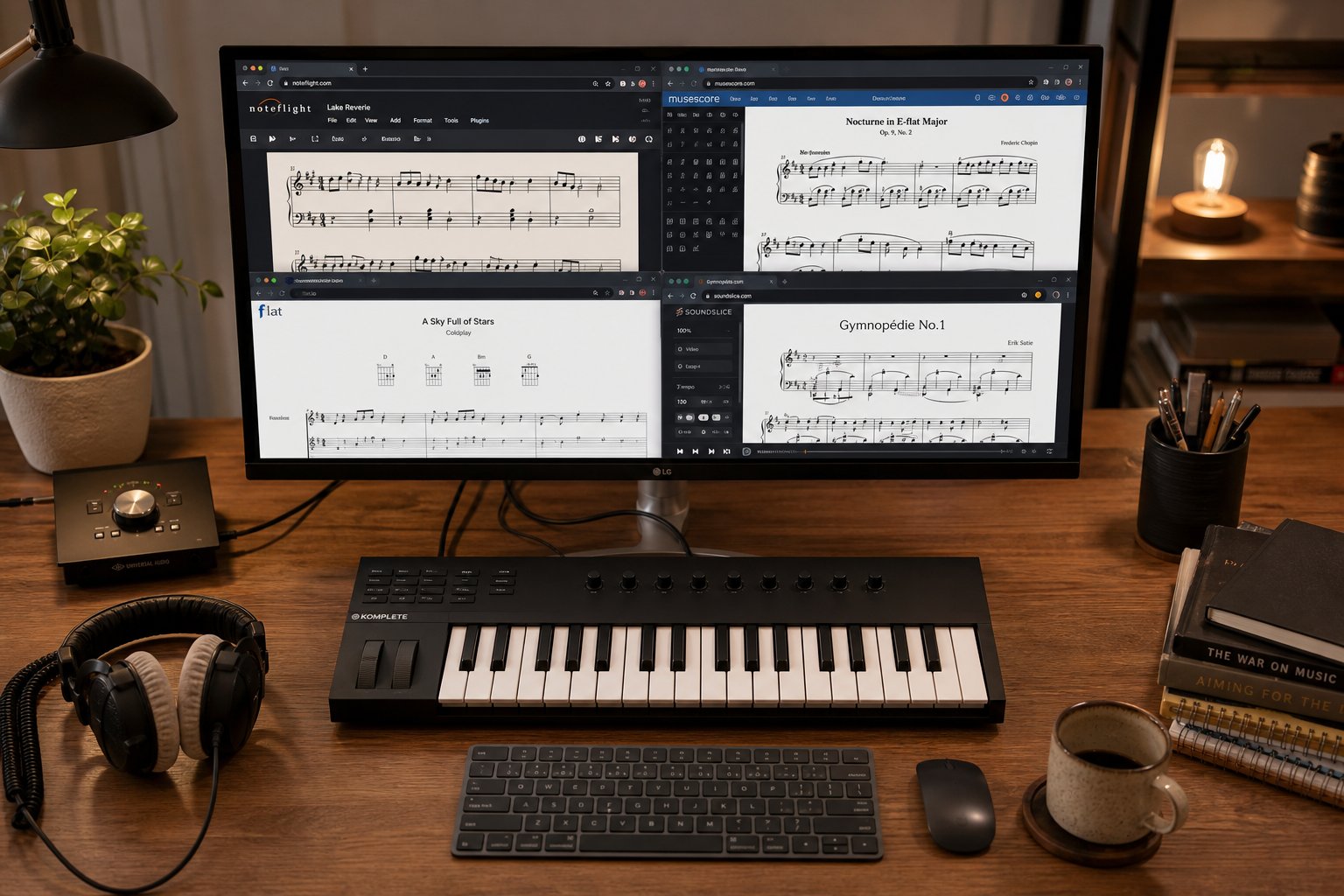
Knowing how the technology works is one thing. Picking the right tool from a crowded market is another challenge entirely. Each ai sheet music maker targets a slightly different use case, and the differences in input types, output formats, and pricing matter more than headline accuracy claims. Here is how the leading options stack up when placed next to each other.
Comprehensive Tool Comparison
The table below covers five tools spanning both composition and transcription categories. You will notice the split immediately: some generate original musical ideas, while others convert existing audio into notation. Both sides produce usable sheet music, but the starting point and workflow differ significantly.
| Tool Name | Category | Supported Inputs | Output Formats | Instrument Support | Free Tier |
|---|---|---|---|---|---|
| MakeBestMusic AI MIDI Generator | Composition | Text prompts, style parameters, melodic seeds | MIDI | Multi-instrument (melody, chords, bass, drums) | Yes |
| Songscription AI | Transcription | MP3, WAV, M4A, YouTube links | MIDI, MusicXML, PDF, Guitar Pro | Piano, guitar, drums, violin, flute, saxophone, trumpet, bass | Yes (30-sec previews + trial) |
| Klangio | Transcription | Audio files, YouTube links | PDF, MIDI, MusicXML, Guitar Pro | Piano, guitar, vocals, drums, bass | Yes (20-sec demo) |
| Melody Scanner | Transcription | YouTube links, microphone recording | PDF, MIDI, MusicXML | Piano-focused | Yes (40 bars) |
| Flat | Notation/Composition | MIDI import, manual input, MusicXML | MusicXML, MIDI, PDF, WAV | Full orchestral range | Yes (limited features) |
A few things stand out. On the composition side, MakeBestMusic's AI MIDI Generator fills a gap that transcription tools simply do not address. It targets producers and composers who need original melodic and arrangement ideas as MIDI, which they can then shape, orchestrate, or convert into full sheet music using notation software. Think of it as an ideation engine rather than a transcription engine.
Songscription AI earns its reputation as an ai sheet music maker for the complete transcription pipeline. It handles audio input through to editable notation in a single browser session, with arrangement and difficulty-leveling features layered on top. Klangio covers a slightly wider instrument range and offers DAW plugins plus an API, making it the stronger pick for developers or anyone embedding transcription into other software.
For accuracy benchmarks, Melody Scanner claims up to 86% on piano recordings, which gives you a realistic baseline for what current transcription AI delivers on clean solo material. Dense mixes or polyphonic instruments bring that number down considerably across every tool tested.
Flat takes a different approach as a collaborative music score maker free of installation requirements. It is not a transcription tool. Instead, it functions as a cloud-based notation editor where you compose directly or import MIDI generated by other tools, making it a natural downstream partner for composition AI outputs.
Free vs Paid Options
The word "free" means different things across this landscape. Some tools offer a permanent free tier with hard limits. Others provide a brief trial before locking everything behind a paywall. Here is what to realistically expect at each level.
Most tools keep their most useful exports gated. Songscription AI offers unlimited 30-second previews for free plus a trial for longer transcriptions, but downloadable MIDI and MusicXML files require a paid plan. Klangio's free demo caps at 20 seconds. Melody Scanner gives you roughly 40 bars before asking for payment, though it locks MIDI export behind its paid tier.
Across the board, here are the output formats you will encounter:
- MIDI — the most flexible format for editing in DAWs and notation software, available on paid tiers of most tools
- MusicXML — the universal interchange format for notation editors like MuseScore, Sibelius, and Finale
- PDF — print-ready sheet music, often the only free export option on transcription platforms
- Guitar Pro — tab-focused format supported by Songscription AI and Klangio for guitar and bass players
- WAV/MP3 — audio playback exports from notation editors like Flat for sharing or reference
If your budget is zero and you want a sheet music maker free of cost, the most practical route combines free tools: generate ideas with a free-tier composition tool, export as MIDI, then import into the open-source musescore ai alternative (MuseScore itself) for notation editing and PDF export. MuseScore does not transcribe audio, but it handles everything downstream of MIDI beautifully and costs nothing.
Paid plans across the transcription tools typically run between $5 and $20 per month, scaling with transcription length limits, export formats, and batch processing capabilities. For occasional use, a free tier plus one paid month when you have a batch project often makes more financial sense than an annual subscription.
Features and pricing aside, the quality of your results depends heavily on what you feed these tools. The input method you choose and the instrument in your recording shape accuracy more than any algorithm difference between competing platforms.
Input Methods and Instrument Considerations
Your results are only as good as what you feed the AI. Two people using the same transcription tool on the same song can get wildly different output quality depending on which input method they choose and which instrument dominates the recording. Understanding these variables before you hit "upload" saves significant cleanup time on the other end.
Supported Input Methods and When to Use Each
Most AI sheet music tools accept several input types, but they are not created equal. The format and quality of your source material directly determines how clean your notation comes back. Here is how the main options rank, from highest to lowest transcription accuracy:
- Clean MIDI file import — Since MIDI already contains discrete note data (pitch, timing, velocity), importing it skips the hardest part of the pipeline entirely. No pitch detection errors, no rhythm guessing. The tool only needs to render notation from pre-existing data. If you already have MIDI, start here.
- Studio recording (single instrument, dry signal) — A well-recorded solo instrument with minimal processing gives the AI a clear signal to analyze. Think a close-miked acoustic piano with no reverb, or a DI guitar signal. This is where tools perform closest to their advertised accuracy numbers.
- Live recording with minimal background noise — A decent phone recording of your own playing in a quiet room works surprisingly well for monophonic instruments. Room reflections and ambient sound introduce minor errors, but the results are still very usable as a starting draft.
- Complex multi-instrument audio (full mix) — A mastered track with drums, bass, vocals, and layered synths all competing for frequency space. This is the hardest scenario for any transcription AI. Overlapping harmonics confuse pitch detection, and the model struggles to assign notes to the correct instrument.
Beyond file uploads, several tools accept YouTube and social media links as direct input. Songscription AI and Klangio both let you paste a URL and receive notation without downloading anything first. This method is convenient, but keep in mind that streaming audio is compressed and often mastered at high loudness levels, both of which reduce transcription clarity compared to working from a lossless file.
Direct microphone recording is another option offered by tools like Melody Scanner. You play your instrument into your device's mic, and the tool transcribes in near real time. This works well for quick melodic ideas or single-line phrases. For anything polyphonic or rhythmically complex, a pre-recorded file gives you the advantage of choosing your best take and cleaning up background noise before the AI processes it.
If your goal is to convert mp3 to sheet music online free, file upload remains the most reliable path. MP3, WAV, FLAC, and M4A are widely supported across platforms. WAV and FLAC preserve more audio detail than MP3, which discards frequency information during compression. For critical transcription work, use the highest quality source file available. For casual use, an MP3 at 192kbps or above produces acceptable results on most tools.
Why Instrument Type Affects AI Accuracy
Not all instruments are equally friendly to AI transcription. The core reason comes down to a concept called polyphony: how many notes sound simultaneously and how their frequencies interact.
Monophonic instruments, those that produce one note at a time, are the easiest for AI to handle. A flute, a trumpet, or a single vocal line gives the model a clean target. There is one pitch to detect at any given moment, so errors drop dramatically. Research in automatic music transcription confirms that monophonic transcription is essentially a solved problem at this point.
Piano sits in an interesting middle ground. It is polyphonic, often playing six or more notes simultaneously, but each note has a distinct attack and a well-understood harmonic structure. The availability of massive training datasets like Google's MAESTRO collection (over 200 hours of precisely aligned piano audio and MIDI from Yamaha Disklavier recordings) means piano transcription models have far more training data than models for other instruments. This is why piano consistently produces the best polyphonic results across every tool tested.
Guitar introduces additional complications. Chord voicings on guitar produce overlapping harmonics that are harder to untangle than piano chords. Add distortion or heavy effects, and the AI faces a signal where the added harmonics from processing are nearly indistinguishable from actual musical content. Songscription's transcription guide specifically notes that acoustic instruments transcribe better than heavily processed ones, because effects like reverb and chorus smear note boundaries that the model relies on for onset detection.
Drums and percussion present a unique challenge. They are unpitched or only loosely pitched, meaning standard note-based transcription models are not designed for them. Some tools like Klangio offer drum-specific transcription apps that use separate models trained specifically on percussive material. If you need drum notation, look for a tool that segments by instrument type rather than attempting to transcribe everything with a single model.
Ensemble recordings, full band mixes, orchestral passages, or choir performances, represent the hardest case. Multiple instruments overlap in frequency, musicians coordinate their timing (violating the statistical independence assumptions many models rely on), and reverb from shared acoustic spaces blurs individual note boundaries. The practical advice from every reference source points the same direction: if you can isolate instruments before transcription, do it. Run your audio through a stem separation tool first, then feed individual stems to the audio to sheet music ai tool of your choice.
For anyone trying to generate sheet music from audio on a budget, this instrument-awareness matters more than which specific tool you pick. A free tool with clean solo piano input will outperform a paid tool fed a noisy full-band recording every time. The smartest workflow starts with the best possible source material, uses stem separation when needed, and treats the audio to sheet music free tools as a first-draft generator rather than a finished-product machine.
Even with ideal input and a cooperative instrument, every AI transcription tool has a ceiling. The next question worth asking honestly is where that ceiling sits, and what kinds of errors you should expect to fix by hand regardless of which platform you choose.
Limitations and Accuracy You Should Expect
Every tool markets its strengths. None of them put the failure cases on the homepage. So let's do what the product pages won't: talk honestly about where AI sheet music generation breaks down and what realistic output actually looks like when you use a sheet music generator from audio on real-world material.
Where AI Sheet Music Tools Struggle
Can ai transcribe music reliably? It depends entirely on the scenario. Controlled conditions with clean solo piano produce respectable results. Step outside that comfort zone, and accuracy drops fast. A 2025 study in the EURASIP Journal found that AI transcription accuracy drops by 20 percentage points when the recording comes from a different piano than the training data, and another 14 points for genre shifts. Total degradation can reach up to 50 percentage points in extreme cases.
Here are the specific scenarios where even the best ai music transcription tools struggle significantly:
- Complex polyphony: Three or more overlapping voices confuse pitch assignment. At the NeurIPS 2025 AMT Challenge, competing models showed a consistent 25+ point F1 drop when just two or three instruments were present.
- Live recordings with background noise: Room reverb, audience sounds, and bleed from other instruments smear note boundaries the AI relies on for onset detection.
- Non-standard tunings: Alternate guitar tunings or historical temperaments confuse pitch-to-note-name mapping, producing enharmonic chaos throughout the output.
- Extreme tempos: Very fast passages (think Flight of the Bumblebee) blur individual note attacks. Very slow passages with rubato make rhythm quantization nearly impossible.
- Highly ornamented passages: Grace notes, trills, mordents, and turns get quantized into literal rhythmic values rather than recognized as ornamental figures.
- Mixed-instrument ensembles: MIREX 2024 benchmarks show accuracy falling to around 38% on dense polyphonic mixes, and that only measures pitch detection.
Even ai piano transcription, the strongest use case available, has a ceiling. In testing by Music Notation Hub, Klangio's AI merged all voices into one layer on a clean solo piano recording, failed to detect the pickup bar, and threw off the entire meter from bar one onward. The output was not playable. When their team attempted to correct the AI-generated transcription rather than starting from scratch, it took 2.25 times longer: 45 minutes versus 20 minutes for a short, simple excerpt.
One recurring pattern across every tool tested: AI struggles with anacrusis (pickup notes). It almost never figures out how to start the transcription correctly, which displaces the downbeat for everything that follows. If your piece does not begin on beat one, expect to rewrite the opening bars by hand.
Setting Realistic Expectations for Output Quality
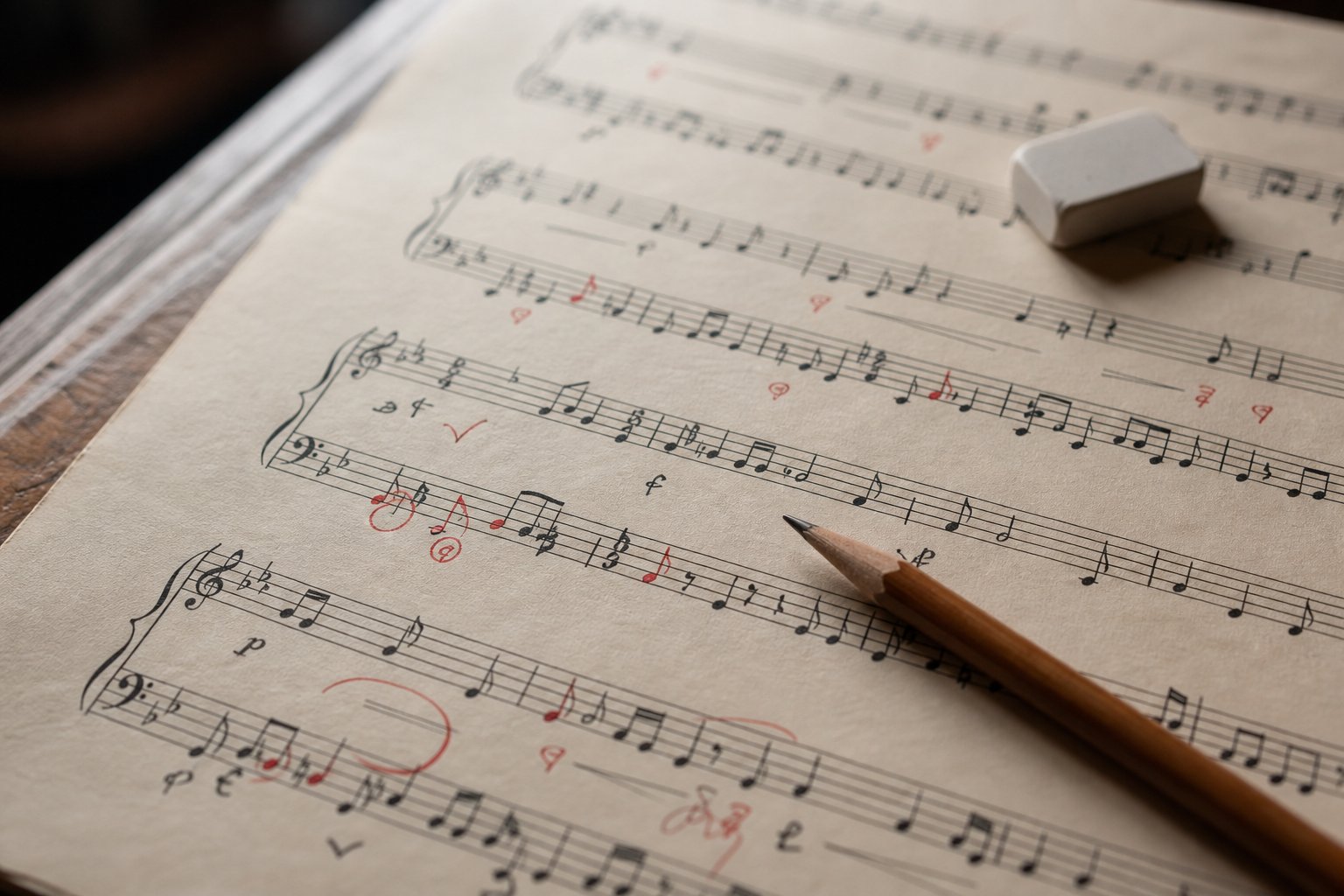
Even when the notes are mostly correct, the musical context is usually missing. Current ai song transcription tools output pitch and approximate duration. That is it. They do not detect or generate dynamics, tempo markings, pedal indications, articulations, expression text, or chord symbols. Music Notation Hub's testing confirmed zero musical directions in AI output across all three samples tested, including a straightforward vocal melody that any intermediate student could transcribe by ear.
Here are the common accuracy issues you should expect to fix manually, regardless of which tool you choose:
- Missed grace notes and ornaments (quantized into literal rhythmic values)
- Incorrect enharmonic spelling (D-sharp where E-flat belongs, creating key signature contradictions)
- Beam grouping errors that violate the time signature's natural stress patterns
- Dynamic markings completely absent from the output
- Articulation oversimplification (everything rendered as plain noteheads without staccato, tenuto, or accent marks)
- Voice separation failures (melody and accompaniment collapsed into a single layer)
- Wrong clef assignments (vocal parts notated on alto clef, for instance)
Treat AI-generated sheet music as a strong first draft, not a finished product. Budget time for human review, correction, and the addition of every expressive element that makes notation actually playable.
This applies equally to both categories. Transcription tools deliver a pitch approximation that needs musical judgment applied on top. Composition tools generate ideas that need arranging, voicing, and contextual markings added by a human who understands the intended performance. If you use AI to ai transcribe piano recordings expecting print-ready results, you will be disappointed. If you use it expecting a head start that saves 60-70% of the grunt work on simple material, you will find real value in these tools.
The gap between "notes on a page" and "music a performer can read" is where human skill remains irreplaceable. That said, different musicians face this gap from different angles. A student learning songs by ear has very different tolerance for imperfect output than a publisher preparing scores for sale, and matching the right tool to the right use case makes all the difference.
Choosing the Right AI Tool for Your Workflow
A hobbyist trying to learn a pop song by ear has zero overlap with an archivist digitizing a university's handwritten manuscript collection. Their tolerance for errors differs, their budgets differ, and the features that matter to each are completely unrelated. So rather than declaring one tool "best," here is how to match your actual situation to the category and features that solve your specific problem.
For Music Teachers and Students
When you are preparing practice materials for students, speed and simplicity matter more than absolute perfection. A teacher who needs to create your own music score for a student recital, or pull a simplified lead sheet from a recording for sight-reading practice, benefits most from transcription tools with editable output.
The workflow looks like this: upload a recording of the piece your student is working on, get a rough transcription back in MusicXML, then open it in MuseScore or Flat to clean up errors and simplify the arrangement to match the student's level. AI transcription platforms essentially function as a sheet music simplifier in this context, giving you a starting skeleton that you can strip down to single-voice melodies or adjust rhythms to suit a beginner's reading ability.
Teachers creating personalized sheet music for individual students, say a transposed version of a melody for a Bb clarinet player or a left-hand-only piano reduction, get the most value from tools that export MusicXML rather than locked PDF files. That interchange format lets you rearrange, transpose, and annotate freely in your notation editor of choice. AI transcription in teaching contexts works best when you treat the output as raw material for lesson prep rather than a finished handout.
Students benefit differently. If you are trying to learn a song by ear and want notation to check your work against, a free-tier transcription tool gives you a reference point. The accuracy issues discussed earlier actually become a teaching opportunity: comparing what the AI got wrong against what you hear trains your own ear.
For Composers and Producers
Composers face a different bottleneck entirely. The problem is not transcribing something that exists. It is generating new ideas fast enough to keep creative momentum alive. Staring at a blank page is the enemy, and AI composition tools directly attack that problem.
If you want to write your own sheet music but struggle with the initial spark, a composition tool that generates melodic seeds or chord progressions gives you something tangible to react to. You might reject nine out of ten suggestions, but that tenth idea triggers a direction you would not have found on your own. The tool functions as a piano song creator that handles the first draft while you handle the taste and refinement.
Producers working in DAWs have a slightly different angle. They often think in MIDI and audio rather than notation, so composition tools that output MIDI files slot directly into their existing workflow. Generate a melody or bass line, drag it into your session, edit the notes, layer sounds on top. If notation is needed later, the MIDI exports cleanly into any scoring application. This ideation-first approach, seeding creative sessions with AI-generated fragments, aligns with how modern AI-assisted production workflows position the technology as an amplifier for human creativity rather than a replacement.
For Transcribers and Archivists
Professional transcription work, whether for publishers, academic archives, or performance libraries, demands accuracy standards that no current AI tool meets independently. But that does not make AI useless here. It changes the role from "automated solution" to "accelerated first pass."
Archivists digitizing large collections of handwritten or printed scores lean on Optical Music Recognition tools rather than audio transcription. The input is an image, not a sound file. Batch processing capability matters enormously when you have hundreds of pages to digitize. Even at 85-90% symbol recognition accuracy, having the AI handle the tedious spatial layout work and produce editable MusicXML saves weeks of manual data entry per project.
For audio transcription at professional scale, the workflow becomes: AI generates the first draft, a trained human corrects it. The key feature to look for is export flexibility. If the tool only outputs PDF, you are stuck re-entering everything manually to fix errors. MusicXML or MIDI export lets you load the draft directly into professional notation software and correct in place.
Here is a quick-reference guide matching user types to the tool category and features that matter most:
- Hobbyist learning songs: Transcription tools with free tiers and YouTube link input. Accuracy matters less since you are using output as a reference, not a publication.
- Music teachers: Transcription tools with MusicXML export so you can edit, simplify, and transpose for students. Look for tools that handle how to make sheet music from recordings of varying quality.
- Composers and songwriters: Composition tools that generate MIDI from prompts or parameters. Focus on creative flexibility and how to make your own sheet music from AI-generated seeds.
- Producers: Composition tools with direct MIDI export for DAW integration. Notation is secondary to getting usable melodic and harmonic data.
- Professional transcribers: Transcription tools with batch processing, high-accuracy piano models, and editable export formats. Budget for human correction time regardless of tool choice.
- Archivists: OMR tools for printed scores; audio transcription tools for recorded material. Prioritize MusicXML output and volume-handling capabilities.
Regardless of which category you fall into, one thing holds true across every use case: your results improve dramatically when you understand how to prepare your inputs and structure your workflow around the AI's strengths rather than fighting its weaknesses.
Practical Tips for Better AI Sheet Music Results
Knowing the right tool is half the equation. The other half is knowing how to use it well. Small adjustments to your input preparation, format choices, and multi-tool workflow can push AI output from "barely usable" to "genuinely time-saving." These tips come directly from testing all eight tools covered in this guide, and they apply whether you are transcribing recordings or generating original compositions.
Preparing Your Audio for Better Results
The single biggest lever you have over transcription quality is what happens before the audio ever touches the AI. A few minutes of prep work can eliminate hours of manual correction on the other end.
Start with instrument isolation. If your source is a full mix, run it through a stem separation tool like Demucs or LALAL.AI first. Feed the isolated piano stem, vocal stem, or guitar stem to your transcription AI individually rather than making it untangle everything at once. This alone can improve note accuracy by 20-30% on complex material.
Noise reduction helps too, but be careful not to overdo it. Light noise gating or spectral denoising in Audacity removes room hum and background ambience that confuse onset detection. Heavy-handed noise removal, though, can smear transients and strip harmonic overtones the AI needs for pitch identification. A gentle pass is better than an aggressive one.
File format matters more than most people realize. Use WAV or FLAC when possible. MP3 compression discards frequency information above 16kHz and introduces subtle artifacts around note attacks, both of which degrade transcription accuracy. If MP3 is all you have, at least ensure it is 192kbps or higher. And normalize your audio levels so peaks sit around -3dB. Clipped audio distorts the harmonic content that pitch detection algorithms rely on.
One more underrated technique: if you are transcribing a piano piece with heavy sustain pedal, try processing a copy with a transient shaper plugin to emphasize note attacks before feeding it to the AI. The pedal creates a wash of overlapping sustain that makes onset detection difficult, and slightly exaggerating the attacks helps the model find where notes actually begin.
Building a MIDI-First Composition Workflow
If your goal is to generate sheet music from original ideas rather than transcribe existing recordings, MIDI is your best friend. It sits at the intersection of every tool in the chain: DAWs read it, notation software imports it, and AI composition tools output it natively.
The workflow looks like this. You begin with an AI composition tool to generate melodic or harmonic ideas as MIDI data. MakeBestMusic's AI MIDI Generator handles this step well for producers who want AI-assisted melody and arrangement ideas without committing to notation upfront. You feed it style parameters or prompts, receive MIDI output covering melody, chords, bass, or drums, and then decide what to keep, discard, or develop further.
Why start with MIDI rather than jumping straight to notation? Flexibility. MIDI is infinitely editable. You can transpose, re-voice, re-orchestrate, change tempo, split or merge tracks, all without any notation formatting getting in the way. It is raw musical data, not a visual layout. When you create own sheet music from AI-generated seeds, starting in MIDI means you can experiment freely before committing to the engraving decisions that notation requires.
Once your MIDI ideas feel musically solid, the conversion to readable notation is straightforward. Import the MIDI file into MuseScore, Sibelius, or Dorico. These editors handle quantization, voice assignment, and layout automatically during import. Sibelius 2024.3 even introduced clipboard-based MIDI paste, letting you copy MIDI data directly from other applications and paste it into your score without exporting intermediate files. The MIDI Import Options dialog gives you control over quantization settings, voice allocation, and time signature handling, so you can fine-tune how the raw data maps to notation.
This MIDI-first approach also works as an ai music notation pipeline for collaborative projects. A producer generates ideas in their DAW or with an AI tool, exports MIDI stems, and hands them to an arranger or orchestrator who works in notation software. Everyone stays in their preferred environment, and MIDI serves as the universal handoff format.
Combining Tools for Professional Results
No single tool does everything well. The most effective workflows pair specialized tools in a pipeline, letting each handle the step it excels at. Here are three practical combinations worth trying.
For music to sheet music ai workflows starting from a recording: run your audio through stem separation first, feed individual stems to a transcription tool like Songscription AI or Klangio, export as MusicXML, then open in MuseScore or Sibelius for human correction, layout, and the addition of dynamics, articulations, and expression markings the AI missed.
For composition workflows where you want to how to create your own sheet music from scratch: generate melodic ideas with MakeBestMusic's AI MIDI Generator, import the MIDI into your notation editor, develop the arrangement by hand, and use Sibelius's AI-powered chord symbol feature to auto-complete harmonic analysis. Sibelius 2023.8 introduced this capability, using a locally-trained AI model to suggest chord symbols by analyzing harmonic context in your score, making it faster to annotate lead sheets or jazz charts from AI-generated material.
For transposition and arrangement work, an ai sheet music transposer built into notation software handles the final formatting step. Generate your base material with AI, import it, then use the built-in transposition tools to create parts for different instruments or adjust the key to suit a vocalist's range. The AI handles the creative heavy lifting; the notation editor handles the engraving precision.
Across all of these pipelines, one principle holds: let AI handle the time-consuming first draft, then apply your musical judgment to shape the final result. The tools that ai generate sheet music from audio or from prompts are remarkably good at getting you 70% of the way there in a fraction of the time. That remaining 30%, the expressive details, contextual decisions, and performance-ready formatting, is where your expertise turns raw AI output into something a musician actually wants to read and play.
