

Why You Need a System to Detect AI Music on Spotify
Imagine scrolling through a playlist and wondering whether the track you're vibing to was written by a person or generated by a machine in seconds. You're not alone. AI-generated music now accounts for roughly 39% of all daily uploads to streaming platforms, and that number keeps climbing. The uncomfortable truth? A Deezer and Ipsos study found that 97% of listeners couldn't tell the difference between AI-generated songs and human-made ones in a blind test.
Your ears alone aren't enough. Gut instinct fails almost everyone when it comes to spotting synthetic tracks hidden among millions of real ones.
Why Most Listeners Miss AI Music Entirely
AI music generators have gotten remarkably good at mimicking human composition. They replicate genre conventions, vocal textures, and production styles with enough polish to fool even seasoned listeners. When you casually stream background music or discover new artists through algorithmic playlists, you're unlikely to pause and question authenticity. That's exactly why so many people wonder how to tell if music is AI generated but never arrive at a confident answer.
A systematic, multi-step checking process beats casual listening every time. No single clue is definitive, but stacking several signals together builds real confidence in your judgment.
What This Step-by-Step Detection Method Covers
This guide walks you through a progressive approach to check music to see if its ai generated or not. You'll start with the easiest method first: checking platform labels and song credits that Spotify already provides. From there, you'll move into artist profile analysis, cross-platform verification, and finally, audio-level inspection using ai music detectors and stem separation tools. Each step adds a layer of evidence.
Think of it like detective work. One clue might mean nothing on its own, but when three or four point in the same direction, you can feel reasonably sure about how to tell if a song is ai generated. The steps ahead give you a repeatable process, starting with what's right inside the Spotify app itself.
Step 1: Check Spotify's Built-In AI Labels and Song Credits
The fastest way to spot AI music on Spotify is to look at what Spotify itself tells you. The platform has rolled out an AI Credits feature (currently in beta) that flags when artificial intelligence contributed to specific elements of a track. It's not a full-blown "this song is AI" stamp, but it does reveal whether AI played a role in vocals, lyrics, instrumentals, or production.
The catch? These credits only appear when an artist voluntarily discloses AI use through their label or distributor. Spotify has been transparent about this limitation, stating that "the absence of AI credits doesn't mean AI wasn't used on a song." Still, checking for these labels takes seconds and gives you immediate, confirmed information when present.
Where to Find AI Credits in the Spotify App
AI credits live inside the Song Credits panel, the same place you'd look to find producers, songwriters, and engineers. Spotify has also introduced features like SongDNA and About the Song, which map creative connections and share backstory details in the Now Playing view. When AI credits are present, they appear alongside these standard credits on mobile.
Here's exactly where to tap or click depending on your device:
- Mobile (iOS/Android): Open the song in Now Playing view. Tap the track title or scroll down to find "Song Credits" or "Show Credits." AI credits appear within this panel, listed under the specific role (e.g., "Vocals - AI-generated").
- Desktop app: Right-click the track or click the three-dot menu, then select "Show Credits" or "Song Credits." Note that AI credits started on mobile first, and desktop support has been rolling out gradually.
- Now Playing view (mobile): Swipe up or look for interactive cards in the Now Playing screen. SongDNA and About the Song cards may also surface relevant details about how the track was made.
Understanding Spotify's AI Disclosure Labels
When you open Song Credits, you might wonder what do the symbols on Spotify mean next to certain contributors. Standard credits list roles like "Producer," "Songwriter," or "Mixing Engineer." AI credits add a new layer: they tag individual roles as AI-generated rather than labeling the entire track. For example, you might see a human credited for songwriting while the vocal performance is marked as AI-generated.
This role-specific approach matters. Spotify noted that "AI credits show how AI contributed to the song, not that the entire track is AI-generated." A track could have AI-assisted production but entirely human vocals and lyrics. The labels help you understand the degree of AI involvement rather than forcing a binary yes-or-no judgment.
Common AI credit categories you'll encounter include:
- Lyrics (AI-generated)
- Vocals (AI-generated)
- Instrumental performances (AI-generated)
- Production (AI-generated)
If both AI and human contributions exist for the same role, they're credited separately so you can see exactly what's synthetic and what's not.
Mobile vs Desktop Navigation Differences
Mobile remains the primary place to find AI credits, since the beta launched there first. Desktop and web player support has been expanding, but you'll occasionally find a track that shows AI tags on your phone while the desktop version only displays standard credits. If you're serious about checking, default to the mobile app for the most complete information.
Also worth noting: the "E" icon you sometimes see next to tracks on Spotify indicates explicit content, not AI generation. That's a common source of confusion when people ask what does the e mean in Spotify. It has nothing to do with artificial intelligence.
Keep in mind that this labeling system depends entirely on voluntary disclosure. Not all distributors support AI credits yet, and artists who use AI without disclosing it won't trigger any label. According to the latest spotify ai news, the platform is working with distributors like DistroKid, CD Baby, Believe, and EMPIRE to expand the system, but full coverage is still a long way off. That gap between labeled and unlabeled AI music is precisely why you'll need the additional detection steps that follow.
Step 2: Inspect the Artist Profile for Warning Signs
Labels and credits can tell you a lot, but they rely on honest disclosure. When that information is missing or inconclusive, the artist's profile itself becomes your next best source of evidence. AI artists on Spotify follow predictable patterns that real musicians almost never exhibit. Knowing what to look for on a spotify artist page turns a blank screen of uncertainty into a clear set of signals.
Open the artist's profile by tapping their name on any track. From there, look at the About section, the discography, and any linked external accounts. Each element contributes to a fuller picture of whether you're looking at a real person or an ai generated bands operation designed to farm streams.
Red Flag Release Patterns That Signal AI Artists
Humans need time to write, record, mix, and master music. AI needs seconds. This fundamental difference shows up clearly in an artist's release history. When you see someone dropping dozens of tracks across multiple albums in just a few weeks, that's a strong signal you're looking at ai artists music rather than genuine creative output.
How extreme can it get? Music Business Worldwide documented the AI entity Aventhis releasing three albums totaling 57 tracks in just four months. Another fake profile, Sienna Rose, uploaded over 45 songs in eight weeks. Even the most prolific human artists can't maintain that pace while delivering genuine, original work.
Beyond sheer volume, watch for these release-related red flags:
- Suspiciously uniform track lengths: Streams only count for royalties after 30 seconds of continuous play. Scammers optimize for this by keeping tracks between 31 and 40 seconds, maximizing paid plays per hour of background listening.
- No release history before a sudden burst: An artist who didn't exist in 2023 but has five albums in 2025 raises obvious questions.
- Identical genre and mood across every track: Real musicians evolve, experiment, and show range. AI profiles tend to stay locked in a single genre template.
Check the discography section on any artist page. Scroll through the release dates and count how many albums or singles appeared within a short window. If the math doesn't add up for a human workflow, you've found a meaningful red flag.
What a Legitimate Artist Profile Looks Like
Contrast matters here. Real artists are desperate for your attention in a brutal attention economy. They fill out their profiles because every detail is a chance to connect with fans. A legitimate artist page typically features a written bio with personal details, active social media links (Instagram, TikTok, X, Facebook), upcoming concert dates, and album artwork that reflects a cohesive visual identity.
Spotify allows artists to add social media links for Instagram, Facebook, X, TikTok, Wikipedia, and WhatsApp channels through their About section. When an artist hasn't claimed their profile or filled in any of these fields, it's worth asking why. AI artists on spotify are digital ghosts by necessity. They can't link to a real Instagram with behind-the-scenes footage or a TikTok showing the recording process, because none of that exists.
According to Android Police, a blank bio is your first warning sign, and when text does exist on fake profiles, it often reads like generic AI-generated copy with hollow phrases like "connecting the world through music" or "an endless quest for sonic perfection."
Here's a side-by-side comparison to make the differences concrete:
| Category | Typical AI Artist Profile | Typical Human Artist Profile |
|---|---|---|
| Release frequency | Dozens of tracks in weeks; multiple albums in months | Singles every few weeks; albums every 1-2 years |
| Bio detail | Empty, generic phrases, or AI-sounding descriptions | Personal story, influences, career milestones |
| Social media links | None, or recently created accounts with no engagement | Active profiles with fan interactions and content history |
| Concert listings | No tour dates listed, ever | Past or upcoming shows, even small venue gigs |
| Genre consistency | Rigidly locked into one narrow template | Core style with variations, collaborations, and experiments |
| Album artwork | AI-generated images with visual artifacts or generic stock feel | Commissioned photography, custom design, or personal artwork |
| Credits diversity | Same name across all roles (writer, producer, performer) | Multiple collaborators: engineers, co-writers, session musicians |
No single item on this list proves anything by itself. An independent bedroom producer might have sparse social links too. But when three or four of these characteristics stack up on the same profile, you're likely looking at ai artists music designed for volume rather than artistry. The next logical question becomes: does this artist exist anywhere outside Spotify at all?
Step 3: Look for the Verified Badge and Artist History
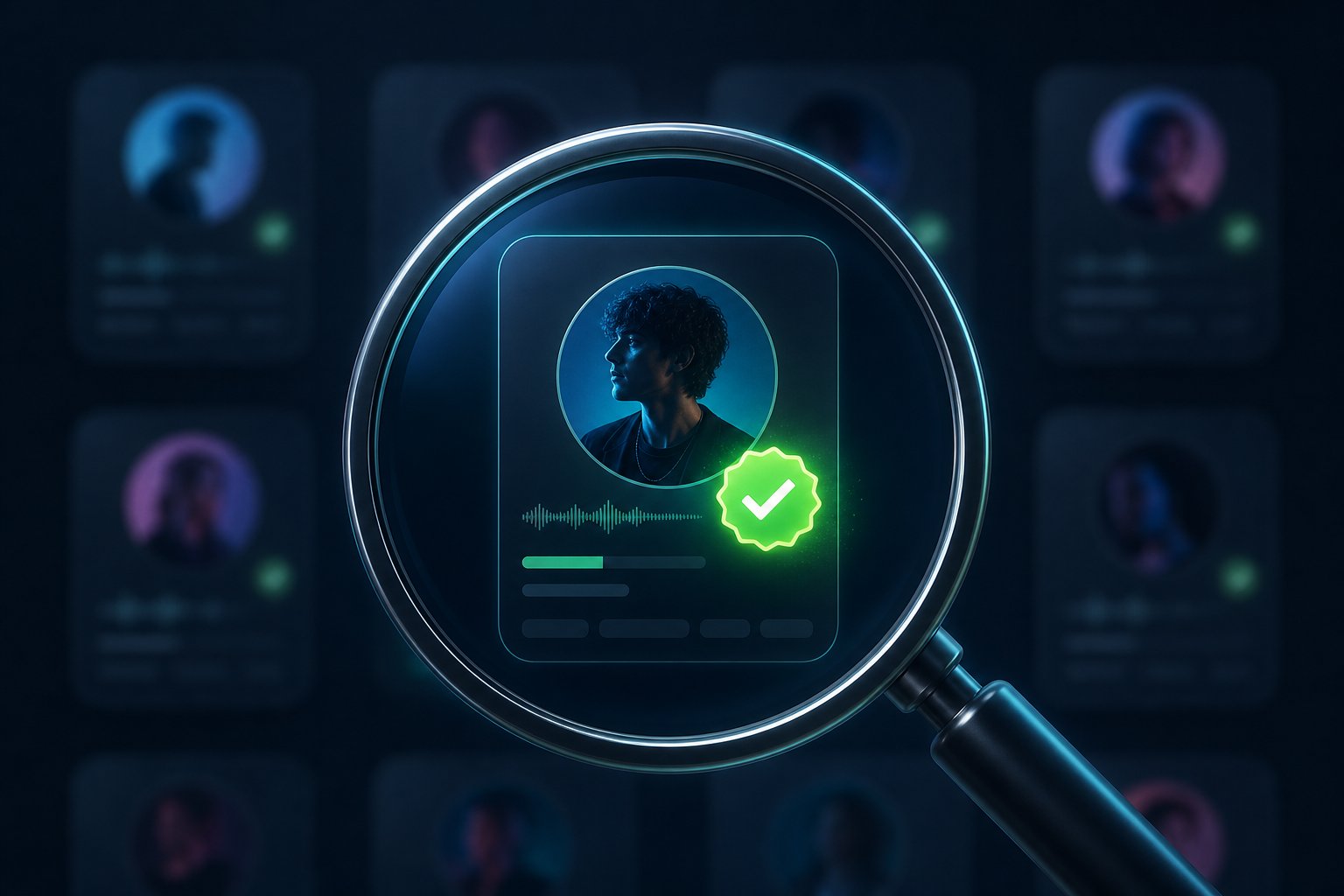
Before you leave an artist's profile to search elsewhere, there's one more quick signal sitting right at the top of their page. You've probably noticed the small spotify symbol next to artist name on some profiles and wondered what it means. That icon is Spotify's verification badge, and in the context of AI detection, its presence or absence carries real weight.
What the Spotify Verified Badge Actually Confirms
Spotify launched its Verified by Spotify program specifically to help listeners trust the authenticity of artists in the AI era. The verified icon appears as a light green checkmark alongside "Verified by Spotify" text on artist profiles and in search results. But what is a verified check actually telling you?
The verified meaning goes deeper than a simple identity confirmation. According to Spotify's official criteria, an artist must meet standards across three categories to earn the badge:
- Sustained listener activity: At least 10,000 monthly active listeners over a consecutive three-month period and 1,000 or more followers. This filters out one-time spikes from playlist manipulation.
- Platform compliance: No repeated spam, impersonation, or violations of Spotify's platform policies.
- Profile authenticity: An identifiable artist presence both on and off Spotify, including linked social accounts, concert dates, or merch. Profiles that primarily represent AI-generated or AI-persona artists are explicitly not eligible.
That last point is critical. Spotify has drawn a clear line: profiles primarily representing AI-generated artists cannot receive the verified check mark. Artists who use AI tools responsibly as part of their creative process remain eligible, as long as they present their spotify identity authentically. The distinction targets deceptive AI operations, not musicians experimenting with technology.
Here's what verification does and does not guarantee:
- Does confirm: A real, identifiable person or group stands behind the profile. The artist has genuine, sustained fan engagement. They comply with platform rules and maintain an authentic presence.
- Does not confirm: That every single track on their profile is 100% human-made. An artist could use AI-assisted tools in production while still meeting all verification criteria.
- Does not mean unverified = fake: Spotify reviews artists on a rolling basis. Emerging artists, niche creators, and those below the 10K listener threshold simply haven't been reviewed yet.
So the badge alone doesn't close the case either way. However, its absence combined with the red flags from the previous step (rapid releases, no bio, no social links) significantly strengthens the case for AI generation. A legitimate independent artist might lack the badge due to audience size, but they'll usually compensate with an active social presence and organic growth history.
Curious about how to get spotify verified? Artists can't apply directly. Spotify conducts reviews based on eligibility criteria and rolling assessments. At launch, more than 99% of artists that listeners actively search for received the badge, representing hundreds of thousands of creators across genres and career stages.
Streaming History Patterns That Raise Questions
Beyond the badge, an artist's streaming trajectory tells its own story. Look at the monthly listeners count and how it's trending. You'll find this number prominently displayed near the top of any artist profile.
Legitimate artists typically show gradual, organic growth with occasional spikes tied to releases, playlist placements, or viral moments. AI-generated profiles often display different patterns:
- Flat, consistent streams with no peaks: Real music generates excitement around releases. A perfectly flat line suggests passive playlist farming rather than genuine fan interest.
- Massive listener counts with almost no followers: When someone has 500,000 monthly listeners but only 200 followers, those streams likely come from algorithmic playlists rather than intentional listeners seeking the artist out.
- No "Discovered On" playlists from editorial teams: Spotify's editorial playlists involve human curators who vet artists. AI profiles tend to appear only on user-generated or algorithmically populated playlists.
Spotify's new artist details section (rolling out in beta) also highlights career milestones, release activity, and touring history directly on profiles. These data points, drawn from Spotify's own platform data, function like a quick authenticity snapshot. When you see an artist with zero milestones, no touring activity, and a streaming pattern that looks artificially stable, your suspicion gains another layer of evidence.
Profile-level checks give you strong circumstantial evidence, but they still rely on what's visible within Spotify's ecosystem. The real confirmation often comes from stepping outside the platform entirely and asking a simple question: does this artist exist anywhere else on the internet?
Step 4: Cross-Reference the Artist Across Platforms
A real musician leaves footprints everywhere. They post rehearsal clips on Instagram, upload live session videos to YouTube, reply to fans on X, and get mentioned in local music blogs long before they blow up. An AI-generated artist, by contrast, exists in a vacuum. Their presence begins and ends on streaming platforms because there's no human behind the curtain creating a life around the music.
This step is where suspicion either solidifies into confidence or dissolves entirely. You're essentially asking one question: does this person exist in the real world as a working musician? The answer usually becomes obvious within a few minutes of searching.
Cross-Platform Verification Checklist
When you encounter a suspicious artist on Spotify, run their name through the following platforms in order. Each one offers different signals, and the combination tells you far more than any single search result.
- YouTube: Search the artist's name. Look for official music videos, live performance footage, lyric videos, or interviews. Real artists almost always have some YouTube presence, even if it's just a phone recording from a small venue. AI profiles typically have zero video content or only auto-generated "topic" channels with static images over audio.
- Instagram / TikTok: Search for their handle or name. Check the account creation date, follower-to-engagement ratio, and content history. A real musician's feed shows a timeline of growth: early posts with fewer likes, studio shots, tour photos, personal moments. AI-linked accounts (when they exist at all) tend to be recently created with stock-looking imagery and almost no comments from real fans.
- X (formerly Twitter): Look for organic interactions. Real artists tweet about shows, retweet fan covers, complain about flight delays to gigs, and engage with other musicians. An empty or absent Twitter presence alongside a prolific Spotify catalog is a red flag.
- Google News search: Type the artist name into a Google News tab. Legitimate musicians generate press coverage: album reviews, festival announcements, local news features, or podcast appearances. If the only results are generic "paid placement" style articles on obscure blogs with identical phrasing, that's a significant warning sign.
- Other streaming platforms (Apple Music, Deezer, Tidal): Check whether the artist exists elsewhere and whether their profiles look equally sparse. Cross-platform presence with consistent bios and linked accounts suggests a real person. An artist who appears on Spotify alone with no other digital footprint is unusual.
- Discogs / Bandcamp / SoundCloud: These platforms cater to musicians who actively manage their catalogs. A Discogs entry with release credits, a Bandcamp page with liner notes, or a SoundCloud account with early demos all point to a genuine creative history. AI operations rarely bother with these platforms because they don't generate meaningful streaming revenue.
- Live event listings (Songkick, Bandsintown, venue websites): Has this artist ever played a show? Even bedroom producers doing one-off DJ sets or open mic nights leave traces. Zero concert history across all listing platforms is one of the clearest indicators that no real performer exists behind the name.
You don't need to check every single platform every time. If the first two or three searches come back empty, you already have strong evidence. Conversely, if a YouTube search instantly surfaces a live performance with a real human singing on stage, you can often stop there.
Signs of a Fabricated Online Presence
Some AI operations go a step further than simply having no web presence. They create one. A ProPublica investigation uncovered a massive scheme where fake musician profiles were built using purchased press articles, bot-inflated Spotify streams, and fabricated social accounts. The operation created convincing-looking artist personas complete with paid articles on music blogs that reused identical text and simply swapped in different names.
Here's what a fabricated presence looks like versus a genuine one:
- Paid press with hollow content: Articles that describe an unknown artist as "one of the most well-known musicians of his generation" while offering no concrete details about their background, collaborators, or creative process. The same promotional language often appears verbatim across multiple fake artist profiles.
- Social accounts with no organic engagement: An Instagram account might have thousands of followers but only generic emoji comments, no tagged photos from fans, and no stories or reels showing actual music-making.
- No fan community: Real artists develop communities. Fans create cover videos, post about concerts, tag the artist in stories, and discuss tracks in Reddit threads. AI artists have listeners but virtually no fans.
- Google Knowledge Panel without substance: Google auto-generates these panels when it detects enough signals (streaming profiles, press mentions). ProPublica found that Google labeled nearly 80% of confirmed fake musicians as "musical artists" simply because they had Spotify profiles and paid articles. The panel itself proves nothing.
The BBC reported on The Velvet Sundown, an AI band that racked up hundreds of thousands of monthly Spotify listeners before anyone noticed they had "no record of them having performed live, no glowing reviews from fans posted online, nor any concert photos or videos." The band members hadn't given interviews and didn't appear to have individual social media accounts. That absence of a broader digital life was ultimately what tipped off internet sleuths.
Tools like a song finder ai or apps like soundhound can help you identify a track and trace it back to its source, but they won't tell you whether the artist is real. For that, you need to do what those internet detectives did: search for the human behind the music. A sample finder ai might recognize the audio, but only cross-platform research reveals whether anyone actually recorded it.
When your ai music search across these platforms turns up nothing but silence, or worse, a thin layer of purchased credibility, you've gathered strong circumstantial evidence. The next step moves from investigating the artist to investigating the audio itself, listening closely for the sonic fingerprints that AI tools leave behind in the music.
Step 5: Listen for Audio Artifacts and Unnatural Patterns
Profile research tells you whether an artist seems real. But the audio itself holds a different kind of evidence, one that doesn't depend on social media sleuthing or metadata labels. When you analyze song elements at the audio level, AI-generated tracks reveal telltale imperfections that human performances rarely produce. Learning how to tell if a voice is ai generated, or whether an instrumental was synthesized rather than played, comes down to training your ear for specific artifacts.
These sonic signatures exist because of how AI models generate audio. As detailed in a technical breakdown by Detect.Music, every stage of the AI music pipeline leaves traces: neural vocoders produce comb-like harmonic structures, codec-based systems introduce quantization banding, and timing algorithms either over-quantize or produce erratic rhythmic patterns. You don't need engineering expertise to hear these issues, but you do need to know where to listen.
Vocal Artifacts That Reveal AI Generation
Vocals are where AI struggles most visibly. Human singers breathe. They take audible inhales between phrases, produce slight pitch wobbles during sustained notes, and vary their delivery based on emotion. AI-generated vocals often betray themselves through:
- Missing or mechanical breaths: Either no inhales exist between phrases (physically impossible for a real singer) or breaths appear at perfectly regular intervals with identical volume and duration.
- Flat emotional dynamics: The vocal sits at one consistent intensity level throughout the track. Real singers lean into certain words, pull back on others, and shift their tone between verses and choruses.
- Uncanny consonant articulation: Sibilants ("s" and "sh" sounds) may have an unnatural sharpness or uniformity. Plosives ("p" and "b") might lack the natural variation that comes from different mouth positions.
- Vibrato that never changes: Human vibrato fluctuates in speed and depth depending on the note and emotional context. AI vibrato often locks into a single rate, creating a subtle but detectable mechanical quality.
An ai lyrics detector can flag suspicious text patterns, but the vocal performance itself is often the stronger giveaway. Pay attention to transitions between notes: does the singer slide naturally, or does pitch snap from one note to the next with digital precision?
How Stem Separation Exposes Hidden Flaws
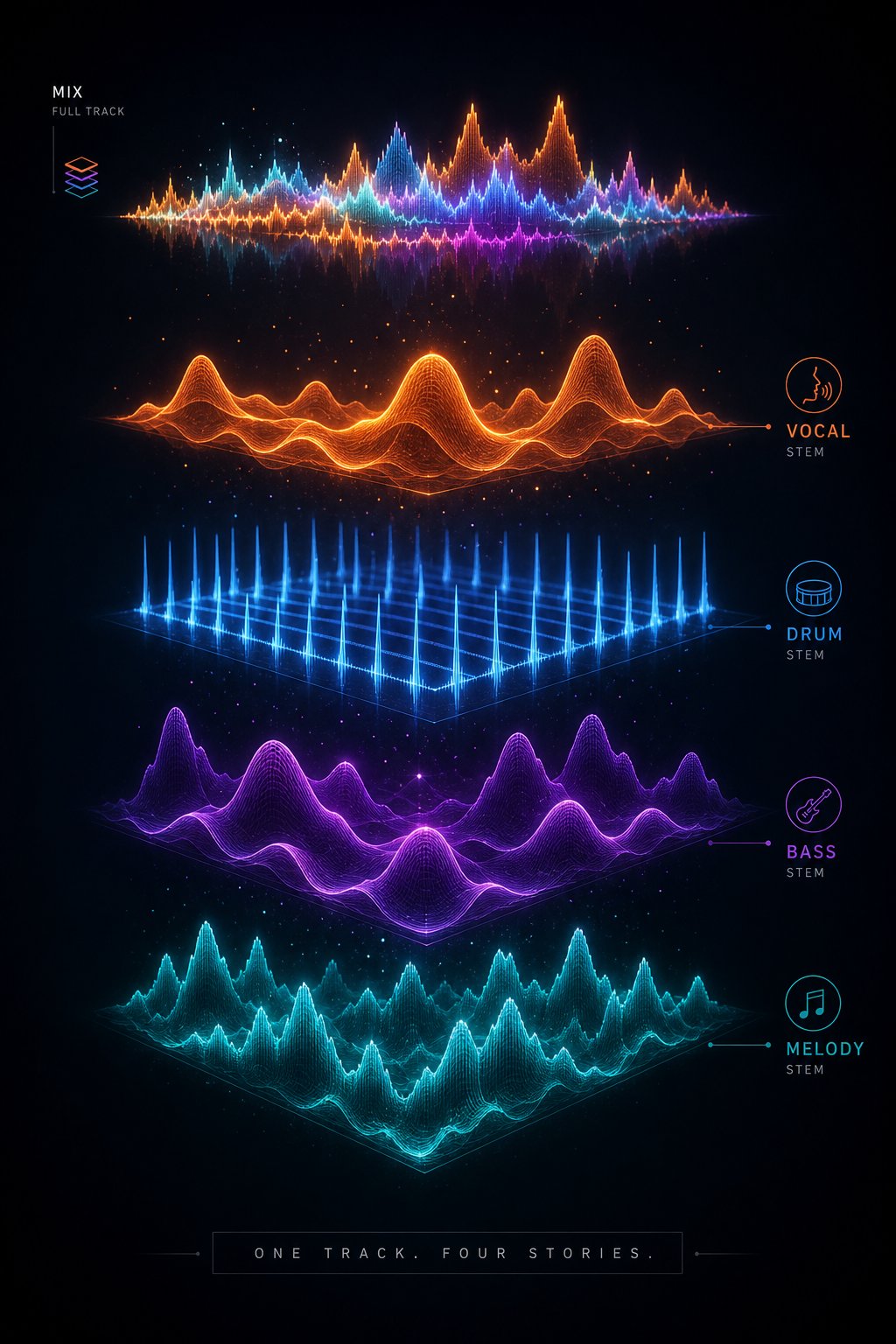
Here's the challenge with listening for artifacts in a full mix: everything plays at once. A sterile vocal might be masked by a busy instrumental, and timing issues in the drums disappear under layers of reverb and compression. The most effective way to perform ai music analysis on a suspicious track is to separate it into individual stems: vocals, drums, bass, and melody isolated from each other.
When you strip a vocal track bare, artifacts that were invisible in the full mix become obvious. That too-perfect vibrato, the missing breaths, the synthetic shimmer on consonants, all of it jumps out when nothing else competes for your attention. The same applies to instrumentals: isolated drums reveal mechanical timing, and solo bass lines expose harmonic inconsistencies hidden in a dense arrangement.
MakeBestMusic's Audio Separator makes this process straightforward. Upload the track, separate it into stems, and listen to each element individually. You don't need to know how to split audio in audacity or wrestle with complex DAW routing. The tool handles separation so you can focus entirely on what you're hearing. Once you isolate a vocal or instrument stem, the subtle flaws that point to AI generation become far more audible than they ever were in the combined mix.
Think of it as music analysis ai applied practically: rather than relying solely on automated scores, you're doing your own forensic listening with the components laid bare in front of you.
Instrumental Patterns That Sound Too Perfect
Beyond vocals, AI-generated instrumentals carry their own set of red flags. Research into synthetic music forensics identifies several measurable characteristics that distinguish AI instrumentals from human performances:
- Zero micro-timing variation: Human drummers have groove. Even when playing to a click track, they land slightly ahead or behind the beat in ways that create feel. AI drums often quantize every hit to the exact grid position, producing a rhythmic pattern that's mathematically perfect but musically lifeless.
- Identical velocity on repeated hits: A human drummer hits the snare with slightly different force every time. AI-generated drums may reproduce the exact same velocity for every hit, creating an unnatural uniformity that your ear registers as "flat" even if you can't articulate why.
- Sterile mixing with no room sound: Real instruments recorded in real spaces carry room ambience, mic bleed, and subtle reflections. AI tracks often sound like they exist in a vacuum: clinical, perfectly separated, with no sense of physical space. These soft instrumental music characteristics, like the absence of natural reverb tails or string resonance, indicate synthesis rather than recording.
- Harmonic transitions that break musical logic: AI models sometimes modulate between keys or shift chord progressions in ways that technically "work" but feel arbitrary. Human composers transition with intention; AI transitions can feel like a random walk through chord options.
- Repetition without development: A human musician repeats a phrase and adds variation: a fill, a ghost note, a slight dynamic shift. AI loops may repeat identically across multiple measures, or introduce changes that feel disconnected from the musical context rather than building on it.
None of these indicators alone confirms AI generation. A heavily quantized electronic track might sound robotic by design. A lo-fi bedroom recording might have odd mixing choices that mimic AI artifacts. But when you hear several of these patterns stacking up in the same track, especially after separating stems and confirming the issues persist in isolation, your confidence grows substantially.
Ear-based detection has limits, though. Your perception is subjective, and highly polished AI tracks can fool even trained listeners. That's where automated detection tools enter the picture, offering probability scores based on pattern analysis that goes far beyond what human hearing can catch.
Step 6: Use AI Music Detection Tools to Verify Your Suspicion
Your ears caught something off. The profile looked suspicious. Cross-platform searches came back empty. At this point, you have strong circumstantial evidence, but wouldn't it be useful to get a second opinion from a system specifically trained to distinguish AI audio from human performances? That's exactly what an ai music detector does: it analyzes a track's audio signal and returns a probability score indicating how likely the content is to be machine-generated.
These tools won't give you a guaranteed answer, but they add a data-driven layer to the detective work you've already done. Think of them as the forensic lab results that either support or contradict your field observations.
How AI Music Detectors Actually Work
At a high level, an ai song detector is a machine learning model trained on large datasets containing both AI-generated and human-made music. During training, the model learns to recognize statistical patterns, spectral characteristics, and structural signatures that differ between the two categories. When you feed it a new track, it compares the audio against those learned patterns and outputs a confidence score.
As Cyanite's research explains, most detection tools analyze tracks as complete files rather than understanding exactly where AI intervention occurred. A result might flag something as AI-generated without specifying whether that's the vocals, the instrumental, or a specific production layer. This is why pairing automated detection with manual stem inspection (from the previous step) creates a far more complete picture.
Detection is also not a fixed problem. As generative models improve, detection systems must evolve alongside them. Cyanite describes this dynamic as an "AI Arms Race," where generation techniques and detection methods continuously push each other forward. No single ai music checker can claim to catch every model, and any tool that promises 100% accuracy should be treated with skepticism.
Available Detection Tools and Their Accuracy
Several options exist for checking tracks, ranging from manual audio inspection tools to fully automated probability scoring. Here's what's currently available:
- MakeBestMusic's Audio Separator: While not a probability-scoring detector in the traditional sense, this tool lets you isolate vocals, drums, bass, and melody stems for hands-on inspection. It's your best option for manual verification: separate the track, listen to each component individually, and confirm whether the artifacts you suspected in the full mix are genuinely present. Think of it as the complement to automated scoring, giving you direct evidence your ears can evaluate.
- Deezer's Free AI Music Detector: Launched in June 2026, this ai music detector online free tool lets you connect your streaming account from any of 20 major platforms (including Spotify) and scan your playlists for AI-generated tracks. Deezer's system is built on detection technology that has already identified over 13.4 million AI tracks on their own platform. It's available in 27 languages and requires no technical knowledge to use.
- Cyanite AI Music Detection: Designed primarily for industry professionals, platforms, and catalog managers, Cyanite's system takes a deliberately conservative approach. It prioritizes high-confidence results over broad coverage, meaning it would rather withhold a label than apply one incorrectly. Currently available through early access for business use cases.
- Community and open-source tools: Various ai song checker projects exist on platforms like GitHub, built by researchers exploring detection methods. These tend to be experimental, may require technical setup, and vary significantly in reliability. They're useful for the technically inclined but not recommended as your sole source of truth.
If you're searching for an a.i. detector for music free option that requires zero setup, Deezer's playlist scanner is the most accessible automated tool available right now. For deeper, track-by-track manual analysis, separating stems and listening critically remains the gold standard that no algorithm fully replaces.
Interpreting Detection Results Correctly
When you run a track through an ai music identifier, the result typically comes back as a score between 0 and 1. A score near 1.0 indicates strong signals consistent with AI generation. A score near 0 suggests the track exhibits characteristics of human-made music. Sounds simple, but interpretation requires nuance.
A few guidelines for reading results responsibly:
- High scores (0.8-1.0): Strong evidence of AI generation. Tracks that are fully synthesized and unprocessed by tools like Suno or Udio tend to land here. If your profile research and listening analysis already pointed toward AI, a high score confirms your suspicion with solid confidence.
- Mid-range scores (0.4-0.7): Ambiguous territory. This can indicate partial AI use (AI vocals over human instrumentals, or AI-assisted mastering), heavy post-processing that obscures detection signals, or simply an unusual production style that confuses the model. Don't treat these scores as conclusive in either direction.
- Low scores (0.0-0.3): The track shows patterns consistent with human creation. However, a low score doesn't guarantee human origin. Sophisticated post-processing or newer generation models that the detector hasn't been trained on can slip through undetected.
The critical point: detection researchers emphasize that results should always be understood as signals to support decision-making, not definitive judgments. False positives, where human music gets flagged as AI, are the biggest risk. Over 70% of artists in one industry survey expressed fear of being wrongly labeled. A tool like the remusic ai music analyzer or any competing system can only tell you what it sees in the audio signal. It can't account for every production technique a human might use.
This is why the multi-step approach matters. A detection score of 0.85 carries far more weight when the artist also has no social presence, released 40 tracks in a month, and lacks a verified badge. Each piece of evidence reinforces the others. No single step in this process is meant to stand alone, and that includes automated detection.
With both manual listening and tool-based scoring in hand, you're ready to synthesize everything into a final decision. The question becomes: how do you weigh all these signals against each other and arrive at a confident call?
Step 7: How to Tell if a Song Is AI and Make Your Final Call
You've checked credits, scrutinized the profile, searched the web, listened for artifacts, and run detection tools. Each step produced signals, some strong, some ambiguous. The challenge now is weighing them together into a confident assessment. Is this song ai, or are you looking at an unconventional human artist who simply flies under the radar?
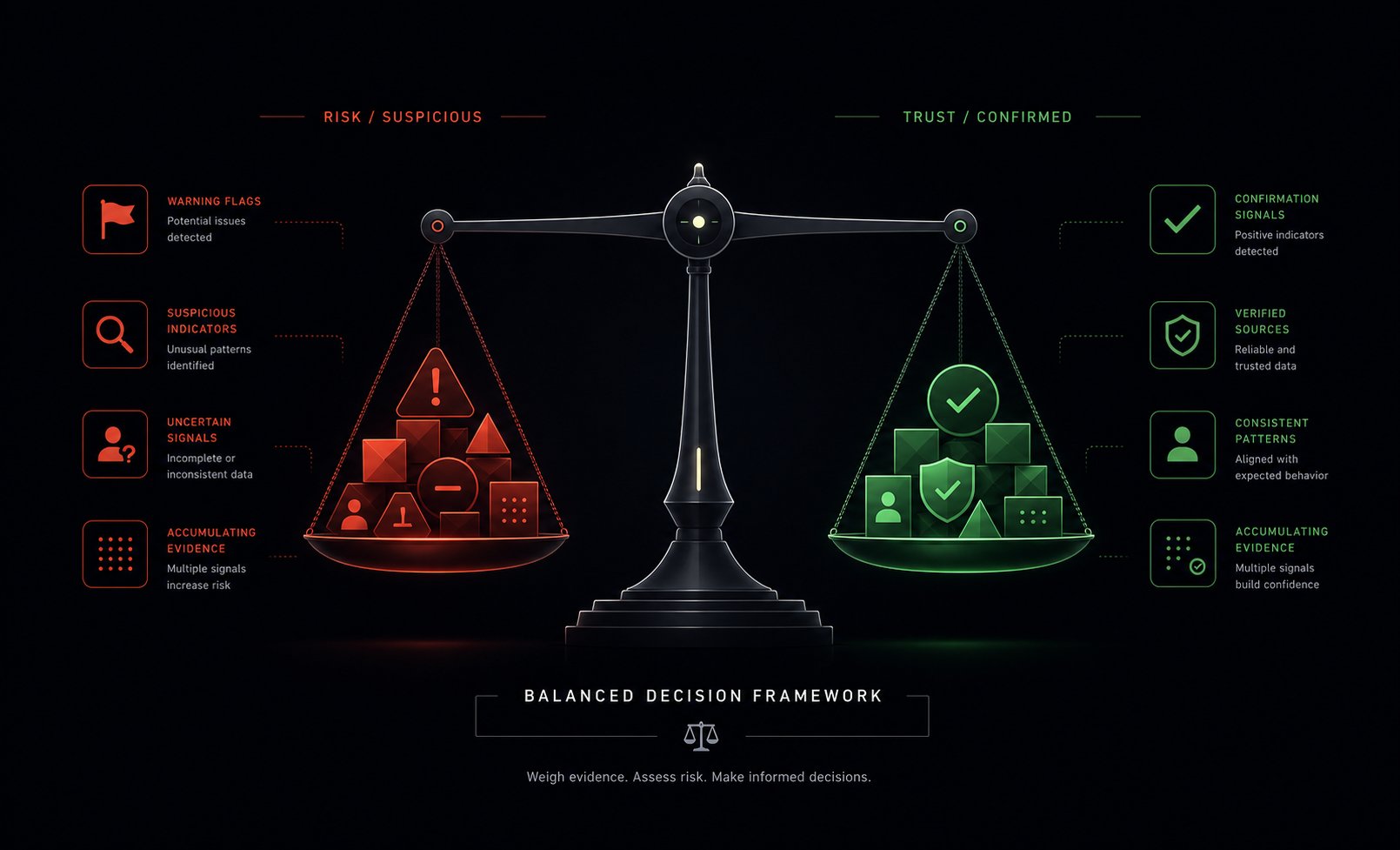
The answer lies in accumulation. A single red flag means very little on its own. Three or four stacking up on the same track tells a different story entirely. The goal of this framework isn't to fingerprint every ai song to identify it with absolute certainty. It's to give you a structured way to evaluate what you've found and decide how much confidence you have in your conclusion.
Red Flags vs Confirmed Indicators Checklist
Not all evidence carries equal weight. Some signals raise suspicion without proving anything. Others, when present, provide strong evidence that points firmly toward AI generation. Here's how to categorize what you've gathered:
| Red Flags (Suspicious) | Confirmed Indicators (Strong Evidence) |
|---|---|
| No artist biography or generic placeholder text | AI credits explicitly listed in Spotify's Song Credits panel |
| No social media links on the artist profile | Detection tool returns a score above 0.8 consistently |
| Dozens of releases within a few weeks | Stem separation reveals mechanical vocal artifacts with zero natural breaths |
| No concert history on any live event platform | Artist confirmed as AI-generated by distributor, label, or press reporting |
| Flat streaming pattern with no spikes around releases | Identical vocal timbre and delivery across all tracks with no human variation |
| No presence on YouTube, Discogs, or Bandcamp | Multiple independent detection tools flag the same track as synthetic |
| Track lengths clustered suspiciously around 31-40 seconds | Profile explicitly excluded from Spotify's "Verified by Spotify" program due to AI-persona classification |
| Generic AI-generated album artwork | Cross-referencing reveals a known content farm operation behind the uploads |
One red flag? Probably nothing. An independent artist might skip social media. Two red flags? Worth a closer look. Three or more red flags with no confirmed indicators in the opposite direction? You're almost certainly looking at AI-generated content. And if even one confirmed indicator appears, that single data point often settles the question on its own.
Think of it this way: once a track becomes a detected song through Spotify's own labeling or a verified external report, you don't need additional red flags to confirm it. But when no confirmed indicator exists, the red flags function as cumulative circumstantial evidence, and their combined weight can be just as persuasive.
When AI Assistance Is Transparent and Acceptable
How to detect ai music matters, but so does context. Not every AI-involved track is deceptive. Some artists openly use generative tools as part of their workflow and disclose it voluntarily through Spotify's AI Credits system. Others experiment with AI as a co-writing partner while still performing, arranging, and producing the final result themselves.
The difference between honest AI use and misleading content comes down to transparency and intent:
- Transparent AI use: The artist discloses AI involvement in credits. They maintain a real identity with genuine fan engagement. They use AI as a tool within a broader creative process, not as a replacement for all human input.
- Deceptive AI content: No disclosure exists. The operation mimics a human artist persona to divert royalties. Dozens of tracks are uploaded purely to farm algorithmic playlists with no creative intent beyond revenue extraction.
Spotify itself has stated clearly that it supports artists' freedom to use AI creatively. The platform's concern isn't the technology itself but its misuse by content farms and bad actors who "confuse or deceive listeners, push slop into the ecosystem, and interfere with authentic artists working to build their careers." When an artist is upfront about their process, that honesty deserves respect rather than suspicion.
What to Do After You Identify AI Music
So you've applied the framework and concluded the track is AI-generated. What now? You have three reasonable options, and none of them is wrong:
- Report it: If the content appears deceptive (impersonating a real artist, using a cloned voice without authorization, or operating as a stream-farming scheme), use Spotify's reporting tools. The platform has removed over 75 million spammy tracks in the past year and actively investigates impersonation claims.
- Skip and move on: Remove the track from your playlists and avoid the artist's catalog. Your streaming choices directly influence royalty distribution. Every play on a fake profile diverts fractions of a cent away from human artists.
- Enjoy it with awareness: If the music genuinely sounds good to you and isn't deceptive or harmful, there's nothing wrong with listening knowingly. Some AI-generated ambient or lo-fi tracks serve a purpose, and choosing to engage with full information is fundamentally different from being tricked.
Knowing how to spot ai music doesn't obligate you to crusade against it. The point is informed choice. When you understand how to tell if music is ai, you reclaim agency over your listening experience rather than letting opaque algorithms and anonymous uploaders decide what fills your ears. The tools, techniques, and frameworks in this guide give you that power. Use them whenever something feels off, and trust that systematic checking will always outperform gut instinct alone.
