


What AI Song Covers Are and Why They Took Over the Internet
Imagine Frank Sinatra crooning a Bad Bunny hit, or a fictional anime character belting out Adele's latest single — and it sounds eerily convincing. That's exactly what's flooding TikTok, YouTube Shorts, and Instagram Reels right now. AI song covers have exploded into one of the internet's most entertaining creative trends, letting virtually anyone swap the vocals on a popular track using artificial intelligence. No recording studio, no vocal training, no music degree required.
So what exactly is an AI song cover? In simple terms, you take an existing song and use a trained voice model to re-sing the vocals in a completely different voice. That voice could belong to a celebrity, a cartoon character, a historical figure, or even a clone of your own voice. The original melody, lyrics, and emotional phrasing stay intact — but the vocal identity transforms entirely. The viral Fake Drake track and countless AI covers of artists like Taylor Swift and Frank Sinatra proved just how convincing the results can be, sparking both excitement and serious debate about the future of music.
What Exactly Is an AI Song Cover
The technology behind most a.i song covers relies on voice conversion models — and the most widely adopted framework is RVC (Retrieval-based Voice Conversion). Here's the core idea broken down simply: RVC uses a content encoder (based on a model called HuBERT) to extract the linguistic and melodic content from a vocal recording while stripping away the original singer's unique timbral identity. It then feeds that content into an acoustic model that reconstructs the audio using a target speaker's vocal characteristics. A retrieval module searches through stored vocal features of the target voice to capture finer details like tone and nuance, reducing any "leakage" from the source singer. The result? A new vocal track that sounds like your chosen voice actually performed the song.
What makes this technology so accessible is that RVC provides a beginner-friendly web interface for fine-tuning and inference, and its permissive open-source license has allowed an entire ecosystem of tools — both browser-based and desktop — to flourish around it. You don't need to understand the math behind conditional VAEs or normalizing flows to get impressive results. You just need to follow the right workflow.
What You Will Learn in This Guide
Learning how to make AI song covers that actually sound polished — not robotic or glitchy — requires attention at every stage of the process, not just clicking a single button. This guide walks you through the complete workflow, covering both quick browser-based tools and more advanced local setups so you can follow along regardless of your technical skill level. Here's your roadmap:
- Pick the right source song that sets your AI cover up for success
- Separate the vocals from the instrumental track cleanly
- Choose your AI cover tool and select (or train) a voice model
- Run the AI voice conversion with optimized settings
- Mix and post-process the output for a polished, professional sound
- Troubleshoot common problems like robotic vocals and timing drift
- Navigate copyright and ethical considerations before publishing
- Share your AI covers strategically to build an audience
Each step builds on the last, and skipping any one of them is usually the difference between an AI cover that wows listeners and one that screams "machine-generated." The first decision you'll face — and one that shapes everything downstream — is which song to use as your starting material.
Step 1: Pick the Right Source Song for Best Results
Your source song is the foundation of the entire AI cover — and a weak foundation guarantees a weak result. Think of it this way: even the most advanced song cover maker can't fix a noisy, over-compressed, or overly complex input file. The voice conversion model is only as good as the audio you feed it, so spending a few extra minutes choosing the right track saves hours of frustration later.
A surprising number of beginners jump straight to their favorite song without considering whether it's actually suitable for AI voice conversion. The truth is, some songs are practically built for this workflow, while others will fight you at every step.
Characteristics of a Good Source Track
What does the ideal source song look like? You want audio that gives the AI model clear, unambiguous vocal data to work with. Songs where the voice sits cleanly in the mix — without heavy layering or aggressive effects — consistently produce the most convincing results. Here's what to look for:
- Clean vocal recordings with minimal background noise. Studio recordings where the vocals were tracked in a treated room give the AI the purest signal to analyze. Any bleed from headphones, room echo, or ambient hiss gets carried into the converted output.
- Limited vocal effects like heavy autotune or distortion. AI voice models were trained to recognize natural human vocal patterns. When vocals are processed through vocoders, extreme pitch correction, or distortion effects, the model struggles to distinguish the voice from the processing — a challenge audio researchers have documented as a consistent failure point for AI tools.
- Moderate tempo tracks that provide clear phonetic data. Very fast vocal passages blur consonants and vowels together, making it harder for the pitch detection algorithm to follow. Mid-tempo songs — roughly 80 to 130 BPM — tend to yield the cleanest conversions.
- A pitch range that roughly matches the target voice model. If the original singer performs three octaves above or below your chosen AI voice, the conversion has to stretch further, introducing more artifacts. Keeping the ranges similar — or at least within a few semitones — reduces the workload on the AI model significantly.
Acapella versions and dry studio recordings will always outperform live concert recordings. Why? Live performances carry crowd noise, natural room reverb, monitor bleed, and inconsistent microphone distances — all of which confuse both the vocal separation step and the voice conversion itself. If you can find an official acapella release or a vocal stem leak, you're already ahead of most creators figuring out how to make AI cover songs for the first time.
Where to Find Usable Audio Files
Sourcing high-quality audio matters more than most people realize. Your personal music library is a solid starting point — tracks you've purchased or ripped from CDs typically retain higher fidelity than streamed audio. Royalty-free vocal tracks from platforms like Splice or Voclio offer another legitimate route, especially if you plan to share or monetize your cover. Original recordings you've made yourself are ideal if you're building a custom song cover generator workflow from scratch.
One common trap to avoid: downloading audio from YouTube or other streaming platforms. These rips introduce lossy compression artifacts — small distortions baked into the file during encoding — that degrade every subsequent processing step. As AssemblyAI's research on audio formats highlights, converting a compressed file to a lossless format like WAV doesn't recover lost data. You simply end up with a larger file at the same degraded quality. Whenever possible, start with lossless files (WAV or FLAC) or, at minimum, high-bitrate MP3s at 320kbps.
One more beginner mistake worth flagging: picking songs with heavy duets, layered harmonies, or call-and-response vocal arrangements. Tracks like Queen's "Bohemian Rhapsody," for instance, are notorious for defeating vocal separation algorithms because multiple voices occupy overlapping frequency ranges simultaneously. The vocal isolation tools you'll use in the next step can't cleanly untangle two intertwined voices, so the AI model receives a messy input and produces an equally messy output. Stick to songs with a single, clearly dominant vocal performance, and you'll set yourself up for a dramatically smoother conversion process.
Step 2: Separate the Vocals From the Instrumental Track
A single-voice, well-recorded source file is sitting on your desktop — great. But feeding that full mix directly into a voice conversion model is one of the most common mistakes beginners make when learning how to make AI music covers. The drums, bass, synths, and guitars baked into the stereo file will bleed into the converted output, producing a muddy, artifact-ridden mess that sounds nothing like a real vocal performance. Before any voice conversion happens, you need to split your song into two clean components: an isolated vocal track and a separate instrumental.
Why Vocal Isolation Is a Non-Negotiable Step
Here's the core issue: AI voice models like RVC were trained on isolated vocal data — clean recordings of a single human voice without any accompanying instrumentation. When you feed the model a full mix, it doesn't magically ignore the guitars and kick drums. Instead, it tries to convert everything it hears through the vocal pipeline, and the result is distorted, warbling audio where the AI has attempted to "sing" a snare hit or a bass line.
Separating your source track accomplishes two critical things at once. First, it gives the voice conversion model the clean vocal stem it needs to perform an accurate transformation — preserving the natural consonants, vowel shapes, and emotional phrasing that make AI music covers sound convincing. Second, it gives you a standalone instrumental track that you'll recombine with the converted vocal later during mixing. Without that separated instrumental, you'd have no backing track to place your new AI vocal on top of.
Think of it like this: vocal isolation is the bridge between your source song and your finished cover. Skip it, and everything downstream falls apart. Spend a few extra minutes getting it right, and the voice conversion step becomes dramatically easier.
Tools and Methods for Stem Separation
The good news? AI-powered stem separation has improved enormously. Two neural network architectures dominate the landscape: spectrogram-masking models like the MDX-Net family, which operate in the frequency domain and excel at clean spectral isolation, and time-domain models like Meta's Demucs (currently in its v4 hybrid generation), which work directly on waveforms and tend to preserve transients better on percussive material. Most commercial tools now ensemble both architectures internally for the best results.
You have three main approaches to choose from, each suited to a different skill level and budget:
| Method | Quality Level | Ease of Use | Cost |
|---|---|---|---|
| Browser-based tools (LALAL.AI, Demucs-powered web apps, Kits.AI Stem Splitter) | High — commercial engines like LALAL.AI's Phoenix engine consistently score among the highest on public SDR benchmarks for vocal isolation | Very easy — drag, drop, download | Free tiers available; paid plans range from $10 credit packs to $95/year subscriptions |
| Desktop software (Ultimate Vocal Remover / UVR) | Very high — ships Demucs v4, MDX-Net, and MDX23 models; community ensemble setups close the quality gap to paid tools | Moderate — requires installation, GPU recommended, model selection learning curve | Free and open-source (MIT license) |
| Built-in separators on AI cover platforms (integrated into some cover generators) | Moderate to high — convenient but typically less configurable than standalone tools | Very easy — separation happens automatically as part of the cover workflow | Included with platform pricing |
Browser-based tools are the fastest path if you want quick, reliable results. LALAL.AI runs its Phoenix and Orion engines in the cloud and consistently produces the cleanest isolated vocals on modern pop, hip-hop, and electronic mixes. Processing a four-minute track takes roughly 60 to 120 seconds. Moises is another strong browser option, especially for musicians who also want pitch shifting, tempo controls, and chord detection layered on top of separation. Both platforms accept WAV and high-bitrate MP3 uploads and export clean stems you can immediately use downstream.
Ultimate Vocal Remover (UVR) is the power user's pick. It's a free, open-source desktop application that wraps the Demucs and MDX-Net research models in a usable GUI. The key advantage? You can select between multiple separation algorithms and even combine the outputs of two different models — a technique called ensembling that consistently narrows the gap to the best paid engines. An RTX 3060 or better processes a four-minute song in 30 to 90 seconds; CPU-only processing takes 5 to 15 minutes. UVR also keeps everything local, which matters if you're working with unreleased recordings or anything you'd rather not upload to a cloud server.
Built-in separators bundled into AI cover platforms offer maximum convenience — you upload your full mix and the platform handles isolation automatically before running the voice conversion. The tradeoff is less control over separation quality and fewer algorithm options to choose from if the default output isn't clean enough.
Regardless of which method you choose, there's one step you should never skip: listen to the separated vocal track before moving on. Play it back with headphones and pay close attention. Do you hear instrumental bleed — a ghost of the guitar or hi-hat leaking through? Is there a watery, metallic quality on sustained notes? As CleanStems explains, artifacts like shimmer and bleed aren't necessarily a sign of a broken tool — they reflect how difficult it is to untangle overlapping frequencies in a finished mix. Reverb-heavy sections and dense choruses are particularly prone to these issues because the vocal energy spreads across time and stereo space, resembling ambient instrumentation.
If you hear significant bleed or distortion, try these fixes before proceeding:
- Switch to a different separation algorithm — UVR's MDX23 model may handle a track that Demucs v4 struggles with, and vice versa
- Go back to your source file and find a higher-quality version (WAV instead of MP3, for example)
- Apply a targeted high-pass filter at around 80Hz on the vocal stem to remove low-end rumble that doesn't belong to the voice
- Use a noise gate to clean up bleed in the silent gaps between vocal phrases
A clean vocal stem and a matching instrumental are the two raw ingredients every convincing AI music cover depends on. Getting them right here means the voice conversion model in the next step receives exactly the kind of input it was designed to process — a single, clear human voice with nothing else in the way. The question now becomes: which tool and which voice model will you use to transform that vocal into something entirely new?
Step 3: Choose Your AI Cover Tool and Voice Model
You've got a clean isolated vocal and a matching instrumental sitting in your project folder. The next big decision shapes everything about your AI cover experience: which tool will actually perform the voice conversion, and which voice model will define the final sound? This choice determines whether you'll be creating covers in minutes with zero setup or spending an afternoon fine-tuning parameters for studio-grade precision. Neither path is inherently better — it depends entirely on your goals, your technical comfort level, and how much creative control you want.
The landscape of AI cover tools has matured rapidly, splitting into two distinct camps: browser-based platforms that handle the heavy lifting in the cloud, and local desktop setups that run directly on your machine. Picking the right one before you start saves you from switching tools mid-project and re-doing work you've already completed.
Browser-Based AI Cover Tools vs Local RVC Setups
Browser-based tools are designed around simplicity. You upload your vocal file, pick a voice from a library, click a button, and download the result. No GPU requirements, no Python dependencies, no troubleshooting CUDA drivers at midnight. For anyone exploring how to make an AI cover song for the first time, this is the fastest route from idea to finished product.
Local setups — primarily built on the RVC framework through interfaces like Applio, Mangio-RVC, or AICoverMaker WebUI — run the entire conversion pipeline on your own hardware. They require more technical setup, but they unlock capabilities that browser platforms can't match: training entirely custom voice models, tweaking every inference parameter, and processing unlimited audio without subscription limits.
Here's how the major options compare across the factors that matter most:
| Platform | Type | Voice Library | Custom Model Upload | Ease of Use | Output Quality | Cost |
|---|---|---|---|---|---|---|
| MakeBestMusic AI Voice Cover Generator | Browser-based | Built-in voice styles for vocal transformation | Supports experimentation with vocal-style changes | Very easy — no installation | High | Free tier available |
| Kits.AI | Browser-based | Large royalty-free library with licensed artist voices | Yes — upload custom RVC models | Easy | High | Free tier with limits; paid plans from $9.99/mo |
| Musicfy | Browser-based | Curated voice library | Limited | Very easy | Moderate to High | Free tier; premium plans available |
| Singify | Browser-based | Community-sourced voice models | Limited | Easy | Moderate to High | Free with ads |
| AICoverMaker / Applio (Local RVC) | Desktop — local | Community models via AI Hub, HuggingFace | Full support — train your own from scratch | Moderate — requires installation and NVIDIA GPU | Very High (with tuning) | Free and open-source |
If you want to jump straight into creating covers without wrestling with software installation, MakeBestMusic's AI Voice Cover Generator is a strong starting point. It lets you experiment with vocal-style transformations directly in your browser — upload your isolated vocal, choose a voice style, and hear the result without managing any technical parameters. For readers who are still deciding whether AI covers are worth the deeper investment, a browser-based ai cover song generator free of complex setup requirements removes the biggest barrier to entry.
Platforms like Singify offer community-sourced voice models that span a wide range of celebrity and character voices, making a Singify AI cover a popular choice for novelty content. Kits.AI stands out for its royalty-free licensed voices, which matters significantly if you plan to distribute your covers commercially. Musicfy leans into creative experimentation with unique style-transfer options.
On the local side, AICoverMaker (built as an Applio RVC fork) is particularly appealing because it automates the entire pipeline — vocal separation, conversion, and remixing — inside a single interface. The tradeoff? You'll need an NVIDIA GPU (RTX 20 series or later is recommended), at least 6GB of RAM, and comfort with running batch scripts. As the AI Hub documentation notes, the program currently doesn't support AMD GPUs, Intel GPUs, or macOS, which limits accessibility for some users.
For readers without a compatible GPU, cloud-based notebooks on Google Colab or Kaggle offer a middle ground — you get the full power and flexibility of a local RVC setup running on rented cloud hardware. Processing is free or low-cost, though session time limits and queue waits can slow down iterative experimentation.
How to Evaluate a Voice Model
Choosing the right tool is only half the equation. The voice model you select — or train — determines whether your AI cover sounds startlingly real or unmistakably synthetic. Not all models are created equal, and understanding what separates a good one from a mediocre one saves you from burning time on conversions that never sound right.
Three factors define voice model quality:
- Training data quality. A model trained on 10-30 minutes of clean, isolated vocal audio — recorded in consistent conditions with a single speaker — will dramatically outperform one trained on noisy podcast clips or YouTube rips. As VoiceChanger.live's RVC training guide emphasizes, the quality of your training data is the single biggest factor in model quality. Less than five minutes of audio usually produces poor results; more than 30 minutes rarely improves things significantly.
- Epoch count and checkpoint selection. Models are trained over multiple passes (epochs) through the dataset, typically 200 to 500 for most voices. More epochs can mean better quality, but over-training introduces its own problems — the voice starts sounding robotic or developing metallic artifacts. Experienced model trainers save checkpoints every 50 epochs and test each one, because the best-sounding model is not always the final one.
- Source audio type. Models trained exclusively on clean isolated vocals generalize far better to song conversion than models trained on speech-heavy data like podcasts or interviews. Singing involves sustained notes, vibrato, dynamic range shifts, and pitch runs that conversational speech doesn't capture. If you're planning to create AI covers, prioritize models trained on vocal stems or acapella recordings.
There's also a fundamental choice between using a platform's pre-built voice library and training a custom model from your own recordings. Pre-built libraries — whether on Kits.AI, an ai cover generator free tier, or community hubs like AI Hub and HuggingFace — offer instant access to thousands of voices spanning celebrities, characters, and genre-specific vocal styles. You browse, click, and convert. The limitation is that you're restricted to whatever voices others have already trained and shared.
Training a custom model unlocks a different creative dimension. You can clone your own voice to create ai covers with your voice, build a model from a friend's vocals with their permission, or craft a unique vocal identity that no one else has access to. The process requires collecting clean vocal recordings (WAV format, 44.1kHz or 48kHz, mono), splitting them into short clips that capture a variety of pitches and emotions, and running the training through software like Applio or the original RVC WebUI. An NVIDIA GPU with at least 6GB of VRAM handles a typical training run in one to four hours.
Before committing to any platform or model, run through this checklist:
- Does the platform offer the vocal style or character voice I'm looking for?
- Can I upload my own trained RVC model if the built-in library doesn't have what I need?
- What audio formats does the platform accept for input and output? (WAV support is essential for quality.)
- Is the output watermarked or otherwise restricted?
- Does the free tier impose quality limits, such as lower sample rates or shorter maximum track lengths?
- How many conversions can I run per day or per month before hitting a paywall?
Answering these questions upfront prevents the frustrating scenario where you've invested time preparing your source material only to discover that your chosen tool can't deliver the output quality or voice style you had in mind. The best ai cover song generator for your project is the one that matches your specific voice goal, technical skill level, and budget — not necessarily the one with the flashiest marketing page.
With your tool selected and a voice model locked in, the real magic happens: feeding your clean vocal stem into the conversion engine and hearing a completely different voice sing every word back to you. Getting the settings right during that conversion makes the difference between a cover that fools listeners and one that falls flat.

Step 4: Run the AI Voice Conversion
This is the moment everything has been building toward. You've picked the right source song, separated a clean vocal stem, chosen your tool, and loaded a voice model. The conversion step is where the AI actually re-sings your track in an entirely new voice — and the difference between a breathtaking result and a glitchy mess often comes down to a handful of settings you configure before pressing "convert." Whether you're using a browser platform or a local RVC setup, the core workflow follows the same pattern: upload, configure, convert, evaluate.
Getting comfortable with this process is the heart of learning how to make AI voice covers that genuinely fool listeners. Let's walk through it.
Uploading and Configuring Your Conversion
Regardless of the tool you chose, the first step looks the same: upload your isolated vocal file. Not the full mix — the clean vocal stem you separated in Step 2. If you accidentally upload the combined track, the AI model will attempt to "sing" the guitars, drums, and bass right alongside the voice, producing exactly the kind of garbled output you worked so hard to avoid.
Most platforms accept WAV and high-bitrate MP3 files. Always prefer WAV when given the choice — it preserves the full frequency spectrum without compression artifacts, giving the AI model the richest possible data to work with. After uploading, you'll select or load your voice model, and then you'll face the settings panel. This is where beginners either dial in a great conversion or unknowingly sabotage their output.
Three parameters have the biggest impact on quality:
Pitch shift is measured in semitones and controls how far the AI transposes the vocal to match the target voice's range. This parameter becomes critical when the original singer and target voice differ significantly in register — a baritone source converted to a soprano model, for example, needs a substantial upward shift. Sonarworks' research on AI voice parameters highlights that moving too far from the model's optimal input pitch forces harder processing with less natural results, so staying within a reasonable range always produces cleaner output. Cross-gender conversions typically require a full octave jump, while same-gender swaps often need little to no adjustment.
Feature index ratio (sometimes labeled "search feature ratio" in RVC-based tools) controls how much of the original singer's vocal character bleeds through into the converted output. A low value means the AI relies almost entirely on the target voice model, producing a stronger transformation but sometimes losing subtle expressiveness. A high value preserves more of the source singer's nuances — vibrato, breathiness, phrasing quirks — but at the cost of sounding less like the target voice. It's a balancing act between identity accuracy and emotional authenticity.
Filter radius smooths pitch estimation artifacts that can create a wobbly or metallic quality on sustained notes. Higher values apply more aggressive smoothing, which cleans up warble but can also flatten legitimate pitch variations that make a vocal performance feel alive.
Sounds like a lot to juggle? It doesn't have to be. Here are starter settings that work well for most first-time conversions:
- Pitch shift: 0 semitones for same-gender conversions (male-to-male or female-to-female); +12 semitones for male-to-female; -12 semitones for female-to-male
- Feature index ratio: around 0.5 — a balanced midpoint that preserves expressiveness without overwhelming the target voice identity
- Filter radius: 3 — enough smoothing to tame common pitch artifacts without flattening the performance
- Sample rate: match your source file (typically 44100Hz or 48000Hz) — downsampling degrades quality
These aren't magic numbers. They're sensible defaults that minimize the risk of obvious artifacts on your first attempt. You'll refine them through experimentation as you develop an ear for what each parameter actually does to your specific voice model and source track. Platforms like MakeBestMusic's AI Voice Cover Generator simplify this process further by letting you experiment with vocal-style transformations and quickly iterate on different voice settings without needing to manually tune each technical parameter — a real time-saver when you're still building intuition for what sounds right.
Running the Conversion and Evaluating Output
Hit the convert button and the AI goes to work. Processing time varies dramatically depending on your setup. Browser-based platforms typically return a finished vocal in 15 to 60 seconds for a standard four-minute track, since the heavy computation runs on cloud GPUs. Local RVC setups depend entirely on your hardware — an RTX 3060 or better processes the same track in one to three minutes, while CPU-only processing can stretch to 10 minutes or longer. Either way, you'll have a raw converted vocal file ready for evaluation.
And "evaluation" is the operative word here. Don't assume the first output is your final product. The raw converted vocal is a draft, not a finished performance — and critically listening to it determines whether you need to re-run the conversion with different settings or move on to mixing.
Here's what to listen for when you play back the output:
Consonant naturalness. Pay close attention to hard consonants — T, K, P, S sounds. These are the first casualties of a poor conversion. If they sound mushy, doubled, or metallic, it usually means the voice model wasn't trained on clean enough data or the pitch shift is pushing too far from the model's comfortable range.
Vowel clarity. Sustained vowels reveal whether the voice model is truly capturing the target voice's resonance or just applying a surface-level timbral filter. Muddy or hollow-sounding vowels often point to an undertrained model or a feature index ratio that's set too low, stripping out the acoustic richness the source vocal provided.
Emotional phrasing preservation. This is the subtle detail that separates a convincing song voice swap AI conversion from an obvious fake. Does the converted voice maintain the dynamic arc of the original performance — the way the singer leaned into a chorus, pulled back on a bridge, or cracked slightly on an emotional note? Voice conversion technology is designed to preserve the prosody — the rhythm, stress, and intonation — of the source audio while changing the timbre. If the emotional shape of the performance has flattened out, try increasing the feature index ratio to let more of the source singer's expressive nuances flow through.
Artifacts on sustained notes. Long held notes and melismatic runs are where warble, flutter, and metallic shimmer tend to appear. If you hear these, increase the filter radius by one or two points and re-run. If the problem persists, the issue likely traces back to instrumental bleed in your vocal stem — circle back to Step 2 and try a different separation algorithm.
The single most effective habit you can develop? Run multiple conversions with slightly different settings and compare them side by side. Change the pitch shift by one or two semitones. Bump the index ratio up to 0.6 or down to 0.3. Try a different voice model entirely. Each variation takes only seconds on browser platforms and minutes locally, and the differences are often dramatic. Experienced creators who make AI covers regularly will tell you that their best-sounding outputs almost never came from the first attempt — they came from the third or fourth iteration, after they'd narrowed in on the sweet spot for that specific song-and-model pairing.
If you're creating ai covers with my voice — using a cloned model of your own vocals — this iterative approach becomes even more important. You know exactly how your voice should sound, which makes it far easier to spot when the conversion gets something wrong. Your own ear becomes the most precise evaluation tool you have.
Once you've settled on a conversion that sounds natural, expressive, and convincingly like the target voice, you'll have a raw AI vocal file ready for the step that truly separates amateur-sounding covers from polished ones: mixing that converted vocal back onto the instrumental and applying the post-processing that makes it sit in the track like it was always meant to be there.
Step 5: Mix and Post-Process the Final AI Cover
Here's a reality check most tutorials skip over: the raw AI vocal sitting in your downloads folder is not a finished cover. It's a raw ingredient. Dropping it on top of the instrumental without any mixing is like plating a perfectly seasoned steak on a dirty dish — the core quality is there, but the presentation ruins the experience. The mixing and post-processing phase is what transforms your music cover AI output from "clearly generated by a computer" into something listeners genuinely can't distinguish from a real vocal performance. Even five minutes of basic mixing dramatically improves the final product, and the good news is you don't need a professional studio to do it.
Combining the AI Vocal With the Instrumental
Start by importing two files into a DAW (digital audio workstation): your AI-converted vocal track and the separated instrumental you saved back in Step 2. You don't need expensive software for this. Audacity is free and handles basic mixing well. GarageBand comes pre-installed on every Mac. Reaper offers a full-featured trial that works indefinitely. Any of these will get the job done.
Place the instrumental on one track and the AI vocal on another. Line them up so they start at exactly the same point — even a fraction-of-a-second offset creates a disorienting "out of sync" feeling that listeners pick up on instantly, even if they can't articulate why something sounds wrong. Zoom into the waveform at the very beginning of both tracks and visually align the first transient or vocal onset.
Volume balancing comes next, and it's more nuanced than just cranking up the vocal. The goal is for the voice to sit naturally inside the mix — present and intelligible, but not floating on top of the instrumental like a disconnected layer. A useful starting point: set the vocal track roughly 1 to 3 dB above the loudest element in the instrumental. As Baywood Audio's vocal mixing guide notes, if you can understand every word clearly without the vocal sounding detached from the beat, you're in the right range. Trust your ears over the meters here.
Panning is the other half of this equation. Most original mixes place the lead vocal dead center in the stereo field, with instruments spread across the left-right spectrum. Match that convention — keep your AI vocal panned center so it occupies the same spatial position the original voice held. If the original track had backing vocals panned left and right, your single AI vocal sitting in the middle will naturally slot into that same stereo image without any conflict.
Applying Effects to Match the Original Mix
A dry, unprocessed vocal sitting on top of a polished instrumental sticks out like a sore thumb. The original vocals in any professionally mixed song have been shaped by reverb, EQ, compression, and de-essing — and your AI vocal needs matching treatment to blend convincingly. This is also where you can use effects creatively to ai change style of song, shifting the mood or genre feel of the cover through your processing choices.
Reverb is the single most important effect for making the AI vocal sound like it exists in the same acoustic space as the instrumental. Without it, the voice sounds unnaturally close and isolated — like someone singing in a vacuum. Listen to the original track and estimate the reverb character: is it a tight, short room reverb or a lush, long hall? A plate reverb with a 1 to 2 second decay works well for most pop and R&B tracks. Send the vocal to a reverb bus rather than applying it directly on the channel — this gives you independent control over the wet/dry balance without affecting the vocal's clarity.
EQ adjustments address a quirk specific to AI-generated vocals. Voice conversion models sometimes introduce a brittle, harsh edge in the 2 to 5 kHz range that Sonarworks identifies as a common artifact of the computational generation process. A gentle 2 to 3 dB cut in that region tames the harshness without dulling the vocal. On the low end, apply a high-pass filter at around 80 Hz to remove rumble and low-frequency energy that doesn't belong to the human voice — this cleans up muddiness that competes with the bass and kick drum in the instrumental.
De-essing targets exaggerated sibilance — those sharp "S" and "T" sounds that AI conversions sometimes amplify. A frequency-specific compressor or dedicated de-esser plugin focused on the 5 to 8 kHz range smooths out these spikes without affecting the rest of the vocal. Go easy here; over-de-essing makes the singer sound like they have a lisp.
Compression evens out the dynamic range of the AI vocal so quiet phrases don't disappear behind the instrumental and loud passages don't jump out aggressively. A ratio of 3:1 to 4:1 with a fast attack (10 to 30 ms) and medium release (50 to 100 ms) is a reliable starting point. Aim for about 3 to 6 dB of gain reduction on the loudest peaks — enough to create consistency without squashing the life out of the performance.
Imagine you're creating ai song remakes that need to stand alongside the original recordings in a playlist. Listeners won't consciously analyze your reverb tail or EQ curve, but they'll instantly feel when something sounds "off." That's why even a quick pass through this checklist makes a noticeable difference:
- Match the reverb tail length to the original track's spatial character
- Cut mud below 80 Hz on the vocal track with a high-pass filter
- Tame harshness with a gentle cut in the 2-5 kHz range
- Boost presence around 3 kHz gently to maintain vocal clarity and forward placement
- De-ess the 5-8 kHz range if sibilance sounds exaggerated
- Apply light compression (3:1 ratio, 3-6 dB gain reduction) for consistent dynamics
- Check mono compatibility — collapse the mix to mono and confirm the vocal doesn't phase out or disappear
That last point — mono compatibility — catches problems you'd never hear in stereo. Many listeners experience your ai cover music through phone speakers, Bluetooth earbuds, or social media feeds that sum to mono. If your reverb or stereo processing causes phase cancellation, the vocal can thin out or vanish entirely on those playback devices. A quick mono check takes ten seconds and prevents an embarrassing surprise after you've already published.
The entire post-processing chain described above can be completed in under ten minutes once you've done it a few times. It's the fastest way to elevate a music cover maker output from demo-quality to something that sounds genuinely polished. But what happens when, despite your best mixing efforts, the AI vocal still sounds robotic, warbled, or out of sync? Those problems have specific causes — and specific fixes.
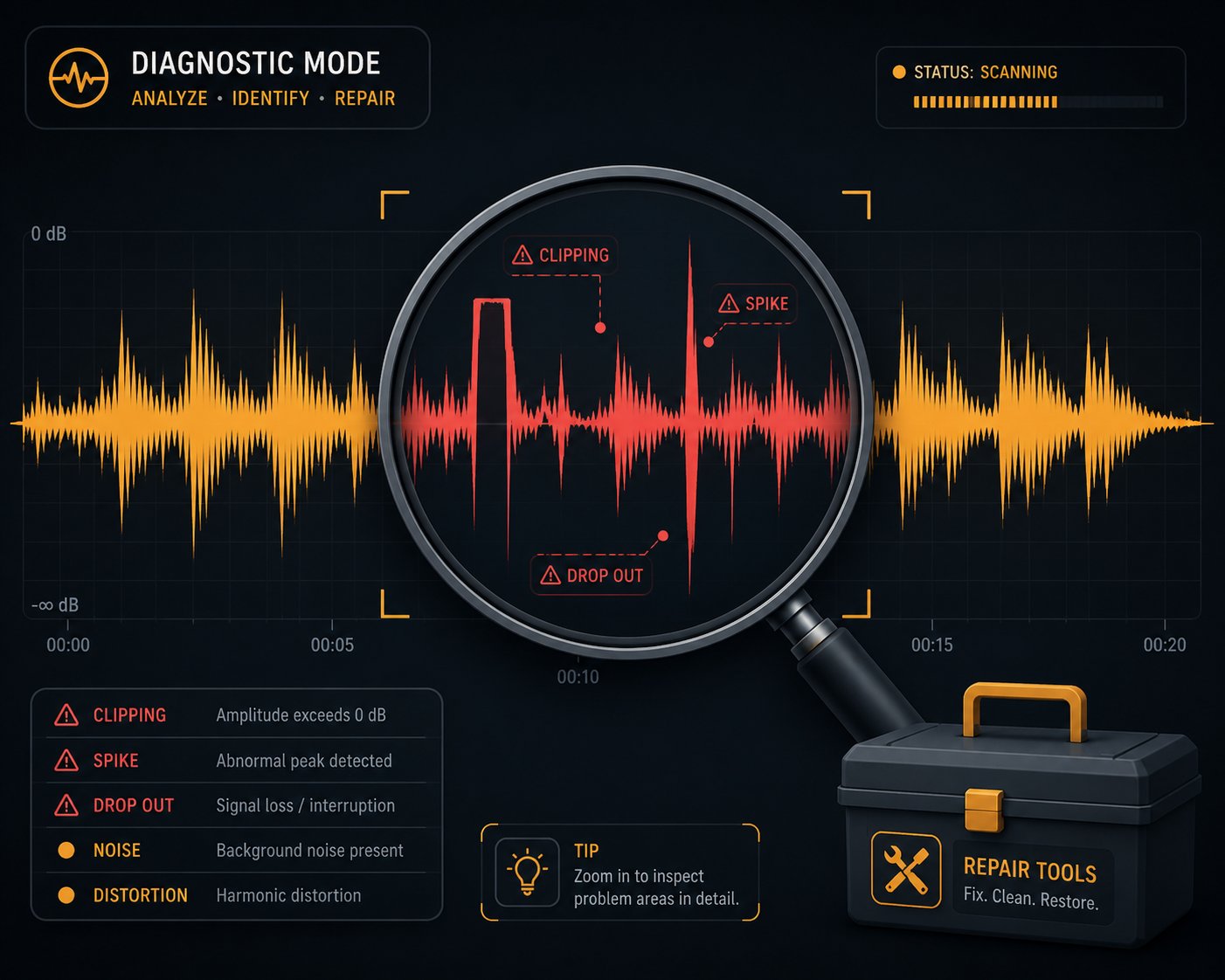
Step 6: Troubleshoot Common AI Cover Problems
You followed every step, dialed in your settings, ran the conversion — and something still sounds wrong. Maybe the vocal has a plastic, synthetic sheen. Maybe sustained notes wobble like a broken synthesizer. Maybe the voice drifts out of sync with the beat halfway through the chorus. These frustrations are universal, and they don't mean you've failed. Every creator producing ai cover songs hits these walls, and in almost every case the fix is surprisingly specific once you know where to look.
The trick is diagnosing which part of the pipeline caused the problem, because the symptom you hear in the final output rarely originates where you'd expect.
Fixing Robotic or Unnatural Sounding Vocals
A robotic-sounding ai cover song is the single most common complaint beginners encounter, and it sends most people straight to the voice model settings — which is often the wrong place to start. VoiceChanger.live's RVC troubleshooting guide identifies four primary root causes: weak input audio, a weak or poorly trained model, pitch mismatch between the source and target voices, and conversion settings that don't give the model enough context to process syllables smoothly.
Here's the systematic approach that actually works:
Test a different voice model first. If one model sounds metallic and another sounds natural with the same vocal input, the model is the problem — not your settings. The model may be undertrained, overtrained, or trained on noisy audio that baked artifacts directly into its learned vocal characteristics. Applio's dataset documentation is explicit on this point: background music, reverb, clicks, and room noise can survive the training process unless the dataset is cleaned thoroughly beforehand.
Lower the feature index ratio. The AI Hub inference settings guide explains that index retrieval can improve target-speaker character, but pushing the value too high pulls in artifacts when the model, index file, and input voice don't match cleanly. Drop the ratio from 0.5 to 0.2 or 0.3 and listen again — the metallic edge often disappears immediately.
Adjust pitch shift in smaller increments. A full octave jump (+12 or -12 semitones) is a common starting recommendation for cross-gender conversions, but it forces the AI to perform extreme pitch manipulation that many models can't handle gracefully. Try +6 or +8 instead of +12. Try -4 or -6 instead of -10. As the RVC troubleshooting guide puts it, the goal isn't to force a perfect octave jump — it's to put your performance into a range the target model can handle naturally.
Go back to the vocal stem. If nothing above resolves the issue, the problem almost certainly lives upstream. Re-run your vocal separation with a different algorithm, or find a higher-quality source file. A noisy, bleed-heavy vocal stem contaminates every subsequent step, and no amount of parameter tweaking during conversion can compensate for garbage input.
Solving Timing Drift and Artifact Issues
Timing drift is more subtle than robotic tone — and more maddening to troubleshoot because the vocal might sound perfectly natural in isolation but land noticeably behind or ahead of the beat when layered onto the instrumental. This happens because the AI conversion process doesn't always preserve the exact sample-level timing of the original vocal. Processing chunks of audio through the neural network introduces microscopic timing variations that accumulate over a four-minute track.
The fix is manual alignment in your DAW. Import both the original separated vocal and the AI-converted vocal on separate tracks. Zoom into the waveform view and visually compare the transients — the sharp spikes at the start of each word or syllable. Nudge the AI vocal forward or backward in tiny increments until the transients line up. In most cases, the drift is consistent across the track (a fixed offset of a few milliseconds), so a single adjustment at the beginning corrects the entire file. If the drift varies throughout the song, you may need to slice the AI vocal into sections and align each one independently.
Metallic warbling on sustained notes is a different beast. When a singer holds a long note, the AI model has to maintain a consistent voice identity over an extended stretch of audio — and that's where pitch estimation errors and chunk-boundary artifacts become audible. Sonarworks' analysis of AI voice artifacts explains that these anomalies stem from the algorithm making incorrect assumptions about the input signal, particularly on polyphonic or reverberated audio where the pitch tracker struggles to lock onto the fundamental frequency.
Two targeted fixes address this directly. First, if you're using a local RVC setup, reduce the hop length parameter — this controls how frequently the model samples the pitch, and a shorter hop length provides more granular pitch tracking on sustained notes. Second, try switching to the RMVPE pitch extraction algorithm if you haven't already. AI Hub's inference settings documentation recommends RMVPE as the default reliable choice for vocal pitch estimation, noting that it handles harmonic-rich voices and fuller tonal textures particularly well. CREPE may perform better on softer, breathier, or more feminine vocal timbres, so testing both on the same track is worth the extra two minutes.
Here's a quick-reference table covering the five most common song cover ai problems and their specific solutions:
| Problem | Likely Cause | Fix |
|---|---|---|
| Robotic or metallic tone | Poor source audio quality, undertrained voice model, or feature index ratio set too high | Try a different voice model; lower the index ratio to 0.2-0.3; re-run vocal separation with a cleaner algorithm |
| Pitch warbling on sustained notes | Pitch estimation errors at chunk boundaries; hop length too large for the source material | Reduce hop length in RVC settings; switch pitch extractor to RMVPE; increase filter radius by 1-2 points |
| Timing drift (vocal out of sync with instrumental) | AI conversion introduces micro-timing variations that accumulate over the track length | Manually align the AI vocal to the instrumental in your DAW using waveform transient matching; slice and nudge if drift varies |
| Consonant distortion (mushy T, K, P, S sounds) | Pitch shift pushed too far from the model's comfortable range; model trained on insufficient phonetic variety | Reduce pitch shift in 2-semitone increments; select a model trained on singing data rather than speech; increase the Protection parameter to preserve voiceless consonants |
| Background noise or buzzy artifacts in output | Instrumental bleed in the separated vocal stem; model trained on noisy dataset | Re-separate vocals using a different tool or algorithm (try UVR's MDX23 model); apply a noise gate to the vocal stem before conversion; select a model trained on cleaner source audio |
Notice a pattern in that table? Nearly every fix either points back to the vocal isolation step or the quality of the voice model itself — not the conversion settings.
Most quality issues in a song ai cover trace back to the vocal isolation step, not the AI conversion itself. A cleaner input vocal solves more problems than any amount of parameter tweaking during conversion.
This is the single most important debugging insight you can internalize. When something sounds wrong, resist the urge to endlessly fiddle with pitch shift and index ratios. Instead, go back and listen to your separated vocal stem in isolation. If you hear instrumental bleed, reverb wash, or noise artifacts in that stem, the AI model is faithfully reproducing those problems — and amplifying them through the conversion process. Fix the input, and the output fixes itself.
One final note: change only one setting at a time. Speak or play back for at least a full verse after each adjustment. AI cover problems can sound similar to each other, and stacking multiple changes simultaneously makes it impossible to identify which tweak actually helped. Boring and methodical beats fast and random every single time.
With your AI vocal sounding clean, natural, and properly synced, there's one more critical step before you share your creation with the world — and it has nothing to do with audio quality. The legal and ethical landscape around AI-generated music is evolving rapidly, and understanding where the boundaries are protects both your content and your reputation.
Step 7: Navigate Copyright and Ethics Before Publishing
Your AI cover sounds flawless. The vocal conversion is seamless, the mix is polished, and you're itching to upload it everywhere. But here's the uncomfortable truth that most how-to guides conveniently skip: the legal ground underneath AI covers of songs is anything but solid. Publishing without understanding the copyright and ethical landscape doesn't just risk a takedown — it can result in permanent channel strikes, lost monetization, or worse. Five minutes of due diligence here protects hours of creative work and your long-term reputation as a creator.
The rules aren't hypothetical, either. Major music labels have launched coordinated lawsuits against AI music companies, over 200 artists — from Billie Eilish to Stevie Wonder — have signed open letters opposing unauthorized AI voice use, and platforms like YouTube, Spotify, and Deezer are actively rolling out new policies for AI-generated content. Ignoring this reality doesn't make it go away.
Copyright and Fair Use Considerations
AI covers sit at the intersection of multiple overlapping copyrights, and that's what makes the legal picture so complicated. Every published song involves at least two distinct copyrights:
- The musical composition — the melody, lyrics, and chord progression — owned by the songwriter or their publisher
- The sound recording — the specific recorded performance of that composition — owned by the artist or their record label
When you create an AI cover, you're using the composition (the melody and lyrics remain the same) and creating a new vocal performance derived from the original recording's phrasing and timing. AI-generated vocals introduce a third layer of complexity: is the output a derivative work? A transformative one? Something entirely new? Courts haven't definitively answered these questions yet, and the legal framework is evolving in real time.
Traditionally, anyone who wants to record and distribute a cover song needs a mechanical license — a legal permission that grants the right to reproduce and distribute a new recording of an existing composition. Services like the Harry Fox Agency and Songfile handle these licenses for a per-unit fee, and this system has worked for decades. The catch? Mechanical licenses cover human performances of existing compositions. Whether they apply to AI-generated vocal performances is an open legal question with no settled precedent.
Here's what the risk profile actually looks like in practice:
Personal use is generally low-risk. Creating an AI cover for your own entertainment — listening to it privately, sharing it with a friend — sits in a gray area that rights holders rarely pursue. You're not distributing or monetizing the work, which significantly lowers the legal exposure.
Public distribution raises the stakes dramatically. The moment you upload an AI cover to YouTube, TikTok, Spotify, or any other platform, you're distributing a work that incorporates copyrighted material. Content ID systems and automated copyright detection tools can flag your upload instantly, triggering claims or takedowns. Silverman Sound Studios documents cases where creators received copyright strikes on AI-generated music content, with one YouTuber describing how a rejected dispute left them one appeal away from a permanent channel strike.
Monetization multiplies the risk further. Running ads on an AI cover video or distributing it through streaming platforms for royalties moves you squarely into commercial territory. Rights holders — especially major labels with dedicated enforcement teams — are far more aggressive about pursuing commercial uses. Universal Music Group, Sony, and Warner have all demonstrated willingness to pursue large-scale legal action over unauthorized AI uses of their catalogs, with potential statutory damages reaching $150,000 per infringed work.
If you're wondering how to make a cover song without copyright issues, the honest answer is that no method — AI or traditional — completely eliminates legal risk when you're working with someone else's composition. Obtaining a mechanical license for the underlying composition is the established path for traditional covers, and it remains the safest foundation for AI covers too. What a mechanical license doesn't cover, however, is the use of a cloned voice that imitates a specific artist — that falls into a separate category of rights entirely, including publicity rights and personality protections that vary by jurisdiction.
The U.S. Copyright Office's guidance adds another wrinkle: fully AI-generated content may not qualify for copyright protection at all, meaning you might not be able to protect your own AI cover from being copied by others. The office stated that AI outputs "can be protected by copyright only where a human author has determined sufficient expressive elements." If your creative contribution is limited to selecting a voice model and clicking "convert," the resulting cover may fall into the public domain.
Can AI sing a song I wrote? Absolutely — and that's actually one of the legally cleanest use cases. When you own the underlying composition, you control the most important copyright in the equation. Pairing your own original song with an AI vocal conversion sidesteps the mechanical license issue entirely, though you'll still need to consider voice rights if you're using a model trained on someone else's vocals without permission.
Ethical Best Practices for AI Voice Covers
Legal compliance is the floor, not the ceiling. The AI cover community's long-term credibility — and your individual reputation within it — depends on ethical practices that go beyond what the law strictly requires. Artists, listeners, and platforms are all watching how creators handle AI-generated content, and the creators who build lasting audiences are the ones who earn trust through transparency.
These guidelines reflect both emerging industry standards and the direction platform policies are heading:
- Always credit the original artist and songwriter. Your AI cover exists because of their creative work. Include the original artist, song title, and songwriter credits in your video description, caption, or track metadata. This isn't just ethical — it's often a platform requirement.
- Avoid using AI voice clones to impersonate living artists in misleading ways. There's a difference between a clearly labeled "AI cover in the style of [Artist]" and content designed to make people believe the real artist actually performed it. The viral AI-generated "Heart on My Sleeve" Drake and Weeknd track was removed from every major platform and ruled ineligible for Grammy consideration — a clear signal about where the industry draws the line.
- Never use AI covers to generate deepfake endorsements. Making it appear that an artist endorses a product, supports a cause, or says something they never actually said crosses from creative expression into fraud and defamation territory.
- Be transparent that the cover is AI-generated. Label it clearly in your title, description, and any promotional materials. "AI Cover" or "AI Voice" in the title isn't a weakness — it's actually a discovery advantage, since audiences actively search for AI cover content.
- Respect artists who have publicly objected to AI voice cloning. Over 200 prominent musicians — including Billie Eilish, Nicki Minaj, Katy Perry, and the estates of Bob Marley and Frank Sinatra — signed an open letter warning against what they called "this assault on human creativity." Using their voices against their stated wishes damages the entire AI cover ecosystem's credibility.
- If you plan to cover songs with your voice AI clone or make ai cover songs new lyrics, document your creative process. Save your original compositions, prompts, session files, and modification history. This documentation becomes your evidence of human creative contribution if your copyright ownership is ever challenged.
Platform policies are evolving fast, and staying ahead of those changes is far easier than recovering from a violation after the fact. Chartlex's analysis of 2026 platform rules reveals a fragmented but increasingly strict landscape:
| Platform | AI Disclosure Required? | Detection Method | Consequences for Undisclosed AI |
|---|---|---|---|
| YouTube | Yes — for meaningfully altered or synthetic content | Both self-report and auto-detection | Labels applied automatically; likeness-based takedowns possible |
| Spotify | Yes — via DDEX AI Credits (beta) | Self-report + spam filter | Spam removal; no down-ranking for disclosed AI |
| TikTok | Yes — AI-generated content labeling required | Self-report + automated scanning | Content removal; account restrictions |
| Apple Music | Yes — Transparency Tags required at delivery | Self-report (declaration-based) | No automated enforcement yet, but non-compliance risks future penalties |
| Deezer | Auto-applied regardless of creator declaration | In-house auto-detection | Excluded from editorial playlists and algorithmic recommendations |
The EU is also moving aggressively. Article 50 of the EU AI Act requires machine-readable marking of AI-generated audio and explicit disclosure of deepfakes — obligations that become legally enforceable in August 2026. An AI voice cover of a named artist is, as VANIV Studio's legal analysis puts it, "the textbook example" of content that must be labeled as artificially generated under these rules. U.S. legislation is following a similar trajectory, with proposed laws like the NO FAKES Act targeting unauthorized AI voice and likeness replication.
The pattern across all of these developments points in a single direction: transparency wins. Creators who proactively disclose, credit, and label their AI covers build audience trust that survives policy changes. Creators who try to hide the AI component risk losing everything — their content, their channel, and their credibility — when detection systems or copyright enforcement inevitably catch up.
Being transparent about AI generation isn't a disadvantage — it's a trust signal that protects your content, your channel, and your creative reputation as platform policies tighten.
The legal and ethical landscape will keep shifting as courts rule on pending cases and platforms refine their policies. What won't change is the principle underneath it all: respect the original creators whose work makes your cover possible, be honest with your audience about how the content was made, and document everything. That foundation holds steady no matter what the next policy update says.
With the legal guardrails firmly in place, the final piece of the puzzle is getting your polished, properly labeled AI cover in front of the right audience — and building a creative presence that keeps listeners coming back for more.
Step 8: Share Your AI Covers and Build an Audience
A polished AI cover sitting on your hard drive isn't doing anything for anyone. The entire point of learning how to make AI song cover content is to share it — and the difference between a cover that gets 200 views and one that gets 200,000 often has nothing to do with audio quality. It comes down to where you post, how you package it, and whether you give the algorithm a reason to push your content to new listeners. Distribution strategy is the final skill in the workflow, and it's the one most creators underestimate.
Optimizing AI Covers for Social Media Virality
Short-form video platforms are where AI covers thrive. TikTok, Instagram Reels, and YouTube Shorts all reward content that grabs attention in the first two seconds and delivers a surprising or entertaining payoff — which is exactly what a well-executed AI cover does. A familiar song in an unexpected voice creates an instant hook that stops the scroll.
The technical side of posting matters more than you'd think. A beautifully mixed cover uploaded at the wrong resolution or aspect ratio gets cropped, compressed, or buried by the platform's algorithm before anyone hears it. Based on current platform specifications, here's how to export for maximum quality across short-form feeds:
- Aspect ratio: 9:16 vertical (1080x1920 pixels) — this fills the entire phone screen on TikTok, Reels, and Shorts without letterboxing or awkward cropping
- Video format: MP4 with H.264 encoding and AAC-LC audio at 48 kHz — the most universally compatible combination across all major platforms
- Frame rate: 24 to 30 fps for static visuals or lyric-style videos; 60 fps if you're showing screen recordings of the conversion process
- File size: Keep exports under 500 MB to clear TikTok's stricter upload limit — Instagram allows up to 4 GB, but there's no quality benefit to overshooting the file size
- Clip length: 15 to 60 seconds, featuring the most recognizable section of the song — usually the chorus or a distinctive pre-chorus build
Audio quality is half the battle. The visual component is the other half, and it's what determines whether someone watches your cover or swipes past it. Static album art with a waveform animation is the minimum viable visual — it's easy to produce and looks clean. But the formats that consistently drive the highest engagement go further:
Split-screen comparisons that play the original vocal side by side with the AI version create an irresistible "spot the difference" dynamic. Viewers replay these multiple times, which signals to the algorithm that the content is engaging. A kpop ai cover comparing, say, a BTS vocal to an AI-converted version in a Western artist's voice generates enormous curiosity precisely because the contrast is so dramatic.
Process reveal videos that show the workflow — separating vocals, running the conversion, hearing the before-and-after — tap into the audience's fascination with how are people making ai covers of songs. These behind-the-scenes clips position you as an expert, not just a poster, and they attract followers who want to learn the process themselves.
AI duet covers are another high-engagement format. Placing two AI-converted voices on the same track — imagine a virtual collaboration between artists who would never actually record together — creates a novelty factor that pure single-voice covers can't match. An ai duet cover pairing two contrasting vocal styles on a well-known song gives viewers something they've genuinely never heard before, which is the ultimate shareability trigger on any platform.
One detail that's easy to overlook: keep text, faces, and any call-to-action elements away from the edges of your vertical video frame. Platform UI overlays — like TikTok's right-side engagement buttons or Instagram's bottom caption bar — will cover anything placed in those zones. Design your visuals around the center of the frame, and preview the layout on your phone before posting.
Building an Audience Around AI Music Content
Posting a single viral cover is exciting. Building a channel that consistently attracts listeners requires a more deliberate approach. The creators who grow the fastest in this space don't just upload random covers — they develop a recognizable creative identity that gives audiences a reason to follow and come back.
Several niche strategies consistently drive sustained engagement:
Themed series. Pick a specific angle and own it. "Every 2000s Hit Sung by Frank Sinatra." "Anime Characters Covering K-Pop." "90s Grunge Meets Modern Pop." A themed series turns individual covers into episodes that viewers anticipate. It also helps the algorithm categorize your content, making it more likely to surface in recommendations alongside similar creators.
Trending song speed. When a song is dominating the charts or going viral on TikTok, an AI cover version posted within the first 48 hours rides the same discovery wave. The search volume for that song is at its peak, and your cover appears alongside organic interest. Speed matters more than perfection here — a good cover posted fast outperforms a perfect cover posted late.
Unexpected pairings. The most-shared AI covers succeed because the voice-song combination is surprising. A deep bass voice covering a high-energy pop anthem. A soft-spoken character tackling a heavy metal classic. An ai cover mashup that blends two songs from completely different genres under one AI vocal. Surprise is the engine of shareability — when someone hears something they didn't expect, their instinct is to send it to a friend.
Where should you focus your distribution energy? Not all platforms deliver equal results for AI cover content. Here are the top channels ranked by engagement potential:
- TikTok — the dominant discovery platform for AI covers; short clips with strong hooks routinely reach non-followers through the For You Page algorithm
- YouTube Shorts — benefits from YouTube's search indexing, meaning your cover can be discovered through keyword searches months after posting
- Instagram Reels — strong for cross-promotion if you already have a music or creative following; slightly lower organic discovery than TikTok for new accounts
- YouTube (long-form) — ideal for full-length covers, process tutorials, and comparison videos; builds subscriber loyalty and generates ad revenue over time
- Reddit (r/AICovers, r/musicproduction) — community-driven feedback and niche audiences who actively seek out AI cover content
- Discord communities — AI music servers provide direct access to enthusiasts, model-sharing networks, and collaboration opportunities
Cross-posting across multiple platforms multiplies your reach without multiplying your workload. Export one master vertical video, adjust the caption and hashtags for each platform's culture, and post within the same day. A kpop ai cover might gain traction on TikTok first, then ripple outward to YouTube Shorts and Reddit as viewers share it across their own networks.
The best AI covers succeed because they combine a surprising voice-song pairing with polished audio quality — not just because of the AI technology itself.
That insight is worth internalizing as you develop your creative voice in this space. The novelty of AI-generated vocals is no longer enough on its own to capture attention. Audiences have heard hundreds of AI covers by now. What makes them stop, listen, and follow is the creative vision behind the pairing — the unexpected combination that makes them say "I never knew I needed to hear this." The technology is the instrument. Your taste, your timing, and your ear for what surprises people are what turn that instrument into something worth listening to.
Experiment relentlessly. Try voice models you wouldn't normally choose. Cover songs outside your comfort zone. Test different visual formats and posting times. The creators who build real audiences in AI music aren't the ones who found one formula and repeated it — they're the ones who kept exploring until they discovered a creative niche that felt unmistakably theirs.
