


Yes, AI Can Compose Music, and Here Is What That Really Means
Is there an AI that can compose music? The short answer is yes, and it is no longer experimental. Multiple AI systems can now generate original melodies, harmonies, full arrangements, and even complete songs with vocals. The technology has matured from producing awkward loops to delivering compositions that genuinely surprise listeners with their musicality.
The Short Answer to AI Music Composition
AI composed music is already woven into everyday media. Background tracks in YouTube videos, podcast intros, and even commercial jingles are increasingly produced by algorithms trained on vast musical datasets. Over 60% of musicians now incorporate AI tools into their composition and editing workflows, and the global AI music market is projected to exceed USD 6 billion in revenue in 2025 alone. So the question is no longer whether AI can compose the music you need. It is how well it does it, and where it still falls short.
What AI Music Composition Actually Means
When people ask "what is a song composer" in the context of AI, the picture splits into two distinct categories. Understanding this distinction matters before you explore any tool.
AI music composition is the use of artificial intelligence algorithms to generate original musical content, either autonomously or in collaboration with a human creator, by analyzing learned patterns in melody, harmony, rhythm, and structure.
The first category is fully autonomous composition. Here, a composer AI handles everything: you provide a text prompt or select a genre and mood, and the system outputs a finished track. Think of it as handing creative control almost entirely to the machine.
The second category is AI-assisted workflows. In this model, AI acts as a creative partner. It might suggest chord progressions, generate a drum pattern, or fill in an arrangement while you steer the direction. Musicians keep their hands on the wheel; the AI simply accelerates the drive.
Will AI get better at helping with making music? Almost certainly. The trajectory from simple loop generators to systems capable of producing multi-instrument, emotionally dynamic pieces has been rapid. But improvement does not mean perfection. Current tools still struggle with long-form structure, nuanced dynamics, and the kind of intentional imperfection that makes human performances feel alive.
This guide digs into how these systems actually work, what types of AI compose music for different needs, how leading tools compare, and where the technology genuinely delivers versus where it still needs a human touch. Whether you are a content creator hunting for royalty-free tracks or a musician curious about collaboration, you will walk away with a clear, honest picture of what AI composition can and cannot do for you right now.
How AI Music Composition Technology Actually Works
Knowing that AI can compose music is one thing. Understanding how it pulls that off is where things get genuinely interesting. You do not need a computer science degree to grasp the core ideas. Imagine teaching someone to play piano by letting them listen to thousands of songs first, absorbing patterns of rhythm, harmony, and structure without ever reading a theory textbook. That is essentially what happens inside an AI music model, just at machine scale and speed.
Neural Networks and How They Learn Music
At the heart of every AI driven music composition system sits a neural network, a mathematical structure loosely inspired by how biological neurons fire and connect. These networks learn by processing enormous volumes of musical data, adjusting millions of internal parameters until they can predict what note, chord, or sound should come next in a sequence.
The process works like pattern recognition on steroids. During training, a model analyzes relationships between notes, how a minor seventh chord tends to resolve, why a snare hit lands on beats two and four in a rock groove, or how a melody rises and falls across a verse. It never memorizes specific songs. Instead, it builds a statistical map of music theory ai researchers call a "learned distribution," a probability landscape describing which musical events are likely to follow others.
Here is where it connects to what you hear. When the model generates new music, it samples from that learned distribution, choosing notes and sounds that are statistically plausible given everything it absorbed during training. The result is original content that follows the implicit rules of music without copying any single source.
From Training Data to Original Compositions
Training data is the raw fuel. State-of-the-art models train on datasets ranging from 20,000 to over 280,000 hours of audio, spanning genres, tempos, and production styles. MusicGen from Meta, for example, used 20,000 hours of licensed music, while Google's MusicLM trained on 280,000 hours. This breadth gives models a wide palette of musical knowledge, from ai classical music patterns rooted in Bach and Beethoven to modern electronic production techniques.
But raw audio waveforms are too complex to feed directly into a neural network. Models first convert audio into compressed representations:
- Mel spectrograms - visual maps of frequency content over time, adapted to how human ears perceive pitch. Think of them as heat maps where brighter spots mean louder frequencies.
- Neural audio codecs - algorithms like Meta's EnCodec that compress audio into discrete token sequences at extremely low bitrates while preserving perceptual quality.
- Latent embeddings - continuous vector representations that capture high-level musical features like mood, instrumentation, and rhythmic density in compact mathematical form.
For text-to-music systems, models also learn the relationship between language and sound through contrastive learning. Millions of text-audio pairs teach the system that a prompt like "melancholic cello solo" maps to specific combinations of instrument timbre, tempo, and harmonic content. This alignment is what makes an ai music composition assistant respond meaningfully to your written descriptions.
Symbolic vs Audio Generation Models
Not all AI composition tools produce the same type of output, and this distinction matters for your workflow. Two fundamentally different approaches exist:
Symbolic generation produces MIDI note sequences, piano rolls, or sheet music notation. Models like Music Transformer and MuseNet pioneered this approach. The output is essentially a set of instructions, which notes to play, when, and for how long, that must be rendered through a synthesizer or virtual instrument to become audible. This gives you more editorial control. You can change instruments, adjust velocities, or rearrange sections after generation. A classical music creator working in notation software, for instance, might prefer symbolic output because it integrates directly into their existing workflow.
Audio generation produces finished waveforms, actual sound you can hear immediately. Systems like MusicGen, Stable Audio, and Riffusion output audio files directly. This approach is faster for non-musicians who simply need a finished track, but offers less granular editing control after the fact.
The four dominant architecture families powering artificial intelligence for music production today are:
- Transformer-based generation - treats music as a sequence of tokens (like words in a sentence) and predicts what comes next. Excels at structural coherence across longer passages. Used by MusicLM, MusicGen, and TransformerXL-based systems.
- Diffusion models - generate audio by iteratively removing noise from a random signal until a clean composition emerges. Produce exceptionally detailed audio textures but are computationally expensive. Stable Audio and Riffusion use this approach.
- Recurrent neural networks (RNNs) and LSTMs - older architectures that process sequences one step at a time. Largely superseded for full-song generation but still relevant in real-time and hybrid applications where low latency matters.
- Hybrid systems - combine multiple architectures. A transformer might handle high-level structure while a diffusion decoder refines audio quality, or a GAN-based vocoder reconstructs waveforms from compressed representations.
Each approach carries trade-offs. Transformers handle long-range musical relationships well but can struggle with timbral realism. Diffusion models nail audio texture but demand heavy computation. Ai assisted music production tools increasingly blend these architectures, using each where it performs best within a single generation pipeline.
The practical takeaway? When you type a prompt into an AI music tool, a multi-stage pipeline kicks in: your text gets encoded into a conditioning vector, the model generates a compressed musical representation, a decoder reconstructs the final waveform, and post-processing polishes the output. The whole chain executes in seconds, but each stage shapes what you ultimately hear, and each stage leaves subtle fingerprints that distinguish AI output from human performance.
Different Types of AI Music Composition Available Now
Those subtle fingerprints each architecture leaves behind also shape what category of tool you end up using. Not all AI music platforms do the same thing. Some generate a finished song from a single sentence. Others hand you a melody and let you build around it. The right choice depends on your skill level, creative goals, and how much control you want over the final result.
Here is how the main approaches rank, from the simplest starting point to the most hands-on workflow:
- Text-to-music prompting - Type a description, get a complete track. Lowest barrier to entry.
- Song idea and topic generators - Provide a theme or mood, receive lyrical concepts or melodic seeds to develop further.
- Melody and chord generation - AI suggests harmonic progressions or melodic lines you can edit and arrange yourself.
- Accompaniment and arrangement tools - Feed in a melody or vocal, and the system builds instrumentation around it.
- Style transfer systems - Take an existing piece and shift its genre, mood, or instrumentation using AI models.
- Stem separation and remixing - Isolate vocals, drums, or instruments from a mixed track, then recombine or replace elements.
- Full song generation with lyrics and vocals - The most complex output, producing radio-ready tracks with AI-synthesized singing.
Text Prompts to Full Arrangements
Imagine you want to compose a song but have zero production experience. Text-to-music tools like Suno, Udio, and Loudly let you type something like "upbeat acoustic folk with hand claps" and receive a polished arrangement in seconds. These platforms use the neural audio generation pipeline described earlier, handling lyrics, instrumentation, and mixing in one pass. Output quality has improved dramatically, though results can feel generic when prompts are vague. The more specific your description, including tempo, key, instrumentation, and emotional arc, the closer the result lands to your vision.
For simpler creative sparks, a song idea generator or song topic generator can help when you are stuck on direction. These tools suggest themes, lyrical angles, or structural concepts that feed into a larger workflow, giving you a conceptual starting point rather than a finished file.
Melody Generation and Accompaniment Tools
If you already play an instrument or sing, melody and chord generators meet you where you are. Tools in this category let you make melody online by setting parameters like scale, rhythm density, and phrase length, then outputting MIDI you can drag into your DAW. Think of them as a brainstorming partner that never runs out of ideas.
Accompaniment platforms take the opposite angle. Upload a vocal or a simple piano line, and AI builds drums, bass, pads, and harmonies around it. This is where creating piano arrangement from audio becomes practical, even for free on some platforms. A love song generator workflow, for instance, might start with a vocal melody you hum into your phone, then let AI fill out a lush string-and-piano backdrop.
An ai classical music generator like AIVA specializes here, producing orchestral accompaniments from minimal input with surprisingly authentic voicing and counterpoint.
Style Transfer and Stem-Based Workflows
Style transfer sits at the more advanced end. You supply an existing track or stem, and the AI reshapes it into a different genre or mood. A jazz piano recording can become a lo-fi beat; an acoustic demo can morph into a synth-pop arrangement. The underlying models, often GANs or diffusion networks, learn the timbral and structural DNA of target styles and apply those patterns to your source material.
Stem separation opens yet another door. Tools like Moises, Lalal.ai, and Logic Pro use AI to isolate vocals, drums, bass, and individual instruments from a finished mix. Once separated, you can remix, replace, or rearrange elements freely. Anyone looking for an ai music remixer free option can start with Ultimate Vocal Remover 5, an open-source tool that handles basic separation without a subscription.
Each of these categories serves a different creative moment. Text-to-music works when you need a finished product fast. Melody generators shine during songwriting sessions. Stem tools unlock remixing possibilities that once required access to original multitracks. The quality ceiling rises as you move toward more interactive, hands-on approaches, but so does the time and skill investment. Matching the right tool type to your actual need is what separates a frustrating experience from a genuinely useful one.
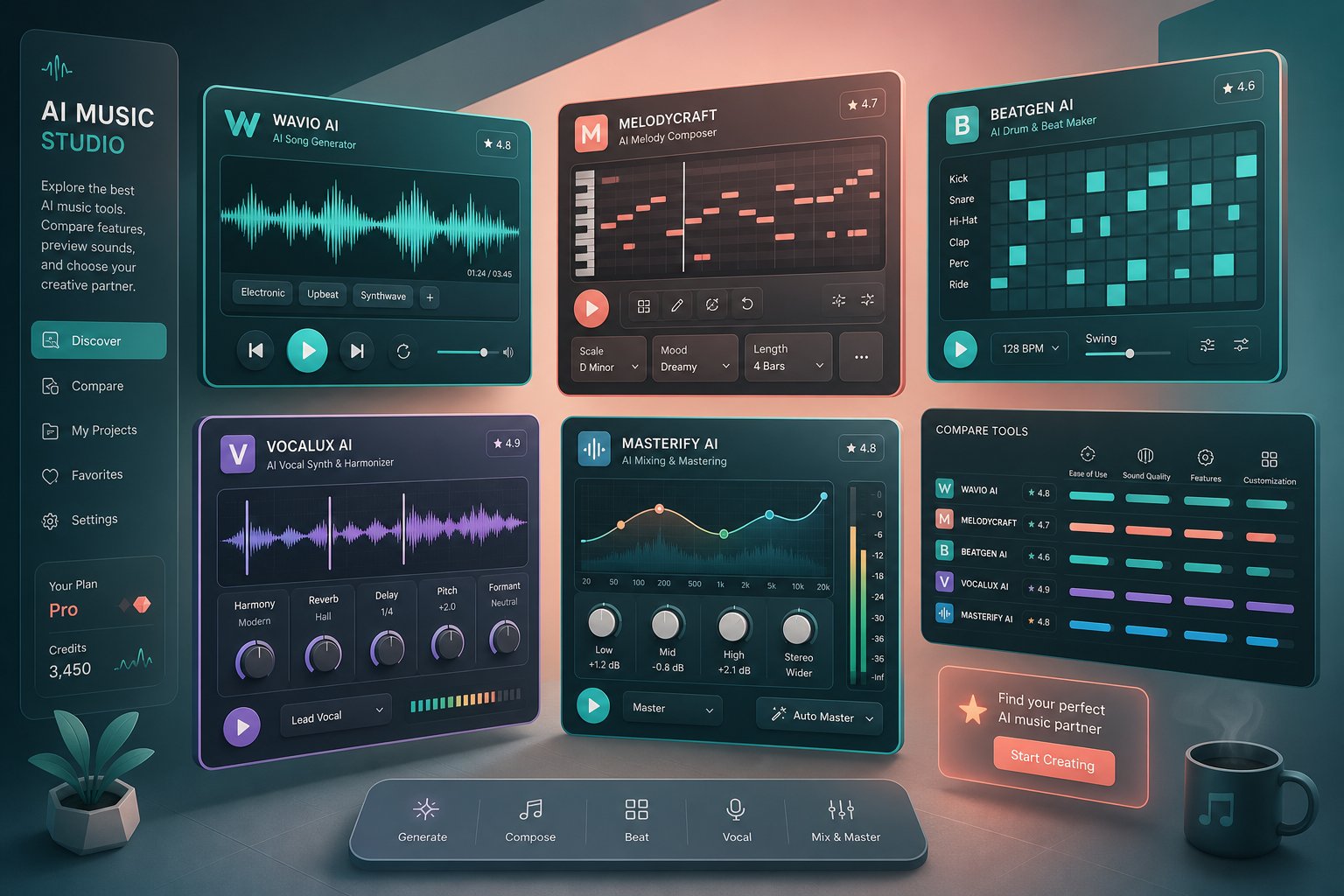
Top AI Music Composition Tools Compared Side by Side
Matching the right tool to your workflow only works if you know what each platform actually delivers. The AI music composition space has split into distinct lanes: some tools focus on text-to-music simplicity, others on cinematic scoring, and still others on giving producers stems they can finish in a traditional DAW. With so many options now available, a structured comparison helps cut through the noise.
Below is an honest breakdown of leading platforms, their target users, and what you can realistically expect from each one. Whether you are searching for the best music making apps for quick content creation or specialized scoring tools for film, this comparison covers the spectrum.
AI Composition Tools at a Glance
| Tool | Best For | Output Type | Free Tier | Paid Plans | Commercial Rights |
|---|---|---|---|---|---|
| MakeBestMusic Text to Music | Songwriters, content creators, beginners turning prompts or lyrics into songs | Full songs with vocals and instrumentals | Yes | Paid tiers available | Available on paid plans |
| Suno | Quick full-song generation across genres | Complete songs with vocals, lyrics, arrangement | 50 credits/day (~10 songs) | Pro $10/mo, Premier $30/mo | Paid plans only |
| Udio | Producers wanting stems and DAW integration | Full songs, stem exports, timeline editing | 10 credits/day + 100/mo | Standard $10/mo, Pro $30/mo | Paid plans, post-UMG settlement |
| AIVA | Cinematic, classical, and game scoring | Instrumentals, MIDI, sheet music | 3 downloads/mo (non-commercial) | Standard €15/mo, Pro €49/mo | Standard for social; Pro for full ownership |
| Soundraw / Loudly | Royalty-free background music for video | Instrumentals, customizable stems | Limited generations | From $5.99/mo | Paid plans |
| Beatoven | Mood-based scoring for projects | Instrumentals, mood-driven tracks | Free trial | From ~$6/mo | Royalty-free on paid tiers |
A few things this table cannot capture on its own. The Suno AI music maker is the category leader by subscriber count, with roughly 2 million paid users and a $2.45B valuation as of early 2026. Its v5 model generates the most listenable vocal tracks across the widest genre range. However, Suno remains in active litigation with Sony Music, which creates some uncertainty around long-term training data legality for commercial users.
The AIVA AI music generator occupies a completely different lane. It excels at orchestral and cinematic compositions, exports MIDI and sheet music for further editing in a DAW, and its Pro plan grants full copyright ownership to the user. If you are scoring a short film or building a game soundtrack, AIVA remains the strongest choice. Its weakness is equally clear: no vocals, no pop production, and a steeper learning curve than prompt-based tools.
MakeBestMusic's Text to Music Generator fills a specific gap for users who want to start with written prompts or actual lyrics and receive a polished song without needing production knowledge. The workflow is straightforward: type your lyrics or describe what you want, choose a style, and the system handles arrangement, instrumentation, and vocal generation. For songwriters testing ideas or content creators who need original tracks quickly, that text-first approach removes friction that more complex tools introduce. The limitation is the same one facing most prompt-based generators: outputs benefit from iteration and refinement rather than treating the first result as final.
Soundraw AI and Loudly target a narrower use case, generating instrumental background music with adjustable parameters. You will not get vocal tracks or full song structures, but for video editors and podcasters who need clean, royalty-free beds, the output is reliably professional. Platforms like Beatoven take a similar mood-based approach with templates optimized for specific content types.
Emerging platforms like producer.ai and remusic.ai are also entering the space, though with smaller user bases and less documented track records. Keep an eye on them as the ecosystem matures, but for production-ready work today, the established tools above offer more reliability and clearer commercial licensing.
Choosing the Right Tool for Your Workflow
The best music creation apps for you depend on three factors: what you are making, how much control you need, and whether commercial licensing matters.
- Need a full song from a text prompt or lyrics? MakeBestMusic or Suno. Both handle the entire pipeline from words to finished audio. Suno offers more genre breadth; MakeBestMusic is optimized for lyric-driven composition.
- Need stems for a DAW-based workflow? Udio. Its stem export and timeline editing give producers raw material to shape in Logic Pro or Ableton.
- Need cinematic or classical scoring? AIVA. MIDI export and full copyright ownership on the Pro plan make it the cleanest option for film, games, and orchestral projects.
- Need quick background music for content? Soundraw, Loudly, or Beatoven. Lower creative ceiling, but fast, reliable, and royalty-free.
- Concerned about legal exposure? AIVA Pro (full ownership) or Udio (post-UMG settlement) offer the clearest commercial licensing stories.
Among the best apps for music production powered by AI, no single tool dominates every use case. The category has matured into specialization rather than one-size-fits-all. A content creator scoring YouTube videos has fundamentally different needs than a songwriter demoing a ballad or a game developer building adaptive audio. Picking the wrong category of tool, not just the wrong brand, is where most frustration originates.
The real unlock comes from understanding what each platform does well and where its output will inevitably need human refinement. That gap between raw AI output and polished final product is where the next section picks up.
Practical Use Cases Where AI Composition Delivers Real Value
Knowing which tool to pick matters less than knowing what you are actually trying to accomplish. A filmmaker scoring a short has different quality thresholds than a podcaster who needs a fifteen-second intro. Each use case carries its own technical requirements, licensing expectations, and tolerance for imperfection. Here is where AI music generation genuinely earns its place in professional and semi-professional workflows.
Background Music for Video and Podcasts
Content creators produce the highest volume of AI-generated music today. YouTube channels, corporate presentations, social media ads, and podcast episodes all need audio that supports without distracting. The quality bar here is lower than a commercial release but higher than a stock loop that listeners have already heard in fifty other videos.
- Video creators - Need royalty-free tracks that match pacing and emotional tone. AI tools generate business background music, ambient textures, and upbeat beds tailored to specific video lengths. Look for platforms with timeline editors so energy peaks align with visual edits.
- Podcasters - Custom royalty free podcast intro music sets a show apart from competitors using the same stock library. AI generates branded intros in under five minutes, and tools like CapCut or Mubert let you specify mood, tempo, and duration to match your show's personality. For narration-heavy formats, subtle ambient generation works better than melodic compositions.
- Ai music video producers - Musicians and visual artists creating music videos can use AI to generate complementary background layers or transition cues that tie visual sequences together without commissioning a full score.
Realistic expectation: AI-generated background music is already production-ready for most digital content. You will occasionally need to trim, fade, or swap out a generation that sounds too generic, but the hit rate on usable tracks is high enough to replace stock libraries for many creators.
Commercial Jingles and Brand Audio
Every memorable brand has a sound. Think of the popular commercial jingles that live rent-free in your head: Intel's five-note chime, Netflix's "ta-dum," McDonald's iconic hook. These sonic signatures stick because audio triggers emotional response faster than visual information. Yet most businesses skip brand audio entirely because traditional production costs run $5,000 to $50,000 per piece.
AI has collapsed that cost structure. A commercial jingle that once required a composer, vocalist, and studio session can now be generated and refined in a day for under $300. Tools like Suno v4 produce jingles with vocals and lyrics, while AIVA and Soundraw handle instrumental brand music with precise energy control across a timeline.
The workflow applies equally to cartoon theme music for animation studios, theme music songs for recurring web series, or sonic logos for startups building brand identity from scratch. Where traditional production demanded weeks, AI delivers viable drafts in hours.
Realistic expectation: AI jingles sound professional enough for digital advertising, social media, and podcast spots. Broadcast television and major campaigns still benefit from human polish on top of AI-generated foundations. Budget for a mastering pass if your audio will air on radio or TV.
Game Soundtracks and Adaptive Scoring
Game developers and filmmakers represent the most demanding use case. Games need adaptive music that shifts based on player action: calm exploration fading into tense combat, victory fanfares triggered by achievements, environmental audio that evolves across levels. Film scoring demands precise emotional synchronization with on-screen events.
- Game developers - AI generates modular stems and loopable cues that respond to game states. AIVA exports MIDI, giving developers granular control over how music layers. Smaller indie studios use AI to produce hours of ambient and royalty free jazz music beds for exploration sequences that would otherwise require a full composer contract.
- Filmmakers - AI film scoring tools analyze reference tracks and generate original compositions matching a scene's emotional arc. Speed is the primary advantage here: directors no longer wait weeks for revisions when they can generate multiple thematic cues overnight and select the strongest direction for a human composer to refine.
Realistic expectation: AI handles ambient, repetitive, and background scoring well. Climactic moments, leitmotifs with narrative meaning, and emotionally complex transitions still benefit from human composition. The strongest workflow for games and film is hybrid: AI generates the bulk of environmental and transitional audio while humans craft the signature pieces that define a project's identity.
Across all these use cases, a pattern emerges. AI excels at volume, speed, and consistency. It struggles with intentionality, the kind of deliberate musical choices that carry specific meaning. The creators getting the best results are not treating AI as a replacement for musical thinking. They are using it to handle the audio workload that previously went unfilled because budgets or timelines made human composition impractical. That distinction between what AI handles well and where it still sounds mechanical is worth examining more closely.
Why AI Music Sometimes Sounds Artificial and How to Fix It
AI handles volume and speed well, but listen closely to a raw generation and you will notice something is off. Maybe the chorus repeats with identical energy every time. Maybe the transition between verse and bridge feels like two separate songs stitched together. These artifacts are not random. They stem from specific weaknesses in how models generate music, and once you learn to spot them, you can work around them.
Common Signs of AI-Generated Music
Trained ears pick up on a handful of recurring tells. You will hear these across nearly every AI platform, regardless of the underlying architecture:
- Repetitive structures without variation - Human musicians naturally evolve a chorus each time it appears, adding a harmony, changing a drum fill, or pushing vocal intensity. AI often repeats sections note-for-note, creating a copy-paste feel that listeners sense even if they cannot articulate it.
- Flat dynamics - Real performances breathe. A pianist presses harder during an emotional peak. A guitarist backs off during a verse. AI-generated tracks frequently maintain the same volume and energy density from start to finish, producing a wall of sound that lacks emotional movement.
- Mechanical transitions - The shift from verse to chorus, or bridge to final chorus, often sounds abrupt or formulaic. Human arrangers use risers, drum builds, subtle silence, or harmonic tension to make transitions feel inevitable. AI tends to simply switch sections as if flipping a page.
- Generic timbres and arrangements - Models default to statistically average instrument choices. You get safe, middle-of-the-road sounds rather than distinctive production decisions. The result is competent but forgettable, like elevator music with better production value.
- Vocal artifacts - Synthesized vocals may slur consonants, mispronounce words, or drift in pitch in ways that sound uncanny rather than expressive. Breath patterns sometimes feel too regular or completely absent.
These issues exist because models optimize for statistical plausibility across their training data. They produce what is most likely to sound correct on average, not what a specific creative vision demands. That gap between average and intentional is exactly where human input makes the difference.
Prompting Strategies That Produce Better Results
The prompt is your only communication channel with an AI music model. Vague descriptions produce vague music. Effective prompting treats the AI like a session musician receiving a creative brief: the clearer and more specific your direction, the closer the output lands to your vision.
Here is what actually moves the needle:
- Describe, do not command - Write "melancholic acoustic ballad, fingerpicked guitar, breathy female vocal, 78 BPM in D minor" instead of "create a sad song." Layer genre, mood, instrumentation, tempo, and key into one concise prompt.
- Use exclusion terms - Tell the model what to avoid. "No drums, no electronic elements, no fade out" removes unwanted defaults. Pairing positive direction with negative constraints tightens results significantly.
- Specify structure and dynamics - Add cues like "starts sparse with solo piano, builds to full band by the chorus, drops back for an intimate bridge." This combats the flat-dynamics problem directly by giving the model a dynamic arc to follow.
- Iterate rather than start over - If the first generation is 70% right, tweak one or two words in your prompt rather than rewriting from scratch. Small adjustments often produce dramatic improvements on the second or third attempt.
- Leave creative room - Over-scripting every detail can make output feel mechanical. Specify the essentials and let the model fill gaps. The best prompts are specific but flexible, giving direction without choking spontaneity.
Think of prompting as a skill that improves with practice. Your first attempts may sound generic. By your tenth or twentieth generation, you will develop an intuition for which descriptors move the output toward what you hear in your head.
Post-Generation Editing and Human Touch
Even a strong prompt rarely produces a finished product on the first pass. The creators getting the most human-sounding results treat AI output as a draft, not a final mix. A few targeted edits can transform a competent generation into something that genuinely resonates.
Practical post-generation techniques include:
- Adding dynamic variation - Pull the AI track into a DAW and automate volume, EQ, or reverb across sections. A subtle 2-3 dB swell into a chorus mimics how a live band naturally pushes energy during a hook.
- Humanizing timing - Quantized, perfectly-on-grid rhythms sound robotic. Nudge individual notes slightly off the grid, or apply a "humanize" function in your DAW to introduce microscopic timing imperfections that feel alive.
- Replacing weak elements - If the AI nails the arrangement but the vocal sounds synthetic, re-record it yourself or use stem separation to isolate the instrumental and pair it with a real performance. Many song tools now support stem export specifically for this hybrid workflow.
- Editing transitions - Cut the AI's mechanical transitions and insert your own: a drum fill, a beat of silence, a reversed reverb swell. These small human decisions create the anticipation that AI struggles to produce on its own.
- Finalizing with mastering tools - A free ai music finalizer or ai song finisher can polish dynamics, stereo width, and loudness to broadcast standards. Even basic song production from a scratch track ai benefits from a mastering pass that glues the mix together.
The pattern here is consistent. AI generates the foundation fast. Human ears identify what feels off. Targeted edits, whether through better prompts, manual DAW work, or dedicated song tools, close the gap between generated and genuine. You do not need professional production skills to make these improvements. Even dragging an output into a free editor and adjusting volume curves puts you ahead of anyone who accepts the first generation as-is.
This hybrid approach, AI for speed and humans for intentionality, also raises a question that extends beyond audio quality. When you edit, refine, and publish AI-generated music, who actually owns it? The legal answer is less straightforward than you might expect.
Copyright Ownership and Legal Questions Around AI Music
Ownership sounds like a simple question until you try to answer it for a track that no human technically performed. Copyright law in most jurisdictions rests on one foundational requirement that AI complicates immediately:
Copyright protection extends only to works created by a human author. Works generated entirely by a machine, without meaningful human creative input, are not eligible for copyright registration under current U.S. law.
That principle, consistently upheld by the U.S. Copyright Office since 2023, shapes everything that follows. If you are wondering whether you can publish a song written by AI and claim full ownership, the answer depends almost entirely on how much of the creative work was yours.
Who Owns AI-Generated Music
The distinction between AI-generated and AI-assisted is the dividing line. A track produced by typing a single prompt into a generator, with no further editing, arrangement, or creative selection, likely sits in the public domain. Nobody owns it, which also means nobody can claim it against you.
But add meaningful human contribution and the picture shifts. Write original lyrics, rearrange AI-suggested chords, shape the melody, mix and master the output, and your creative fingerprint may be enough to secure protection over those elements. The U.S. Copyright Office requires applicants to disclose AI involvement and disclaim portions generated without human intervention. Only the human-authored portions receive protection.
For producers creating a custom song or personalized song using AI assistance, the practical takeaway is straightforward: keep drafts, save project versions, and document your creative decisions. That audit trail becomes your evidence of authorship if ownership is ever challenged.
Commercial Use and Licensing Models
Can you legally use AI music in monetized content? Yes, but the rights you hold depend on your platform's terms of service, not just copyright law itself. Licensing models vary widely:
- Royalty-free on all tiers - Some platforms grant full commercial rights regardless of plan, meaning you can download a song for YouTube, ads, or podcasts without additional fees.
- Commercial rights on paid plans only - Free-tier generations may be restricted to personal use. Using them in a monetized video without upgrading could violate the platform's terms.
- Full copyright ownership - A few platforms, like AIVA's Pro tier, transfer complete ownership to the user, the closest equivalent to commissioning a human composer.
- Revenue share or retained rights - Distribution-focused platforms may keep partial rights to generated tracks, particularly if they handle song stock placement on streaming services.
"Royalty-free" does not mean "copyright-free." It means you pay no ongoing royalties for use, but the underlying ownership and permitted uses still follow whatever the platform's agreement specifies. Read the terms before releasing anything commercially.
The Evolving Legal Landscape
The rules are actively being written. In the U.S., the Copyright Office released Part 2 of its AI report in January 2025 addressing copyrightability, with Part 3 covering generative AI training following in May 2025. Legislation like the NO FAKES Act targets unauthorized voice cloning, while the TRAIN Act pushes for transparency around training data sourcing.
The EU AI Act takes a different angle, requiring companies to disclose copyrighted material used in model training and giving artists opt-out mechanisms. The UK's PRS for Music requires members to specify whether a work is AI-assisted and uses audio fingerprinting to detect fully machine-generated tracks submitted for royalty collection.
What does this mean if you plan to release AI-assisted music commercially? Three practical steps reduce your risk:
- Choose platforms with clear commercial licensing terms and resolved training-data questions.
- Document your human creative input at every stage of production.
- Consult a music attorney before any major commercial release, especially if you plan to register with a PRO or distribute to streaming platforms.
The legal landscape will continue shifting as courts resolve pending cases and new legislation takes effect. But the trajectory is clear: human contribution remains the key to ownership, and transparency around AI use is becoming mandatory rather than optional. Creators who build good documentation habits now will be well-positioned regardless of where the rules land.
Legal clarity is one challenge. The broader cultural tension between musicians who see AI as a threat and creators who see it as liberation is another conversation entirely.
Musicians vs Content Creators and the Ethics of AI Composition
Legal frameworks tell you what you can do with AI music. They do not tell you whether you should. The cultural divide around AI song writing runs deeper than licensing terms, touching identity, craft, and what it means to be a creator in the first place.
The Professional Musician Perspective
For musicians who spent years mastering instruments, studying harmony, and building careers note by note, AI composition feels like an existential challenge. Singer-songwriter Genevieve Libien captured this sentiment in an NBC News interview: "Music to me is so human and intrinsic to our humanity and inextricable from it. Any sort of artificial intelligence feels kind of like an affront to that sacredness."
The concern is not abstract. More than 200 artists, including Billie Eilish, Stevie Wonder, and Nicki Minaj, signed an open letter calling on AI companies to protect against predatory use of the technology. Catherine Anne Davies of the Featured Artists Coalition put it bluntly: "What about the generations to come after? Are we fucking this completely, just to make sure that we can pay our mortgages now?"
The fear is not that AI will outperform humans artistically. It is that flooding platforms with cheap, passable content will suppress demand for the real thing. As music licensing expert Gregor Pryor noted, background music for advertising, film, and games is where "the real damage will be done" first. Do artists use AI to write songs? Some do, but many worry that normalizing AI output erodes the economic foundation their careers depend on.
How Content Creators Benefit from AI Composition
Flip the lens and the picture changes completely. A podcaster who cannot play an instrument, a small business owner who needs a jingle, a YouTuber working on a tight budget: these people never had access to custom music before. For them, the question is not "am I a composer if it's digital" but rather "can AI help me write a song that serves my project?"
Regi Worles, a Denver-based musician who attended an AI music workshop, framed it this way: "Nobody should feel stopped from following their dreams because they don't know how to use software that costs $400 or more." The Arts Education Data Project found that 8% of U.S. public school students have no access to music education during the school day. For communities where instruments, lessons, and studio time are financially out of reach, song writing applications powered by AI represent a genuine entry point into creative expression.
Content creators searching for the top ai for lyrics for songs are not trying to replace musicians. They are trying to participate in music for the first time. The democratization argument carries real weight when you consider who was excluded before these tools existed.
AI as Collaborative Partner, Not Replacement
The most productive framing may be neither threat nor salvation. Musicians like Imogen Heap use AI as a creative partner, building systems that listen, suggest, and respond without replacing human decision-making. Michael Merola of Dog Tags described using AI to find synonyms for lyrics and generate melodic starting points, then immediately improving on what the tool offered: "He's like, 'Oh, I could do that better, watch.' And then we are now writing the song."
That workflow mirrors how producers have always adopted new technology. Synthesizers did not kill live instrumentation. Drum machines did not eliminate drummers. Each tool expanded the palette without erasing what came before. An ai songwriter tool works the same way when treated as a collaborator: it generates raw material that a human ear evaluates, reshapes, and makes intentional.
Where you land on this debate depends on what you believe music is for. If it is purely about the craft of making, AI cheapens the process. If it is about the experience of hearing and connecting, the origin matters less than the result. Both positions are defensible. The healthiest ecosystems will likely be those that compensate human artists fairly while lowering barriers for new creators, not forcing a choice between the two.
Wherever your perspective falls, the practical question remains the same: how do you actually get started? The answer is simpler than the debate suggests.
How to Start Composing Your Own Music with AI Today
The debate is worth having, but at some point you just need to open a tool and make something. If you have read this far, you already understand the technology, the trade-offs, and the legal landscape. What remains is the doing. So how do you make a song using AI when you have never produced music before? The process is more straightforward than it appears, and the first usable result is often minutes away rather than hours.
Step-by-Step Workflow for Your First AI Composition
Every AI composition follows the same general arc regardless of which platform you choose. Here is the workflow broken into clear, repeatable steps:
- Define your purpose and context - Before touching any tool, clarify what this track is for. A podcast intro needs fifteen seconds of energy. A YouTube background track needs two minutes of subtle texture. A personal song needs emotional weight and structure. Purpose dictates every decision that follows: genre, length, mood, and whether you need vocals.
- Choose a tool that matches your goal - For turning written prompts or lyrics into complete songs, MakeBestMusic's Text to Music Generator offers the most accessible starting point. You write the song concept in plain language, and the platform handles arrangement, instrumentation, and vocal generation without requiring production experience. If you need purely instrumental background music, tools like Soundraw or Mubert work well. For cinematic scoring, AIVA remains the strongest option.
- Write a detailed prompt or lyrics - This is where output quality is decided. Include genre, mood, tempo, instrumentation, and emotional arc. Instead of "make a happy song," try "upbeat indie pop with acoustic guitar strumming, claps on beats 2 and 4, warm female vocal, optimistic lyrics about starting fresh, 118 BPM." If you are working with a lyrics-first tool, write your verses and chorus before generating.
- Generate and listen critically - Hit generate and listen to the full output without skipping ahead. Note what works and what feels off. Is the energy right? Does the vocal delivery match the emotion? Are the instruments what you imagined? Do not expect perfection on the first try.
- Iterate by adjusting one variable at a time - If the tempo feels sluggish, bump it up by 10 BPM in your prompt. If the arrangement is too dense, add "minimal" or "sparse instrumentation." Change only one element per generation so you can identify which adjustment improved the result. Three to five iterations usually land you in a strong place.
- Refine and export - Once you have a generation you are happy with, download the file. If it needs trimming, fading, or volume adjustment, pull it into a free editor like Audacity or GarageBand. Apply a basic mastering pass for loudness consistency, then export in the format your project requires.
That six-step process answers the question of how do you make a song from scratch with AI. The entire loop, from first prompt to exported file, often takes under thirty minutes once you develop a feel for effective descriptions.
Writing Prompts That Get Better Musical Results
Prompting is the single skill that separates disappointing outputs from tracks you are genuinely proud of. Think of it as learning a new language: the AI understands specific musical vocabulary far better than vague adjectives.
A few principles that consistently improve results:
- Stack descriptors in layers - Combine genre + mood + instruments + tempo + vocal style into one cohesive sentence. "Dreamy lo-fi R&B with muted piano chords, vinyl crackle texture, breathy male vocal, nostalgic lyrics, 82 BPM" gives the model five distinct anchors to work from.
- Reference energy curves - Describe how the track should evolve. "Starts with solo acoustic guitar, builds with drums and bass entering at the chorus, drops back to voice and piano for the bridge" prevents the flat-dynamics problem discussed earlier.
- Name what you do not want - Exclusion prompts are surprisingly powerful. "No synths, no electronic drums, no autotune effect" narrows the output toward organic, acoustic production without requiring you to specify every instrument you do want.
- Keep lyrics conversational - If your tool accepts lyrics, write lines of 8 to 12 words that sound like natural speech. Overly poetic or dense phrasing confuses vocal models and produces awkward phrasing. Short, rhythmic lines with end rhymes give the AI clear melodic anchor points.
- Save successful prompts - When a generation hits, copy that prompt into a notes file. Building a personal prompt library accelerates every future session because you already know which descriptions produce the sounds you like.
How do i make a song that sounds polished on the first attempt? Honestly, you probably will not. But by the third or fourth generation with refined prompts, most users land on something that genuinely surprises them. The iteration is part of the creative process, not a sign that the tool is failing.
For anyone wondering how do you create your own music without years of training, the answer lives in this loop: describe, generate, listen, adjust, repeat. Each cycle teaches you something about how AI interprets language and translates it into sound. Within a few sessions, you develop an intuition for what works, much like learning how a collaborator thinks after a few jam sessions together.
The barrier to how to create songs has never been lower. You do not need to read music, play an instrument, or own expensive software. You need a clear idea of what you want to hear and the willingness to iterate until you get there. Start with a single prompt today. Make it specific. Listen to what comes back. Then make it better. That first generation, imperfect as it might be, is the beginning of a creative practice that only sharpens with use.
