

Yes, AI Can Read Sheet Music
You have a stack of printed scores sitting on your piano bench, or maybe a PDF of a piece you want to hear played back at half tempo. The question hits: can a computer actually look at those notes and understand them? The short answer is yes — and the technology has been evolving since the 1960s.
The Short Answer
AI can read sheet music. The primary technology behind this capability is called Optical Music Recognition, and it works like a specialized music reader that converts printed or handwritten notation into digital, playable files.
Optical Music Recognition (OMR) is a technology that enables computers to interpret music notation symbols from scanned images or photographs of sheet music and convert them into machine-readable digital formats such as MusicXML or MIDI.
OMR was pioneered at MIT in the 1960s when document scanners first became available. By the 1980s, a team at Waseda University in Japan demonstrated an OMR system connected to a robot that could operate piano keys. Today, the field is far more mature — powered by deep learning and neural networks rather than rigid rule-based approaches.
But the question "what note is this?" can be answered by AI in more than one way. Modern sheet music AI goes beyond simple image scanning.
Three Ways AI Interacts With Sheet Music
When people search for an ai music notes reader or an ai sheet music reader online free, they usually mean one of three distinct capabilities:
- Optical Music Recognition (OMR) — Scanning an image of a score and converting visual symbols into editable, playable digital notation. This is the most direct way AI can read sheet music.
- Multimodal LLM Interpretation — General-purpose AI models like GPT-4 or Claude attempting to analyze notation images for music theory context, identify pieces, or answer questions about what they see on the page.
- Automatic Music Transcription (AMT) — AI listening to an audio recording and producing written notation from sound, essentially working in reverse compared to OMR.
Each approach has different strengths, different failure modes, and different ideal use cases. A dedicated ai sheet music scanner excels at turning a printed page into a MIDI file, while a multimodal LLM might help you reason about harmonic progressions — though recent testing shows these models still struggle with basic music reading tasks like identifying key signatures or counting rhythms accurately.
This guide covers all three dimensions in depth. You will learn how the underlying technology works, which tools deliver reliable results, where accuracy breaks down, and how to pick the right approach for your specific workflow — whether you want to digitize a personal manuscript or turn a scanned score into something you can edit and rearrange.
How Optical Music Recognition Technology Works
Think of how you read a printed sentence. Your eyes move left to right, recognizing one letter at a time, grouping them into words. A computer doing OCR (Optical Character Recognition) works similarly — it scans in a linear path and identifies characters in sequence. Music notation throws that entire model out the window.
What Is Optical Music Recognition
Optical Music Recognition is the process of taking an image of sheet music — scanned, photographed, or exported as a PDF — and converting it into a structured, machine-readable format like MusicXML or MIDI. It is essentially a specialized music scanner that bridges the gap between static images and playable, editable digital files.
The concept sounds straightforward, but the execution is deceptively complex. As OMR researcher Alexander Pacha explains, it is not enough to simply find the dots and lines in an image — a system must also understand what they mean. A black dot by itself has no inherent meaning in music notation. Its pitch depends on vertical position relative to the staff, its duration depends on whether it is filled or hollow, and whether it has a stem, flag, or beam attached. Context is everything.
This makes OMR fundamentally different from text recognition. Written language is essentially one-dimensional — characters flow in a line. Music notation is a two-dimensional spatial language where meaning emerges from how symbols relate to each other vertically and horizontally at the same time.
Why Music Is Harder Than Text for AI
Imagine you are a note finder trying to interpret a piano score. At any given rhythmic position, you might encounter multiple notes stacked vertically (a chord), two independent melodic voices sharing the same staff, dynamic markings below, articulation markings above, and slurs arching across several measures. All of these elements occupy the same visual space and interact with each other.
Here is why note recognition in sheet music presents challenges that text OCR simply does not face:
- Two-dimensional spatial relationships — A note's pitch is determined by its vertical position on the staff. Move it one line space higher and it becomes a different note entirely. Text characters do not change meaning based on where they sit vertically.
- Simultaneous voices — A single staff can contain multiple independent musical lines happening at once, with stems pointing in different directions to indicate separate voices. The note recognizer must untangle which notes belong to which voice.
- Context-dependent symbols — A dot placed next to a notehead extends its duration by half. The same dot placed above a notehead means staccato — play it short. Identical visual elements mean opposite things depending on precise placement.
- Error propagation — Missing a single accidental (sharp or flat) at the start of a measure can throw off every subsequent note in that bar. Small recognition errors cascade into musically nonsensical output.
- Broken or bent rules — Composers sometimes violate standard notation conventions. Triplet markings get omitted after the first few bars, and engravers make layout decisions that defy strict parsing logic.
As one university research project on OMR puts it plainly: each step of the recognition pipeline depends on the output of the previous step, making this a very challenging task. If staff line detection fails, symbol segmentation fails, which means classification fails — dominoes all the way down.
The AI Pipeline From Image to Playable Music
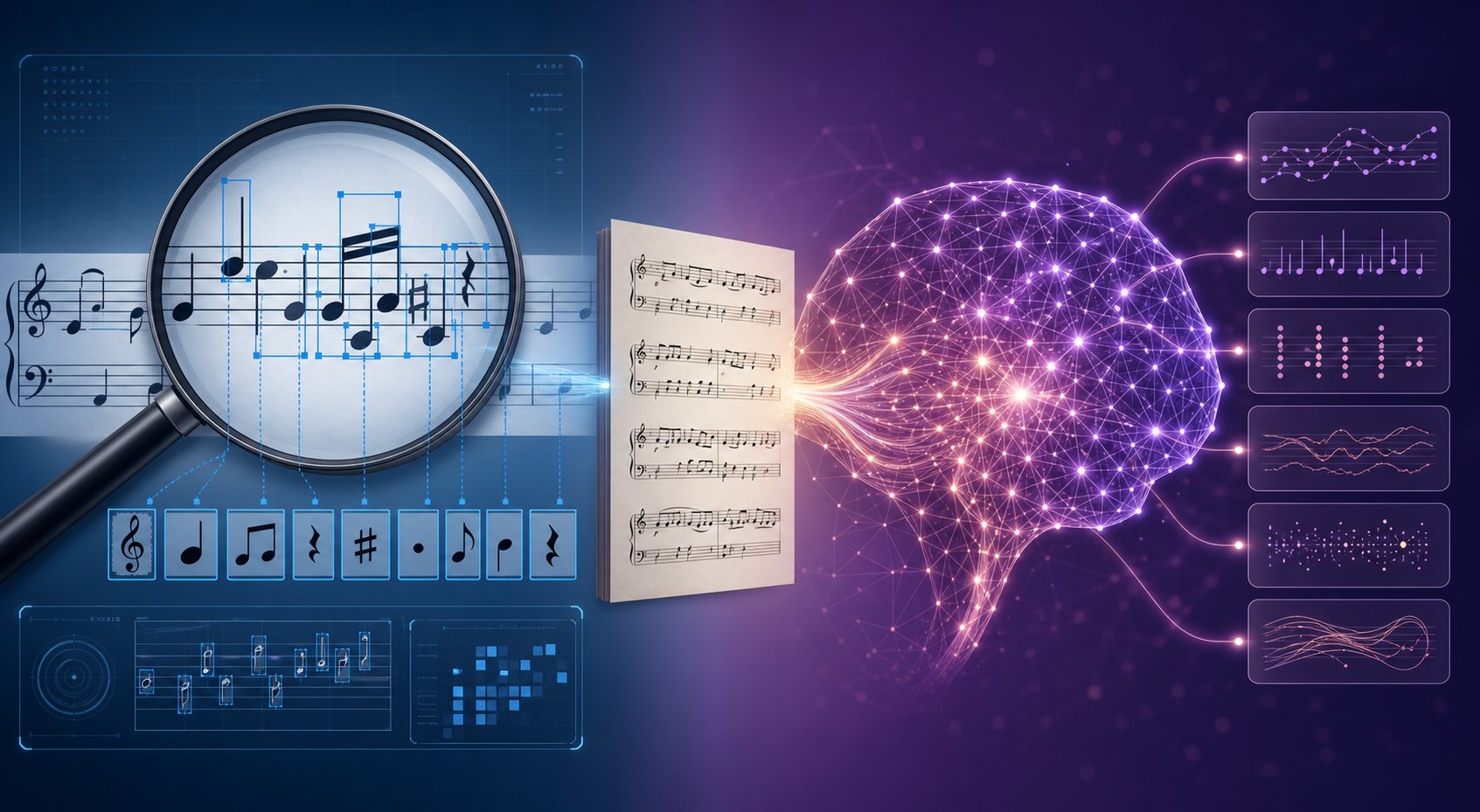
So how does a sheet music scanner actually turn a photo of printed notation into something your computer can play? The process follows a multi-stage pipeline. While modern deep learning approaches have merged or streamlined some of these steps, the core logic remains consistent:
- Image preprocessing — The raw scan gets cleaned up. This includes binarization (converting to pure black and white), noise removal, deskewing tilted pages, and normalizing contrast. A clear, high-quality input image is the foundation for everything that follows.
- Staff line detection and removal — The system identifies the five horizontal lines that form each staff. These lines are critical reference points for determining pitch, but they also visually intersect with noteheads and other symbols. The algorithm locates them, records their positions, then removes them from the image so the remaining symbols can be isolated cleanly.
- Symbol segmentation — With staff lines removed, the system identifies individual symbols: noteheads, stems, beams, rests, clefs, time signatures, accidentals, dynamics, and articulations. Each element gets isolated as a separate visual object.
- Symbol classification — Each segmented object gets classified using machine learning models — typically convolutional neural networks (CNNs) trained on large datasets of labeled music symbols. The system determines whether a shape is a quarter note, a half rest, a sharp sign, or any of the hundreds of possible notation elements.
- Semantic reconstruction — This is where musical intelligence comes in. The system reassembles the classified symbols into meaningful musical structures. It determines pitch by mapping noteheads back to staff positions, groups notes into chords and voices, associates articulations with their parent notes, and builds a complete musical representation that respects meter, key, and rhythmic structure.
- Output encoding — The reconstructed musical data gets written to a standard format like MusicXML or MIDI, ready for playback, editing, or further processing in notation software or a DAW.
Early OMR systems from the 1980s and 1990s handled each of these stages with handcrafted rules — manually programmed logic for detecting specific pixel patterns. These rule-based approaches worked reasonably well on clean, typeset music but crumbled when faced with handwritten scores, noisy scans, or anything outside their narrow programming.
Deep learning changed the game. Research presented at ISMIR 2017 demonstrated a convolutional sequence-to-sequence model that trained on full sentences of sheet music rather than individually labeled symbols, achieving 80% note-level accuracy and outperforming commercially available methods at the time. Rather than programming explicit rules for every possible symbol configuration, these neural networks learn visual patterns from thousands of training examples — adapting to variations in engraving style, print quality, and layout.
Some newer architectures push toward end-to-end recognition, where a single neural network takes in a raw image and outputs a complete symbolic music representation without discrete pipeline stages. While these systems are still maturing, they represent the direction the field is heading — fewer hand-tuned components, more learned behavior, and greater flexibility across different styles of notation.
The pipeline explains how a music scanner gets from pixels to pitches. But what happens after recognition matters just as much — the output format determines what you can actually do with the results.
Output Formats That Matter for Your Workflow
You ran a score through an OMR tool and the recognition looks solid. The next decision shapes everything you do with that file: which output format do you export? This is not just a technical detail — it determines whether you can edit notation, trigger playback, import into a DAW, or archive the score for long-term preservation.
Understanding Output Formats
When you convert sheet music to MIDI, you get something very different than when you convert a PDF to MusicXML. Each format captures a different slice of musical information, and choosing wrong means extra cleanup or lost data. Think of it this way: MIDI cares about the timeline. MusicXML cares about the score. They serve fundamentally different destinations, not different quality levels.
Here are the three primary formats you will encounter after AI reads a piece of sheet music:
- MusicXML — A notation-first format designed to move written music between score editors like MuseScore, Dorico, Sibelius, and Finale. It preserves measures, staves, voices, clefs, key signatures, time signatures, beams, articulations, dynamics, and lyrics.
- MIDI — A performance-first format built around musical events: note on/off timing, pitch, velocity, tempo, and instrument assignments. DAWs like Logic, Ableton, FL Studio, and Reaper work natively with MIDI for playback, arrangement, and production.
- MEI (Music Encoding Initiative) — A scholarly XML-based format developed for archival and musicological work. MEI can encode complex editorial annotations, multiple source variants, and historical context alongside the musical content itself, making it the preferred choice for libraries and research institutions preserving historical collections.
MusicXML vs MIDI vs MEI
Imagine you scanned a Chopin etude. If you export MusicXML, you can open it in MuseScore and fix a misread accidental in measure 12. If you export MIDI, you can load it into your DAW, slow the tempo for practice, or use it as an online MIDI player to audition the result. If you export MEI, a musicologist can annotate variant readings from different published editions.
The differences become clearer when you see them side by side:
| Format | Best For | Preserves Layout | Editable | DAW Compatible |
|---|---|---|---|---|
| MusicXML | Re-editing in notation software, transposing, printing parts | Partially (structure yes, exact spacing varies) | Yes — in any major notation editor | Limited (requires conversion) |
| MIDI | DAW playback, piano-roll editing, practice at variable tempos | No — no visual notation data | Yes — in DAWs and MIDI editors | Full native support |
| MEI | Scholarly archiving, critical editions, musicological research | Yes — detailed encoding of visual and semantic layers | Yes — with specialized tools | No |
| Sharing finished scores, printing, visual reference | Yes — pixel-perfect | No | No |
MIDI does not reliably store whether two notes belong to separate voices, whether a rhythm should display as a dotted quarter or a tied eighth, or where phrase markings sit. MusicXML encodes all of that because notation editors need it. The tradeoff is that MusicXML does not carry velocity curves or controller data that make a MIDI performance feel expressive in a DAW.
Choosing the Right Format for Your Workflow
Your destination dictates the format. Ask yourself one question: where does this file go next?
- Going into a notation editor? Export PDF to MusicXML. You will keep measures, voices, articulations, and staff structure intact for editing, transposing, or extracting parts.
- Going into a DAW for playback or production? Export sheet music to MIDI. You can immediately midi play online or offline, adjust tempo, swap instruments, and build arrangements around the converted material.
- Going into a research archive? Export MEI. Libraries and academic projects need the rich metadata and editorial annotation layers that only MEI provides.
- Just need to share a readable score? PDF remains the simplest option — it looks identical on every device and printer.
For serious projects, exporting both MIDI and MusicXML gives you the best of both worlds. Use MIDI to hear whether the recognition sounds right — play the first 16 bars and listen for wrong octave jumps or broken rhythms. Use MusicXML to proofread and correct the written score in your notation software. The two files become two quality checks on the same source material.
The format choice also hints at a bigger question: which recognition tool produced the file in the first place, and how do dedicated OMR engines compare to general-purpose AI models when it comes to delivering clean, usable output?
Dedicated OMR Tools vs Multimodal AI Models
Not all tools that claim to read notation approach the task the same way. Some are purpose-built for music recognition — trained specifically on notation datasets, optimized for staff detection, and designed to output structured music files. Others are general-purpose AI systems that happen to accept images as input and can attempt musical interpretation as one of many capabilities. Understanding the difference helps you avoid frustration and pick the right tool for the job.
Dedicated OMR Tools
Dedicated OMR software has been refined over years — in some cases decades — to handle the specific visual grammar of music notation. These tools use specialized architectures: convolutional neural networks trained on music symbol datasets, staff-aware detection algorithms, and reconstruction logic that understands how notation elements relate to each other spatially and temporally.
A recent comparative review by Scoring Notes tested six OMR products across three pieces of varying complexity, grouping them into three categories:
- Machine learning-based — Newzik and Soundslice. These generally performed the best out-of-the-box with little configuration required, though they take longer to process because of the computational power needed for their recognition engines.
- Mobile applications — PlayScore 2 and Sheet Music Scanner. The fastest and most convenient options — grab your phone, fire up the app, get near-instant playback. This speed comes at the expense of accuracy and configurability for complex scores.
- Desktop applications — SmartScore Pro 64 NE and ScanScore Professional. These offer the most customizable scanning settings and robust in-app editing before you export to MusicXML, though they require a steeper learning curve.
If you have searched for a sheet music scanner online free option, you will find that several tools offer limited free tiers. Soundslice lets you scan up to two pages per month on its free plan, and Audiveris — the popular open-source OMR engine — is entirely free. Audiveris has gained significant traction in the OMR community as an accessible entry point, though its accuracy on complex polyphonic scores can trail behind commercial alternatives.
ScanScore stands out as a desktop application priced at $79 for a one-year professional license. It handles note and articulation recognition well on straightforward passages, though testing shows it struggles with implied triplets — a common stumbling block across multiple tools. PlayScore 2 is often popular among vocalists and choir members for its instant playback and "Split staves" feature that isolates individual voices. SmartScore Pro 64 NE is the most expensive at $399 but includes the deepest editing environment for correcting recognition errors before export.
Then there are tools like Scan2Notes and Piano2Notes, which target specific use cases — converting scanned single-instrument parts or piano scores into playable MIDI quickly, without requiring users to learn complex notation software. These simpler melody scanner tools prioritize speed and ease of use over handling dense orchestral layouts.
Multimodal LLMs for Music Reading
General-purpose AI models like GPT-4 and Claude take a fundamentally different approach. When you upload an image of sheet music to one of these systems, you are not activating a purpose-built OMR engine. You are asking a vision-language model to interpret visual patterns it encountered during broad training — patterns that include some music notation, but also billions of other image types.
These models treat a score image as a visual reasoning problem rather than a structured music-parsing task. They do not have specialized staff detection, symbol segmentation, or music-aware semantic reconstruction. Instead, they attempt to describe or interpret what they see using general pattern recognition.
Research backs up the gap. The ZIQI-Eval benchmark — a large-scale evaluation of 16 LLMs on music-related tasks — found that even GPT-4, the top performer, achieved an F1 score of only 63.04 on music comprehension and 54.31 on music generation questions. Most models performed only marginally better than random selection on music-specific tasks. The researchers concluded there is "significant room for improvement in their musical capabilities."
Where LLMs show promise is in contextual interpretation rather than precise transcription. You might ask a multimodal model to identify the key signature of a piece, explain the harmonic function of a chord progression visible in a score, or describe the form of a composition by looking at its structure. These are reasoning tasks, not pixel-level transcription tasks — and LLMs handle them more naturally than counting exact note positions on staff lines.
That said, you should not rely on a general-purpose AI model as a melody scanner AI for accurate note-by-note transcription. The architecture simply is not designed for it. An LLM might correctly identify that a passage is in 6/8 time and uses ascending arpeggiated figures, but ask it to produce the exact MIDI output for those figures and errors multiply quickly.
Which Approach Fits Your Needs
The choice comes down to what you need from the output. Here is how the landscape breaks down:
| Tool | Approach Type | Strengths | Limitations | Output Formats |
|---|---|---|---|---|
| Soundslice | ML-based OMR | High accuracy on printed scores, asks for user clarification on low-confidence items | Slower processing, limited free tier (2 pages/month) | MusicXML |
| Newzik | ML-based OMR | Auto-detects transposing instruments, strong multirest handling | Misses some dynamics and rehearsal marks | MusicXML |
| PlayScore 2 | Mobile OMR | Instant playback, voice splitting for choirs, cross-platform | No transposition in MusicXML export by default, limited multirest support | MusicXML, MIDI |
| ScanScore Professional | Desktop OMR | Good articulation capture, grace note handling, in-app editor | Struggles with implied triplets, no auto-transposition | MusicXML, MIDI, PDF |
| SmartScore Pro 64 NE | Desktop OMR | Robust editing tools, cross-staff beaming support | Expensive ($399), struggles with implied triplets, overfilled measures | MusicXML, MIDI |
| Audiveris | Open-source OMR | Free, community-maintained, no subscription | Less accurate on complex layouts, less polished UX | MusicXML |
| GPT-4 / Claude | Multimodal LLM | Music theory interpretation, contextual reasoning, flexible Q&A | Poor note-level accuracy, no structured music output, not built for transcription | Text descriptions only (no native MusicXML/MIDI) |
If your goal is accurate digitization — turning a printed page into an editable MusicXML file or a playable MIDI file — dedicated OMR tools win. They are purpose-built for this task, and their architectures reflect decades of domain-specific research. The machine learning-based options like Soundslice and Newzik currently lead in out-of-the-box accuracy for standard notation.
If your goal is analysis and interpretation — understanding harmonic structure, getting an explanation of a passage's theoretical implications, or asking flexible questions about a score — multimodal LLMs offer something no OMR tool can. They reason about music rather than just digitize it.
Many working musicians use both. Run the score through a dedicated scanner for the accurate digital file, then use an LLM when you want to ask questions about what you are looking at. The tools complement each other rather than compete.
Whichever approach you choose, one reality remains constant: no tool delivers perfect results on every score. The quality of what goes in determines the quality of what comes out — and understanding the factors that affect recognition accuracy is the difference between a clean conversion and hours of manual correction.
Accuracy and Limitations You Should Know About
Every OMR tool — no matter how advanced its neural network — works within a range. Some scores come through nearly perfect. Others produce output that requires significant manual cleanup. The gap between those two outcomes is not random. It depends on a handful of predictable factors that you can influence before the AI ever sees the image.
What AI Handles Well Today
Modern OMR systems perform remarkably well on clean, printed notation for single-instrument parts. Research from Tianshui Normal University demonstrates that state-of-the-art models now achieve pitch accuracy of 99.33%, note type accuracy of 99.60%, and overall note accuracy of 99.28% on printed monophonic scores — even when those images include real-world camera distortions like noise, uneven lighting, and perspective skew. Symbol error rates as low as 0.45% mean the AI gets the vast majority of individual symbols correct on the first pass.
These results come from the Camera-PrIMuS dataset, which simulates what happens when you photograph scanned sheet music with a phone camera rather than a flatbed scanner. The takeaway: for standard printed notation with a single voice or instrument line, AI recognition is genuinely reliable.
Factors that consistently lead to strong results:
- Cleanly typeset, commercially printed scores (engraved notation from major publishers)
- Single-instrument or monophonic parts with one voice per staff
- Standard notation symbols — quarter notes, half notes, common time signatures, standard clefs
- High-resolution images of musical notation with good contrast between ink and paper
- Pages scanned flat without curvature, shadow, or bleed-through from the reverse side
Where AI Still Struggles
The same research that shows near-perfect accuracy on printed monophonic scores reveals clear weak points. Fine-grained error analysis using the OMR Normalized Edit Distance (OMR-NED) metric shows that certain symbol categories remain disproportionately difficult. Grace notes produce OMR-NED error rates of 8-9% — far above the overall average — because they are small, visually complex, and context-dependent. Ties and slurs account for another concentrated source of errors, hovering around 4% OMR-NED, since their arching shapes span across other notation elements and are easily confused with each other.
Beyond individual symbol challenges, broader factors reduce accuracy significantly:
- Handwritten notation — Even modern deep learning systems trained on handwritten scores lag well behind their performance on printed music. Handwriting varies wildly between composers, and irregular spacing makes staff detection unreliable.
- Dense polyphonic textures — Full orchestral scores, piano music with multiple voices per staff, and quartet arrangements introduce dramatically more complexity. The Sheet Music Benchmark (SMB) shows that polyphonic pianoform and quartet textures remain deeply challenging for current architectures.
- Degraded or aged manuscripts — Historical documents with faded ink, foxing, torn edges, or bleed-through overwhelm preprocessing algorithms. The signal-to-noise ratio drops too low for reliable symbol extraction.
- Non-standard notation systems — Contemporary music with graphic notation, extended technique markings, or unconventional spatial layouts falls outside the training distribution of virtually all OMR tools.
- Low-quality input images — Phone photos taken at an angle, in dim light, or with visible page curvature introduce geometric distortions that cascade through the recognition pipeline.
The honest assessment: if you are working with a printed Czerny etude, expect near-flawless results. If you are trying to digitize a handwritten orchestral draft from the 1800s, expect to spend considerable time correcting errors. Human review remains essential for anything beyond straightforward printed parts.
How to Optimize Your Scans for Better Results
The single biggest lever you have over recognition quality is the input image itself. Knowing how to scan on notes properly eliminates most avoidable errors before the AI begins its work. Think of it as prepping ingredients before cooking — the better your raw material, the better the final result.
Here is what makes the difference when you scan music for OMR processing:
- Resolution: 300 DPI minimum, 400-600 DPI ideal — Scanning guides recommend at least 300 DPI for sheet music, with 400 to 600 DPI as the sweet spot for subsequent OMR recognition. Higher than 600 DPI rarely improves results and inflates file sizes unnecessarily.
- Color mode: black and white or grayscale — Pure black-and-white scanning produces the clearest lines and smallest file sizes for most printed music. Grayscale helps when the original has low contrast. Color scans are typically unnecessary and can even confuse recognition engines.
- Flatness matters — Keep pages as flat as possible. Page curvature near the binding of a book warps staff lines, which cascades into pitch detection errors. If you cannot remove pages, press the book firmly against the scanner glass or use a book scanner designed for bound volumes.
- Even lighting (for phone cameras) — If you are using a smartphone as a scanner to learn how to scan in notes without dedicated hardware, ensure even illumination. Avoid harsh overhead lighting that casts shadows across the page. Scanner apps like Microsoft Lens or Adobe Scan can auto-correct perspective but cannot fix deep shadows.
- Clean up before processing — Crop unnecessary margins, straighten slightly skewed pages, and adjust brightness and contrast if the scan looks washed out. Many recommended photo scanners and apps handle this automatically, but a manual check catches what automation misses.
- File format: TIFF or high-quality PDF — Use lossless formats when possible. Heavy JPEG compression introduces artifacts around thin lines like staff lines and stems, degrading the very features OMR systems need most.
A well-prepared scan can push a borderline score from frustrating to functional. Spending two extra minutes on input quality often saves twenty minutes of manual correction on the output. The research confirms this: data augmentation strategies that simulate real-world degradation (noise, blur, rotation, compression artifacts) improve model robustness, but they cannot fully compensate for genuinely poor source material.
With accuracy expectations calibrated and input quality optimized, the natural question becomes: what do musicians actually do with these digitized scores once recognition is complete?
Practical Applications for Musicians and Creators
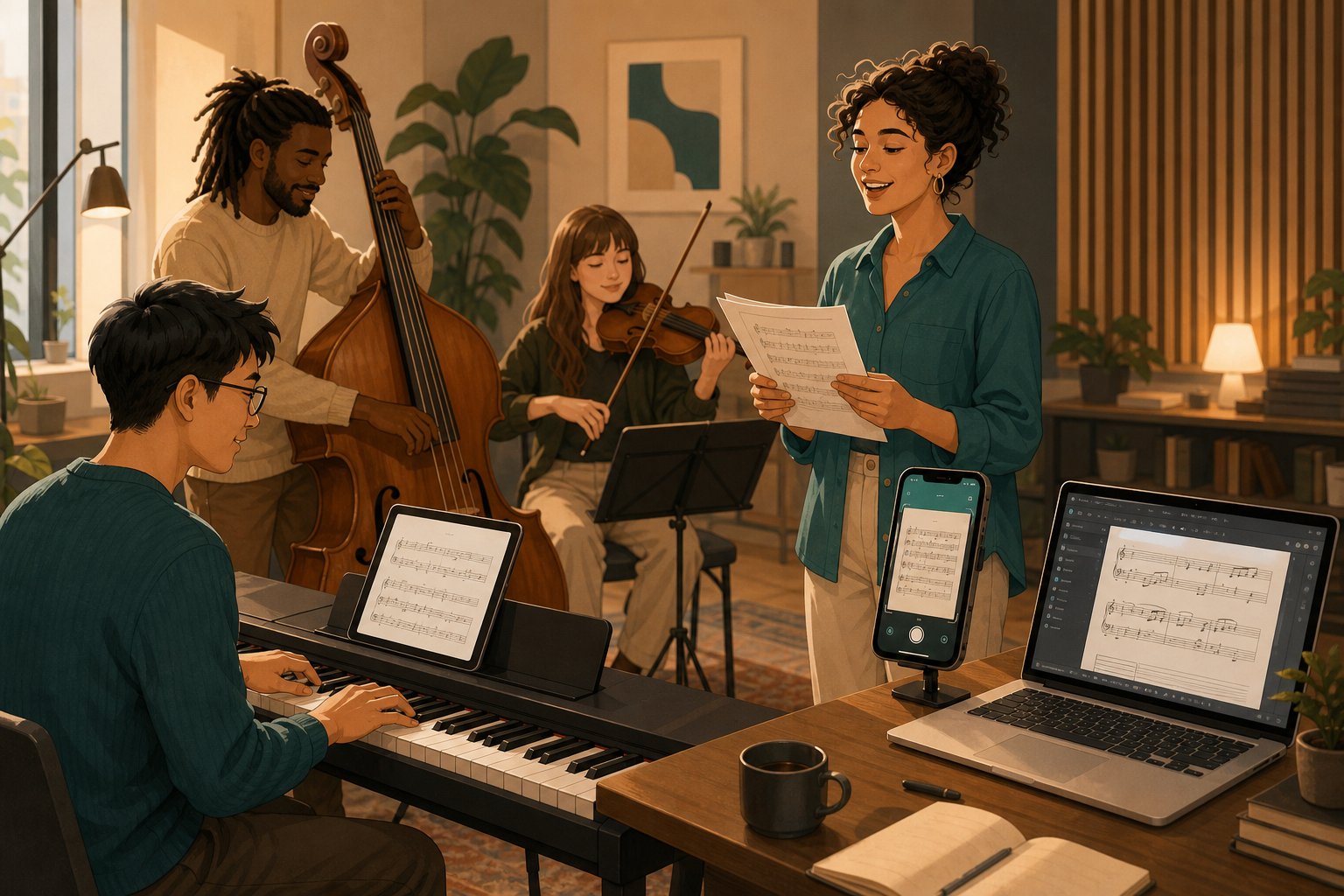
A digitized score is only as valuable as what you do with it. The reason someone scans a piece of music shapes which tools they choose, which output format they export, and how much accuracy they actually need. A student preparing for a recital has completely different goals than an archivist preserving a 19th-century manuscript collection. Here is how different musicians put AI-powered recognition to practical use.
For Students and Music Learners
If you are learning how to read sheet music piano parts from a printed book, the ability to hear those notes played back at your own pace changes the learning curve dramatically. Students use OMR tools as a bridge between the silent printed page and active musical understanding.
- Variable-speed playback — Scan a piece, export to MIDI, and use a sheet music player to change tempo of a MIDI sample to 60% or 40% speed. Practicing at slower tempos builds muscle memory without the frustration of stumbling through passages at full speed.
- Transposition on demand — A clarinetist working from a piano score can transpose music into B-flat instantly after digitization. No manual rewriting, no transposition errors — just export MusicXML and let the notation software handle the key change.
- Visual learning aids — Some students benefit from sheet music with letters or annotations overlaid on the standard notation. Once a score is in MusicXML format, notation editors can display piano notes and letters alongside traditional noteheads, making the connection between symbol and pitch name more immediate for beginners still building reading fluency.
- Part isolation — A piano sheet reader working through a duet or ensemble piece can mute other voices in the MIDI file and hear only their part, practicing along with the remaining accompaniment at whatever tempo feels comfortable.
For students, AI recognition turns static paper into an interactive practice tool. Reading piano sheet music becomes less intimidating when you can always press play and confirm what the notation actually sounds like.
For Composers and Arrangers
Composers accumulate manuscripts. Handwritten sketches in notebooks, printed scores marked up with arrangement ideas, old charts that exist only as photocopies. OMR gives these materials a second life in digital form.
- Manuscript digitization — Convert handwritten drafts into editable MusicXML files. The recognition will not be perfect on handwriting, but it provides a starting scaffold that is faster to correct than re-entering every note manually from scratch.
- Rearrangement workflows — A composer who finds an old lead sheet can scan it, export to MusicXML, and immediately begin orchestrating or rearranging in Dorico, MuseScore, or Sibelius. The digital file becomes raw material for creative transformation.
- Part extraction — Choir directors and ensemble leaders working from a full conductor score can extract individual vocal or instrumental parts after digitization. SmartScore 64 Pro specifically supports this workflow, letting users pull soprano, alto, tenor, and bass lines from a single SATB score into separate printable parts.
- Quick reference playback — Arrangers reviewing unfamiliar repertoire can scan pages and hear them immediately rather than sight-reading at the piano. This accelerates the selection process when choosing material for a concert program or recording session.
For Archivists and Accessibility
Beyond individual musicians, AI music recognition serves institutional and accessibility goals that affect entire communities.
Library preservation: Music libraries hold vast collections of scores that exist only as physical documents. Research on digitizing musical scores highlights that while many libraries have scanned their collections as images, these resources remain limited in functionality — you can view a page but not search its musical content, transpose it, or hear it played back. OMR technology enables the transition from image-only archives to content-based digital libraries where scholars can search by melodic pattern, key, or harmonic structure.
- Searchable collections — Once scores exist as structured MusicXML or MEI files rather than flat images, researchers can query collections by musical content — finding all pieces that use a particular motif or harmonic progression.
- Preservation without handling — Fragile historical manuscripts can be digitized once and then accessed repeatedly without physical contact, reducing degradation while broadening access to scholars worldwide.
- Braille music conversion — For visually impaired musicians, digitized scores open a critical accessibility pathway. Tools like the Sao Mai Braille Converter and MakeBraille take MusicXML files and automatically translate them into digital braille (BRF) files. These can be embossed for tactile reading or displayed on a refreshable braille device.
- Modified Stave Notation — Musicians with partial sight can benefit from enlarged, high-contrast versions of scores. MuseScore supports applying Modified Stave Notation styles to MusicXML imports, tailoring the display to individual access requirements.
- Audio playback access — At its simplest, converting a printed score to MIDI gives a blind musician the ability to hear any piece in a library collection — something impossible with a static printed page.
The value proposition shifts dramatically across these personas. A student needs speed and playback. A composer needs editability. An archivist needs long-term structured data. An accessibility specialist needs format conversion pipelines. But they all start from the same place: a printed page that AI transforms into something more useful than ink on paper.
This digitization step — turning static notation into structured, manipulable data — also opens a door that goes beyond preservation and practice. Once musical ideas exist as editable MIDI or MusicXML, they become raw material not just for reproduction but for creation.
From Reading Sheet Music to AI-Assisted Composition
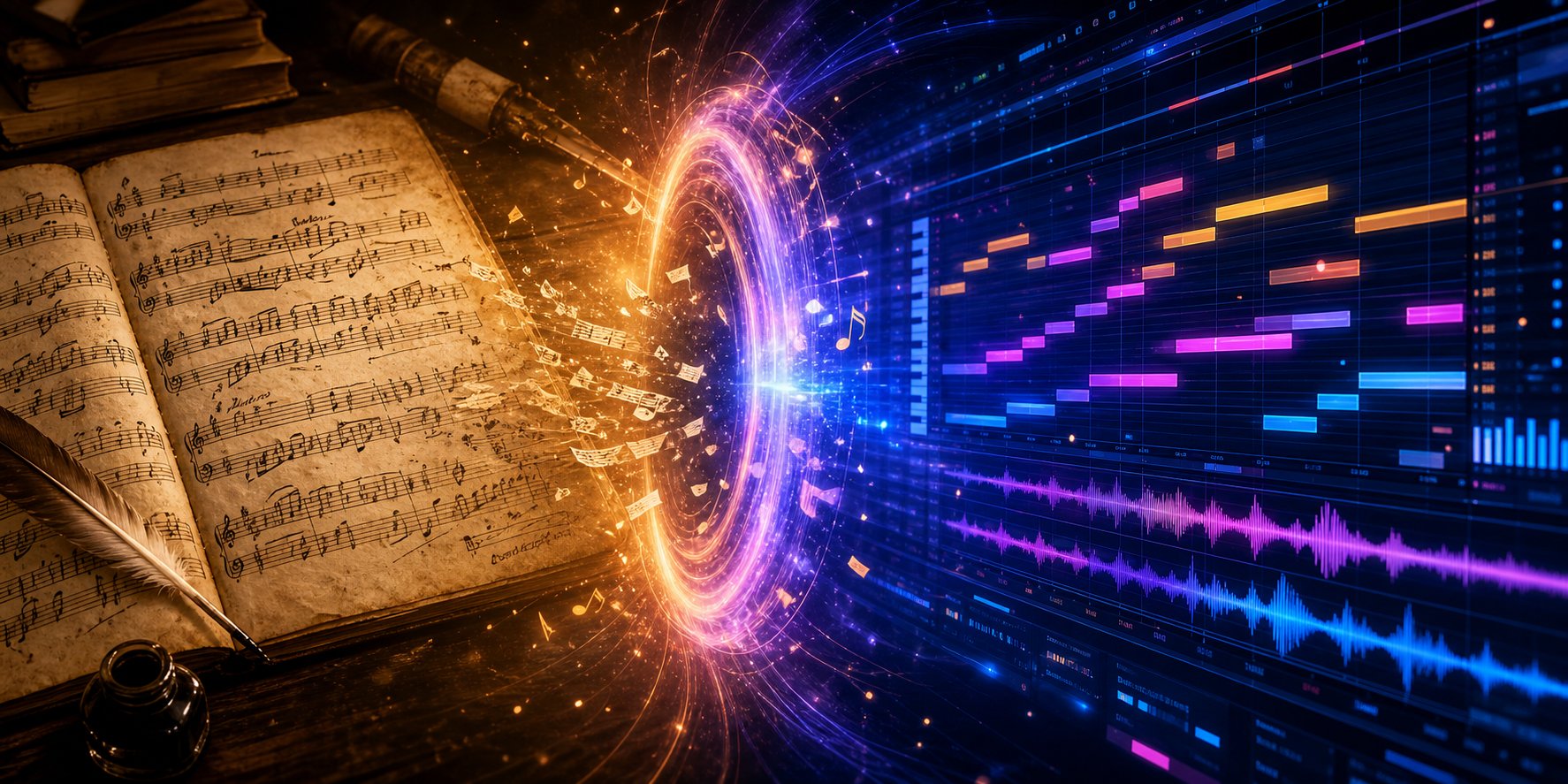
Digitizing a score and creating a new one are fundamentally different tasks — but they feed into each other more naturally than most people realize. OMR takes what already exists on paper and converts it into structured digital data. Generative AI does the opposite: it produces new musical material that never existed before. The interesting creative space lives at the intersection, where digitized scores become the seed material for entirely new compositions.
From Recognition to Creation
When you transcribe music from a printed page into MIDI or MusicXML, you are preserving — capturing someone else's ideas in a format a computer can manipulate. The output is a faithful (or near-faithful) reproduction of what was already written. Generative AI composition tools work from a different premise entirely. They produce novel melodic lines, chord progressions, and rhythmic patterns based on learned musical relationships rather than a specific source document.
But these two capabilities form a pipeline rather than competing alternatives. Consider the workflow: you scan a jazz lead sheet from a Real Book, export it as MIDI, and now you have a structured representation of the melody and chord changes. That MIDI file is not just a playback artifact — it is data you can analyze and build upon.
- Harmonic analysis — Import the MIDI into a chord analyzer and instantly see the progression mapped out: IIm7 - V7 - Imaj7 - VI7. Patterns that might take minutes to identify by ear become visible in seconds.
- Melodic extraction — Isolate the top voice from a piano score and use it as raw material. That melodic contour can inspire variations, inversions, or entirely new themes built from the same intervallic DNA.
- Structural templates — The form of a digitized piece — its phrase lengths, section proportions, harmonic rhythm — becomes a blueprint you can fill with fresh content while preserving the architecture that made the original effective.
This is where the audio to sheet music pipeline and the sheet music to MIDI pipeline converge with creative intent. Recognition gives you the raw ingredients. What you cook with them is a separate question — and increasingly, AI tools are stepping in to help with that second phase.
Using Digitized Scores as Creative Fuel
Imagine you have digitized a collection of Bach chorales into MIDI files. You are not planning to perform them as-is — you want to study how Bach handles voice leading and then apply those principles to your own writing. The MIDI data lets you do things that staring at printed notation cannot:
- Pattern mining — Search across multiple digitized scores for recurring harmonic moves or melodic intervals. What you find informs your own compositional vocabulary.
- Counter melody generation — Extract the soprano line, load it into your DAW, and write (or generate) a counter melody against it. The original melody becomes a compositional constraint that sparks creativity rather than limiting it.
- Reharmonization experiments — Keep the melody from a scanned score and replace the underlying chords entirely. MIDI makes this trivial — mute the bass and inner voices, keep the top line, and build new harmony underneath.
- Style transfer — Take a classical melody you digitized and recontextualize it with modern production: new rhythms, new instrumentation, new arrangement density. The scan gave you the melodic kernel; everything else is your creative contribution.
Some musicians even study notes into a song by digitizing their written theory exercises and transforming those academic patterns into actual musical material. A sequence of intervals practiced for ear training becomes the backbone of a new track when dropped into a DAW and layered with rhythm and texture.
Free music notation software like MuseScore makes this workflow accessible to anyone. Export your digitized score from MuseScore as MIDI, open it in your DAW of choice, and you are already halfway into a production session. The barrier between academic study and creative output collapses when notation lives as editable digital data rather than ink on a page.
AI MIDI Tools for Extending Musical Ideas
Here is where generative AI enters the picture. Once you have MIDI data — whether from scanning a printed score, recording a performance, or sketching ideas in a piano roll — AI composition tools can take that material and run with it. They generate variations, suggest continuations, harmonize melodies, and propose arrangements you might not have considered.
The AI MIDI generator landscape has matured rapidly. Tools like Lemonaide produce MIDI "seed ideas" that help producers build new verses, choruses, and bridges from initial musical fragments. HookPad's Aria feature analyzes your existing composition and suggests continuations trained on thousands of song structures. AIVA generates full multitrack MIDI arrangements based on parameters you set.
MakeBestMusic's AI MIDI Generator fits naturally into this digitization-to-creation pipeline. Once you have converted sheet music into MIDI through an OMR tool, you can feed those ideas into the generator to explore new melodic directions, build out arrangements, and discover variations inspired by the original material. It supports producers and composers who want AI-assisted MIDI ideas without starting from a blank canvas — the scanned score provides the creative starting point, and the AI extends it into territory you might not reach alone.
The practical workflow looks like this:
- Scan or photograph your source score
- Run it through an OMR tool to get a clean MIDI export
- Import the MIDI into your DAW or directly into an AI composition tool
- Use the AI to generate new melodic ideas, harmonic variations, or arrangement layers built from or inspired by the original
- Edit, combine, and refine the AI output with your own musical judgment
This pipeline works equally well whether your source material is a scanned Beethoven sonata, a handwritten sketch from your own notebook, or MIDI captured via audio to sheet music transcription from a recorded performance. The recognition step feeds the generation step, and human creative decisions guide both.
Some producers also pair these tools with an ai beat visualizer to see rhythmic patterns and structural relationships in the generated MIDI, making it easier to identify which AI suggestions fit the groove they are building and which need adjustment.
The key distinction worth remembering: OMR is a reproduction technology. It faithfully captures what already exists. AI MIDI generation is a creative technology. It proposes what could exist next. Used together, they form a complete loop — from paper to pixels to new musical possibilities — where historical scores become living source material rather than museum pieces.
What Comes Next for AI and Sheet Music
The loop from paper to pixels to new creative material already works today — but it works within constraints. Handwritten scores still trip up the best models. Complex polyphonic textures still demand human correction. Real-time mobile recognition still sacrifices accuracy for speed. Each of these constraints is actively shrinking as research pushes forward, and the trajectory points toward a future where learning how to read music notes and having AI assist you in the process become nearly seamless experiences.
Where the Technology Is Headed
Several emerging trends are reshaping what AI can do with sheet music:
- Better handwriting recognition — Projects like Clarity-OMR are specifically tackling handwritten notation through community-contributed training data and hybrid architectures that blend computer vision with machine learning. As these datasets grow — fueled by crowdsourced labeling and semi-automated annotation tools — the accuracy gap between printed and handwritten recognition will continue to narrow.
- Real-time camera-based recognition — Mobile apps already offer instant playback from photographed scores, but the next generation aims for truly real-time processing. Google's Lyria Camera demonstrates how camera feeds can drive continuous AI music generation. Apply that same real-time processing to OMR, and you get a future where pointing your phone at a score produces instant, accurate playback without waiting for cloud processing — a significant leap for anyone wondering how can I read music notes faster during practice sessions.
- Deeper integration between recognition and playback — Today, scanning and playing back are separate steps with separate tools. The trend is toward unified experiences where the recognition engine, the notation editor, and the playback system live inside a single interface. You photograph a page and immediately hear it, see it rendered cleanly, and edit it — all without exporting files between applications.
- Convergence of reading and generation — The boundary between AI that reads existing music and AI that writes new music is blurring. Systems trained to understand notation structure for recognition purposes are being extended to predict what comes next in a musical sequence. A model that understands how to read notes on sheet music deeply enough to reconstruct them from noisy images also understands enough about musical grammar to suggest continuations, harmonizations, and variations.
- Improved fine-grained accuracy — Recent OMR frameworks combining residual bottleneck convolutions with bidirectional gated recurrent units already achieve symbol error rates below 0.5% on printed scores. As these architectures mature and training data diversifies, expect that precision to extend to grace notes, complex articulations, and multi-voice textures that remain problematic today.
The broader pattern: each component in the pipeline — scanning, recognition, reconstruction, playback, and generation — is getting better independently while also integrating more tightly with its neighbors. The end state looks less like a chain of separate tools and more like a single intelligent music environment.
Choosing Your Path Forward
With so many options available, picking the right approach depends entirely on what you are trying to accomplish. Here is a practical decision framework for anyone exploring how to read music sheet content with AI assistance:
- You need accurate digitization of printed scores — Use a dedicated OMR tool. Machine learning-based options like Soundslice and Newzik deliver the strongest out-of-the-box accuracy. Open-source tools like Audiveris work well for budget-conscious users willing to accept slightly lower accuracy on complex layouts. This is the right path for students, arrangers, and archivists who need faithful digital reproductions.
- You need music theory interpretation or contextual analysis — Use a multimodal LLM like GPT-4 or Claude. These models reason about harmonic function, form, and style rather than performing pixel-level transcription. They complement OMR tools rather than replace them — scan first for the accurate file, then ask the LLM questions about what you are looking at.
- You want to turn digitized scores into new creative material — Use AI composition and MIDI generation tools. Once OMR has produced a clean MIDI export, tools like MakeBestMusic's AI MIDI Generator help you extend those ideas into new melodies, arrangements, and production directions. This is where recognition feeds directly into creation — the scanned score becomes a launching pad rather than a final destination.
- You want the fastest possible results with minimal setup — Use a mobile OMR app like PlayScore 2 or Sheet Music Scanner. Accuracy is lower than desktop or ML-based alternatives, but instant playback from a phone camera photo gets you hearing the music within seconds. Ideal for quick reference or casual practice.
These paths are not mutually exclusive. Many musicians move through all of them depending on the task at hand — scanning a score on Monday for rehearsal prep, asking an LLM about its harmonic structure on Wednesday, and feeding the MIDI into a generative tool on Friday to build something new from the source material.
The most productive approach? Experiment with the full pipeline end to end. Take a printed score you know well, scan it through an OMR tool, verify the output against your knowledge of the piece, export the MIDI, and feed it into a creative AI tool to see what possibilities emerge. That single experiment will teach you more about how to read music notes through AI than any article can — because you will feel the strengths and limitations firsthand, calibrated to the specific music you care about.
AI reading sheet music is no longer a research curiosity. It is a practical, accessible capability that slots into real workflows for practice, preservation, analysis, and creation. The technology will keep improving. The creative possibilities will keep expanding. The best time to start building your own scanning-to-creation pipeline is now.
