

What an AI Music Video Actually Is
You have a finished track. You want visuals that move, pulse, and tell a story alongside your audio. But you don't have a film crew, a location, or a post-production budget. This is exactly where an AI music video enters the picture.
An AI music video is a music video where artificial intelligence handles some or all of the visual creation process, from generating imagery and animating scenes to synchronizing visuals directly with the audio track.
A Clear Definition of AI Music Videos
Think of it from two angles. As a viewer, you're watching visuals that were partially or entirely produced by machine learning models rather than cameras and human actors. As a creator, you're feeding your song, a text prompt, or a set of style preferences into an AI system and receiving moving visuals in return. The AI analyzes your audio, interprets mood and rhythm, and generates frames that feel connected to the music. Some tools let you create a free AI music video in minutes with nothing more than an uploaded track.
How AI Music Videos Differ from AI-Generated Music
Here's where confusion often creeps in. AI-generated music refers to audio content, melodies, beats, and vocals, produced by artificial intelligence. An artificial intelligence music video, on the other hand, focuses strictly on the visual layer. The song itself might be entirely human-made. What the AI handles is the video: the imagery, motion, transitions, and synchronization. RouteNote's breakdown of AI in music draws a similar line, noting that AI-assisted tools support the creative process while the human artist remains in control of the final product.
The Spectrum from AI-Assisted to Fully Autonomous
Not every AI music video is created equal. On one end, you have AI-assisted workflows where a human director uses generative tools to produce specific scenes, then edits everything together manually. On the other end, fully autonomous pipelines accept a song file and output a complete video with no human intervention between input and export. Most creators land somewhere in the middle, using AI to generate raw visual material and then curating, reordering, or refining the output to match their artistic intent.
That range matters because it shapes what you can expect in terms of quality, coherence, and creative control. The more human involvement in the loop, the more intentional the final product tends to feel. But even fully automated outputs have reached a point where they genuinely surprise you, which raises a natural question: how did this technology get here in the first place?
How AI Music Videos Evolved
The idea of machines creating visuals tied to music didn't appear overnight. It grew out of decades of experimentation, each stage building on the last, each breakthrough making the next one feel inevitable. Understanding this progression helps you appreciate both what music video AI tools can do today and why certain limitations still persist.
Early Experiments in Generative Music Visuals
Long before diffusion models existed, artists and programmers were exploring algorithmic approaches to pairing sound with visuals. The roots stretch back further than most people realize. Musical randomization itself dates to the 18th century, with Mozart's Musikalisches Wurfelspiel, a system that let composers generate pieces by rolling dice. The mathematical nature of music made it a natural candidate for computational manipulation.
By the mid-20th century, pioneers like Max V. Mathews were developing digital audio synthesis programs at Bell Laboratories, starting with MUSIC I in 1956. On the visual side, early media players offered reactive visualizers, those swirling patterns that responded to frequency and amplitude in real time. Simple? Yes. But they established a foundational concept: software could listen to audio and generate visuals without human frame-by-frame input.
Brian Eno popularized the term "generative music" in 1995 when he collaborated with SSEYO's Koan software to create compositions that continuously evolved based on predefined rules. This philosophy, systems producing ever-changing output rather than fixed compositions, directly influenced how artists later approached generative visuals. Projects like "Rituals - Venice" (2021) by Aaron Penne and Boreta merged algorithmic visuals with meditative music, producing audiovisual works with code capable of generating non-repeating output for over 9 million years.
The Diffusion Model Breakthrough
Imagine jumping from those reactive waveform visualizers to AI systems that paint photorealistic scenes from a text description. That leap happened through neural networks, specifically through two key innovations: neural style transfer and diffusion models.
Neural style transfer arrived in the mid-2010s, allowing creators to apply the visual characteristics of one image, say a Van Gogh painting, onto video footage. Artists experimented with running entire music videos through these filters, creating dreamlike visual treatments that felt genuinely new. The limitation was clear, though. You still needed source footage. The AI was transforming, not creating from scratch.
Diffusion models changed everything. These systems learn to generate images by gradually removing noise from random static until coherent visuals emerge. When researchers extended this technique from single images to sequential frames, text-to-video generation became possible. Suddenly, a virtual artist could produce music visuals from nothing more than a written description and an audio track. DeepMind's WaveNet (2016) had already demonstrated that deep learning could handle realistic neural synthesis of sound. Applying similar architectures to video was the logical next frontier.
From Research Labs to Consumer Tools
For years, these capabilities lived exclusively in academic papers and corporate research labs. You needed specialized hardware, programming expertise, and patience to produce even a few seconds of generated video. The gap between what was theoretically possible and what an independent musician could actually access was enormous.
That gap closed rapidly. Open-source model releases democratized access. Cloud computing eliminated the hardware barrier. And purpose-built platforms wrapped complex AI pipelines into interfaces where uploading a song and selecting a style was all it took to produce visual content. Tools like OpenArt AI music video generators and similar platforms emerged, letting anyone experiment with generative visuals regardless of technical background.
The progression followed a clear pattern: research breakthrough, open-source availability, consumer tool adaptation. Each cycle accelerated faster than the last. What took years in the neural style transfer era took months in the diffusion model era. Today, the technology iterates in weeks.
This rapid evolution sets up an important question. You know what these tools can do and where they came from, but what actually happens under the hood when you feed a song into one of them?
The AI Music Video Creation Pipeline
Every AI music video, regardless of the tool you use, passes through the same fundamental stages. The specifics vary between platforms, but the pipeline follows a consistent logic: audio goes in, visuals come out, and several layers of processing connect the two. Here's exactly what happens at each step when you make an AI video from a song for free or through a paid service.
- Music input and audio analysis
- Visual concept generation and style selection
- Frame-by-frame video synthesis
- Audio-visual synchronization
- Post-processing and final output
Music Input and Audio Analysis
The pipeline begins the moment you upload your track. The system accepts an audio file, typically MP3 or WAV, and immediately decomposes it into structural components. According to Lovart's workflow documentation, this analysis extracts tempo (BPM), beat positions through transient detection, energy curves measuring loudness over time, frequency spectrum distribution across bass, mid, and treble ranges, and section boundaries identifying verse, chorus, bridge, and outro.
This decomposition is what separates an AI music video generator from audio from a random slideshow. The system doesn't just know your song exists. It understands where the drops hit, where the energy builds, and where quiet moments need breathing room. Some platforms can even find song from audio file metadata to pull additional context like genre tags or mood descriptors, giving the visual engine more information to work with.
Visual Generation and Style Selection
With the audio mapped, the system moves to creating visuals. This is where diffusion models do the heavy lifting. At a conceptual level, these models generate images by starting with random noise and gradually refining it into coherent visuals, guided by text prompts, style parameters, or the audio analysis data itself.
You typically choose or describe a visual direction: dark fantasy, claymation, abstract geometry, photorealistic landscapes. The AI interprets this alongside the audio data to determine what each frame should contain. A best ai music video generator from audio will factor in genre conventions, so a lo-fi track doesn't accidentally receive aggressive visual cuts meant for electronic music.
The challenge here is temporal consistency, making sure objects and scenes don't morph randomly between frames. Research architectures like Video Diffusion Models address this through temporal attention layers that process frames along the time axis, enforcing coherence by allowing each frame to reference its neighbors. Without these mechanisms, you'd get beautiful individual images that flicker incoherently when played in sequence.
Synchronization and Output
The final stages marry the generated visuals back to the original audio. Beat-synced alignment means visual events, scene cuts, camera movements, color shifts, land on musically significant moments rather than at arbitrary intervals. When the bass drops, the visuals shift. When the track enters a quiet bridge, the animation slows or dissolves.
This sync isn't manual keyframing. It's data-driven alignment between the audio structure the system mapped in step one and the visual timeline it generated in steps two and three. The result is a rough cut that, as one practitioner's workflow documents, often needs merging of multiple shorter clips with transition effects to cover a full song's duration, since most models generate segments of 10 to 20 seconds at a time rather than a complete three-minute video in one pass.
Post-processing handles the final polish: upscaling resolution, smoothing transitions between generated segments, correcting color grading, and encoding the output for your target platform. Some creators use this stage to find song from video ai tools that verify the audio-visual alignment is tight before export. The entire pipeline, from upload to finished video, can complete in minutes on commercial platforms or a few hours when self-hosting models on rented GPUs.
Understanding this pipeline clarifies something important: not every tool handles each stage the same way. The approach you choose for visual generation, whether text-to-video, image animation, or beat-reactive abstraction, fundamentally shapes what comes out the other end.
Different Approaches to AI Music Video Generation
Five distinct methods exist for turning a song into moving visuals, and each produces fundamentally different results. Choosing the wrong approach for your genre or platform is one of the fastest ways to end up with output that feels off. Here's how to create a music video with AI using the method that actually fits your project.
Text-to-Video Generation
This is the most flexible approach. You write a text prompt describing the scene you want, a woman walking through a neon-lit city, a forest dissolving into particles, and the AI generates video from that description alone. No source footage, no reference images, just language turned into motion.
Text-to-video works well when you have a strong concept but zero visual assets to start from. The tradeoff is control. You're describing what you want rather than showing it, which means the AI interprets your words through its own training data. Results can surprise you in good ways and frustrating ones. Platforms like Runware's flagship models demonstrate how far prompt adherence has come, with models like Seedance 2.0 producing multi-shot sequences that hold character and environment consistency across cuts.
Image Animation and Style Transfer
Already have album artwork, promotional photos, or concept art? Image-to-video takes a still image and breathes motion into it. The AI preserves the composition and subject of your original frame while adding camera movement, subtle animation, or full scene dynamics. This is how to create an animated music video without drawing a single frame by hand.
Style transfer works differently. You feed in existing footage, maybe a simple webcam recording or stock video, and the AI re-renders it in a completely new visual style. Want your performance video to look like a watercolor painting or a graphic novel? Style transfer handles that transformation while preserving your original motion and timing.
Both approaches give you more predictable results than pure text-to-video because you're providing concrete visual information as a starting point. Serenade Magazine's platform comparison notes that tools like Kaiber lean into this stylized transformation workflow, producing fluid, dreamlike animation that shifts with the overall feel of the music.
Beat-Synced Visuals and AI Avatars
Beat-synced abstract visuals are the spiritual successor to those classic media player visualizers, except now they're cinematic. The system reads your audio's rhythm, energy, and frequency data, then generates reactive patterns, shapes, color pulses, and geometric transformations that move in lockstep with the beat. This approach suits electronic, ambient, and lo-fi tracks where atmosphere matters more than narrative.
AI avatar and lip-sync generation takes a completely different path. Here, the system creates a singing character, a virtual performer whose mouth movements match your vocal track. You might provide a portrait image, select from preset characters, or describe the performer you want. The AI handles facial animation, head movement, and audio-visual alignment. Some creators use this to produce singing graphic content or generate cartoon singers images for animated projects where a recognizable figure needs to front the track.
Each approach serves different creative goals. To create AI music videos that actually land, match the method to your music rather than defaulting to whatever tool you found first.
| Approach Type | Best For | Input Required | Typical Quality | Creative Control Level |
|---|---|---|---|---|
| Text-to-Video | Concept-driven narratives, no existing assets | Text prompt + audio file | High (with strong prompts) | Moderate — prompt-dependent |
| Image-to-Video | Animating artwork, album covers, concept art | Still image + audio file | High — preserves source quality | High — visual anchor provided |
| Style Transfer | Restyling existing footage into new aesthetics | Source video + style reference | Medium-High — depends on source | High — choose style and source |
| Beat-Synced Abstract | Electronic, ambient, lo-fi, atmospheric tracks | Audio file + style preferences | Medium — limited narrative depth | Low-Moderate — reactive, not directed |
| AI Avatar / Lip-Sync | Artist-facing content, lyric videos, virtual performers | Portrait or character ref + vocal track | Medium — sync accuracy varies | Moderate — character selection + script |
Most real-world projects blend two or more of these approaches. You might use text-to-video for establishing shots, image animation for key visual moments, and beat-synced abstraction for transitions between scenes. The tools increasingly support this hybrid workflow, letting you create a music video with AI that feels cohesive even when the underlying generation methods differ across sections.
Flexibility is the upside. But how does all of this compare to what a human production team delivers? The gap between AI-generated and traditionally produced music videos isn't as simple as "cheaper but worse."
AI Music Videos vs Traditional Production
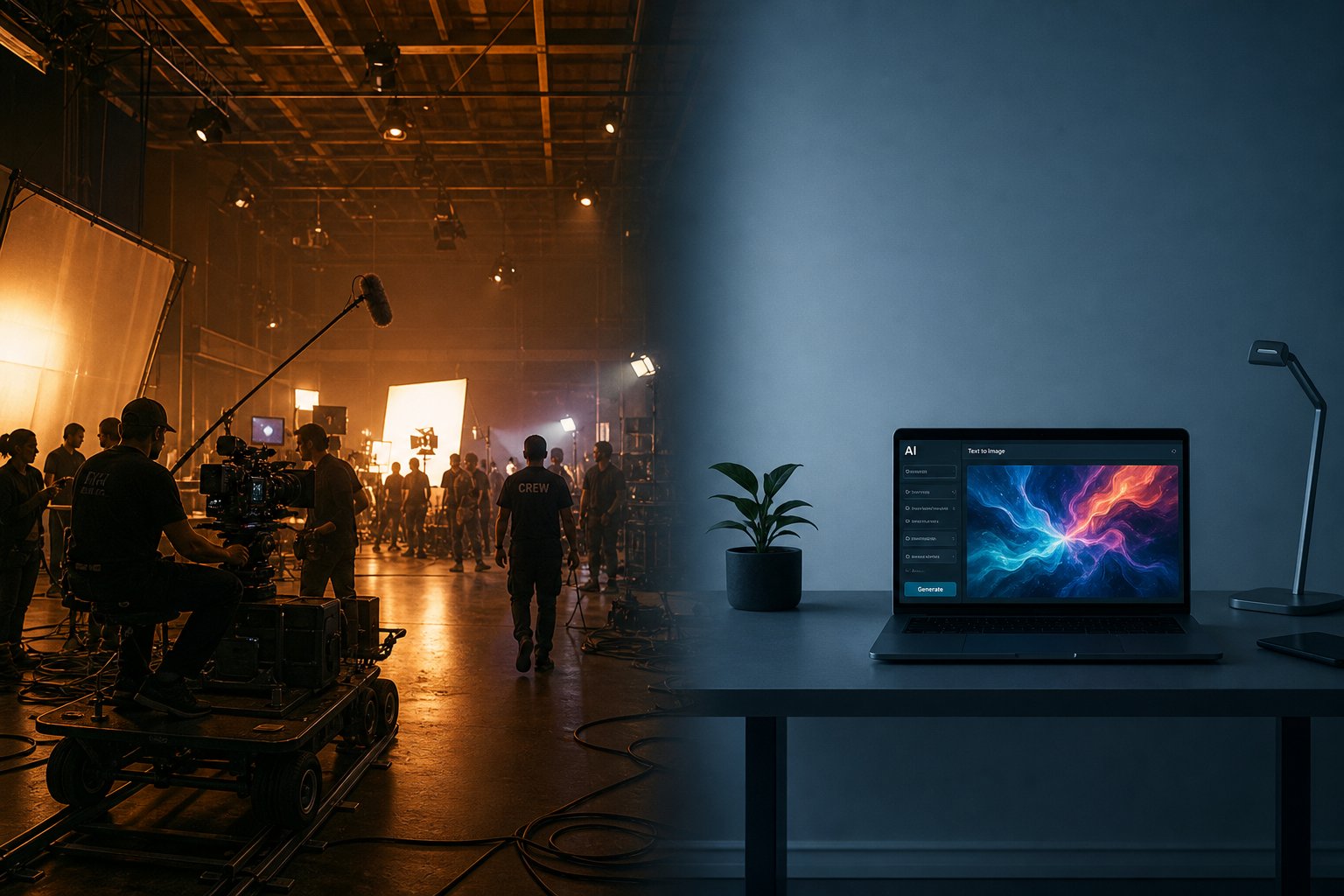
The gap between AI-generated and traditionally produced music videos isn't simply a matter of budget or convenience. It's a set of tradeoffs across multiple dimensions, and the right choice depends entirely on what you're optimizing for. Knowing exactly where each approach wins and where it falls short helps you decide how to make a music video with AI confidently, or when to invest in a traditional shoot instead.
Production Cost and Timeline Differences
Traditional music video production spans a wide financial range. Professional budgets run from $5,000 to $15,000 at the low tier, $15,000 to $100,000 at mid-range, and over $500,000 for high-end productions. Those costs cover pre-production (concept development, location scouting, talent casting), the shoot itself (crew wages, gear rentals, location fees), and post-production (editing, color grading, VFX, final delivery). Even a straightforward concept demands weeks of planning and coordination across multiple teams.
AI music video generation collapses that entire timeline. What historically required four to eight weeks from brief to delivery can happen in hours or, at most, a few days. There's no location to book, no crew to schedule, no weather to worry about. You upload a track, define a visual direction, and the system produces output. For independent artists making music videos on tight deadlines, that speed difference alone can determine whether a release gets visual content at all.
The cost gap widens dramatically at scale. Need five versions of a video for different platforms? Traditional production multiplies in expense with each variation. AI generation does not. Lemonlight's production data suggests AI video typically costs 40% to 70% less than comparable traditional work, with the savings growing steeper as output volume increases.
Creative Control and Quality Ceiling
Here's where the balance tips back toward traditional production. When a director controls every element, the lighting, framing, performance, wardrobe, and environment, the results are intentional in a way AI simply cannot match yet. Every frame serves the story because a human made it serve the story.
AI tools have improved significantly in prompt adherence and style consistency, but there's still unpredictability baked into the process. Getting an AI-generated sequence to match an exact creative vision often requires multiple iterations, and certain concepts remain difficult to execute reliably. Human facial expressions, nuanced physical performances, and complex narrative blocking are areas where traditional crews deliver results that generative models struggle to replicate.
The quality ceiling reflects this difference. For premium, flagship content where emotional resonance drives impact, traditional production still creates a noticeably higher-caliber output. Not because AI can't generate impressive visuals, but because the texture of real environments, genuine performances, and intentional cinematography carries something audiences feel even when they can't articulate it.
That said, for performance-driven content like social ads, lyric videos, and platform-specific clips, AI output now meets professional standards. The question of how to make music video content that works isn't always about maximum production value. Sometimes it's about speed, volume, and matching the format to the platform.
When Each Approach Makes Sense
The honest framing isn't which method is better. It's which method fits the project.
Making a music video with AI makes sense when you need visual content fast, your budget is limited, you're producing multiple format variations, or your concept leans into abstract or stylized aesthetics where AI thrives. Independent musicians creating a music video for a single release, YouTubers needing visuals for every upload, creators testing concepts before committing to full production, all of these scenarios favor AI generation.
Traditional production earns its cost when the video is a flagship piece tied to your identity as an artist, when authentic human performance is central to the message, when you need precise control over every visual element, or when the emotional quality of the video directly drives its business or artistic impact.
A hybrid approach is also worth serious consideration. Combine AI-generated elements (backgrounds, transitions, atmospheric B-roll) with traditionally shot footage (performance clips, narrative scenes) and you get the efficiency of AI with the authenticity of human-directed content.
| Dimension | Traditional Production | AI Generation |
|---|---|---|
| Cost | $5,000 to $500,000+ | $0 to a few hundred dollars |
| Timeline | 4 to 8 weeks (brief to delivery) | Minutes to a few days |
| Expertise Needed | Director, crew, actors, editors, colorists | Prompt writing, basic editing, style selection |
| Quality Ceiling | Highest — full creative intentionality | Strong for stylized/abstract; limited for narrative realism |
| Scalability | Each variation multiplies cost linearly | Multiple versions at minimal additional cost |
| Creative Control | Total — every element is directed | Moderate — prompt-guided with some unpredictability |
| Human Performance | Real actors, genuine emotion | Limited — facial accuracy and nuance still lacking |
Neither column dominates the other. If you're making music videos for a major album rollout with label support, traditional production delivers the artistic weight that moment deserves. If you're an independent creator who needs visuals for every track to stay visible across platforms, AI generation gives you output that would have been financially impossible five years ago.
Still, even the best AI pipeline produces output with visible seams. Understanding exactly where those seams appear, and which ones matter for your audience, is what separates creators who use these tools effectively from those who publish and immediately regret it.
What AI Music Videos Get Wrong Today
You've seen the pipeline, the approaches, and the cost savings. Sounds like a solved problem, right? It's not. Every creator who's published an AI music video has encountered moments where the output crosses from "impressively generated" into "something is deeply wrong here." Knowing exactly where these failures occur keeps you from wasting hours on output that was never going to work.
Visual Artifacts and Consistency Issues
The core technical challenge is temporal instability. AI video models generate frames individually or in small batches, and each frame is technically a separate generation. As Hedra's engineering team explains, the model must "remember" what came before to keep subjects, lighting, and environments stable, and sometimes that memory fails. The result? Objects morph between frames, backgrounds flicker, and characters subtly shapeshift throughout the video.
Here are the most common artifact types you'll encounter:
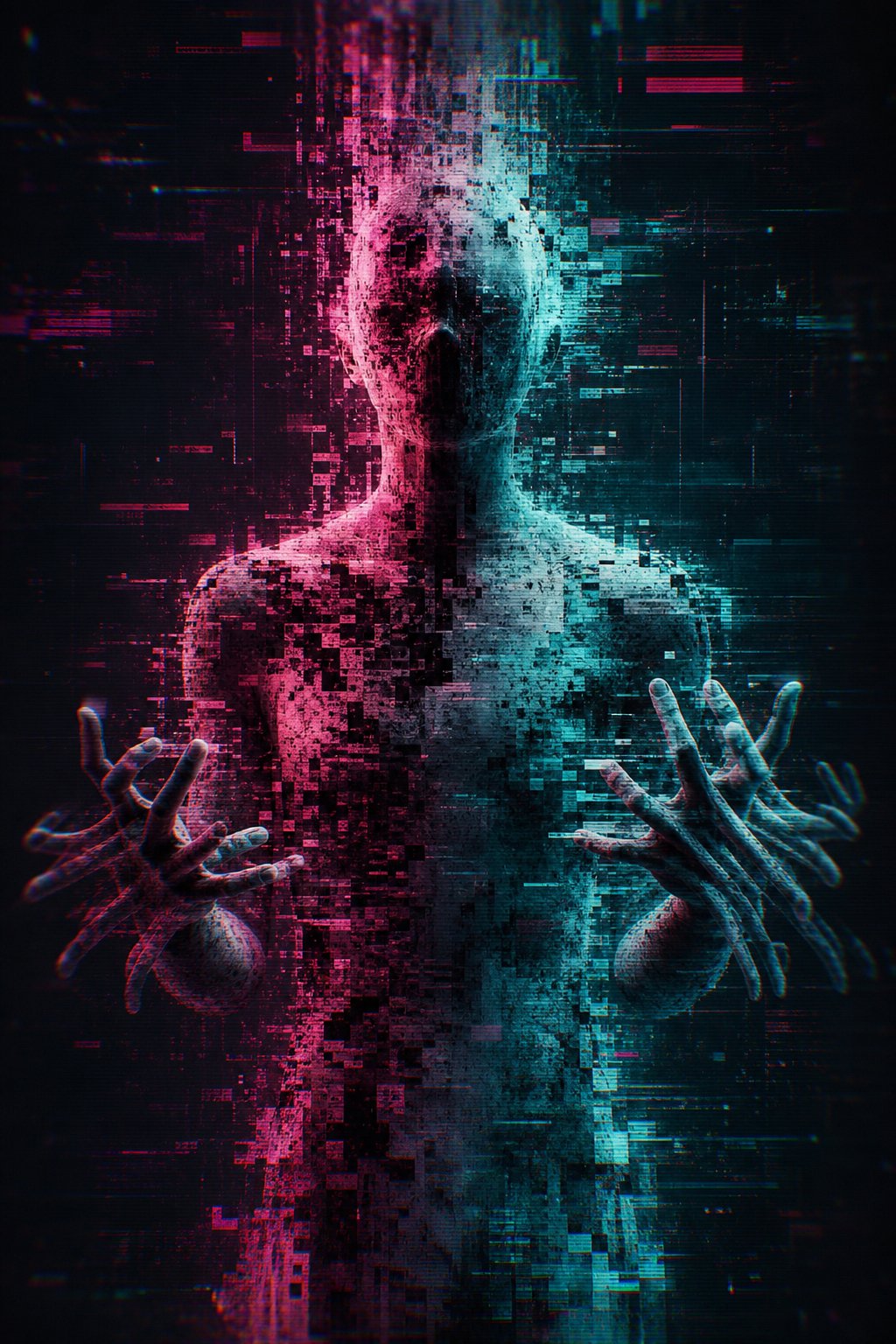
- Hand and finger distortion — Extra fingers appear, hands melt into undefined shapes, or digits fuse together mid-gesture. This remains one of the most recognizable tells of AI-generated content.
- Facial morphing — An ai character singing might hold together for a few seconds, then the jawline shifts, eyes drift apart, or the hairstyle subtly changes between frames.
- Text rendering failures — Any text in the scene (signs, logos, song titles) becomes garbled. AI models struggle to maintain legible characters across multiple frames.
- Object drift — Props, clothing details, and background elements appear, disappear, or transform without explanation. A necklace might vanish mid-shot. A window behind the subject gains or loses panes.
- Lip-sync inaccuracy — Mouth movements rarely match vocals precisely. Research into this problem is actively advancing, with frameworks like SyncAnyone demonstrating that mask-free approaches can improve temporal coherence and identity preservation. But consumer-facing tools haven't fully caught up yet.
- Resolution degradation — Generated footage often maxes out at 720p or 1080p, and detail breaks down further when upscaled. Fine textures like fabric weave or hair strands turn into soft blobs.
These artifacts intensify with complexity. A single subject against a simple background holds together far better than multiple characters in a detailed environment. Fast motion and longer generation durations compound the problem.
Narrative and Coherence Challenges
Beyond frame-level glitches, AI music videos struggle with storytelling structure. Digital Brew's analysis puts it directly: generative AI doesn't understand story, emotion, or audience. It assembles content based on probabilities learned from existing data. The practical impact is videos that look visually interesting in isolation but fail to build meaning across their runtime.
You'll notice repetitive visual patterns, the same camera angle recurring, similar compositions repeating every few seconds, because the model gravitates toward statistically common outputs. There's no directorial intent guiding the viewer's eye or building emotional arcs that mirror the song's progression. A human editor would cut to a close-up during the emotional peak of a chorus. AI might give you another wide shot indistinguishable from the last one.
Longer videos amplify this. Most models generate clips of 4 to 20 seconds with reasonable consistency. Stretch beyond that and drift becomes inevitable, functioning almost like a video distorter slowly warping your original vision the further the generation runs from its starting point.
What These Limitations Mean for Creators
None of these issues are permanent. They're snapshots of where the technology stands, not its ceiling. A year ago, temporal consistency was significantly worse. Lip-sync research that's producing strong results in academic settings will filter into consumer tools. Resolution limits will climb as hardware improves.
But right now, creators need to plan around these constraints rather than fight them. Shorter clips edited together, simpler compositions, and styles that embrace abstraction rather than photorealism, these aren't compromises. They're informed creative choices that work with the technology instead of against it. Some issues mirror problems familiar from other platforms, like when the youtube app audio out of sync issues frustrate viewers watching content on mobile. The difference is those playback bugs get patched. AI generation limitations require architectural advances that take longer to arrive.
The honest takeaway: AI music videos can look genuinely impressive when you respect what the tools handle well and avoid pushing them into territory where they consistently fail. Understanding those boundaries is the difference between output you're proud to publish and output you can't unsee.
These constraints naturally raise a question about who should bother with this technology at all, and more importantly, who stands to gain the most despite the imperfections.
Who Benefits from AI Music Videos
The imperfections are real, but so is the opportunity gap. For certain creator segments, AI-generated visuals don't need to be perfect. They need to exist. That distinction matters more than most quality debates acknowledge.
Independent Musicians and Budget Creators
Imagine you're a solo artist releasing a track every month. Traditional video production at even $2,000 per video means $24,000 annually just for visuals. That's not realistic for most independent musicians. AI music videos free creators from that financial bottleneck entirely.
The math is straightforward. A finished track sitting on Spotify without visual content gets overlooked on video-first platforms. A track paired with even an imperfect AI-generated video gains access to YouTube's discovery algorithm, Instagram's Reels feed, and TikTok's recommendation engine. Visibility beats perfection when you're building an audience from zero.
This applies across genres. Singer-songwriters can generate atmospheric narrative visuals. Electronic producers get reactive beat-synced content. Even artists releasing ai generated country songs or ai country songs are using these tools to pair their tracks with scenic visuals, dusty landscapes, and nostalgic animation styles that match the genre's aesthetic without hiring a full production crew.
Tools like MakeBestMusic's AI Music Video Generator specifically target this segment, letting musicians upload a finished song and receive visual content ready for distribution. For budget-conscious creators who already have the music and just need the visuals, that workflow removes the last barrier between a finished track and a complete release.
YouTube Channels and Social Media Content
YouTube ai channels built around music content face a specific challenge: the platform rewards consistent uploads, but producing original video for every track is unsustainable without AI assistance. This is especially true for youtube lofi music channels and lofi ai content creators who need hours of atmospheric visuals to accompany ambient mixes and study playlists.
Current monetization guidance confirms that AI-assisted channels with real human creative direction still have a clear path to the YouTube Partner Program. The key distinction is authorship. Channels that use AI as a production tool while maintaining original character design, consistent branding, and genuine creative vision remain monetizable. Channels that mass-produce interchangeable content without creative identity get flagged.
Social media creators producing content at scale benefit similarly. A content marketer managing multiple artist accounts needs visual assets for every release across every platform. AI generation makes that volume feasible without proportional cost increases.
Platform-Specific Performance Considerations
Where you publish determines how you should format your AI music video. Each platform enforces distinct technical requirements and rewards different content behaviors.
| Platform | Optimal Aspect Ratio | Recommended Length | Algorithmic Preference |
|---|---|---|---|
| YouTube (Standard) | 16:9 (1920x1080) | 3-10 minutes | Watch time and session duration |
| YouTube Shorts | 9:16 (1080x1920) | Under 3 minutes | Engagement rate and shares |
| TikTok | 9:16 (1080x1920) | 15-60 seconds | Completion rate and replays |
| Instagram Reels | 9:16 (1080x1920) | 15-90 seconds | Saves, shares, and initial engagement velocity |
According to Sprout Social's specs guide, TikTok in-feed videos support up to 10 minutes when uploaded externally, while Instagram Reels now extend to 15 minutes for uploaded content. But algorithmic preference still favors shorter, high-completion content on both platforms. A 30-second AI music video clip that viewers watch twice outperforms a 3-minute video they abandon halfway through.
The practical implication: generate your full-length video for YouTube, then extract the most visually compelling 30-to-60-second segment for short-form platforms. One AI generation session can produce content for three or four distribution channels with minimal additional effort.
A brief word on the authenticity debate. Some argue that AI-generated visuals devalue the craft of music video production and displace human directors, editors, and animators. That concern has merit. But the reality is more nuanced: most artists using these tools never had access to traditional production in the first place. AI isn't replacing a video they would have commissioned. It's creating one that otherwise wouldn't exist.
The creators who stand to gain the most are those who treat AI as a starting point rather than a finished product, bringing their own artistic judgment to curation, sequencing, and refinement. Which raises the practical question: if you're ready to try this yourself, where do you actually begin?
How to Start Creating AI Music Videos
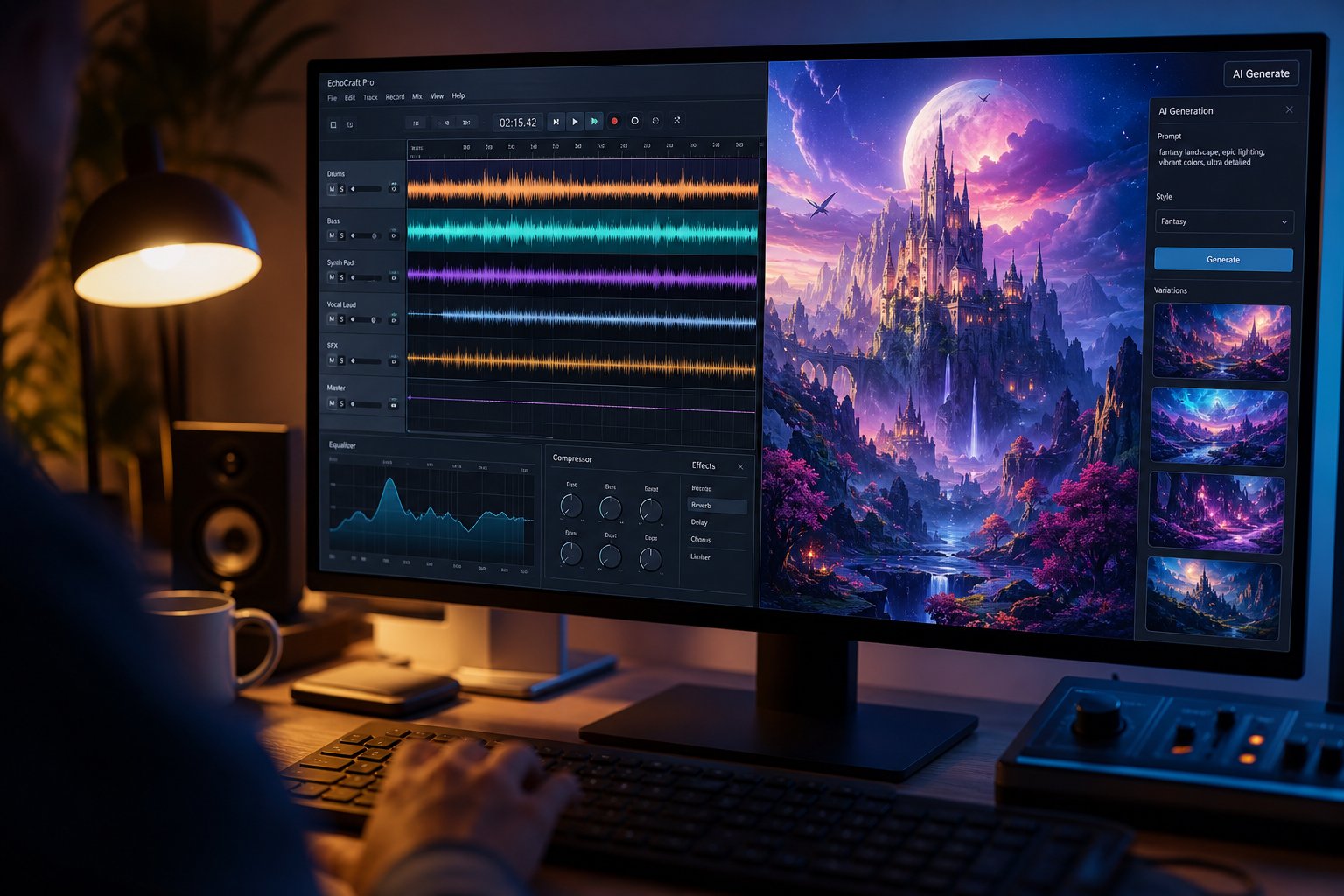
You have the context, the tradeoffs, and a realistic sense of what the technology delivers. The remaining piece is practical: turning your actual song into actual visuals you're willing to publish. The process isn't complicated, but the decisions you make before hitting "generate" determine whether the output feels intentional or generic.
Choosing the Right Approach for Your Music
Your genre, target platform, and desired aesthetic should drive the method you select, not the other way around. A dreamy indie ballad calls for image animation with soft transitions. An aggressive electronic track benefits from beat-synced abstract visuals that pulse with energy. A hip-hop single where lyrical presence matters might work best with an AI avatar lip-sync approach.
Ask yourself three questions before starting: Is the video narrative or atmospheric? Will it live on YouTube (long-form, 16:9) or TikTok (short, vertical, high-completion)? Do you have existing visual assets like artwork or photos, or are you starting from nothing? Your answers map directly to the generation methods covered earlier. When the best ai for music videos depends on your specific use case, matching genre to method matters more than choosing the flashiest tool.
Preparing Your Audio and Visual Concept
Preparation takes ten minutes and saves hours of iteration. Follow these steps before you generate anything:
- Export a clean audio file. Use WAV or high-quality MP3 (320kbps). Remove any intro silence that would misalign beat detection. Ensure your final master is what you upload, not a rough mix.
- Define your visual style in specific terms. "Cinematic" is too vague. "Rain-soaked Tokyo streets at night, neon reflections on wet pavement, shallow depth of field" gives the AI something concrete. Think in scenes, not concepts.
- Write prompts that include mood, setting, lighting, and movement. As InVideo's prompting guide emphasizes, sensory language like "vibrant," "smooth," or "explosive" helps AI interpret the energy you want. Reference specific visual aesthetics rather than abstract feelings.
- Prepare reference images if you have them. Album art, mood boards, or character concepts give the AI a visual anchor and improve consistency across frames.
- Plan your hook. The first three seconds determine whether someone keeps watching. Be explicit about what should appear in your opening frame, especially for short-form platforms.
- Iterate rather than accept first outputs. Generate samples, evaluate, adjust your prompts, and regenerate. The best ai music video maker workflows treat the first output as a draft, not a final product.
Here are tools worth exploring when you're ready to create a music video free or with minimal investment:
- MakeBestMusic AI Music Video Generator — focused specifically on converting existing songs into finished visual content. Upload your track, select a style, and export. A strong fit if you already have music and want visuals without a complex workflow.
- SunoMV — a storyboard-to-final-cut workstation that lets you direct scene by scene, with multiple image and motion engines to choose from.
- InVideo AI — prompt-based generation with strong editing capabilities for refining output after the initial generation pass.
- Kaiber — excels at style transfer and image animation, particularly for abstract and stylized aesthetics.
Each platform handles different parts of the pipeline with varying strengths. The best ai video generator for music videos for your project depends on whether you want maximum control (scene-by-scene direction) or maximum speed (upload and export). A free ai music video generator typically limits resolution or adds watermarks, while paid tiers unlock HD exports and longer durations. Most offer trial access, so test before committing. You can create a music video free on several of these platforms to evaluate output quality against your standards.
Copyright, Licensing, and Monetization
This is where most creators skip ahead and later regret it. Who owns what you generate?
The U.S. Copyright Office's ongoing AI initiative has issued multi-part guidance on this question. Their Part 2 report on copyrightability, published January 2025, addresses outputs created using generative AI directly. The current framework distinguishes between purely AI-generated content (which generally cannot receive copyright registration) and works where human authorship meaningfully controls the creative expression (which can). If you're writing detailed scene-by-scene prompts, selecting and curating outputs, and arranging the final sequence, you're demonstrating the kind of human creative control that strengthens your ownership claim.
Platform policies add another layer. YouTube requires creators to disclose when content is AI-generated or synthetic, particularly when it depicts realistic scenarios. TikTok and Instagram have similar disclosure requirements. Failing to label AI content doesn't necessarily prevent posting, but it risks demonetization or reduced distribution if flagged later.
For monetization specifically, the music video ai generator free tier is fine for testing, but commercial use typically requires a paid plan that grants commercial licensing rights on the generated output. Always check the terms of service for the specific tool you use. Some platforms grant full commercial rights on paid plans. Others retain usage rights or limit how generated content can be monetized.
The practical rule: if you plan to monetize through YouTube ads, streaming platforms, or sync licensing, use a paid tier with explicit commercial rights, maintain documentation of your creative decisions, and label AI-generated content according to each platform's current policy. That combination protects both your revenue and your credibility with audiences who increasingly notice and care about transparency.
