


What Is the Best AI Music Generator Right Now
If you're asking which is the best AI music generator, the honest answer is: it depends on what you're making. A podcaster hunting for background beds has completely different needs than a songwriter drafting vocal demos. The tool that wins for cinematic scoring fails at hip-hop, and the platform with the cleanest licensing story might lack the creative depth you need for full song production.
I tested nine generators side by side using identical prompts across pop, electronic, cinematic, and hip-hop categories, then scored each on audio quality, prompt adherence, genre range, licensing clarity, and free-tier value. The goal was a use-case-driven assessment, not a popularity contest.
The Short Answer for Impatient Readers
Here's where the best ai music generators land by category in 2026:
- Best overall song quality: Suno, with a $2.45B valuation and roughly 2 million paid subscribers, leads on vocal generation and genre breadth.
- Best audio fidelity and stems: Udio outputs at 48kHz and gives producers cleaner material for DAW workflows.
- Best for cinematic and game scoring: AIVA, with full copyright ownership on its Pro plan and deep orchestral capabilities.
- Best for content creators: ElevenLabs Music, offering up to 7 songs per day free and professional 48kHz output with legally secured licenses.
- Best prompt-to-song simplicity: MakeBestMusic, turning lyrics and style ideas into complete tracks quickly without a learning curve.
These picks shift the moment your priorities change. A tool that ranks first for vocal realism might rank fifth for instrumental customization. That's the reality of the best ai music generation tools 2026 landscape.
Why There Is No Single Best Tool
Imagine choosing a single "best" camera. A wildlife photographer and a portrait studio would give you completely different answers, even at the same budget. AI music generators work the same way. Your workflow, genre needs, output format, and commercial licensing requirements filter the field down to two or three real contenders, not one universal winner.
The best AI music generator is the one whose strengths align with what you're actually building. Match tool to purpose first, then compare pricing and features within that shortlist.
Among the top ai music tools available, some excel at turning a two-sentence prompt into a polished vocal track. Others shine when you need stem separation for post-production in Logic Pro or Ableton. Still others focus narrowly on royalty-free instrumental beds you can drop into a YouTube video without licensing headaches. The best ai music generators 2026 field is broad enough that trying to crown a single champion misses the point entirely.
What matters more than any ranking is understanding the evaluation criteria that separate genuinely useful tools from overhyped demos. That starts with knowing how these generators actually produce audio and why their underlying architecture shapes everything you hear.
How AI Music Generators Actually Work Under the Hood
You type a prompt. Thirty seconds later, a full song appears. But the engine behind that output shapes everything from vocal clarity to how natural the drums sound. Two generators given the same prompt can produce wildly different results, and architecture is the reason why.
Most AI music composition tools fall into two camps, with a growing number blending both. Understanding the difference helps you predict which tool will match your ear before you burn through free credits.
Transformer Models vs Diffusion Models
Transformer-based generators, like Meta's MusicGen, treat audio the same way ChatGPT treats text. They compress sound into tiny tokens using neural audio codecs, then predict the next token based on everything that came before. Think of it like writing a sentence one word at a time, except each "word" is a slice of audio. This sequential approach gives transformers a strong grip on musical structure: verse lengths stay consistent, chord progressions resolve logically, and melodies develop over time.
Diffusion models take the opposite path. They start with pure noise and gradually remove it, step by step, until a clean audio signal emerges. Stable Audio by Stability AI uses this approach, operating on compressed audio representations through a process called latent diffusion. The result is rich, textured sound with detailed high frequencies. However, all that iterative refinement costs more compute and can struggle with long-range structure.
Can ChatGPT make songs? Not directly. It generates text, not audio waveforms. But the transformer architecture it's built on is the same family powering Suno and MusicGen. A chat GPT music maker would need an audio decoder layer on top, which is exactly what dedicated music generators add.
How Architecture Affects Sound Quality and Style
The technical choice between these paradigms isn't academic. It determines what you hear when you hit "generate."
Transformer-based generators tend to deliver:
- Better structural coherence across full songs (verse-chorus-bridge flow)
- Stronger vocal generation, since lyrics follow a natural sequence
- Faster inference, often producing 30 seconds of audio in a few seconds
- Occasional timbral flatness, especially on complex instrument textures
Diffusion-based generators tend to deliver:
- Richer audio textures with more realistic instrument timbres
- Better handling of ambient, cinematic, and layered soundscapes
- More detailed high-frequency content (cymbals, breath, string resonance)
- Weaker long-form structure, sometimes drifting after 30-60 seconds
Most leading platforms in 2026 use hybrid approaches. Suno and Udio combine transformer-based composition with diffusion-style audio refinement, pulling structural intelligence from one paradigm and sonic detail from the other. This is why these tools can handle 50 stems, mix edits, and complex AI-powered music processing that neither architecture could manage alone a few years ago.
The practical takeaway: if you need a full vocal track with clear song structure, lean toward transformer-heavy tools. If you're after lush instrumentals or cinematic beds where texture matters more than lyrics, diffusion-based options often sound more natural. Knowing this narrows your shortlist before you even open a pricing page, but only if you know what to measure once you start comparing output quality head to head.
A Fair Evaluation Framework for AI Music Tools
Every AI music generator claims "professional quality" or "studio-grade output." Those phrases mean nothing without measurable criteria behind them. When building a comparison of the top ai music generators, you need a consistent ruler, otherwise you're just reacting to whichever demo sounded catchiest on the landing page.
I used six criteria across all nine tools, scored independently for each genre test. Here's the framework, ordered by how directly each factor affects whether you'll actually use the output.
Six Criteria That Actually Matter
- Audio quality — Clarity, stereo depth, absence of artifacts like metallic ringing or clipped transients. Measured by output sample rate, bit depth, and manual listening for distortion in complex passages (stacked vocals, busy drum fills).
- Customization depth — How much control does the prompt give you? Can you specify tempo, key, instrumentation, and song structure? Tools on this ai music generator list range from single-sentence input to multi-parameter dashboards.
- Genre range — Some platforms nail pop and electronic but collapse on jazz or orchestral. I tested each generator across four distinct styles to expose blind spots.
- Ease of use — Time from signup to first usable track. A beginner should produce something workable within five minutes. Complex tools earn credit here only if their learning curve pays off in output quality.
- Pricing value — Cost per usable track at each tier, factoring in generation limits, quality restrictions, and watermarks on free plans. The best ai music tools deliver strong output without forcing an immediate upgrade.
- Commercial licensing — Can you monetize the output on YouTube? Distribute on Spotify? Retain ownership? Licensing terms vary wildly across platforms and subscription levels.
These six criteria form the backbone of every head-to-head result in this article. When evaluating the best ai for music creation, skipping even one, especially licensing, can lead to expensive surprises months after you've published content.
What Studio Quality Means in Measurable Terms
Marketing pages love the phrase "studio quality." Here's what that actually translates to in numbers you can verify before downloading a single file.
Sample rate determines the highest frequency the audio can reproduce. A 44.1 kHz file captures frequencies up to about 22 kHz, covering the full range of human hearing. Most professional music production now targets 48 kHz as a minimum standard, especially for video-synced content. Some generators still output at 32 kHz, which rolls off high-frequency detail in cymbals, vocal air, and string harmonics.
Bit depth controls dynamic range, the gap between the quietest detail and the loudest peak before clipping. A 16-bit file provides roughly 96 dB of dynamic range, enough for a finished master. A 24-bit file pushes that to around 144 dB, giving you more headroom for mixing and post-production. If a generator only exports 16-bit MP3s, you're losing flexibility the moment you pull that file into a DAW.
Frequency response is where listening matters more than specs. Even at 48 kHz/24-bit, AI-generated audio can sound thin if the model underrepresents sub-bass or rolls off presence frequencies around 3-5 kHz. I checked spectrograms alongside blind listening to catch these gaps.
A tool outputting 48 kHz, 24-bit WAV files with flat frequency response across 20 Hz to 20 kHz meets the genuine definition of studio quality. Anything less is a compromise worth knowing about before you commit.
With these benchmarks defined, the next step is applying them consistently across all nine generators and seeing which tools deliver on their promises and which quietly fall short.
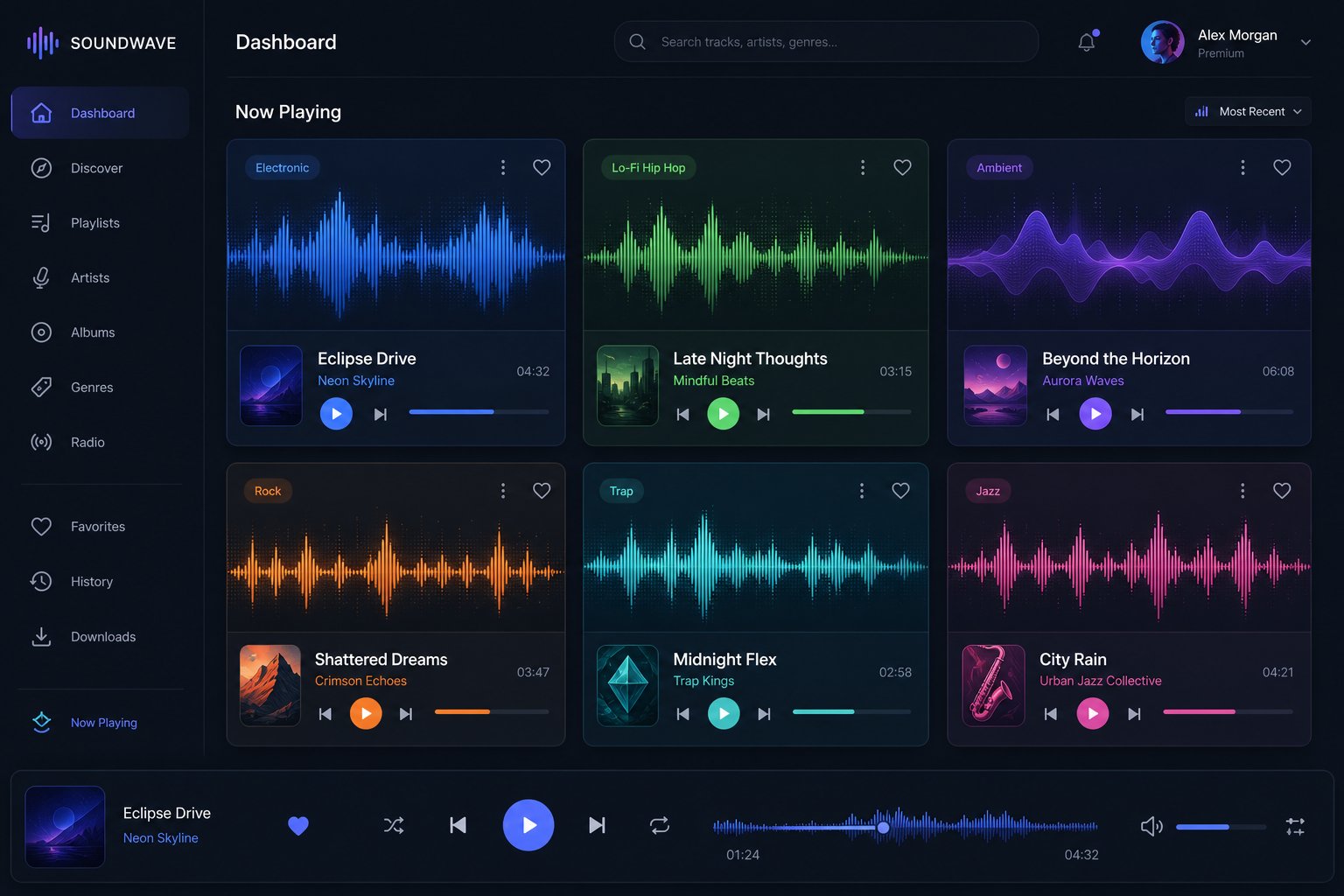
Top AI Music Generators Compared Side by Side
Specs on paper only get you so far. Applying the six-criteria framework to all nine generators reveals clear gaps between marketing claims and real output. Below is the head-to-head breakdown, pulling verified pricing, free-tier limits, and practical observations from extended testing.
Head-to-Head Feature Comparison
When debating makebestmusic vs suno or any other pairing, raw feature tables cut through the noise faster than opinion. Here's how the top ai music generation products 2026 stack up across the metrics that actually matter:
| Tool | Free Tier | Entry Paid Plan | Output Quality | Vocals | Commercial Rights | Best Strength |
|---|---|---|---|---|---|---|
| MakeBestMusic | Free credits available | Paid plans available | 44.1 kHz stereo | Yes | Paid plans | Prompt-to-song speed, lyrics-to-track workflow |
| Suno | 50 credits/day (~10 songs) | Pro $10/mo | High (strong vocals) | Yes | Paid plans only | Vocal realism, genre breadth |
| Udio | 10/day + 100/mo | Standard $10/mo | 48 kHz / 24-bit | Yes | Paid plans (post-UMG settlement) | Audio fidelity, stem export |
| ElevenLabs Music | Up to 7 songs/day | Pro $9.99/mo | 44.1 kHz studio-grade | Yes | Self-Serve and above | Multi-language vocals, modular regeneration |
| AIVA | 3 downloads/mo | Standard €15/mo | High (orchestral focus) | No | Pro plan: full ownership | Cinematic and classical scoring |
| Stable Audio | Yes (non-commercial) | Creator tier (varies) | 44.1 kHz stereo | No | Creator and above | Sound design, ambient beds |
| Beatoven.ai | Limited free tier | ~$20/mo | Good (mood-synced) | No | Paid plans | Video-synced mood music |
| Boomy | Free generation | ~$10/mo | Moderate | Yes | Via distribution | Direct Spotify distribution |
| Mubert | Personal use only | $14/mo | Moderate | No | Paid plans | Continuous, non-repeating streams |
A few patterns jump out. If vocal generation is non-negotiable, your realistic options narrow to MakeBestMusic, Suno, Udio, and ElevenLabs Music. For instrumental-only work, AIVA, Stable Audio, and Beatoven.ai each own a specific lane. Tools like the tad ai music generator or niche platforms that surface in a typical mytunes ai review tend to fill very narrow gaps rather than competing across the full spectrum.
MakeBestMusic stands out for creators who want the shortest path from idea to finished song. You paste lyrics or describe a style, and the create-music workflow returns a complete track without requiring you to learn prompt engineering tricks. That simplicity makes it a practical starting point for anyone testing AI music generation for the first time.
Udio's edge is measurable: 48 kHz, 24-bit output with instrument separation that producers can drop straight into a DAW. Suno counters with the most expressive vocal engine in the category and a daily free allotment that resets every 24 hours. For udio ai music generator features pricing 2025 through 2026, the Standard plan at $10/mo remains the entry point for commercial use.
Free Tier Reality Check
"Free" rarely means unlimited. Here's what you actually get before the paywall appears:
- Suno — 50 credits per day, roughly 10 songs. Quality matches paid output. The catch: no commercial rights whatsoever on the free tier.
- Udio — 10 generations per day with a 100/month pool. Same audio quality as paid users, but the daily cap limits marathon sessions.
- ElevenLabs Music — Up to 7 full songs per day. The most generous daily allotment for vocal tracks, though film and TV usage requires Enterprise.
- AIVA — Only 3 downloads per month in MP3/MIDI. Non-commercial use only. Functional for evaluating the sound, but too limited for ongoing projects.
- MakeBestMusic — Free credits let you test the prompt-to-song pipeline. Enough to judge output quality and workflow fit before deciding on a plan.
- Stable Audio — Free tier restricted to personal, non-commercial use. Good for experimentation, not for production.
- Boomy — Free generation with distribution to Spotify included, though output quality sits a tier below Suno and Udio.
The pattern across all platforms: free tiers give you the same generation quality as paid users. You're not getting a degraded product. The restrictions hit on volume, licensing, and export format. If you're producing content for monetized channels, budget at least $10/month for commercial rights on whichever platform matches your workflow.
An ai music generator melodycraft approach, where a single tool handles melody, arrangement, and production in one pass, is now standard across the top tier. The real differentiator isn't whether a tool can generate music. It's whether the output fits your specific creative context without requiring five regenerations to get something usable. That question of fit leads directly to matching tools against concrete use cases.
Which AI Music Generator Fits Your Specific Needs
Feature tables tell you what a tool can do. They don't tell you which tool solves your problem on the first try. A creator scrambling for a 60-second podcast intro has zero use for a platform optimized for five-minute orchestral scores, no matter how impressive its spectrogram looks. Matching generator to task eliminates wasted credits and regeneration loops.
Here's where each tool earns its spot based on real workflow demands rather than spec-sheet bragging rights.
Best for YouTube and Content Creators
You need background music that sets a mood without competing with voiceover. It has to be royalty-free, loopable, and ready in minutes. That narrows the field fast.
- Soundraw — The parameter-based interface (mood, genre, tempo, length) skips prompt guesswork entirely. The Song Structure Editor lets you trim intros or extend outros to match your edit timeline. Every paid download includes a full commercial license cleared for YouTube monetization.
- Beatoven.ai — Ideal when your video has emotional shifts. Assign different moods to different sections, and the Maestro model adjusts instrumentation accordingly. Think travel vlogs that move from upbeat exploration to reflective sunsets.
- Mubert — Best for continuous, non-repeating ambient streams. If you produce long-form content like study-with-me videos or live streams, Mubert generates hours of background audio without obvious loops.
Output consistency for background music is high across all three. Roughly 7 out of 10 generations land usable tracks without regeneration, largely because instrumental beds are less demanding than vocal arrangements. For anyone working as an ai jingle maker producing short branded intros, Soundraw's block-based editing delivers the fastest turnaround.
Best for Full Songs with Vocals
Vocal generation is where tools separate sharply. Lyrics need to land on beat, phrasing needs to feel human, and pronunciation can't collapse on multi-syllable words. If you're searching for the best ai song creator that handles the full lyrics-to-track pipeline, these three lead:
- Suno — The most expressive vocal engine available. Vibrato, pitch modulation, and emotional delivery sound convincingly human across pop, R&B, and indie rock. Suno Studio adds DAW-style stem editing when you need to polish a specific vocal phrase.
- Udio — Produces cleaner instrumental beds under the vocals, with inpainting that lets you swap out a weak chorus without regenerating the entire track. Better for producers who want post-production control.
- ElevenLabs Music — Wins on multi-language vocals. If you need songs in Spanish, Japanese, or German with natural pronunciation, ElevenLabs leverages its voice-synthesis heritage to deliver results other platforms can't match.
Consistency drops here. Expect to generate 3-5 versions before landing a keeper, especially for complex lyrical passages. The best ai cover song generator workflow often involves taking a strong instrumental output and regenerating only the vocal layer until phrasing clicks. Suno's daily credit allotment accounts for this iteration cycle.
Best for Film Scoring and Game Audio
Cinematic music demands structure: tension builds, releases, and dynamic arcs that follow narrative pacing. Loop-based generators fail here because a 30-second pattern repeated four times sounds like a placeholder, not a score.
- AIVA — Generates compositions up to 10 minutes with recognizable sections (intro, build, climax, resolution). Over 250 style presets cover orchestral, ambient electronic, and hybrid cinematic. MIDI export means you can reshape every note inside your DAW.
- Stable Audio — Excels at textured ambient beds and sound design elements. Less structured than AIVA but richer in atmospheric detail, making it strong for game environments that need evolving soundscapes rather than melodic themes.
- Beatoven.ai — Falls between AIVA and Stable Audio. Its emotion-mapping feature lets you mirror a scene's arc, though it tops out at shorter durations than AIVA handles.
For game developers needing adaptive audio through an API, Loudly's AI Music API generates royalty-free tracks dynamically based on gameplay triggers, a niche no other tool covers as cleanly.
Among the best ai music creators in these specialized categories, output consistency varies by complexity. Simple ambient loops land on the first generation. A five-minute orchestral piece with tempo changes? Budget four or five attempts. The best ai for music production isn't always the tool with the most features. It's the one that delivers usable output for your specific format without burning an afternoon on regenerations.
Regardless of which category fits your workflow, the single biggest lever for improving output quality on the first try is how you write your prompt. Small changes in wording, structure, and specificity can cut regeneration cycles in half.
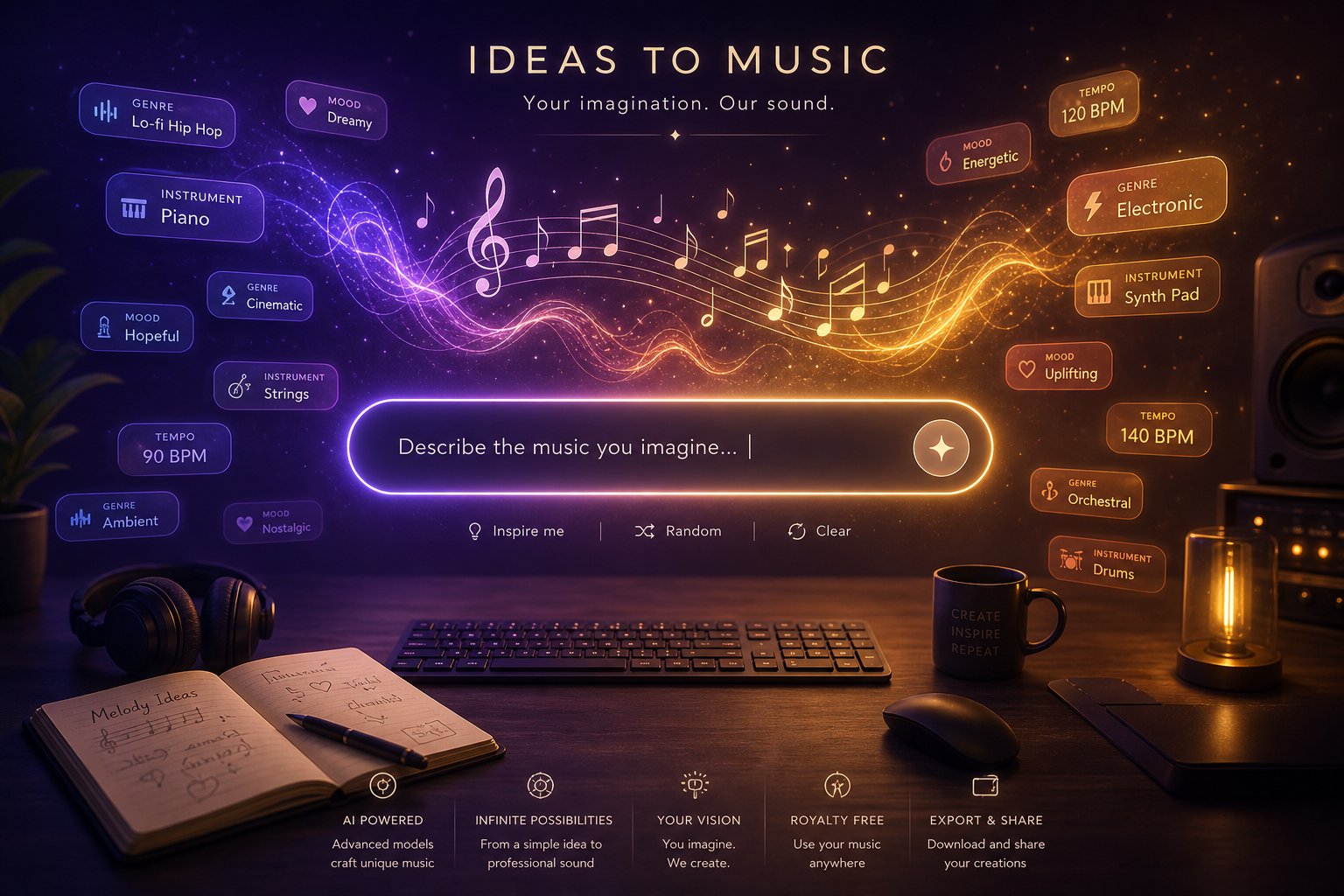
Prompt Tips That Get Better Results from Any Generator
A prompt is your only communication channel with the AI. Think of it as a producer's brief handed to a session band: it doesn't have to be long, but it has to be clear. The difference between a generic loop and something that fits your vision comes down to how precisely you describe what you want and, just as important, what you don't want.
These techniques work across Suno, Udio, MakeBestMusic, ElevenLabs Music, and most other platforms. Master the pattern once, adapt the language slightly for each tool, and your usable-output rate climbs immediately.
Anatomy of an Effective Music Prompt
Every strong prompt layers five dimensions. You don't need all five every time, but including at least three gives the model enough context to generate something intentional rather than random.
- Genre and style — Be specific. "Rock" is too broad. "Energetic 90s grunge with heavy distortion and a driving drum pattern" points the AI in one clear direction.
- Mood and emotion — Describe how the listener should feel: melancholic, triumphant, anxious, nostalgic. Abstract emotional terms translate well across all generators.
- Tempo and key — Include BPM when pacing matters ("85 BPM" vs "slow and atmospheric"). Adding a key signature like "in D minor" helps if you plan to mix the output with other tracks.
- Instrumentation — Name specific instruments or textures: "warm Rhodes piano, vinyl crackle, soft brushed drums." This prevents the AI from defaulting to generic patches.
- Structure and duration — Cues like "starts sparse, builds to a full chorus at 0:45" or "verse-chorus-verse with an ambient bridge" shape the arrangement instead of leaving it to chance.
Template: [Genre + era] track, [mood adjective], [BPM or pacing], [2-3 key instruments], [structural cue]. Example: "Lo-fi chillhop beat, nostalgic and warm, 82 BPM, dusty vinyl piano and muted bass, instrumental only, seamless loop."
The best ai songwriter tools interpret these layered prompts as a coherent creative direction rather than a disconnected keyword list. Front-load your most important descriptors, genre and mood, because some platforms silently truncate prompts beyond their character limit.
Common Prompt Mistakes and How to Fix Them
Most failed generations trace back to three recurring errors:
- Vague descriptions — "Cool beat" or "awesome music" gives the AI nothing actionable. Fix: replace adjectives with specific genre, tempo, and instrument details.
- Contradictory instructions — Asking for "slow and relaxing" alongside "high-energy and intense" confuses the model. If you want contrast, describe it as a transition: "Starts slow and ambient, builds to an energetic drop at 0:30."
- Over-specification — Packing fifteen parameters into a single prompt can produce stiff, mechanical output. The AI needs creative breathing room. Include must-haves, exclude deal-breakers, and let the model fill the gaps. A prompt reading like a checklist often sounds like one.
Negative prompts deserve attention too. Phrases like "no vocals," "no distorted guitars," or "no fade out" filter unwanted elements reliably across most platforms. Pairing what you want with what you don't want gives the model tighter boundaries without over-constraining it.
Different generators also interpret the same words differently. Suno tends to lean into vocal drama, so prompts for instrumentals need an explicit "instrumental only" tag. Udio responds well to production-level detail like "sidechained pads" or "lo-fi tape saturation." Experiment with the same prompt across tools and note where each one drifts from your intent.
Genre-Specific Prompt Strategies
Generic prompting works for generic results. When you need a specific sound, genre-tailored language makes the difference.
Hip-hop and rap: Specify the sub-genre (trap, boom-bap, lo-fi hip-hop) and call out rhythmic elements like "808 bass, snappy snare, hi-hat rolls." If you're using an ai rapper song generator workflow, include vocal delivery cues: "aggressive delivery, rapid-fire flow" or "laid-back storytelling cadence." The best ai rap lyrics generator results come from pairing lyric input with style prompts that match the energy of the bars.
Hip-hop template: "[Sub-genre] beat, [mood], [BPM], [drum pattern detail], [bass style], [vocal delivery if applicable]. Example: Trap beat, dark and aggressive, 140 BPM, rolling hi-hats, deep 808 sub-bass, no vocals."
Electronic and EDM: Name the sub-genre precisely (deep house, drum and bass, synthwave) and reference production textures: "arpeggiated synths, side-chained pads, four-on-the-floor kick." Tempo matters heavily here, so always include BPM.
Country: The best ai country music generator output comes from specifying acoustic instrumentation: "steel guitar, fingerpicked acoustic, fiddle, brushed snare." Add an era reference like "modern country-pop" or "90s honky-tonk" to steer the arrangement away from generic folk.
Metal: Mention tuning and aggression level. The best ai metal music generator prompts include "drop-D tuning, double kick drums, heavy palm-muted riffs, aggressive male vocals." Without these anchors, AI tends to soften metal into generic hard rock.
Cinematic: Focus on dynamics and narrative arc rather than fixed tempo. "Orchestral underscore, tense and suspenseful, builds from sparse strings to full brass and timpani climax, instrumental only" gives the model a story to follow rather than a static mood to sustain.
Cinematic template: "[Orchestral/hybrid/electronic] underscore, [emotional arc], [key instruments], [dynamic instruction], instrumental only, no [unwanted elements]. Example: Hybrid orchestral, builds from quiet tension to epic climax, deep cello and brass stabs, percussion enters at 0:30, no choir."
Treat prompt writing as an iterative skill. Generate, listen, tweak one variable, and regenerate. Over a few sessions you'll develop an intuition for how each platform interprets your language, and your first-generation success rate will climb from one in five to three in five. That efficiency gain matters more than any single feature difference between tools.
Still, even perfect prompts run into walls. Every generator has structural limits and sonic blind spots that no amount of clever wording can overcome, and knowing where those ceilings sit saves you from chasing results the technology can't deliver yet.
What AI Music Generators Cannot Do Yet
Perfect prompts help. Better tools help more. But there's a ceiling, and hitting it repeatedly without knowing it's there leads to frustration and wasted credits. Every generator I tested shares a common set of weaknesses that no prompt trick or subscription upgrade can fix. If you're evaluating whether AI music fits your workflow, these are the constraints you'll bump into within the first hour of serious use.
Browse any ai music reddit thread and you'll find the same complaints surfacing across platforms. These aren't isolated bugs. They're structural limitations baked into how current models work.
Where AI Music Still Falls Short
After running hundreds of generations across nine platforms, the same failure patterns emerged regardless of which tool I used. Some are minor annoyances. Others are dealbreakers depending on your quality threshold.
- Repetitive song structures — AI loves the verse-chorus-verse loop. Ask for a five-minute track and you'll often get the same eight-bar section recycled with minor variation. Bridges feel tacked on rather than earned. True compositional development, where a song evolves and surprises the listener, remains rare. Severity: moderate. Workable for background music, problematic for standalone releases.
- Audio artifacts in complex passages — Stack multiple instruments in an energetic section and you'll hear it: metallic ringing, phase distortion, and clipped transients that professional mastering wouldn't tolerate. Busy drum fills, layered vocal harmonies, and dense orchestral climaxes are where models struggle most. Severity: high for producers mixing AI output with recorded tracks. The artifacts become obvious next to clean human performances.
- Vocal inconsistencies — Pronunciation collapses on uncommon words. Emotional delivery can flip mid-phrase from intimate to theatrical with no prompt-driven reason. Breath placement sometimes lands in the middle of a word rather than between phrases. Suno handles this better than most, but even its best output requires cherry-picking from multiple generations. Severity: moderate to high depending on how central vocals are to your project.
- Genre blind spots — Genres built on highly specific production conventions expose training data gaps. Deep techno driven by analog hardware, experimental jazz with extended techniques, or metal sub-genres like blackgaze all tend to collapse into generic approximations. As one industry analysis noted, outputs reveal the constraints of training data when targeting hardware-led or modular synthesis styles. Severity: depends entirely on your genre. Pop, indie rock, and cinematic scoring perform well. Niche sub-genres do not.
- Lack of precise arrangement control — You can suggest structure in a prompt, but you can't say "drop the bass at bar 17" or "modulate to Eb major in the bridge." None of these tools offer bar-level compositional control that a DAW provides. Severity: low for casual creators, high for trained musicians who hear exactly what they want and can't get the AI to deliver it.
- Stem quality limitations — Even platforms offering stem export produce stems that bleed between elements. A "vocal only" stem might carry ghost artifacts of the drum bus. Professional mix engineers notice this immediately. Severity: moderate. Usable for rough demos, not for final production.
Discussions on reddit ai music communities frequently highlight that the best ai generated music still sits a tier below what a competent human producer delivers with the same amount of time. The gap isn't in melody or chord selection anymore. It's in the micro-details: the way a real drummer slightly rushes a fill, how a singer's voice cracks with intention, the deliberate silence before a drop. AI approximates these qualities. It doesn't originate them.
If you've searched for the best ai music generator reddit recommendations, you'll notice experienced users consistently frame these tools as accelerators rather than replacements. They speed up ideation, generate scratch tracks for client approvals, and produce serviceable background beds. They don't replace a session musician, a mixing engineer, or a composer's ear for dramatic pacing.
The Ethics Question Around Training Data
Technical limitations are temporary. The ethical questions around training data may prove more lasting.
Every AI music generator learns from existing recordings. The core tension: most models were trained on copyrighted music without explicit consent from the original artists. Unlike traditional sampling, which requires clearance and payment, AI training extracts patterns, structures, and timbral characteristics from copyrighted works without attribution or compensation.
This isn't a fringe concern. Organizations including ASCAP, the RIAA, and the NMPA have pushed back against AI companies that fail to license training data. The proposed No AI FRAUD Act aims to establish opt-in consent mechanisms for artists whose music could feed training datasets. Udio settled a copyright lawsuit with Universal Music Group in late 2025, and the two announced a jointly licensed AI music platform for 2026, signaling that the industry is moving toward formal agreements rather than ignoring the problem.
What does this mean for you as a user? Three practical considerations:
- Output ownership is murky — No jurisdiction has definitively ruled whether AI-generated music qualifies for copyright protection. If you can't copyright it, you may struggle to enforce ownership if someone else uses your generated track.
- Training transparency varies wildly — Some platforms disclose their data sources. Others don't. If ethical sourcing matters to your brand, ask before subscribing.
- The legal landscape is shifting — Licensing terms that seem clear today may change as legislation catches up. Building an entire catalog on a platform that later faces legal restrictions introduces long-term risk.
None of this makes AI music generators unusable. It means going in with open eyes about what you're building on. The ai generated music reddit community debates these tradeoffs constantly, and the consensus leans toward practical use with awareness rather than avoidance.
These limitations, both technical and legal, define the boundaries of what's possible right now. Within those boundaries, AI music generation delivers genuine value for specific workflows. The key is knowing which restrictions affect your use case and which ones you can work around. That clarity becomes especially important when you're building a commercial workflow, where licensing terms and integration capabilities determine whether a tool actually fits your production pipeline.
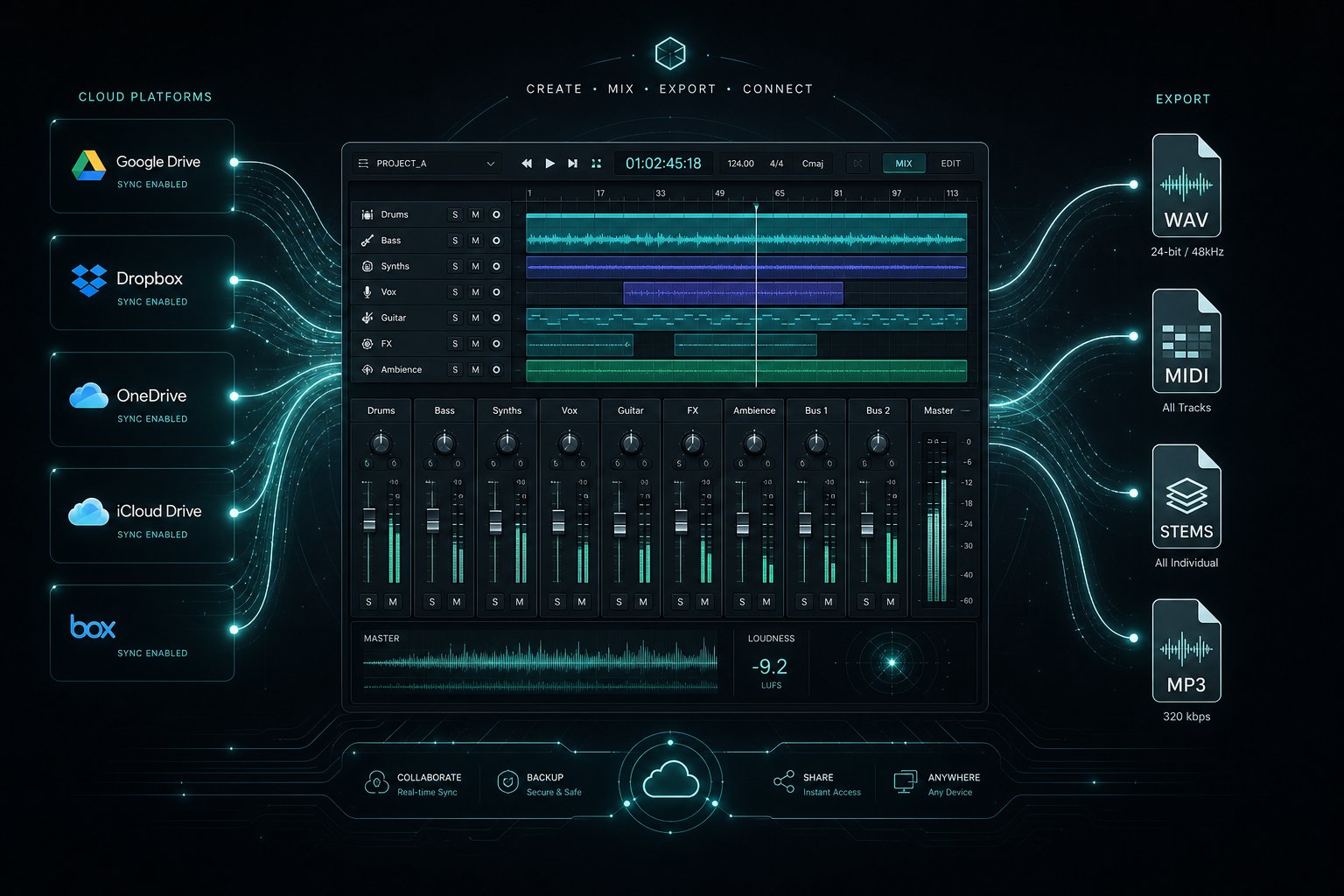
Commercial Licensing and Workflow Integration Guide
Licensing is the invisible wall that separates a fun experiment from a monetizable asset. You can generate the most polished track in the world, but if your subscription tier doesn't grant commercial rights, that file is legally unusable on a monetized YouTube channel, in a client deliverable, or on Spotify. Every platform handles this differently, and the details buried in terms-of-service pages determine what you actually own.
Licensing Models Explained
Across the best ai music creation tools 2025 through 2026, licensing splits into three models: royalty-free with full ownership, royalty-free with attribution required, and restricted use where the platform retains copyright. Here's how the major generators break down:
| Platform | Free Tier Rights | Paid Tier Rights | Attribution Required | Full Ownership | Key Restriction |
|---|---|---|---|---|---|
| MakeBestMusic | Personal use only | Full commercial | No (paid) | Yes (paid plans) | Free tier non-commercial |
| Suno | Non-commercial | Full commercial | No (Pro+) | Yes (Pro+) | Free output cannot be monetized |
| Udio | Non-commercial | Full commercial | No (Standard+) | Yes (Standard+) | Post-UMG settlement terms apply |
| AIVA | Personal, AIVA owns copyright | Standard: licensed use; Pro: full ownership | Yes (Standard) | Pro only (€33/mo) | Standard plan retains AIVA copyright |
| Mubert | Non-commercial | Commercial (Creator+) | No (paid) | Yes | Business tier needed for ads |
| Soundraw | No free tier | Full commercial | No | Yes | No free plan available |
| Boomy | Streaming distribution allowed | Enhanced features | No | Shared (royalty split) | Platform takes revenue share |
The critical distinction: "royalty-free" means no ongoing payments after download, but it doesn't automatically mean you own the copyright. AIVA's Standard plan, for example, grants you a commercial license while the platform retains the underlying copyright. Only their Pro tier transfers ownership to you. If you're searching for a music ai creator without copyright restrictions reddit users frequently recommend, paid tiers on Suno, Udio, and MakeBestMusic currently offer the cleanest terms: full rights, no attribution, perpetual use.
One practical note for creators needing ai-generated stock music bulk order discounts or high-volume output: most platforms price per generation or per monthly credit pool, not per download. Mubert's Business tier ($199/mo) and Soundraw's Artist plan ($29.99/mo with unlimited downloads) cater to volume workflows where you need dozens of tracks monthly without per-song costs stacking up.
The copyright question itself remains unsettled. The US Copyright Office's current position holds that pure AI-generated output without substantial human creative input is not copyrightable. AI-assisted works, where you write lyrics, arrange sections, or significantly edit the output, may qualify for protection. The practical implication: platform licensing grants you contractual commercial rights regardless of copyright status, but if someone reproduces your AI track independently, enforcement options are limited. Adding human creativity through mixing, lyric writing, or structural editing strengthens your legal standing considerably.
Integration with Existing Production Workflows
A generated track only matters if it fits your production pipeline. The best ai music production software connects to existing tools rather than existing in isolation. Here's what integration looks like across the leading best ai music generation platforms 2025 and 2026:
- Stem export — Udio and Suno both offer stem separation (vocals, drums, bass, other). Quality varies: expect some bleed between stems, but usable for rough mixing in Logic Pro or Ableton. AIVA exports MIDI directly, giving you complete re-orchestration control inside any DAW.
- API access — Mubert offers a documented REST API for developers embedding generative music into apps, games, or streaming services. Loudly provides a similar API targeting video platforms. Suno and Udio lack public APIs as of mid-2026, limiting programmatic integration.
- Export formats — WAV (44.1 or 48 kHz, 16/24-bit) is available on paid tiers of Suno, Udio, and MakeBestMusic. Free tiers typically restrict you to MP3. AIVA adds MIDI export, which no other major vocal-capable generator matches.
- DAW plugins — Soundraw offers a plugin for Premiere Pro and Final Cut. Native DAW plugins (VST/AU) for real-time generation inside Logic or Ableton don't exist yet from major platforms, though Stability AI has hinted at future integration for Stable Audio.
- Workflow fit — For producers using AI as a starting point, the ideal loop is: generate, export stems or MIDI, import into DAW, edit and mix with human judgment. Tools that export only a stereo MP3 create a dead end. Tools offering stems or MIDI keep the creative chain open.
If your workflow demands direct integration rather than export-and-import, API-equipped platforms like Mubert are currently ahead. For everyone else, the export-to-DAW pipeline works reliably as long as your tool of choice outputs WAV stems or MIDI at professional sample rates.
Licensing clarity and integration capability together determine whether a generator is a production tool or a toy. With both dimensions mapped, the remaining question is purely practical: how do you get started without overcommitting time or budget to the wrong platform?
How to Start Making AI Music in Minutes
You've seen the comparisons, the licensing tables, and the prompt strategies. The only thing left is doing it. The fastest way to find your tool isn't reading another review. It's running the same test across two or three platforms and letting your ears decide. Here's a systematic approach that prevents wasted time and subscription regret.
Your Three-Step Evaluation Process
Rather than signing up for everything at once, treat this like a structured audition. Among the top ai music generation tools january 2026, every major platform offers enough free access to run a meaningful comparison without spending a dollar.
- Write one reference prompt and use it everywhere. Pick a prompt that reflects your actual use case. If you make YouTube videos, try something like: "Upbeat indie folk, warm and optimistic, 110 BPM, acoustic guitar and light percussion, instrumental only, 90 seconds." If you need vocal tracks, add lyrics. The key is consistency. Same input, different engines, honest comparison.
- Generate on three platforms and compare blind. Export or download the outputs, rename the files generically (Track A, Track B, Track C), and listen without knowing which tool made which. Pay attention to audio clarity, whether the arrangement feels intentional, and how closely the output matched what you asked for. This removes brand bias entirely.
- Test the workflow, not just the output. A great-sounding track means nothing if the interface frustrated you for ten minutes getting there. Note how long each platform took from signup to finished download. Did you need to regenerate multiple times? Could you tweak the result without starting over? The tool that feels natural after fifteen minutes is the one you'll actually use long-term.
This process takes under an hour and gives you more clarity than any feature matrix. The best ai music generator 2025 through 2026 isn't determined by someone else's ranking. It's the platform where your specific creative intent translates into usable output with the least friction.
Start Creating AI Music Today
If you want immediate hands-on experience without navigating complex setup, MakeBestMusic's creation page offers one of the shortest paths from idea to finished song. Paste lyrics or describe a style, and you'll have a complete track to evaluate within a minute. It's an ideal starting point for testing whether AI music generation fits your workflow before exploring other top ai music generation tools 2026 on your shortlist.
For readers who prefer to cast a wider net immediately, pair MakeBestMusic with Suno's daily free credits and Udio's limited free tier. That combination covers prompt-to-song simplicity, vocal expressiveness, and audiophile-grade fidelity, the three axes where the best free ai music generators 2026 and beyond differentiate most sharply.
The goal isn't to find the perfect tool on day one. It's to find the tool that makes you want to come back on day two.
Start with your free credits. Run the three-step comparison. Upgrade only once you've confirmed which platform consistently delivers what you need. Every generation teaches you something about prompting, about your preferences, and about where AI music fits into what you're building. The tools are ready. Your first track is one prompt away.
