


Understanding Which AI Can Make Music Today
Imagine typing a sentence like "upbeat acoustic pop with warm vocals" and getting a full, polished track back in under a minute. That scenario is no longer hypothetical. Several AI platforms now generate complete songs from nothing more than a text prompt, a hummed melody, or a style reference. The real question is not whether AI can produce music — it clearly can — but which tool fits your specific creative goals.
This guide walks you through the entire process: identifying what you actually need, comparing the best ai music tools side by side, writing effective prompts, generating your first track, and exporting it in the right format for your project. By the end, you will have a finished piece of music ready to use.
What AI Music Generators Actually Do
At the core, these platforms rely on three main approaches to create audio. Understanding the differences helps you pick the right tool without needing an engineering degree.
- Transformer-based models — These systems (used by tools like Suno and Udio) learn long musical sequences and generate coherent melodies, vocals, and arrangements from start to finish. They handle song structure well because they track musical relationships across an entire piece.
- Diffusion audio models — These refine raw audio noise into high-fidelity sound, producing realistic instrument textures and polished mixes. Think of them as the finishing layer that makes AI output sound professional rather than synthetic.
- Sample-based and loop engines — Platforms like Soundraw and Beatoven.ai use curated musical building blocks, intelligently combining and rearranging them based on your mood and genre selections. They offer predictable, royalty-free results with real-time editing control.
Many modern generators blend these approaches. A tool might use transformer networks to compose a melody, then run it through a diffusion model for cleaner audio output. The result is music that genuinely sounds produced rather than generated — something the ai music reddit community has noted with increasing frequency as these tools mature. Discussions across forums consistently highlight how platforms like music gpt-style generators and producer.ai-type tools have closed the gap between AI output and human production quality.
Who This Guide Is For
You do not need to play an instrument, read sheet music, or own a DAW to follow along. This walkthrough is built for content creators who need background tracks for videos, podcasters looking for custom intro music, game developers seeking adaptive soundscapes, and hobbyist musicians who want to hear their ideas come to life without years of production training. If you have been searching for the best ai for music creation but feel overwhelmed by options, you are in the right place.
AI music generators have moved well beyond novelty. For specific use cases — YouTube background tracks, podcast intros, social content, and demo production — these tools now deliver production-ready quality that holds up alongside manually composed audio.
The difference between a frustrating experience and a great one comes down to choosing the right platform for your exact use case, then knowing how to communicate what you want. That starts with clearly defining your music goal before you open any tool.
Step 1: Define Your Music Goal and Genre
Every AI music platform is built around certain strengths. Some generate full vocal tracks in seconds. Others specialize in ambient loops or cinematic scoring. Jumping straight into a tool without knowing what you need is like walking into a hardware store without knowing whether you are building a bookshelf or fixing a faucet — you will waste time browsing options that do not apply to you.
Clarity on two things before you start will save hours of trial and error: what type of musical output you need, and what genre or style direction fits your project.
Define Your Output Type
Think about where this music ends up. A YouTube background track has completely different requirements than a personalized song for a wedding or a punchy commercial jingle for a brand campaign. The output type determines which features matter most — vocal support, track length, loopability, or structural complexity.
Here are the most common use cases people bring to AI music generators:
- Background music for YouTube or video content — instrumental tracks that sit under narration without competing for attention
- Custom songs for personal events — birthday tributes, anniversary gifts, or celebration tracks with specific lyrics and vocals
- Podcast and video intros — short, punchy clips (usually 5-15 seconds) that establish tone instantly
- Game soundtracks and interactive media — loopable ambient pieces or adaptive scores that shift with gameplay
- Social media content — trend-ready clips optimized for platforms like TikTok, Instagram Reels, or Shorts
- Demo tracks for musicians — rough arrangements that help songwriters hear how their lyrics and melodies sound with full production
A content creator needing soft background music does not require the same platform as someone looking to produce good theme songs with full vocal arrangements and dynamic structure. Similarly, a short podcast intro jingle demands quick generation and clean looping, while a three-minute vocal track needs coherent verse-chorus transitions and lyrical delivery.
Pin down your output type first. It immediately eliminates tools that are not designed for your goal.
Choose Your Genre and Style Direction
Genre choice narrows your options even further. AI music platforms are not equally capable across all styles. Some tools — particularly transformer-based models — excel at pop, hip-hop, and country because their training data skews heavily toward popular Western music. Others handle orchestral and cinematic compositions better because they were specifically built for that purpose.
Before opening any platform, spend a minute describing your desired output using specific musical vocabulary. You do not need formal training for this. Think in terms of these four dimensions:
- Tempo — how fast or slow? A rough BPM range (60-80 for ballads, 120-130 for pop, 140+ for high-energy electronic) gives tools far better direction than vague words like "medium pace"
- Mood — what emotion should the listener feel? Pair the mood with a scene or context for better results ("nostalgic, like driving home after a long trip" works better than just "sad")
- Instrumentation — which sounds do you hear in your head? Naming two or three instruments (acoustic guitar + synth pads, or piano + strings) produces more targeted output than naming one or none
- Vocal style — do you need vocals at all? If yes, what kind? Male or female, breathy or powerful, rapped or sung?
This exercise works like a song idea generator — even before you type anything into an AI tool, you have already built the foundation of a useful prompt. The more specific your descriptive vocabulary, the fewer regeneration cycles you will need later. Tools like a song genre finder can help if you know a mood but cannot name the genre, and browsing words to describe music in style guides gives you the precise language these platforms respond to best.
Matching your genre direction to the right platform is the difference between a usable first result and twenty wasted generations. Electronic and EDM tracks tend to perform well on platforms with strong audio fidelity like Udio. Pop and hip-hop vocals shine on Suno and similar transformer-based tools. Orchestral and cinematic scores are the sweet spot for AIVA. Knowing this upfront means your very first generation stands a real chance of sounding right — which brings us to the actual tool comparison.
Step 2: Compare the Best AI Music Generators Side by Side
You know what you need and what genre you are targeting. The next step is matching those requirements to a platform that actually delivers. The landscape of AI music generators is crowded, and each tool occupies a slightly different niche — different input methods, output limits, licensing models, and genre strengths.
Rather than testing nine platforms through trial and error, use this comparison to narrow your shortlist to one or two tools worth your time.
Feature Comparison Table
This table covers the major platforms available right now, ranked by versatility and ease of generating complete tracks. Pricing reflects current published rates, though free tiers can change — always verify on the platform itself.
| Tool | Best For | Input Methods | Max Track Length | Output Format | Free Tier Limits | Commercial Rights | Genre Strength |
|---|---|---|---|---|---|---|---|
| MakeBestMusic | Full songs from prompts, lyrics, or style ideas | Text prompt, lyrics, style selection | Up to 4 min | MP3, WAV | Limited free generations | Available on paid plans | Pop, hip-hop, electronic, acoustic |
| Suno | Complete vocal songs with minimal effort | Text prompt, lyrics, audio upload | Up to 8 min (v4.5+) | MP3, WAV, stems | 50 credits/day (~10 songs), non-commercial | Pro plan ($10/mo) and above | Pop, rock, hip-hop, country, lo-fi |
| Udio | Producers who want stems and remixing control | Text prompt, tags, reference audio | Built in 30-sec increments | MP3, WAV, stems | 10 credits/day + 100/month | Standard plan ($10/mo) and above | Electronic, hip-hop, instrumental |
| AIVA | Orchestral, cinematic, and classical scoring | Style presets, MIDI upload, custom models | Up to 5 min | MP3, WAV, MIDI, FLAC | 3 downloads/month, non-commercial | Standard ($15/mo) for social; Pro ($49/mo) for full ownership | Cinematic, classical, fantasy, ambient |
| Soundraw | Video creators needing customizable background music | Mood/genre/instrument selectors, block editor | Up to 5 min | MP3, WAV | Unlimited generation, no downloads | All paid plans ($16.99/mo+) | Pop, corporate, ambient, electronic |
| Beatoven.ai | Mood-based scoring for video and podcasts | Mood tags, scene descriptions | Up to 15 min | MP3, WAV | Limited monthly minutes | Paid plans | Ambient, cinematic, corporate |
| Mubert | Developers and real-time adaptive music | Text prompt, API, mood/activity tags | Customizable (stream-based) | MP3, WAV | 25 tracks/month (watermarked) | Pro plan ($39/mo+) | Electronic, ambient, lo-fi |
| Boomy | Beginners who want streaming distribution | Style selection, one-click generation | Up to 3 min | MP3 | 25 saves/month, no downloads | Paid plans ($9.99/mo+) | Lo-fi, EDM, hip-hop |
| Stable Audio | Instrumental beds and sound design | Text prompt | Up to 3 min | MP3, WAV (44.1kHz) | Free tier for non-commercial use | Creator license and above | Ambient, sound design, instrumental |
A few things stand out immediately. If you want a fast path from idea to finished song with vocals, MakeBestMusic and Suno are the strongest options — both accept text prompts or lyrics and output complete tracks without requiring production knowledge. The suno ai music maker workflow is slightly more feature-rich for power users, while MakeBestMusic keeps the interface streamlined for people who want results without navigating complex settings. If you have been searching for the suno ai song creator experience but want something simpler, MakeBestMusic fills that gap cleanly.
For instrumental work, the split is clear. The aiva ai music generator dominates cinematic and orchestral territory with MIDI export and full copyright ownership on its Pro tier. Soundraw AI is purpose-built for video editors who need background tracks with precise mood control and block-by-block customization.
Newer entrants like remusic.ai and ai music generator melodycraft are also gaining traction for niche use cases, though they have not yet matched the feature depth or community size of the established platforms listed above.
Decision Framework by Use Case
Still not sure which tool to open first? Match your specific goal to the right platform:
- Full songs with AI vocals → MakeBestMusic or Suno (both generate complete tracks with vocals from a single prompt)
- Stems and remixing for DAW producers → Udio (stem downloads and section-by-section control)
- Royalty-free background loops → Soundraw or Mubert (both designed for content creators needing customizable instrumentals)
- Orchestral and cinematic scores → AIVA (250+ style presets, MIDI export, full copyright on Pro)
- Fastest possible generation with streaming distribution → Boomy (sub-30-second generation, built-in Spotify/Apple Music release)
- Sound design and ambient beds → Stable Audio (licensed training data, clean commercial license)
- API integration for apps and games → Mubert (real-time adaptive streams with developer API)
The best ai music generators are not universally "best" — they are best for a specific job. A podcaster and a game developer will land on completely different platforms even though both are answering the same question about which AI can make music.
With your tool selected, the quality of your output hinges almost entirely on one skill: how well you describe what you want. Prompt writing is where most people leave quality on the table — and it is a learnable skill with a surprisingly high payoff.
Step 3: Write Prompts That Produce Great Results
The gap between a generic AI track and a genuinely good one almost never comes down to the platform. It comes down to what you type into the prompt box. Vague instructions like "make a chill beat" or "generate a pop song" produce structurally unstable, forgettable output because the AI has no constraints to work within. Specific prompts reduce randomness and give the model clear musical boundaries — which is exactly how a producer would brief a session musician.
Learning how to write a song lyrics prompt effectively is the single highest-leverage skill in AI music generation. You do not need music theory. You need descriptive clarity.
Anatomy of an Effective Music Prompt
Every strong prompt contains the same core components, layered together in a single description. Think of it as a formula: the more of these elements you define, the more controlled and genre-accurate your output becomes.
- Genre — place this first. AI models weight early tokens more heavily, so leading with genre locks the stylistic direction before anything else gets processed. Say "indie pop" rather than just "pop."
- Mood — sets harmonic and melodic direction. Use evocative descriptors: nostalgic, tense, triumphant, bittersweet. Pairing mood with a scenario ("driving home at sunset") helps even more.
- Tempo (BPM) — anchors the rhythmic grid. Without a defined tempo, the model guesses based on genre probability. General ranges: slow ballads sit at 60-90 BPM, pop and rock land between 100-130, and high-energy electronic tracks push 130-160.
- Instrumentation — be specific. "Rhodes piano" produces better results than "piano." "Brushed acoustic drums" works harder than just "drums." Name two or three dominant instruments to shape the sonic palette.
- Vocal style — define gender, tone, and delivery. "Breathy female vocals" or "raspy male baritone" gives the AI a clear target. If you want instrumental only, say so explicitly.
- Song structure — tell the model what sections to build. "Verse-chorus-verse-bridge-chorus" or "8-bar intro, 16-bar verse, drop at bar 33" reduces random looping and creates a coherent arrangement.
- Production style — warm analog saturation, clean digital mix, wide stereo image, lo-fi tape hiss. This final layer shapes how the track sounds rather than what it plays.
Here is the difference in practice. A vague prompt: "make a happy song." The result? Generic piano loop, random structure, possibly unexpected vocals. A detailed prompt: "upbeat indie pop, 120 BPM, acoustic guitar and synth pads, female vocals, verse-chorus-verse structure, summery and nostalgic mood." The result? A coherent track with identifiable sections, appropriate instrumentation, and a consistent emotional tone.
The sweet spot is 4-7 core descriptors. Fewer than four produces generic output. More than seven can dilute the signal and confuse the model.
Prompt Templates by Genre
These templates give you a starting point you can copy and modify. Each one covers the top prompts for music videos, social content, and standalone tracks in its respective genre. Swap out individual elements to match your project — the structure stays the same.
- Pop — "Upbeat pop, 118 BPM, G major, bright synths and acoustic guitar, catchy female vocals, verse-prechorus-chorus structure, polished modern production, summer energy"
- Hip-Hop — "Dark trap beat, 140 BPM, D minor, heavy 808 glide bass, triplet hi-hat rolls, punchy snare on beat three, 16-bar verse into 8-bar hook, minimal melodic synth lead, clean digital master"
- Cinematic/Orchestral — "Epic cinematic orchestral, 90 BPM, A minor, low string ostinato intro, brass swells at bar 16, timpani build, slow crescendo to dramatic climax at 60 seconds, resolved string ending with decrescendo"
- Lo-Fi — "Melancholic lo-fi hip-hop, 78 BPM, A minor, dusty swing drums with vinyl crackle, Rhodes piano chords, warm sub bass, 16-bar seamless loop, soft analog tape saturation"
- Electronic/House — "Energetic house, 126 BPM, G minor, four-on-the-floor kick, groovy bassline, supersaw drop at bar 33 with sidechain compression, 16-bar intro, 8-bar riser build, breakdown at bar 49"
Notice how each template front-loads genre, then adds numerical precision. The bar-count instructions and BPM values do the heavy lifting — they give the AI something concrete to execute rather than a vague mood to interpret.
When your first result is not quite right, resist the urge to rewrite everything. Instead, adjust one variable at a time. If the tempo feels too slow, bump the BPM. If the mood is off, swap that descriptor while keeping instrumentation and structure intact. This iterative approach — small changes across multiple generations — is how the best ai songwriter workflows produce consistent, high-quality results. Many song writing applications and dedicated AI tools generate multiple variations per prompt, so you can compare outputs and identify which element needs tweaking.
If lyrics are part of your workflow, consider pairing your music prompt with a dedicated lyrics tool. An ai rhyme finder can tighten your verses before you feed them into the generator, and platforms offering top ai for lyrics for songs can draft full song structures that align with your prompt's mood and tempo. Some users ask whether is Google AI Studio good at lyrics for songs — it can handle basic lyric drafting, but purpose-built music generators interpret lyrics alongside musical style instructions far more effectively since they are trained to align words with melody and rhythm simultaneously.
Strong prompts get you eighty percent of the way to a finished track. The remaining twenty percent happens in the generation step itself — selecting the best variation, evaluating coherence, and knowing when to iterate versus when to move forward.
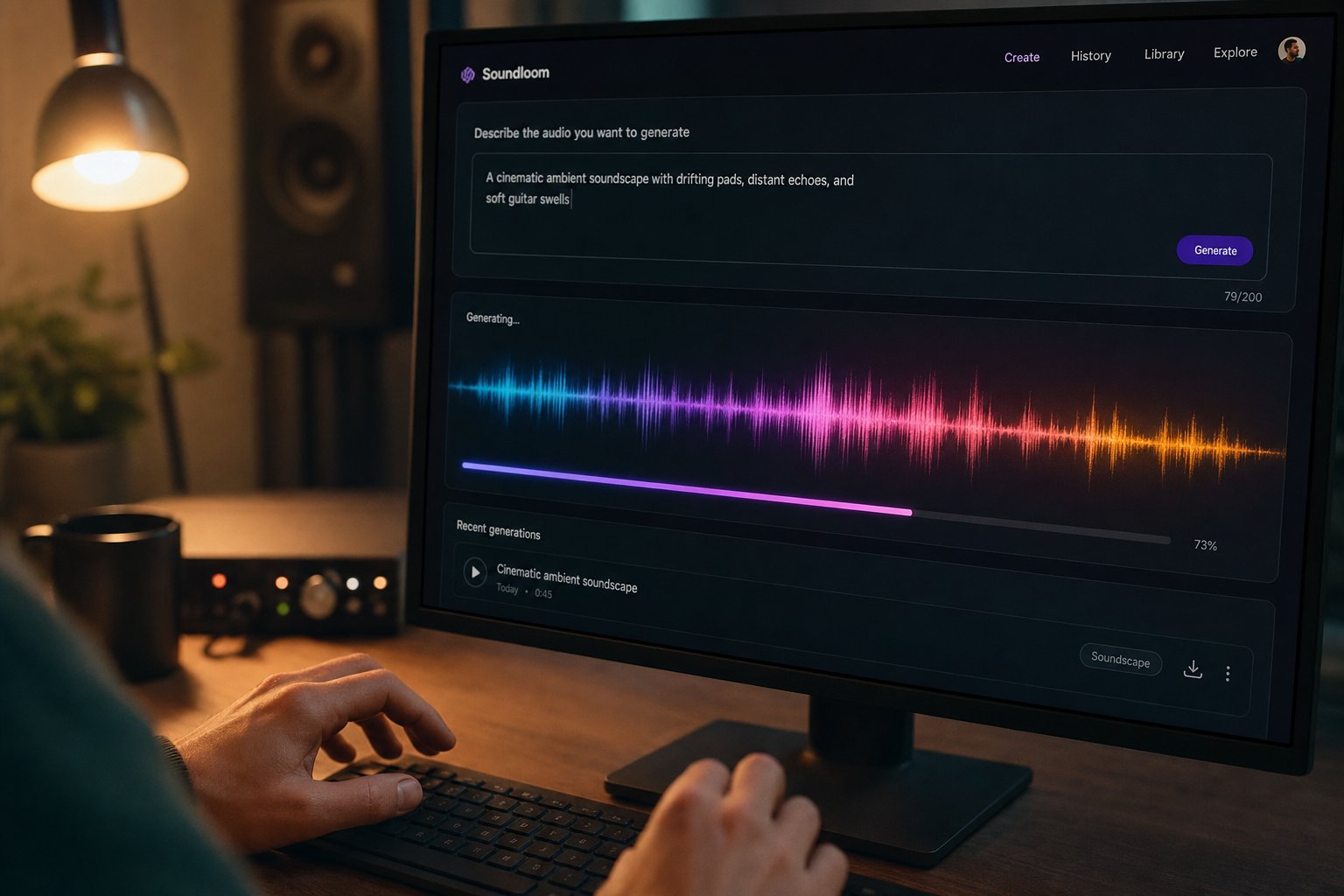
Step 4: Generate Your First Complete AI Song
You have a prompt ready. You know what genre, tempo, and mood you are targeting. So how do you make a song from here? The actual generation step takes less time than writing the prompt itself — and the workflow is nearly identical across platforms. To keep this walkthrough concrete, we will use MakeBestMusic as the example since it accepts prompts, lyrics, and style descriptions in a single interface without requiring production knowledge or account setup gymnastics.
Generate a Track in Under Five Minutes
Here is the step-by-step process for basic song production from a scratch track ai prompt to a finished piece of audio:
- Open the tool — Navigate to the creation page. No software to install, no plugins to configure. A browser is all you need.
- Select your generation mode — Most platforms offer a choice: generate from a text prompt, paste in custom lyrics, or pick a style preset. If you wrote a detailed prompt in the previous step, use the text prompt mode. If you already have lyrics you want to hear sung, paste those in and add style descriptors alongside them.
- Enter your prompt — Paste the genre-mood-tempo-instrumentation description you built earlier. Front-load the genre and keep it to 4-7 descriptors. If the tool has separate fields for style, mood, or lyrics, split your prompt across those fields accordingly.
- Set duration and structure preferences — Choose your target track length. For a first attempt, 2-3 minutes is ideal — long enough for verse-chorus structure but short enough to evaluate quickly. If the platform offers structure options (intro, verse, chorus), select them rather than leaving the AI to guess.
- Click generate and wait — Generation typically takes 30 seconds to two minutes depending on track length and server load. The platform processes your description, builds the arrangement, renders audio, and returns playable results.
- Listen to all variations and pick the strongest one — This is the step most beginners skip. Do not settle on the first output you hear.
That is how to make your own song with AI — six steps, under five minutes of active time. The process for how to create songs this way is the same whether you are building a podcast intro or a full three-minute vocal track. The only difference is what you type into the prompt field.
Evaluate and Iterate Your Output
Generating audio is the easy part. Picking the right take and knowing when to regenerate is where the quality actually lives. When you listen back, evaluate each variation against these criteria:
- Coherence — Does the song feel like one unified piece, or do sections sound disconnected from each other?
- Transitions — Are the shifts between verse and chorus smooth, or is there an awkward gap or abrupt jump?
- Vocal clarity — If the track has vocals, are the words intelligible? Do the syllables land naturally on the beat?
- Mix balance — Can you hear all elements clearly, or are instruments fighting each other for space?
- Hook strength — Is there a moment that sticks after one listen? A memorable chorus or melody line?
Most AI music tools generate multiple variations from a single prompt. Always compare at least three outputs before committing to one — the difference between take one and take three can be the difference between a forgettable loop and a track you are genuinely proud of.
If none of the variations hit the mark, resist the urge to rewrite your entire prompt. Change one element — swap the vocal style, nudge the BPM up by 10, or simplify the instrumentation — then regenerate. This iterative approach is how experienced users answer the question of how can you make a song that sounds intentional rather than random. Each small adjustment teaches you how the model interprets your language, and after two or three rounds, you will develop an intuition for steering results precisely where you want them.
How do you make a song that actually holds up beyond the initial excitement of hearing AI produce audio? You treat every generation as a draft, not a final product. Select your best take, note what works and what does not, and carry those observations into the next phase — where you refine the mix, trim the arrangement, and export a file ready for its final destination.
Step 5: Refine, Mix, and Export Your Track
A raw AI-generated track is a draft, not a deliverable. Most product pages treat generation as the finish line, but the real difference between amateur and polished output happens in what you do next — trimming dead space, isolating individual elements, and exporting at the correct specifications for your destination. Skip this phase and your track sounds like a demo. Handle it well and the result holds up alongside manually produced music.
Edit and Arrange Your Track
Some platforms include built-in editing directly in the browser. Suno and Udio let you extend sections, regenerate specific parts of a song, or crop the intro and outro without leaving the interface. Soundraw takes this further with a block editor that lets you rearrange sections like puzzle pieces — adjusting energy levels, adding builds, or removing bridges entirely. For many content creators, this in-platform editing is enough to reach a finished product.
When you need deeper control — precise vocal mixing, layering multiple generations together, or creating piano arrangement from audio — you will need to export into a DAW like Ableton, Logic Pro, or the free options like Audacity and GarageBand. This is also where a song mashup maker workflow comes into play: combining the best chorus from one generation with the verse of another to build something stronger than any single output.
The bridge between AI generator and DAW is stem separation. Tools like Soundverse's Stem Separator can split a mixed track into up to six editable stems — vocals, drums, bass, guitar, and accompaniment — using neural networks that identify and isolate each element's frequency signature. Udio offers native stem downloads on paid tiers, and Suno has added similar functionality. Once you have isolated stems, you can adjust individual levels, apply vocal mixing ai free tools to clean up a vocal take, run a free ai music finalizer over your master bus, or drop just the instrumental into a video timeline while discarding the vocal entirely.
This stem-based workflow is what separates casual generation from serious production. It gives you the flexibility of the best music composition software without requiring you to compose anything from scratch — the AI handles creation, and you handle curation and refinement.
Export Settings That Matter
Your track sounds great in the browser preview. But export it at the wrong settings and that quality degrades the moment it hits YouTube, Spotify, or a podcast feed. Two specifications matter most: sample rate and file format.
WAV is uncompressed audio — it preserves every detail of your mix and is the right choice any time further processing or professional distribution is involved. MP3 is compressed and discards some information to reduce file size, which works for quick sharing or platforms where file weight matters more than microscopic fidelity. For music releases, 44.1 kHz is the standard sample rate; for video projects, 48 kHz keeps audio locked to the timeline.
A practical rule: export at the highest quality your destination accepts, then let the platform handle its own compression. Uploading a WAV to Spotify means Spotify encodes it cleanly. Uploading an already-compressed MP3 means the platform re-compresses an already degraded file — and that compounds quality loss.
| Destination | Recommended Format | Sample Rate | Bit Depth / Bitrate | Notes |
|---|---|---|---|---|
| Spotify / Apple Music | WAV or FLAC | 44.1 kHz | 24-bit, true peak below -1 dB | Platform re-encodes; upload lossless for best results |
| YouTube | WAV | 48 kHz | 24-bit | 48 kHz matches video timeline standards |
| Podcast hosting | MP3 | 44.1 kHz | 128 kbps CBR (mono) / 192 kbps (stereo) | Spoken word tolerates compression; keep file sizes manageable |
| Game engines (Unity / Unreal) | WAV or OGG | 44.1 kHz or 48 kHz | 16-bit minimum | OGG for runtime streaming; WAV for short stingers and loops |
| Social media (TikTok, Reels, Shorts) | MP3 | 44.1 kHz | 256-320 kbps | High bitrate MP3 is indistinguishable from lossless on phone speakers |
If your AI platform only exports MP3, that is fine for social content and podcast intros. But for anything headed to streaming platforms or a professional video edit, look for tools that offer WAV or FLAC downloads — this is one area where paid tiers on platforms like Suno and AIVA justify their cost. AIVA also exports MIDI, which lets you pull the composition into any DAW and swap virtual instruments entirely — useful when you want AI-composed melodies but prefer your own sound libraries.
One final detail: always keep both a WAV master and a lightweight MP3 preview of every track you produce. The WAV lives in your archive for future edits and professional use. The MP3 is what you send in a quick message or drop into a draft timeline for approval. When searching for the best ai for music production, this export discipline is what separates tools that fit professional workflows from those that only serve casual use.
With a polished, properly exported file in hand, the next question becomes practical: how does this track actually get into your video editor, podcast timeline, or game engine — and what adjustments keep it sounding right once it sits alongside dialogue, sound effects, and other audio elements?
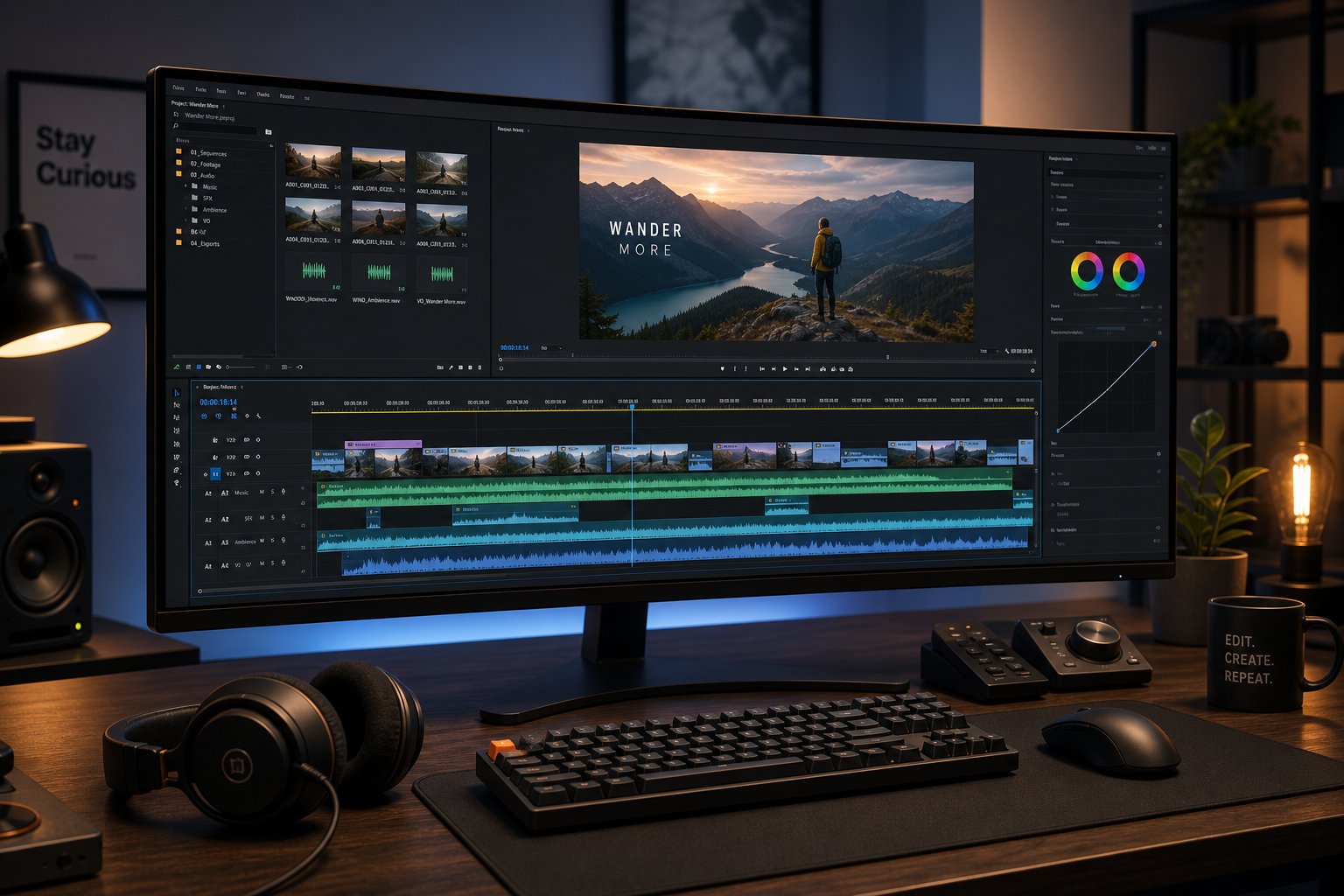
Step 6: Integrate AI Music Into Your Video, Podcast, or Game Project
You have a polished track sitting in your downloads folder. It sounds great in isolation. But music never lives in isolation — it sits under dialogue, syncs to visual cuts, loops behind gameplay, or fades beneath a podcast intro. The integration step is where most people fumble, and it is the reason a perfectly generated AI track can still sound wrong in a final project.
How do you add music to a video, podcast, or interactive experience without it clashing with everything else in the mix? The answer depends entirely on where that music is going.
Add AI Music to Video and Podcast Projects
Video editors and podcasters share the same core challenge: music needs to support other audio elements without competing. The track that sounded perfect on its own suddenly overwhelms narration or buries dialogue the moment you drop it into a timeline. Here is how to handle integration across the most common editing tools.
Video editing (Premiere Pro, DaVinci Resolve, CapCut)
Import your exported WAV or MP3 directly onto a dedicated audio track in your timeline. Keep music separate from dialogue and sound effects — this gives you independent volume control over each layer. A few practical techniques make the difference between amateur and professional results:
- Sync music to visual cuts — Drop your track in, then use markers at beat positions (every 4 or 8 bars). Align your video edits to these markers so cuts land on musical downbeats. This gives footage a rhythmic pulse that feels intentional rather than random.
- Duck audio under voiceover — When narration or dialogue plays, the music needs to drop by 10-15 dB. In Premiere Pro, use the Essential Sound panel's auto-ducking feature. DaVinci Resolve offers sidechain compression on the Fairlight page. CapCut handles this through its volume keyframe tool — drag the music waveform down wherever voice appears on the timeline.
- Loop background tracks to match content length — If your video is 8 minutes but your AI track is 3, you will need to loop seamlessly. Find a natural loop point (usually at the end of a 4- or 8-bar phrase), trim the track there, duplicate, and crossfade the transition by 500ms to avoid a perceptible jump.
For creators working in CapCut, the workflow is particularly straightforward. Upload your AI-generated track, drag it onto the timeline below your video, then trim and adjust volume with a few taps. The platform's built-in music library also supplements AI tracks with royalty-free options if you need layered audio. Knowing how to add music in Canva follows similar logic — drag your exported file into the Canva editor timeline and adjust start points and volume levels directly. Canva music works best for short-form social content where precise sync matters less than having an appropriate mood bed underneath graphics or text animations.
Podcast production (Descript, Audacity)
Podcast integration is simpler than video but demands careful attention to loudness. Your AI-generated intro music, transition stingers, or business background music beds need to coexist with speech without masking it.
In Descript, import your AI track as a separate layer. The platform's transcript-based editor lets you visually see where speech occurs, making it easy to place music in gaps and fade it under speaking sections. For royalty free podcast intro music, a 10-15 second AI-generated clip placed before the first word of each episode establishes identity immediately.
In Audacity, the approach is manual but precise. Import your music file on a new track, use the envelope tool to draw volume automation — full volume during your intro, then pull it down to -18 dB or lower when speech begins. Apply a gentle fade-out at the end of each music segment rather than a hard stop. The target loudness for spoken-word podcasts is -16 to -14 LUFS for dialogue, which means your background music should sit at -30 to -24 LUFS to remain present without competing.
Use AI Music in Games and Interactive Media
Game audio has different requirements than linear media. Music in a game cannot simply play start-to-finish — it needs to loop cleanly, transition between states (exploration vs. combat vs. menu), and adapt to player behavior without audible seams.
When integrating AI-generated tracks into Unity or Unreal Engine, keep these considerations in mind:
- Seamless looping — Trim your track to loop at a musically logical point (end of a phrase, usually 4, 8, or 16 bars). Ensure the waveform amplitude at the end matches the start to avoid a click or pop at the loop boundary. Test the loop point for at least five consecutive cycles before calling it done.
- Adaptive music layers — Generate separate versions of the same track at different intensity levels (calm, medium, intense) and crossfade between them based on game state. AI tools make this efficient — use the same prompt with mood variations to produce coherent layers that share harmonic and rhythmic DNA.
- File format considerations — Use OGG Vorbis for runtime streaming of longer loops (smaller file size, good quality) and uncompressed WAV for short stingers and one-shot sound effects where latency matters.
- Middleware integration — For complex adaptive scores, pipe your AI-generated stems through Wwise or FMOD, which handle runtime mixing, transitions, and state-based switching without requiring custom audio code.
Even for simpler interactive projects — a web app intro, a presentation, or an ai music video for social media — the principle stays the same: the music serves the experience, not the other way around. A free ai music video generator workflow might produce the visual and audio together, but professional results typically come from generating music and visuals separately, then syncing them intentionally in post-production.
Quick Workflow Tips for Any Integration
- Always export stems separately when possible — Having isolated vocals, drums, bass, and melody gives you surgical control. Need to pull the energy down for a quiet scene? Mute the drums stem instead of lowering the entire track.
- Create multiple length variations for flexibility — Generate a 30-second, 60-second, and full-length version of the same track. This saves you from awkward loops or abrupt fades when your content length does not match your music length.
- Test loudness levels against dialogue before finalizing — Play your music underneath actual speech at your target delivery volume. If you strain to hear words, the music is too loud — no matter how good it sounds solo. A quick loudness check prevents the most common integration mistake.
- Keep a 2-second silence pad at the start and end of exported files — This prevents accidental clipping during import and gives you clean handles for crossfades in any timeline.
- Match sample rates to your project settings — A 44.1 kHz music file dropped into a 48 kHz video project will need real-time sample rate conversion, which can introduce subtle artifacts. Export at the rate your editor expects.
Integration is the unsexy step that separates a track from a finished production. Handle it well and listeners never notice the music was AI-generated — they just feel the mood it creates. Handle it poorly and even the best-generated track sounds like a random song dropped on top of unrelated content.
Before you publish that finished project, though, one critical question remains: do you actually have the right to use that AI track commercially? Licensing models vary wildly across platforms, and the legal landscape around AI-generated music ownership is still shifting. Getting this wrong can mean takedowns, lost monetization, or worse.

Step 7: Navigate Licensing and Avoid Common Pitfalls
You have a polished, exported track sitting in a finished project. It sounds professional, it fits the mood, and it is ready to publish. But here is the question that trips up more creators than any technical challenge: are you actually allowed to use it commercially?
Licensing models across AI music platforms are inconsistent, often confusing, and rarely explained in plain language. Meanwhile, copyright law has not caught up with AI-generated content, creating gray areas that affect everyone from hobbyist YouTubers to commercial production teams. Understanding what you can and cannot do with your AI-generated tracks is not optional — it is what keeps your content monetized and your projects legally clean.
Commercial Licensing and Copyright Rules
Across the major AI music generators, licensing falls into three distinct models. Each one determines what you are allowed to do with your output — and the differences between them are larger than most creators realize.
- Full commercial rights included in subscription — Platforms like Soundraw and Suno (Pro tier and above) grant you commercial usage rights as part of your monthly payment. You can monetize content containing these tracks without additional fees or attribution. Some platforms on this tier even allow Content ID registration.
- Attribution required on free tier — Several platforms let you use generated tracks for free but require you to credit the tool in your content description or metadata. This works for personal projects and non-monetized uploads, but creates friction for branded or client work where crediting an AI tool is not ideal.
- Restricted use without upgrade — The most common model for free plans. You can generate and listen to as many tracks as you want, but downloading, publishing, or monetizing requires a paid subscription. Boomy, AIVA (free tier), and Stable Audio all follow this pattern with varying restrictions on what the free output can be used for.
A critical distinction that many creators miss: "royalty-free" does not mean "copyright-free." Royalty-free means you have a license that lets you use the work without paying ongoing per-use fees, but the copyright may still belong to the platform or exist in a legal gray zone. This is different from public domain content, which has no copyright restrictions at all.
| Platform | Commercial Use Allowed | Attribution Required | Exclusivity Available | Content ID Registration | Key Conditions |
|---|---|---|---|---|---|
| MakeBestMusic | Yes (paid plans) | No (paid) | No | Platform-dependent | Free tier is non-commercial |
| Suno | Yes (Pro $10/mo+) | No (paid) | No | Yes (Pro+) | Free tier outputs are non-commercial; Pro grants full monetization rights |
| Udio | Yes (Standard $10/mo+) | No (paid) | No | Yes (paid tiers) | Free tier limited to personal non-commercial use |
| AIVA | Yes (Standard $15/mo for limited; Pro $49/mo for full) | Yes (free and Standard) | Yes (Pro only) | Yes (Pro) | Standard allows monetized use but AIVA retains copyright; Pro grants full ownership |
| Soundraw | Yes (all paid plans) | No | No | Yes | Unlimited downloads and commercial use on paid plans |
| Beatoven.ai | Yes (paid plans) | No (paid) | No | No | Free tier is for evaluation only |
| Mubert | Yes (Pro $39/mo+) | Yes (free tier) | No | No | Ambassador and Business tiers for broadcast and advertising |
| Boomy | Yes (paid plans) | No (paid) | No | Platform handles via distribution | Revenue share model on streaming distribution |
| Stable Audio | Yes (Creator license+) | No (paid) | No | No | Free outputs are non-commercial; commercial requires paid license |
One thing to notice: AIVA is the only major platform offering true copyright ownership transfer on its Pro tier. Every other platform grants you a license to use the output commercially, but that is not the same as owning the underlying copyright. This matters if you plan to license your AI-generated music to others or register it with a performance rights organization.
The broader legal question of who owns AI-generated music remains unresolved. The U.S. Copyright Office has consistently held that a work must have a human author to receive protection — meaning purely AI-generated output without significant human creative input may not qualify for copyright registration. The EU takes a similar position, tying originality to human intellectual creation. The UK stands as a narrow exception, extending limited protection to computer-generated works under the Copyright, Designs and Patents Act 1988.
For practical purposes, this means: if you use AI as a starting point and then substantially edit, arrange, or add original elements to the output, your claim to copyright is stronger. If you publish a raw AI generation with no human creative input beyond the prompt, your legal protection is weaker. Documenting your creative process — the prompts used, the edits made, the elements added manually — supports a stronger ownership claim if questions arise later. Threads discussing best ai generated music on forums frequently raise this exact concern, and the consensus in ai generated music reddit communities is that the law remains unsettled enough to warrant caution, especially for high-value commercial releases.
Limitations and When to Use Human Production
Honest talk: AI music generators are remarkably capable for certain tasks, but they are not universally good at everything. Knowing where these tools fall short saves you from wasting hours trying to force a result that current technology simply cannot deliver reliably.
A peer-reviewed study published in PLOS One found that while AI-generated music matched human-composed music in emotional valence and discrete emotion perception, human-created soundtracks were rated significantly more familiar by listeners. The researchers noted that AI output often produces an "uncanny" aesthetic — something that sounds almost right but lacks the established conventions listeners subconsciously expect. This aligns with what users report in best ai music generator reddit discussions: AI tracks are impressive on first listen but can feel slightly off on repeated plays.
Here are the most common quality issues and practical workarounds:
- Complex time signatures — AI generators trained primarily on 4/4 popular music struggle with 7/8, 5/4, or mixed-meter compositions. Workaround: use AIVA with MIDI export to generate a base in 4/4, then manually adjust timing in a DAW.
- Culturally specific styles — Traditional music from non-Western cultures (Gamelan, Carnatic classical, Afrobeat polyrhythms) often sounds like a surface-level approximation rather than an authentic performance. Workaround: use AI for the structural skeleton and layer authentic samples or live recordings on top.
- Precise reference matching — Asking an AI to "sound like" a specific artist or song rarely produces the result you imagine. Models deliberately avoid direct replication to reduce copyright liability. Workaround: describe the sonic qualities you like (tempo, instrumentation, production style) without naming the reference directly.
- Professional mixing and mastering — AI tracks ship with a decent rough mix, but they lack the surgical EQ, dynamic compression, and stereo imaging that a mastering engineer applies. For royalty free jazz music or any genre headed to streaming platforms, this gap is audible. Workaround: export stems and run them through dedicated mastering tools like LANDR, or hire a mastering engineer for high-priority releases.
- Lyrical depth and narrative coherence — AI-generated lyrics can rhyme and scan correctly but often lack the emotional specificity or storytelling arc of human songwriting. Workaround: write your own lyrics and use the AI purely for music generation and vocal performance.
- Extended compositions — Songs longer than 3-4 minutes tend to become repetitive or lose structural coherence. The AI runs out of compositional ideas and loops back to earlier patterns. Workaround: generate in shorter sections and stitch them together in a DAW, or use platforms like Udio that build incrementally in 30-second blocks.
- Live performance feel — Subtle human timing variations (swing, rubato, intentional imperfection) are difficult for AI to replicate convincingly. The output can sound metronomically perfect in a way that feels sterile. Workaround: add slight timing humanization in your DAW after export.
Will ai get better at helping with making music? Almost certainly. Models are improving rapidly — tools like Suno jumped from barely coherent output to full song stock-quality production within a single year. The same PLOS One study acknowledged that models have "progressed greatly" even during the course of their research period. But right now, in mid-2026, the practical ceiling is this: AI music generators produce excellent first drafts and production-ready output for specific use cases (background music, social content, demos, podcasts) while still falling short of human production for commercial releases demanding sonic perfection, cultural authenticity, or deep emotional narrative.
The smartest approach is treating these tools as what they are — a music ai creator without copyright restrictions reddit users sometimes expect, but in reality, a powerful compositional partner with clearly defined strengths and documented limitations. Use AI for speed, iteration, and accessibility. Bring in human production when the stakes, complexity, or cultural specificity demand it. That combination — AI generation plus human refinement — is where the best results live, and it is the workflow most likely to remain effective as both the technology and the legal framework continue to evolve.
