

What Is Mureka AI Music Generator
Imagine describing a song in plain English — "upbeat indie pop with airy female vocals and a driving drum beat" — and hearing a fully produced track minutes later. That is exactly what the Mureka AI music generator promises, and millions of people are already testing that promise for themselves.
Mureka AI is a full-stack, AI-powered music generation platform that transforms text prompts, lyrics, hummed melodies, or mood descriptions into complete, studio-style songs with vocals, instrumentation, and mixing. It is developed by Skywork AI Pte. Ltd., a Singapore-based company backed by Kunlun Tech (Kunlun Wanwei).
With over 5 million downloads across app stores and a 4.7-star average rating, the platform has quickly carved out a notable position in a market that is growing at a staggering pace. The global generative AI in music market was valued at USD 440 million in 2023 and is projected to reach USD 2,794.7 million by 2030, growing at a 30.4% CAGR. Mureka is riding that wave — and shaping it.
What Is Mureka AI and Who Built It
The name itself is a mashup of "Music" and "Eureka," capturing the idea of that spark when a creative idea clicks into place. Behind the branding sits serious infrastructure. Skywork AI powers the platform with a suite of proprietary large music models — including SkyMusic, MusiCoT, O1, and V7.5 — designed not just to generate sound, but to reason about musical structure. Think verses, choruses, bridges, and emotional arcs, not random loops stitched together.
This is a meaningful distinction. Older AI music tools mostly produced background loops or ambient beds. Mureka's architecture attempts something closer to how a human songwriter thinks: planning sections, matching instrumentation to mood, and layering vocals over an arrangement. You can access the platform through its web interface, mobile apps on both iOS and Android, and even a dedicated API at platform.mureka.ai for developers who want to integrate AI music generation directly into their own products.
Why Mureka AI Matters in the AI Music Space
So why are so many people searching for this particular tool? The answer is bigger than any single platform. Text-to-music and lyrics-to-song workflows have fundamentally lowered the barrier to music creation. You no longer need years of instrument training, expensive studio time, or deep production knowledge to create a track that sounds polished. AI handles the composition, arrangement, and even the vocals.
That democratization is driving massive demand. Automated music composition already accounts for the largest revenue share in the generative AI music market, and the appetite for custom, adaptable soundtracks — across YouTube videos, podcasts, games, and ads — keeps accelerating. Mureka sits at the intersection of these trends, offering a workflow that goes from idea to finished song in a single tool rather than requiring a patchwork of separate apps.
This article unpacks that tool honestly. You will find a deep dive into its features, real prompt-writing strategies that improve output quality, a transparent look at limitations most reviews skip over, and a side-by-side comparison with leading alternatives. The goal is simple: give you the information you actually need before you invest time or money into any AI music generation platform.
The platform's evolution tells its own story — and understanding how Mureka has changed across versions reveals a lot about where the tool stands today.
How Mureka AI Has Evolved Over Time
Most AI music tools push out updates quietly, and users are left guessing what actually changed. Mureka's progression, however, tells a clear story — one that moves from a capable-but-rough generation engine to a genuinely polished music production platform. Tracking that journey across model versions helps you understand what the mureka ai music generator can really do in 2026 versus what it could do a year ago.
From V8 to V9 and the Key Differences
The official changelog reveals a rapid cadence of model releases. Here is a condensed timeline of the major milestones that shaped today's experience:
- Mureka-6 (June 2025): Enhanced generation model that laid the groundwork for more structured song outputs.
- Mureka-7 (July 2025): A comprehensive quality leap for music generation, paired with the release of mureka-o1 — the platform's first "thinking" music reasoning model, designed to plan song structure before producing audio.
- Mureka-7.5 and 7.6 (Sept–Dec 2025): Iterative refinements that improved vocal generation across 10 languages, introduced WAV output URLs, and added the mureka-o2 reasoning model.
- Mureka-8 (March 2026): Another enhanced model release, improving mix clarity and instrumental separation.
- Mureka-9 (April 2026): The current flagship model, delivering the biggest upgrade in vocal realism, editing stability, and arrangement quality to date.
So what does V9 actually feel like compared to V8? The differences are audible, not just technical. Vocal breath control, note endings, and emotional delivery sound noticeably more natural — closer to a skilled session singer than a synthesized voice. Instrumental layering improved as well; drums, bass, and lead melodies sit in their own space rather than blurring into a muddy wall of sound. The editing workflow also matured: song extension, outro adjustments, and partial regeneration produce more consistent results instead of jarring mismatches between old and new sections.
V9 also introduced a one-click Remix feature, letting you swap genres while preserving the original vocals and melody, rewrite lyrics over an existing arrangement, or upload a reference track for style guidance. For anyone who has struggled with regenerating an entire song just to tweak one element, this is a meaningful time-saver.
Enterprise API and Developer Access
A consumer app with flashy features is one thing. An enterprise-grade API is something else entirely — and it signals that Mureka's parent company sees this as infrastructure, not just a novelty product.
The Mureka API platform has expanded steadily alongside the consumer product. Recent additions include prompt-to-song generation, image and video soundtrack creation, stem separation for vocal and instrumental tracks, lyrics video generation, remix generation, and — as of mid-2026 — music transcription. Developers can control output quantity, specify gender for vocal tracks, and stream generated audio in real time.
Why does this matter if you are not a developer? Because API availability means third-party apps, games, and marketing platforms can embed Mureka's mureka ai music generation tool directly into their own workflows. It also means the underlying models are being stress-tested at scale by enterprise clients, which typically accelerates quality improvements that eventually trickle down to regular users.
Understanding how far the platform has come provides useful context — but version numbers only tell half the story. The real question is what you can actually do with the tool right now, feature by feature.
Core Features and Capabilities Deep Dive
Six distinct capabilities form the backbone of the platform, and each one serves a different stage of the music creation process. Rather than lumping them all under a vague "AI generation" umbrella, it helps to understand exactly what each feature expects from you, what it hands back, and where the quality ceiling sits in practice.
Here is a quick-reference overview before we unpack each one:
| Feature Name | Input Required | Output Type | Best Use Case |
|---|---|---|---|
| Song Generation | Text prompt or full lyrics with structure tags | Complete song with vocals, instrumentation, and mixing | Creating finished tracks from an idea or written lyrics |
| Instrumental Generation | Text prompt describing genre, mood, tempo, and instruments | Music-only track (no vocals) | Background music for video, podcasts, or production stems |
| Lyrics Generation | Theme description, mood keywords, or a short sentence | Structured lyrics with verse, chorus, and bridge tags | Overcoming writer's block or drafting lyrics in multiple languages |
| Song Extension | An existing generated track plus direction cues | Extended version of the original song (up to 5 minutes total) | Lengthening a short draft into a full-length track |
| Voice Cloning | Audio sample of the target voice (clean, isolated vocal) | Generated song using the cloned vocal tone | Maintaining vocal consistency across multiple tracks |
| Style Matching | Reference audio track uploaded by the user | New song generated in a similar sonic style | Recreating a vibe without writing detailed genre prompts |
Song and Instrumental Generation Explained
Song generation is the headline feature, and it works through two primary paths. The first is text-to-song: you type a descriptive prompt — something like "dreamy synthwave track with ethereal female vocals and a pulsing bassline" — and the AI handles lyrics, melody, arrangement, and vocal performance in one pass. The second path is lyrics-to-song, where you paste your own written lyrics into the editor, add structure tags like [Verse], [Chorus], and [Bridge], select a genre, and let the engine compose music around your words.
That lyrics-first workflow is where the mureka ai music generator features in 2025 and 2026 genuinely stand apart. The platform's MusiCoT (Music Chain-of-Thought) architecture plans the entire song structure before generating any audio. Instead of producing sound sequentially from start to finish — which often leads to meandering arrangements — it maps out verse lengths, chorus placement, and transitions first. The result is noticeably more coherent than what many competitors deliver, especially for songs longer than two minutes.
Instrumental generation uses the same underlying engine but strips out the vocal layer entirely. You toggle between "Vocal" and "Instrumental" at the top of the creation interface. This is not simply a vocal remover running after the fact; the AI composes a dedicated instrumental arrangement, which means the mix breathes differently — instruments fill the frequency space that vocals would normally occupy. For YouTube background tracks, podcast intros, or lo-fi study playlists, the instrumental mode often produces cleaner, more usable results than muting vocals from a full song.
Both modes support 10 languages — Chinese, English, Japanese, Korean, Portuguese, Spanish, German, French, Italian, and Russian — with Chinese-language generation widely regarded as the strongest in the AI music space. Genre coverage spans pop, rock, hip-hop, electronic, folk, R&B, jazz, classical, and more, though results vary in quality across categories (a topic we will address honestly later in this article).
Voice Cloning and Style Matching in Practice
These two features fill a gap that most AI music platforms still ignore, but they come with important caveats worth understanding before you invest time experimenting.
Voice cloning lets you upload an audio sample of a specific voice and then apply that vocal character to newly generated songs. What does the platform actually need from you? A clean, isolated vocal recording — meaning minimal background noise, no heavy reverb, and no overlapping instruments. The cleaner and longer your sample, the higher the fidelity of the cloned output. Short, noisy clips produce inconsistent results that may capture the general tonal quality but miss the subtleties of breath, vibrato, and phrasing.
Realistic expectations matter here. Voice cloning on any current AI platform — Mureka included — does not produce an indistinguishable replica of a human singer. What it does deliver is a recognizable approximation: the timbre and general vocal color carry through, but nuanced emotional delivery and dynamic range remain limited compared to an actual performance. The most practical use case is maintaining a consistent "house voice" across a project or album where hiring the same vocalist repeatedly is not feasible.
Style matching takes a different approach entirely. Instead of cloning a voice, you upload a reference track — any song you admire — and the AI analyzes its tempo, instrumentation, mood, and arrangement patterns. It then generates a completely new piece that captures a similar sonic identity without copying the original composition note for note. Think of it as telling the AI "make something that feels like this" rather than describing every detail in a text prompt.
This is genuinely useful when you struggle to articulate a specific sound in words. Showing the AI a reference track often produces more accurate results than even the most detailed text prompt, because musical style involves layered characteristics — groove, tonal palette, spatial mixing — that resist easy verbal description. The Reference Mode is frequently cited as one of the platform's most practical features for exactly this reason.
Batch Generation and Song Extension
Every generation run produces multiple variations of your request — up to four at once. Why does this matter? Because AI music generation is inherently probabilistic. The same prompt fed into the same model twice will produce different outputs, and quality varies between them. Batch generation lets you listen to all variations side by side, pick the strongest one, and discard the rest without burning additional credits on separate generation attempts.
For workflow efficiency, this is a quiet but significant advantage:
- A/B testing moods: Generate four versions of a cinematic intro and compare which emotional arc fits your video best.
- Client presentations: Offer multiple directions to a client from a single prompt, saving rounds of revision.
- Creative exploration: Let the AI surprise you — sometimes the "wrong" variation sparks an idea you would never have written yourself.
Song extension rounds out the feature set by solving a common frustration: your generated track sounds great but is too short. Rather than starting over, you feed the existing clip back into the engine with direction cues — "add a guitar solo bridge" or "build to a bigger chorus" — and the platform appends new sections that match the original's key, tempo, and style. Tracks can extend up to five minutes total, which covers the length requirements for most commercial use cases.
The practical quality of extensions has improved significantly with recent model updates. Earlier versions often produced audible seams where the new section met the old one — a telltale shift in energy or mixing balance. Current outputs blend more seamlessly, though complex arrangements with multiple instrument layers still occasionally reveal the splice point on close listening.
Knowing what each feature does is only half the equation, though. The difference between a mediocre output and a genuinely impressive one often comes down to a single variable: how well you write the prompt that starts the whole process.
How to Write Better Prompts for Mureka AI
You already know Mureka can generate full songs, instrumentals, and cloned-voice tracks. But here is the uncomfortable truth most tutorials skip: the quality gap between a lazy prompt and a well-structured one is enormous. A vague input like "sad pop song" hands the AI almost nothing to work with, so it fills in every blank with generic defaults. A specific, layered prompt narrows the creative window and produces something that actually sounds intentional.
Prompt engineering is not a buzzword here — it is the single highest-leverage skill you can develop when using any ai music generator, Mureka included. The platform's MusiCoT reasoning engine plans song structure before generating audio, which means it responds unusually well to detailed instructions. Feed it vague cues, and you get a forgettable track. Feed it structured direction, and the output jumps several quality tiers.
Before diving into templates, though, you need to understand a critical fork in the Mureka AI music generator interface: the two distinct generation paths and when each one makes sense.
Text-prompt generation is the fastest route. You type a description — genre, mood, instrumentation, tempo — and the AI writes lyrics, composes music, and produces the entire track. This works best when you want creative latitude: background music for a video, experimental genre blending, or quick demos where lyrical precision does not matter.
Lyrics-input generation flips the control dynamic. You write (or paste) your own lyrics with structure tags like [Verse], [Chorus], and [Bridge], then describe the musical style separately. The AI composes around your words rather than inventing its own. This is the stronger path whenever specific lyrics matter — branded content, storytelling songs, or any project where the words carry the message.
Knowing which path to choose saves wasted generations. Quick background tracks? Text-prompt. A song with a deliberate narrative? Lyrics-input. Every time.
Anatomy of an Effective Mureka Prompt
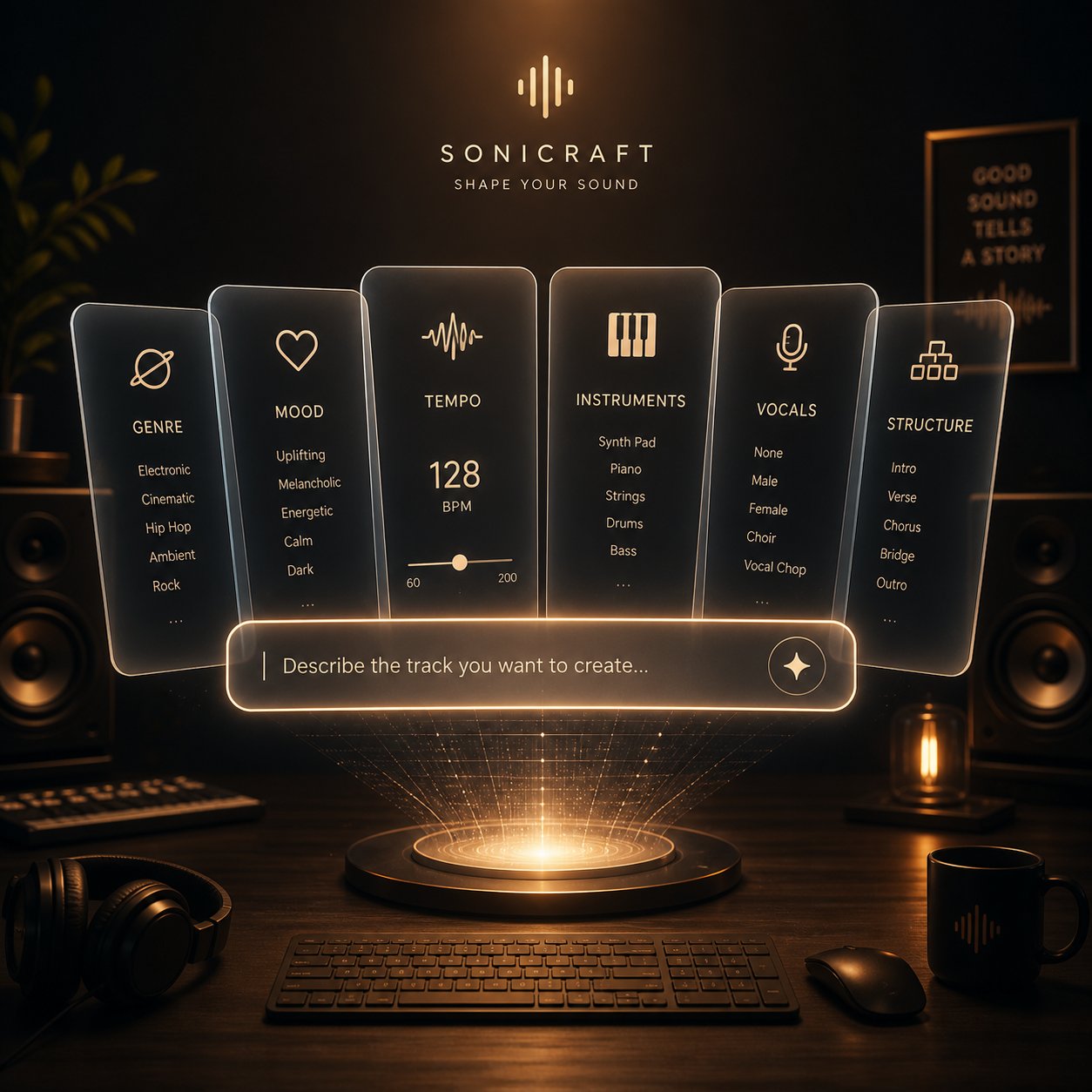
Think of a strong prompt as a creative brief, not a wish. Every element you include gives the AI a clearer target. Every element you leave out becomes a coin flip. Here are the six components that consistently improve first-attempt results when using this mureka ai music generation tool:
- Genre and subgenre. "Electronic" is a continent. "1980s synthwave" is a street address. Always pair a broad genre with a specific subgenre or era. The more precisely you anchor the style, the less the AI defaults to a generic average.
- Mood and emotion. Go beyond single-word labels. "Melancholic but hopeful" gives the engine a dynamic emotional arc. "Sad" gives it a flat line. Stack two or three descriptors that create tension or movement.
- Tempo. Use BPM values if you know them, or speed descriptors if you do not. "85 BPM" is more reliable than "slow" because it eliminates ambiguity. AI models interpret "slow" differently depending on genre context — slow for EDM is fast for a ballad.
- Instrumentation. Name three to five specific instruments or production elements. "Analog synth pads, gated reverb snare, arpeggiated bass, shimmering hi-hats" paints a vivid sonic picture. "Synths and drums" does not.
- Vocal style. Specify gender, register, and delivery. "Soft female vocals, breathy delivery, minimal vibrato" produces drastically different results than simply requesting "female vocals." If you want an instrumental track, state "instrumental only, no vocals" explicitly.
- Structure cues and tags. This is where Mureka's MusiCoT engine truly shines. Tags like [Intro], [Verse], [Pre-Chorus], [Chorus], [Bridge], and [Outro] tell the AI exactly where sections should begin and shift. Without them, the model decides on its own — and its default choices may not match your vision.
A useful framework to memorize: Genre + Mood + Tempo + Instruments + Vocals + Structure = Consistent Output. Skip any component and you hand that decision to the algorithm.
Here is the difference in practice. Compare these two style descriptions for the same creative idea:
Weak prompt: "Upbeat pop song with guitars and a catchy chorus."
Strong prompt: "2020s indie pop, jangly electric guitars, upbeat, 112 BPM, bright and nostalgic, female vocals with layered harmonies on the chorus, light tambourine percussion, warm reverb on vocals."
The second version does not leave room for guesswork. Every sonic decision is made by you instead of the AI, and the output reflects that precision. Research into AI music prompt compliance confirms this pattern: structured, descriptor-rich prompts consistently outperform prose-style requests across all major generation platforms.
Prompt Templates for Common Use Cases
Ready-to-use templates eliminate the blank-page problem. Adapt these to your needs by swapping genre, mood, and instrument descriptors while keeping the structural framework intact.
Pop Song Template: "Modern pop, female vocalist, upbeat, 118 BPM, bright synth chords, crisp snare, groovy bass, catchy and empowering, summery energy. [Intro] [Verse] [Pre-Chorus] [Chorus] [Verse] [Chorus] [Bridge] [Chorus] [Outro]"
Lo-Fi Instrumental Template: "Lo-fi hip-hop, instrumental only, 78 BPM, dusty vinyl crackle, mellow jazz piano chords, soft boom-bap drums, ambient pads, warm and hazy, late-night study vibes. Avoid: vocals, busy melodies, sudden changes."
Cinematic Score Template: "Cinematic orchestral, instrumental only, building intensity, full strings and brass, taiko drums on transitions, 90 BPM, dark and expansive, heroic climax at the final section. [Intro] [Build] [Climax] [Outro]"
Hip-Hop Template: "Trap hip-hop, deep 808 bass, crisp hi-hats, dark and confident, 140 BPM, male vocals with assertive delivery, minor key, punchy kick drum, atmospheric ad-libs. [Verse] [Chorus] [Verse] [Chorus] [Outro]"
Ambient/Chill Template: "Ambient electronic, instrumental only, no drums, lush reverb pads, slow evolving textures, 65 BPM, ethereal and meditative, gentle arpeggiated synth, spacious and minimal. Use case: background music for meditation or relaxation content."
Notice a pattern across all of these? Each template leads with genre, locks in a tempo, names specific instruments, describes an emotional register, and — where relevant — specifies a song structure with tags. That consistent skeleton is what separates prompts that produce usable tracks on the first try from ones that require five or six regenerations.
One additional technique worth borrowing from advanced users: negative prompting. Telling the AI what to avoid is just as powerful as telling it what to include. "Avoid: acoustic guitar, bright major key, fast tempo" removes common defaults that might clash with a dark, electronic mood. Think of it as guardrails — you are not just pointing the AI in a direction, you are also blocking the wrong exits.
For lyrics-input generation specifically, the structure tags become even more critical. Paste your written lyrics with [Verse 1], [Chorus], [Bridge], and [Outro] markers embedded directly in the text, then use the separate style field for all musical descriptors. Mixing lyrical content and style instructions in the same field confuses the parser and produces inconsistent results. Keep them separated — words in the lyrics field, sound in the style field — and the AI handles both with far greater accuracy.
Mastering prompts transforms the platform from a random song slot machine into a genuinely controllable creative tool. But a tool is only as useful as its fit for your specific workflow — and different types of creators need to approach it in fundamentally different ways.
Best Use Cases by Creator Type
A songwriter sketching demos at 2 a.m. and a marketing manager sourcing background music for a product launch video have almost nothing in common — except that both might open the same Mureka AI music generator interface. The features that matter to each of them, the workflows that save them time, and the quality bar they need to clear are entirely different. Treating this as a one-size-fits-all tool misses the point.
The platform's own Google Play listing segments its audience into four personas: Music Lovers, Creators and Remixers, Songwriters and Producers, and Content Creators. That segmentation is a useful starting framework, but each group needs specific guidance on which features to prioritize, which to skip, and what realistic output quality looks like for their particular goals.
For Songwriters and Music Producers
If you already know your way around a DAW, you are not looking for a finished master. You are looking for a creative accelerator — a tool that breaks through writer's block, sketches out arrangements faster than you could manually, and offers melodic or harmonic ideas you might not have reached on your own.
This is where the mureka ai music generator 2025 and 2026 updates genuinely earn their value. The MusiCoT reasoning engine plans structure before generating audio, which means the demos it produces have actual compositional logic — not just pleasant-sounding loops. For a producer stuck on a verse-to-chorus transition, generating three or four variations of the same idea in batch mode can surface a harmonic movement or rhythmic shift that unlocks the rest of the song.
Features that matter most for this persona:
- Lyrics-input generation — paste your own lyrics with structure tags and let the AI compose arrangements around them, giving you melodic raw material to refine in your own production software.
- Style matching — upload a reference track that captures the vibe you are chasing, and generate new compositions in that sonic neighborhood without struggling to describe the sound in words.
- Batch generation — produce up to four variations per prompt and cherry-pick the strongest melodic or harmonic ideas to develop further.
- Instrumental generation — isolate backing track ideas without AI vocals getting in the way of your own vocal performance or session singer.
Realistic expectations: treat outputs as high-quality demos, not release-ready masters. The mix balance, dynamic range, and tonal polish will need refinement in a proper DAW. Where the tool excels is in the ideation and arrangement phase — collapsing what might be a four-hour brainstorming session into twenty minutes of focused prompt iteration.
For Content Creators and Marketers
Your relationship with music is functional, not artistic. You need a track that fits a specific video, ad, or podcast segment — and you need it without copyright strikes, licensing headaches, or a $500 invoice from a composer. Speed, legal safety, and consistent usability matter far more than sonic originality.
This is actually the use case where AI music generation delivers its clearest ROI. As content production guides consistently note, the core value proposition is not replacing human creativity but eliminating the logistical bottleneck between having a clear sonic idea and having a usable file in your project folder. A content creator on a weekly publishing schedule cannot afford to spend hours browsing stock libraries or days waiting on a commissioned track.
Features that matter most for this persona:
- Text-prompt generation — describe exactly what you need ("calm acoustic background for a talking-head interview, 80 BPM, no vocals") and get a usable result in minutes.
- Instrumental mode — most content use cases call for music without vocals, so toggling to instrumental-only avoids competing with voiceover or dialogue.
- Song extension — stretch a short generated track to match the full length of your video without starting over from scratch.
- Batch generation — produce multiple tonal directions from a single prompt and A/B test which version drives better engagement on social platforms.
Workflow tip: build a small library of saved prompts for your recurring content types. A YouTube creator who publishes tutorials, vlogs, and product reviews can maintain three or four go-to prompt templates and generate fresh, on-brand background music for every upload without repeating tracks. That consistency builds subtle audio branding that stock libraries simply cannot deliver.
For Casual Music Enthusiasts and Remixers
You might not call yourself a musician. Maybe you just enjoy experimenting — hearing what happens when you feed the AI a bizarre genre mashup, remixing a generated track into something unexpected, or exploring musical styles you have never encountered before. There is no deadline, no client, and no deliverable. The point is creative play.
This is the audience that benefits most from features that feel less utilitarian and more experimental. Mureka's AI Radio feature, which generates a continuous stream of AI-composed tracks tailored to your taste, functions like a personalized discovery engine — useful for finding genres and styles you did not know you liked. The one-click Remix feature lets you take any generated song and swap its genre entirely while preserving the original melody, which is genuinely entertaining even when the results are imperfect.
Features that matter most for this persona:
- AI Radio — passive discovery mode that introduces you to new sounds without requiring any prompt-writing skill.
- One-click Remix — transform a pop track into a jazz arrangement or a rock song into an electronic piece and hear how genre shapes the same melody.
- Voice cloning — experiment with applying different vocal tones to the same song, useful for understanding how vocal timbre changes a track's emotional impact.
- Text-prompt generation with wild descriptors — this is where prompt creativity pays off. Try "Mongolian throat singing meets synthwave, 100 BPM, haunting" and see what happens. The best ai music generators 2025 suno udio mureka all handle genre fusion differently, and part of the fun is discovering each platform's interpretation.
Realistic expectations: not every experiment will produce a listenable track, and that is fine. The value here is exploration, not production. Approach the tool as a musical sandbox rather than a professional studio, and you will get far more out of it.
Each of these personas highlights a different strength of the platform — but none of them exist in a vacuum. Understanding how Mureka stacks up against the alternatives that serve these same audiences is the natural next question, and the answer requires an honest, side-by-side comparison.
Mureka AI vs Top Competitors
Picking an AI music generator without comparing alternatives is like buying the first car you test-drive. You might love it — or you might miss something better suited to how you actually drive. The mureka ai music generator holds genuine strengths, but so do several competitors, and each platform makes trade-offs that matter depending on your workflow, budget, and end goal.
No single comparison article currently breaks down these platforms feature by feature in one place. That changes here. Below is an honest, side-by-side evaluation covering five platforms that represent the most relevant options for creators in 2026.
Feature-by-Feature Comparison Table
This table distills each platform across the dimensions that actually affect your daily workflow — not marketing slogans, but functional capabilities and real constraints.
| Feature | MakeBestMusic | Mureka AI | Suno | Udio | AIVA |
|---|---|---|---|---|---|
| Primary Strength | Prompt-to-complete-song workflow | Melody generation and MusiCoT reasoning | Full-song vocal quality and ecosystem maturity | Vocal realism and licensed training trajectory | Cinematic and classical scoring |
| Input Flexibility | Prompts, lyrics, and style ideas | Text prompts, lyrics, reference audio, hummed melodies | Text prompts, lyrics, section tags | Text prompts, lyrics, reference audio uploads | Genre and mood selection, MIDI editing |
| Voice Cloning | Not available | Yes (requires clean vocal sample) | Not natively available | Style reference from uploaded audio | Not available |
| Batch Generation | Multiple outputs per generation | Up to 4 songs per prompt | Multiple variations per generation | Multiple variations per generation | Single composition per request |
| Commercial Licensing | Available on paid plans | Paid-tier ownership with license-back caveats | Paid plans (Pro $10/mo, Premier $30/mo) | Paid plans, but downloads disabled since Oct 2025 | Pro plan grants full copyright ownership |
| Supported Genres | Broad genre coverage across popular styles | Wide range, strongest in pop, electronic, and Chinese-language music | Widest genre range in the category | Strong on electronic, hip-hop, and vocal-driven genres | Classical, cinematic, orchestral focus |
| Audio Output Quality | High-quality finished songs | Strong (V9 model), improving vocal realism | Excellent — category leader for vocal generation | Excellent instrumentals, slightly trails Suno on vocals | Best-in-class for orchestral, limited for contemporary |
| Key Limitation | Smaller community ecosystem | Pricing page accessibility issues; license-back terms need careful review | Active litigation with Sony and UMG | All downloads disabled — music cannot leave the platform | No vocal generation; instrumental only |
A few things jump out immediately. Suno leads on raw audio quality and ecosystem depth — with over 2 million paid subscribers and a $2.45B valuation, it has the most mature product and the largest community. Udio matches or edges ahead on instrumental production quality, but the download freeze since October 2025 is a dealbreaker for anyone who needs files in a DAW or on a distribution platform. AIVA occupies its own lane entirely — unmatched for orchestral scoring but irrelevant if you need vocals or contemporary genres.
Mureka carves its niche through the MusiCoT reasoning engine, voice cloning, and style matching — capabilities that most competitors either lack or implement less effectively. Its multilingual support across 10 languages also gives it an edge for non-English music creation that Suno and Udio do not match as strongly.
MakeBestMusic fills a different gap. If your priority is turning prompts, lyrics, and style ideas into a finished song with minimal friction, its streamlined workflow eliminates much of the prompt-engineering learning curve that Mureka and Suno require. You describe what you want, and the platform delivers a complete track — no toggling between separate lyrics, composition, and production tools. For content creators and marketers who need usable tracks quickly rather than granular control over every musical parameter, that simplicity is a genuine advantage.
Where Each Platform Excels
Rather than declaring a single winner — which would be misleading — here is a use-case-driven summary of where each tool genuinely outperforms the others:
- Best for melody-first composition and multilingual music: Mureka AI. The chain-of-thought reasoning approach and 10-language support make it the strongest pick when song structure planning and non-English lyrics are priorities.
- Best overall vocal song quality and ecosystem: Suno. Category leader on genre breadth, vocal realism, and available learning resources. The Pro plan at $10/month offers the best value for serious creators who need downloadable, commercially licensed tracks.
- Best licensing trajectory: Udio. Settlements with UMG, Warner, Merlin, and Kobalt give it the cleanest legal story — but the download freeze makes it impractical until its licensed platform launches.
- Best for cinematic and orchestral scoring: AIVA. Full copyright ownership on the Pro plan and MIDI export make it ideal for game developers, film composers, and YouTubers needing royalty-free background scores.
- Best prompt-to-complete-song workflow: MakeBestMusic. The most frictionless path from an idea to a finished, ready-to-use song. Especially compelling for creators who want results without deep prompt-engineering skills or multi-step production workflows.
The best ai music generator comparison in 2026 is not about crowning a single champion — it is about matching the right tool to the right job. A songwriter exploring melodic ideas, a podcaster who needs a 30-second intro, and a marketer sourcing background tracks for ad campaigns are all better served by different platforms. The smartest approach is testing two or three with the same prompt and the same use case, then committing to the one that consistently delivers what you actually need.
Comparison tables clarify strengths, but they can also create a false sense of completeness. Every platform on this list has real weaknesses — and Mureka is no exception. Understanding those limitations honestly is what separates an informed decision from an expensive disappointment.
Honest Limitations and Drawbacks of Mureka AI
Every mureka ai music generator review worth reading needs to cover what the tool cannot do — not just what it can. Marketing pages highlight strengths. Creators investing time and credits need the full picture. The limitations below are not dealbreakers for every user, but ignoring them leads to wasted credits, frustrated workflows, and unrealistic expectations about what any AI music platform can deliver in 2026.
Genres and Styles Where Results May Fall Short
Mureka handles pop, electronic, and hip-hop with confidence. Chinese-language generation is genuinely best-in-class. But push the tool toward niche or technically demanding genres, and quality drops noticeably.
- Jazz and complex improvisation: AI models trained on large, genre-diverse datasets tend to produce safe, predictable jazz. You will get pleasant chords and smooth saxophone lines, but not the unpredictable phrasing, rhythmic tension, or spontaneous interplay that defines real jazz performance. The results sound closer to elevator music than a late-night club set.
- Classical orchestral with extended technique: While basic orchestral arrangements work, anything requiring nuanced dynamics — a string section building from pianissimo to fortissimo over eight bars, or woodwind trills with precise articulation — falls flat. As broader AI music research confirms, sound synthesis still struggles with realistic analog instrument timbres, occasionally producing metallic or artificial textures.
- Highly technical metal and progressive rock: Fast alternate picking, odd time signatures, and polyrhythmic drum patterns push beyond the model's comfort zone. Outputs tend to simplify complex rhythmic ideas into standard 4/4 patterns.
- English-language vocal flow: This is a consistent weak spot. Mureka's English vocals occasionally hit awkward stress patterns — syllables land on the wrong beat, or phrasing feels stiff compared to the natural delivery Suno achieves. Chinese and Japanese vocals sound considerably more fluid.
- Multilingual depth beyond Chinese: Despite supporting 10 languages, quality is not uniform across all of them. Chinese generation is exceptional. English is solid but imperfect. Languages like Russian, Portuguese, or German receive less training data representation, and the results can feel phonetically approximate rather than native.
Technical and Usability Limitations to Know
Beyond genre-specific weaknesses, several technical constraints affect everyday workflows regardless of what style you are creating.
Pros
- MusiCoT structural planning produces more coherent song forms than token-by-token generation.
- Batch generation (up to 4 variations) reduces the credit cost of finding a good output.
- Voice cloning and MIDI export on Premier tier offer capabilities most competitors lack entirely.
- Rapid version iteration — the V6-to-V9 progression shows consistent, measurable improvement in output quality.
Cons
- No melody-level editing. This is the platform's biggest creative limitation. You cannot adjust individual notes, pitch values, or rhythm patterns after generation. What the AI produces is essentially what you get. If a melody is 90% perfect but one phrase feels wrong, your only option is regenerating the entire track and hoping the next attempt nails it.
- Audio fidelity ceiling. Even on the Premier tier with WAV export, outputs do not match professionally mixed and mastered studio recordings. The mix tends to feel slightly compressed, with less spatial depth and dynamic range than a human engineer would deliver. For demo purposes and content creation, this is perfectly acceptable. For commercial music releases competing with studio-produced tracks, additional post-processing in a DAW is non-negotiable.
- Gold credit system opacity. How much does each generation actually cost? The answer is not always transparent. Credit consumption varies by generation type and model version, making it difficult to budget accurately. The system feels designed to nudge users toward higher tiers rather than empower informed spending.
- Voice cloning inconsistency. Short phrases clone reasonably well — timbre and tone carry through. Longer vocal lines degrade noticeably, losing the subtle characteristics that make a voice recognizable. Cloning quality also depends heavily on input sample quality; noisy or reverb-heavy recordings produce unreliable results.
- Style matching variability. Uploading a reference track sometimes produces a remarkably accurate vibe match. Other times, the AI latches onto one element — say, the tempo — while ignoring the instrumentation and mood entirely. Consistency across repeated attempts with the same reference track is not guaranteed.
- Mobile vs. web experience gap. The mobile app provides convenient access but lacks some of the fine-tuning controls available on the web interface. Advanced parameter settings, detailed prompt editing, and Studio features work more smoothly on desktop.
- Prompt interpretation drift. The same well-crafted prompt can produce significantly different quality outputs on different attempts. This is inherent to probabilistic AI generation, but it means that even experienced users occasionally burn credits on results that miss the mark despite precise instructions.
None of these limitations make the platform unusable. They make it imperfect — which is an important distinction. Any honest mureka ai music generator ranking in 2026 should place the tool among the top contenders for AI music generation while acknowledging that "top contender" still means "tool with real trade-offs." Setting expectations accurately before you commit credits or a paid subscription is the difference between productive frustration and blind disappointment.
Limitations shape what you can create. Licensing terms shape what you can do with what you create — and that legal dimension deserves equally honest scrutiny.

Copyright and Commercial Licensing for AI Music Generators Like Mureka
You have a track that sounds great. It fits your video perfectly. You are about to hit publish — and then a thought surfaces: can you actually use this commercially? Will it trigger a Content ID claim? Does anyone own the rights to a song an AI just invented from a text prompt?
These questions matter more than most creators realize. The legal landscape around AI-generated music is still evolving, and the answer depends less on copyright law in the abstract and more on the specific terms of the platform you used to generate the track. For the mureka ai music generator, those terms contain important nuances that every creator should read before monetizing anything.
What Mureka's Terms Say About Commercial Use
Unlike some competitors that advertise blanket "royalty-free" usage across all tiers, Mureka draws a sharp line between free and paid users. Section 3(e) of the Terms of Service spells this out directly:
- Paid-tier users (subscribers or Gold purchasers) own the rights, title, and interest in AI-generated output, including any intellectual property rights contained in it.
- Free-tier users do not own the output. Mureka retains all rights and grants free users a license to use generated tracks solely for "lawful, internal, and non-commercial purposes" — with mandatory attribution to Mureka in each case.
That distinction is critical. If you are on the free tier and you drop a Mureka-generated track into a monetized YouTube video, a paid podcast, or a client project, you are technically violating the platform's terms — regardless of whether copyright law itself would stop you. "Non-commercial" means non-commercial. There is no gray area in the language.
Even for paid users, the ownership picture has a significant caveat. Both free and paid users grant Mureka an "unrestricted, assignable, sublicensable, irrevocable, royalty-free license" to reproduce, distribute, publicly display, and otherwise exploit any generated output. In practical terms, you own the track, but Mureka also retains broad rights to use it however they choose — including for commercial purposes of their own. If you use the platform's music distribution service, that license becomes exclusive, meaning Mureka holds distribution rights that could limit your own options.
Two additional clauses deserve attention. The terms explicitly state that Mureka does not guarantee uniqueness of generated output — another user could generate something very similar. And Section 3(g) warns that due to the "particularity and complexity of AIGC," Mureka does not guarantee that your output can be used for copyright registration. You voluntarily assume all legal risk associated with that uncertainty.
The platform where you generate AI music defines your rights more than copyright law does. Always read the terms of service — specifically the sections on output ownership and commercial use — before publishing anything monetized.
Protecting Yourself When Using AI-Generated Music
The broader legal context adds another layer of complexity. As the US Copyright Office has consistently held since 2023, works created entirely by AI without meaningful human creative input are not eligible for copyright protection under current interpretations. This creates what some legal analysts call a "copyright vacuum" — nobody holds exclusive rights, but nobody can definitively claim protection either.
For creators comparing the top ai music generators in 2026 — spanning Suno, Udio, Mureka, and AIVA — the safest approach is not assuming that "AI-generated" automatically means "free to use however you want." Each platform's contractual terms layer on top of whatever copyright law says, and those terms vary dramatically. Some platforms grant full commercial rights on free tiers. Others, like Mureka, restrict free-tier usage to non-commercial only. Treating them all the same is a recipe for problems.
Meanwhile, the training-data lawsuits — including the RIAA cases against Suno and Udio filed in 2024 on behalf of Sony Music, Universal Music Group, and Warner Music Group — remain unresolved for some platforms and settled for others. These cases primarily target whether AI companies had the right to train on copyrighted recordings, not whether users can use the output. But an unfavorable ruling could force platform changes that ripple down to users through altered terms, pricing adjustments, or feature restrictions.
Given this fluid environment, here is a practical checklist for anyone planning to use AI-generated music commercially:
- Read the current terms of service on the platform you are using. Do not rely on summaries, blog posts, or older versions. Terms change. Mureka's ToS is dated October 2024 and may have been updated since — verify directly at mureka.ai/terms before making commercial commitments.
- Confirm whether your plan tier grants commercial usage rights. On Mureka specifically, free-tier output is restricted to non-commercial use. If you need commercial rights, you need a paid subscription or Gold purchase.
- Document what you generated and when. Keep records of your prompts, generation timestamps, and the platform account used. If a dispute ever arises, provenance documentation is your strongest evidence.
- Understand the license-back clause. Even as a paid user on Mureka, you are granting the platform broad rights to your generated output. Evaluate whether that license-back is acceptable for your specific use case — especially if you are creating music for client work or commercial releases.
- Avoid distributing through the platform's own service without reading the exclusive license terms. Using Mureka's music distribution feature triggers an exclusive license grant that could conflict with your own distribution plans on Spotify, Apple Music, or other services.
- Do not assume AI-generated music is copyrightable. If your business model depends on owning enforceable copyright in the generated tracks, consult a music attorney. Current legal interpretations suggest pure AI output may not qualify for copyright registration.
- Generate directly on the platform rather than downloading from third-party sources. AI music files circulating on YouTube channels, forums, or file-sharing sites carry no verifiable license chain. When you generate it yourself, the provenance is clean and traceable to your account.
The best ai music generators comparison in 2026 — whether you are evaluating Suno, Udio, Voicify, Mureka, or AIVA — increasingly hinges not just on audio quality but on licensing clarity. A platform that produces stunning music but wraps it in ambiguous commercial terms creates risk that no amount of sonic polish can offset. Before you choose a tool, read its terms with the same attention you give to its feature list.
With the legal and licensing framework clear, the remaining question is the most practical one: given everything covered in this article — features, prompt strategies, limitations, competitive positioning, and licensing realities — who should actually use Mureka, and what should everyone do next?
Mureka AI Music Generator Final Verdict and Recommended Next Steps
Eight sections, six core features, five competitors, and one honest question left: is the mureka ai music generator actually worth your time? The answer depends entirely on who you are, what you need, and how much friction you are willing to tolerate. There is no universal "best" — only the best fit for your specific workflow.
Here is what this deep dive revealed. Mureka's MusiCoT reasoning engine produces more structurally coherent songs than most competitors. Voice cloning and style matching give it capabilities that Suno and Udio still lack natively. Chinese-language music generation is genuinely unmatched. And the V9 model represents a meaningful quality leap in vocal realism, instrumental separation, and arrangement logic.
The trade-offs are equally real. No melody-level editing means you accept what the AI generates or start over. The Gold credit system lacks pricing transparency. English vocals occasionally stumble on natural phrasing. Commercial licensing requires a paid tier, and even paid users grant Mureka a broad license-back on all generated output. These are not minor footnotes — they shape how much value you actually extract from the platform.
Who Should Use Mureka AI
Not everyone needs the same tool. Here is a clear breakdown by creator type and primary goal:
- Songwriters exploring melodic ideas and arrangement concepts: Mureka is a strong fit. The structural planning engine, batch generation, and style matching make it one of the best ai music generators 2026 suno udio mureka for ideation workflows. Use it to break creative blocks, not to produce final masters.
- Chinese-language music creators: This is where Mureka has no competition. If you produce music in Mandarin or need multilingual tracks with strong Chinese vocal generation, it is the default choice — full stop.
- Producers who want granular post-generation editing: Look elsewhere. Without note-level melody adjustment, Mureka forces a generate-and-hope cycle that wastes credits. Tools with dedicated editing capabilities will serve you better.
- Content creators and marketers on tight deadlines: Mureka works, but the prompt-engineering learning curve may slow you down initially. If speed and simplicity matter more than deep customization, a streamlined prompt-to-song platform will get you to a finished track faster.
- Casual experimenters and hobbyists: The free tier gives you enough credits to explore — roughly two to three test songs. AI Radio and one-click Remix make it a genuinely fun sandbox. Just remember that free-tier output is restricted to non-commercial use.
Recommended Next Steps for Creators
Knowing which tool fits is only useful if you actually test it. The AI music landscape — spanning top ai music generators 2026 suno udio mureka loudly aiva and beyond — is evolving so fast that last quarter's rankings may not hold next quarter. The only reliable evaluation method is hands-on experimentation with your own use case.
Here is what to do next, segmented by where you are in your creative journey:
- If you want structured melody generation and multilingual support: Start with Mureka's free tier. Test three prompts using the template frameworks from this article — one pop, one instrumental, one in a non-English language. Evaluate whether the structural coherence and vocal quality meet your bar before committing to a paid plan.
- If you want a fast, frictionless prompt-to-song experience: Try MakeBestMusic's AI Music Generator. It turns prompts, lyrics, and style ideas into complete songs without requiring multi-step workflows or deep prompt-engineering knowledge — especially useful for content creators and marketers who need finished tracks quickly.
- If vocal realism is your top priority: Test Suno alongside Mureka using the same prompt. Compare vocal phrasing, emotional delivery, and mix quality side by side. Many serious creators maintain accounts on both platforms and choose per project.
- If you need orchestral or cinematic scoring: AIVA remains the specialist pick, particularly with its MIDI export and full copyright ownership on Pro plans.
- If commercial licensing clarity is non-negotiable: Read the terms of service on every platform you consider — not summaries, the actual documents. Verify your tier's commercial rights before publishing anything monetized.
The best AI music tool is the one that consistently produces usable output for your specific workflow — not the one with the longest feature list or the highest review score. Test with your own prompts, your own use case, and your own quality bar. Everything else is noise.
AI music generation is no longer a novelty experiment. It is a practical creative tool with real strengths, real limitations, and real legal implications. The creators who get the most value from it are the ones who understand all three — and choose their platforms accordingly.
