


Why AI Music Generators Matter for Every Creator
Imagine you need a cinematic orchestral build for a client video, a lo-fi beat for your podcast intro, and an upbeat jingle for a social ad — all by Friday. A decade ago, you'd be juggling stock libraries, licensing paperwork, and possibly a composer's invoice. Today, a single text prompt can produce a full track in under a minute. That shift is exactly why the best ai music generators for creators 2026 have moved from curiosity to core workflow tool for YouTubers, podcasters, game developers, and ad agencies alike.
Before diving into specific tools, though, a word about the landscape of reviews you'll find online. Many popular "top tools" roundups are published by the platforms themselves. Tad AI ranks itself number one on its own list. MuseGen places itself at the top of its own comparison. Research by SEO specialist Lily Ray found that across 100 "best software" queries, brands publishing self-promotional listicles were omitted from Google's actual AI recommendations 69% of the time — meaning the tactic mostly serves competitors, not readers. This guide takes a different approach: no tool here paid for placement, and every recommendation is grounded in a structured evaluation framework you can replicate yourself.
Think of what follows as a decision-making companion organized around your full creator journey — from Discovery and Testing through Selection, Prompting, Editing, Publishing, and Monetizing. It's designed to replace the generic listicle with something you can actually act on.
What AI Music Generators Actually Do
At their core, AI music generators are machine learning models trained on massive datasets of recorded music. They analyze statistical patterns in rhythm, harmony, instrumentation, and song structure, then use those patterns to generate new audio based on your input. As Artlist's technical breakdown puts it, when you write a prompt like "cinematic orchestral build with emotional piano," the model predicts what would usually come next in that type of music and generates audio from that probability.
You'll encounter three broad categories of tools:
- Full-song generators — You enter a text prompt and receive a complete track with intro, verses, chorus, and ending. Some include AI-generated vocals and lyrics. These are the fastest path from idea to finished audio.
- Stem-based and modular tools — These let you generate, separate, or layer individual elements like drums, bass, melody, and vocals. They offer more granular control but require more hands-on editing.
- AI-assisted DAW plugins — These integrate directly into digital audio workstations like Ableton or Logic Pro, augmenting a traditional production workflow with AI-powered suggestions, arrangement help, or sound design.
The differences between these categories matter more than any star rating. A full-song generator that produces a polished pop track in seconds might be useless if you need isolated stems to mix under dialogue. Knowing which type fits your workflow is the first real decision.
Why Creators Are Adopting AI Music Tools Now
Several forces have pushed ai music generation tools 2026 from experimental novelty into daily production reality:
- Content volume keeps climbing. Creators publishing daily across YouTube, TikTok, Instagram, and podcasts need fresh audio constantly — and stock library subscriptions don't always keep pace with that demand.
- Licensing costs add up fast. A single commissioned track can run $500 to $5,000, while AI generator plans start around $8 to $30 per month for hundreds of tracks. For solo creators and small teams, the math is hard to ignore.
- Originality matters more than ever. Overused stock tracks create a "same song, thousands of videos" problem. AI-generated music sidesteps that by producing unique audio per request.
- Legal clarity is improving. Recent industry settlements and evolving platform policies have given creators more confidence to use AI-generated audio in commercial projects, though verifying current licensing terms remains essential.
AI music generation has crossed the line from "fun experiment" to production-grade workflow tool. A recent survey found that roughly 97% of listeners cannot reliably distinguish AI-composed music from human-composed tracks — a quality threshold that makes these tools viable for real-world publishing, not just prototyping.
Quality alone doesn't settle the question, though. The best ai music generators only deliver value when they fit your specific creative process — your genre needs, your export requirements, your licensing situation, and your willingness to post-process. The sections ahead unpack each of those dimensions, starting with the exact evaluation framework used to test every tool in this guide.
How We Tested and Evaluated Every Tool
Claiming a tool "sounds great" tells you nothing about whether it will hold up in your next project. Most roundups ranking the top ai music generation tools 2026 rely on vague impressions — a few minutes of listening, a screenshot of the interface, and a star rating pulled from thin air. You deserve better, so here is the exact framework behind every assessment in this guide.
Evaluation Dimensions and Scoring Approach
Rather than collapsing quality into a single score, each tool was measured across nine distinct dimensions. These mirror the multi-layer quality analysis approach gaining traction among serious reviewers: judging not only the first render but also how quickly a creator can move from "not right" to "usable." Every platform received the same set of test prompts spanning five genres — pop, cinematic, lo-fi, electronic, and hip-hop — so no tool benefited from cherry-picked examples.
Here are the dimensions applied consistently across every review:
- Vocal realism — Pronunciation clarity, emotional expression, pitch stability, and how natural the phrasing sounds across languages.
- Instrumental variety — Range of available instruments and whether the output respects specific instrumentation requests (e.g., "only acoustic guitar, no drums").
- Genre range — Ability to handle diverse styles without defaulting to a generic pop sound.
- Arrangement complexity — How well the tool builds intro, verse, chorus, bridge, and outro sections that develop over time rather than looping aimlessly.
- Mix quality — Stereo imaging, frequency balance, loudness consistency, and whether the output sounds professional on earbuds, monitors, and phone speakers alike.
- Generation speed — Time from prompt submission to playable output, including any queue delays on free versus paid tiers.
- Iteration workflow — Options for extending, replacing sections, regenerating variations, or refining results with follow-up prompts instead of starting from scratch.
- Export format support — Availability of WAV, MP3, FLAC, and stem exports, along with sample rate and bitrate options.
- Licensing clarity — Whether commercial rights, monetization permissions, and ownership terms are stated explicitly — not buried in legal footnotes.
You can use this same checklist when running your own tests. Feed each candidate the identical prompt, listen to the full track (not just the first fifteen seconds), and score each dimension independently. That discipline prevents a flashy intro from masking a weak arrangement or unclear licensing terms.
Why Editorial Independence Matters in AI Tool Reviews
The conflict-of-interest problem in this space is hard to overstate. When a platform publishes its own "best AI music generators" list and places itself at the top, you're reading marketing, not journalism. Research on editorial independence highlights a foundational principle: audiences can only trust content when the editorial process is free from undisclosed commercial influence. That principle applies just as much to software reviews as it does to traditional media.
So let's be explicit: no tool in this guide paid for placement or influenced rankings. Recommendations are based solely on the nine dimensions listed above, tested with identical prompts, and described using consistent language rather than superlatives that shift depending on advertising relationships. Where a tool excels, you'll see the specific dimension. Where it falls short, you'll see that too.
This transparency matters because finding the current best ai music generation tools means matching capabilities to your workflow — not trusting a leaderboard written by a competitor. With the evaluation framework in hand, the next step is putting it to work across every leading platform in a direct, feature-by-feature comparison.
The Best AI Music Generators Compared Side by Side
Evaluation criteria only prove their worth when you apply them to real tools and let the results speak. The best ai music generators 2026 comparison features reveal sharp differences that marketing pages deliberately blur — differences in export quality, licensing restrictions, vocal capabilities, and the speed at which you go from a blank prompt to a downloadable track. This section puts every leading platform through the same lens so you can skip the trial-and-error phase and focus on the two or three tools that genuinely fit your workflow.
The table below consolidates pricing, output specs, vocal support, commercial rights, and ideal use cases into a single view. Scan it for the columns that matter most to your projects, then read the detailed breakdowns that follow for context no table can capture.
| Tool | Free Tier | Entry Paid Plan | Output Sample Rate | Export Formats | Vocals | Commercial Rights | Best-Fit Creator Type |
|---|---|---|---|---|---|---|---|
| MakeBestMusic | Free credits | Paid plans available | 44.1 kHz stereo | MP3, WAV | Yes | Paid plans | Content teams, marketers, creators wanting prompt-to-complete-song simplicity |
| Suno | 50 credits/day (~10 songs) | Pro ~$10/mo | High (undisclosed exact spec) | MP3, WAV, stems | Yes | Paid plans only | Songwriters, producers needing vocal realism and genre breadth |
| Udio | 10/day + 100/mo pool | Standard $10/mo | 48 kHz / 24-bit | MP3, WAV, stems | Yes | Paid plans (post-UMG settlement) | Producers needing audiophile-grade fidelity and DAW integration |
| ElevenLabs Music | Up to 7 songs/day | Pro $9.99/mo | Up to 48 kHz | MP3, PCM, FLAC | Yes (multi-language) | Self-Serve tier and above | Global creators needing multi-language vocals and section-level control |
| AIVA | 3 downloads/mo (MP3/MIDI) | Standard ~$15/mo | High (orchestral focus) | MP3, MIDI, WAV | No | Pro plan: full ownership | Film composers, game audio designers |
| Stable Audio | Yes (non-commercial) | Creator tier (varies) | 44.1 kHz stereo | WAV | No | Creator tier and above | Sound designers, ambient/cinematic bed creators |
| Beatoven.ai | Limited | ~$20/mo | Good (mood-synced) | MP3, WAV | No | Paid plans | Video editors needing mood-mapped background music |
| Boomy | Free generation | ~$10/mo | Moderate | MP3 | Yes | Via distribution (royalty split) | Hobbyists wanting direct Spotify distribution |
| Mubert | Personal use only | $14/mo | Moderate | MP3, WAV | No | Paid plans | Streamers, app developers needing continuous generative audio |
A few patterns surface immediately. Vocal generation narrows your realistic options to four platforms: MakeBestMusic, Suno, Udio, and ElevenLabs Music. Instrumental-only workflows open the door to AIVA, Stable Audio, and Beatoven.ai, each occupying a distinct niche. Pricing clusters around $10 per month at the entry level, but what you actually receive at that price — generation limits, export quality, and commercial rights — varies dramatically.
Full-Song Generators for End-to-End Creation
If your goal is to type a description or paste lyrics and walk away with a finished track, full-song generators are where you start. These tools handle melody, harmony, rhythm, arrangement, and often vocals in a single generation pass. Here is how the top ai music generation products 2026 compare when tested with identical prompts across pop, cinematic, lo-fi, electronic, and hip-hop.
MakeBestMusic delivers the shortest path from idea to complete song. You paste lyrics or describe a style — "upbeat indie pop with female vocals, clapping percussion, bright acoustic guitar" — and the platform returns a fully arranged track with vocals, verse-chorus structure, and a polished mix. There is no DAW to learn, no metatag syntax to memorize, and no multi-step generation process. For content teams and marketers who need a finished track for a campaign brief within minutes rather than days, that zero-friction workflow is a genuine differentiator. The platform also bundles a stem splitter, lyrics generator, and AI mastering tool, meaning you can generate, separate, refine, and master without switching apps. Free credits let you evaluate the full pipeline before committing to a paid plan.
Suno remains the most feature-complete platform in the category. With roughly two million paid subscribers and $250 million in funding, it has the largest user base and the deepest investment in vocal realism. Suno v5 produces vocals with convincing vibrato, natural breath placement, and emotional shifts that other platforms struggle to match. The metatag system lets you specify song structure precisely — [Verse], [Chorus], [Bridge], [Outro] — and Suno Studio adds multitrack editing, BPM control, and stem export directly in the browser. The daily free tier of 50 credits (roughly 10 songs) resets every 24 hours, which is generous enough for meaningful testing. The catch: no commercial rights on free-tier output whatsoever.
Udio, built by former Google DeepMind researchers, wins on audio fidelity. Output at 48 kHz and 24-bit gives producers material they can drop into a DAW without immediately worrying about upsampling or quality loss. The inpainting feature — regenerating a specific section of a track without affecting the rest — provides surgical editing control that no other full-song generator matches at this quality level. Born To Produce's 2026 comparison notes that Udio's vocal quality is frequently praised as slightly more natural than Suno's in terms of phrasing and emotional delivery, though Suno counters with broader genre range. When you're weighing suno vs udio vs other ai music generators 2026 comparison factors, the decision often comes down to whether you prioritize vocal expressiveness (Suno) or post-production flexibility (Udio). Udio's Standard plan starts at $10 per month for commercial rights.
ElevenLabs Music brings a unique advantage: multi-language vocal generation. If you need songs in Spanish, Japanese, German, or other languages with natural pronunciation, ElevenLabs leverages its voice-synthesis heritage to deliver results other platforms cannot replicate. The composition plan system lets you define positive and negative global styles, then break the song into individual sections with independent style overrides, duration, and lyrics. Up to seven full songs per day on the free tier makes it the most generous daily allotment for vocal tracks. Output formats include MP3, PCM, and FLAC with sample rates configurable up to 48 kHz. The premium is real, though — fal.ai's benchmark puts it at $0.80 per output audio minute via API, the highest on their tested list.
Emerging models like MiniMax Music 2.0 and Sonauto V2 also deserve attention from developers and teams building music features into their own products. MiniMax's dual-prompt system separates style direction from lyrics, with configurable output across MP3, PCM, and FLAC. Sonauto V2 adds seed-based reproducibility, letting you lock a successful generation and iterate on variations without starting from zero. Both are accessible through API-first platforms at per-generation pricing, making them practical for teams that need programmatic music creation rather than a consumer-facing interface.
Stem-Based and Modular AI Music Tools
Not every project calls for a complete song out of the box. Podcasters layering music under dialogue, producers building custom remixes, and game developers needing isolated loops all benefit from tools that generate or separate individual stems — vocals, drums, bass, and other instruments — rather than delivering a single stereo mixdown.
AIVA occupies a unique position here. Rather than generating audio waveforms, it outputs MIDI-based compositions you can import into any DAW and re-orchestrate with your own virtual instruments. Over 250 style presets cover orchestral, ambient electronic, and hybrid cinematic palettes. MIDI export means every note is editable — you can change the tempo, swap instruments, or rewrite an entire section without regenerating. The trade-off is that AIVA's rendered audio output sits a tier below Suno and Udio for contemporary genres, and it generates no vocals at all. For film composers and game audio designers, that limitation rarely matters. The Pro plan at approximately 33 euros per month grants full copyright ownership, the cleanest IP position in this comparison.
Stem separation tools complement generators rather than replacing them. MakeBestMusic includes a built-in stem splitter that isolates vocals, drums, bass, and other elements from any track — whether AI-generated or recorded. Dedicated tools like LALAL.AI and iZotope RX offer higher-precision separation for professional mixing and mastering workflows. Suno Studio and Udio both export stems alongside their full mixes, though some bleed between elements is common. If you plan to pull AI-generated tracks apart for post-production, budget a few extra minutes for cleanup in your DAW.
ACE-Step stands out among API-accessible models for its full editing ecosystem. Separate endpoints handle prompt-to-audio generation, audio-to-audio remixing, inpainting (replacing a section of existing audio), and outpainting (extending a track from either end). At $0.0002 per second of generated audio — roughly $0.012 for a full minute — it is by far the cheapest option for teams that need high-volume, modular generation. The trade-off is that audio fidelity sits below Udio and ElevenLabs Music, making it better suited to prototyping and iteration than final production.
Audio Quality and Export Specifications
Marketing pages love the phrase "studio quality." The numbers tell a different story depending on which platform you use and which tier you pay for. Among the top ai music creation tools 2026, export specifications vary enough to affect your final output in ways that matter to anyone publishing beyond casual social media clips.
- Sample rate — Udio leads at 48 kHz / 24-bit, the standard for professional video production. ElevenLabs Music matches that ceiling when configured for PCM output at 48 kHz. MakeBestMusic and Suno output at 44.1 kHz stereo, which covers the full range of human hearing and aligns with CD-quality standards. Stable Audio and CassetteAI also deliver 44.1 kHz stereo WAV files. Boomy and Mubert output at lower fidelity, adequate for streaming but limiting for post-production work.
- Export formats — Free tiers almost universally restrict you to MP3. Paid plans unlock WAV and, on ElevenLabs Music, FLAC and PCM. AIVA alone offers MIDI export, which no other vocal-capable generator matches. If you need lossless audio for professional mixing, confirm WAV availability on your chosen plan before subscribing.
- Stem export — Suno Studio and Udio both support stem separation in their paid tiers. MakeBestMusic provides a dedicated stem splitter tool that works on any uploaded audio, not just tracks generated on the platform. Expect some inter-stem bleed on all platforms — isolating a perfectly clean vocal from AI-generated audio remains imperfect, though results are serviceable for rough mixing and remix workflows.
- Bitrate and compression — MP3 exports typically land between 128 kbps and 320 kbps depending on the platform. WAV exports are uncompressed. For creators syncing audio to video, uncompressed WAV at 48 kHz avoids the subtle timing and quality compromises that compressed formats can introduce during encoding.
The practical takeaway: if your workflow ends at uploading a track to YouTube or a podcast host, 44.1 kHz MP3 at 320 kbps is perfectly fine. If you plan to mix AI-generated stems with recorded instruments, edit inside a DAW, or deliver to broadcast clients, you need 48 kHz WAV output — and your platform options narrow to Udio and ElevenLabs Music at the top tier, with MakeBestMusic and Suno covering 44.1 kHz WAV on paid plans.
Specs and features answer the "what can it do" question. The harder question — "what should I use for my specific projects" — depends entirely on your creator type, output format, and how you plan to monetize. That match between tool and workflow is where the real selection happens.
Best Tools Matched to Your Creator Workflow
A feature comparison tells you what a tool can do. It doesn't tell you whether that capability actually matters for the content you ship every week. A podcaster who never touches vocals has no use for the most realistic AI singer on the market, and a game developer building adaptive loops gains nothing from a platform optimized for three-minute pop songs. The best ai music creation tools 2026 aren't the ones with the longest feature list — they're the ones that disappear into your production routine.
Below, each recommendation maps directly to a specific creator workflow, output format, and monetization model. Find your category first, then narrow from there.
Background Music for Video Creators and Podcasters
YouTubers, podcasters, and short-form video creators share a common set of priorities: fast turnaround, mood-based prompting ("chill lo-fi for a cooking montage" rather than musical jargon), royalty-free commercial rights from day one, and export specs that match platform requirements without extra conversion steps. You're rarely building a song people will listen to on its own — you're building audio that supports visual or spoken content without competing for attention.
Quick iteration matters here more than deep editing. If a track doesn't fit the vibe in the first ten seconds of your timeline, you need another option fast — not a thirty-minute tweaking session inside a DAW.
- MakeBestMusic — Prompt-to-complete-song workflow with no DAW required. Fast generation, built-in mastering, and commercial rights on paid plans make it ideal for creators publishing on a schedule.
- Beatoven.ai — Emotion-mapped instrumental generation designed specifically for video soundtracks. Assign different moods to different sections of a track so the music mirrors your content's pacing.
- Soundraw — Settings-based generation (mood, genre, tempo, length) with a visual song structure editor. Excellent for creators who want to adjust arrangement without typing a single prompt. Stem export available on paid plans.
- Mubert — Continuous generative audio suited for livestreamers and creators who need non-repeating background music for extended sessions.
For most video creators, 44.1 kHz MP3 at 320 kbps is more than sufficient. If you're editing in Premiere or DaVinci and want maximum flexibility, look for tools that export WAV at 44.1 kHz or higher — MakeBestMusic and Soundraw both cover that on paid tiers.
Cinematic Scores for Filmmakers and Game Developers
Cinematic and game audio workflows demand capabilities that most best ai music generator apps 2026 simply weren't designed for. You need longer compositions that develop over time — building tension, shifting dynamics, and resolving themes rather than looping a four-bar pattern. Game developers in particular need adaptive loops and stems they can trigger dynamically based on gameplay states, a requirement that rules out any tool delivering only a single stereo mixdown.
Soundverse's 2026 guide for game developers highlights the shift from static soundtracks to real-time adaptive composition, where AI-generated stems respond to in-game triggers — exploration shifting to ambient pads, combat layering in aggressive percussion, victory screens triggering short melodic motifs. That kind of implementation requires isolated layers, not finished songs.
- AIVA — The strongest option for orchestral and cinematic composition. Over 250 style presets, MIDI export for full re-orchestration in your DAW, and tracks up to 10 minutes with structured development (intro, build, climax, resolution). Pro plan grants full copyright ownership.
- Udio — 48 kHz / 24-bit output and inpainting let you generate cinematic beds, then surgically replace weak sections without regenerating the entire track. Best for filmmakers who want high-fidelity audio they can drop directly into a timeline.
- Stable Audio — Generates ambient textures, drones, and atmospheric beds well suited to sound design and environmental scoring. Less effective for structured compositions with clear melodic themes.
- Soundverse — Loop-mode generation and text-to-music conversion optimized for game-centric production. Supports seamless loop edges for direct integration into audio middleware like FMOD or Wwise.
If you're scoring a short film or building a game soundtrack, plan for post-production. Even the best ai music generators for professionals 2026 produce output that benefits from EQ adjustments, spatial positioning, and dynamic range tweaking when layered against dialogue, sound effects, or environmental audio.
Jingles and Ad Music for Marketers
Advertising and brand content teams face a distinct set of constraints. Tracks are short — often 15 to 60 seconds. Iteration speed matters because creative briefs change mid-project. Brand consistency means you may need to regenerate the same sonic identity across dozens of assets. And commercial licensing must be airtight, because a copyright claim on an ad running at scale is an expensive problem.
The best ai music creators for this workflow are tools that let you describe a brand sound in natural language, generate multiple variations quickly, and export with unambiguous commercial rights attached.
- MakeBestMusic — Fast prompt-to-song generation with commercial licensing on paid plans. The ability to generate, master, and export within a single platform removes handoff delays that slow down campaign timelines.
- Suno — Metatag-based structure control lets you specify exact sections ([Intro 10s], [Hook], [Tag]) to match ad timing precisely. Strong vocal generation for jingles that need a sung hook or tagline.
- ElevenLabs Music — Multi-language vocal generation is a differentiator for global campaigns that need the same jingle localized across markets with natural-sounding pronunciation in each language.
- Soundraw — The visual song structure editor lets you trim, rearrange, and adjust intensity without any audio editing software — useful for marketing teams without dedicated audio producers.
One detail that trips up marketing teams: free-tier output from most platforms carries a non-commercial license. If you're generating music for any paid campaign, client deliverable, or monetized content, verify that your plan explicitly grants commercial rights before the asset goes live.
Matching a tool to your workflow cuts the selection list from nine platforms to two or three realistic candidates. The next step is getting the most out of whichever tool you choose — and that comes down to how you write your prompts. A vague description and a detailed one fed into the same platform can produce wildly different results, which is why prompt craft deserves its own deep dive.
AI Music Prompting Masterclass for Better Results
The gap between a forgettable AI track and one you'd actually publish usually isn't the tool — it's the prompt. Most creators treat the input field like a search bar: type a few words, hit generate, and hope for the best. The result? Generic output that sounds like the average of every song the model has ever learned. Specificity is what separates a usable track from background noise, and learning how to start ai music production for beginners 2026 means learning how to talk to these models in language they can act on.
Anatomy of a High-Quality Music Prompt
Every effective music prompt addresses the same core dimensions. Skip one, and the model fills the gap with its own best guess — which often means reverting to the most common pattern in its training data. Analysis of AI music communities shows that roughly 70% of initial generations require three or more attempts just to match the intended genre, largely because prompts lack the detail the model needs to narrow its output.
Here is the framework that consistently produces stronger first-attempt results:
- Genre and subgenre — "1980s synthwave" gives the model a tighter target than "electronic." Add an era or regional qualifier whenever possible. If the best ai music composition tools 2026 offer a separate genre field, use it for the style label and reserve the main prompt for everything else.
- Mood and emotional arc — Go beyond single adjectives. Instead of "sad," describe what kind of sad: "melancholic but not bleak — like driving home after a party you didn't want to leave." If the emotion should shift across the song, say so: "starts reflective, builds to triumphant by the final chorus."
- Tempo and BPM — Numeric values outperform vague descriptors. "75 BPM" produces more consistent tempo results than "slow." If you don't know the exact number, pair a general term with a reference: "mid-tempo, around 100 BPM, steady groove."
- Instrumentation — Name the instruments you want to hear and, just as importantly, the ones you don't. "Warm electric Rhodes piano, brushed snare, deep 808 bass with subtle distortion — no acoustic guitar, no strings" is dramatically more useful than "chill instruments." Songer's prompting guide reinforces this: the prompt should describe a sound, not a label.
- Vocal style — If you want vocals, specify gender, delivery style, and tonal character: "breathy female soprano, minimal vibrato, intimate." If you want instrumental only, state it explicitly. Some models ignore a casual "no vocals" buried in a long paragraph, so place the instruction prominently or use a dedicated instrumental mode.
- Song structure — Meta tags like [Verse], [Chorus], [Bridge], and [Outro] dramatically improve structural compliance. Even tools that don't formally support tags benefit from plain-language structure cues: "quiet four-bar intro, two verses, a chorus that opens up with doubled guitars, a stripped-back bridge, and a fading outro."
- Reference descriptions and negative prompts — Artist references anchor style faster than genre labels alone. "Style combining Daft Punk's production and The Midnight's vocal atmosphere" narrows the output far more than "retro electronic." Negative prompts — "avoid autotune, no reverb tails, no sudden tempo changes" — help filter out unwanted elements before they appear.
Each dimension you specify removes a degree of freedom from the model. The fewer guesses it has to make, the closer the output lands to what you actually hear in your head.
Prompt Templates for Common Creator Scenarios
Templates give you a starting skeleton you can customize in seconds. Adapt the following patterns to your own projects — swap instruments, shift the BPM, change the mood descriptor — rather than starting from a blank field every time. These are especially useful if you're evaluating the best ai songwriting tools 2026 and want a consistent test across platforms, or if you're searching for the best ai for song lyrics that match a specific creative brief.
Upbeat YouTube Intro (10-20 seconds): Energetic indie pop, 115 BPM, bright acoustic guitar strumming, hand claps, cheerful whistled melody. Immediate hook from beat one, clean modern production, sun-soaked California feel. No vocals. Resolves cleanly for a hard cut to speech.
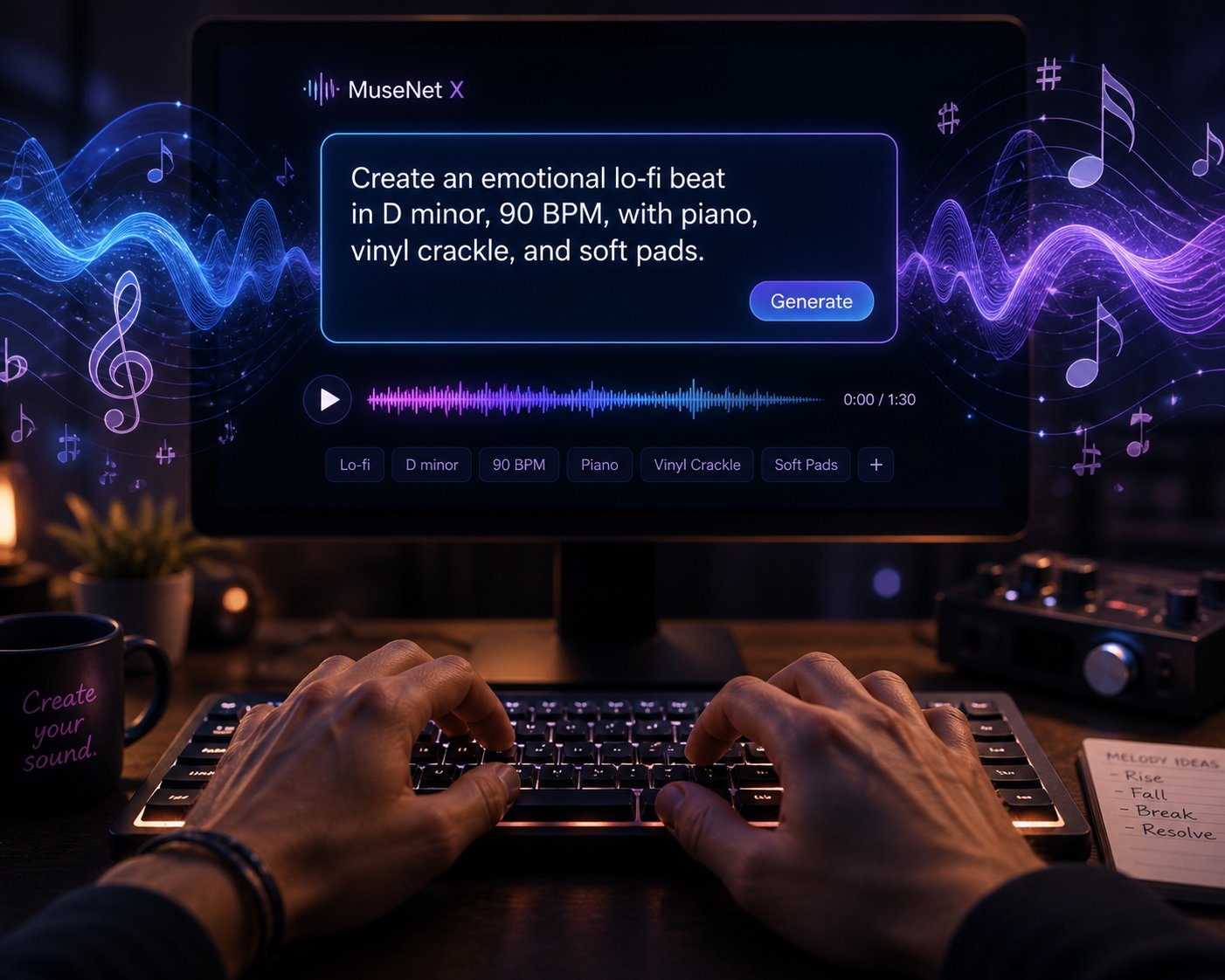
Ambient Podcast Background: Lo-fi ambient, instrumental only, 70 BPM, soft warm synth pads, gentle vinyl crackle, minimal piano notes. Calm and unobtrusive — designed to sit under spoken word without competing. No sudden changes, no prominent beats. 3 minutes.
Cinematic Trailer Score: Epic orchestral, 4/4 time, starts with solo cello at 65 BPM. Builds steadily — strings join at 0:30, brass enters at 1:00, full orchestra with taiko drums at 1:30 for climax. Heroic and determined mood. Avoid electronic elements and vocals. Reference: Two Steps From Hell, Audiomachine.
Lo-Fi Study Beat: Lo-fi hip-hop, instrumental, 75 BPM, dusty piano samples, soft boom-bap drums, ambient pads, warm analog texture, slightly muffled. Calm and focused. Avoid busy melodies, sudden changes, and prominent beats. Background music for concentration. 2 minutes.
Energetic Social Media Clip (15-30 seconds): Trending pop-electronic hybrid, 120 BPM, bouncy rhythm, immediate catchy hook, shimmering synths, punchy kick. High energy, ear-worm melody starting from beat one. TikTok-viral feel. No slow builds.
A vague prompt like "chill summer lo-fi song with relaxing vibes" forces the model to guess at tempo, instrumentation, structure, and energy level — producing output that sounds like the statistical average of every lo-fi track in its training data. A detailed prompt like "late-night drive energy, 80 BPM, warm electric Rhodes piano carrying the melody, laid-back trap hi-hats, deep 808 bass with subtle distortion, no vocals, melancholy but not bleak, consistent texture throughout" gives the model enough specificity to generate something that sounds like an intentional creative decision rather than a random sample.
The difference isn't length for its own sake — it's that every additional descriptor eliminates a dimension of randomness. Even the best ai song maker on the market will underperform if it only receives a caption instead of a creative brief.
Iterating and Refining Your Results
No prompt produces a perfect track on the first try every time. AI music generation involves inherent variation — the same prompt fed into the same tool twice will produce two different outputs. Treating iteration as part of the workflow, rather than a sign of failure, changes how you approach the process entirely.
Here is a practical feedback loop:
- Generate three to five variations from your initial prompt before changing anything. Community feedback from platforms like Suno and Udio suggests it typically takes five to six attempts to land the exact vibe you're targeting. Some of those attempts will surprise you in useful ways — a variation you didn't expect may fit your project better than what you originally imagined.
- Evaluate beyond the intro. A flashy opening can mask a weak arrangement. Listen to the full track, paying attention to whether the energy arc holds, whether transitions between sections feel natural, and whether the mix stays balanced from start to finish.
- Adjust one dimension at a time. If the genre landed but the tempo feels wrong, change only the BPM — don't rewrite the entire prompt. Isolating variables helps you learn which descriptors each tool responds to most reliably.
- Use negative prompts to correct problems. If the first batch keeps including acoustic guitar when you want a purely electronic sound, add "no acoustic guitar" explicitly. Negative descriptors are often more effective than hoping a positive instruction overrides the model's default tendencies.
- Save successful prompts. Build a personal library of prompts that reliably produce results you like. When you need a new track in the same style, start from a proven template and modify rather than writing from scratch. Consistency across a content series — a podcast's recurring intro feel, a YouTube channel's signature energy — depends on reusing the core prompt structure with targeted variations.
If three consecutive generations miss the mark entirely — wrong genre, wrong energy, wrong instrumentation — the prompt itself needs restructuring, not just regeneration. Revisit the seven-step framework above and check which dimensions you may have left unspecified. The best ai for song lyrics and composition alike follows the same principle: clarity in the input directly predicts quality in the output.
Strong prompting skills make any tool perform better. They don't, however, resolve the legal questions that sit between a finished track and a published, monetized piece of content. Licensing terms, commercial rights, and the evolving copyright landscape around AI-generated music deserve equally careful attention — because a great track you can't legally use is worse than a mediocre one you can.

Copyright, Licensing, and Commercial Use Explained
A polished AI-generated track sitting on your hard drive has zero commercial value until you can answer one question: do you have the legal right to publish and monetize it? Licensing terms vary wildly across platforms, and the difference between a free tier and a paid plan often isn't just audio quality — it's whether you can use the output in a client project, a monetized YouTube video, or a Spotify release without risking a takedown. Even the best free ai music generators 2026 impose restrictions that many creators overlook until an asset is already live.
Commercial Licensing Terms Across Major Platforms
The table below maps each platform's licensing stance to the commercial use cases creators care about most. Scan the columns relevant to your projects before committing to any plan — what a tool can generate matters far less than what it lets you do with the output.
| Platform | Free Tier Commercial Rights | Paid Tier Commercial Rights | YouTube Monetization | Spotify / Apple Music Distribution | Client Work / Sync Licensing | In-App / Game Usage | Ownership Notes |
|---|---|---|---|---|---|---|---|
| MakeBestMusic | Personal use only | Full commercial rights | Yes (paid) | Yes (paid) | Yes (paid) | Yes (paid) | Creator retains rights on paid plans |
| Suno | Personal use only | Full commercial rights (Pro/Premier) | Yes (paid) | Yes (paid, via distributor) | Yes (paid) | Yes (paid) | Commercial license, not exclusive ownership |
| Udio | Non-commercial | Commercial rights (paid tiers) | Yes (paid) | Limited (download restrictions in transition) | Check current terms | Check current terms | Post-settlement transition; terms evolving |
| ElevenLabs Music | Non-commercial | Commercial (Self-Serve+) | Yes (paid) | Yes (paid) | Yes (paid) | Yes (paid) | Creator retains rights on eligible plans |
| AIVA | Non-commercial (AIVA credited) | Full ownership (Pro plan) | Yes (Standard+) | Yes (Pro) | Yes (Pro) | Yes (Pro) | Pro plan: full copyright ownership — cleanest IP terms |
| Stable Audio | Non-commercial | Commercial (Creator tier+) | Yes (paid) | Yes (paid) | Yes (paid) | Yes (paid) | Licensed training data; lower legal risk profile |
| Boomy | Free generation | Commercial via distribution | Limited | Yes (via Boomy distribution, royalty split) | Limited | Limited | Boomy retains a revenue share on distributed tracks |
| Beatoven.ai | Limited | Commercial (paid plans) | Yes (paid) | Via third-party distributor | Yes (paid) | Yes (paid) | Standard commercial license on paid tiers |
A few patterns jump out. Free tiers across virtually every platform restrict you to personal, non-commercial use. Distributing a free-tier Suno track to Spotify, for example, violates Suno's terms of service regardless of which distributor you use — and risks takedowns after the release is already live. AIVA's Pro plan is the only option here that grants full copyright ownership rather than a commercial license, a distinction that matters if you plan to register compositions or pursue sync deals.
One critical nuance: a commercial license from your AI generator is not the same as exclusive ownership. Most platforms grant you the right to use and monetize the output, but they don't transfer exclusive rights. That means Content ID monetization through programs like YouTube Content ID, Meta Rights Manager, or TikTok MediaMatch may not apply, since those systems require exclusive control over the recording. If you're counting on Content ID revenue, verify whether your generator's license qualifies before building that into your monetization plan.
Platforms like Rightsify have carved out a niche by offering AI-generated music libraries with pre-cleared commercial licenses specifically designed for sync, advertising, and broadcast use — bridging the gap between AI generation and traditional music licensing infrastructure. For creators evaluating the best ai music generation apis 2026 or building AI-generated audio into products at scale, understanding where rightsify-style licensing models sit in the ecosystem helps clarify the difference between a tool license and a broadcast-ready sync license.
What Recent Industry Settlements Mean for Creators
The legal landscape shifted meaningfully in late 2025 when the major labels moved from litigation to licensing. Universal Music settled with Udio in October 2025, and Warner Music settled with Suno the following month, establishing partnership frameworks that include artist opt-in programs and revenue sharing. These deals signal a clear industry direction: AI music tools trained on licensed catalogs, with rights holders compensated from the revenue those tools generate.
For creators, the practical implications are more grounded than the headlines suggest:
- Your existing commercial license rights remain valid. Tracks generated on paid plans before or after the settlements retain whatever rights your plan granted at the time of generation.
- Fully AI-generated works still face copyright limits. The U.S. Copyright Office maintains that works created entirely by AI without meaningful human creative input generally cannot be registered for copyright. The Supreme Court declined to hear Thaler v. Perlmutter in early 2026, leaving the human-authorship requirement firmly in place.
- Human contribution strengthens your legal position. If you write the lyrics, make significant arrangement decisions, mix the final output, or direct the creative process meaningfully, the resulting work has a stronger copyright case than a track generated from a one-line prompt with no human editing.
- DSPs require AI disclosure — and enforcement is real. Spotify, Apple Music, Deezer, YouTube, and TikTok all now require disclosure of AI-generated content. Deezer reported demonetizing up to 85% of streams on fully AI-generated music tied to fraud, and Spotify removed more than 75 million spam tracks in the year preceding its September 2025 policy update. Honest disclosure keeps your release clean; omitting it invites the same scrutiny aimed at fraud.
- Not all cases are settled. Sony's claims against both Suno and Udio remain active, meaning the legal picture is stabilizing but not fully resolved. Decisions in those cases could shift the edges of what's permissible.
Licensing terms across AI music platforms change regularly. Before publishing or monetizing any AI-generated track, verify the current commercial rights on your specific plan directly on the platform's terms of service page — do not rely solely on any third-party summary, including this one.
The trajectory is encouraging for creators. The best ai music generation platforms 2025 operated in genuine legal ambiguity; the best ai-generated music tools available now exist within a clearer — if still evolving — framework of licensed models, structured disclosure, and explicit commercial terms. That clarity makes it possible to plan a monetization strategy around AI audio with real confidence, provided you do the verification work up front.
Legal clarity, however, doesn't eliminate creative limitations. Even with perfect licensing and flawless disclosure, AI-generated music still hits technical ceilings that shape what you can realistically expect from the output — ceilings that honest evaluation demands you understand before building an entire production pipeline around these tools.
What AI Music Generators Still Cannot Do Well
Clear licensing and strong prompting skills remove two of the biggest barriers between an idea and a published track. But there's a third barrier most reviews refuse to talk about: the technology itself still has ceilings. Pretending otherwise doesn't help you — it leads to unrealistic expectations, wasted hours, and final outputs that fall short of what your audience deserves. Understanding exactly where these tools break down lets you plan around the gaps instead of discovering them mid-deadline.
Current Technical Limitations Creators Should Know
If you've spent time asking "is Suno the best AI music generator" or testing any of the top ai music production tools 2026, you've likely noticed recurring patterns in the output — patterns that become more obvious the longer you listen and the more tracks you generate. These aren't bugs specific to one platform. They're structural limitations of how current text-to-music models work.
- Repetitive song structures beyond 3-4 minutes. Most models excel at generating compelling 90-second segments. Push a track past three or four minutes, and the arrangement starts looping ideas rather than developing them. Sections that should build tension or introduce new themes instead recycle earlier material with minor variation. This is a direct consequence of how models predict "what comes next" — the longer the generation window, the narrower the statistical pool of likely continuations becomes.
- Limited dynamic range. Experienced mastering engineers note that AI mastering and generation algorithms tend to flatten everything toward a target loudness curve. Quiet verses that should feel intimate get pushed up; dramatic builds that should create contrast get compressed. The emotional arc a human arranger would protect gets smoothed into a consistent — and often lifeless — loudness envelope.
- Inconsistent vocal coherence. AI vocals sound impressive on short, straightforward lyrical passages. Complex lyrics with rapid syllable changes, internal rhymes, or unusual phrasing often trip the model into slurred words, misplaced emphasis, or syllables that blur together. Independent comparisons have flagged a persistent "too perfect" quality in AI vocals — heavy reverb, flawless pitch, layered harmonies — that paradoxically makes them sound less human, not more.
- Difficulty with unusual time signatures. Request a track in 7/8 or 5/4 time and most generators either ignore the instruction entirely or produce rhythmically unstable output. Models trained predominantly on 4/4 material default to common time because that's where the statistical weight of their training data sits.
- Genre-specific nuances that models miss. Jazz swing feel, the micro-timing push and pull of Brazilian bossa nova, the aggressive snare placement in UK garage — these subtleties live in the spaces between beats. Analysis of AI music quality issues confirms that neural architectures still struggle to interpret timing variations and harmonic intent that define genre authenticity, especially when a track blends multiple styles. Even the best music generator software defaults to an averaged interpretation when it encounters cross-genre prompts.
- Mix quality inconsistencies. AI-generated masters frequently sound over-compressed, with a flat stereo image and muddy low-end separation compared to professionally mixed and mastered tracks. As one mastering engineer with 25 years of experience puts it, AI is doing statistical pattern matching against a database — it's not listening to your song. The result can be a polished-sounding track that falls apart under scrutiny on studio monitors or in translation across different playback systems.
None of these limitations make the technology useless. They do mean that treating every AI output as a finished product is a mistake that will eventually show up in your published work.
The Gap Between AI Output and Production-Ready Audio
So when can you publish a track straight from the generator, and when does it need human refinement? The answer depends on your output context. A background beat for a 30-second Instagram Reel — where platform compression will strip nuance anyway — can often go straight from generator to timeline. A cinematic score layered under dialogue in a branded video? That almost always needs a pass through your DAW.
Here is what post-processing typically involves for creators using the best ai for music production who want polished results:
- EQ adjustments — Taming muddy low-mids and adding clarity in the high-frequency range where AI mixes tend to sound dull or congested.
- Dynamic range restoration — Pulling back the over-limiting that most generators apply by default, reintroducing the contrast between quiet and loud passages that gives music its emotional shape.
- Vocal cleanup — De-essing artifacts, reducing unnatural reverb tails, and correcting syllable timing issues that the model introduced during generation.
- Arrangement editing — Trimming repetitive sections, restructuring transitions, and sometimes splicing the best parts of multiple generations into a single coherent track.
- Integration with existing project stems — Matching the AI-generated material's key, tempo, and tonal balance to recorded instruments, voiceovers, or sound effects already in your session.
Creators who treat the best ai music production software as a starting point rather than a finish line consistently produce stronger results. The smartest workflow mirrors what seasoned engineers already do: use AI to generate raw material quickly, then apply human judgment for the decisions that require context, taste, and intent.
Acknowledging these limitations isn't a criticism of the technology — it's a practical guide for planning your workflow realistically. And realistic planning extends beyond today's shortcomings. The platforms you invest time learning should be ones that are actively closing these gaps, which raises a question worth examining closely: how do you evaluate whether a tool will still be relevant, improving, and supported a year from now?

Future-Proofing Your AI Music Tool Choice
Learning any creative tool takes real time — memorizing prompt patterns that work, building template libraries, understanding export quirks, and developing muscle memory around an interface. If the platform you invested those hours in shuts down, pivots away from music, or stalls on updates, you're starting over. The question most reviews skip entirely is whether a tool will still be improving a year from now. Answering it requires looking past feature lists and into the financial and community signals that separate platforms with staying power from those running on borrowed time.
Funding, User Base, and Product Roadmap Signals
A tool's survival odds correlate closely with a handful of observable indicators. You don't need insider access to read them — just a willingness to look beyond the marketing page.
Start with funding. Chartlex's live funding tracker puts the numbers in perspective: Suno closed a $250 million Series C in November 2025 at a $2.45 billion valuation, backed by Menlo Ventures, NVentures (Nvidia's venture arm), Lightspeed, and Matrix. It reports roughly $300 million in annual recurring revenue and two million paid subscribers. That combination — large war chest, enterprise-grade ARR, and a diversified investor base — signals a platform that can sustain development for years, not months. Udio raised approximately $70 million total across seed and Series A rounds led by a16z, with a reported valuation north of $200 million. ElevenLabs, whose music vertical continues expanding, raised $280 million at a valuation exceeding $3 billion.
Contrast those figures with smaller players. Riffusion raised a $4 million seed. Soundful secured roughly $7 million. AIVA has been largely bootstrapped. Smaller raises don't automatically mean a platform will disappear — AIVA has operated steadily since 2016 on minimal outside capital — but they do signal tighter margins for error and slower feature development cycles. When Stability AI, the parent company behind Stable Audio, went through a restructuring in 2024, Stable Audio continued operating, yet the episode demonstrated how a parent company's financial distress can ripple into a tool you depend on.
Funding alone doesn't paint the full picture. You'll want to watch several other signals before committing your learning time to any platform:
- Active user base growth — A growing community means more prompt examples to learn from, more third-party tutorials, and stronger incentive for the company to keep investing. Suno's two million paid subscribers dwarf competitors by roughly 10x, creating a flywheel of user feedback and model improvement.
- Feature update frequency — Platforms shipping meaningful updates every few weeks (new models, expanded export options, improved vocal quality) are iterating on real user feedback. If the changelog hasn't moved in three months, treat that as a warning sign.
- Developer communication — Active Discord servers, public roadmaps, transparent blog posts about model improvements, and responsive support all indicate a team engaged with its user base rather than coasting on launch momentum.
- Partnership and settlement activity — Suno's settlement with Warner Music and Udio's settlement with Universal Music Group in late 2025 weren't just legal milestones. They signaled that both platforms secured licensed-data pathways for future model training, reducing the existential legal risk that could shut a tool down overnight. Forbes' 2026 industry predictions describe this shift from litigation to licensing as structural — the major labels chose to monetize AI training rather than litigate it out of existence.
- API availability — Platforms offering API access are signaling confidence in long-term viability. An API invites developers to build on top of the tool, creating integration dependencies that make it harder for the platform to disappear without significant downstream impact.
If you evaluated the top ai music generation tools january 2026 and haven't revisited since, the landscape has already shifted. Udio launched its joint platform with UMG, ElevenLabs expanded its music composition features, and several smaller tools quietly stopped updating. Reassessing every quarter takes fifteen minutes and can save you from building a workflow around a tool that's losing momentum.
Emerging Trends Shaping the Next Generation of Tools
Beyond survival, the ai music composition tools 2026 ecosystem is moving toward capabilities that will reshape how creators work within the next twelve to eighteen months. Knowing where the technology is heading helps you choose a platform positioned to deliver those capabilities, rather than one likely to be leapfrogged.
Real-time collaboration. Imagine two creators on opposite coasts — one writing lyrics, the other shaping the instrumental prompt — working in the same session and hearing results update live. Early implementations already exist in traditional DAWs like BandLab, and the generative AI platforms are moving toward similar shared-session workflows. This matters especially for content teams and agencies coordinating across departments.
Deeper DAW integration. Standalone generators are useful, but the real efficiency gain comes from AI generation embedded directly inside Ableton, Logic Pro, or FL Studio — where you can generate a stem, drag it onto your timeline, and keep producing without switching apps. Plugin-based AI tools are expanding, and the ai music generation tools updates 2026 cycle suggests tighter DAW interoperability is a priority for multiple platforms.
Longer coherent compositions. The three-to-four-minute ceiling discussed in the limitations section is one of the most active research targets. Models capable of maintaining thematic development, harmonic tension, and structural variety across eight or ten minutes would unlock cinematic scoring and album-track workflows that current tools can't support reliably.
Improved stem separation and modular control. Section-level inpainting — regenerating a specific eight-bar passage without touching the rest of the track — is already available on Udio. Expect other platforms to follow, eventually offering per-instrument control within a generated mix. When that granularity becomes standard, the line between "AI generator" and "AI-powered DAW" effectively disappears.
API-first workflows for developers. Teams building music features into apps, games, or interactive experiences need programmatic access, not a web interface. Models like ACE-Step and MiniMax Music 2.0 already serve this segment, and growing API ecosystems signal that the top ai music tools january 2026 are evolving toward infrastructure-level products, not just consumer toys.
Invest your learning time in platforms showing active development and growing communities rather than chasing the newest tool with each release cycle. The creator who masters one strong, well-funded platform will consistently outperform the one who samples ten tools but never builds depth with any of them.
Platform stability and forward momentum answer the "will this tool still matter?" question. The final question — the one that turns research into results — is simpler: which tool should you actually start with today, and what does the first session look like? That decision deserves a clear framework, not another list of options.
How to Pick the Right Tool and Start Creating Today
Eight sections of evaluation criteria, feature comparisons, prompting techniques, licensing analysis, honest limitations, and platform viability signals — that's a lot of information to hold in your head when the actual goal is straightforward: pick a tool, open it, and make your first track. Research is only valuable when it collapses into action. So let's compress everything above into a decision path you can follow in a single sitting.
Your Three-Step Selection Framework
Rather than re-reading every section, use this streamlined process to narrow the field from nine platforms to one or two finalists worth your testing time. Each step references a specific part of this guide so you can jump back for detail only when you need it.
- Identify your primary creator workflow and output needs. Go back to the workflow-matched recommendations and find the category that describes how you actually ship content — background music for video, cinematic scoring, jingles for ad campaigns, or full vocal songs for distribution. Your category eliminates at least half the tools immediately. A podcaster doesn't need Udio's 48 kHz inpainting workflow. A filmmaker doesn't need Boomy's Spotify distribution pipeline. Start from the job, not the feature list.
- Cross-reference with the comparison table for feature and licensing fit. Once you've narrowed to three or four candidates, check the side-by-side comparison for the specs that matter to your projects: export formats, sample rate, vocal support, and — critically — whether commercial rights are included on the plan you can actually afford. A tool that checks every feature box but restricts commercial use on its free tier is a testing playground, not a production solution. AIVA's Pro plan offers full copyright ownership; Suno and Udio grant commercial licenses on paid tiers; MakeBestMusic includes commercial rights on its paid plans. Match the licensing model to how you monetize.
- Test your top two choices using the prompting techniques before committing to a paid plan. Take the prompt templates from the masterclass section — or write your own using the seven-dimension framework — and feed identical prompts into both finalists. Generate at least three variations per platform. Listen to full tracks, not just intros. Compare vocal clarity, arrangement development, mix quality, and how quickly each tool lets you iterate on a result that's close but not right. Ten minutes of structured testing tells you more than ten hours of reading reviews.
This three-step process works because it mirrors how professionals actually make tool decisions: define the job, filter on non-negotiable requirements, then test with real inputs. It also protects you from the most common mistake in the space — choosing a tool because a listicle ranked it number one rather than because it fits your specific creative workflow.
Start Creating Your First AI-Generated Track
Frameworks are useful. Shipping something is better. If you've followed the steps above and still feel stuck between options, here's a practical tiebreaker: start with the tool that removes the most friction between your idea and a finished track.
For creators who want to go from a text prompt or a set of lyrics to a complete, publishable song without learning DAW software, configuring export settings, or navigating a multi-step generation pipeline, MakeBestMusic is an ideal starting point. Describe a mood, paste your lyrics, choose a style direction, and the platform returns a fully arranged track with vocals, instrumentation, and production — ready to preview, master, and export. The built-in lyrics generator, stem splitter, and AI mastering tool mean you can handle the entire creation-to-publishing pipeline without switching apps or learning new interfaces. Free credits let you apply the prompting techniques covered earlier — genre specificity, instrumentation detail, mood arc, negative prompts — and hear results before spending anything.
That zero-barrier entry is especially valuable for content teams, marketers, and creators who need audio assets on a deadline rather than a long-term production hobby. When the goal is "finished track by end of day" rather than "learn professional music production over six months," the tool that eliminates intermediate steps wins.
That said, testing multiple tools remains the smartest long-term strategy. Among top ai music creation tools march 2026, the competitive landscape is tight enough that your second-choice platform may outperform your first on specific genres, vocal styles, or editing capabilities. Musci.io's model comparison framework recommends a two-platform strategy — one tool for speed and volume, another for quality-critical projects — which costs roughly $20 per month and covers the vast majority of creator needs. The key is committing deeply enough to one primary tool that you build real skill with its prompting patterns and iteration workflow, while keeping a secondary option for the edge cases your primary tool handles poorly.
If you're evaluating top ai music creation tools march 2026 for a team rather than solo use, add one more filter: collaboration features. Can multiple team members access the same project? Can you share prompt templates across accounts? Can you export generation records for client documentation? These operational details rarely appear in feature comparisons but determine whether a tool scales from individual experimentation to team-wide adoption.
The best AI music generator is the one that fits your specific creative workflow, not the one with the highest generic ranking. A tool that matches your output format, respects your licensing needs, and lets you iterate quickly will outperform a higher-rated alternative that forces you to work around its limitations.
You've now got the evaluation framework, the feature data, the prompting skills, the licensing clarity, the honest limitations, and the platform viability signals to make a confident decision. The only thing left is the part no guide can do for you: open a tool, type your first prompt, and listen to what comes back. The best ai music generator 2026 for your projects is the one you actually use — so start creating today.
