


Why Picking the Right AI Music Generator Actually Matters
A single text prompt can now produce a full song — vocals, lyrics, instrumentation, and all — in under sixty seconds. What used to require a studio, a session musician budget, and weeks of production time now happens on a browser tab. The explosion of AI music generators between 2023 and 2026 has been staggering, with combined monthly search volume for terms like "best ai music generator" and related queries exceeding 170,000 searches. That level of interest rivals some major distribution platforms.
But here is the problem: the market is so crowded that picking the right tool feels overwhelming. Whether you are a YouTuber who needs an original soundtrack for every upload, an indie musician sketching demo ideas, a marketer building branded audio, a game developer scoring levels, a filmmaker looking for sync-ready beds, or a podcaster hunting for a signature intro — every one of these use cases demands something slightly different from an AI music platform. Choosing the wrong one wastes time, money, and creative momentum.
This hands-on comparison applies six uniform evaluation criteria — audio quality, customization depth, ease of use, commercial licensing, pricing, and export options — to every tool reviewed. No shortcuts, no favoritism, and no hidden agendas. The goal is simple: help you match the right tool to your specific workflow.
Why Most AI Music Comparisons Fall Short
Spend ten minutes searching for the best ai music generators 2026, and you will notice a pattern. Many of the top-ranking comparison articles are published by AI music platforms themselves, conveniently placing their own product at the top of the list. Others recycle spec sheets without ever generating a single track. Discussions on ai music reddit communities frequently call this out — users pointing to "reviews" that are thinly disguised marketing pages. Threads asking for a music ai creator without copyright restrictions reddit consistently warn newcomers to verify who actually wrote the comparison before trusting it.
This review takes a different approach. Every tool received the same set of creative prompts across the same genres. Licensing claims were verified against each platform's current terms of service. Strengths and weaknesses are documented with equal honesty, regardless of the tool's market position or popularity. If you have ever searched best ai music generator reddit looking for an unbiased take, this is the resource those threads keep asking for.
Song Generators vs. Music Generators — Know the Difference
Before diving into individual reviews, there is one critical distinction that most comparisons gloss over entirely — and it is the single biggest reason people end up disappointed with their choice.
An AI song generator creates complete tracks with vocals, lyrics, melody, and full arrangement. Think of it as a virtual songwriter and performer combined. An AI music generator, on the other hand, produces instrumental audio — background tracks, beats, soundscapes, and ambient beds — without any vocal or lyric component. As MusicGPT's breakdown of the two categories explains, the creative logic behind each type is fundamentally different: one is built around storytelling and vocal performance, the other around mood, texture, and atmosphere.
Not every AI music tool does the same thing. Understanding whether you need a full song with vocals or an instrumental bed is the single most important decision before choosing a platform.
Conflating these two categories leads directly to mismatched expectations. Choosing an instrumental-only generator when you need a vocal track — or expecting DAW-level stem exports from a tool designed for quick social media songs — guarantees frustration. Throughout this comparison, every tool is clearly labeled as either a song generator or a music generator so you always know exactly what you are evaluating.
The best ai music generation tools 2026 are not defined by a single leaderboard ranking. They are defined by how well they serve your specific needs. That is exactly what this evaluation framework is built to uncover.
How Every Tool Was Tested and Scored
Claims like "best quality" or "most realistic vocals" mean nothing without a repeatable framework behind them. To deliver a credible ai music generation tools comparison 2026, every platform in this review was evaluated against six identical criteria — the same prompts, the same genres, and the same scoring rubric. No tool received special treatment, extra prompt attempts, or adjusted benchmarks. Here is exactly how the testing worked.
The Six Evaluation Criteria Explained
Each criterion was chosen because it directly impacts real-world usability. A tool can sound incredible but fall apart if its licensing terms block YouTube monetization, or if its exports are incompatible with your DAW. Understanding how do ai music generators work under the hood also shaped what we measured — different ai music generation models handle vocal synthesis, instrumentation layering, and structural coherence in vastly different ways, so the criteria needed to capture those distinctions.
The six criteria, listed in order of weight applied during evaluation:
- Audio Quality — Vocal realism, instrumental fidelity, mix clarity, and output specifications. Artificial Analysis normalizes arena tracks to -16 LUFS at 44.1 kHz / 320 kbps MP3 before blind comparisons, and we adopted a similar philosophy: every track was evaluated at a standardized playback level so volume differences could not skew impressions. We assessed vocal naturalness (pitch modulation, breath artifacts, emotional expression), instrumental separation, and whether outputs sounded "AI-flat" or genuinely dynamic.
- Output Customization Depth — Does the tool let you control tempo, key, song structure, instrumentation, and mood? Or is the only input a text prompt with no further adjustment? Platforms offering granular sliders, stem-level editing, or DAW-style workspaces scored higher than those limited to prompt-only generation.
- Ease of Use and Onboarding — Time to first usable result was the anchor metric. We measured how long it took a new user — someone with no prior experience on the platform — to go from account creation to a downloaded track they would actually use. Documentation quality, tooltip guidance, and community resources were also noted.
- Commercial Licensing and Copyright Terms — Ownership of generated output, monetization rights across platforms like YouTube and Spotify, and whether attribution is required. This criterion carries extra weight because a tool with excellent audio but restrictive licensing is essentially unusable for professional creators.
- Pricing and Value — Cost per generation, free tier generosity, and whether paid plans deliver proportional increases in output quality or volume. A $50/month subscription that limits you to thirty tracks per month is a very different value proposition from one that offers unlimited generation.
- Export and Integration Options — Supported audio formats, sample rates, stem separation, MIDI export, and compatibility with professional DAWs like Logic Pro, Ableton Live, and FL Studio. Creators who need to layer AI-generated elements into existing productions depend heavily on this criterion.
This framework was designed to surface the best ai music generators 2026 comparison features that matter for practical decision-making — not arbitrary star ratings or aggregated "overall scores" that obscure important trade-offs.
How Prompts Were Tested Across Genres
Imagine testing a sports car only on flat highway. You would learn about cruise comfort but nothing about cornering, braking, or hill performance. The same logic applies here. A tool that nails pop but produces incoherent classical arrangements is not a well-rounded generator — it is a pop-specialized one.
To eliminate prompt bias, every platform received the same set of creative briefs across six genres: pop, hip-hop, electronic, rock, classical, and ambient. Each brief specified a mood, a rough tempo range, and a lyrical theme (for song generators) or an atmospheric direction (for instrumental tools). The prompts were intentionally mid-complexity — detailed enough to give each AI meaningful creative direction, but not so prescriptive that they bypassed a platform's own generative strengths.
This genre testing matrix follows a principle similar to the one used by Artificial Analysis in their Music Arena, where prompts are tagged by genre (Pop, Hip-Hop/Rap, Electronic, Classical/Orchestral, Jazz & Blues) and Elo ratings are computed both globally and per genre. Their approach — blind pairwise comparisons with standardized playback — reinforces why single-genre testing produces misleading rankings. Our matrix captures the same cross-genre variability so you can see exactly where each tool thrives and where it struggles.
Results from these tests feed directly into the genre performance table later in this article, giving you a visual map of strengths and weaknesses across musical styles.
Commercial Use Verification Process
Licensing is the single most overlooked factor in most roundup articles — and arguably the most consequential. A track you cannot legally monetize on YouTube or distribute on Spotify has limited professional value, regardless of how good it sounds.
For each platform, we reviewed the current terms of service as of early 2026, specifically checking for ownership language, royalty-free status, monetization eligibility on major distribution and streaming platforms, and any attribution requirements. Given the rapid pace of ai music generation tools 2026 updates — several platforms revised their commercial terms within the past six months alone — we also flagged any recent policy changes or pending legal developments that could affect creators relying on these tools for revenue.
The result is a commercial use cheat sheet included later in this article, designed as a quick-reference table so you can verify at a glance whether a tool supports your monetization needs. Keep in mind that terms of service evolve, so we encourage readers to re-check policies before committing to a paid plan.
With this methodology established, every tool reviewed below stands on equal footing. The criteria do not shift from one platform to the next, and no top rated ai music generation tools 2026 earned their placement through anything other than measured performance. What follows are the individual reviews — starting with the platforms that generate complete songs from a single prompt.
MakeBestMusic — The Prompt-to-Song Powerhouse for Creators
Among the best ai music generator apps 2026, MakeBestMusic stands out by doing one thing exceptionally well: turning a simple idea into a complete, ready-to-publish song. No music theory background, no DAW experience, no sample library management. You type a prompt, paste lyrics, or describe a style — and the platform delivers a full track with vocals, instrumentation, and arrangement in minutes.
What MakeBestMusic Does Best
The core workflow is refreshingly direct. You land on the MakeBestMusic song creation page, enter a text prompt describing your desired track (genre, mood, tempo, theme), and the AI handles the rest — melody, chord progression, vocal performance, and mix. You can also paste custom lyrics and pair them with a style description, giving you control over the lyrical content while the platform builds everything around it.
This prompt-to-song approach makes MakeBestMusic one of the best ai music creators for users who need finished output fast. During testing, the time from account creation to a downloaded, usable track averaged under four minutes. That onboarding speed is hard to beat, particularly for content creators on tight production schedules. The interface strips away complexity without feeling oversimplified — you always know where you are in the generation process and what your options are at each step.
Audio Quality and Customization Options
Vocal realism was a genuine highlight across our genre matrix. Pop and indie prompts produced vocals with natural pitch variation, convincing breath artifacts, and emotional inflection that avoided the robotic flatness common in earlier-generation tools. Hip-hop outputs handled rhythmic phrasing surprisingly well, and electronic tracks delivered clean, punchy mixes. Classical and ambient results — genres where vocal-forward generators typically falter — were more uneven, though still serviceable as creative starting points.
Customization operates primarily at the prompt level. You can specify tempo range, mood, genre, and vocal style through descriptive language rather than dedicated sliders. This keeps the experience accessible but means producers seeking granular control over individual instrument levels, specific key signatures, or bar-by-bar arrangement editing will find the toolset more limited than a DAW-integrated platform. For users evaluating makebestmusic vs suno, the creative control philosophy is similar — both prioritize prompt-driven generation over knob-twisting production — though MakeBestMusic's lyric-paste workflow gives it an edge when you arrive with finished words and just need the music built around them.
Licensing, Pricing, and Who It's Best For
Paid plans include commercial licensing that covers YouTube monetization and social media distribution — a critical checkbox for professional creators. Pricing tiers scale with generation volume, and free credits let you test output quality before committing financially.
Pros
- Fastest prompt-to-finished-song workflow tested — under four minutes from signup to download
- Vocal generation quality that holds up across pop, indie, and hip-hop without heavy post-processing
- Lyric-paste flexibility lets you bring your own words and hear them performed instantly
- Commercial licensing included on paid plans, clearing the path for YouTube and social media monetization
- Zero music production knowledge required — genuinely accessible to non-musicians
Cons
- No stem export or MIDI download — limits integration with professional DAW workflows
- Customization is prompt-dependent — no dedicated sliders for tempo, key, or individual instrument levels
- Classical and orchestral genres produced less consistent results compared to vocal-forward styles
- Advanced producers may find the lack of post-generation editing tools restrictive for detailed mix adjustments
The best ai song maker for your workflow depends on where you sit on the simplicity-versus-control spectrum. MakeBestMusic lands firmly on the simplicity side — and that is exactly what makes it one of the best ai music generators for creators 2026 who prioritize speed and accessibility. YouTubers needing a unique soundtrack per upload, social media marketers building branded audio, and songwriters testing lyric ideas against full arrangements will find the most value here. If your goal is best ai-generated music that is ready to publish the moment it lands in your downloads folder, this platform earns serious consideration.
Of course, MakeBestMusic is far from the only full-song generator competing for that workflow. The platform that arguably put AI songwriting on the mainstream map — and the one most creators encounter first — takes a different approach to solving the same problem.
Suno — The Viral Favorite That Redefined AI Songwriting
Suno is the name most people hear first when they start exploring AI music generation. It went viral, built a massive community, and essentially defined the category for mainstream audiences. Search any ai song generator reddit thread, and Suno dominates the conversation — both praise and criticism in equal measure. That level of visibility makes it an essential inclusion in any serious tool comparison, but it also raises an important question: is Suno the best ai music generator, or simply the most famous one?
The honest answer requires separating hype from performance. Here is how Suno held up when measured against the same six evaluation criteria applied to every other platform in this review.
Suno's Core Strengths and Signature Sound
Suno is a full-song generator. You type a text prompt describing mood, genre, tempo, and theme — and the platform returns a complete track with vocals, lyrics, instrumentation, and arrangement, typically in under a minute. The current model (v5.5) also accepts humming, tapping, and uploaded audio as starting points, giving you flexibility beyond plain text. Custom Mode lets you paste your own lyrics and pair them with style descriptions, while metatags like [verse], [chorus], and [bridge] provide structural guidance the AI actually follows.
Across our genre matrix, Suno performed strongest in pop, indie, and singer-songwriter styles. These genres produced tracks with catchy hooks, coherent verse-chorus structures, and vocals that felt polished — sometimes almost too polished. The platform handles melodic, emotionally direct music well because its transformer-based architecture excels at pattern recognition within well-established song structures.
Hip-hop results were a mixed bag. Rhythmic flow landed on some generations and felt stiff on others. Rock output occasionally lacked the grit and dynamic range that makes the genre compelling. Classical and ambient — genres that demand subtlety, harmonic tension, and longer developmental arcs — were the weakest performers, with outputs that felt formulaic rather than expressive. Tracks also struggle to maintain coherence much beyond four minutes, which limits use cases requiring longer-form compositions.
A consistent observation echoed by multiple independent reviews, including testing from AMT Lab: Suno vocals carry a signature "AI sheen" — heavy reverb, perfect pitch, and layered harmonies that can sound impressive on first listen but feel less human under close comparison with tools like Udio. If you are searching for an ai music generator better than Suno on raw vocal realism alone, that specific critique is worth weighing.
Customization, Control, and Learning Curve
Suno's onboarding experience is genuinely excellent. A brand-new user can create an account and have a finished song downloaded within three to five minutes. No DAW knowledge, no music theory, no tutorial required. The interface is clean, and Simple Mode lets you generate from a single sentence. That frictionless entry point is a major reason Suno built such a large user base so quickly.
Creative control, however, hits a ceiling faster than you might expect. While Custom Mode and metatags offer structural guidance, you cannot directly adjust tempo via a slider, set a specific key, control individual instrument levels, or edit the arrangement after generation. Prompt engineering becomes the primary lever — and results vary. A detailed prompt like "90 BPM emotional pop ballad with soft piano, warm female vocals, subtle cinematic strings" consistently outperforms a vague "make a sad song," but even well-crafted prompts can produce outputs that miss the mark on phrasing, lyric timing, or tonal direction.
Pro and Premier subscribers gain access to additional features, including stem extraction (up to 12 vocal and instrument stems on Pro), the ability to extend, remaster, or remix generations, and Suno Studio for more advanced editing. These are meaningful upgrades, but they still operate within Suno's generative framework rather than offering true DAW-level post-production control. Users hunting for apps like suno ai that provide deeper production tools may find Udio or dedicated DAW-integrated platforms a better fit.
Community resources are a genuine asset. Suno's user community is among the largest in the AI music space, with active forums, shared prompt libraries, and tutorial content created by users themselves. If you get stuck, you will find answers faster here than with most competitors.
Pricing, Licensing, and Honest Limitations
Suno's pricing structure is straightforward. The Free plan provides roughly 50 credits per day — enough for around 10 short song generations — but restricts output to non-commercial use only. The Pro plan runs $10/month (or $8/month billed annually) with 2,500 monthly credits and commercial licensing for songs generated while subscribed. Premier costs $30/month ($24/month annually), bumps credits to 10,000, and adds Suno Studio access.
A critical licensing detail that many users miss: songs created under the Free plan do not automatically receive commercial-use rights if you later upgrade to Pro or Premier. Commercial licensing applies only to new generations made during an active paid subscription. This retroactivity gap has caused confusion, and it is worth understanding before you build a library of tracks on the free tier expecting to monetize them later.
The broader legal landscape adds another layer of uncertainty. Major record labels have filed lawsuits against AI music platforms over training data practices, and the US Copyright Office has signaled that purely AI-generated works without meaningful human authorship may not be copyrightable. For creators planning commercial releases, these are not abstract debates — they directly affect whether your output is legally defensible.
Pros
- Fastest onboarding of any tool tested — new users can go from zero to a finished song in under five minutes
- Strong full-song generation across pop, indie, and singer-songwriter genres with catchy hooks and coherent structure
- Multiple input modes — text prompts, custom lyrics, humming, tapping, and audio uploads provide flexible starting points
- Largest user community in the AI music space, with extensive shared prompts, tips, and troubleshooting resources
- Generous free tier for casual experimentation and idea testing without financial commitment
- Stem extraction on Pro plans adds post-generation flexibility for creators who need to isolate vocals or instruments
Cons
- Output consistency is unpredictable — identical prompts can produce wildly different quality levels across generations, requiring multiple attempts
- Limited fine-grained control — no direct tempo, key, or instrument-level adjustments outside of prompt engineering
- Credits deplete quickly during iteration — testing five to fifteen variations of a single idea can consume a significant portion of monthly allowances
- Vocals carry a recognizable "AI sheen" that experienced listeners identify, reducing suitability for projects demanding human-level realism
- Commercial licensing has notable gaps — free-tier tracks lack retroactive rights, and the broader legal framework for AI-generated music remains unsettled
- Public Trustpilot feedback includes recurring complaints about subscription billing, cancellation friction, and slow customer support response times
So, is Suno the best ai music generator? For hobbyists, viral content creators, and anyone who values speed above all else, it is hard to beat. The platform's ability to transform a single sentence into a listenable song in under sixty seconds is genuinely impressive, and the free tier makes it a risk-free starting point. Users exploring sites like suno for the first time will likely be delighted by the initial experience.
Where Suno falls short is in the details that matter for professional or semi-professional use: output predictability, production control, and licensing clarity. If you frequently find yourself generating a dozen variations just to get one usable take, or if you need stems that integrate cleanly into a DAW session, other tools in this comparison may serve you better. Discussions across Reddit frequently surface the same pattern — users love Suno for quick drafts and creative sparks, then start looking for other ai like suno when projects demand more polish or precision.
That search for higher audio fidelity and tighter creative control is exactly what draws many creators toward the next platform in this comparison — one that has staked its reputation on studio-grade output quality from a text prompt.
Udio — Studio-Grade Quality From a Text Prompt
Udio was built with a different philosophy than most competitors. Founded by former Google DeepMind and Spotify AI researchers, the platform prioritizes production fidelity and post-generation control over speed and simplicity. Where Suno bets on frictionless songwriting, Udio bets on output you can actually bring into a professional workflow. That distinction matters — and it shows up immediately in the audio.
Udio's Audio Fidelity and Vocal Realism
The headline spec is hard to ignore. Udio's v4 model outputs 48kHz stereo audio — the highest sample rate of any major AI music generator and a match for professional studio recording standards. For context, Suno v5 outputs at 44.1kHz (CD quality), and earlier-generation tools often topped out at 24kHz. That extra headroom translates into audible differences: cleaner high-frequency detail, more natural reverb tails, and a fullness in the low end that holds up on studio monitors rather than just earbuds.
Instrumental quality is where Udio genuinely pulls ahead of the pack. Across our genre matrix, cinematic scores, electronic productions, and orchestral arrangements consistently impressed. Individual instruments sit in distinct positions within the stereo field, separation between layers is noticeably cleaner, and the overall spatial awareness of the mix feels intentional rather than algorithmically compressed. If you are searching for the best music production ai specifically for instrument-driven compositions, Udio sets the benchmark right now.
Vocals tell a more nuanced story. Extended testing by Musci.io found that Udio's vocal synthesis captures vibrato, pitch glide, and tonal shading with impressive accuracy — technically precise and musically coherent. However, in genres where raw vocal texture carries the emotional weight (folk, acoustic, soul), a subtle digital sheen becomes noticeable. Suno v5 currently edges ahead in vocal breathiness and those organic micro-imperfections that make human singing feel alive. For pop, R&B, and vocal-forward tracks where emotional nuance is paramount, this is a meaningful trade-off to consider.
When it comes to the Udio AI music generator supported audio formats for direct use, paid plan subscribers can download tracks as high-quality audio files and, critically, separated stems — vocals, drums, bass, and other instrumentals — making Udio one of the few generators that fits cleanly into a DAW-based production pipeline. That stem capability alone elevates it among the best ai music production tools for anyone who treats AI output as raw material rather than a finished product.
Creative Controls and Production Workflow
Udio does not just generate and hand you a file. It gives you tools to shape the output after the initial creation — and this is where it separates itself most clearly from prompt-and-pray competitors.
Inpainting is the standout feature. Imagine generating a three-minute track where the verse is perfect but the chorus falls flat. On most platforms, you would scrap the entire generation and start over. On Udio, you select just the weak section and regenerate it while keeping everything else intact. In practice, the blending works seamlessly roughly 70-80% of the time, with occasional subtle transition artifacts that rarely survive a final mix. This surgical editing capability is the kind of feature that turns ai music composition software from a novelty into a serious creative tool.
Timeline editing provides a visual interface for arranging song sections — verses, choruses, bridges — and understanding how they relate to each other structurally. You can rearrange, extend, or trim sections with a level of control that no purely prompt-based generator offers. Combined with the Extend feature, which adds 30-second increments that build on the existing musical context (maintaining key, tempo, and stylistic consistency), Udio supports tracks up to 10 minutes long without the musical drift that plagues competitors on longer compositions.
The Remix mode lets you take any generated track and transform it into a different genre or style while preserving the core melody and structure — useful for exploring how a composition works across contexts or creating multiple versions for different platforms. And Style Reference, where you upload a reference track and the AI generates something with a similar feel, adds a creative dimension that most ai music production software currently lacks.
The trade-off? Udio's interface has a steeper learning curve than Suno. The production-oriented layout can feel overwhelming for first-time users who just want a quick song. During our testing, time to first usable result for a complete beginner averaged around 8-10 minutes — roughly double Suno's onboarding speed. The additional features justify the complexity for experienced users, but casual creators may find themselves clicking through options they do not yet understand.
Commercial Terms and Best Use Cases
Udio's legal positioning underwent a significant transformation. The platform settled its lawsuit with Universal Music Group in October 2025 and subsequently signed a licensing deal with Warner Music. These agreements brought genuine legal legitimacy — a stronger licensing foundation than some competitors currently maintain. Paid plans include commercial usage rights, clearing the path for monetization on YouTube and other platforms.
However, one critical caveat overshadows these gains: during the transition to the fully licensed platform, Udio temporarily disabled all downloads. You can generate tracks, listen to them, and iterate — but exporting audio files has been restricted. Before committing to a paid plan, verify whether downloads have been fully restored, because paying $10-30 per month for a platform where you cannot save your creations fundamentally undermines its value proposition regardless of audio quality. This is the single most important consideration for anyone evaluating Udio as part of the best ai generation software 2026 landscape.
Pricing aligns closely with Suno's structure:
| Plan | Monthly Price | Credits | Key Features |
|---|---|---|---|
| Free | $0 | 10 daily + 100 monthly backup | ~3 songs/day, no stem downloads |
| Standard | $10/month | 2,400/month | Stem downloads, higher quality generations |
| Pro | $30/month | 6,000/month | Priority processing, all features, commercial rights |
The free tier is notably more restrictive than Suno's — roughly 3 songs per day versus Suno's approximately 10. If you are iterating rapidly on ideas, you will hit the ceiling fast without upgrading.
Pros
- Best-in-class instrumental quality and stereo separation — 48kHz output that holds up in professional monitoring environments
- Inpainting allows surgical section-level editing without regenerating the entire track, saving credits and preserving strong sections
- Timeline editing and Extend features support tracks up to 10 minutes with maintained coherence — ideal for film scores and long-form content
- Stem downloads on paid plans enable real DAW integration for producers who layer AI output into larger projects
- Legally settled licensing with UMG and Warner provides stronger commercial footing than platforms still facing active lawsuits
Cons
- Downloads have been disrupted during the licensing transition — verify current availability before subscribing to any paid plan
- Steeper learning curve than Suno, with a production-oriented interface that can overwhelm casual users
- Free tier is restrictive at roughly 3 songs per day, limiting rapid experimentation without a paid subscription
- Vocal realism trails Suno v5 in emotional nuance and organic imperfections, particularly in acoustic and soul genres
- Voice cloning requires identity verification, adding friction to a feature that competitors implement more seamlessly
Udio earns its place among the best ai tools for music production for a specific audience: filmmakers who need high-fidelity background scores, professional content teams producing longer-form audio, and producers who want reference tracks they can deconstruct via stems and rebuild inside Ableton, Logic Pro, or FL Studio. If your workflow treats AI-generated music as a starting point for further production rather than a finished deliverable, Udio's toolset is built for you.
For creators who simply need a complete song fast — hit a button, get a track, publish it — the production overhead may not justify the trade-off. The best ai music generation software 2026 is not about a single winner; it is about matching the tool's philosophy to your own creative process.
Udio and Suno dominate the conversation, but they are far from the only platforms pushing the category forward. A newer entrant has been quietly building a following among indie musicians and songwriters who want something neither of the big two quite delivers.
Mureka — A Rising Contender for Indie Musicians
Mureka — short for "Music + Eureka" — has quietly grown to nearly 10 million users by solving a problem neither Suno nor Udio fully addresses: giving songwriters and producers AI-generated material they can actually pull apart, rework, and own inside a DAW. If you have been searching for a musicgpt alternative that prioritizes production flexibility over one-click convenience, Mureka deserves a serious look.
What Sets Mureka Apart in a Crowded Market
Mureka's defining advantage is its lyrics-first workflow. Instead of relying solely on a text prompt and hoping the AI interprets your intent, you paste your own lyrics with structure tags — [Verse], [Chorus], [Bridge] — choose a style, and the platform composes music around your words. The underlying engine, MusiCoT (Music Chain-of-Thought), plans song structure before generating audio, producing arrangements that feel more intentionally composed than tools that synthesize everything in a single pass.
The Melody Idea feature is genuinely unique. You hum or upload a short melodic snippet, and Mureka builds a complete track around it. For anyone hunting for the best ai tools to generate melody over existing beat 2026, this bridges the gap between a rough idea stuck in your head and a fully realized production. Style matching adds another creative layer — upload a reference track, and the AI generates new material with a similar sonic fingerprint, no detailed genre prompting required.
Across our genre matrix, Mureka performed well in pop, indie, and multilingual tracks (it supports over 10 languages with notably authentic results). Hip-hop and electronic outputs were competent, though mixing and mastering lacked the polish of Suno v5 or Udio's 48kHz output. Classical arrangements showed more structural coherence than some competitors — likely a benefit of the MusiCoT planning step — but vocal realism in English still trails Suno by a noticeable margin. Vocals sound good, not great; the last ten percent of emotional expressiveness that separates "convincing" from "human" remains elusive.
Usability, Export Options, and DAW Compatibility
Onboarding is straightforward. The platform runs on web, iOS, and Android, and a first-time user can generate a usable track within roughly five to seven minutes. The interface leans slightly more complex than Suno's minimal layout — understandable given the additional tools on offer — but never feels overwhelming.
Where Mureka truly separates itself is in what happens after generation. The built-in stem separation tool splits any track into vocals, drums, bass, and other instruments with quality on par with dedicated stem-splitting services. Pair that with MIDI export, and you have something no other major AI song generator currently matches in a single platform: the ability to generate a track, break it into components, and import those components directly into Logic Pro, Ableton Live, FL Studio, or any DAW that reads MIDI files.
For producers who view AI as a compositional starting point rather than a finished product, this combination is a genuine workflow advantage. You can sketch ideas in Mureka, export the stems and MIDI data, then refine arrangements, swap instruments, and adjust mix levels with full manual control. It is arguably the best ai for writing music when your goal is creative raw material, not a publish-ready master. Among the best ai music composition tools 2025 and into 2026, this DAW-bridging capability remains a standout differentiator.
Mureka's Pros, Cons, and Ideal Users
Mureka operates on a credit-based system. The free trial provides limited credits for testing. Paid plans start at $8/month (billed annually) for approximately 400 songs with commercial licensing included, or $10/month on a monthly basis. A pay-as-you-go option at $48 for 1,600 songs suits project-based creators who do not want a recurring subscription. Crucially, credits never expire — a meaningful advantage over Suno's use-it-or-lose-it monthly allotment for anyone with an irregular production schedule.
Pros
- MIDI export and stem separation in one platform — no other major AI song generator combines both, making it uniquely valuable for DAW-based workflows
- Lyrics-first generation with structure tags gives songwriters precise control over how music maps to their words
- Melody Idea feature lets you hum a tune and receive a full production built around it — ideal for capturing ideas on the go
- Credits never expire, eliminating the pressure to generate on a fixed monthly schedule
- Strong multilingual support across 10+ languages with more authentic results than most English-centric competitors
- Competitive pricing at $8/month (annual) with commercial licensing included
Cons
- English vocal realism trails Suno v5 — vocals sound competent but lack the last degree of emotional nuance and organic texture
- Overall mix and mastering quality is less polished than Suno or Udio for finished, out-of-the-box listening
- Genre library is narrower at 50+ styles compared to Suno's 1,200+ options, limiting niche genre exploration
- Quality consistency can dip across multiple generations in a single session, with later outputs sometimes losing coherence
- Smaller community means fewer shared prompts, tutorials, and troubleshooting resources than the market leaders
When evaluating the best ai music creation software 2026 for your specific needs, Mureka occupies a clear niche. Indie musicians who write their own lyrics and want to hear them performed over a full arrangement will appreciate the lyrics-first approach. Producers seeking melody generation tools or compositional sketches they can import into a DAW will find features here that simply do not exist on Suno or Udio. Hobbyists exploring creative ideas on an irregular schedule benefit from the non-expiring credit model.
A practical prompt tip specific to Mureka: lean into the structure tags. Where Suno rewards detailed prose descriptions, Mureka responds best when you provide explicit [Verse], [Chorus], and [Bridge] markers paired with concise style keywords. Shorter, tag-heavy prompts consistently outperformed long narrative descriptions during our testing.
Mureka, Suno, and Udio cover the full-song generation space from different angles — but not every creator needs vocals and lyrics. Some workflows demand pure instrumental output, ambient textures, or API-driven generation at scale. The next two platforms cater to exactly those specialized requirements.
Mubert and Shoom AI — Specialized Tools for Niche Needs
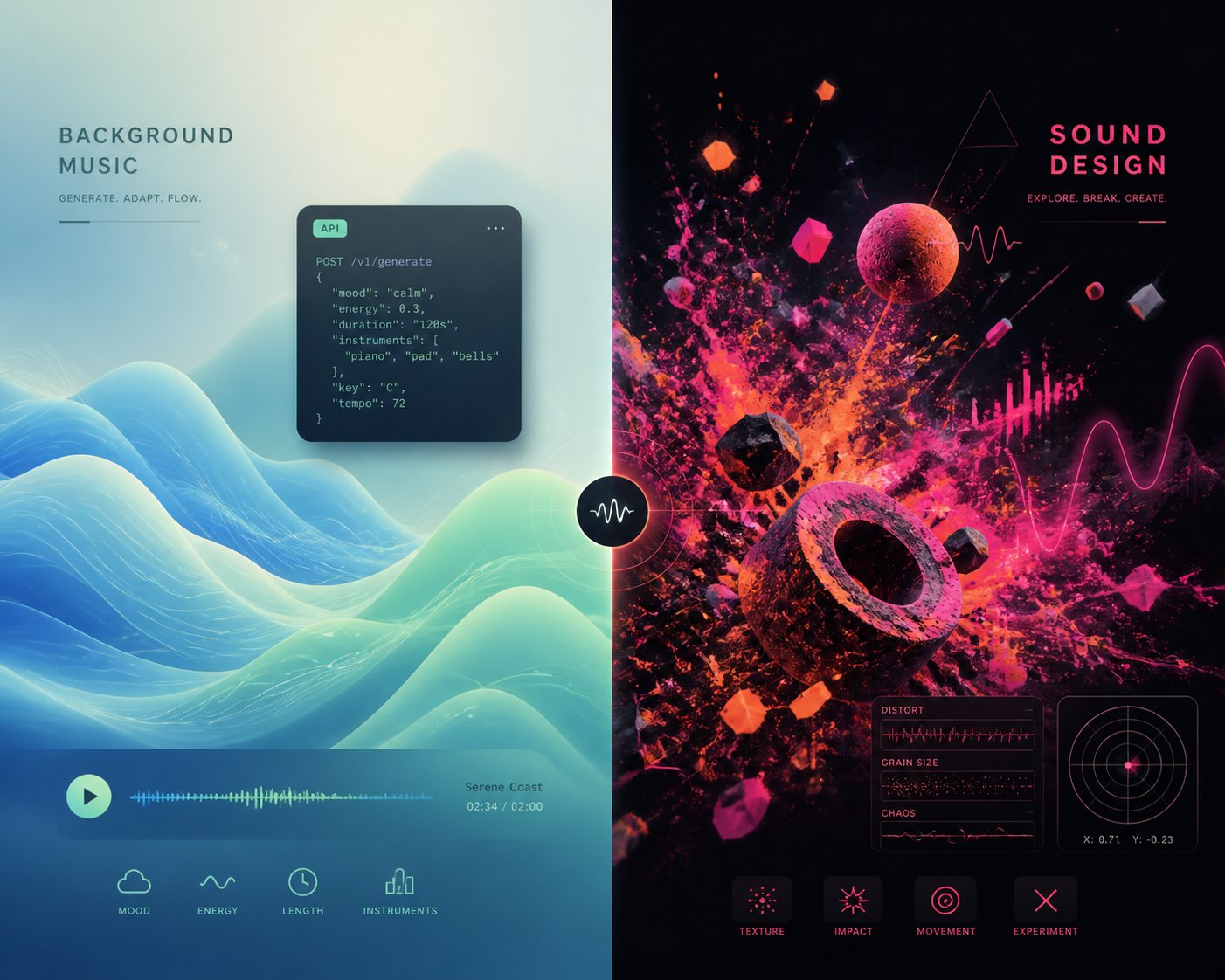
Full-song generators grab the headlines, but a significant share of real-world AI music demand has nothing to do with vocals or lyrics. Podcasters need a clean 20-second intro bed. App developers need ambient loops that play indefinitely without sounding repetitive. Sound designers need textures no sample library has ever contained. These workflows require a fundamentally different kind of tool — and lumping them into the same category as Suno or MakeBestMusic leads to the exact expectation mismatch discussed at the start of this article.
Two platforms occupy this instrumental and experimental space in meaningfully different ways. One treats AI music as a utility layer you can plug into almost anything. The other treats it as a playground for sonic experimentation. Both deserve honest evaluation against the same six criteria applied to every tool in this comparison.
Mubert — Royalty-Free AI Music for Content at Scale
Mubert is not trying to write you a song. It is trying to give you a perfectly functional background track in under thirty seconds — and then let you do it ten thousand more times through an API if you need to. That distinction is essential to understanding what Mubert does well and where it intentionally stops short.
The platform generates instrumental tracks, loops, and longer stream-style background music from mood-based inputs. You select a genre, energy level, and duration — or describe what you need in natural language like "warm lofi, voiceover-friendly, steady pace, minimal drums" — and the system assembles a coherent audio bed. Outputs feel more like continuously evolving atmospheres than structured compositions, which is precisely the point. When you are editing a product demo or recording a podcast, you want music that supports without competing. Mubert is built for that job.
Audio quality sits in the "good for purpose" range rather than the audiophile tier. Tracks sound clean and well-balanced at standard streaming bitrates, but they lack the stereo separation and instrumental detail you would hear in Udio's 48kHz output. Across our genre matrix, ambient, lofi, and electronic moods consistently produced usable results. Corporate tech beds and meditation tracks were reliable standouts. Rock and classical prompts — genres that demand dynamic shifts and harmonic complexity — returned flatter, more loop-like outputs that felt constrained by the platform's atmosphere-first design philosophy.
Customization operates through mood, energy, pacing, and duration controls rather than detailed musical parameters. You will not find tempo sliders measured in BPM, key selection, or structural controls for verses and choruses — those concepts do not apply to the kind of output Mubert produces. This simplicity is a strength for content creators who just need a track that fits, but it means producers looking for compositional tools should look elsewhere.
Where Mubert genuinely differentiates itself is scalability and integration. The Mubert API allows developers to embed generative music directly into apps, games, and interactive experiences — generating audio programmatically at volumes no manual workflow could match. This API-first approach puts Mubert in a category that full-song generators simply do not occupy. If you are building a meditation app that needs a unique ambient track for every session, or a fitness platform that adapts music to workout intensity, Mubert's infrastructure was designed for exactly that use case. It is also one of the top professional ai music generation tools 2026 for teams that need to automate audio production across hundreds or thousands of assets.
Tracks can extend up to 25 minutes — far longer than Suno's roughly 4-minute practical ceiling or Udio's 10-minute maximum. For long-form content like livestreams, meditation sessions, and podcast episodes, that length flexibility eliminates the need to loop or stitch multiple shorter generations together.
Licensing is arguably Mubert's strongest selling point. The platform was built on a foundation of direct artist collaboration — real musicians upload loops, stems, and sample packs that feed the generation engine, and contributors are compensated. All licenses are DMCA-friendly and compatible with YouTube, Twitch, Facebook, and other major platforms. The royalty-free model means no per-play fees after purchase — a significant advantage over platforms where licensing terms remain legally contested. For creators evaluating mubert vs suno specifically on commercial safety, Mubert's artist-sourced foundation and cleaner legal positioning reduce the risk of downstream copyright disputes.
Pricing varies by use case. Free tier access allows generation and preview, but downloads and commercial use typically require a paid plan. Exact pricing depends on whether you are using Render (individual creators), Studio (musicians contributing content), or the API (developers and businesses). Always verify current plan details on the official site, as tier structures have evolved over the past year.
Through Mubert Studio, musicians and producers can also upload their own original material — loops, sample packs, stems — and earn revenue when the AI uses those sounds to generate new tracks. This two-sided model creates an ecosystem where contributors expand the available sonic palette and creators benefit from increasing variety.
One unique creative feature worth noting: Mubert lets you generate music from an image. Upload a photo, and the AI interprets visual mood, color temperature, and composition to produce a matching audio bed. It also accepts YouTube links as reference inputs, analyzing the musical characteristics of an existing track to find similar AI-generated results. For visual creators working across photography, video, and design — especially anyone searching for the best ai for making music videos who needs audio that matches a visual mood board — these cross-medium tools add a creative dimension most competitors lack.
Pros
- Royalty-free, DMCA-friendly licensing built on artist-sourced content — among the cleanest commercial use terms in the AI music space
- API-first architecture enables programmatic generation at scale for apps, games, and automated workflows
- 25-minute track generation eliminates looping and stitching for long-form content like podcasts, livestreams, and meditation sessions
- Image-to-music and reference matching offer creative input modes no full-song generator provides
- Mubert Studio lets musicians contribute and earn, creating a collaborative ecosystem rather than a purely extractive model
- Fast time-to-result — functional background tracks in under 30 seconds with minimal input
Cons
- No vocal generation whatsoever — purely instrumental, which disqualifies it for any workflow requiring sung lyrics or vocal hooks
- No song structure controls — outputs are atmosphere-first beds, not composed tracks with verses, choruses, or dynamic arcs
- Audio quality is functional but not studio-grade — lacks the stereo depth and instrumental separation of Udio's output
- Outputs can feel repetitive on longer generations, as the loop-friendly design prioritizes consistency over dramatic variation
- Limited genre range — excels at ambient, lofi, and electronic moods but struggles with genres demanding dynamic complexity like rock or classical
- Free tier limitations around downloads and commercial use can confuse new users who assume "free to generate" means "free to monetize"
Mubert's ideal users are clear: app developers needing ambient or background tracks generated programmatically, podcasters looking for clean intro beds, businesses requiring 24/7 royalty-free audio for physical spaces, and content creators who need functional music at volume without worrying about licensing disputes. It is not a random beat generator or a creative songwriting tool — it is infrastructure for audio at scale.
Shoom AI — Experimental Generation for Sound Designers
If Mubert represents the utilitarian end of AI music generation, Shoom AI sits at the experimental fringe. This is a platform designed less for producing polished tracks and more for discovering sounds, textures, and sonic ideas that conventional tools — and conventional thinking — would never produce.
Shoom AI's approach centers on generative audio exploration. Rather than typing a prompt and receiving a finished composition, you interact with parameters that shape evolving soundscapes in real time. The results lean heavily toward ambient, experimental electronic, and textural output — think sound design for film, game environments, or art installations rather than background music for a YouTube vlog. For electronic music producers and sound designers hunting for source material that does not exist in any sample pack, this exploratory model opens creative territory that prompt-to-song generators cannot access.
Audio quality is difficult to evaluate against the same benchmarks used for Suno or Udio, because the output goals are fundamentally different. Shoom AI is not trying to produce a mix-ready track with vocals and instrumentation sitting in standard frequency ranges. It is generating raw sonic material — evolving pads, granular textures, rhythmic mutations, and ambient washes — that a sound designer would then shape, layer, and process within a DAW. Judged on that basis, the textural richness and unpredictability of outputs are genuinely impressive. Judged as a finished music generator, it falls short of every other tool in this comparison.
Customization works differently here than on any other platform reviewed. Instead of descriptive text prompts, you manipulate generative parameters that influence how sound evolves over time. The learning curve is steep — this is not a tool you will master in five minutes — but the trade-off is a level of sonic control and surprise that no prompt-based system can replicate. You are not telling the AI what to make. You are shaping the conditions under which it discovers something unexpected.
Ease of use is the weakest criterion for Shoom AI. There is no hand-holding onboarding, minimal documentation compared to mainstream platforms, and the interface assumes familiarity with synthesis concepts. Time to first usable result depends heavily on what "usable" means in your workflow — a sound designer might find inspiring material within minutes, while a content creator expecting a drop-in background track will leave frustrated.
Licensing and pricing details are less standardized than the larger platforms. Verify current terms directly on the official site before using any output commercially. Export options are functional but basic compared to Udio's stem separation or Mureka's MIDI export capabilities.
Pros
- Produces genuinely unique sonic textures that no sample library or prompt-based generator can replicate
- Real-time generative interaction lets you shape sound evolution rather than waiting for a finished output
- Ideal for sound design, film scoring, and experimental electronic production where unpredictability is a feature, not a bug
- Fills a creative gap that full-song generators completely ignore — raw sonic exploration over structured composition
Cons
- Not a music generator in the conventional sense — does not produce songs, beats, or structured tracks
- Steep learning curve with minimal onboarding support, making it inaccessible to casual users
- Limited export and integration options compared to platforms with stem separation and MIDI download
- Licensing terms require direct verification — less transparent commercial use documentation than Mubert or Suno
- Niche audience — most content creators, marketers, and casual musicians will find no practical use case here
Shoom AI's ideal users are sound designers building custom palettes for film, game audio, or interactive installations; electronic music producers seeking textures and source material outside the sample-pack ecosystem; and experimental artists who treat unpredictability as a creative tool. If you need a finished track — background or otherwise — this is not the platform. If you need a sound nobody has heard before, it might be exactly where you start.
Both Mubert and Shoom AI reinforce a pattern that runs through this entire comparison: the "best" tool is entirely context-dependent. A platform that excels at ambient beds for podcasters offers zero value to a songwriter who needs vocals. A generative sound design engine that thrills an experimental producer is useless to a marketer who needs a 30-second ad track by Friday. Recognizing where each tool fits — and where it deliberately does not — is the difference between a productive workflow and a frustrating dead end.
With all six platforms evaluated individually, the question shifts from "how does each tool perform?" to "how do they compare side by side?" A structured breakdown across every evaluation criterion makes those trade-offs visible at a glance.
The Complete Head-to-Head Comparison Table
Individual reviews reveal each platform's personality, but the real clarity comes when you lay them all on the same table. Below are three structured breakdowns designed to answer different questions: which tool has the features you need, which one handles your genre best, and which one actually lets you monetize your output. Together, they form the most comprehensive reference among top ai music generation tools 2026 comparisons published to date.
A quick note before diving in: ratings reflect observed performance during hands-on testing across the six evaluation criteria established earlier. "Excellent" means the tool is among the strongest available in that dimension. "Good" means it performs reliably for most users. "Fair" indicates noticeable limitations. "Limited" signals a significant gap or a feature that barely exists. No fabricated numerical scores, no inflated rankings — just honest assessments you can verify yourself.
Side-by-Side Feature and Pricing Comparison
This first table captures the core trade-offs across every platform reviewed. Notice the "Type" column — it distinguishes full song generators (vocals + lyrics + instrumentation) from instrumental or experimental music generators. That distinction matters more than any individual rating, because choosing the wrong category guarantees disappointment regardless of how well a tool scores elsewhere.
| Tool | Type | Audio Quality | Customization Depth | Ease of Use | Commercial Licensing | Pricing (Paid Start) | Export / Integration |
|---|---|---|---|---|---|---|---|
| MakeBestMusic | Song Generator | Good | Fair | Excellent | Good | Free credits; paid plans scale with volume | Fair — audio download, no stems or MIDI |
| Suno | Song Generator | Good | Fair | Excellent | Good (paid plans only) | $10/mo (Pro) | Good — WAV export, stems on Pro |
| Udio | Song Generator | Excellent | Good | Good | Good (paid plans only) | $10/mo (Standard) | Excellent — stems, inpainting, timeline editing |
| Mureka | Song Generator | Good | Good | Good | Good | $8/mo (annual) | Excellent — stems + MIDI export |
| Mubert | Music Generator | Fair | Fair | Excellent | Excellent | Varies by use case | Good — API access, long-form export |
| Shoom AI | Experimental / Sound Design | Niche (textural) | Good (parameter-based) | Limited | Verify directly | Verify on site | Limited — basic export, no stems or MIDI |
A few patterns jump out immediately. Among the top 10 ai music generator contenders, the song generators cluster tightly on ease of use — all four make it possible to produce a finished track in under ten minutes. The real separation happens in customization depth and export options, where Udio and Mureka pull ahead for production-focused workflows, while MakeBestMusic and Suno prioritize speed and simplicity. Mubert occupies its own lane entirely, optimized for scalable instrumental output rather than creative songwriting.
Genre Performance Matrix
Audio quality ratings only tell part of the story. A tool might score "Good" overall but produce brilliant pop tracks and terrible classical arrangements. This genre performance matrix — tested using identical prompts across all six platforms — reveals exactly where each tool thrives and where it struggles. Most competing articles skip this breakdown entirely, which is a major content gap when genre suitability is often the deciding factor for creators.
| Tool | Pop | Hip-Hop | Electronic | Rock | Classical | Ambient |
|---|---|---|---|---|---|---|
| MakeBestMusic | Strong | Strong | Good | Good | Mixed | Good |
| Suno | Strong | Good | Good | Fair | Fair | Fair |
| Udio | Strong | Good | Strong | Good | Good | Strong |
| Mureka | Strong | Good | Good | Fair | Good | Good |
| Mubert | N/A (instrumental) | N/A | Strong | Fair | Fair | Strong |
| Shoom AI | N/A | N/A | Good (experimental) | N/A | N/A | Strong (textural) |
"Strong" means the tool produced consistently impressive results across multiple generations in that genre. "Good" indicates solid, usable output with occasional inconsistencies. "Fair" signals noticeable quality drops or formulaic results that required heavy prompt engineering to improve. "Mixed" means results varied significantly between generations. "N/A" applies when a tool's design makes the genre category irrelevant — you would not ask Mubert for a hip-hop song with vocals, and Shoom AI is not trying to produce pop tracks.
The takeaway for anyone evaluating the top ai music generators march 2026: pop is the one genre every song generator handles competently, which makes sense given that pop structures dominate most training datasets. Electronic and ambient are the strongest categories for instrumental generators. The real differentiation happens in the harder genres — classical, rock, and hip-hop — where training data depth and model architecture create meaningful gaps between platforms. Udio's instrumental fidelity gives it the edge for classical and ambient, while MakeBestMusic and Suno lead on vocal-driven pop and hip-hop output.
Commercial Use Cheat Sheet
This is the table most creators actually need — and the one almost no competitor article provides. Licensing confusion is the single largest risk for anyone planning to monetize AI-generated music on YouTube, Spotify, or any other commercial platform. A gorgeous track that violates platform terms or generator policies is worse than useless; it is a liability.
The cheat sheet below summarizes each platform's commercial terms based on current policies. A critical caveat: AI music licensing is evolving rapidly. Several platforms updated their terms within the past six months, and ongoing legal proceedings — including industry-wide shifts around AI disclosure requirements — could trigger further changes. Treat this table as a current snapshot, not a permanent guarantee. Always verify the live terms of service before committing to a commercial workflow.
| Tool | Owns Output (Paid Plan) | Royalty-Free | YouTube Monetization Eligible | Spotify Distribution Allowed | Attribution Required |
|---|---|---|---|---|---|
| MakeBestMusic | Yes (paid plans) | Yes | Yes | Verify current terms | No |
| Suno | Yes (Pro/Premier only) | Yes | Yes | Yes (via third-party distributor) | No |
| Udio | Yes (paid tiers) | Yes | Yes | Yes (via third-party distributor) | No |
| Mureka | Yes (paid plans) | Yes | Yes | Verify current terms | No |
| Mubert | License-based | Yes | Yes | Unclear — verify directly | Depends on plan |
| Shoom AI | Unclear | Unclear | Verify directly | Verify directly | Verify directly |
Several details in this table deserve closer attention. Suno's commercial rights apply exclusively to tracks generated while a paid subscription is active — songs created on the free tier do not gain retroactive commercial licensing if you upgrade later. Udio's commercial terms improved significantly after its UMG settlement, but download availability has been disrupted during the licensing transition, so verify that you can actually export your files before planning a release. Mubert's artist-sourced licensing model provides some of the cleanest DMCA-friendly terms in the space, though Spotify distribution eligibility depends on your specific plan tier and intended use.
The "Unclear" and "Verify directly" indicators are intentional. Honest reporting means acknowledging when a platform's documentation does not provide a definitive answer. As one reference from the ONCE distribution guide puts it plainly: free-tier generations are personal-use only across most platforms, and distributing them commercially violates generator terms regardless of which distributor you use. The safest approach is always to confirm your specific plan's rights before any commercial release.
Among the top ai music creation tools 2026, the licensing landscape is maturing but still fragmented. The U.S. Copyright Office has indicated that purely AI-generated works without meaningful human creative input may not qualify for traditional copyright registration — a nuance that affects ownership claims regardless of what any platform's terms of service promise. For creators planning significant commercial investment in AI-generated music, consulting the live terms of each platform and understanding the broader legal environment is not optional. It is the foundation your entire monetization strategy rests on.
These three tables synthesize hundreds of data points into scannable reference assets you can bookmark and revisit. But tables show you what each tool does — they do not tell you which one fits your specific situation. That final piece depends on who you are, what you are building, and what trade-offs you are willing to accept.

Which AI Music Generator Is Right for You
Rankings are useful until they are not. A single "best AI music generator 2026" list assumes every reader shares the same priorities — and after six detailed reviews and three comparison tables, you know that is not how this works. A YouTuber uploading three videos a week cares about speed and licensing. A producer building an EP in Ableton cares about stems and MIDI. A startup founder embedding audio into an app cares about API reliability and royalty-free coverage. Forcing these wildly different workflows into one leaderboard helps nobody.
Instead, here are targeted recommendations organized by the way you actually work. Each pick reflects the evaluation criteria, genre testing, and licensing verification covered throughout this article — not marketing claims or popularity contests. If you have been wondering what is best ai music generator for your situation specifically, this is where you find your answer.
Best for Content Creators and YouTubers
Your priority is clear: get a finished, original track fast, make sure it sounds good enough to publish, and confirm the licensing lets you monetize without worry. You do not have time to learn a DAW, separate stems, or engineer the perfect prompt across fifteen attempts.
MakeBestMusic is the strongest fit for this workflow. The prompt-to-song pipeline averaged under four minutes from signup to downloaded track during testing — the fastest of any full-song generator reviewed. Vocal quality holds up across the pop, indie, and hip-hop genres that dominate social media and YouTube content. The lyric-paste feature means you can write your own words and hear them performed over a full arrangement instantly, which is invaluable for branded intros, channel themes, and sponsored segments where specific messaging matters. Commercial licensing on paid plans covers YouTube monetization directly, removing the legal ambiguity that trips up creators on free tiers elsewhere.
Suno is the close runner-up here, particularly if you value its larger community for prompt inspiration and its generous free tier for experimentation. For creators who already have a library of Suno-generated drafts, the ecosystem stickiness is real. But when the goal is "idea to published track with the fewest steps and clearest licensing," MakeBestMusic's focused workflow earns the top recommendation among the best ai music generation apps 2026 for this audience.
Best for Musicians and Producers
You need raw material you can deconstruct — stems you can drag into a DAW session, MIDI data you can remap to your own virtual instruments, and enough post-generation editing control to shape output into something that fits your existing production. A polished finished track matters less than a flexible starting point.
Two platforms split this recommendation depending on your emphasis. Mureka is the pick if MIDI export and a lyrics-first compositional workflow are non-negotiable. No other major AI song generator combines stem separation and MIDI download in a single platform, and the Melody Idea feature — hum a tune, receive a full arrangement — bridges the gap between a rough idea and a structured production faster than manual sketching. Credits that never expire suit the irregular schedules most indie musicians actually keep.
Udio is the pick if audio fidelity and surgical post-generation editing matter most. The 48kHz output, inpainting for section-level regeneration, and timeline editing give you production-grade control that no competitor matches. Stem downloads on paid plans integrate cleanly into Logic Pro, Ableton Live, and FL Studio workflows. Verify that downloads are fully restored before subscribing — this remains the critical caveat — but when the export pipeline is functioning, Udio is the best ai for music production among the tools reviewed. For professionals comparing best ai tools for music production 2025 2026 options, these two platforms cover the widest range of production-oriented needs.
Best for Developers and Businesses
Mubert wins this category decisively. Its API-first architecture was built for programmatic generation at scale — embed ambient music into apps, generate unique background audio for thousands of meditation sessions, or create adaptive soundtracks that respond to user behavior in real time. The royalty-free, DMCA-friendly licensing model built on artist-sourced content provides some of the cleanest commercial terms available, and tracks can extend up to 25 minutes without looping artifacts. If your use case is "generate background audio reliably across thousands of instances without licensing headaches," Mubert is purpose-built infrastructure, not a repurposed creative tool.
Best Free Option for Beginners
If you are exploring AI music generation for the first time with zero budget, Suno's free tier is the most generous recurring allowance available. Fifty credits per day — roughly ten full-song generations — resets daily, meaning you can experiment indefinitely without a one-time credit bank draining to zero. Output quality on the free tier is identical to paid plans; the only restrictions are commercial use and priority queue access. For anyone curious about what AI music sounds like before committing financially, Suno removes every meaningful barrier. It earns its spot among the best free ai music generation tools 2026 and remains the default recommendation for casual exploration.
Udio's free tier is worth trying alongside Suno if audio quality is your primary curiosity — the 48kHz output is audibly superior on good headphones — but the daily cap of roughly three songs makes it less practical for extended experimentation.
Here is the summary, organized by use case:
- Content Creators and YouTubers: MakeBestMusic — fastest prompt-to-published-song workflow with clear commercial licensing
- Musicians and Producers (MIDI + stems): Mureka — only platform combining MIDI export and stem separation in one workflow
- Musicians and Producers (audio fidelity + editing): Udio — 48kHz output, inpainting, and timeline editing for production-grade control
- Developers and Businesses: Mubert — API-driven generation at scale with royalty-free, DMCA-friendly licensing
- Free Exploration for Beginners: Suno — 50 daily credits, identical quality to paid plans, zero financial commitment
The best AI music generator depends entirely on what you need it for. There is no single winner for every user — only the right match between a tool's strengths and your specific workflow.
Every recommendation above reflects the same uniform evaluation criteria applied throughout this article — audio quality, customization depth, ease of use, commercial licensing, pricing, and export options. No tool won across all six dimensions, and none needed to. The best ai music generators for professionals 2026 are defined by how well they serve a particular creative process, not by how many features they can cram into a single interface. Use the comparison tables, genre matrices, and licensing cheat sheet from the previous section as living reference documents. Revisit them as your needs evolve, and always verify current terms of service before locking into a commercial workflow — because in this space, what is true today may shift by next quarter.
