

What It Really Means to Be an AI Music Artist
Thousands of people generate AI tracks every day. Most of those tracks disappear into the void, nameless and forgettable. A handful of creators are doing something different: they're building recognizable artist identities where AI handles the audio generation and a human supplies the creative vision, taste, and curation that holds everything together. That distinction matters more than the technology itself.
What Makes an AI Music Artist Different From a Music Generator User
A music generator user clicks a button and gets a track. An AI music artist builds a catalog, a brand, and a following. The difference is intentionality. When you understand how to create a AI music artist, you're not asking a tool to spit out background music for a YouTube video. You're shaping a coherent sonic identity that listeners recognize across releases, the same way they'd recognize any human artist's signature sound.
Think of it this way: generating a single track is like snapping a random photo. Building an AI music artist is like curating an entire gallery exhibition. The individual pieces matter, but the curatorial vision is what makes people come back. A 2026 survey of over 1,100 music producers found that 57.9% envision AI functioning as a tool guided by human creative authority, not as an autonomous replacement. That perspective applies directly to ai music artists: the human remains the architect.
The Human Role in AI-Powered Music Creation
So how does ai music work in the context of building an actual artist? You provide the decisions that no algorithm can make on its own: genre direction, emotional tone, thematic consistency, and quality control. Artificial intelligence for music production handles the heavy lifting of composition, arrangement, and sound design. You handle everything that makes art feel like it came from somewhere specific.
The creator's artistic vision and curation define the artist, even when AI generates the audio. Direction, taste, and selectivity are the human fingerprint no model can replicate.
As AI tools evolve, many wonder will ai get better at helping with making music. The answer is almost certainly yes, but better tools don't eliminate the need for a creative director. They amplify whoever is steering. Understanding how music created through AI can still carry a personal stamp is the foundation of this entire process.
This guide walks you through the full lifecycle of building an AI music artist, from defining your sonic identity and choosing the right tools, through generation, post-production, distribution, marketing, and navigating the legal landscape. Whether you want to learn how to make your own music without traditional instruments or you're exploring ai for music production as a new creative outlet, the steps ahead cover every phase from concept to monetization.
Step 1 Define Your Artist Identity and Sonic Brand
Every memorable artist has something you can point to before they even play a note. A color, a mood, a corner of the musical landscape that belongs to them. When you're building an AI-powered music project, this identity work happens first, not after you've generated fifty random tracks and tried to stitch them together into something coherent. Your creative direction is the filter that separates a real artist project from a pile of disconnected outputs.
Choosing Your Genre Niche and Sound Palette
Imagine landing on a Spotify profile where the first track is lo-fi jazz, the second is aggressive trap, and the third is acoustic folk. You'd click away immediately. Listeners follow artists who occupy a recognizable space, so your first job is picking that space deliberately.
Finding your niche starts with understanding where your taste naturally sits at the intersection of different genres of instrumental music, vocal styles, and production aesthetics. A useful exercise borrowed from iMusician's guide to finding your niche: ask yourself which three artists your project would sit comfortably alongside on a playlist. Those artists are your sonic neighbors. Study what they share in common, then identify the angle that makes your project distinct within that cluster.
You'll want to lock down these key decisions before generating anything:
- Genre focus: one primary genre with one or two adjacent influences
- Tempo preferences: a defined BPM range that anchors your sound
- Instrumentation style: synth-heavy, organic, hybrid, or minimal
- Vocal character: male, female, breathy, powerful, autotuned, or no vocals at all
- Mood range: the emotional territory your tracks explore
- Lyrical themes: recurring subjects, perspectives, or storytelling approaches
Think of these as your creative constraints. They function like a song idea generator for every future session: when you sit down to prompt an AI tool, these parameters tell you exactly what to ask for. Constraints breed creativity, not the other way around.
Creating a Memorable Artist Name and Persona
Your artist name carries weight. It's the first impression on a streaming profile, the thing playlist curators see before they press play. A strong name hints at the sound without being too literal. It's memorable, easy to search, and doesn't collide with established artists already dominating that keyword in streaming platforms.
A few practical guidelines: check Spotify, Apple Music, and social platforms for existing artists using the name you're considering. Search the name on Google to make sure it doesn't return problematic results. Keep it short enough to read on a phone screen. If you're stuck, a song name generator ai tool can spark ideas, but ultimately the name should feel intentional rather than random.
Beyond the name, consider the persona. This doesn't mean inventing a fake biography. It means defining a consistent voice: how the artist "speaks" in bios, captions, and visual presentation. As un:hurd's branding guide puts it, your brand is already forming whether you're intentional about it or not. Every time someone lands on your profile, they're building an impression. The question is whether that impression matches what you want it to say.
Building Stylistic Coherence Across Your Catalog
Coherence is what turns a collection of tracks into a discography. When mixing an album, professional engineers use techniques like consistent EQ curves, shared reverb palettes, and similar dynamic ranges to make songs feel like they belong together. The same principle applies at the creative direction stage.
For an AI music artist, coherence means your prompts, style selections, and curation choices follow the same internal logic from track to track. You're not chasing whatever sounds cool in the moment. You're building a catalog that tells listeners exactly what to expect next, so they have a reason to follow and come back.
A practical approach: create a one-page "artist brief" that captures your genre niche, sound palette, mood range, and thematic territory. Reference it every time you start a new generation session. Use it as your song topic generator and song theme generator rolled into one. When an AI output sounds great but doesn't fit the brief, set it aside rather than publishing it under your artist name. That discipline is what separates a real project from a collection of song maker ideas that never cohere into anything followable.
This identity groundwork pays off in every step that follows. Your prompts become more targeted, your curation becomes faster, and your releases tell a unified story that streaming algorithms and human listeners both reward. The tools you choose next should serve this vision, not define it.
Step 2 Choose the Right AI Music Generation Tools
Your artist identity tells you what to create. Your tools determine how efficiently you can bring that vision to life. Not every AI music platform works the same way, and the best ai music generators for building a recognizable artist project aren't necessarily the ones with the flashiest marketing. What matters is whether a tool gives you enough control to produce consistent, on-brand output that sounds like it came from one creative mind.
Key Features to Evaluate in AI Music Platforms
When you're choosing tools for an artist project rather than one-off background tracks, a different set of criteria applies. You need platforms that let you shape output deliberately, not just roll the dice on random generations. Here's what separates artist-grade tools from simple generators:
- Prompt control: Can you describe specific moods, instrumentation, and structure in natural language?
- Style customization: Does the platform let you select genre, tempo, and vocal characteristics precisely?
- Vocal quality: Are AI-generated vocals expressive enough to pass as professional recordings?
- Stem exports: Can you download individual tracks (vocals, drums, bass) for post-production editing?
- Output length: Does it generate full songs with intros, verses, choruses, and natural endings?
- Lyric input: Can you paste your own lyrics and have the AI sing them with proper phrasing?
The best ai music generator 2025 contenders have matured significantly, and the current landscape offers real depth. Here's how the leading platforms compare for artist-level work:
| Platform | Prompt-Based Generation | Lyric Input | Style Control | Vocal Quality | Stem Export | Full-Length Songs |
|---|---|---|---|---|---|---|
| MakeBestMusic | Yes | Yes | Genre, mood, tempo | High | No | Yes |
| Suno | Yes | Yes | Genre, mood, style tags | High | Yes (Studio) | Yes |
| Udio | Yes | Yes | Genre, prompt intensity | High | Limited | Yes (via extending) |
| AIVA | Yes | No | 250+ styles, MIDI upload | No vocals | Yes (MIDI + stems) | Yes (up to 10 min) |
| Soundraw | Parameter-based | No | Genre, mood, instruments | No vocals | Yes | Customizable length |
| ElevenLabs | Yes | Yes | Tempo, key, genre blending | Very high | No | Yes |
| Mureka | Yes | Yes | Genre, voice cloning | High | Limited | Yes |
Matching Tools to Your Creative Workflow
For creators who want to turn lyrics and style ideas into complete songs quickly, MakeBestMusic offers a streamlined prompt-to-song workflow that aligns well with the artist identity approach outlined earlier. You describe your vision, paste your lyrics, set style parameters, and receive full tracks ready for curation. That directness makes it a strong starting point for building a consistent catalog without getting lost in complex interfaces.
The suno ai song creator remains a popular choice for creators who want DAW-style editing control after generation, particularly through its Studio workspace where you can edit stems and refine arrangements in-browser. If you lean toward cinematic or orchestral composition, the aiva ai music generator offers unmatched structural depth with MIDI exports for professional post-production. Soundraw AI works best for creators focused on instrumental tracks who want granular control over song sections without dealing with vocals at all.
You'll also encounter lighter tools like canva's ai music generator, which handles simple background audio for social content, and platforms like remusic.ai that serve niche workflows. These can supplement your primary tools but rarely offer enough depth for a full artist project on their own.
Here's the honest reality: most serious AI music artists don't rely on a single platform. They use one tool for initial song generation, another for vocal experimentation, and sometimes a third for specific instrumental textures. The suno ai music maker might handle your vocal tracks while Soundraw AI covers instrumental interludes. Your artist brief from Step 1 guides which tool to reach for in each session.
What matters most isn't finding one perfect platform. It's choosing tools that give you enough control to maintain the stylistic coherence you defined earlier. A tool that produces stunning but unpredictable results will slow you down more than a slightly less impressive one that reliably delivers what you ask for. Consistency is the engine of an artist brand, and your generation tools need to serve that goal above everything else.
Step 3 Generate Your First AI Music Tracks
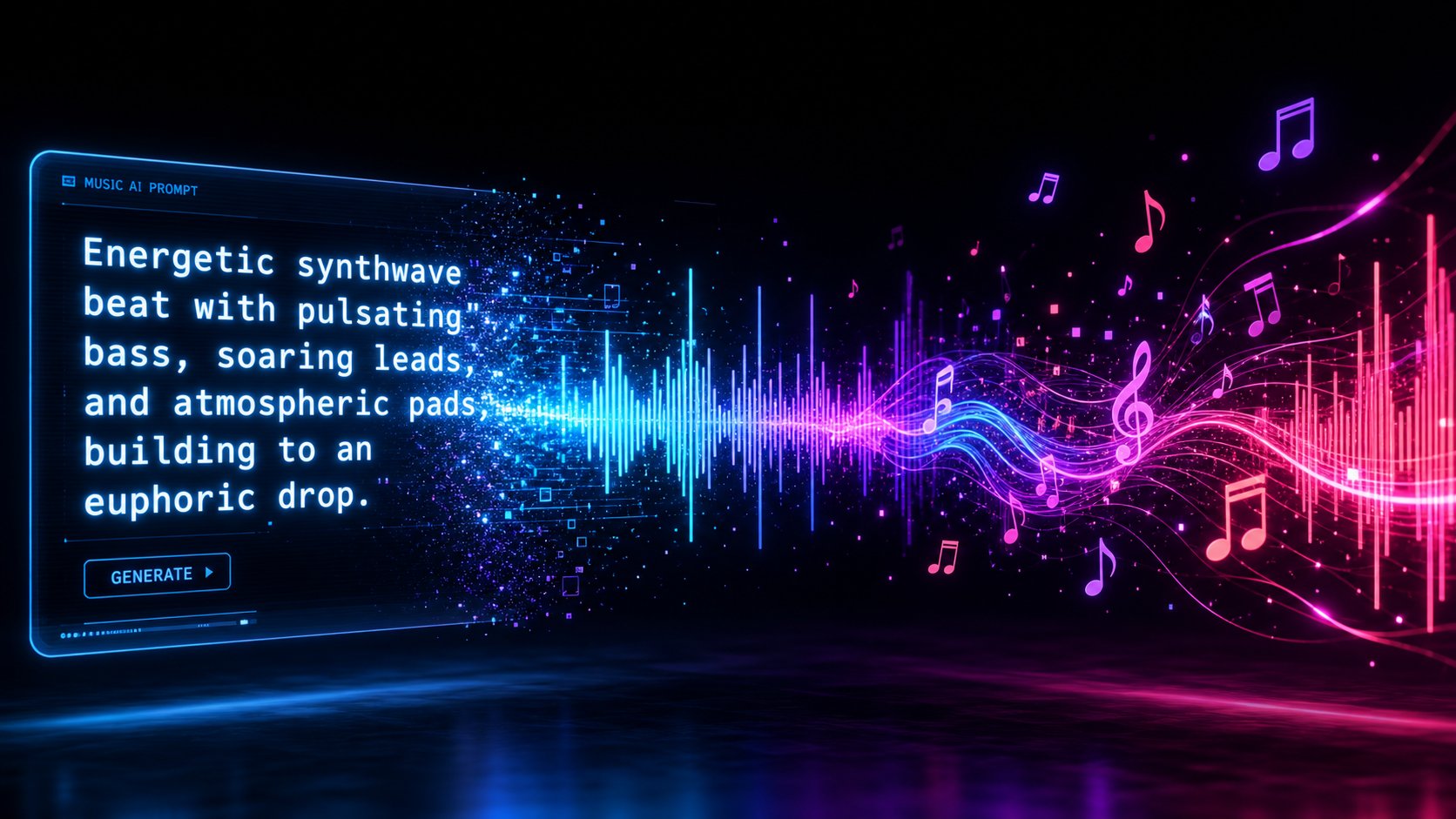
You've defined your sonic identity. You've picked your tools. The blank page is staring back at you. How do you make a song that actually sounds like it belongs to your artist project rather than a random output anyone could have generated? The answer lives in your prompts, your iteration process, and your willingness to be ruthlessly selective about what makes the cut.
Writing Effective Prompts for Consistent Results
A prompt is your creative brief translated into language an AI model can act on. Vague inputs produce vague outputs. When you tell a platform "make something cool" you'll get something generic. When you write "melancholic indie electronic, 95 BPM, breathy female vocals, sparse piano with layered synth textures, lyrics about disconnection in a digital age," you'll get something that sounds intentional.
The key components of an effective prompt mirror the artist brief you built in Step 1:
- Genre and mood: Name the style explicitly and pair it with emotional descriptors
- Tempo: Specify BPM rather than vague terms like "mid-tempo"
- Instrumentation: List the sonic textures you want present or absent
- Vocal direction: Describe tone, energy, and delivery style
- Structure cues: Mention if you want a slow build, immediate energy, or a specific arrangement
Think of each prompt as instructions to a session musician who's never heard your previous work. The more specific your language, the closer the output lands to your vision. This is where ai song writing becomes a genuine creative discipline rather than a slot machine pull. A well-crafted prompt functions like a song prompt generator you've built yourself, tailored to your exact artistic identity.
Iterating and Curating Your Best AI Outputs
Here's something most guides won't tell you: your first generation almost never makes the final cut. The real workflow involves producing many variations and selecting the few that genuinely fit your artist's sound. Curation is the skill that separates forgettable AI output from a compelling discography.
Follow this process each time you sit down to create songs:
- Write your prompt using your artist brief as a reference document
- Select style parameters: genre, tempo, mood, vocal character, and instrumentation
- Generate multiple variations from the same prompt (aim for at least four to six)
- Evaluate each output against your artist vision: does it sound like it belongs on your profile?
- Refine your prompt based on what worked and what missed the mark
- Regenerate with adjusted language until you have a track that clicks
This iterative loop is how you learn what language produces what results on your chosen platform. Over time, you'll develop a personal prompt vocabulary, phrases and descriptions that reliably produce your signature sound. Keep a running document of prompts that worked well. That library becomes invaluable as your catalog grows.
How do you make a song that sounds polished on the first listen? You don't, usually. You make six versions and pick the one that sounds inevitable. That selectivity is your artistic fingerprint.
Adding Lyrics and Vocal Direction to Your Tracks
If your artist project includes vocals, lyrics become the most personal element of your output. You can write your own, use AI lyric tools to brainstorm starting points, or combine both approaches. When searching for the top ai for lyrics for songs, look for tools that generate options you can edit and personalize rather than using raw output verbatim. Your lyrics should carry the same thematic consistency as your sound palette.
For the actual generation process, structure your lyrics with clear section labels: [Verse 1], [Chorus], [Bridge]. Keep lines between six and twelve syllables for natural singability. Include delivery notes where they matter, like "soft and breathy" for a verse or "full voice, emotional" for a chorus. These cues help the AI interpret your intent rather than guessing at phrasing.
Platforms like MakeBestMusic let you paste lyrics directly alongside style parameters, turning your words into a song with matched vocal delivery and full instrumental arrangement in a single generation. That workflow makes it practical to turn my words into a song without bouncing between separate lyric, melody, and production tools. If you're ready to test your prompts and hear your artist concept come to life, that's a solid place to start generating.
The important mindset shift: generation is not the finish line. It's raw material. Every track that passes your quality filter still needs post-production attention, mixing decisions, arrangement tweaks, and the kind of polish that makes listeners assume a human produced every note. That refinement process is where your AI outputs transform into professional releases.
Step 4 Edit Mix and Master Your AI Music
Raw AI outputs carry a telltale quality that experienced listeners notice immediately: everything sits at the same energy level, frequencies stack in predictable ways, and arrangements lack the subtle dynamics that make professional releases breathe. The gap between a generated track and a release-ready single isn't talent. It's post-production. This is where basic song production from a scratch track ai becomes a genuine craft, and where your releases start sounding indistinguishable from human-produced music.
Editing and Arranging AI-Generated Tracks
Before you touch a single EQ knob, listen to your selected track with fresh ears and ask: does the arrangement serve the song? AI generators tend to pack too many elements into every section, so your first job is subtraction. Pull the track into a DAW and start making structural decisions.
The best apps for music production for this stage range from free options like Audacity and GarageBand to professional tools like Ableton Live, Logic Pro, and Cubase. If your platform exports stems (vocals, drums, bass, and instruments separated), import them individually for maximum control. If you only have a stereo mix, you can use stem separation tools like LALAL.AI or Moises to create instrumental from song files and isolate the components you need to edit independently.
Common arrangement edits that elevate AI output:
- Trimming or reshaping intros and outros so they feel intentional rather than algorithmic
- Removing elements from verses to create contrast with fuller choruses
- Adding silence or breathing room between sections for dynamic impact
- Rearranging song structure when the AI's default verse-chorus pattern feels too predictable
- Layering human-recorded elements like a guitar phrase, a vocal ad-lib, or a percussion hit
Even small arrangement choices signal intentionality. A stripped-back second verse that rebuilds into the final chorus tells listeners someone shaped this song with purpose. That's what separates a curated release from a generated file.
Mixing and Mastering for Professional Sound Quality
Mixing is where you carve space for every element to exist without competing. AI-generated tracks often suffer from frequency buildup in the low-mids and overly bright high-end, issues that become obvious on headphones or car speakers. You don't need years of engineering experience to address the most common problems.
Essential post-production steps for a polished mix:
- Adjusting EQ to reduce muddiness (typically cutting around 200-400 Hz on non-bass elements)
- Applying compression to control dynamics and add punch to drums or vocals
- Setting proper panning so instruments occupy distinct positions in the stereo field
- Adding reverb and delay tastefully for depth without washing out clarity
- Normalizing volume levels so no single element overwhelms the mix
For mastering, AI-powered services like LANDR and eMastered work well as a free ai music finalizer alternative to hiring an engineer. They analyze your mix and apply EQ, compression, and limiting to reach streaming-ready loudness. As the team at Orphiq notes, AI mastering gets you about 80% of the way to professional quality instantly, which is more than enough for singles and regular releases. Reserve human mastering for career-defining projects where every detail matters.
The best music composition software won't fix a fundamentally flawed generation, but it will transform a strong AI output into something that holds up against any track in its genre on streaming platforms.
Adding Human Creative Touches to Strengthen Originality
Here's a principle that serves both artistic and legal purposes: the more human creative input you layer into a track, the more original and defensible it becomes. Purely AI-generated material sits in a legal gray area regarding copyright. Adding your own creative decisions strengthens your ownership position while simultaneously making the music sound less like something a machine assembled.
Practical ways to humanize your tracks:
- Record a live instrument layer, even something as simple as a shaker or ambient guitar texture
- Re-sing vocal sections or add harmonies with your own voice
- Program custom drum fills or transitions that break the AI's default patterns
- Add subtle imperfections: slightly off-grid timing, velocity variations, breath sounds
- Create unique sound design elements using synthesizers or field recordings
Tools for creating piano arrangement from audio ai free can help you extract melodic ideas from generated tracks that you then replay with human expression and timing. Similarly, a song instrumental maker workflow lets you strip vocals and rebuild the backing with your own performance choices. These hybrid approaches produce something neither fully AI nor fully human, but distinctly yours.
Some creators also make songs into instrumentals from their vocal tracks, creating alternate versions that double their catalog while showcasing the production quality underneath. Every version where you've made deliberate creative choices adds to the body of evidence that a human artist directed this work.
The post-production stage is where your AI music project earns the right to call itself professional. A well-mixed, thoughtfully arranged track with human touches woven throughout doesn't just sound better. It looks better to streaming platforms, playlist curators, and the listeners who decide whether to follow your artist profile or move on. The visual identity and distribution strategy you build around these polished tracks determines whether anyone actually hears them.
Step 5 Build Your Visual Brand and Artist Profiles
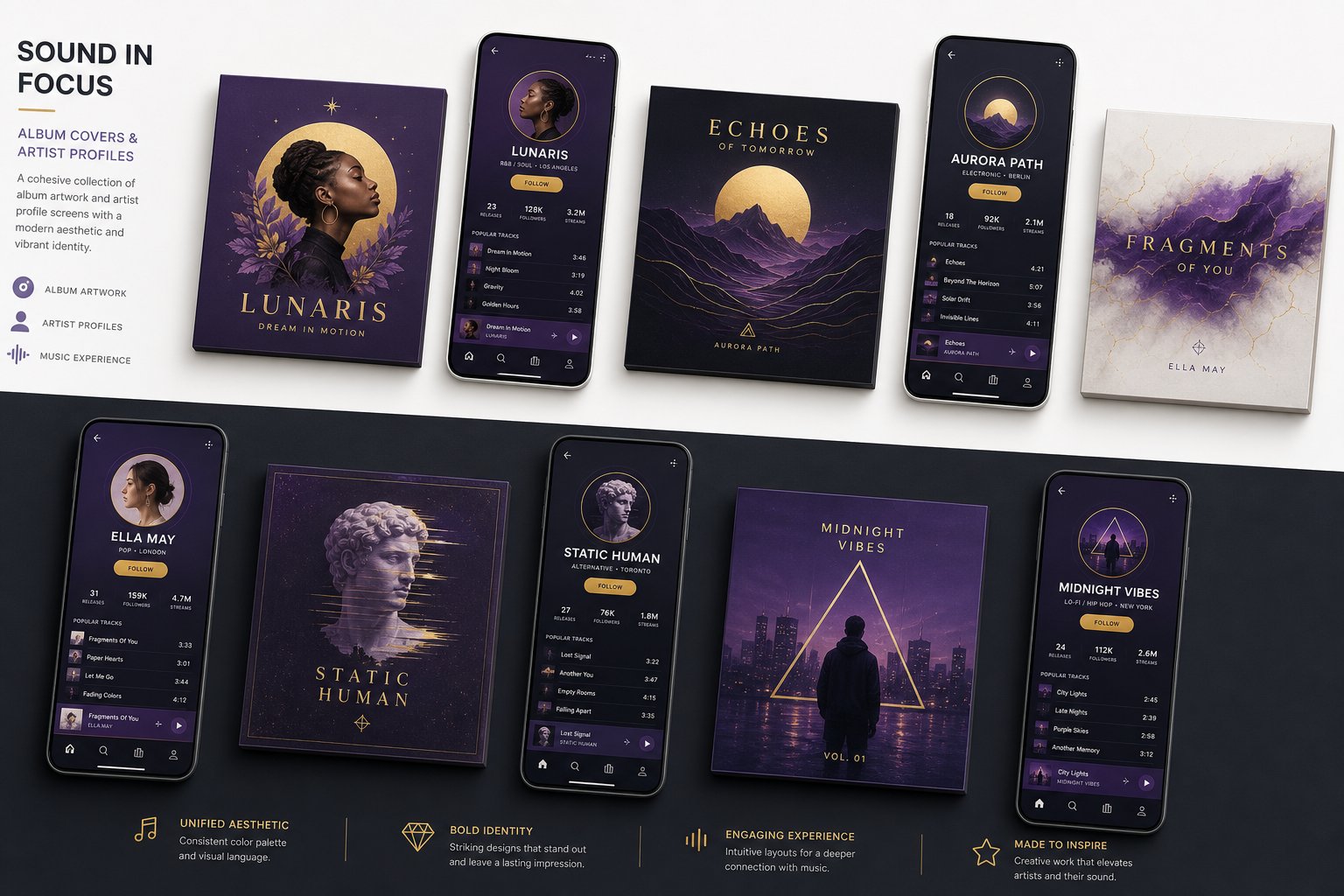
A polished mix means nothing if nobody clicks play. On streaming platforms, your cover art appears at 40x40 pixels in some views. Your profile photo on Instagram is even smaller. At that scale, sonic quality is invisible. What stops a listener mid-scroll is a visual identity that feels deliberate, cohesive, and unmistakably yours. Your AI music artist needs a face, and that face needs to look the same everywhere it appears.
Designing Album Artwork and Visual Identity
Your cover art is your music's first marketing tool. It communicates genre, mood, and professionalism before a single note plays. When building a visual system for your artist project, you're creating a musical canvas that reinforces every sonic decision you've already made. Warm colors for energetic tracks, cool tones for atmospheric releases, high contrast for bold statements.
You'll need these essential visual assets before your first release:
- Profile photo: a consistent image used across every streaming and social platform
- Banner images: sized for Spotify headers, YouTube channels, and Twitter/X profiles
- Album and single covers: release artwork that follows a recognizable template
- Social media templates: recurring post formats for announcements, lyrics, and behind-the-scenes content
- Promotional graphics: press kit imagery, playlist pitch visuals, and ad creatives
AI image generators make this accessible without hiring a designer. Tools like Canva offer thousands of music-specific templates with drag-and-drop editing, while Neural Frames generates surreal, one-of-a-kind visuals from text prompts or audio input. You can add a background imagery of a music performance on AI using these tools to create concert-style visuals or atmospheric scenes that match your artist's world. The key is consistency: pick two to three core colors, one or two fonts, and a defined photo aesthetic, then apply them everywhere.
As Orphiq's visual identity guide notes, recognition at thumbnail size depends on color, shape, and contrast rather than fine detail. Document your hex codes, font names, and style guidelines in a simple reference sheet. Future releases should feel like they belong to the same catalog without looking identical. Think of each cover as a chapter in the same visual story.
The best musician image prompt maker approach combines specific descriptions with your brand parameters. Instead of prompting "album cover," try "dark blue and gold abstract landscape, minimal, cinematic lighting, no text" and then add your typography in a design tool afterward. That separation gives you more control and prevents AI-generated text artifacts from ruining your artwork.
Setting Up Artist Profiles on Streaming Platforms
Your music with image presentation extends beyond cover art into how your profiles appear on streaming services. Each platform offers customization options that reinforce your visual brand, but you need to claim those profiles first.
The process follows a similar pattern across platforms. On Spotify for Artists, you'll claim your profile once your first release goes live, then upload a high-resolution header image, write your artist bio, and add social links. Apple Music for Artists requires your music to be live for at least five business days before claiming. Amazon Music and Deezer each have their own creator portals with similar verification steps. On every platform, use the same profile photo and maintain consistent bio language so listeners who find you on one service recognize you instantly on another.
A few details that matter more than they seem: use high-resolution images sized correctly for each platform's specifications (Spotify recommends 2660x1140 for headers). Write your bio in third person for editorial contexts but keep it concise and personality-driven. Include image music connections in your profile, letting your visual choices hint at what your sound delivers before anyone presses play.
Visual branding isn't decoration. It's the trust signal that tells a new listener this is a real artist worth following, not a throwaway account. When your covers, profile, and social presence share the same deliberate aesthetic, you've built recognition that compounds with every release. That recognition is what makes distribution and marketing, the steps ahead, actually work.
Step 6 Distribute Your Music to Streaming Platforms
Your tracks are mixed, mastered, and wrapped in professional visuals. None of that matters until listeners can actually find them. Distribution is the bridge between finished music sitting on your hard drive and a live presence on Spotify, Apple Music, YouTube Music, and every other platform where people discover new artists. For an AI music artist, this step carries an extra layer of consideration: platform policies around AI-generated content are evolving fast, and the distributor you choose determines how smoothly your releases reach the public.
Choosing a Music Distribution Service
Independent artists can't upload directly to Spotify or Apple Music. You need a distribution service that acts as your ai music manager, delivering your files, metadata, and artwork to dozens of streaming platforms simultaneously. The major players each solve a different problem depending on how often you release and how much you want to spend.
Here's how the leading music technology companies in distribution compare based on current 2026 pricing data:
| Distributor | Pricing Model | Annual Cost | Royalties Kept | Exit Terms | AI Content Policy |
|---|---|---|---|---|---|
| DistroKid | Subscription (unlimited releases) | $24.99+ | 100% (80% on YouTube CID) | Music pulled if subscription lapses | Supports DDEX AI disclosure standard |
| CD Baby | Per-release (one-time fee) | $9.95/single, $29.95/album | 91% (9% commission) | Music stays live permanently | Supports DDEX AI disclosure standard |
| TuneCore | Per-release (annual renewal) | $9.99/single/year | 100% (80% on social/YouTube) | Clean | Supports DDEX AI disclosure standard |
| Amuse | Subscription (unlimited) | $23.99/year | 100% while subscribed | 25% permanent penalty on exit | Supports DDEX AI disclosure standard |
| RouteNote | Hybrid (free or per-release premium) | $0-$10/release | 85% (free) or 100% (premium) | Clean | Supports DDEX AI disclosure standard |
A few things to notice. If you're planning frequent releases to build your catalog quickly, DistroKid's unlimited model becomes cost-efficient around your third single. Releasing only a couple times per year? CD Baby's one-time fee makes more sense since there's no renewal to forget about. RouteNote's free tier works well for testing your first release at zero upfront cost, though you'll give up 15% of royalties.
One critical warning about Amuse: if you ever cancel your subscription, they apply a 25% permanent commission on all future earnings from your existing catalog. That exit penalty is buried in their terms and rarely mentioned in marketing. For an AI artist still experimenting with release strategy, that lock-in risk outweighs the low annual price.
You might also encounter services like artlist music, which focuses on stock music licensing for content creators rather than artist distribution to streaming platforms. While artlist pricing works for song stock and sync licensing scenarios, it's a different model entirely from what you need to build an artist presence on consumer streaming platforms. Similarly, if your goal is to download song for youtube content rather than build a streaming artist profile, licensing platforms serve that use case while distribution services serve yours.
Understanding Platform Policies on AI-Generated Music
Here's where AI music artists face a landscape that's shifting in real time. Streaming platforms are actively building frameworks for how they handle AI-generated content, and understanding these policies protects your releases from being flagged or removed.
Spotify's AI disclosure system: In September 2025, Spotify announced strengthened AI protections including a new industry-standard disclosure framework developed through DDEX. Starting April 2026, artists can indicate where AI played a role in creation, whether that's vocals, lyrics, or production. Spotify has stated explicitly that disclosing AI use does not result in down-ranking. The system treats transparency as a trust-building measure, not a penalty. However, Spotify has also removed over 75 million spammy tracks in the past year, targeting mass-upload content farms and artificial streaming manipulation. The key distinction: legitimate AI artists building real catalogs with genuine listener engagement are welcome. Content farms gaming the system are not.
YouTube's Content ID: If you opt into Content ID through your distributor (typically an add-on fee of $4.95-$14.95 per song through DistroKid), YouTube scans all uploaded videos for your audio. This protects your music from unauthorized use and generates additional revenue when others use your tracks. For AI music artists, Content ID functions the same as it does for traditional musicians. The ai music search ecosystem on YouTube treats your distributed tracks like any other release once they're registered.
The spam filter reality: Spotify's new music spam filter identifies uploaders engaging in mass-upload tactics, duplicate releases, and artificially short tracks designed to game per-stream payments. This matters for AI artists because generating high volumes of music is technically easy. Restraint and quality control, the curation principles from earlier steps, keep you on the right side of these systems. Release music at a natural cadence that matches real artist behavior.
Uploading Your First Release
The technical upload process is straightforward, but small details determine whether your release goes live on schedule or gets rejected and delayed. According to distribution guides for 2026, most platforms deliver to Spotify within 2 to 7 business days, so plan your release date at least 2 to 4 weeks ahead.
Before you hit upload, confirm these assets are ready:
- Audio file: WAV format at 44.1kHz/16-bit minimum (the master from your Step 4 work)
- Metadata: Song title, artist name, album name, genre, and language tagged accurately
- ISRC code: Most distributors generate this automatically, a unique identifier for your track
- UPC code: Required for album or EP releases, also typically auto-generated
- Artwork: 3000x3000 pixels, JPG or PNG, matching your visual brand from Step 5
- Release date: Scheduled far enough ahead to allow playlist pitching through Spotify for Artists
- AI disclosure: Indicate the role of AI in your production through your distributor's submission form
Metadata deserves extra attention. Your artist name, genre tags, and track titles feed into how streaming algorithms categorize and recommend your music. Inconsistent metadata across releases fragments your presence and confuses recommendation systems. Use identical artist name spelling every time, choose genre tags that match where your target listeners browse, and keep titles clean without unnecessary symbols or keywords.
Schedule your release date on a Friday, when streaming platforms refresh their editorial playlists. Submit your track to Spotify's editorial playlist consideration tool (available through Spotify for Artists) at least 7 days before release. This won't guarantee placement, but it puts your music in front of curators who program genre-specific playlists where new listeners discover artists organically.
Distribution transforms your AI music project from a private experiment into a public artist. But live tracks alone don't generate streams. The marketing strategy you build around each release, the audience you cultivate, and the story you tell about your creative process determine whether those tracks find the ears they deserve.

Step 7 Market and Grow Your AI Music Audience
Live tracks on streaming platforms are like billboards in the desert. They exist, but nobody drives by unless you build the road. Marketing for an AI music artist follows the same fundamental principles as any independent musician's strategy, with one added advantage: the creative process itself is inherently fascinating content. People are curious about how AI-generated music gets made, and that curiosity is a growth engine you can tap deliberately.
Growing Your Audience on Social Media
Short-form video dominates music discovery right now. Industry data shows that nearly 47% of listeners discover music on platforms like TikTok and Instagram before hearing it on Spotify. For AI music artists, this stat is even more relevant because your creation workflow is visually compelling content on its own. Watching a prompt become a full song in real time is genuinely interesting to watch.
The platforms serve different purposes in your marketing ecosystem:
- TikTok: Discovery engine. Post song snippets, prompt-to-track reveals, and behind-the-scenes generation clips
- Instagram: Brand reinforcement. Share polished visuals, lyrics cards, Reels of your process, and Stories for daily engagement
- YouTube: Long-form depth. Upload full ai music video content, production walkthroughs, and studio session breakdowns
- Discord or email: Community ownership. Build a direct channel where algorithm changes can't cut you off from fans
The consistency principle from branding applies here too. Artists who succeed in music marketing produce 20 to 30 short-form videos per release, not one post on release day and silence after. Batch your content during generation sessions: screen-record your prompts, capture your reaction to outputs, film your curation process. That raw material becomes weeks of social content.
Playlist Pitching and Streaming Growth Strategies
Playlists remain the primary discovery mechanism on streaming platforms. Getting your tracks onto the right playlists, whether editorial, algorithmic, or user-curated, drives the kind of passive streaming growth that compounds over months.
Your approach should cover three playlist types simultaneously. First, use Spotify for Artists to pitch unreleased tracks to editorial teams at least three to four weeks before your release date. As Berklee's playlist strategy guide emphasizes, optimizing your metadata with accurate genre, subgenre, mood, and activity descriptors maximizes your chances of placement consideration. Never pay for playlist placement; it violates platform policies and risks your music being removed entirely.
Second, target user-generated playlists by researching curators through tools like Chartmetric or Spotify's "Discovered On" feature, which shows where similar artists gain new listeners. Services like SubmitHub and Groover facilitate outreach without guaranteeing placement. Think of each playlist curator as a music playlist creator whose audience overlaps with yours. A personalized pitch explaining why your track fits their specific playlist outperforms generic mass submissions every time.
Third, feed the algorithmic playlists indirectly. Spotify's Discover Weekly and Release Radar function as an ai spotify playlist generator driven by listener behavior. When fans save your tracks, add them to personal libraries, and listen repeatedly, the algorithm interprets those signals as quality markers and recommends your music to similar listeners. Encourage these actions explicitly in your social content. Every save is a vote that the music recommendation generator uses to expand your reach.
You can also create your own playlists as a growth tool. Build a playlist that positions your tracks alongside artists in your niche, functioning as a playlist maker based on song similarity. This music playlist maker approach puts your music in context, helps listeners understand your sonic world, and generates streams on tracks that share your audience. An ai playlist generator or ai music playlist generator tool can suggest complementary tracks for these curated collections based on audio similarity.
Leveraging the AI Music Creator Story
Here's the counterintuitive truth: transparency about your AI workflow can attract more listeners than it repels. Audiences are drawn to novelty and creative innovation. Showing how you direct AI tools, curate outputs, and shape raw generations into finished releases positions you as a pioneer rather than a fraud.
Use this marketing launch checklist for every release:
- Post pre-release teasers showing snippets of the track two weeks before launch
- Share behind-the-scenes content of your generation and curation process during the lead-up
- Execute release day promotion across all platforms with coordinated visuals and direct links
- Submit to editorial and user-curated playlists with personalized pitches
- Publish a "how it was made" post or video within the first week, revealing your creative decisions
- Engage with every comment and share during the first 48 hours to boost algorithmic visibility
- Repurpose the track into additional content: lyric videos, acoustic variations, remix challenges, or reaction-style clips
The artists who build lasting audiences treat each release as a content event, not a single moment. Your story as a creator, your taste, your process, your vision, that narrative is what turns casual listeners into followers. As MusicPromoToday notes, artists who connect authentically with audiences always stand out regardless of their tools. AI is how you make the music. Your creative direction and willingness to share the journey is what makes people care.
Marketing builds the audience. But as your streams grow and your profile gains visibility, a different kind of attention follows: questions about ownership, disclosure obligations, and how the evolving legal landscape applies to what you're building. Those answers determine whether your project stays protected long-term.
Step 8 Navigate Legal and Ethical Considerations
Streams are flowing, your catalog is growing, and your artist profile looks legitimate. But underneath the surface of every AI music project sits a question most creators avoid until it's too late: who actually owns this music? The legal landscape for AI-generated content is shifting faster than any other area of music law, and what's permissible today might not be tomorrow. Understanding your position now protects everything you've built from unraveling later.
Copyright and Ownership of AI-Generated Music
The foundational principle is blunt. The U.S. Copyright Office released Part 2 of its AI report in January 2025 with definitive guidance: purely AI-generated content cannot be copyrighted and falls into the public domain. The Office stated that outputs of generative AI can only receive copyright protection where a human author has determined sufficient expressive elements.
Writing a prompt, even a detailed and clever one, does not constitute authorship under current copyright law. Copyright protection is reserved for works of human creation.
What does this mean for your AI music artist project? If you type a prompt and publish the raw output unchanged, you likely hold no copyright over that track. Anyone could legally copy it, re-upload it, or claim it as their own with no recourse available to you. That's the worst-case scenario, and it's why the post-production work from Step 4 matters beyond just sound quality.
The good news: human creative involvement changes the equation significantly. Legal analysis from Rimon Law confirms that an artist who uses AI to assist and enhance their own creativity is unlikely to lose copyright protection, as long as they avoid allowing the AI to make expressive choices entirely on its own. Your lyrics, arrangement decisions, mixing choices, and added human performances all strengthen your ownership claim. The more creative direction you provide and the more you transform the output, the more defensible your position becomes.
This distinction matters whether you're releasing commercial songs through streaming platforms or producing a custom song for a specific project. Ownership isn't binary. It scales with the depth of human involvement you can document.
Ethical Transparency and Disclosure Best Practices
Should you tell people your music involves AI? The streaming platforms are increasingly answering this question for you. As of 2026, nearly every major streaming service has established policies around AI-generated music, and most are trending toward mandatory disclosure rather than outright bans.
Spotify adopted the DDEX metadata standard for AI-assisted tracks so they can be properly labeled in credits. Apple Music rolled out new metadata tags requiring labels and distributors to indicate when AI was used in creating music or cover art. YouTube treats raw AI audio involving minimal human input as low-value content, often making it ineligible for monetization. Bandcamp took the hardest line, explicitly banning music produced entirely or mainly by AI. Deezer developed detection tools that tag fully AI-generated songs and exclude them from algorithmic recommendations.
The pattern is clear: platforms want transparency, not secrecy. Disclosing AI use on Spotify does not trigger down-ranking. Hiding it and getting caught risks removal, demonetization, or account suspension. For an AI music artist building a long-term project, honesty is both the ethical and strategic choice.
Practical steps to protect yourself and maintain credibility:
- Document your creative input at every stage: save prompts, generation logs, editing sessions, and mixing decisions
- Maintain a creation log for each track noting what you directed, what the AI generated, and what you modified
- Add AI disclosure to your artist bio or release notes where platform systems support it
- Understand the terms of service for every AI tool you use, particularly regarding ownership and commercial rights
- Register works with the Copyright Office where possible, disclosing AI-generated portions as required by their registration guidance
- Write your own lyrics whenever feasible, since human-authored lyrics can be copyrighted even when the underlying music cannot
The creators who treat transparency as a feature rather than a liability are building on solid ground. Those who obscure their methods are building on sand that shifts with every policy update.
Staying Ahead of Evolving AI Music Regulations
The legal environment isn't just uncertain. It's actively moving. In March 2026, the UK government scrapped plans that would have allowed AI companies to train models on copyrighted music without permission, following over 10,000 consultation submissions where 95% opposed the opt-out approach. Major artists including Elton John, Dua Lipa, and members of ABBA campaigned against what they called theft on a high scale. UK Culture Secretary Liz Kendall confirmed that copyright material cannot be used for AI development and training without permission.
Meanwhile, the major labels have pursued lawsuits against AI music generators with unprecedented force. Universal, Sony, and Warner filed coordinated suits against Suno and Udio through the RIAA, with potential damages of up to $150,000 per infringed track. By late 2025, Udio settled with both Warner and Universal under confidential terms. A separate suit against Anthropic settled for $1.5 billion over use of copyrighted materials in AI training. In early 2026, Universal and partners filed what could be the single largest non-class action copyright case in US history, suing for over $3 billion.
What does this mean for individual creators? The platforms you use for generation may face legal challenges that alter their services or terms overnight. Your risk exposure as an end user depends on several factors: which tools you used, what those tools were trained on, and how much human creativity you layered into the final output.
The practical takeaway is straightforward. Creators who produce royalty free podcast intro music, commercial jingles, business background music, or a royalty free film score using AI face the same legal calculus as those building full artist projects. The question isn't whether AI was involved. It's whether sufficient human authorship exists to support a copyright claim, and whether you've been transparent about your process.
A few forward-looking strategies to keep your project resilient:
- Stay current with Copyright Office updates, particularly any new guidance following their ongoing multi-part AI report
- Monitor your distributor's communications about platform policy changes affecting AI content
- Keep all generation records indefinitely as proof of your creative process if ownership is ever challenged
- Avoid prompts that reference specific artists, songs, or copyrighted works by name
- Diversify your tools so no single platform's legal troubles can compromise your entire catalog
- Consider adding more human performance elements to high-priority releases, strengthening their copyright position
The creators who thrive in this environment won't be the ones who found legal loopholes. They'll be the ones who treated AI as a creative tool, maintained honest documentation, and built projects with enough human artistry that the legal question of ownership tilts decisively in their favor. The law is catching up to the technology. Make sure it catches you standing on solid ground.
