

Why Anyone Can Now Create Music With AI
Imagine typing a few sentences describing the song in your head and hearing a fully produced track minutes later. That is the reality of AI music generation right now. You do not need years of piano lessons, expensive studio gear, or a degree in music theory. If you can describe what you want to hear, you can learn how to make a song from scratch using nothing more than a text prompt and a browser.
The barrier to entry has essentially vanished. Tools built on generative AI let anyone create complete compositions, from instrumental backgrounds to full vocal tracks, by providing written descriptions, pasting lyrics, or uploading a style reference. Whether you want a personalized song for a wedding, background music for a YouTube video, or a demo to pitch to your band, the starting line is the same: your idea.
What AI Music Generation Actually Means
AI music generators are machine learning models trained on massive datasets of recorded music. During training, these neural networks analyze patterns in rhythm, harmony, melody, instrumentation, and song structure across millions of tracks. When you feed the system a prompt, it predicts what should come next based on those learned relationships and generates original audio that matches your description. It does not copy existing songs. Instead, it applies statistical understanding of how music works to compose something new in the style, mood, and genre you request.
Who This Guide Is For
This guide covers the full spectrum. If you are a complete beginner wondering how to make your own song without touching an instrument, you are in the right place. If you are a content creator asking how do you create your own music without licensing headaches, keep reading. And if you are a musician looking for faster ways to prototype ideas or generate a custom song demo, this walkthrough applies to you too.
AI music creation is not about replacing musicians. It is about giving everyone a starting point to express musical ideas they could not produce on their own.
The real skill is not in pressing the generate button. It is in knowing what to ask for, which starts with understanding how this technology actually works under the hood.
How AI Music Technology Works Behind the Scenes
You type a prompt. A song appears. But what happens in between? Understanding the basics of how AI songs are made gives you a real advantage when it comes to getting better results. You do not need a computer science degree here, just a mental model of what the machine is actually doing with your words.
How AI Learns to Compose
Modern AI music generators rely on two core architectures: transformers and diffusion models. If you have used tools like ChatGPT for text, you already have a sense of how transformers work. They process sequences and predict what comes next. In the context of composer music, the sequence is not words but musical elements: notes, chords, rhythmic patterns, and timbral textures.
During training, these models are exposed to vast catalogs of recorded music. They analyze how a jazz chord progression resolves differently from a pop hook. They learn that a cinematic orchestral piece builds tension through layered strings and brass swells, while a lo-fi beat relies on mellow drums and vinyl texture. The training data includes audio waveforms, isolated stems, metadata tags covering genre and mood, and even lyrics paired with vocal melodies.
The result is a system that understands statistical relationships between musical elements. When you write a prompt like "upbeat indie folk with acoustic guitar fingerpicking," the model draws on everything it learned about that genre to generate something that sounds coherent and stylistically accurate. It does not memorize songs. It constructs new ones by applying learned patterns, much like a session musician improvising within a familiar style.
Will AI get better at helping with making music over time? Almost certainly. Each new generation of models trains on larger datasets, uses more refined architectures, and produces output with greater nuance. The jump from early music GPT experiments to current full-song generators happened in just a few years, and the pace is accelerating.
Different Methods of AI Music Creation
AI song writing is not a one-size-fits-all process. Different tools offer different entry points depending on what you bring to the table. Some let you describe a vibe in plain English. Others let you paste finished lyrics and receive a complete vocal track. The method you choose shapes the output you get.
Here are the primary generation methods available across most platforms:
- Text-to-music prompts - Describe the mood, genre, instrumentation, and tempo in natural language, and the AI generates a full composition matching your description.
- Lyric-based generation - Paste or type your written lyrics, and the AI builds melody, harmony, and vocal performance around your words.
- Melody humming or audio input - Hum, whistle, or upload a rough melodic idea, and the system arranges a full production around it.
- Reference audio for style matching - Provide an existing track as a sonic reference, and the AI generates new composer music that captures a similar feel without copying the original.
- Hybrid approaches - Combine multiple inputs, like lyrics plus a style reference plus specific tempo settings, for the most precise and controlled results.
Each method suits a different creative scenario. Text prompts work best when you have a clear vision but no musical material. Lyric-based generation is ideal when you have written words and want to hear them sung. Reference-driven workflows shine when you know the sound you want but struggle to describe it in words.
The flexibility across these approaches means you can start wherever your creativity lives, whether that is a written poem, a hummed melody in a voice memo, or simply a feeling you want to capture. The next step is picking the right tool to match your specific goals and workflow.
Step 2: Choose the Right AI Music Tool for Your Goals
Knowing how AI music generation works is one thing. Picking a tool that actually fits how you want to create is another. The market is crowded with options, and each platform has a different sweet spot. Some excel at full vocal tracks from a single prompt. Others give you granular control over every instrument and section. Your ideal choice depends on what you are making, how much control you want, and whether you need commercial rights to the output.
With so many platforms competing to be among the best music making apps, a side-by-side comparison cuts through the noise faster than trial-and-error across a dozen free tiers.
Top AI Music Generators Compared
The table below breaks down the leading platforms by what matters most: their core strength, output type, free access, and whether you can actually use the results in commercial projects.
| Tool | Best For | Output Types | Free Tier | Commercial Rights |
|---|---|---|---|---|
| MakeBestMusic | Fast prompt-to-song creation with lyrics and style input | Full songs, vocals, instrumentals | Yes | Available on paid plans |
| Suno | Vocal songs across all genres | Full songs with vocals, instrumentals | Yes (limited) | Pro plan ($10/mo) and above |
| Udio | High-fidelity audio and complex arrangements | Full songs, stems, remixes | Yes (limited) | Standard plan ($12/mo) and above |
| AIVA | Orchestral and cinematic composition | Instrumentals, MIDI, stems | Yes (attribution required) | Pro plan ($49/mo) for full ownership |
| Soundraw | Customizable royalty-free background music | Instrumentals, loops | No (paid only) | All subscriptions (with conditions) |
| Mubert | Real-time generative music and streams | Loops, ambient tracks, continuous audio | Yes (25 tracks/mo) | Pro plan ($39/mo) |
Each platform on this list approaches AI music from a different angle. The AIVA AI music generator dominates orchestral scoring with training rooted in classical composition. Soundraw AI shines for creators who want to fine-tune track structure after generation. Suno AI music maker and Udio both compete aggressively on vocal song quality, with Udio offering slightly better instrumental separation. Newer entrants like remusic.ai and producer.ai continue to push the space forward with niche features.
MakeBestMusic earns the top spot for one reason: it offers the shortest path from idea to finished song. Its workflow accepts prompts, custom lyrics, and style preferences in a single interface, then generates a complete track with vocals. For beginners who want results without a learning curve, that simplicity is hard to beat.
How to Pick the Right Tool for Your Needs
Forget feature lists for a moment. The real question is what you are trying to accomplish. Here is a decision framework built around common goals:
- You want a full song with vocals from a text prompt or lyrics - Start with MakeBestMusic or Suno. Both handle the entire composition pipeline, from melody to mixed vocals, without requiring any musical input beyond words.
- You need royalty-free background music for videos or podcasts - Soundraw AI and Mubert specialize in this. Their licensing terms are transparent, and the output is designed to sit behind spoken content without competing for attention.
- You want fine-grained compositional control - AIVA and Udio give you the deepest editing capabilities. AIVA exports MIDI so you can adjust individual notes. Udio lets you regenerate specific sections while keeping the rest intact.
- You need quick generation for content creation on a deadline - Speed matters when you are producing daily content. MakeBestMusic and Suno both deliver complete tracks in under two minutes from a single prompt.
- You are exploring cinematic or orchestral scoring - AIVA is the clear choice, with over 250 preset styles and deep structural understanding of symphonic arrangement.
When evaluating the best music creation apps and best apps for music production, commercial rights deserve as much attention as audio quality. A free tier that blocks monetization is a real problem if you are building content around the music. Check licensing terms before you invest time learning a platform.
The right tool removes friction between your idea and the finished result. Once you have chosen one, the next leverage point is your musical vocabulary, the words you use to describe what you want directly shape what the AI produces.
Step 3: Learn the Musical Vocabulary That Powers Better Prompts
The difference between a generic AI track and one that sounds intentional often comes down to a handful of specific words. You do not need formal training to find the right words to describe music, but you do need a working vocabulary of tempo, mood, and genre characteristics. Think of it as giving the AI a clearer picture to work from instead of a blurry sketch.
Essential Tempo and Mood Terms
Tempo, measured in beats per minute (BPM), is one of the most precise instructions you can give an AI generator. Vague terms like "slow" or "fast" get interpreted differently depending on genre. Specifying a BPM range eliminates that ambiguity entirely.
Here is a practical breakdown based on Spotify data across millions of tracks:
- Slow ballads and ambient pieces - 60 to 80 BPM. Think emotional piano compositions, downtempo R&B, or cinematic underscore.
- Mid-tempo pop and indie - 100 to 120 BPM. The sweet spot for radio-friendly energy, singer-songwriter tracks, and laid-back grooves.
- Upbeat dance and pop - 120 to 140 BPM. Where house music, dance pop, and energetic rock live.
- Fast songs in electronic and punk genres - 140 to 180 BPM. Drum and bass averages 153 BPM, punk hits 137, and hard techno pushes past 148.
Mood descriptors sharpen the emotional direction. AI models respond well to specific emotional language: melancholic, euphoric, aggressive, dreamy, nostalgic, triumphant, brooding, playful, ethereal. Pairing mood with tempo creates a much tighter creative brief. "Melancholic at 70 BPM" gives the AI far more to work with than "sad song."
Genre Characteristics That Improve Your Prompts
Knowing the genre of the song you want is a start, but naming the instruments and textures that define that genre is what separates average prompts from great ones. A genre finder can tell you what category a track belongs to. The table below tells you how to prompt for it effectively, whether you are aiming for jazz music songs, cinematic scores, or theme music songs for a project.
| Genre | Key Instruments | Typical BPM | Mood Keywords |
|---|---|---|---|
| Lo-fi Hip Hop | Jazz chords on Rhodes piano, vinyl crackle, mellow drum loops, soft bass | 70-90 | Nostalgic, warm, cozy, introspective |
| Cinematic Orchestral | Sweeping strings, brass swells, timpani, French horns, choir | 80-130 | Triumphant, epic, tense, heroic |
| Indie Folk | Acoustic guitar fingerpicking, soft vocals, harmonica, light brush drums | 100-120 | Warm, intimate, wistful, earthy |
| Trap | 808 sub-bass, rolling hi-hats, dark synths, punchy snare | 120-160 | Aggressive, confident, dark, heavy |
| Synthwave | Analog synth pads, arpeggiated bass, gated reverb drums, neon leads | 100-130 | Retro, dreamy, energetic, cinematic |
| Jazz | Upright bass, brush snare, piano, muted trumpet, saxophone | 90-140 | Smooth, sophisticated, soulful, relaxed |
Notice how each row gives you a ready-made song genre finder in prompt form. Instead of writing "make a lo-fi track," you can write "mellow lo-fi hip hop at 75 BPM with jazz chords on Rhodes piano, vinyl crackle, soft drum loops, and a nostalgic, cozy atmosphere." That level of specificity is what produces results that actually sound like the genre you intended.
The vocabulary you bring to a prompt is the creative leverage you have over the output. With tempo ranges and genre-specific instrument language in your toolkit, the next challenge is structuring those details into prompts and lyrics that AI models interpret cleanly.
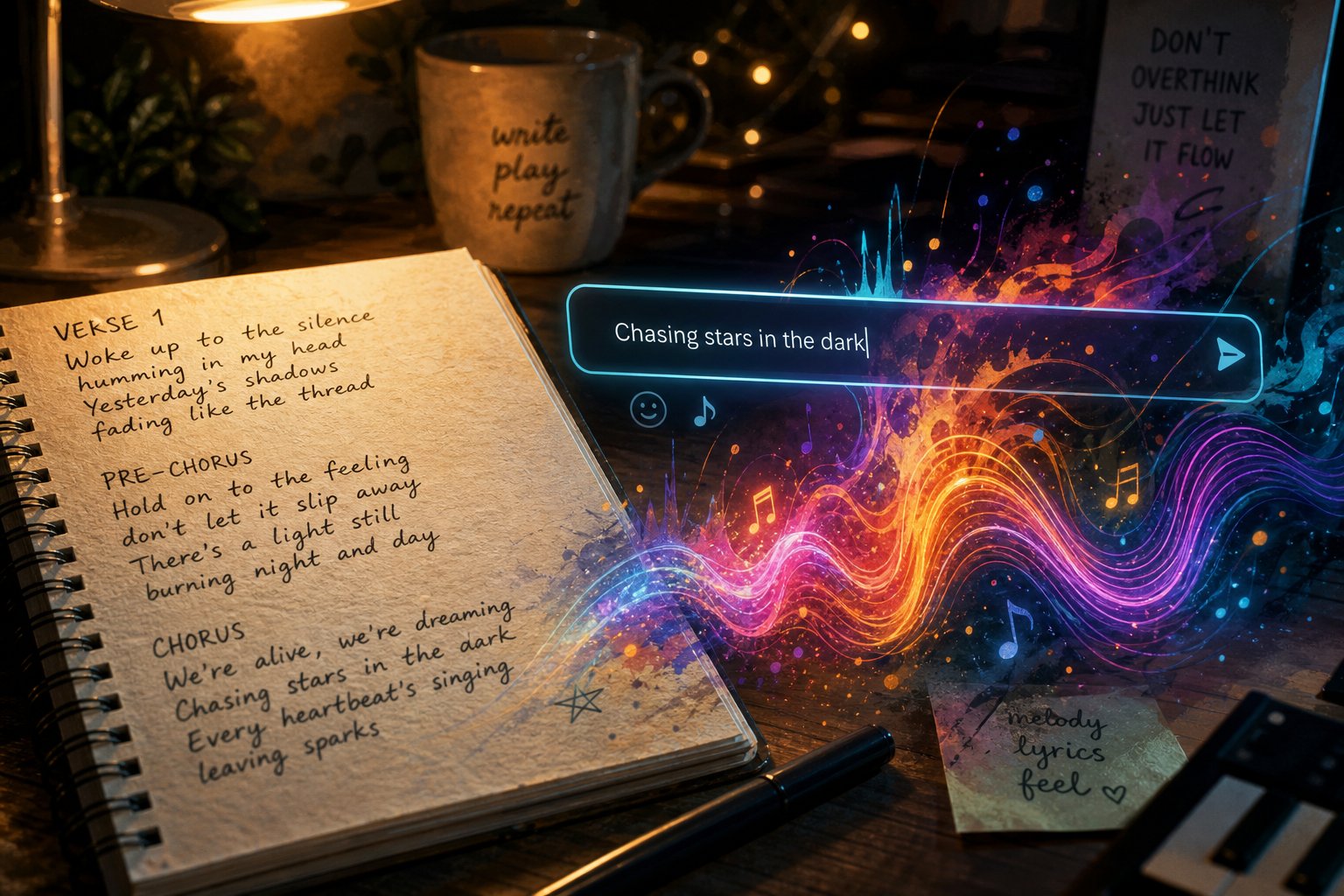
Step 4: Write Prompts and Lyrics That Produce Great Results
Having the right vocabulary is only half the equation. The real skill is assembling those genre terms, mood descriptors, and instrument names into a prompt structure that AI models can interpret cleanly. This is the single biggest factor separating people who get generic output from those who generate tracks that sound intentional and polished. Whether you are using a song idea generator to spark a concept or writing from a personal experience, how you frame the request determines what comes back.
Anatomy of a Great AI Music Prompt
Effective prompts follow a predictable structure. Think of each component as a layer of specificity that narrows the AI's creative options toward exactly what you want. A complete prompt typically includes six elements: genre or style, mood or emotion, instrumentation, tempo, vocal style, and song structure.
The difference between a vague prompt and a detailed one is dramatic. Here is a real before-and-after transformation:
Bad prompt: "Make a sad pop song." Good prompt: "Melancholic indie pop at 95 BPM with soft female vocals, fingerpicked electric guitar, ambient synth pads, gentle brush drums, verse-chorus-verse-bridge-chorus structure, building emotionally toward the final chorus."
The first prompt could return almost anything. The second gives the AI a precise blueprint. You are specifying genre (indie pop), mood (melancholic), tempo (95 BPM), vocal style (soft female), instrumentation (fingerpicked guitar, synth pads, brush drums), and structure (verse-chorus with a bridge). Each detail eliminates a category of unwanted results.
Descriptive language matters more than technical jargon here. Phrases like "dreamy atmosphere" or "punchy, radio-ready energy" communicate effectively because AI models are trained on metadata and descriptions that use exactly this kind of language. Think of it as writing a brief for a session musician who cannot ask clarifying questions.
Writing Lyrics That AI Can Sing Well
Knowing how to write a song lyrics that sound natural when an AI voice performs them requires a slightly different approach than writing for human singers. AI vocal models generate melody based on syllable patterns, rhyme placement, and structural cues, so your formatting choices directly affect the musical result.
Start with clear section markers. Label each part explicitly: [Verse 1], [Chorus], [Bridge], [Outro]. Most song writing applications and AI generators use these tags to determine where melodic patterns should shift, where energy should build, and where repetition belongs. Skipping them forces the AI to guess your structure, which rarely goes well.
Keep syllable counts relatively consistent within sections. If your first verse line has eight syllables, aim for seven to nine on subsequent lines. Wildly uneven lengths create awkward phrasing because the AI tries to fit too many or too few words into the same melodic rhythm. Natural speech patterns work best. Read your lyrics aloud before submitting them. If a line feels clumsy to speak, it will sound clumsy when sung.
Rhyme schemes help the AI generate more musical vocal melodies. ABAB or AABB patterns give the model a predictable anchor for melodic resolution. You do not need perfect rhymes everywhere, but even an ai rhyme finder tool can help identify near-rhymes that keep lines flowing naturally. Repetition in choruses is equally important. The best song lyrics in AI-generated tracks often feature a memorable, repeated hook phrase that the model can lean into melodically.
Avoid overly abstract or dense metaphors in verses that carry the narrative. AI vocal models handle concrete imagery and emotional language well, but highly literary constructions sometimes produce flat or confused delivery. Save complexity for the bridge, where a single dense idea can land with impact.
Common Prompting Mistakes to Avoid
Even with solid vocabulary and structured lyrics, a few recurring errors consistently sabotage output quality. If you have been wondering whether tools like Google AI Studio or other top AI options for lyrics and songs are just unreliable, the problem might be in how you are framing the request rather than the tool itself. Here are the most common pitfalls:
- Contradictory style instructions - Asking for "aggressive yet calming lo-fi trap" sends the model in conflicting directions. Pick a dominant mood and let secondary qualities emerge naturally.
- Overly long prompts that dilute focus - Cramming every possible descriptor into a single prompt overwhelms the model. Aim for two to three sentences covering your six core elements, not a full paragraph of wishful thinking.
- Ignoring song structure tags - Without [Verse], [Chorus], and [Bridge] markers, AI treats your lyrics as a single continuous block. The result lacks dynamic contrast and feels monotone.
- Not specifying vocal gender or style - "Vocals" is too vague. Specify male or female, breathy or powerful, raspy or clean. This single detail changes the entire character of a track.
- Using a song topic generator without adding personal detail - Generic themes produce generic songs. Even a simple personal angle, like setting the story in a specific place or naming a concrete emotion, gives the AI something distinctive to build around.
The pattern across all these mistakes is the same: ambiguity. AI models are pattern-completion engines. The clearer your input, the more focused and usable the output. Treat your prompt like a creative brief with constraints, not an open-ended wish.
With a well-structured prompt and cleanly formatted lyrics in hand, the next move is actually pressing generate and knowing what to do with the results that come back.
Step 5: Generate Your First AI Song
You have a prompt. You have lyrics. You know what genre terms to use and which mistakes to avoid. So how do you actually make a song from here? The generation process itself follows a repeatable workflow, and knowing what to expect at each stage keeps you from abandoning a track too early or settling for something mediocre.
Your First Generation Session
Every AI music platform follows roughly the same sequence, whether you are building a full vocal track or using a rap maker for an ai rap beat. Here is the step-by-step workflow you will repeat every time you create:
- Choose your input method. Decide whether you are starting with a text prompt, pasting lyrics, or combining both. If you are working in MakeBestMusic, you can enter a descriptive prompt alongside your lyrics and style preferences in a single interface, which saves toggling between modes.
- Set style and genre parameters. Select or type your genre, mood, and tempo. Some platforms offer dropdown menus; others rely entirely on your written prompt. Either way, this is where your musical vocabulary from the previous steps pays off.
- Generate multiple variations. Never rely on a single output. Generate three to five versions of the same prompt. AI output varies significantly between generations, even with identical inputs, because the model introduces controlled randomness into its predictions. One generation might nail the verse but fumble the chorus. Another might deliver a perfect hook with a weak bridge.
- Listen and evaluate each output. Play every variation start to finish without skipping ahead. First impressions matter, but so do transitions and endings. Take quick notes on what works in each version.
- Select the best candidate for refinement. Pick the strongest overall track, or identify standout sections across multiple generations that you want to keep and rebuild around.
How can you make a song that sounds polished on the first try? Honestly, you probably will not. Experienced creators on platforms like Suno Canvas and MakeBestMusic alike report that basic song production from a scratch track AI typically takes five to ten generations before they find something worth keeping. That is not a flaw in the technology. It is how the process works. Iteration is built into the workflow, not a sign that something went wrong.
Evaluating Your AI Music Output
Knowing how do i make a song is one thing. Knowing whether the result is actually good requires a different skill set. When you listen back to generated tracks, run through these criteria in order of priority:
- Overall coherence - Does the song feel like a unified piece, or does it wander between unrelated ideas? Transitions between sections should feel intentional, not abrupt.
- Vocal clarity - If the track has vocals, can you understand the lyrics? Are there garbled words, unnatural pronunciation, or pitch artifacts that distract from the performance?
- Instrumental balance - No single instrument should overpower the mix unless that is the stylistic intent. Listen for muddy bass frequencies masking the vocal or hi-hats buried beneath synth layers.
- Genre authenticity - Does the track actually sound like the genre you requested? If you prompted for indie folk and got something closer to country pop, your prompt needs refinement rather than the generation itself.
- Emotional impact - This is the subjective gut check. Does the track make you feel something? A technically perfect generation that leaves you cold is less useful than a slightly rough one that lands emotionally.
A track that scores well on coherence and emotional impact but has minor balance issues is a strong candidate for refinement. A track that fails on coherence, no matter how interesting individual moments are, usually needs a full regeneration with an adjusted prompt.
Think of this evaluation step as quality control, not a pass-fail exam. You are identifying what to keep and what to fix. The first generation rarely produces a final result, and that is completely normal. Even when you upload a song idea and the AI will make a drum beat or full arrangement around it, the raw output is a starting point rather than a destination.
The real magic happens in what comes next: taking that promising raw generation and shaping it into something that sounds intentional, polished, and genuinely yours.
Step 6: Refine and Polish Your AI-Generated Music
A raw AI generation is a starting point, not a finished product. The producers and creators getting the best results treat each output as raw material, then shape it with iteration, combination, and post-processing. This refinement stage is where a decent track becomes something you are genuinely proud to share.
Iterating With New Prompts
Your first generation gave you something promising. Maybe the verse is perfect but the chorus falls flat. Maybe the melody is strong but the instrumentation feels wrong. Instead of starting from endless music scratch every time, use partial results as building blocks.
Most platforms let you regenerate specific sections while keeping the parts you like intact. Keep a verse that works and re-prompt just the chorus with adjusted mood or energy descriptors. Change the vocal style on an existing composition without altering the underlying instrumental. Swap instrumentation while preserving the melody, turning an acoustic ballad into an electronic arrangement with a single prompt adjustment.
You can also extend or shorten tracks. A 90-second generation that nails the vibe can be stretched into a full three-minute song by prompting additional verses or an extended outro. A four-minute output with a dragging bridge can be trimmed by regenerating only the middle section at a tighter length. Think of each generation as a puzzle piece. A song mashup maker approach, pulling the best sections from multiple outputs and stitching them together, often produces stronger results than any single generation alone.
Mixing AI Output With Traditional Tools
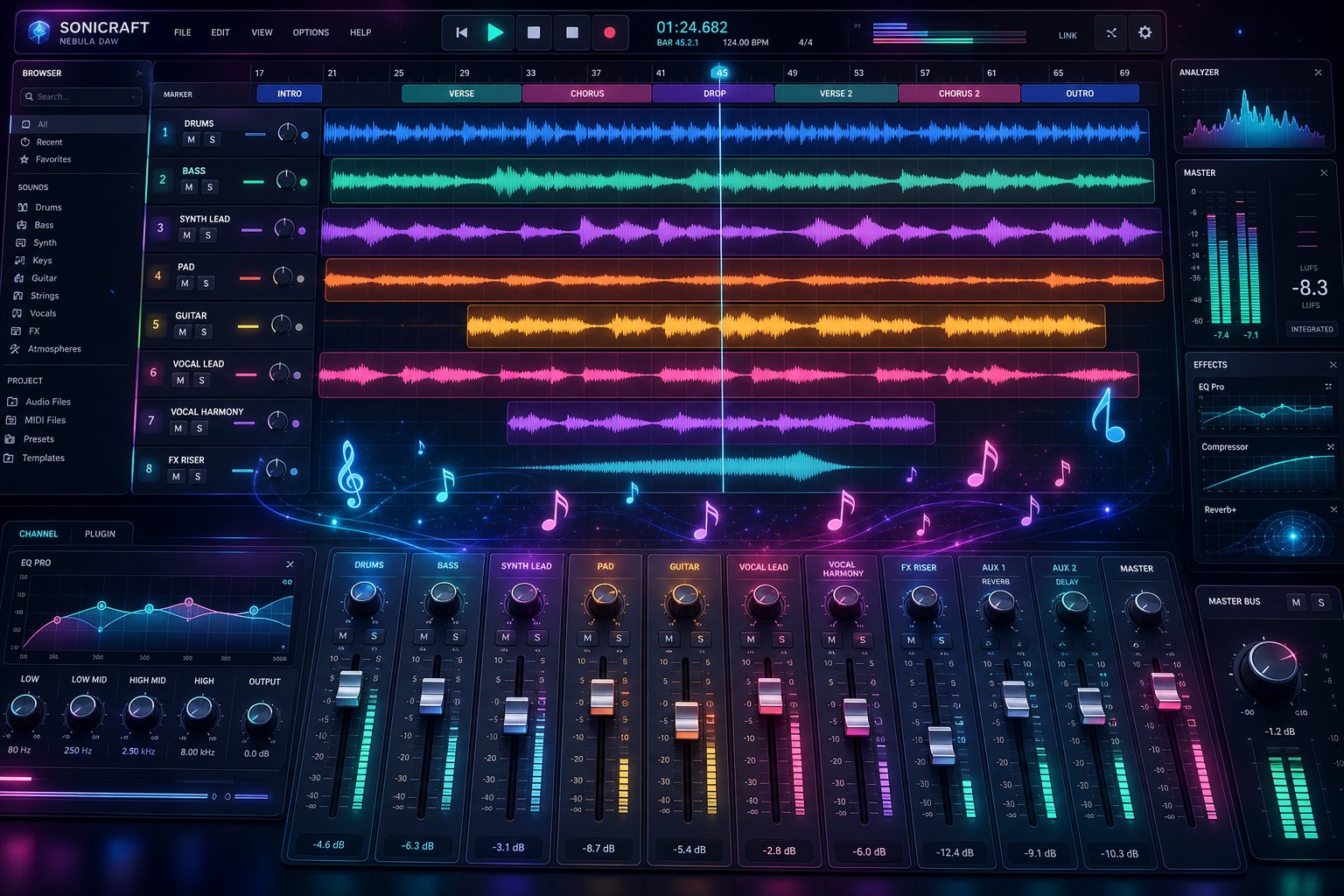
For creators who want professional-level control, the next step is bringing AI-generated audio into a DAW like Ableton, Logic, or FL Studio. The AI-to-DAW workflow follows a clear pipeline: extract stems from your AI output, import them as separate tracks, then arrange, edit, and enhance with traditional production techniques.
Working with stems rather than a stereo mix gives you individual control over vocals, drums, bass, and instruments. From there, even basic post-processing transforms the quality. Adjust volume levels so no element overpowers another. Apply EQ to clean up muddy low-mids that AI mixes often produce in the 200 to 500 Hz range. Add light compression for consistency. Trim silence and tighten transitions. Tools for vocal mixing AI free and creating piano arrangement from audio AI free exist across most modern DAWs, making this accessible even without paid plugins.
Many creators combine outputs from multiple generations to build longer, more complex arrangements. Use the drums from one generation, the vocal hook from another, and a chord progression you wrote yourself. Research from Sony AI's ISMIR 2025 presentations demonstrates how tools like Instruct-MusicGen now allow text-based editing of existing audio, letting you add or remove instruments from a mix using natural language commands. The gap between AI generation and professional production is shrinking fast.
Here are the most common refinement actions that elevate raw AI output:
- Re-prompting specific sections - Regenerate only the chorus, bridge, or intro while keeping stronger sections intact.
- Combining outputs from multiple generations - Use a music mashup maker mindset to pull the best elements from different versions into a single cohesive track.
- Adjusting mix balance - Set proper volume relationships between vocals, bass, drums, and instruments using your DAW or a free ai music finalizer tool.
- Applying basic audio effects - Add reverb for space, delay for depth, and EQ for clarity. Even subtle processing makes AI output sound more intentional.
- Extending or restructuring arrangements - Rearrange sections, duplicate choruses, or cut weak transitions to improve flow and pacing.
You do not need beat maker pro-level skills or expensive software to refine AI music effectively. Even free DAWs like Audacity or GarageBand handle basic level adjustments, EQ, and arrangement editing. The goal is not perfection on the first pass but incremental improvement, each small adjustment compounding until the track sounds deliberate rather than generated.
A similar songs finder can also help during refinement. Pull up reference tracks in the same genre and compare your AI output against them. Listen for differences in bass weight, vocal presence, and overall brightness, then adjust your mix to close the gap. Professional producers have used reference tracks for decades. The technique works just as well for polishing AI-generated material.
With a refined, polished track in hand, the final question is practical: where can you actually use this music, and what are the legal boundaries around AI-generated audio?
Step 7: Export and Use Your AI Music Legally and Effectively
A polished track sitting on your hard drive does not accomplish much. The moment you want to publish, monetize, or share AI-generated music, licensing and copyright become unavoidable questions. The rules here are less intuitive than the creative process, and getting them wrong can mean takedowns, lost revenue, or legal disputes. A few minutes understanding the landscape now saves real headaches later.
Understanding AI Music Licensing and Rights
Every AI music platform grants different rights to its users, and those rights change depending on your subscription tier. The core distinction to understand is between copyright ownership and commercial licensing. These are not the same thing.
Under current legal frameworks in the US and EU, pure AI-generated outputs generally cannot be copyrighted because copyright law requires human authorship. However, AI-assisted works where you contribute original lyrics, arrange sections, or perform substantial editing may qualify for protection. The US Copyright Office requires disclosure of AI involvement and identifiable human creative contribution before granting registration.
Commercial licensing is a separate matter entirely. Even if your AI track lacks formal copyright, the platform's terms of service can grant you commercial exploitation rights through contract law. Most paid plans allow you to monetize, distribute, and sublicense your generations. Free tiers typically restrict commercial use or require attribution.
Here is what to verify before using any AI-generated music commercially:
- Royalty-free vs. rights-retained - Royalty-free means no ongoing payments after the initial license. Rights-retained means the platform keeps ownership and you receive usage permission only.
- Commercial use scope - Some platforms allow unlimited commercial use on paid plans. Others cap the number of monetized tracks or restrict specific channels like YouTube Content ID.
- Attribution requirements - Free tiers on platforms like AIVA require visible credit. Paid plans typically remove this obligation.
- Exclusivity - Almost no AI platform grants exclusive rights. Other users can generate similar-sounding outputs from comparable prompts. Your track is not a one-of-one asset in the legal sense.
The legal landscape is actively evolving. Distributors and streaming platforms are updating their policies on AI content regularly, with some requiring AI disclosure labels and others restricting bulk uploads of fully generated material. Always check both your generation platform's terms and your distribution channel's current policy before releasing.
Using AI Music in Your Projects
Different use cases call for different output types and carry different legal weight. A royalty free podcast intro music track has simpler requirements than a commercial jingle airing on broadcast television. The table below maps common real-world scenarios to the right approach.
| Use Case | Recommended Output Type | Key Considerations |
|---|---|---|
| YouTube and social media content | Background instrumentals | Verify Content ID eligibility with your platform. Avoid vocal tracks that could trigger false match claims from similar generations by other users. |
| Podcasts | Intro, outro, and transition music | Short loops (15-30 seconds) work best. Royalty-free jazz music or ambient textures sit cleanly beneath voice without competing for attention. |
| Games and apps | Loops and ambient tracks | Seamless looping matters more than song structure. Check whether your platform's license covers software embedding and redistribution. |
| Personal projects (weddings, gifts) | Full songs with vocals | Most platforms allow personal, non-commercial use on free tiers. No licensing concerns if you are not monetizing or distributing publicly. |
| Commercial use (brand music, ads) | Jingles, song stock, and brand tracks | Requires a paid commercial license. Consider adding human vocals or live instrumentation to strengthen copyright claims on high-value assets. |
| AI music video production | Full songs paired with visual content | If pairing with a free ai music video generator, confirm both audio and video licenses permit the same distribution channels. |
For business background music in retail spaces or hold music, looping instrumentals on paid commercial plans are your safest bet. If you are producing popular commercial jingles or brand audio that will air repeatedly, invest in the highest-tier license available and document your human creative contributions thoroughly. The more commercial exposure a track receives, the more legal protection you want behind it.
Ethical Best Practices
Legal compliance is the floor, not the ceiling. Audiences increasingly value transparency about how content is made, and the creators who get ahead of disclosure requirements build stronger trust than those forced into it later. Industry frameworks for AI music attribution are formalizing rapidly, with major streaming platforms now encouraging metadata tags that identify AI involvement.
Here are practical disclosure recommendations that protect your reputation and respect your audience:
- Label AI-generated tracks in your metadata and descriptions - A simple note like "Music created with AI assistance" in video descriptions or liner notes satisfies most platform guidelines and audience expectations.
- Credit the AI tool by name - Use consistent language such as "Composed by [Your Name], generated in part using [Platform Name]." This mirrors how producers credit sample libraries or session musicians.
- Disclose when releasing on streaming platforms - Distributors like LANDR and DistroKid may ask about AI involvement during the upload process. Answer honestly. False claims of human authorship can result in takedowns or bans.
- Be transparent in commercial contexts - If a client hires you to produce an ai music video or brand track, disclose your AI workflow upfront. Clients deserve to know what they are licensing.
- Document your creative process - Save prompts, iterations, and editing history. This record strengthens both your copyright position and your credibility if questioned about authorship.
Transparency is not a liability. It positions you as someone who understands the technology and uses it responsibly. As AI-generated music becomes more common across streaming, advertising, and content creation, the creators who built trust early will have an advantage over those who hid their process and got caught later.
