

AI Can Edit Music Track Length and Here Is What That Means
You have a track that runs 4 minutes and 20 seconds. Your video is 2 minutes flat. Manually splicing that audio in a DAW means hunting for a clean cut point, crossfading, and hoping the edit does not sound like a glitch. AI changes that equation entirely. Modern AI tools can shorten, extend, or restructure a music track's duration automatically, analyzing the song's internal logic to make edits that sound natural rather than forced.
AI track length editing is the process of using artificial intelligence to adjust a song's music duration by intelligently adding, removing, or rearranging musical sections while preserving the original's quality, rhythm, and tonal coherence.
What AI Track Length Editing Actually Is
Instead of basic trimming or looping, AI-powered duration tools understand musical structure: melodies, rhythms, transitions, and phrase boundaries. They rearrange a track so it sounds as though it were originally composed at the new length. Whether you need a 15-second clip for a social ad or want to stretch a 2-minute piece into a 5-minute background score, the AI adapts the content accordingly. This goes well beyond the old approach of fading out early or copy-pasting a chorus. The technology identifies where a song can safely gain or lose material without breaking its flow.
Why Musicians and Creators Need Flexible Track Durations
If you have ever wondered how can I edit a song to make it shorter for a reel or ad spot, you are not alone. Content creators, filmmakers, podcasters, and game developers all face the same challenge: their audio rarely matches the exact length of their project. Songs average around 3 minutes and 17 seconds, yet a YouTube intro might need 12 seconds, a podcast segment might run 20 minutes, and a product demo might land at exactly 90 seconds. Traditional editing demands audio engineering skills most creators do not have. AI removes that barrier.
The need for flexible durations also matters when you want to make your own song fit different platforms. A full-length release, a radio edit, a short-form teaser, and a loopable version for livestreams can all come from the same source track. AI handles each variation without requiring you to re-record or manually re-arrange from scratch. Some tools even let you adjust how to make music BPM slower using AI-driven time-stretch algorithms that maintain pitch and clarity at the new tempo.
This article walks through how AI accomplishes these edits under the hood, the four primary methods available, when they work well, and where quality trade-offs appear. Whether you are a producer seeking faster workflows or a video editor who just needs the audio to fit, the answer is clear: AI can edit music track length, and the results keep improving.
How AI Analyzes and Edits Music Duration Under the Hood
Knowing that AI can adjust track length is one thing. Understanding how it decides where to cut or extend, without butchering the song, is where things get interesting. The technology behind these tools is not guesswork. It is pattern recognition at scale, built on the same principles a trained composer or music producer uses intuitively.
How AI Understands Musical Structure
Imagine listening to a song and instinctively knowing where the chorus begins or where the energy dips before a build-up. You are recognizing structure: verses, choruses, bridges, transitions. AI does something similar, but mathematically.
When an AI system processes a track for duration editing, it first breaks the audio into a detailed map of musical elements. It identifies beats and bars, locates key changes, measures energy curves across the song's timeline, and flags phrase boundaries where one musical idea ends and another begins. This structural analysis is what separates intelligent editing from simply chopping audio at an arbitrary timestamp.
The process begins with spectral analysis. The audio signal gets transformed into a frequency-domain representation, typically using a short-time Fourier transform (STFT), which reveals how the harmonic content evolves over time. From this representation, the system extracts features like onset strength, tonal centroid, and rhythmic periodicity. These features collectively paint a picture of the track's architecture, giving the AI a map of safe edit points where cuts or extensions will sound musically coherent.
The Role of Neural Networks in Duration Editing
Traditional digital signal processing alone cannot make musically intelligent decisions. That is where deep neural networks come in. Models trained on large datasets of labeled audio, often thousands of hours of annotated music, learn what musical coherence sounds like across genres, tempos, and instrumentation styles.
Convolutional neural networks (CNNs) excel at recognizing local patterns in spectrograms, identifying things like drum hits, chord changes, and melodic contours. Recurrent architectures and temporal convolutional networks (TCNs) capture sequential dependencies, understanding that a particular musical phrase leads logically into the next. A TCN-based beat tracking system, for example, uses stacked residual blocks with geometrically increasing dilation to achieve a receptive field spanning roughly 8 seconds of audio context. That kind of temporal awareness lets the model feel rhythmic structure rather than just counting peaks in a waveform.
This matters for duration editing because the network can predict which sections are structurally redundant (safe to remove) and which segments need specific musical resolution (unsafe to cut mid-phrase). As AI models continue improving through larger datasets and refined architectures, will AI get better at helping with making music edits? The trajectory points clearly in that direction.
Beat Detection and Phrase Boundary Recognition
Two capabilities sit at the core of every AI duration tool: knowing exactly where beats land and recognizing where musical phrases begin and end.
Beat detection has evolved from simple peak-counting algorithms to neural models that handle swing, syncopation, and tempo drift. Tools like Madmom use recurrent and convolutional networks to output beat activation functions, probability curves showing how likely each audio frame is to contain a beat. A post-processing stage using a hidden Markov model then aligns those activations to a metrically consistent grid, even when the performer speeds up or slows down naturally.
Phrase boundary recognition adds another layer. Research from King's College London demonstrates Bayesian segmentation methods that identify phrase boundaries by analyzing tempo and loudness modulations alone. Rather than outputting a single binary decision (boundary or not), these systems compute the credence of all possible segmentations, giving the AI a probabilistic map of where one musical idea transitions to the next.
For basic song production from a scratch track, this combination is powerful. The AI knows where every beat is, where every phrase starts and ends, and how confident it is about each boundary. When it needs to shorten a track, it removes complete phrases at high-confidence boundaries. When extending, it can loop or regenerate material at points where the repetition sounds intentional, the way a composer writing music might naturally repeat a motif.
These layers of analysis work together to make duration edits that respect the original composition's logic. The result is not a crude splice but a restructured piece that maintains rhythmic consistency, harmonic progression, and dynamic flow. Still, the method you choose for actually performing the edit matters just as much as the analysis behind it.
Four AI Methods for Shortening or Extending Tracks
The structural analysis described above is what powers the decision-making, but the actual edit happens through one of four distinct approaches. Each method handles duration changes differently, produces different quality outcomes, and fits different creative scenarios. Choosing the right one depends on how much length you need to add or remove, what kind of music you are working with, and how polished the result needs to be.
Generative Extension for Adding New Material
Generative extension is the most ambitious approach. Rather than repeating what already exists, the AI composes brand-new musical content that matches the style, key, tempo, and energy of the original track. Deep learning models trained on vast music datasets predict what should come next, generating fresh bars that sound like a natural continuation.
Platforms like the AIVA AI music generator and tools from Suno AI apply this technique to extend compositions with newly written passages. The suno canvas interface, for example, lets creators visualize and control how generated sections connect to existing material. Results work best when the source track has a clear stylistic identity the model can latch onto. Ambient, electronic, and repetitive genres produce seamless extensions, while complex arrangements with evolving melodies require more careful prompting and review.
Quality is high when the extension stays within 30 to 120 seconds of added material. Push beyond that, and coherence can drift as the model loses context of the original composition's arc.
Intelligent Looping and Seamless Repetition
Not every project needs new material. Sometimes you just need a track to keep going without an obvious repeat point. Intelligent looping uses AI to identify sections within a track that can loop back on themselves without creating an audible seam.
The system analyzes phrase boundaries, harmonic cycles, and rhythmic patterns to find the ideal loop window. It then applies crossfading at the spectral level, blending the end of the loop region back into its start so the transition sounds continuous. Think of it as building an endless music scratch pad from a finite recording, where the repetition feels intentional rather than mechanical.
This method works exceptionally well for background music, game audio, and livestream soundscapes. The original material stays untouched in terms of timbre and performance quality. The trade-off is that attentive listeners may eventually notice the repetition, especially in tracks with distinctive melodic hooks or lyrical content.
Time-Stretching With AI Artifact Removal
Traditional time-stretching changes a track's duration without shifting pitch, but it introduces artifacts: metallic ringing, phase smearing, grainy textures, and transient loss. AI-enhanced time-stretching tackles these problems head-on.
Modern implementations use phase vocoders combined with transient-aware processing to stretch or compress audio, then deploy a neural network as a cleanup pass. The network, trained to distinguish natural audio from stretched artifacts, reconstructs transient detail, smooths phase discontinuities, and restores harmonic clarity that the stretching algorithm degraded.
This approach handles modest duration changes well, typically within a 10 to 25 percent adjustment range. A 3-minute track can comfortably become 3 minutes 30 seconds or shrink to about 2 minutes 20 seconds without obvious degradation. Push the ratio further, and even AI-assisted cleanup cannot fully mask the distortion, particularly on percussive and vocal material.
Stem Separation and Structural Re-Arrangement
The most surgical method involves breaking a finished mix into individual stems, vocals, drums, bass, melody, and other layers, then rearranging or removing entire sections at the stem level before recombining. AI-powered source separation models isolate these layers from a stereo mix with increasing accuracy, giving the editing system access to the song's building blocks.
Once separated, the AI can remove a verse to shorten the track, duplicate a chorus with slight variation, or drop out specific instruments during a bridge to create a smooth transition into a repeated section. This is the approach that most closely mirrors what a human producer would do in a DAW, but automated. Tools marketed as a suno ai song creator or remusic.ai leverage variations of this workflow to give users structural control over pre-existing tracks.
The complexity is highest here. Stem separation is never perfectly clean, and artifacts from the separation process can accumulate when stems are recombined after rearrangement. The method shines on well-produced tracks with clear instrumentation and struggles with heavily layered or lo-fi recordings where instruments bleed into each other.
| Method | Best For | Quality Level | Length Change Range | Complexity |
|---|---|---|---|---|
| Generative Extension | Adding 30s to 2min of new material in a consistent style | High for stylistically simple tracks; moderate for complex arrangements | +15 seconds to +3 minutes per pass | Medium: requires model selection and prompt tuning |
| Intelligent Looping | Background music, game audio, livestream soundscapes | Very high, since original audio is preserved | Unlimited extension via repetition | Low: mostly automated once loop points are identified |
| AI Time-Stretching | Minor duration adjustments to fit a specific runtime | High within 10-25% change; degrades beyond that | Roughly +/- 25% of original length | Low to medium: choose algorithm mode and let AI clean artifacts |
| Stem Separation and Re-Arrangement | Removing or reordering song sections like verses and choruses | Moderate to high, depending on separation quality | Any amount, limited by available song sections | High: requires structural decisions and artifact management |
Each method offers a different trade-off between creative control and simplicity. Generative extension and stem re-arrangement give you the most flexibility but demand more oversight. Intelligent looping and time-stretching are faster and more hands-off but narrower in scope. Many producers treat these as complementary tools on a single musical canvas, combining a time-stretch for fine timing adjustments with a generative pass for adding entirely new material.
The real question is not which method is best in the abstract. It is which method fits your specific scenario, and that depends entirely on what you are trying to achieve with the edited track.
Practical Use Cases for AI Track Length Editing
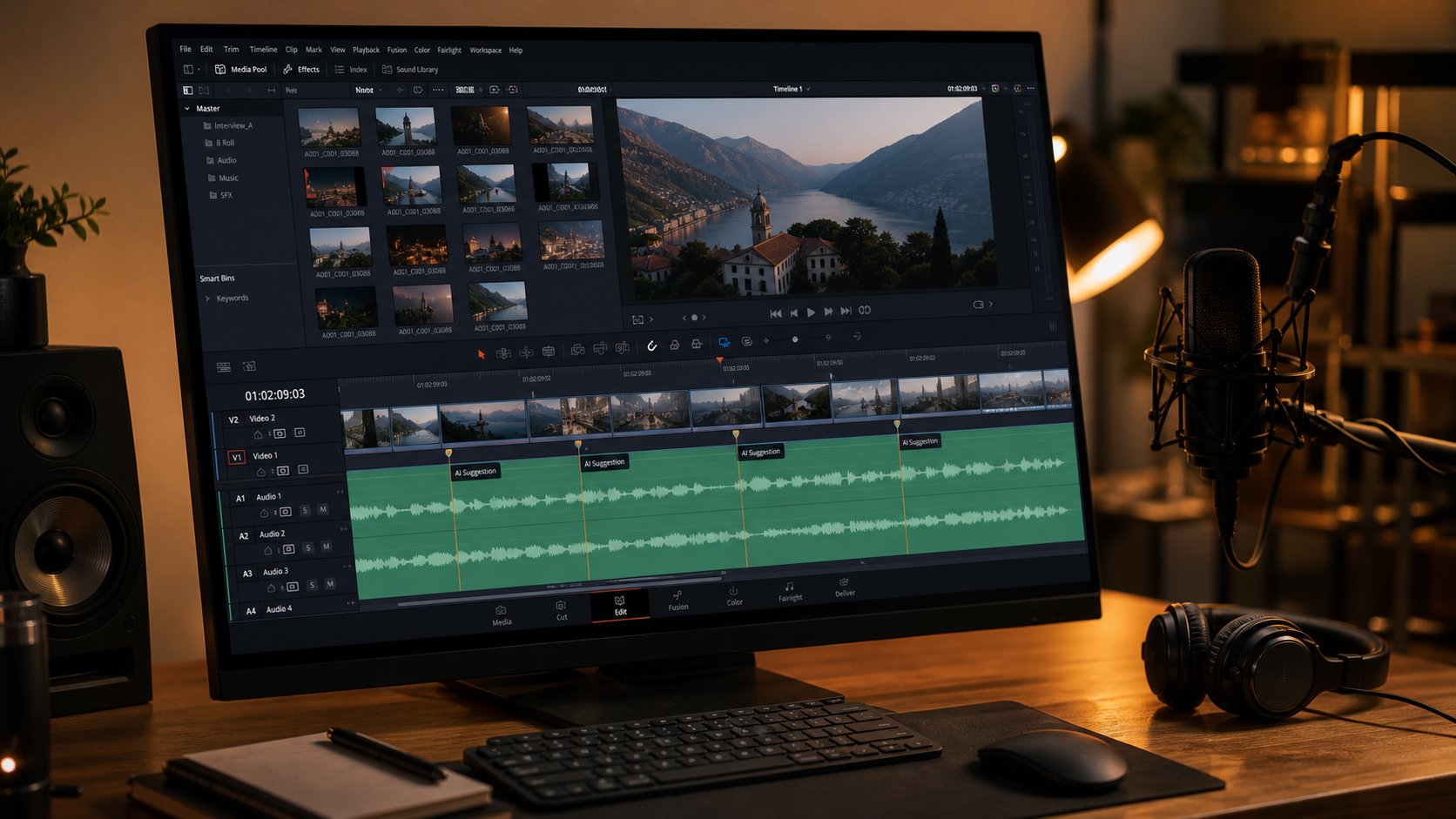
Specific scenarios make the choice obvious. When you know exactly what your project demands, whether that is trimming four minutes down to sixty seconds or stretching a loop across a full episode, the right AI method reveals itself quickly. Here are the most common real-world situations where creators rely on AI to reshape track duration, ranked by how frequently they come up.
- Fitting background music to video length
- Creating radio edits and short-form versions
- Extending intros and outros for presentations
- Looping music for podcasts and livestreams
Fitting Background Music to Video Length
This is the single most common use case. You have a 3-minute licensed track and a 47-second product demo, a 12-minute documentary scene, or a 60-second social reel. The audio needs to match the visual timeline exactly, and manual cutting risks landing on an awkward beat or chopping a melodic phrase in half.
AI duration tools like MotionElements Studio AI handle this by analyzing the track's structure, finding natural stopping points when shortening, and extending phrases seamlessly when more time is needed. For video editors working with business background music, the typical adjustment is trimming a full-length track down to 15 to 90 seconds. Intelligent looping or stem re-arrangement works best for these cuts, since both preserve original audio fidelity while removing complete musical sections rather than slicing mid-phrase.
When you need to add a background to a music performance on AI-edited video, the reverse applies: you might stretch a 90-second piece to cover a 3-minute performance clip. Time-stretching within a 20 percent range or generative extension for larger gaps keeps the underscore feeling natural beneath the visuals.
Creating Radio Edits and Short-Form Versions
Radio edits traditionally require a producer to manually cut a 5-minute song down to around 3 minutes 30 seconds by removing a verse, trimming an instrumental bridge, or shortening the outro. AI handles this through stem separation and structural re-arrangement, identifying which sections are structurally redundant and removing them at phrase boundaries.
Short-form content demands even more aggressive cuts. Trimming a track to 15 or 30 seconds for a commercial jingle spot or social media ad means the AI needs to isolate the hook, the most recognizable and energetic moment, and build a miniature arc around it. Generative extension can even add a brief musical resolution at the end so the clip does not feel abruptly chopped. For creators producing an ai music video with tight pacing, this approach delivers polished clips without re-recording.
Extending Intros and Outros for Presentations
Imagine you have found the best intro song for your branded video series, but it only runs 8 seconds before the vocals kick in. You need 20 seconds of that instrumental opening to cover a title sequence and speaker introduction. Generative extension shines here, composing new bars that maintain the same key, tempo, and energy of the original intro.
Presentation outros face the same challenge in reverse. A 10-second closing tag might need to sustain for 30 seconds while credits roll or a call-to-action appears on screen. Intelligent looping handles this cleanly when the outro has a sustained chord or ambient texture. The AI identifies the sustain region, creates a seamless loop, and lets it breathe as long as needed without sounding repetitive.
Looping Music for Podcasts and Livestreams
Podcasters often need royalty free podcast intro music that loops cleanly for variable-length segments. A 2-minute bed track might need to run for 8 minutes during an interview segment or stretch across a 45-minute livestream. Intelligent looping is purpose-built for this scenario, finding loop-friendly windows and blending endpoints at the spectral level so listeners never hear a jump.
For creators who want to add a background to a band video with ai-adjusted audio, looping also solves the problem of underscore for long-form performance footage where the backing track runs shorter than the visual content.
Licensing Considerations When Modifying Track Length
A practical note that many creators overlook: does editing a track's duration affect your license? In most cases, royalty-free and stock music licenses permit modifications including duration changes, but the terms vary. Envato's licensing documentation confirms that edits to licensed tracks remain fully covered under their perpetual license. However, some exclusive or sync licenses restrict derivative works, which could include AI-generated extensions that add new musical material not present in the original recording.
The safest approach: check whether your license allows modifications and derivative works before running a track through generative extension. Simple trimming and time-stretching rarely trigger licensing issues since the original content is preserved. Adding AI-generated material is where the legal line can blur, particularly if the new content substantially changes the composition's character. When in doubt, platforms that offer AI-generated music with built-in commercial rights sidestep this concern entirely.
AI Tools vs Traditional DAW Editing for Track Length
Every use case outlined above has a parallel reality: someone has been doing the same thing manually in a DAW for years. Ableton Live, Logic Pro, Pro Tools, FL Studio, these platforms give producers frame-level control over every splice and crossfade. So when does AI actually save you time, and when are you better off handling the edit yourself? The answer is not one-size-fits-all, and being honest about the trade-offs helps you pick the right tool for the job at hand.
| Criteria | AI Track Length Tools | Manual DAW Editing |
|---|---|---|
| Speed | Seconds to minutes for a complete edit; batch processing multiple tracks is straightforward | Minutes to hours depending on complexity; each edit requires individual attention |
| Precision | Good at phrase-level accuracy; may miss subtle musical nuances within a section | Sample-level control; you choose exactly which beat, note, or silence to cut |
| Musical Intelligence | Algorithmically identifies structure, safe edit points, and loop windows automatically | Relies entirely on the editor's ear and music theory knowledge |
| Learning Curve | Low; most tools require only uploading a file and setting a target duration | Moderate to steep; requires familiarity with DAW workflow, crossfading, and arrangement techniques |
| Cost | Free tiers or $10-$30/month subscriptions for most platforms | $50-$600 for DAW licenses plus potential plugin costs |
| Best Scenario | Quick turnarounds, non-musicians editing stock music, batch processing libraries | Complex arrangements, professional releases, edits requiring hand-crafted transitions |
When AI Saves Time Over Manual Editing
Three situations consistently favor AI over opening a DAW session. The first is speed under deadline pressure. A video editor who needs 14 tracks trimmed to match different scene lengths does not have hours to manually locate edit points in each file. AI handles that batch in minutes, producing results that are musically coherent at every cut. For creators browsing the best music making apps or stock libraries and pulling tracks into projects rapidly, AI-driven trimming eliminates a bottleneck that used to slow production to a crawl.
The second is skill gap. Not everyone editing audio is a musician or producer. Content creators, marketers, educators, and podcasters frequently work with music they did not compose and do not know how to arrange. Asking them to identify phrase boundaries by ear or execute clean crossfades in a timeline is unrealistic. AI abstracts that complexity away. You set a target length, and the tool delivers a result without requiring you to understand time signatures or harmonic resolution.
The third is consistency across large libraries. If you manage background music for an app, game, or content platform, you might need dozens of tracks reformatted to specific durations. AI produces uniform results across the batch because it applies the same structural analysis to every file. A human editor, no matter how skilled, introduces variability across repetitive tasks, and fatigue compounds over long sessions.
When a DAW Still Wins
AI is not the right answer when precision and intent drive the edit. Professional releases where every transition is deliberate, a held note bleeding into silence exactly on beat four, a drum fill bridging two sections with specific energy, demand the kind of surgical control that DAW automation provides. You can ride faders, draw crossfade curves sample by sample, and audition each edit point in context with the full mix. No AI tool offers that granularity yet.
Complex arrangements also expose AI limitations. Imagine a track where the second verse introduces a countermelody that resolves in the bridge. Removing the bridge breaks the harmonic payoff. A producer recognizes that dependency and finds an alternative edit strategy. AI, working from statistical patterns rather than compositional intent, might flag that bridge as removable because its energy profile looks similar to other removable sections in its training data. The best music composition software and DAWs give you the context and creative control to make judgment calls AI cannot.
Productions with specific client requirements fall into this category too. When a music supervisor says "keep the guitar solo but lose the second chorus," you need direct structural control. AI tools typically let you set a target duration, not specify which sections to preserve and which to remove. That level of editorial direction still belongs in a DAW timeline where you can lock sections, define protected regions, and manually sculpt transitions.
A Hybrid Workflow for Best Results
The most practical approach borrows from both sides. Use AI for the rough cut, then refine in a DAW. This mirrors what audio professionals across podcasting and music production are increasingly adopting as standard practice: AI handles repetitive structural decisions while human ears make the final creative calls.
A typical hybrid workflow looks like this: run the track through an AI duration tool to get it within range of your target length. Import the result into one of the best apps for music production you already use. Listen critically at every edit point. If a transition sounds slightly abrupt, manually extend the crossfade or adjust the cut by a few beats. If the AI removed a section you wanted, undo that specific edit and trim elsewhere. The AI did the heavy lifting of structural analysis and phrase-boundary detection. You spend five minutes polishing instead of thirty minutes building from scratch.
This hybrid model also solves the trust problem. Producers hesitant to hand full control to an algorithm can treat AI output as a first draft rather than a finished product. You stay in the creative driver's seat while still benefiting from the speed and consistency AI brings. For anyone evaluating the best music creation apps and wondering whether AI replaces their existing DAW, the honest answer is: it complements it. The two approaches cover each other's weaknesses, and the combination produces faster results at higher quality than either method alone.
Of course, how well any of these tools perform depends heavily on what kind of music you feed them. Genre shapes everything from edit-point availability to artifact visibility, and some styles are far more forgiving than others.

How Different Genres Handle AI Length Adjustments
Genre is not just a label. It determines how predictable a track's structure is, how much variation exists between sections, and how forgiving the audio is when material gets added or removed. AI models trained on large music datasets recognize patterns specific to different musical styles, but some styles hand the algorithm an easy win while others fight it at every edit point.
Here is a rough hierarchy from easiest to hardest for AI duration editing:
- Easiest: Electronic, ambient, lo-fi beats, drone music
- Moderate: Pop instrumentals, royalty free jazz music beds, corporate background tracks
- Challenging: Vocal-heavy pop, hip-hop with complex lyrical phrasing, theme music songs with distinct melodic hooks
- Hardest: Orchestral scores, progressive rock, film soundtracks with evolving dynamics
Electronic and Ambient Tracks
Repetitive genres are where AI shines brightest. Electronic music built on looping synth patterns, steady kick drums, and gradual filter sweeps gives the algorithm exactly what it needs: predictable structure. The AI can identify a 4-bar or 8-bar loop, extend it seamlessly, or trim sections without disrupting flow because the musical content barely changes between repetitions.
Ambient and drone textures are even more forgiving. With no strong rhythmic grid or melodic hook to expose a bad edit, the AI can stretch, loop, or trim these tracks with near-invisible results. If you need good theme songs for a meditation app or background audio for a calm livestream, ambient source material processed through AI duration tools will sound virtually untouched. Expect quality retention above 95 percent for changes within a 50 percent duration range, far more generous than other genres allow.
Vocal-Heavy and Pop Tracks
Vocals change the game entirely. A lyric is a narrative thread. Cut a verse in the wrong spot and you break a sentence mid-thought. Extend a chorus and listeners hear the same words repeating in a way that sounds like a skipping record rather than an intentional arrangement choice.
AI handles vocal tracks best when the edit lands between lyrical sections, in an instrumental break, a post-chorus riff, or a transition where the singer is not actively delivering a phrase. Pop instrumentals without vocals, like cartoon theme music beds or karaoke-style backing tracks, behave much better because the AI only needs to maintain melodic and harmonic coherence rather than linguistic meaning.
For tracks with vocals, realistic expectations matter. Shortening works well when the AI removes a complete verse or bridge. Extending is riskier because generating new vocal content that matches the singer's timbre, phrasing, and lyrical style remains one of the hardest problems in generative audio. If you need a longer version of a vocal track, intelligent looping of instrumental sections between vocal phrases is typically the cleanest path.
Orchestral and Complex Arrangements
Orchestral music is the toughest test. A symphonic piece evolves constantly. Themes develop, harmonies modulate through distant keys, dynamics build from pianissimo to fortissimo across long arcs, and individual instrument lines weave counterpoint that depends on everything around them. Remove eight bars from the middle of an orchestral development section and the harmonic progression collapses.
AI struggles here because the training data challenge is immense. As research into genre-adaptive AI confirms, these systems remain dependent on the patterns represented in their training datasets, and highly complex or evolving arrangements push beyond what statistical models handle confidently. Fusion genres and experimental compositions that deliberately break conventional patterns create additional difficulty.
Practical guidance for orchestral content: keep AI edits conservative. Trim at clear section boundaries, between movements or at rehearsal marks where the music resets. Extending orchestral material through generation rarely maintains the thematic development a trained ear expects. If you work with film scores or complex arrangements regularly, the hybrid approach of AI rough-cut plus manual DAW refinement becomes essential rather than optional.
These genre realities set a ceiling on what any tool can deliver. Knowing your source material's complexity before you start lets you choose the right method and set expectations accordingly, which matters just as much as the edit itself when quality is on the line.
Limitations and Quality Trade-Offs You Should Expect
Genre complexity sets one boundary. The raw mechanics of audio processing set another. Even the most capable AI duration tools have a breaking point, a threshold where edits stop sounding transparent and start introducing audible compromises. Knowing where that line sits, and what degrades first when you cross it, saves you from delivering a track that sounds processed rather than polished.
How Much Can You Change Before Quality Drops
Most AI tools handle duration changes in the 10 to 30 percent range without noticeable quality loss. A 3-minute track shortened to around 2 minutes 15 seconds, or stretched to about 3 minutes 45 seconds, generally retains its musical character. Within that window, algorithms find enough structural redundancy to cut cleanly or enough coherent material to loop or extend without exposing the edit.
Push beyond 30 percent and you start hearing the seams. At 40 to 50 percent compression, AI tools must remove so much content that transitions between remaining sections feel rushed or disconnected. At 50 percent or more extension, generative models begin losing contextual awareness of the original composition, producing passages that drift in energy, harmonic direction, or stylistic consistency. Time-stretching algorithms fare even worse at extreme ratios. Stretch a track by 40 percent and transients smear, pitched instruments develop a metallic ring, and rhythmic groove flattens into something mechanical.
The practical rule: treat 25 percent as your comfortable ceiling for high-quality results. Between 25 and 40 percent, expect to do manual cleanup. Beyond 40 percent, consider whether a different source track or a combination of methods would serve you better than forcing a single tool past its limits.
Common Artifacts and How to Spot Them
When quality does degrade, it shows up in predictable ways. Training your ear to recognize these artifacts helps you catch problems before they reach your audience.
Research into AI music quality issues identifies several recurring problems in processed audio. Phase discontinuities at edit points create a subtle flanging or hollow sound, as if the audio briefly passes through a short tunnel. You will hear this most clearly on sustained pads, reverb tails, and stereo-wide elements where phase relationships are critical to spatial imaging.
Unnatural transitions reveal themselves as energy jumps. One section ends at a moderate dynamic level, and the next begins slightly louder or with a different tonal balance. The individual sections sound fine in isolation, but the join feels abrupt rather than organic. This is especially common when AI removes a section that served as a dynamic bridge between two contrasting parts.
Rhythmic inconsistencies appear when time-stretching interacts with syncopated or swing-based grooves. The algorithm may preserve the macro tempo perfectly but subtly flatten the micro-timing that gives a drum pattern its human feel. If you upload a song and AI will make a drum beat adjustment during stretching, the groove can lose its pocket. Listen for hi-hats that feel quantized or kick-snare patterns that sound stiff compared to the original.
Harmonic clashes surface in extended sections where the AI generates or loops material without full awareness of the song's chord progression. A generated passage might sit on a tonic chord while the original was building tension toward a dominant resolution. The clash is not always obvious on first listen, but it creates a sense that something is off, a musical dead-end where forward motion should be.
Audio generation errors like random clicks, transient distortion, and phase cancellation also crop up when neural architectures misinterpret amplitude envelopes during processing. These tend to be more common with older-generation tools or when source files contain existing quality issues that compound during AI manipulation.
Format and File Preparation for Best Results
The quality of your output depends heavily on the quality of your input. AI duration tools perform spectral analysis, beat detection, and source separation on whatever file you provide. Feed them a compressed, low-resolution source and every processing artifact gets amplified.
File format matters more than most users realize. MP3 and other lossy codecs discard spectral information during encoding, particularly in the high-frequency range and at low amplitudes. When AI then analyzes that file for structural features, it is working with an incomplete picture. Phase relationships are already compromised, transient detail is softened, and stereo imaging is narrowed. Any edit the AI makes stacks its own processing artifacts on top of those existing losses.
As iZotope's breakdown of digital audio fundamentals explains, sample rate determines the highest frequency captured while bit depth sets the noise floor and dynamic range. For AI processing, both parameters directly affect how much detail the algorithm has to work with when making edit decisions. A 16-bit, 44.1 kHz MP3 gives the tool far less information than a 24-bit, 48 kHz WAV, and the difference shows in output quality.
Here are the file preparation practices that consistently produce the best results from AI duration editing:
- Use WAV or AIFF format: Lossless, uncompressed files preserve the full spectral detail AI needs for accurate structural analysis. Avoid MP3, AAC, or OGG as source files whenever possible.
- Record or export at 24-bit depth: The additional dynamic range (144 dB versus 96 dB for 16-bit) gives the AI more headroom for processing without introducing quantization noise. If your source is already 16-bit, do not upsample; it will not add information that was never captured.
- Choose 44.1 kHz or 48 kHz sample rate as a minimum: Both capture the full audible frequency range. 48 kHz is becoming the de facto standard for music production and offers slightly more processing headroom. Higher rates like 96 kHz can help if you plan to time-stretch significantly, since the extra bandwidth gives algorithms more room before aliasing becomes audible.
- Normalize peak levels to around -3 dBFS: This gives the AI processing headroom without clipping. Tracks that are already brickwall-limited leave no room for the slight level fluctuations that editing introduces.
- Remove silence and noise from the start and end: Leading dead air or trailing noise can confuse beat-detection algorithms and shift the AI's structural analysis off-grid.
- Avoid pre-processed or heavily limited masters: If you have access to a pre-master version (before final limiting and loudness maximization), use that. The dynamic range preserved in a pre-master gives the AI more information about the track's natural dynamics and makes edit transitions sound smoother.
Think of it this way: an i am music generator tool or any AI duration editor can only work with the data you give it. High-resolution, uncompressed, dynamically rich source material lets the algorithm make better decisions and produce cleaner output. Low-quality input guarantees low-quality results, no matter how sophisticated the AI behind it.
These limitations are real, but they are not roadblocks. They are parameters. Once you understand the comfortable range for duration changes, know what artifacts to listen for, and prepare your files correctly, you can use AI to edit track length with confidence. The next step is knowing exactly where in the track to make those edits for the most transparent results.
Best Practices for Choosing Edit Points and Maintaining Coherence
Knowing the limits of AI duration tools and preparing clean source files gets you most of the way there. The remaining variable is where you tell the AI to make its cut or extension, and that single decision has more impact on final quality than any other step in the process.
Identifying Natural Edit Points in a Track
Every piece of music has seams built into it. Phrase boundaries, section transitions, sustained chords, dynamic pauses: these are the moments where the musical narrative naturally inhales before moving forward. Cutting or extending at these points sounds intentional. Cutting elsewhere sounds broken.
Research into phrase structure perception in music confirms that listeners process music in structural segments, with the brain actively closing one phrase and opening the next at boundary points. This neurological reality means edits placed at phrase boundaries align with how human perception naturally groups musical information. The edit becomes invisible because the listener's brain was already expecting a reset at that moment.
The strongest edit points share a few characteristics:
- Phrase boundaries: The end of a 4-bar or 8-bar phrase, where one melodic idea resolves before the next begins
- Section transitions: Between verse and chorus, chorus and bridge, or any two structurally distinct parts
- Sustained notes or ambient passages: Moments where the harmonic content holds steady and rhythmic activity drops, making the join less detectable
- Dynamic shifts: Points where volume or energy naturally changes, since the listener's attention resets during these moments
- Silence or near-silence: Drum fills leading into a pause, breath marks in vocal lines, or deliberate rests between phrases
AI tools identify many of these points automatically through beat detection and structural analysis. But when you have a choice between multiple candidate edit points, favor the one with the least harmonic and melodic activity happening across the join. A held pad note is far more forgiving than an active guitar riff when it comes to concealing an edit.
Working With Song Structure for Cleaner Results
Before touching any song tools or AI duration editors, map the track's structure. Knowing whether a song follows a verse-chorus-verse-chorus-bridge-chorus pattern or something less conventional tells you which sections are candidates for removal and which are structurally load-bearing.
Think about how can you make a song shorter without losing its identity. The answer lies in understanding which sections carry the core emotional message and which serve as connective tissue. A second verse that repeats the same melodic and harmonic content as the first is almost always safe to remove. A bridge that introduces a new harmonic idea resolving in the final chorus is not, because removing it breaks the payoff.
The same logic applies to extension. If you need to add length, identify sections that already repeat and extend those rather than inserting material into a section that develops linearly. A looped chorus or a doubled instrumental break sounds intentional. A stretched development passage that was written to move forward sounds stuck.
Many song writing applications and DAWs let you drop markers at section boundaries before sending the file to an AI tool. This pre-analysis takes two to three minutes and dramatically improves your results because you are guiding the AI toward structurally sound edit points rather than letting it guess. Even if your AI tool detects structure automatically, cross-referencing its analysis against your own ear catches the cases where the algorithm misreads a dynamic instrumental section as a transition point.
Post-Edit Quality Checks
The edit is only finished once it passes your ears without calling attention to itself. AI delivers a result quickly, but that result needs validation before it goes into a project. Listening critically after every duration change is the step that separates clean edits from ones that distract your audience.
Here is the full workflow from track analysis through final quality verification:
- Map the song structure: Identify verses, choruses, bridges, intros, outros, and instrumental breaks. Note the bar count and harmonic content of each section.
- Identify candidate edit points: Mark phrase boundaries, section transitions, and sustained passages where cuts or extensions would be least audible.
- Choose the AI method that preserves the most context: Match your duration goal to the right approach. Trimming a full section? Stem separation and re-arrangement. Minor length adjustment? Time-stretching. Need more material? Generative extension or intelligent looping.
- Run the AI edit and export the result: Process the file and render it at the same quality level as your source, preferably lossless WAV at 24-bit.
- Listen for transition smoothness: Play across every edit point. Does the energy flow naturally from one section to the next? Does anything sound abrupt, hollow, or pasted-in?
- Check rhythmic consistency: Tap along to the beat through the edited regions. Does the groove maintain its feel, or has the timing gone stiff or uneven?
- Evaluate tonal balance: Compare the frequency content of edited sections against unedited ones. Listen for shifts in brightness, bass weight, or stereo width that would signal processing artifacts.
- Test on multiple playback systems: A transition that sounds smooth on studio monitors might reveal a click on earbuds or a phase issue on a phone speaker. Check at least two different systems.
- Compare against the original: A/B the edited version with the source track. The edit should feel like a shorter or longer version of the same song, not a different song assembled from pieces.
Anyone learning how to make a song fit a specific project context benefits from treating this checklist as non-negotiable rather than optional. Quick edits tempt you to skip verification, but a single audible glitch in a released track or published video undermines the professional quality you are aiming for.
If any step in the quality check reveals a problem, go back to step two and try a different edit point rather than patching the existing cut. A clean edit at a better location almost always outperforms a repaired edit at a bad one. The goal is transparency: when someone listens to the final track, they should never wonder whether it was edited at all.
Finishing Your Edited Track for Release
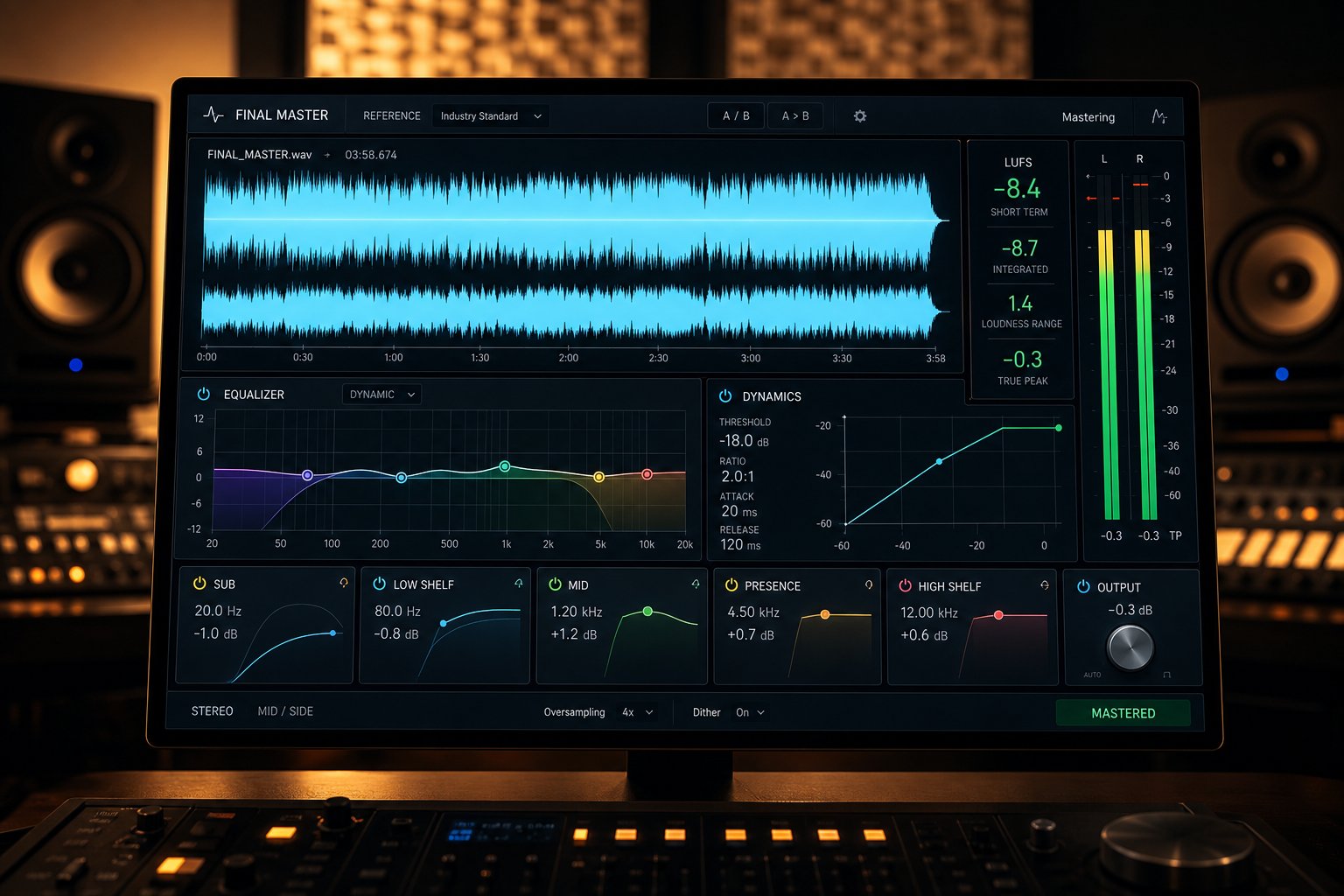
A transparent edit means nothing if the final file sounds unfinished. Adjusting duration is a structural decision, but it often introduces subtle shifts in loudness, frequency balance, and stereo imaging that need correction before the track is ready for distribution. Think of duration editing as reshaping the frame. Mastering is what makes the picture inside it look polished and consistent from edge to edge.
The Full Workflow From Length Edit to Finished Track
Whether you are preparing a custom song for a client, creating a personalized song version for a specific platform, or trimming a track to download song for YouTube use, the post-edit steps follow the same sequence. Skipping any of them risks delivering audio that sounds processed rather than professional.
- Complete the AI duration edit: Apply your chosen method (time-stretching, stem re-arrangement, generative extension, or intelligent looping) and export as a lossless WAV at 24-bit.
- Normalize peak levels: Duration edits can shift overall loudness. Bring peak levels back to around -1 to -3 dBFS true peak so the file has consistent headroom without clipping.
- Rebalance EQ: Removing or adding sections sometimes shifts the perceived frequency balance. A section removal might leave the remaining track feeling bass-heavy if the cut passage provided high-frequency contrast. Listen critically and apply gentle corrective EQ to restore tonal coherence.
- Check stereo width and phase: Edit points, especially those created by stem separation and recombination, can introduce phase inconsistencies that narrow the stereo image. Use a correlation meter to verify phase health across the track.
- Apply final mastering: Bring the track to release-ready loudness, tonal balance, and dynamic consistency. This step ensures the edited version sounds as polished as any track that was never modified.
- Export in distribution-ready formats: Render the mastered file at the specifications your platform requires, typically 16-bit, 44.1 kHz WAV for streaming distribution or 320 kbps MP3 for web use.
Steps two through four are where many creators stop, assuming the track is done once levels look right. But without proper mastering, the file may sound noticeably different from other tracks in a playlist, video timeline, or podcast feed. That inconsistency signals to listeners that something is off, even if they cannot articulate what.
AI Mastering as the Final Step
Traditional mastering requires a trained engineer, calibrated room, and specialized analog or digital processing chain. That is ideal for major releases, but impractical when you need to upgrade your song quickly after a duration edit or when budgets do not allow a per-track mastering fee.
AI mastering tools bridge that gap. They analyze your track's spectral profile, dynamic range, and loudness, then apply corrective processing calibrated to distribution standards. For tracks that have undergone AI duration editing, this step is particularly valuable because it catches and corrects the subtle tonal imbalances that structural edits introduce, things like a slightly brighter overall balance after removing a warm instrumental bridge, or a shift in low-end weight after extending a percussion-light section.
MakeBestMusic's AI Mastering handles this workflow cleanly. Upload your edited file, and it optimizes loudness for your target platform, rebalances frequency content, and delivers a distribution-ready master without requiring you to own mastering plugins or understand multiband compression. For creators who just reshaped a track's duration and need the final polish applied fast, it removes the last technical barrier between an edited file and a finished release.
The complete picture is straightforward: AI edits the length, you verify the result, and AI mastering finishes the job. A track that once required a producer, an editor, and a mastering engineer can now move from raw duration adjustment to platform-ready audio in a single session. That is not a replacement for human expertise on high-stakes releases, but for the vast majority of content production, background scoring, and independent releases, it is a workflow that delivers professional results at a fraction of the traditional time and cost.
